
Claude Code MCP manager: Tool comparison and safe setup guide
Scattered server definitions become difficult to manage when projects need different tools, credentials, and access boundaries. A Claude Code MCP manager can reduce that friction, but adding another application is not always the right answer. Start with the native commands, then evaluate additional tools against recurring work they would remove. This guide compares that baseline with lightweight utilities and broader control centers, explains configuration scopes, and provides a safe setup sequence.
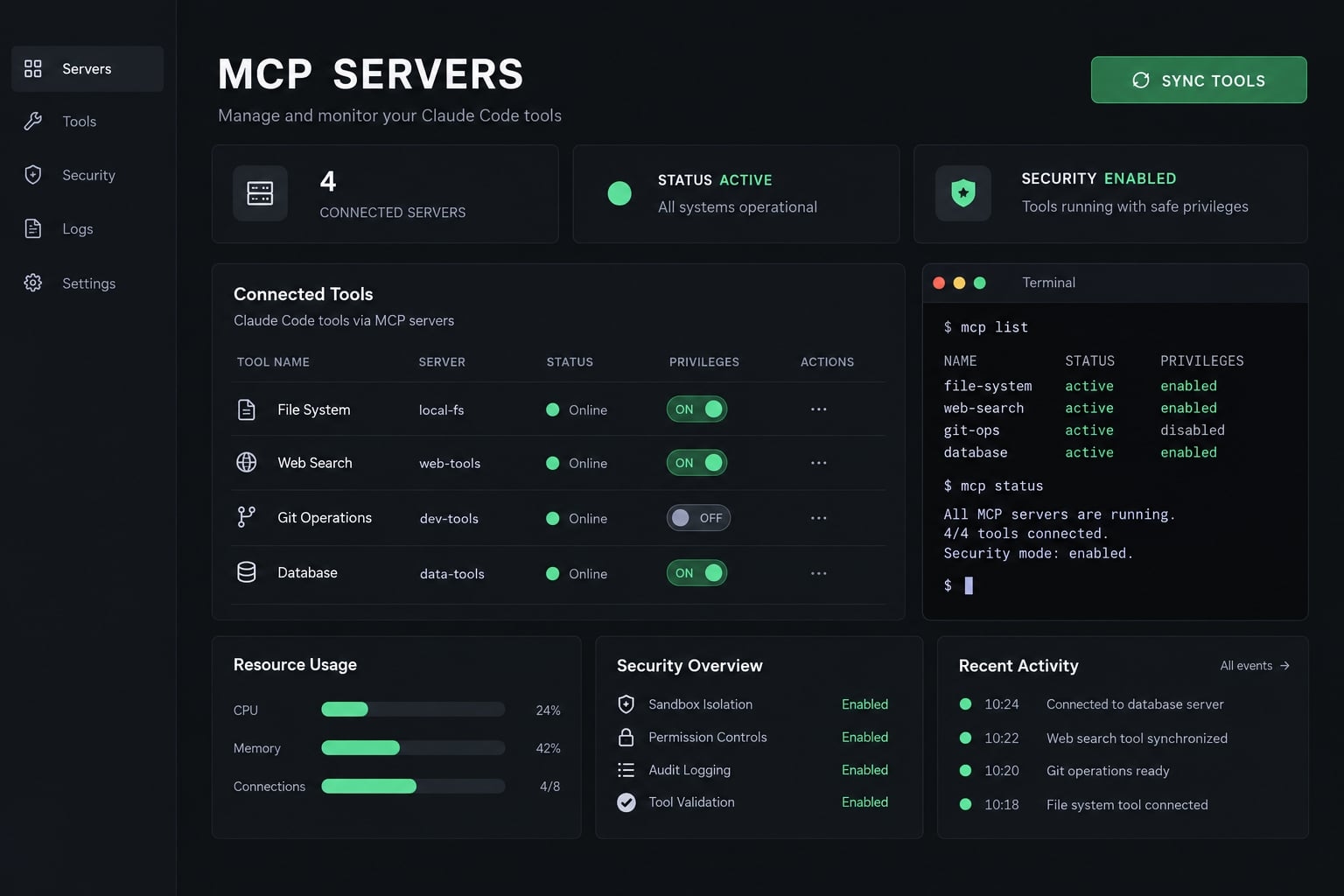
A Claude Code MCP manager helps maintain Model Context Protocol (MCP) server definitions used by Claude Code. It can simplify configuration management, inspection, and project-specific setup. Capabilities vary by manager: profiles, connection testing, synchronization, and recovery are not universal. Claude Code already includes native management, so a separate tool is optional.
What does a Claude Code MCP manager actually manage?
A manager maintains connection definitions, not the service itself. It might save settings successfully even if the server is offline, requires authentication, or lacks necessary permissions. The official MCP architecture distinguishes the MCP host, such as Claude Code, from clients operating inside that host. Those clients communicate with MCP servers. Claude Code supports these integrations; it does not require them to function.
Core Claude Code MCP manager tasks
Depending on the product, management can include:
- Adding or removing server entries.
- Inspecting configuration and connection status.
- Setting executable commands, arguments, endpoints, and environment references.
- Selecting the appropriate configuration scope.
- Enabling or disabling entries where supported.
- Backing up and restoring configuration.
- Synchronizing settings between supported applications.
Connection inspection and functional testing are separate. A connected database integration still needs permission to execute the intended query.
Consider an illustrative SaaS team with repository, development-database, and browser-testing integrations. Its database access should belong to the relevant development project, not automatically follow every unrelated session.
MCP Manager vs. Broader Claude Code Control Center
Category | Primary responsibility |
|---|---|
MCP manager | MCP server configuration and connection-related workflows |
Broader control center | May also manage skills, subagents, plugins, plans, and reusable workflows |
Neither category automatically provides server hosting, runtime supervision, or enforced organizational security policies.
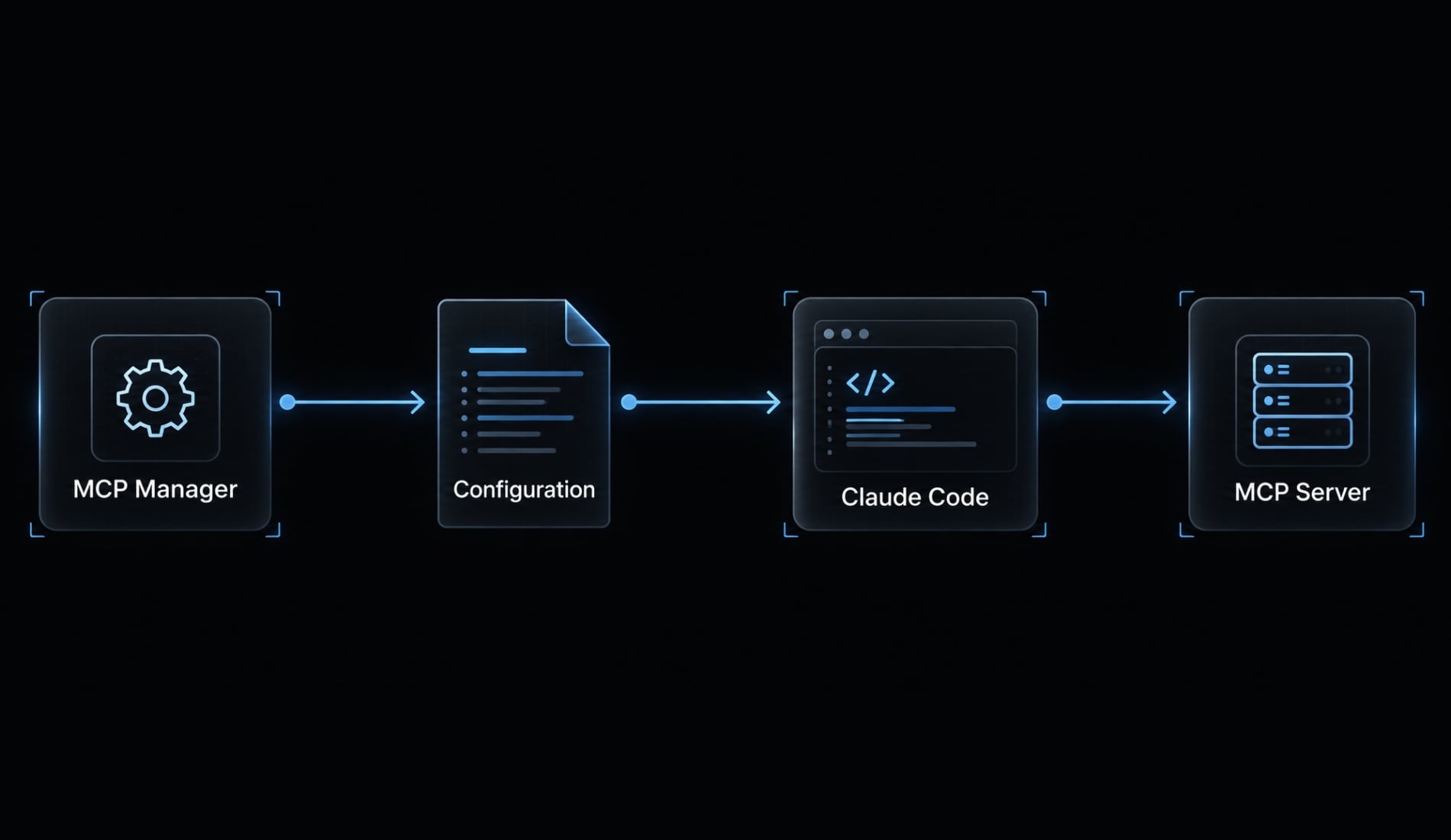
Do you need a dedicated MCP manager?
Start with native functionality. Complexity depends on change frequency, scope boundaries and repeated work, not server count alone. A founder with several stable integrations may need less management software than a small team constantly changing two project-specific connections.
Use native Claude Code management when…
- Server definitions change infrequently.
- Terminal-based administration is comfortable.
- Project-specific configuration already meets your needs.
- You do not repeatedly switch named server sets.
- Native inspection and in-session controls are sufficient.
The native Claude Code CLI, or command-line interface, exposes management through claude mcp. Inside a session, /mcp provides connection-related controls and supported authentication flows.
Use a third-party manager when…
A third-party MCP manager becomes worth evaluating when you repeatedly:
- Change definitions across repositories or scopes.
- Switch between engineering and research server sets.
- Reproduce onboarding configurations.
- Need a verified backup, restoration, or synchronization workflow.
- Manage MCP alongside other agent assets.
For an illustrative SaaS team, manual configuration across repositories often leads to drift, where settings gradually deviate from your intended baseline.
A manager is useful only if it reduces that divergence without obscuring where settings are stored.
Quick decision rule
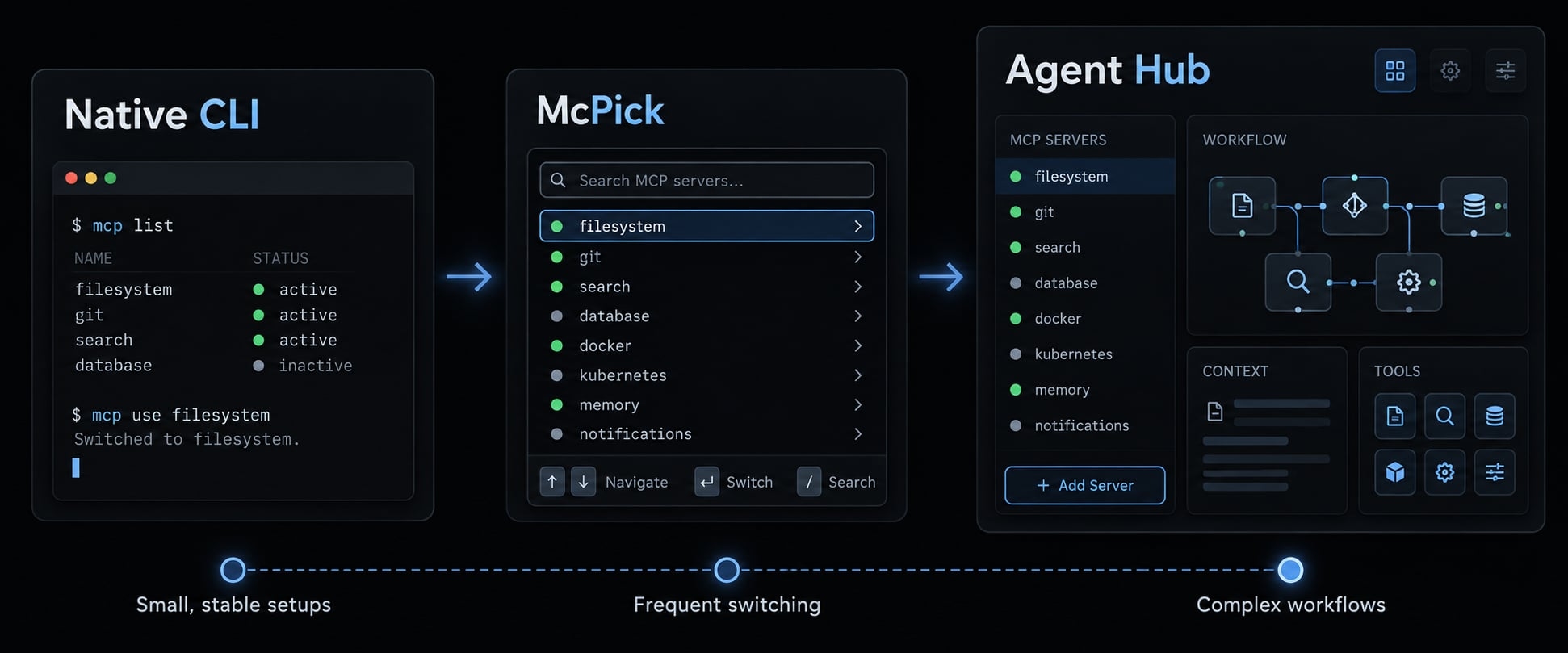
Situation | Category to evaluate | Main reason |
|---|---|---|
Small, stable setup | Native CLI | Lowest additional overhead |
Frequent terminal-based switching | CLI/TUI utility | Repeatable changes |
Visual assignment or verified editor sync | Desktop manager | Easier inspection and assignment |
MCP plus wider agent operations | Control center | Broader workflow coverage |
A TUI is a terminal user interface. A GUI is a graphical user interface. Neither interface guarantees profiles, recovery, or synchronization.
Best Claude Code MCP manager options for 2026
The best Claude Code MCP manager is the smallest option that reliably handles your workflow. The following cards distinguish established native behavior, supplied product descriptions, and capabilities that remain unverified.
Methodology: “Documentation-reviewed” below refers only to assessment of the supplied documentation summaries. It does not mean current repositories, packages, or releases were independently inspected. Unresolved products remain evaluation candidates, not validated recommendations.
Native Claude Code CLI and /mcp
Best fit: Developers who want first-party configuration management with minimal additional dependencies.
Interface and setup: An installed Claude Code environment, terminal commands, and an interactive Claude Code session.
Differentiators:
- Native commands add, inspect, list, and remove server definitions.
- Local, project, and user scopes support different sharing boundaries.
/mcpexposes in-session connection management and supported authentication.
A local STDIO connection exchanges messages through a launched process’s standard input and output; remote HTTP connections communicate with an endpoint.
Limitation: Repeated multi-repository changes may still require scripts or deliberate manual coordination. Native project configuration should not be mistaken for a complete fleet-management system.
Evidence: Documentation-reviewed from the supplied Anthropic Claude Code documentation summary. Installed-version behavior and exact status displays are not independently verified.
Claude-Code-MCP-Manager by qdhenry
Best fit: A potential candidate for developers seeking lightweight shell-oriented administration.
Interface and setup: Identified in the supplied shortlist as a shell-oriented project. Required shell, dependencies, release identity, and supported platforms are not verified.
Before adoption, establish three things:
- Which Claude Code files and scopes the script actually changes.
- Whether import/export preserves unrelated configuration.
- Whether batch operations include protected backups or only overwrite files.
These are evaluation requirements, not confirmed differentiators. Exporting configuration is not equivalent to restoring the full prior state.
Limitation: Compatibility depends on how the script interprets current configuration paths and schemas. A convenient wrapper can still write to the wrong location.
Evidence: Candidate identity supplied as qdhenry’s Claude-Code-MCP-Manager; current maintainer documentation and release behavior are not verified. No installation command is recommended here.
McPick
Best fit: A candidate to investigate for terminal-oriented interaction and repeated switching.
Interface and setup: Package identity, installation requirements, and current TUI availability are not verified in this comparison.
The most useful potential differentiators require separate confirmation:
- Whether profiles exist and which scopes they modify.
- Whether backup and restore have a documented recovery procedure.
- Whether writes are atomic and machine-readable output is available.
Atomic writes reduce the risk of a partially written file. They do not preserve earlier configurations or prove restoration works.
Plugin, cache-management, and platform support also remain unverified. Do not infer these capabilities from the product name or third-party descriptions.
Limitation: Without verified scope and restoration behavior, repeatable switching cannot yet be treated as safe team-wide configuration management.
Evidence: McPick is named in the supplied shortlist; official package, version, and commands remain unverified.
Claude Code Tool Manager
Best fit: Potentially useful for readers prioritizing visual inspection and project assignment.
Interface and setup: The name alone does not resolve a unique maintainer and repository. A specific application must be identified before installation.
Evaluate visual assignment, supported coding assistants, and synchronization direction independently. Importing a Claude Desktop configuration once is not ongoing synchronization with Claude Code.
Likewise, a desktop application running on multiple operating systems does not establish cross-editor compatibility.
Limitation: Product identity and integration boundaries remain unresolved. No recommendation to install a particular package follows from this generic name.
Evidence: The supplied ecosystem summary describes this category, but exact product identity, packaged releases, platform support, and synchronization behavior are not verified.
AgentKit
Best fit: Teams managing MCP integrations alongside reusable agent-development and marketing workflows.
Interface and setup: CLI setup included with each kit; a separate Desktop App license adds a visual control center.
Differentiators:
- Reusable Engineer and Marketing kits with 45 specialized subagents and 108+ skills.
- The Marketing kit includes 12+ MCP integrations for content and growth workflows.
- The Desktop App lets you inspect the skill graph and active subagents, manage licensed kits and CLI integrations, and configure status lines and safety hooks.
Limitation: These broader capabilities do not establish specific MCP scope editing, live connection tests, synchronization, or rollback. Verify those details before relying on AgentKit as an MCP manager.
When it’s unnecessary: A broader environment adds little when native management already handles a stable MCP setup.
Claude Code MCP manager comparison and selection matrix
Scope accuracy and recovery matter more than feature volume. This MCP manager comparison deliberately leaves gaps visible rather than converting incomplete evidence into checkmarks.
Option | Interface/setup | Scope support | Profiles/project assignment | Backup/recovery | Validation/testing | Cross-editor synchronization | Best fit/broader management |
|---|---|---|---|---|---|---|---|
Native Claude Code | Built-in CLI/session | Local, project, user; version check advised | Project configuration; profiles not verified | Manual snapshot procedure | Native inspection; functional test separate | Not verified | First-party baseline |
qdhenry manager | Shell-oriented; requirements not verified | Not verified | Not verified | Not verified | Not verified | Not verified | Shell candidate |
McPick | Terminal candidate; package not verified | Not verified | Not verified | Not verified | Not verified | Not verified | Switching candidate |
Claude Code Tool Manager | Desktop candidate; identity unresolved | Not verified | Not verified | Not verified | Not verified | Not verified | Visual-management candidate |
AgentKit | CLI/desktop described | MCP-specific behavior not verified | Broader configurations described | MCP recovery not verified | Security checks described; live testing not verified | Not verified | Broader agent operations |
“Not verified” means insufficient evidence here, not that a capability is absent. “Not documented” should be reserved for cases where relevant documentation was actually inspected and did not establish the feature.
Recommendations by use case
- First-party simplicity: Choose native management unless a recurring limitation appears.
- Shell automation: Investigate qdhenry’s candidate only after checking file-writing behavior.
- Terminal-based switching: Evaluate McPick after resolving its package and profile semantics.
- Visual assignment or synchronization: Resolve the exact desktop product before comparing integrations.
- Broader agent operations: Evaluate AgentKit when skills, subagents, and workflows are also requirements.
MCP profiles are manager-defined server sets. They are not Claude Code configuration scopes and cannot override organizational restrictions.
Evaluation criteria that matter most
- Correctness: Confirm paths, scopes, schema compatibility, and precedence.
- Recovery: Inspect backup protection, safe writes, and restoration behavior.
- Access: Check authentication, credential handling, and least privilege.
- Operational fit: Review platforms, maintenance activity, synchronization direction, and managed assets.
For configuration synchronization, ask what happens when both applications change the same entry. An export button does not answer that question.
Before installing another manager, record one repeated task it must improve and one recovery test it must pass.
How to set up and manage an MCP server safely
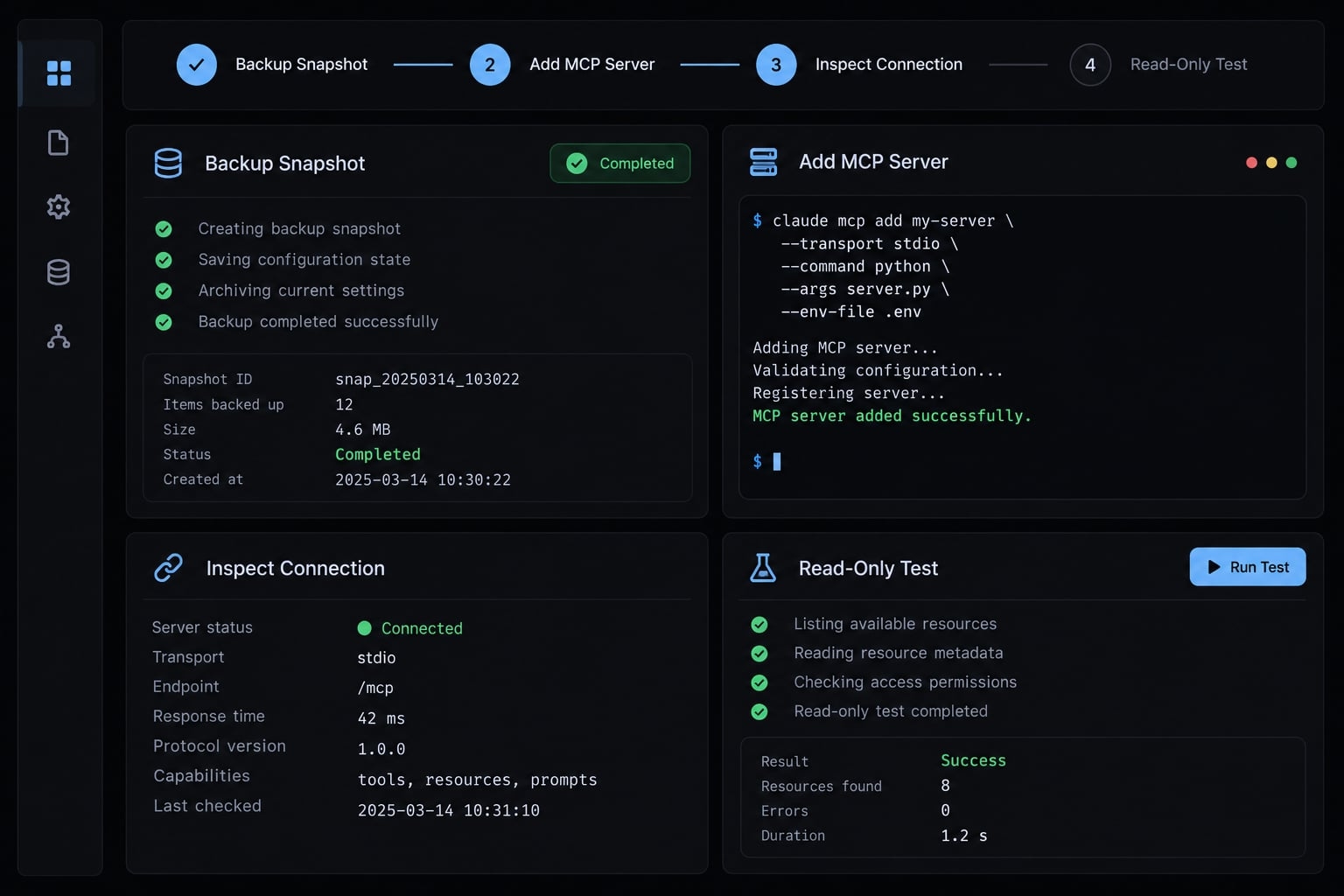
Separate configuration, authentication, and functional testing. Completing one does not prove the others work. The following command patterns reflect documented Claude Code conventions. Confirm flags against your installed release with claude mcp add --help before use.
Step 1: Decide the correct configuration scope
Scope | Meaning | Caution |
|---|---|---|
Local | Personal configuration associated with the current project | Not automatically shared with teammates |
Project | Repository-level configuration, commonly in | Review before approval; exclude embedded secrets |
User | Personal configuration available across projects | Paths and credentials may not transfer |
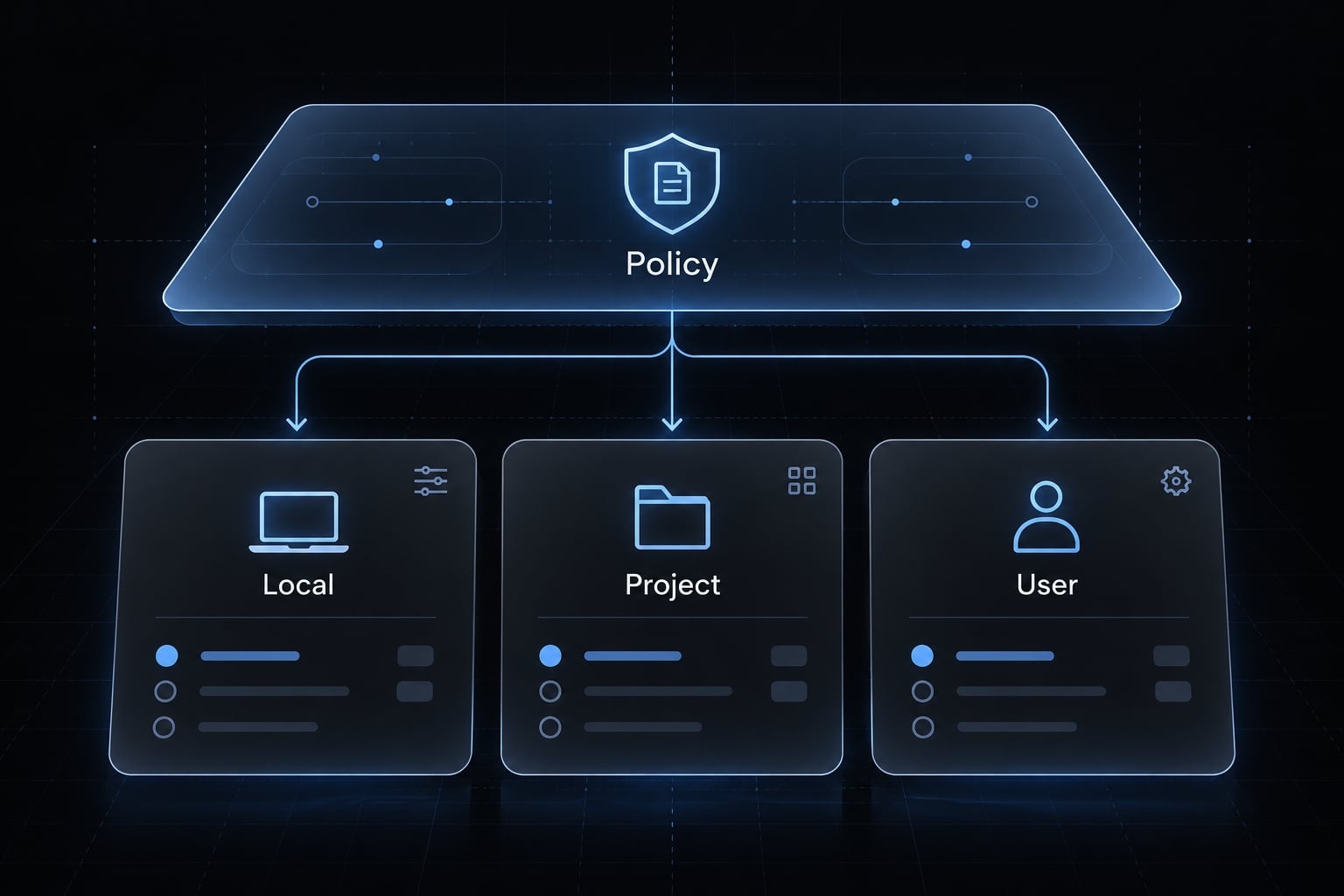
Administrator-managed configuration and organizational restrictions are separate controls, not ordinary user-selectable scopes.
Preflight backup: Before editing anything, create a protected snapshot of the affected configuration. Record the current entries and their scopes.
Step 2: Add the MCP server
Review the server before execution. A local STDIO server runs code with the permissions of its process. Use a disposable repository and a vetted, read-only test server.
Local pattern:
claude mcp add --transport stdio --scope local demo -- /absolute/path/to/reviewed-read-only-server
The executable must already exist and satisfy its runtime requirements.
Remote HTTP MCP server pattern:
claude mcp add --transport http --scope local demo-remote "<APPROVED_MCP_ENDPOINT>"
Replace the quoted placeholder with an approved endpoint. Do not paste credentials into either command.
Step 3: Inspect and test the connection
Use claude mcp list to inspect entries and available status information. Use claude mcp get <name> for an individual definition.
Open /mcp inside Claude Code to inspect connection state. After authentication, attempt one harmless, authorized read-only operation.
A listed definition is not proof of connectivity. Connectivity is not proof of useful access.
Step 4: Authenticate without exposing secrets
Use supported OAuth or the server’s documented credential mechanism. Environment variables can reduce hard-coded credentials, but they are not automatically a secure vault. Keep secrets out of shell history, screenshots, logs, and committed files.
Step 5: Assign, enable or disable by workflow
For the illustrative team, a development set might include repository and development-database access. A research set might contain approved documentation sources. Use profiles or toggles only where supported. Profiles do not bypass permissions.
Step 6: Formalize backup and rollback
Maintain a protected snapshot and a known restoration procedure. After larger changes, restore in the disposable project and verify unrelated entries survive. Atomic writes do not replace backups.
Step 7: Update or remove stale servers
Check package versions, executable paths, endpoints, and authorization before making targeted changes. Use claude mcp remove <name> only after confirming the intended entry and scope.
Removing configuration does not automatically prove remote credentials were revoked.
Security, scope and troubleshooting checklist
MCP security depends on both the manager and the server. Local configuration storage does not make an executable trustworthy or its access appropriately limited.
Five-point security checklist
- Keep credentials out of shared configuration, screenshots, and public artifacts.
- Review server origin, executable commands, and requested access before running third-party code.
- Apply least privilege to filesystem, database, and API access.
- Protect backups and review changes before synchronizing configurations.
- Check maintenance, dependencies, and how local configuration or credentials are stored.
Common Claude Code MCP management problems
To troubleshoot Claude Code MCP configuration files, start with the active scope and the smallest reversible check.
Symptom | Likely cause | First action |
|---|---|---|
Server missing | Wrong project, scope, or competing definition | Inspect active project, entry names, and precedence |
Connection failure | Missing executable, runtime, or unavailable endpoint | Check the exact executable path or endpoint availability |
Unexpectedly missing tools | Permissions, discovery behavior, or resources-only server | Inspect advertised capabilities and authentication |
Pending project approval | Repository configuration awaits trust review | Read the definition before approving it |
Remote endpoint rejection | Authentication failure or transport mismatch | Inspect the response and documented endpoint transport |
Invalid or incompatible configuration | Schema mismatch, malformed JSON, or ambiguous duplicate keys | Compare with the supported schema and protected snapshot |
Different configurations across editors | Independent files or one-way import | Inspect each application's active configuration |
Outdated behavior after a change | Existing session, process, or relevant cached state | Refresh only the affected session or component |
Zero tools is not automatically an error: A server may expose resources or prompts instead.
Duplicate JSON keys may parse while producing ambiguous behavior. They are not universally syntax errors.
Avoid deleting all configuration or caches as a first response. Identify the affected component before refreshing or updating it.
Context and tool-surface control
Expose only relevant integrations and review their tool descriptions and access. Use profiles where supported. Do not assume a fixed token or performance saving. Tool discovery and loading behavior vary with Claude Code versions and settings.
Frequently asked questions
What does a Claude Code MCP manager actually do?
A manager helps you define, store, and supervise connections to Model Context Protocol (MCP) servers. Depending on the tool, it handles adding or removing server configurations, managing authentication tokens, switching between project-specific or global scopes, backing up settings, and sometimes synchronizing tools across different AI coding assistants.
Do I really need a dedicated MCP manager?
Not necessarily. If your setup is stable and you only use a few servers, native Claude Code commands like claude mcp are sufficient. You should only consider a third-party manager if you need to frequently switch between many server profiles, synchronize settings across multiple IDEs, or perform automated backups.
Can I manage MCP configurations without editing JSON files?
Yes. You can use the native terminal command claude mcp add to safely append configurations. For visual management, some community tools provide desktop interfaces or text-based menus that allow you to toggle servers on and off, test connections, and update arguments without manual JSON editing.
How can I safely secure my API tokens in MCP configurations?
Never hard-code sensitive credentials directly into .mcp.json or global configuration files. Instead, use environment variables to reference your tokens or utilize secure command-line authentication flows provided by Claude Code. Always keep your configuration files out of public or shared code repositories to prevent accidental credential leaks.
What should I check if my Claude Code MCP server fails to connect?
First, verify that the configuration scope is correct (Local, Project, or User). Next, use claude mcp list to check the status and look for specific HTTP error codes or path issues. Ensure all required dependencies like npx are installed and that your authentication credentials remain valid and properly formatted.
Does AgentKit replace the need for an MCP manager?
AgentKit is a broader environment for building and coordinating AI-powered workflows, rather than a narrow MCP manager. It is most useful if your team requires specialized agent subagents, reusable development skills, or standardized marketing workflows alongside your MCP integrations, rather than just basic server configuration.
Read more:
- Claude Code MCP configuration: A practical setup guide
- Claude Code MCP: Connect servers, setup guide, and fix errors
- Claude Code browser MCP: Setup and safe automation guide
Conclusion
In summary, choose the smallest Claude Code MCP manager that meets your needs without obscuring configuration scope or recovery. Start with the native CLI, evaluate alternatives for recurring workflows, and always test changes safely on a disposable project before production use.