
How to use Kimi K2 with Claude Code: Setup, verification and practical comparison
You can use Kimi K2 in Claude Code when Moonshot AI provides an Anthropic-compatible endpoint supporting your selected model. Claude Code remains the coding interface; the Moonshot AI API supplies model responses. The important distinction is between a model’s marketing name and its accepted API identifier. “Kimi K2” alone does not establish which value your account supports. This guide explains configuration, credential protection, routing verification, rollback, and practical evaluation. It is a configuration reference, not a report of a completed integration test.
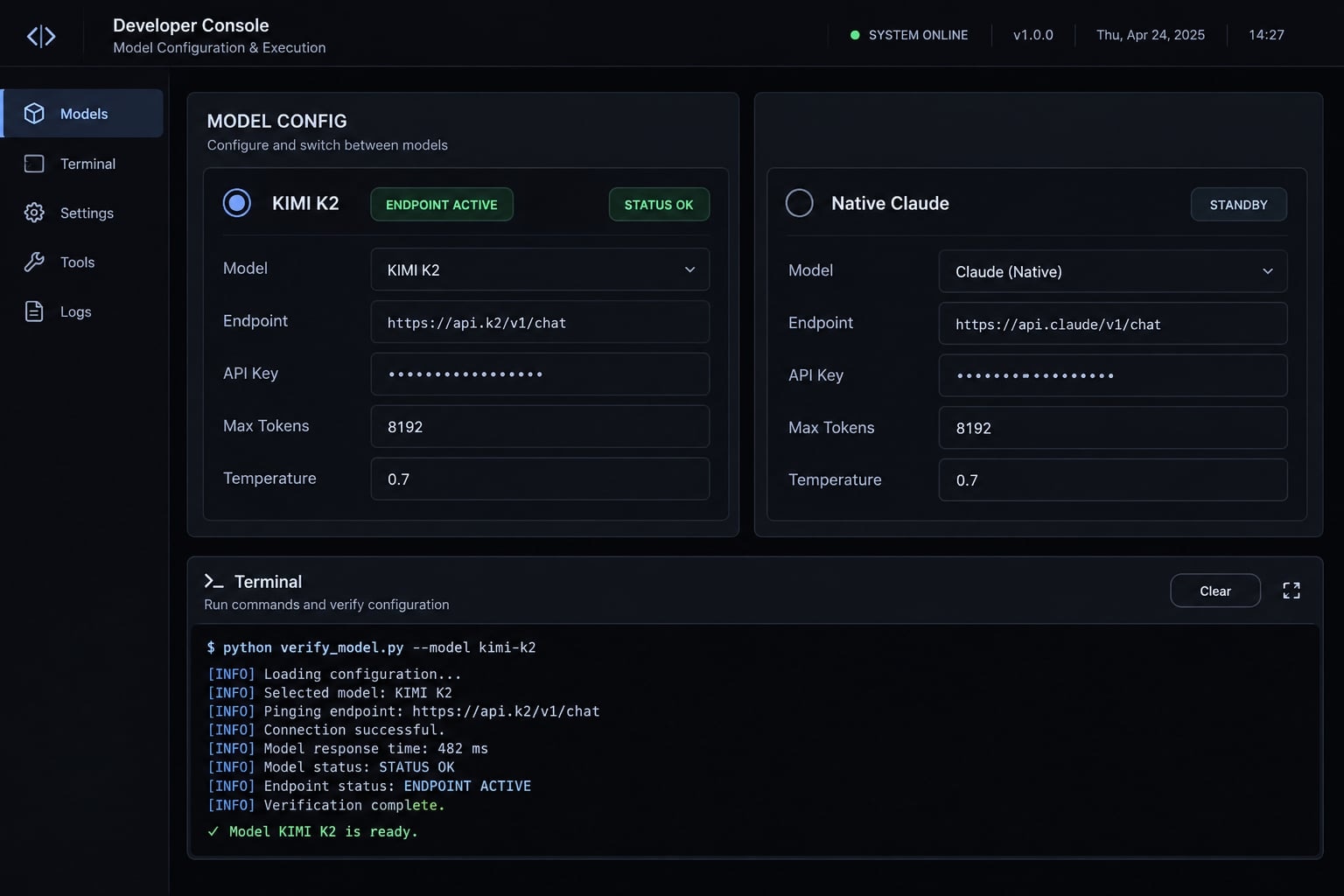
How does Kimi work inside Claude Code?
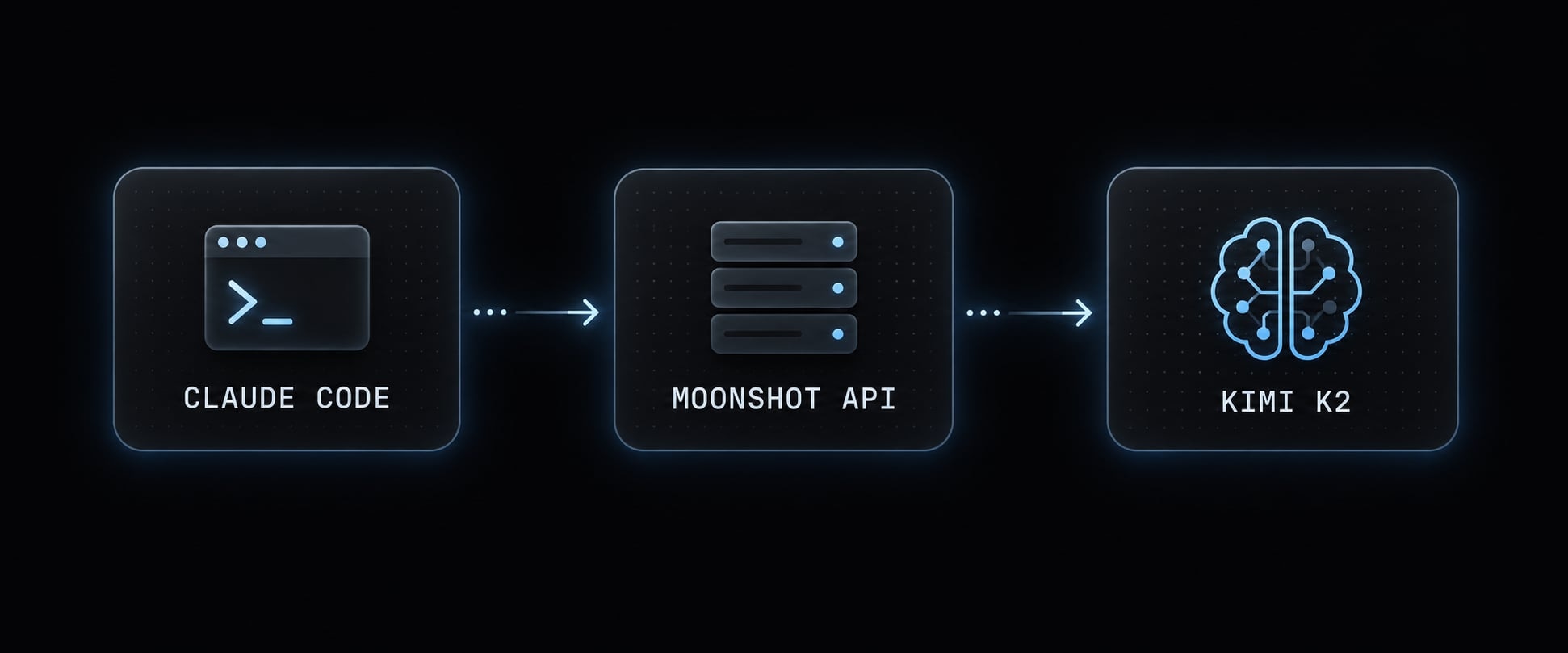
Provider configuration changes the backend, not the interface. The Claude Code CLI still coordinates repository access, tool execution and approval requests. Supported model requests go to the configured endpoint, where the selected Kimi model processes them.
What “Anthropic-Compatible” means
An Anthropic-compatible API accepts requests structured for Anthropic’s interface and implements supported operations, such as message generation and tool-related exchanges. Compatibility is limited to the provider’s documented implementation. Authentication, streaming, supported parameters, and model features can differ, so interface compatibility does not establish identical behavior inside Claude Code.
Claude Code → configured Moonshot endpoint → selected Kimi model
Kimi K2 naming and version compatibility
Use a current Kimi model identifier from your account’s supported catalog. Do not infer one from a release announcement or search phrase.
If you select another Kimi version, record that exact version. Results from it are not automatically evidence about Kimi K2.
What do you need before starting?
Prepare these essentials before changing a working installation:
- A working Claude Code installation.
- Access to the relevant Moonshot API platform.
- A valid API key and available API quota.
- A confirmed model identifier and compatible endpoint.
- Permission to modify local configuration.
- A secure backup and an approved test repository.
Follow Claude Code’s official installation documentation for your installation method. Node.js is not a universal prerequisite across installation methods.
Back up your existing Claude Code configuration
Locate the applicable settings.json. User-level settings commonly live in ~/.claude/settings.json; also inspect applicable project and local settings.
Back up existing files without replacing unrelated settings. Check shell startup files, launch scripts, and active provider variables without printing credential values. Protect backups as carefully as originals.
Protect the Kimi API key
API key security: Configuration may store credentials in plaintext. Never commit keys or expose them in screenshots, logs, shell history, or shared scripts. Prefer protected local storage or a secret manager. Environment variables are not a complete security boundary. Revoke and rotate exposed keys.
Repository content may reach the configured provider. Check organizational policy, provider terms, and data-handling requirements first.
How to configure Kimi for Claude Code
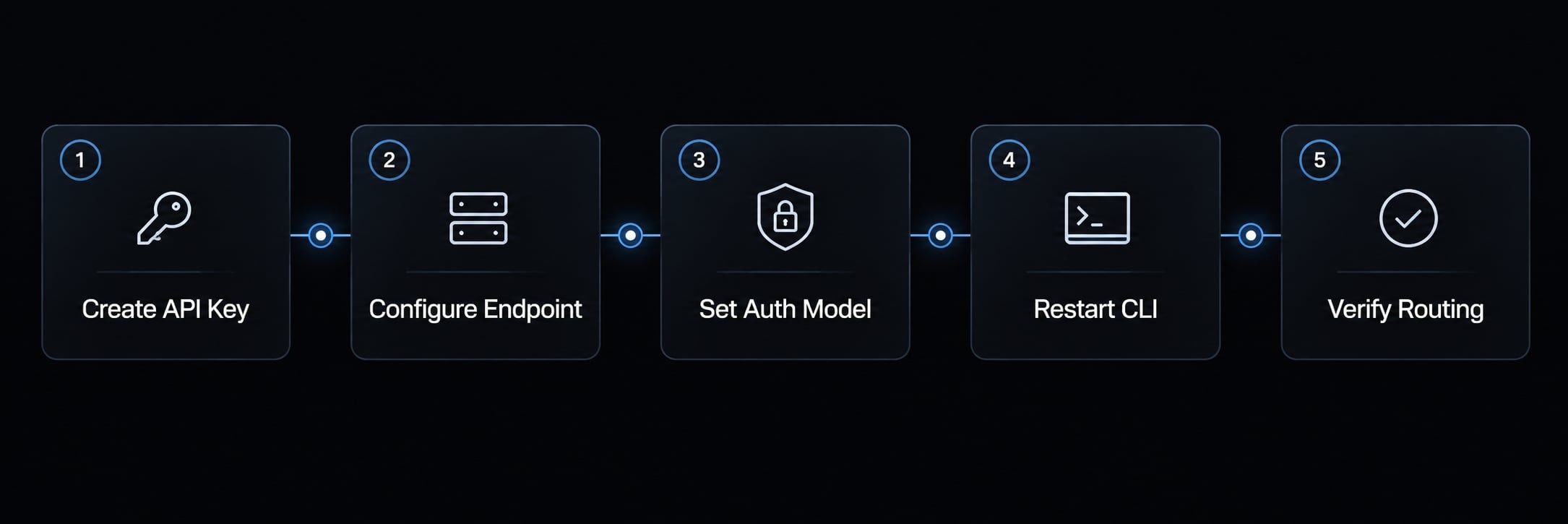
Use this sequence:
- Create or retrieve an API key.
- Configure the provider endpoint.
- Set authentication and model selection.
- Restart Claude Code.
- Verify actual routing using the next section.
The reference below uses Moonshot’s commonly documented international compatibility route. Its availability and accepted models have not been independently verified here.
Step 1 - Create a Kimi API key
Create the key in the API platform associated with your chosen endpoint. Confirm billing access and available quota.
A consumer chat subscription does not necessarily include API credits. Likewise, credentials from another regional platform or reseller may not authenticate against this endpoint.
Step 2 - Add the Kimi endpoint and token
Merge the following env entries into the applicable settings file. Do not replace the entire file or create a second env object.
Template only: Replace both placeholders before use. Confirm the endpoint and token authentication against Moonshot AI’s current integration instructions. This example is not runnable unchanged.
{
  "env": {
    "ANTHROPIC_BASE_URL": "https://api.moonshot.ai/anthropic",
    "ANTHROPIC_AUTH_TOKEN": "REPLACE_WITH_MOONSHOT_API_KEY",
    "ANTHROPIC_MODEL": "REPLACE_WITH_SUPPORTED_KIMI_MODEL_ID"
  }
}
Resolve conflicting authentication before launch, including any existing ANTHROPIC_API_KEY. Preserve the previous configuration securely for rollback.
If you inject secrets through the process environment instead, omit the plaintext token from JSON. Writing "$MOONSHOT_API_KEY" inside JSON does not automatically expand a shell variable.
Step 3 - Configure model tiers and sub-agents
Claude Code’s settings and model configuration documentation describe the following controls. Confirm their support in your installed version; this guide does not establish version-specific behavior.
Variable | Purpose | Required for this setup? |
|---|---|---|
| Select provider endpoint | Yes, for direct endpoint routing |
| Supply bearer authentication | Yes, if the provider documents this method |
| Select the primary model | Yes, for explicit selection in this template |
| Map the Opus alias | Conditional: if invoked |
| Map the Sonnet alias | Conditional: if invoked |
| Map the Haiku alias | Conditional: if invoked |
| Select a sub-agent model | Conditional: confirm version and agent behavior |
Changing the base URL alone does not map every model request. Inspect aliases and explicit agent selections used by your workflow.
Mapping several aliases to one model does not create distinct capability tiers. A sub-agent setting should not be assumed to override every explicit selection.
Step 4 - Restart Claude Code
Save the configuration, close affected sessions, and relaunch from the intended environment.
Keep normal permission safeguards enabled. A successful startup is not sufficient evidence that requests reach Kimi.
Verify the endpoint and switch providers safely
Kimi API verification and Claude Code routing verification are separate checks. Complete both before adopting the configuration.
Confirm the Kimi API directly
This Bash reference command reads credentials without placing the key in command history. It requires curl and Python 3. Confirm the endpoint, request headers and supported model first; the command has not been executed for this article.
( set +x umask 077 read -r -s -p "Moonshot API key: " MOONSHOT_API_KEY printf '\n' read -r -p "Supported Kimi model identifier: " KIMI_MODEL_ID export KIMI_MODEL_ID header_file="$(mktemp)" || exit 1 trap 'rm -f "$header_file"; unset MOONSHOT_API_KEY' EXIT printf 'Authorization: Bearer %s\n' "$MOONSHOT_API_KEY" \ > "$header_file" printf 'Content-Type: application/json\n' >> "$header_file" printf 'anthropic-version: 2023-06-01\n' >> "$header_file" python3 - <<'PY' | curl --silent --show-error --fail-with-body \ "https://api.moonshot.ai/anthropic/v1/messages" \ --header @"$header_file" \ --data-binary @-import jsonimport osprint(json.dumps({ "model": os.environ["KIMI_MODEL_ID"], "max_tokens": 64, "messages": [{"role": "user", "content": "Reply with OK."}]}))PY)
An accepted response containing generated content demonstrates access for that request. It does not prove Claude Code uses the same configuration. Avoid verbose HTTP logging that could reveal headers.
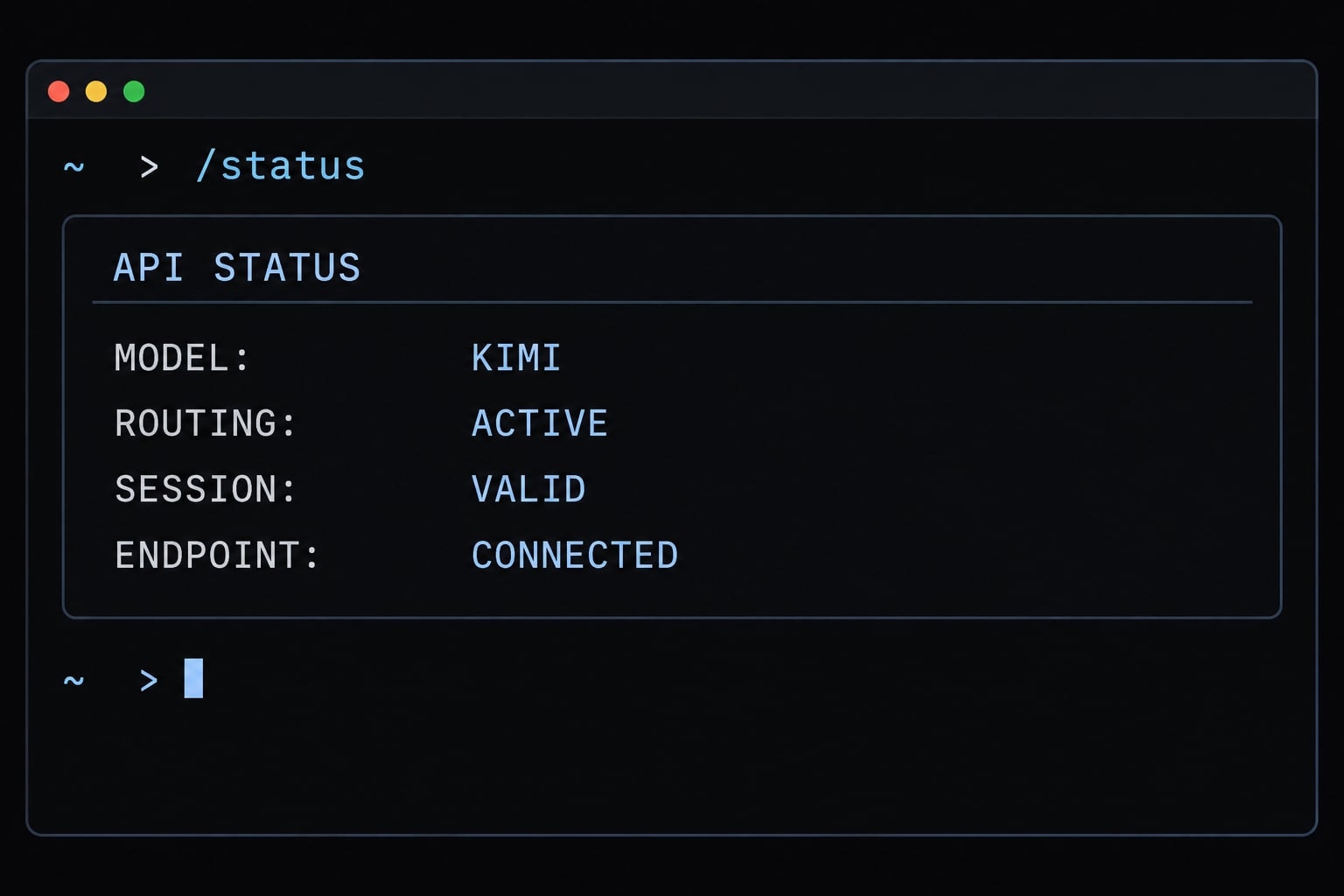
Check Claude Code with /status
Run Claude Code /status and inspect whichever configuration fields your installed version actually displays. Do not assume it exposes the endpoint.
Then:
- Compare available information with your intended configuration.
- Request a bounded task, such as explaining one non-sensitive function.
- Corroborate the run using provider usage records or securely redacted request evidence.
A displayed model label and the model’s self-identification are not definitive evidence of the backend provider. Record timing and request identifiers where available.
Choose the right provider-switching method
Method | Best for | Main risk |
|---|---|---|
Global settings | One regular provider | Affects unrelated sessions |
Session-scoped configuration | Short experiments | Other settings may interfere |
Verified wrapper or isolated pattern | Repeated switching | Incomplete control of effective settings |
Third-party router | Multiple downstream providers | Additional trust and mapping dependencies |
A wrapper is a configuration pattern, not necessarily a built-in provider-profile feature. Session variables alone do not guarantee isolation.
Roll back to native Claude
- Restore prior settings or remove the provider-specific changes.
- Clear conflicting session, startup-file, wrapper, and model-tier settings.
- Restore your previous authentication method and relaunch.
- Verify the expected provider and run a small task.
“Native Claude” means your previous working configuration, not an assumed billing or login method.
Troubleshooting common Kimi–Claude code errors
Use this diagnostic order:
Credential → endpoint → model availability → effective configuration → restart → routing check → task-specific behavior
Change one thing at a time. Kimi API troubleshooting should not require printing secrets or disabling approval controls.
Symptom | Likely cause | Safe next action |
|---|---|---|
Claude Code 401 error | Invalid key, wrong platform, or conflicting authentication | Check credential origin and supported authentication without displaying the key |
Model not found | Unsupported identifier or unavailable account access | Compare the exact value with the account’s current model catalog |
Previous provider still appears active | Existing session, wrapper, or competing configuration | Inspect effective settings and correlate a new run with provider records |
Main chat works; sub-agents fail | Explicit overrides, alias mappings, or unsupported behavior | Inspect agent model selections and test one sub-agent separately |
Changes have no effect | Wrong file, stale environment variables, or launch arguments | Identify applicable settings and restart from the intended environment |
Repeated tool loops | Ambiguous task, permissions, environment failure, or model behavior | Stop the run; reduce scope and inspect tool errors |
Unexpected API spend | Retries, long context, parallel agents, or unrelated sessions | Stop unnecessary sessions and inspect usage before retrying |
Quota exhaustion and rate limiting require separate checks. Review account limits and provider error details; repeated immediate retries may worsen the problem.
Inspect these sources without assuming a universal priority order:
Sources to inspect—not highest-to-lowest priorityShell startup files → process environmentApplicable Claude Code settings → configuration valuesLaunch arguments and wrappers → selection or overridesOptional router → downstream remapping
Consult Claude Code’s current settings documentation for the specific scopes involved. A file can be valid JSON while still not controlling the active session.
Kimi vs Native Claude models in Claude Code
Configuration simplicity and completion quality are different questions. Kimi vs Claude should be evaluated using your repository, not token prices or model reputation alone.
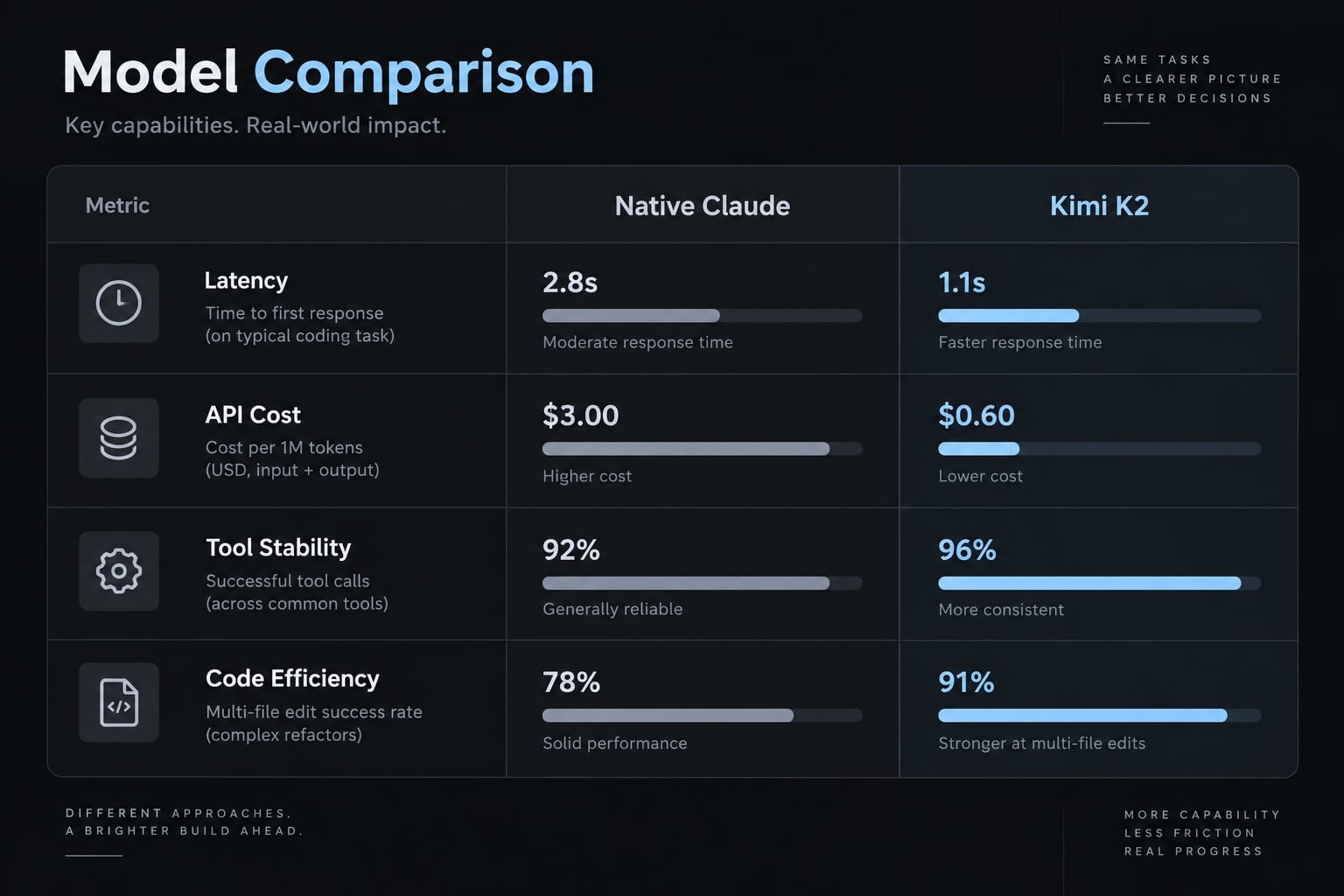
Practical decision matrix
Criterion | Kimi integration | Native Claude configuration | What to measure |
|---|---|---|---|
Setup effort | Requires provider validation | May require fewer custom mappings | Setup and maintenance time |
Routine implementation | Test selected model | Test selected model | Accepted changes |
Multi-file refactoring | Validate across files | Validate across files | Regressions and unnecessary edits |
Tools and sub-agents | Compatibility needs checking | Workflow still needs checking | Tool failures and recovery |
API cost | Provider-specific billing | Depends on access method | Spend per successful task |
Latency | Measure actual route | Measure actual route | Total completion time |
Provider switching | Requires controlled configuration | Requires verified restoration | Switching errors |
Production-critical work | Review required | Review required | Acceptance and security checks |
Compare current prices using Moonshot AI’s pricing documentation and your Anthropic access terms. API billing and subscription economics are not interchangeable.
A five-task test before adoption
- Explain an unfamiliar module.
- Fix a bounded bug with a failing test.
- Add unit tests.
- Refactor without changing behavior.
- Complete a multi-file task involving tools.
Use identical starting commits, instructions, tool access, and acceptance criteria. Reset the repository between runs.
Record this compact evaluation scorecard:
Exact model | Completion | Tests passed | Human corrections | Elapsed time | API spend | Unnecessary changes | Tool failures
API cost per completed task = total trial API spend / successfully completed tasks
Include failed attempts in spend. If none succeeds, report the metric as undefined. Track human review time separately, alongside model latency.
When does Kimi make sense and when does it not
Adopt it when representative tasks meet your quality, security and operating-cost requirements. Defer when routing remains unclear or correction time outweighs savings.
This five-task pilot supports multi-model evaluation for developers; it is not a definitive benchmark. A hybrid workflow is another option to test, not an automatic recommendation.
Standardize multi-model Claude Code workflows with AgentKit
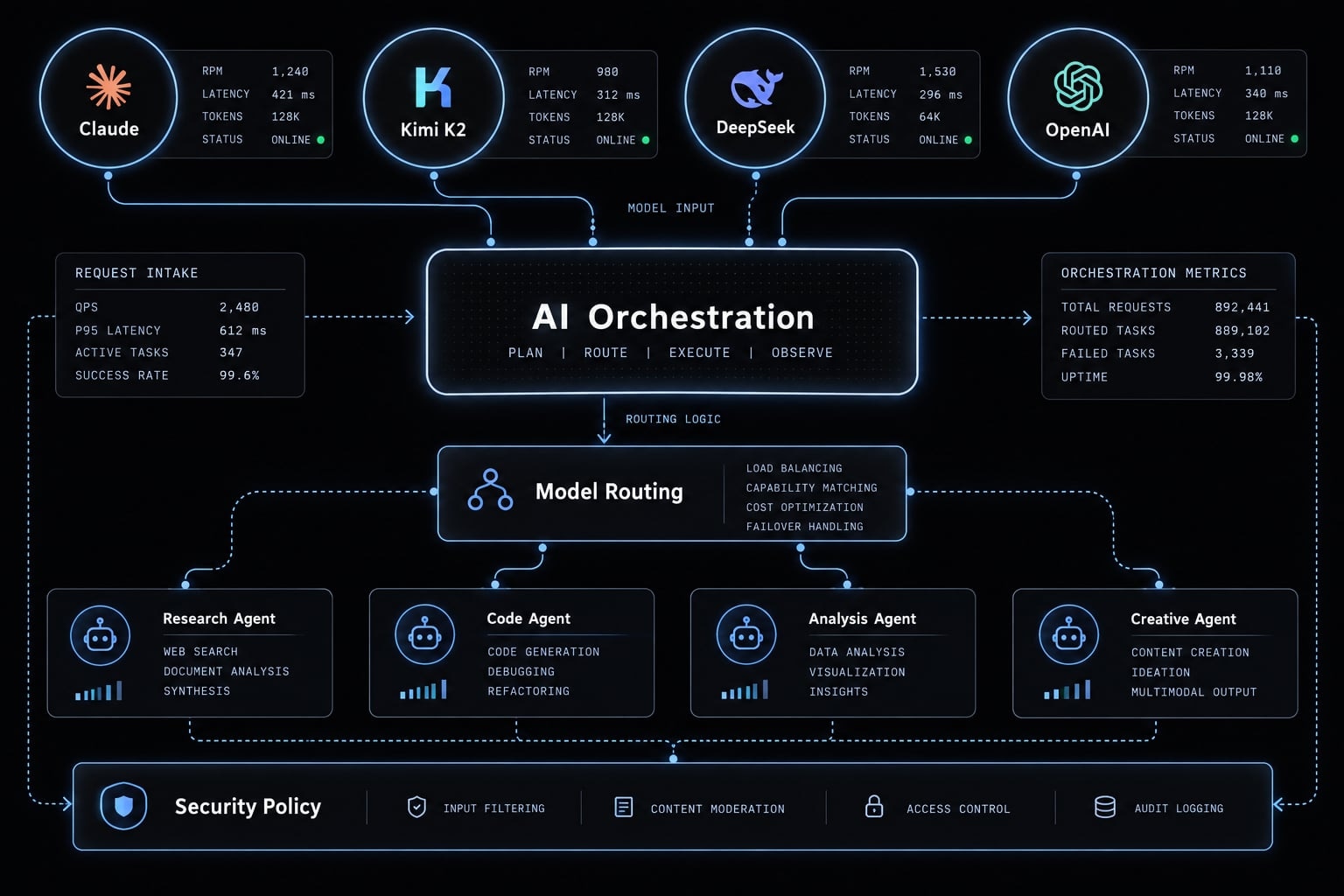
AgentKit provides customizable scaffolding for building multi-model Claude Code workflows, including workflows that use Kimi K2. It combines specialized agents, reusable skills, chained workflows, and model routing to organize software development into clear stages such as planning, coding, review, and delivery.
With AgentKit, engineering teams can create more consistent Claude Code workflows across different projects. Project rules, development tools, and validation steps can be combined into a structured system, while each component can still be adapted or extended to meet the requirements of a specific repository.
AgentKit also supports safety hooks throughout the workflow, including project-rule checks, approval steps for sensitive operations, and output capture during execution. This allows Kimi K2 Claude Code to operate within a more structured development process rather than handling each prompt or task in isolation.
Frequently asked questions
Can I use Kimi K2 models with Claude Code?
Yes, you can integrate Kimi models into Claude Code by configuring the Anthropic-compatible API endpoint provided by Moonshot AI. Since Claude Code allows custom base URLs, you can route requests to Kimi’s servers instead of Anthropic’s, provided you use a currently supported model identifier.
What does "Anthropic-compatible endpoint" mean?
It means the Moonshot AI API accepts requests structured in the same JSON format as the Anthropic Messages API. This allows Claude Code to communicate with Kimi models as if they were native Claude models, though feature parity in complex tool-calling or reasoning tasks is not guaranteed.
How do I configure Kimi for Claude Code?
- Obtain a valid API key from the Moonshot AI platform.
- Edit your
~/.claude/settings.jsonfile. - Add the
ANTHROPIC_BASE_URLandANTHROPIC_AUTH_TOKENfields within theenvobject. - Set the
ANTHROPIC_MODELto a supported Kimi identifier. - Restart Claude Code to apply the changes.
What should I check if the integration fails?
Follow this diagnostic sequence: verify your API key and quota, confirm the provider endpoint is correct, ensure the model identifier is spelled accurately, and check if your shell configuration (e.g., .zshrc or .bashrc) is overriding your settings.json file. Always restart the CLI after making changes.
Is Kimi K2 more cost-effective than native Claude models?
Yes, Moonshot AI’s Kimi models generally offer significantly lower token pricing compared to native Claude Opus or Sonnet tiers. However, you should conduct a five-task test on your specific repository to compare the API cost-per-completed-task and code quality before adopting it for production-critical workflows.
How can I switch back to native Claude models?
Simply remove or comment out the ANTHROPIC_BASE_URL and ANTHROPIC_AUTH_TOKEN entries in your ~/.claude/settings.json file. Additionally, clear any related environment variables exported in your shell startup files and restart the Claude Code interface to restore default Anthropic connectivity.
Read more:
- Build a Claude Code Reviewer Agent: Practical Setup Guide
- Claude Code toolkit: Scale your AI development workflow easily
- Claude Code specialized agents: Boost your coding efficiency
Conclusion
Using Kimi K2 in Claude Code requires more than changing a base URL. Confirm the supported model identifier, configure endpoint and authentication, restart, and verify where requests actually go. Preserve your prior settings and exercise the rollback path before relying on the integration.
Then compare repository outcomes: accepted changes, test results, correction time, tool failures, and cost per completed task. Lower token prices are useful only when the full workflow remains effective. API compatibility does not guarantee identical agent behavior, and unverified routing should block adoption. Once the manual setup is validated, optionally use AgentKit to organize reusable workflow instructions.