Claude Code environment variables: Setup and best practices
Claude Code environment variables: Setup, precedence, and the variables that actually matter
Claude code environment variables are a key way to control how Claude Code behaves, but they can also lead to common setup mistakes. Users often are not sure where to define them, why a value is not applying, or why ANTHROPIC_API_KEY is changing authentication unexpectedly. This guide covers the practical basics: How to set variables on macOS, Linux, and Windows, how settings.json and runtime variables interact, which variables are most useful in daily work, and how to troubleshoot conflicts quickly.
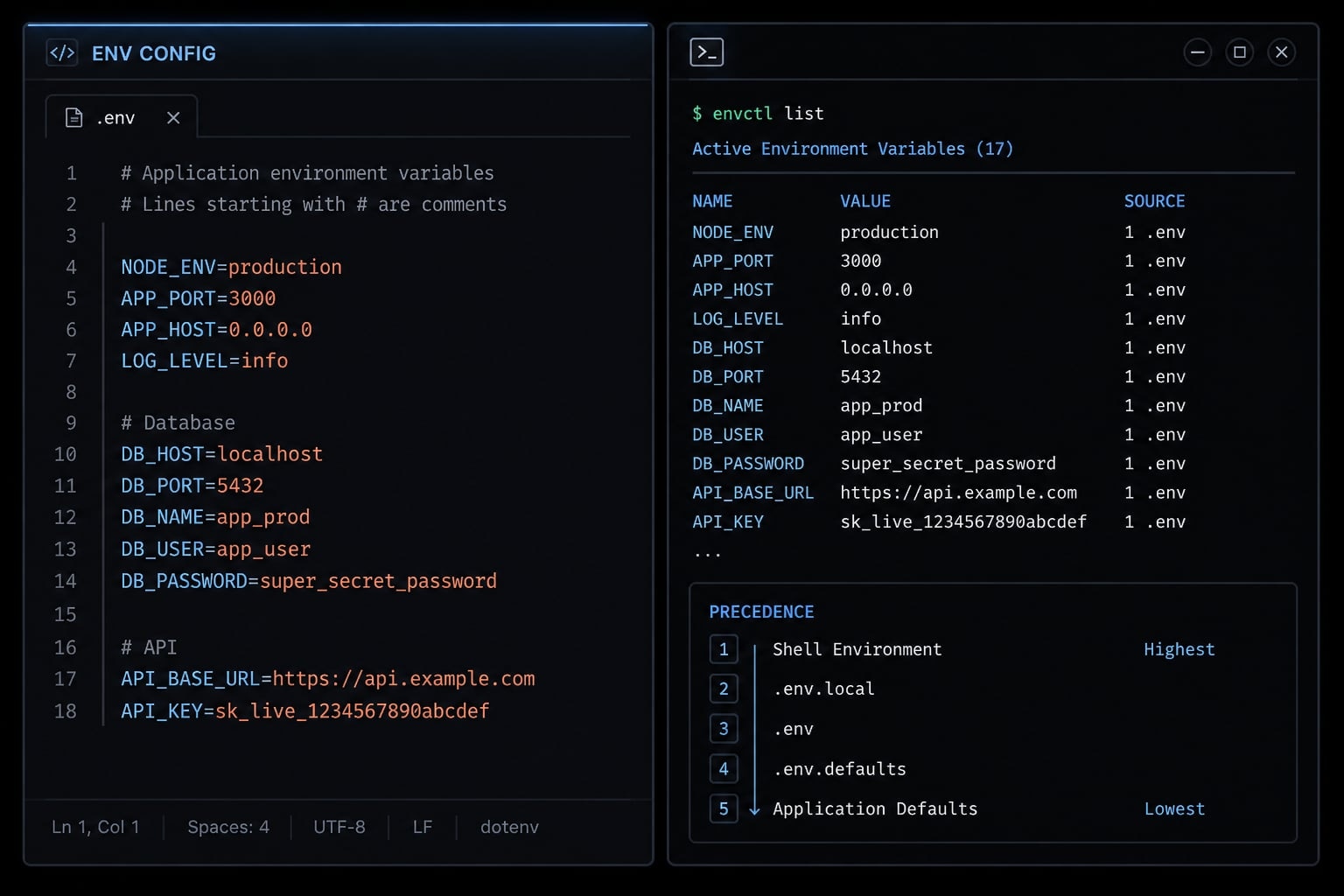
What Claude Code environment variables are and when to use them
Claude Code environment variables are runtime variables that change Claude Code behavior without requiring you to hard-code every preference into a file. They are commonly used for authentication, request routing, model selection, timeouts, privacy controls, and safety-related behavior. In practice, claude code environment variables are best when you need a temporary override, machine-specific setup, or a secure way to inject secrets.
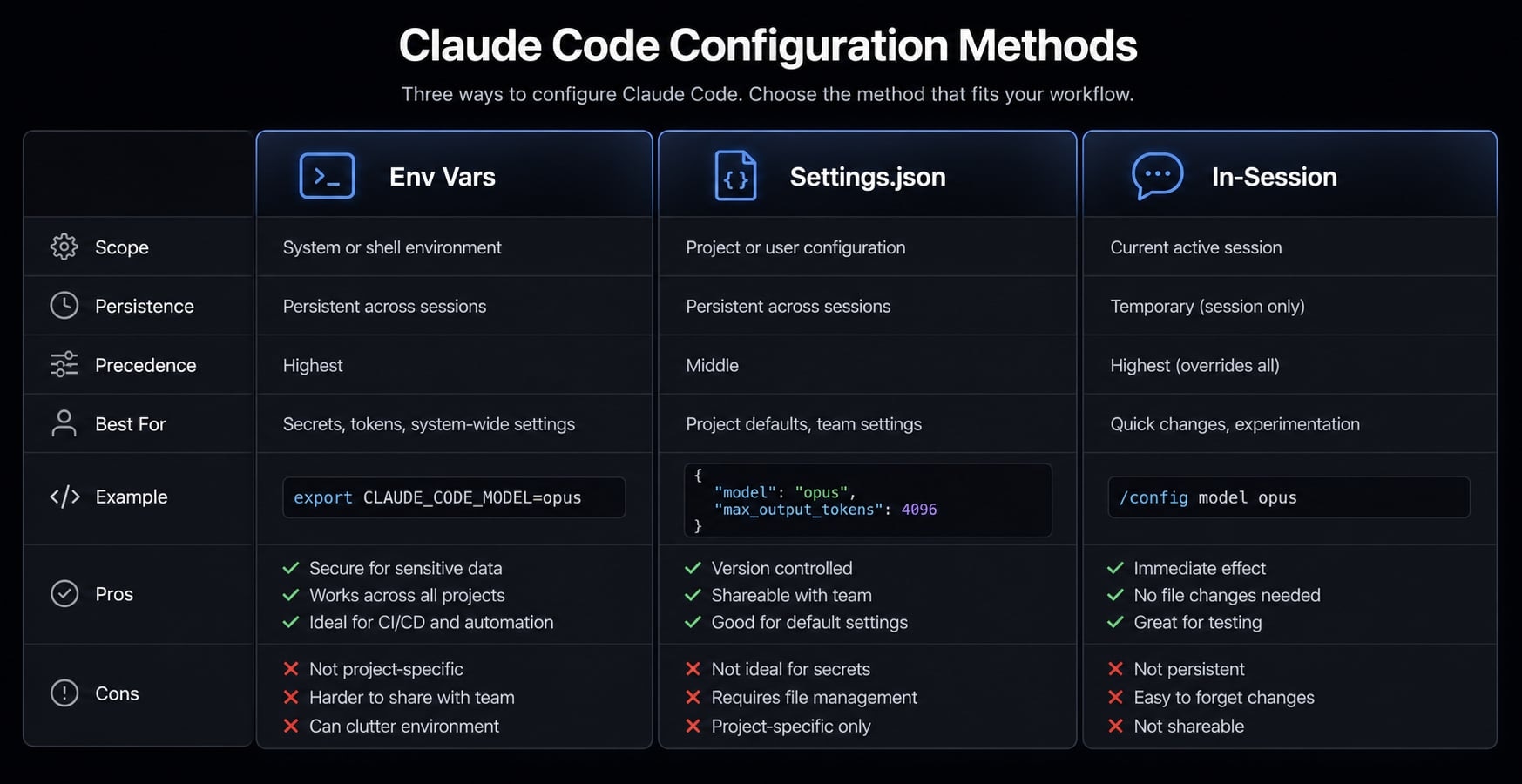
They are only one part of Claude Code configuration. The same behavior can sometimes be controlled through settings.json, a CLI option, or an in-session command such as /model. That distinction matters because the best approach depends on whether you want the change to be temporary or permanent.
For most users, the simplest approach is straightforward:
- Use environment variables for secrets, short-lived overrides, and machine-level controls.
- Use
settings.jsonfor repeatable defaults. - Use in-session commands for one-off adjustments while working.
A common mistake is overconfiguring from the start. For most users, only authentication, a timeout setting, and perhaps one privacy or safety control are necessary.
Authentication, behavior, and privacy controls
Most claude code environment variables fall into a few practical categories:
ANTHROPIC_API_KEYfor authentication when you want Claude Code to use API-based access.API_TIMEOUT_MSfor operational control when requests need more time.DISABLE_TELEMETRYorCLAUDE_CODE_DISABLE_NONESSENTIAL_TRAFFICfor privacy-related behavior.CLAUDE_CODE_SAFE_MODEfor a constrained startup mode that ignores custom configs or plugins.
When env vars are better than settings files
Use environment variables when:
- You need a temporary override for a single terminal session.
- You are testing with a different API key or endpoint.
- You are working in CI/CD and want values injected at runtime.
- You need per-machine secrets that should not live in shared config.
Use settings.json when:
- You want stable, repeatable defaults every time
clauderuns. - You want one place to manage environment settings through the
envblock. - You are trying to reduce setup drift across your own daily workflow or a small team baseline.
Use in-session controls such as /model when:
- The change is only relevant for the current session.
- You want a quick override without touching persistent configuration.
How to set Claude Code environment variables on macOS, Linux, and Windows
- Decide whether the change should be temporary or persistent.
- Set the variable in your shell for temporary testing.
- Add it to your shell profile for persistent environment variables.
- Or place it under
envinsettings.jsonfor repeatable Claude Code defaults. - Reload your shell or restart the terminal, then verify behavior.
This is the part most users actually need. Temporary setup is usually best for testing, one-off authentication, or checking whether a variable fixes a problem. Persistent setup makes sense when the value should apply every day.
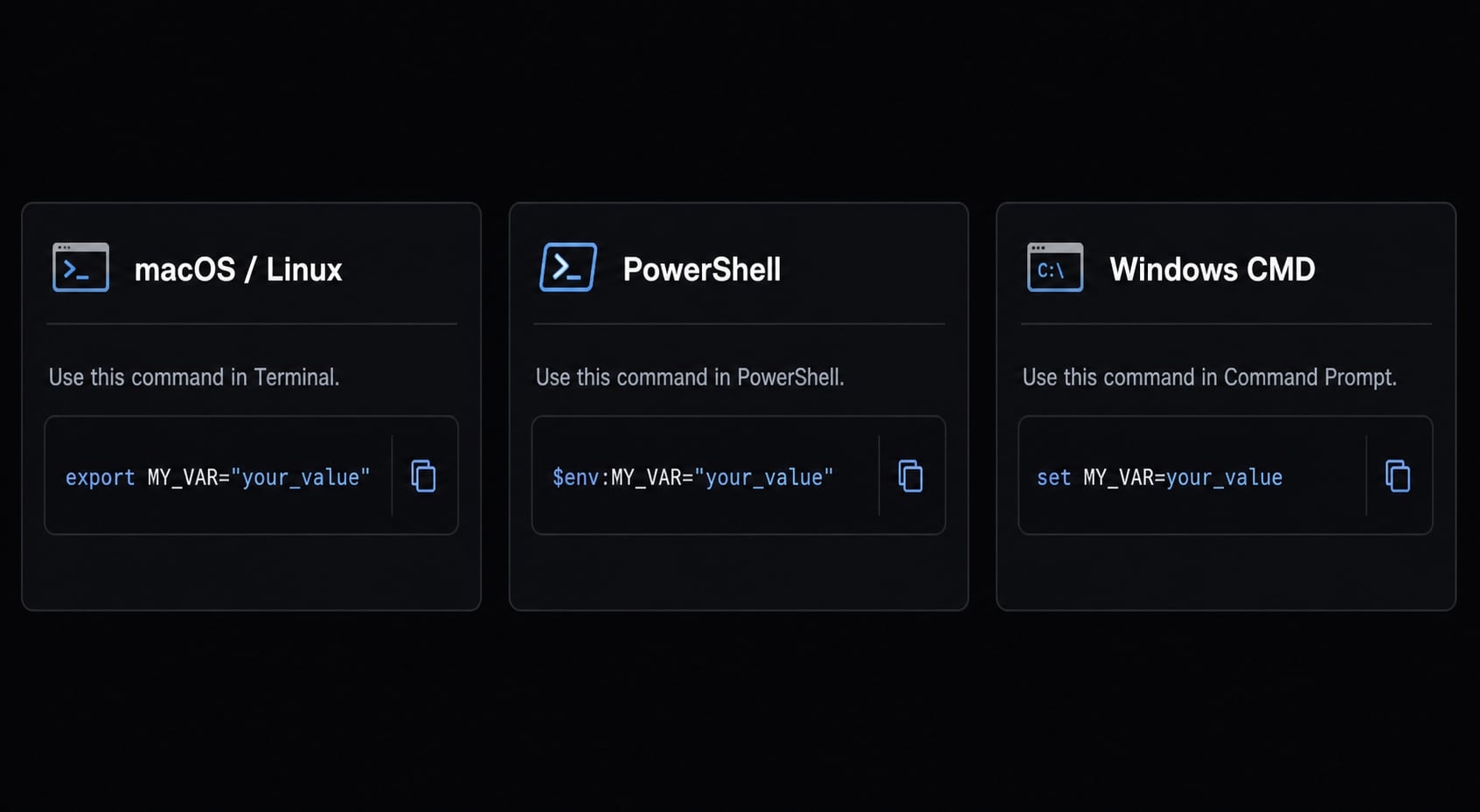
Temporary setup in the current terminal session
A temporary value applies only to the current terminal session. This is usually the safest option for quick tests and temporary auth.
macOS, Linux, WSL:
export ANTHROPIC_API_KEY="your-api-key-here"claude
Windows PowerShell:
$env:ANTHROPIC_API_KEY="your-api-key-here"claude
Windows CMD:
set ANTHROPIC_API_KEY=your-api-key-hereclaude
Use this pattern when testing how to set ANTHROPIC_API_KEY for Claude Code without making it permanent. It is also useful when you want to compare subscription-based access with API-based access.
Persistent setup in shell profiles
Persistent setup is better when the same value should load every time you open a terminal.
Common shell profile locations:
~/.zshrc~/.bashrc~/.bash_profile
Example for zsh:
echo 'export ANTHROPIC_API_KEY="your-api-key-here"' >> ~/.zshrcsource ~/.zshrc
Example for bash:
echo 'export API_TIMEOUT_MS="1200000"' >> ~/.bashrcsource ~/.bashrc
A common reason a variable appears ignored is that the shell profile was edited, but the shell was never reloaded. If you changed a profile file, run source on that file or restart the terminal.
Using settings.json under the env key
For repeatable defaults, settings.json env is often cleaner than putting everything at shell level.
Example path:
~/.claude/settings.json
Example:
{ "env": { "API_TIMEOUT_MS": "1200000", "BASH_DEFAULT_TIMEOUT_MS": "300000" }}
This method is useful when you want Claude Code to read the same values every time, regardless of how it was launched. It is especially practical for stable timeout defaults and a small number of behavior controls.
Temporary vs persistent: Which one to choose
Choose temporary when:
- You are testing a fix
- You only need API auth for one session
- You are using CI/CD or scripted execution
- You do not want old values lingering in your shell profile
Choose persistent when:
- You use the same configuration every day
- The setting is part of your normal local developer workflow
- You want fewer repeated setup steps
A useful hygiene rule: Do not scatter the same variable across too many places. That is one of the fastest ways to create confusion later.
Precedence rules: Which value Claude Code uses when multiple settings exist
Precedence confusion is one of the main reasons a value looks ignored. If the same behavior is configured in more than one place, Claude Code uses the higher-priority source as the active configuration.
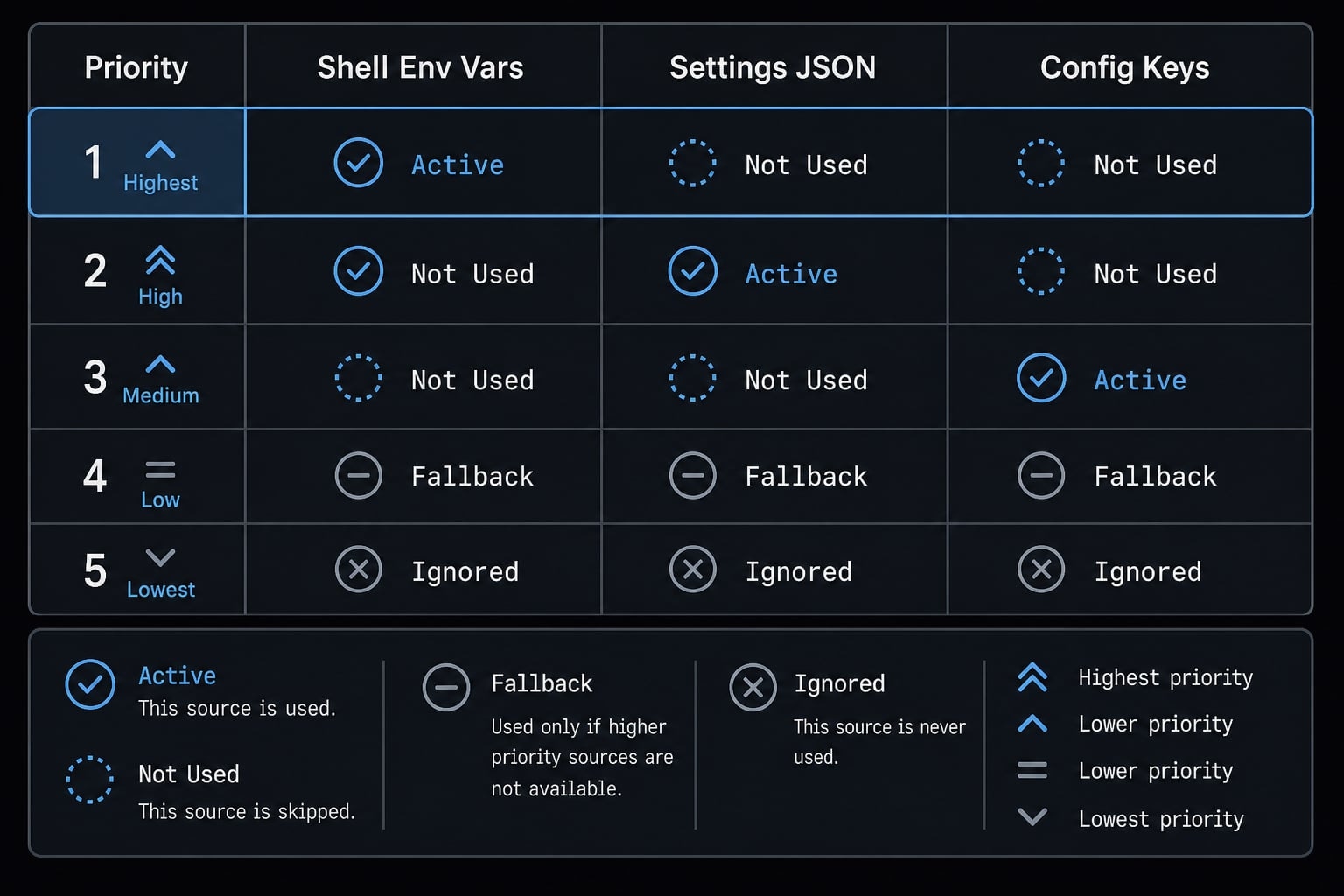
Simple hierarchy summary
Source | Priority | When it matters |
|---|---|---|
| Higher than shell env | When the same variable exists in both places |
Shell environment variable | Higher than dedicated settings key | When behavior can be set as env var or normal setting |
Dedicated settings key | Lower than env var | When there is no overriding env var |
Managed settings | May override user/project settings | Relevant in controlled or host-managed setups |
The practical rules are straightforward:
- If a behavior is set both through an environment variable and a dedicated settings key, the environment variable wins.
- If the same environment variable exists in both your shell and
settings.jsonunderenv, thesettings.jsonvalue applies. - Managed settings may override user or project settings in some setups.
Conflict example using API_TIMEOUT_MS:
- Shell sets
API_TIMEOUT_MS=30000 settings.jsonenvsetsAPI_TIMEOUT_MS=60000
The effective value is 60000.
Why duplicate config creates debugging friction
Duplicate definitions create uncertainty fast. That is especially risky for auth and routing.
Best practice:
- Centralize sensitive values where possible.
- Keep one source of truth for
ANTHROPIC_API_KEY. - Avoid defining the same timeout in shell files, project settings, and user settings at the same time.
If a variable is not applying, precedence is one of the first things to check.
The most useful Claude Code environment variables for everyday setup
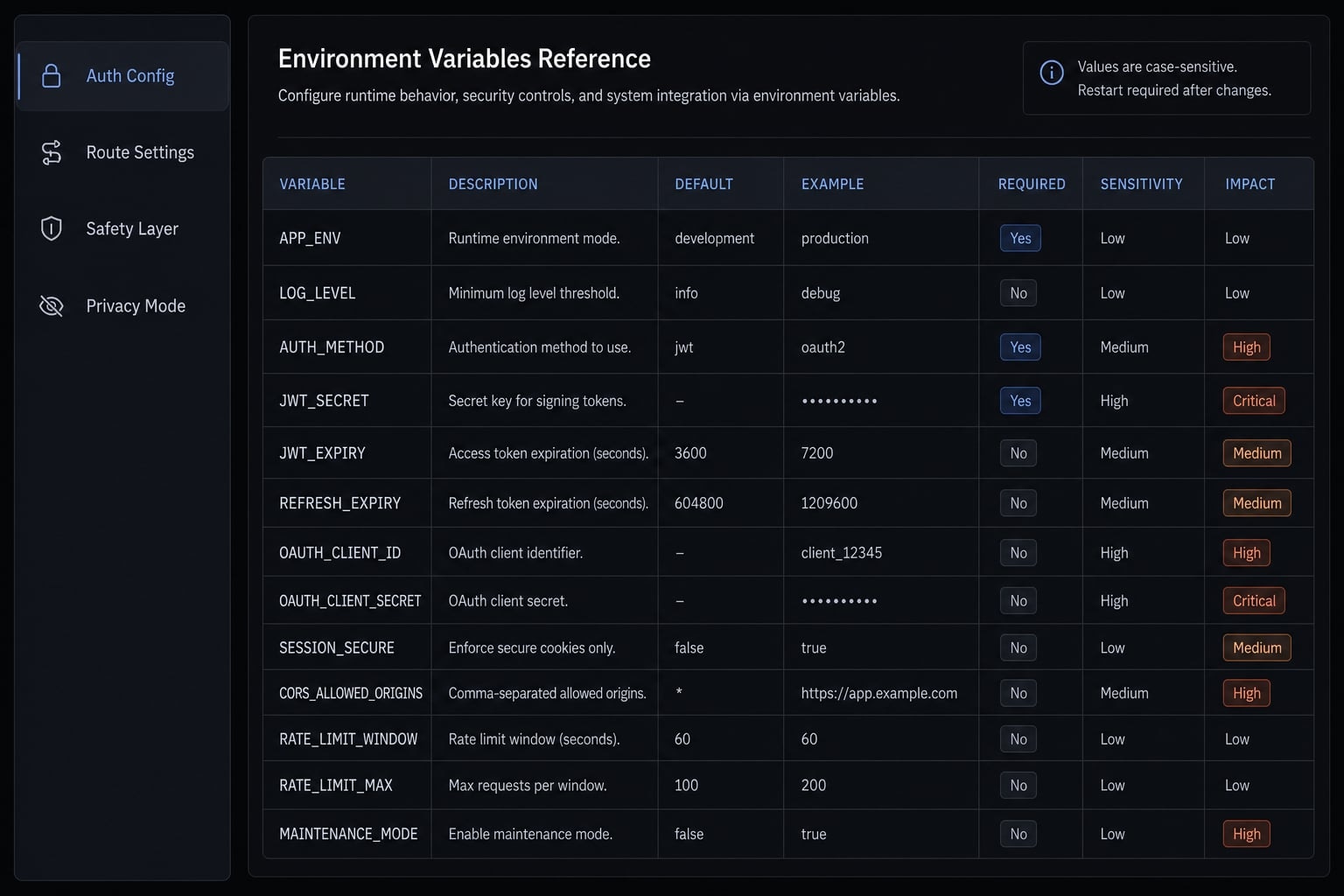
Most users do not need a giant list. The highest-value claude code environment variables are usually related to auth, routing, timeouts, privacy, and safety. Model and reasoning controls can be useful, but they should be changed intentionally rather than by habit.
Authentication and routing variables
Variable | Purpose | When to use | Caution |
|---|---|---|---|
| Provides API key authentication | When you intentionally want Claude Code to use API access | Can change auth and billing behavior if left set unintentionally |
| Overrides the API endpoint | When using a proxy, gateway, or custom endpoint setup | Sensitive in proxy and custom routing environments; verify carefully |
ANTHROPIC_API_KEY is the most important variable to understand operationally. It is useful, but it is also the most common cause of unexpected auth behavior. ANTHROPIC_BASE_URL is valuable in controlled environments, but it should not be changed casually.
Model and reasoning controls
Variable | Purpose | When to use | Caution |
|---|---|---|---|
| Sets the default model | When you want a stable default model across sessions | Change only if you have a clear reason |
| Adjusts effort level such as | When you want more predictable reasoning behavior | Higher effort can affect speed and cost characteristics |
| Sets a token budget for extended thinking | When you need tighter control over reasoning budget | Avoid tuning unless you understand the tradeoff |
| Overrides assumed context window size | For advanced compatibility or constrained setups | Not a default tuning target for most users |
These are useful controls, but they are not where most setup problems come from. In practice, many users are better off leaving them alone until there is a specific need.
Timeouts and shell execution controls
Variable | Purpose | When to use | Caution |
|---|---|---|---|
| Sets API request timeout | When requests need longer to complete | Too low can cause premature failures |
| Sets default timeout for long-running bash commands | When shell tasks regularly take longer than expected | Do not increase blindly if commands hang often |
| Caps maximum allowed bash timeout | When you need a higher execution ceiling | Excessively high values can hide stuck processes |
Operational note: Numeric values may accept forms such as 2000, 2e3, or 64_000, depending on the variable handling. For normal usage, plain integers are easiest to read and maintain.
Privacy and safety controls
Variable | Purpose | When to use | Caution |
|---|---|---|---|
| Disables telemetry | When privacy requirements call for reduced reporting | May affect feature-flag fetching or related behavior |
| Reduces nonessential network traffic | In privacy-sensitive or restricted network environments | Some features may stop working as expected |
| Starts Claude Code in safe mode | When you want to ignore custom configs or plugins during troubleshooting | Useful for isolation, but changes startup behavior |
Important: Privacy-related flags can change feature availability. After enabling them, verify whether the workflows you rely on still behave as expected.
Public/common vs advanced vs internal variables
A simple classification helps prevent over-configuration:
- Public/common: Safe for most users to consider first, such as
ANTHROPIC_API_KEY,API_TIMEOUT_MS,DISABLE_TELEMETRY, andCLAUDE_CODE_SAFE_MODE - Advanced: Useful with a clear reason, such as
ANTHROPIC_BASE_URL,MAX_THINKING_TOKENS, orCLAUDE_CODE_MAX_CONTEXT_TOKENS - Internal/hidden: Avoid building production workflows around reverse-engineered or undocumented flags unless they are officially documented
Do not create team standards around hidden variables that may change without notice.
Authentication conflicts and billing surprises: what to know about ANTHROPIC_API_KEY
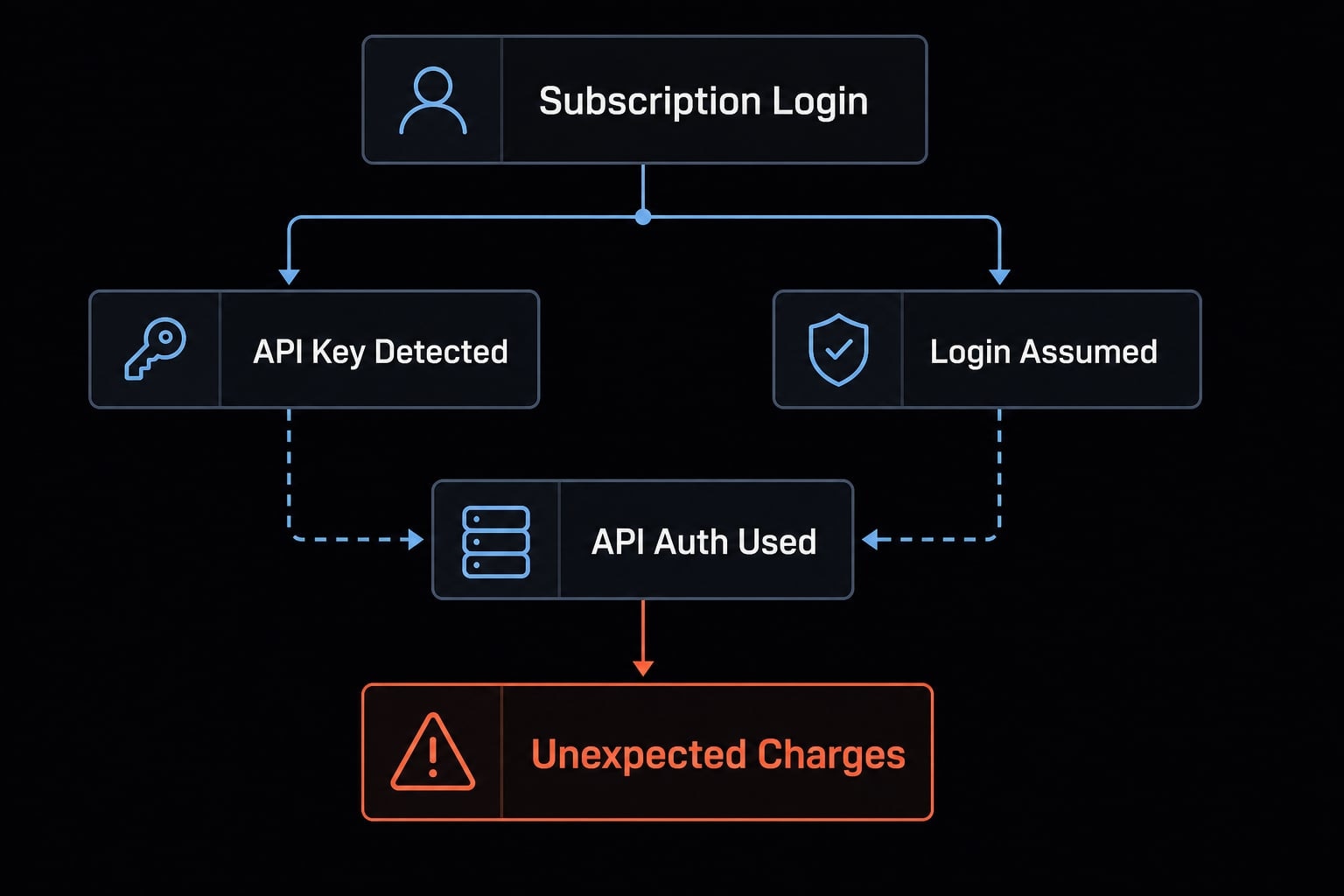
A common Claude Code authentication conflict happens when ANTHROPIC_API_KEY is still present, but the user assumes Claude Code is using a subscription login. In that case, Claude Code may use API-based authentication instead of the expected subscription path. That mismatch matters because it can lead to unexpected API charges.
Why auth conflicts happen
The pattern is usually simple:
ANTHROPIC_API_KEYwas set earlier for testing or API work.- The user later signs in and assumes subscription access is now active.
- Claude Code still detects and uses the API key.
- Usage is billed through the API account tied to that key.
This is why subscription vs API key needs to be checked explicitly rather than assumed.
How to check current auth and fix it
Use this checklist:
- Run
/status - Confirm which authentication method is active.
- Check whether
ANTHROPIC_API_KEYis still set in your environment. - Unset or remove
ANTHROPIC_API_KEYif you do not want API auth. - Use a temporary key only when API-based access is intentional.
Examples for removing a temporary key:
macOS/Linux:
unset ANTHROPIC_API_KEY
PowerShell:
Remove-Item Env:ANTHROPIC_API_KEY
CMD:
set ANTHROPIC_API_KEY=
Billing caution: Keep ANTHROPIC_API_KEY unset unless you deliberately want Claude Code to use API billing. If you do need it, temporary session-based setup is usually safer than leaving it permanently defined.Common issues and a quick troubleshooting checklist
Most Claude Code troubleshooting cases come down to a short list: wrong variable name, shell reload problems, duplicate definitions, or a value being overridden by settings.json env.
Common issue patterns
- “My variable is ignored.”: A common cause is a typo in the variable name or the value being overridden elsewhere.
- “My auth method is not what I expected.”: Check
/statusfirst.ANTHROPIC_API_KEYmay still be active. - “Some features changed after privacy settings.”: Privacy or telemetry flags can affect feature flags and background behavior.
- “The value still does not apply after editing my shell profile.”: You may need to
sourcethe file or restart terminal completely. - “The number or boolean does not work.”: Check formatting. Use values like
true,false,1,0, or a clean integer.
Safe troubleshooting order
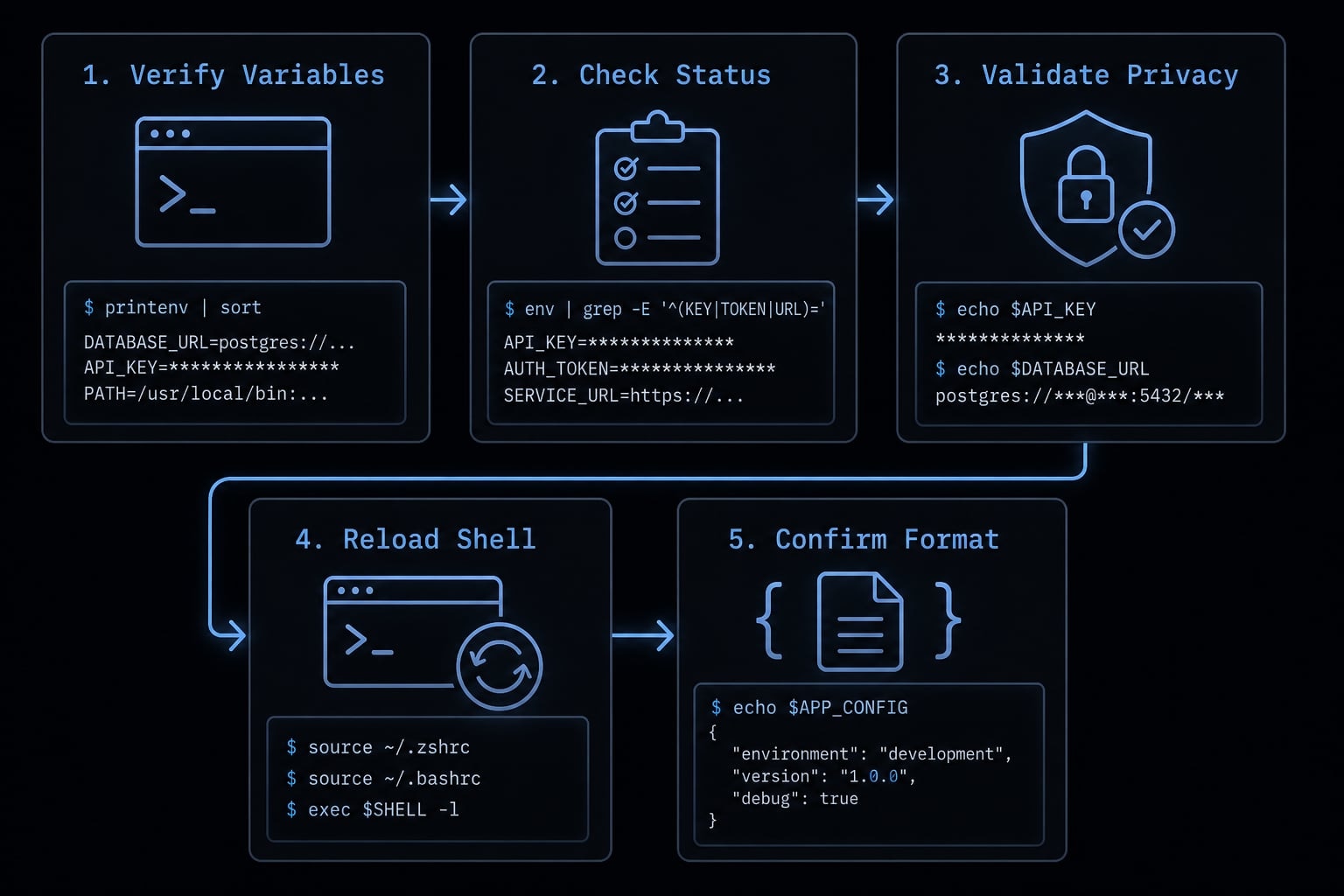
- Check the variable name and value.
- Check
settings.jsonfor overrides. - Run
/status. - Restart terminal or reload shell.
- Remove duplicate definitions.
This order solves most “variable not applying” problems without extra complexity.
Warning: Privacy or telemetry-related settings may change feature availability, and undocumented feature flags may be unstable or unsupported. They should not be your first troubleshooting tool.
Practical recommendations by use case
Solo developer starter setup
- Start with
ANTHROPIC_API_KEYonly if you truly need API auth. - Add
API_TIMEOUT_MSif requests regularly need more time. - Use temporary overrides first before committing values permanently.
- Avoid tuning advanced reasoning variables unless a specific problem exists.
Team standardization with settings files
- Use
settings.jsonfor repeatable defaults. - Reduce config drift by documenting a small approved baseline.
- Keep secrets management deliberate and centralized.
- Avoid spreading the same variable across shell profiles and config files.
Privacy- or proxy-sensitive environments
- Test
ANTHROPIC_BASE_URLand traffic-reduction settings before wider rollout. - Verify that privacy changes do not break required workflows.
- Treat advanced routing variables as controlled changes, not casual defaults.
These are simple Claude Code configuration best practices. The goal is not maximum customization. The goal is a stable developer workflow or team setup with minimal debugging overhead.
Frequently asked questions
What are Claude Code environment variables and when should I use them?
Claude Code environment variables are runtime settings that override default configurations. You should use them for authentication, managing API routing, adjusting model effort, or toggling privacy and safety features. They are most effective for temporary overrides, secrets, and machine-specific configurations rather than permanent project-wide settings.
How do I set Claude Code environment variables permanently?
To set them permanently, add the export command to your shell profile (e.g., ~/.zshrc or ~/.bash_profile for macOS/Linux) or configure them via the System Environment Variables settings on Windows. For a cleaner, repeatable approach, add them to the env block in your ~/.claude/settings.json file.
Why is my environment variable not applying to Claude Code?
This usually happens because the shell session was not reloaded after the change, or there is a configuration conflict. Check if the same variable is defined in both your shell and settings.json, as the latter takes precedence. Always run /status in your terminal to verify the currently active configuration.
How does Claude Code determine precedence when settings conflict?
Claude Code follows a strict hierarchy: environment variables set in settings.json override those set in your shell. If you set a behavior via both an environment variable and a dedicated settings key, the environment variable takes precedence. Always centralize your configuration in one location to avoid uncertainty.
Can environment variables affect my API billing?
Yes. If you set an ANTHROPIC_API_KEY environment variable, Claude Code will prioritize it over your claude.ai subscription login, which may result in pay-as-you-go API charges. Use the /status command to verify your current authentication method and ensure you are using your intended subscription usage.
Which Claude Code environment variables are essential for most users?
Most users only need a small set: ANTHROPIC_API_KEY for authentication, API_TIMEOUT_MS for request management, and DISABLE_TELEMETRY if you prefer to opt out of data collection. Avoid enabling advanced internal or undocumented flags unless you have a specific operational requirement and understand their potential side effects.
Read more:
- Claude Code VS Code: Installation and setup guide 2026
- Claude Code MCP configuration: A practical setup guide
- Claude Code CLAUDE.md guide: Best practices and 3 templates
Conclusion
Claude code environment variables are most useful when you keep them focused: auth, timeout, privacy, safety, and a few deliberate runtime controls. The core operational rules are straightforward: Choose the right configuration method, understand precedence, verify authentication with /status, and avoid duplicate definitions across shell files and settings.json.
In practice, the cleanest setup is usually a small number of stable defaults plus temporary overrides when needed. If you maintain a personal or team workflow, use a single source of truth wherever possible. For related implementation details, pair this guide with your internal starter config or a short troubleshooting runbook so setup stays predictable over time.