
Claude Code effort level explained: What it changes and which setting to use
The Claude Code effort level allows engineering teams to scale model reasoning depth, exploration thoroughness, and token consumption for software engineering tasks. While higher settings aid complex debugging and deep investigations, achieving absolute correctness still relies on precise prompts, relevant context, and deterministic validation pipelines.
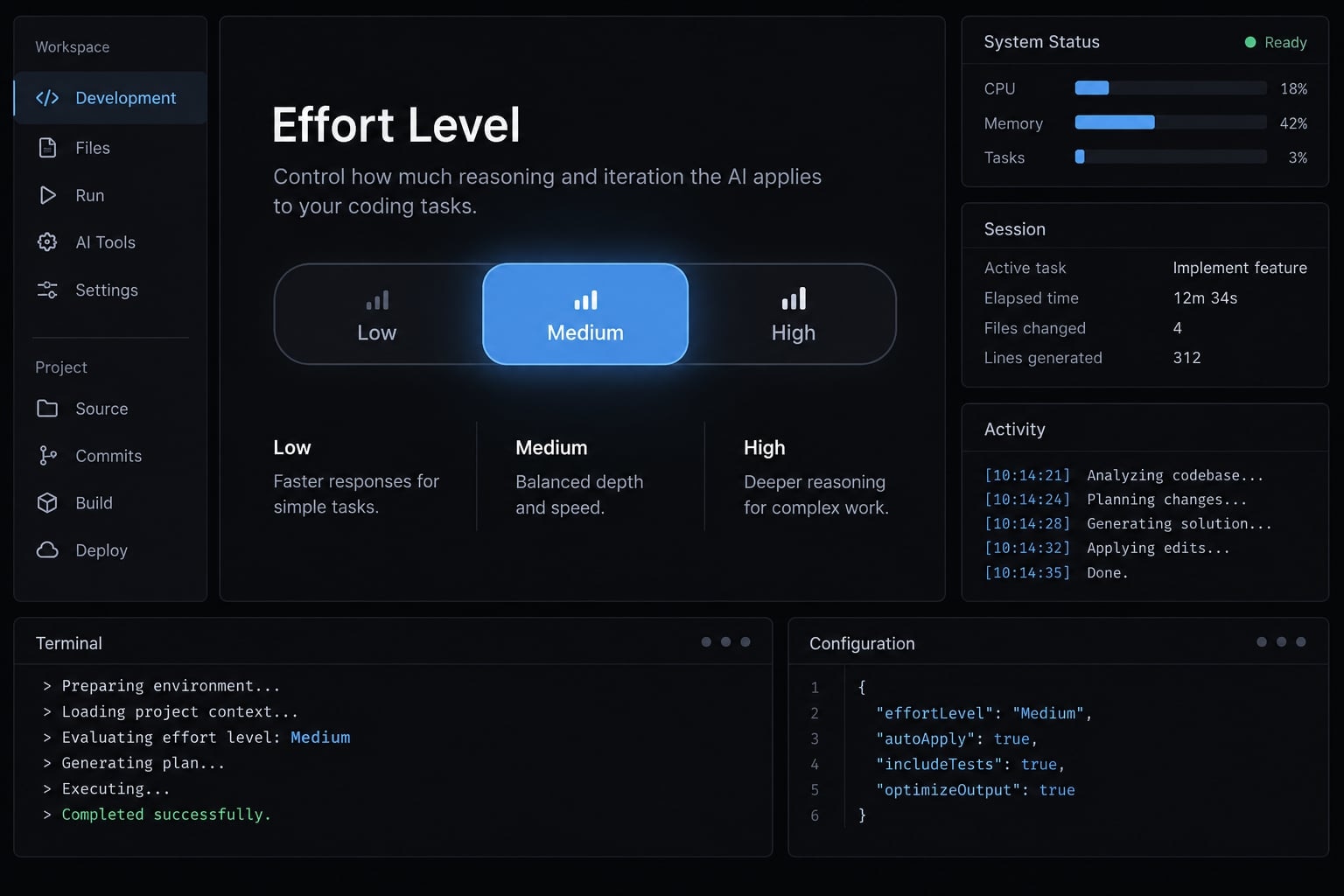
What does “Effort level” mean in Claude Code?
In Claude Code, effort is a resource-allocation control rather than a rigid procedural checklist. Anthropic's Claude Code model configuration defines effort as a mechanism to balance reasoning depth against responsiveness on supported reasoning models.
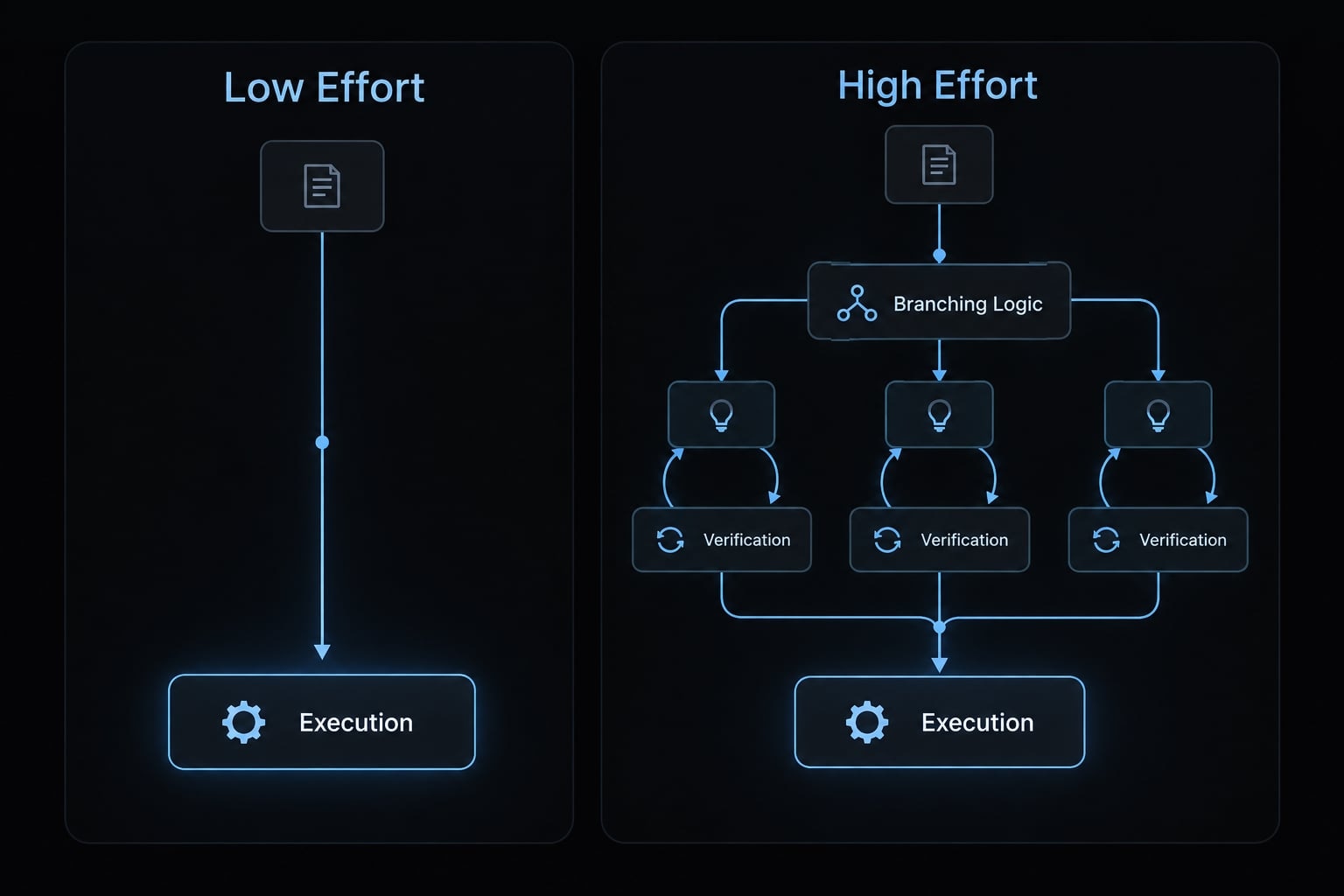
The effort parameter influences execution thoroughness - how Claude approaches multi-step problems, evaluates alternative implementations, and validates hypothesis chains. However, individual file reads, tool execution steps and unit tests remain strictly task-dependent.
Operational effects across effort settings
Operational area | Lower effort | Higher effort |
|---|---|---|
Reasoning | More direct problem-solving | More consideration of alternatives |
Investigation | Potentially narrower exploration | Potentially broader investigation |
Verification | Checks still require instructions | Additional checks remain unguaranteed |
Elapsed time | May finish sooner | May take longer |
Usage | May consume fewer tokens | May consume more tokens |
Effort is more than “Thinking time”
Consider refactoring a shared validation function in a SaaS application. Modifying a single static error message is bounded, local work. Modifying core validation logic requires auditing callers, API backwards-compatibility and integration tests.
While a higher effort level enables the model to spend more compute exploring those downstream relationships, explicitly prompting Claude to inspect callers and execute regression suites remains significantly more reliable than assuming the setting implies those steps automatically.
What effort level does not control
- Model identity: Increasing effort does not switch models.
- Unavailable information: Missing requirements cannot reliably be inferred.
- Permissions: Approvals and tool access remain separate.
- Correctness: Acceptance criteria and validation remain necessary.
Claude Code effort levels compared
Claude Code supports discrete effort levels depending on your installed CLI version and selected model (such as low, medium, high and in extended specifications, xhigh or max. Please note that not all models provide identical effort configuration options.
Setting | Practical tendency | Starting tasks | Main trade-off |
|---|---|---|---|
| Favors efficient, direct responses | Comments, formatting, bounded edits | May underinvest in difficult reasoning |
| Balances reasoning and responsiveness | Pattern-based features, ordinary tests | May be insufficient for complex investigation |
| Allows greater reasoning effort | Cross-file refactors, difficult debugging | May spend resources without improving results |
Compatibility: API parameter support does not automatically translate to CLI client availability. Always verify supported values in your active installation using claude --version. These settings represent adaptive reasoning allocations, not fixed thinking-token guarantees.
Why the default is usually the best starting point
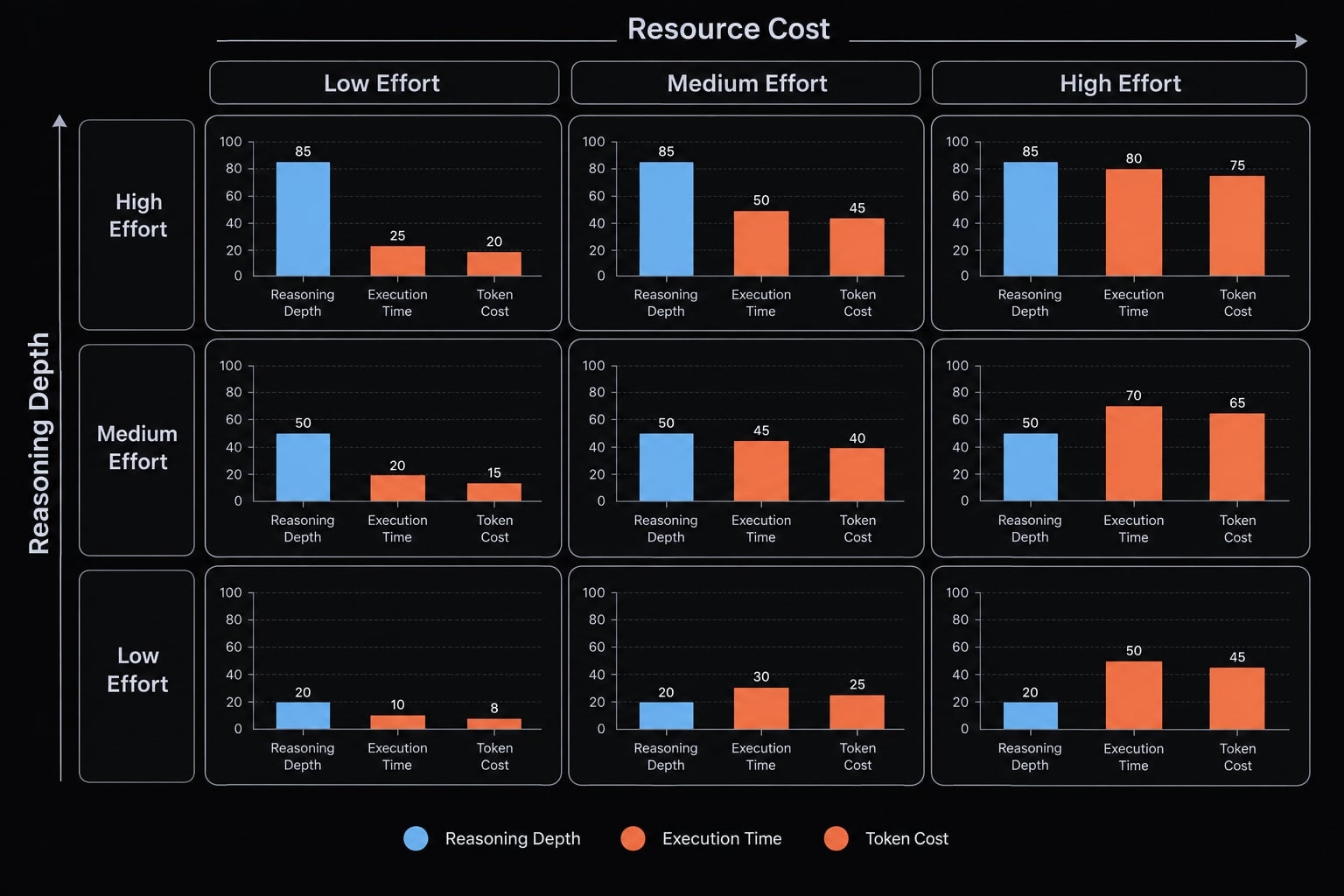
The documented default provides a baseline for comparison - not evidence that medium is universally selected.
- Start with the baseline documented for your model and installation.
- Check completion, reviewer corrections, and unnecessary work.
- Adjust effort while keeping the task and model stable.
A default setting is also not necessarily a selectable value named 'auto'. You should only use configuration values officially recognized by the system.
Higher effort is not automatically better
A straightforward edit may gain nothing from prolonged exploration. Conversely, a difficult dependency problem may benefit substantially. Judge the completed work rather than the apparent amount of thinking.
Verbosity is a separate concern. If the answer is too long, specify the desired output format before changing effort.
Which effort level should you use?
Choose by task complexity, consequences of error and ease of verification. The following matrix offers editorial starting points, not product guarantees.
Task | Starting point | Reassess when… |
|---|---|---|
Spelling, formatting, comments | Low | Unrelated edits appear; tighten scope |
Local rename | Low | References extend beyond the file |
Explanation or boilerplate | Low or medium | Domain assumptions are unclear |
Feature following an existing pattern | Default or medium | Integration behavior differs |
Test creation | Default or medium | Expected behavior is unspecified |
Multi-file refactor | High | Callers or compatibility rules are missing |
Intermittent failure | High | Logs or reproduction are unavailable |
Architecture analysis | High | Constraints remain ambiguous |
Security or release review | High plus human review | Specialist judgment is required |
Risk boundary: Security-sensitive and release-critical changes need tests, appropriate approvals, and qualified review regardless of effort.
Use low effort for narrow, verifiable work
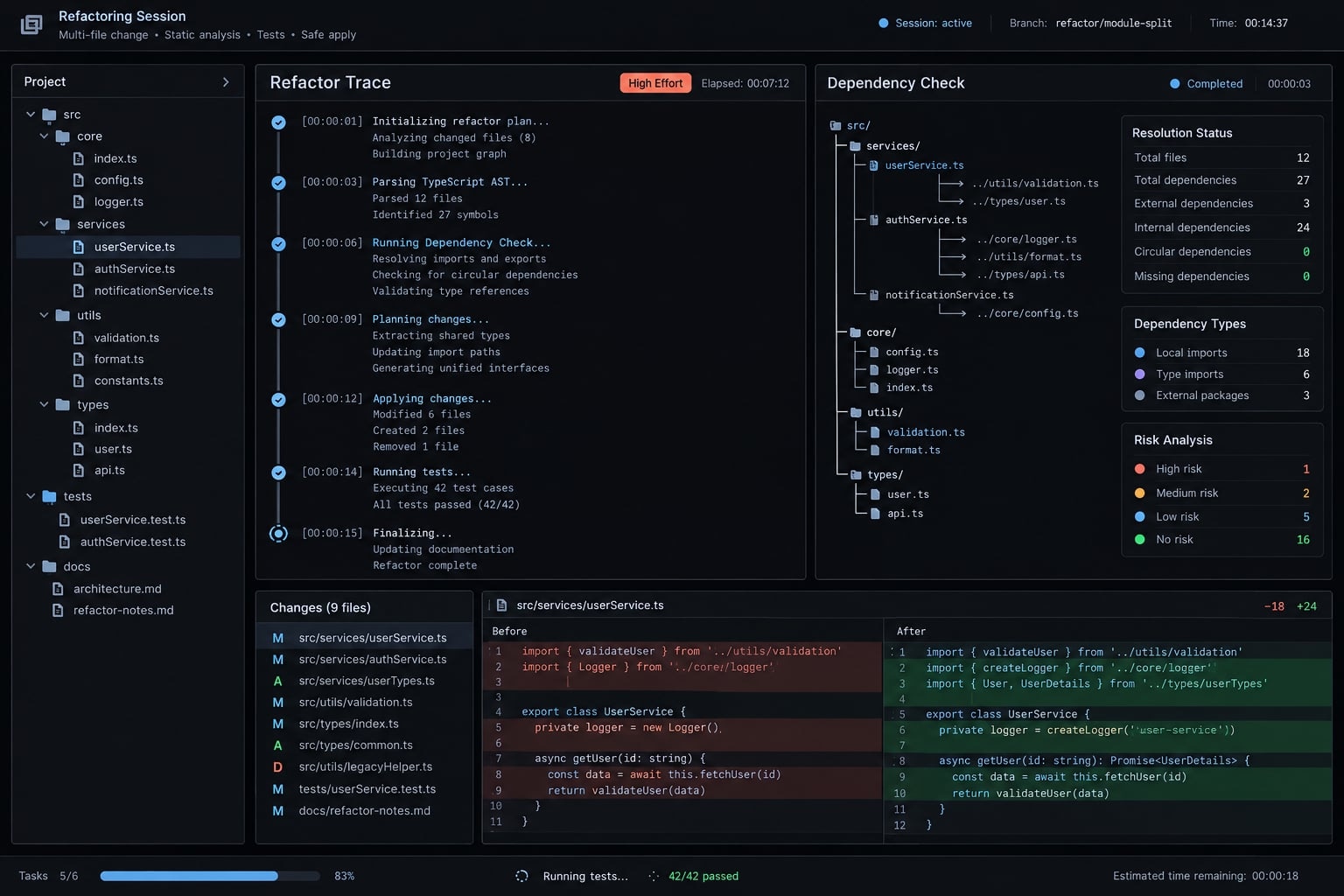
A predictable, reversible change is a reasonable candidate for lower effort. In the illustrative validation example, correcting a comment should not require redesigning the function.
Specify the file, permitted change, and acceptance criteria. Require relevant checks even at low effort. A small diff is easier to review, but it is not automatically safe.
Use higher effort when investigation and verification matter
Changing shared validation behavior requires understanding dependencies and potentially expensive mistakes. Higher effort can support that investigation, especially when several plausible explanations compete.
Keep the coding workflow explicit: inspect callers, preserve agreed behavior, update tests, and summarize remaining uncertainty for code review. If Claude lacks the compatibility requirements, provide them before increasing effort again.
How to change the effort level in Claude Code?
The methods below follow Anthropic’s Claude Code model configuration and settings documentation; they are not a locally tested walkthrough. Check compatibility with your installed version and selected model.
Set effort for the current session
Inside an active Claude Code CLI session, execute the interactive model or effort command:
/model
For supported models, the selector provides an effort adjustment using the left and right arrow keys. Confirm the desired selection and inspect the displayed effort before submitting the next task.
This changes the active selection. Do not assume its persistence rules are identical across releases. If the control is absent, check model compatibility rather than improvising a slash command.
Set a persistent default
The documented settings key is effortLevel. To establish a user-level preference, merge this entry into ~/.claude/settings.json:
{
  "effortLevel": "high"
}
Preserve existing settings rather than replacing the entire file. User settings apply across projects; project settings use .claude/settings.json. Other configuration sources may affect the effective value, so confirm it in the interface after loading settings.
Override effort for a skill or subagent
Do not copy the settings key into skill or subagent configuration. These have separate schemas. Only use per-role effort fields explicitly documented for that file type and installed release; ordinary instructions do not create a native configuration override.
Effort vs. context vs. model: What should you change?
When Claude Code produces an unsatisfactory result, changing the effort level is only one of four potential corrective levers:
- Prompt: Defines the requested outcome and acceptance criteria.
- Context: Supplies necessary source files, dependency trees, and log files.
- Effort: Controls how much compute/reasoning is allocated to solve the task.
- Model: Determines the core intelligence capabilities of the underlying LLM.
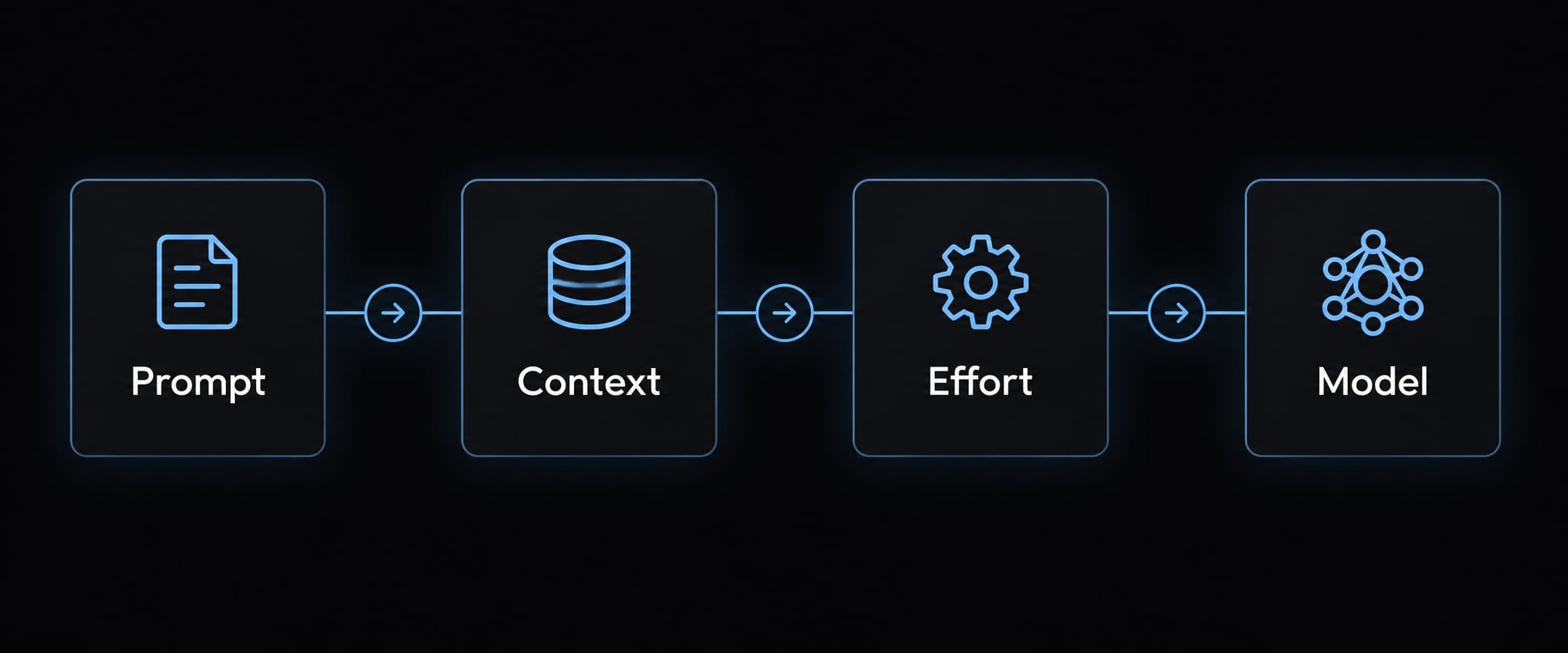
4 step diagnostic sequence
Get the next post in your inbox
New guides and AgentKit updates, no spam. Unsubscribe at any time.
For the shared validator, an unexplained requirement to “keep compatibility” is insufficient. Specify whether callers depend on error messages, return types, or exception behavior.
Failure-symptom diagnostic table
Symptoms suggest questions to investigate; they do not prove a single cause.
Observed symptom | First adjustment to try |
|---|---|
Correct code, wrong behavior | Clarify requirements and examples |
Dependencies ignored | Provide references and require caller inspection |
Tests skipped | Check instructions, tools, access, and environment |
Same failed fix repeated | Request reproduction evidence and reassess assumptions |
Extensive exploration without progress | Narrow scope and define a stopping condition |
Excessively long response | Specify output length and structure |
Manage cost, latency and team consistency
Measure the lowest reliable effort level
Compare fresh sessions using the same model, starting commit, prompt, context, permissions, and acceptance criteria. Change only effort and repeat runs where feasible.
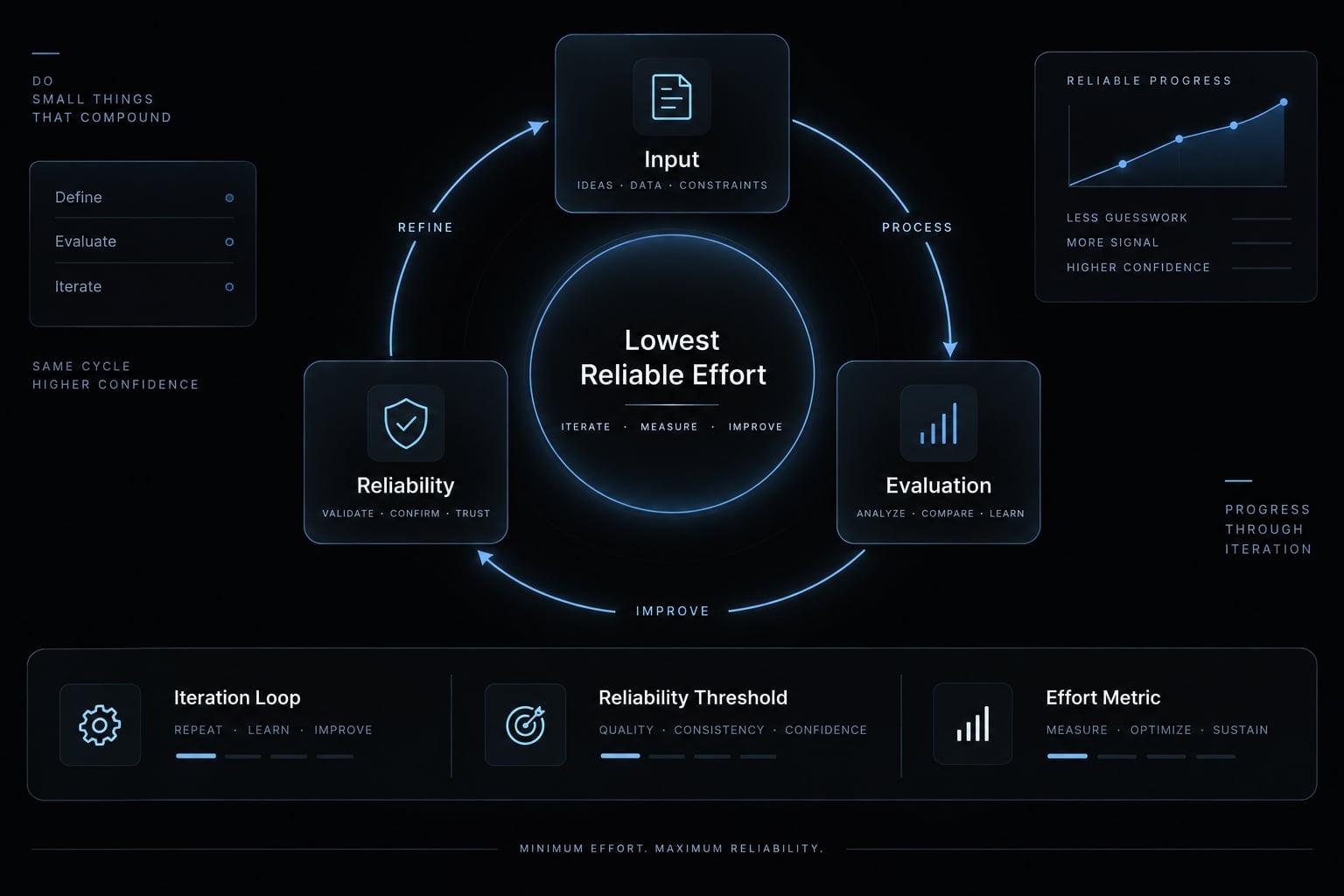
Use this compact evaluation worksheet:
- Task and acceptance criteria.
- Claude Code version, model, starting commit and effort.
- Completion result and reviewer corrections.
- Tests attempted and passed.
- Elapsed time and available usage measurements.
Prioritize correctness before speed or token consumption. Tool counts are observations, not quality scores. One successful run does not establish reliability. Usage consumption also differs from monetary billing across subscription and API arrangements.
Standardize effort in reusable workflows
Record recommended defaults alongside reusable skills and agent workflows; recommendations are not automatic per-role overrides.
Work type | Starting policy | Required control |
|---|---|---|
Routine edits | Low | Bounded diff |
Implementation | Documented default | Acceptance tests |
Investigation | Consider high | Evidence-backed diagnosis |
High-risk review | Evaluate high | Specialist approval |
Frequently asked questions
How do supported effort levels differ?
Claude Code provides verified levels like low, medium, high, xhigh, and max. Lower levels minimize reasoning tokens for speed and efficiency, while higher levels enable exhaustive exploration, multi-step debugging, and deeper dependency analysis, effectively scaling the model's thoroughness based on the task complexity.
Which Claude Code effort level should I use?
Start with the model’s default setting and adjust based on task complexity. Use low or medium for routine edits or boilerplate code to maintain speed. Reach for high or max only when dealing with complex multi-file refactors, elusive bugs, or architectural decisions where exhaustive verification is essential.
Does higher effort guarantee better code quality?
No. Higher effort increases the reasoning budget, which can help Claude investigate dependencies or edge cases more thoroughly. However, it does not replace the need for clear requirements, accurate context, comprehensive testing, and human review. If Claude fails due to ambiguous instructions, increasing effort will not solve the underlying communication gap.
How can I change the effort level for my Claude Code session?
You can change the effort level for the current session by running /effort <level> in the CLI. For persistent configurations, you can use the --effort flag at launch, set an effortLevel in your settings file, or define the CLAUDE_CODE_EFFORT_LEVEL environment variable, depending on your version's supported methods.
Why does higher effort sometimes cost more?
Higher effort levels increase "thinking tokens," which are billed as output tokens. Since these reasoning traces are generated in the background and cannot be cached, they increase both the total token usage and the time taken to generate a response. Always monitor your usage to avoid unnecessary costs on simple tasks.
Should I change the effort level or the model if Claude fails?
If a task fails, first verify that you have provided sufficient context and clear acceptance criteria. If the context is clear but Claude is skipping steps, increase the effort level. If increasing effort does not improve the result, your selected model may lack the necessary capability, and you should consider a more powerful model.
Read more:
- Claude Code token efficiency: Reduce costs & boost results
- Compact Claude Code: How to optimize context and stop drift
- Statusline Claude Code: Fast setup for workflow productivity
Conclusion
The Claude Code effort level balances reasoning allocation against potential resource use and response time. Higher settings can improve difficult investigations, but they do not replace relevant context, suitable model selection, explicit verification, or human judgment. Lower settings remain useful for bounded work with clear checks.
Start with the documented default, then compare supported settings on representative tasks. Choose the lowest level that reliably meets acceptance criteria - not simply the fastest run or shortest answer. Keep tests and human review mandatory for high-risk changes.
Ship features with Engineer Kit
Planning, implementation, review and testing workflows for AI coding agents, ready to install.
Explore Engineer Kit →Share this article
Keep reading
- Master Claude Code PostToolUse hook: Setup and examplesLearn how to configure Claude Code PostToolUse hooks for automated formatting and linting. Follow our guide to improve workflow efficiency today.15 min read
- How to use Kimi K2 with Claude Code: Setup & verification guideLearn how to configure Kimi K2 with Claude Code using Anthropic-compatible endpoints. Follow our step-by-step guide for setup, verification, and testing.13 min read
- Master Claude code-simplifier: A guide to safe code refactoringLearn how to use the Claude Code-Simplifier agent for safe, efficient code refactoring. Follow our step-by-step guide to install, scope, and validate changes.11 min read