
Claude Code skills best practices: How to write skills that actually trigger and stay useful
Repeated prompting is one of the fastest ways to lose momentum in Claude Code. Many teams create a skill, assume the problem is solved, then discover the skill rarely triggers, outputs drift, or the SKILL.md file becomes too bloated to maintain. That is why Claude Code skills best practices matter: Not as theory, but as a way to build reusable AI workflows that stay reliable over time. This guide is for developers, solo founders, small product teams, and technical operators who want a practical standard for skill design. It covers scope, description writing, instruction depth, supporting assets, and testing so you can create skills that are easier to trigger, easier to reuse, and easier to update.
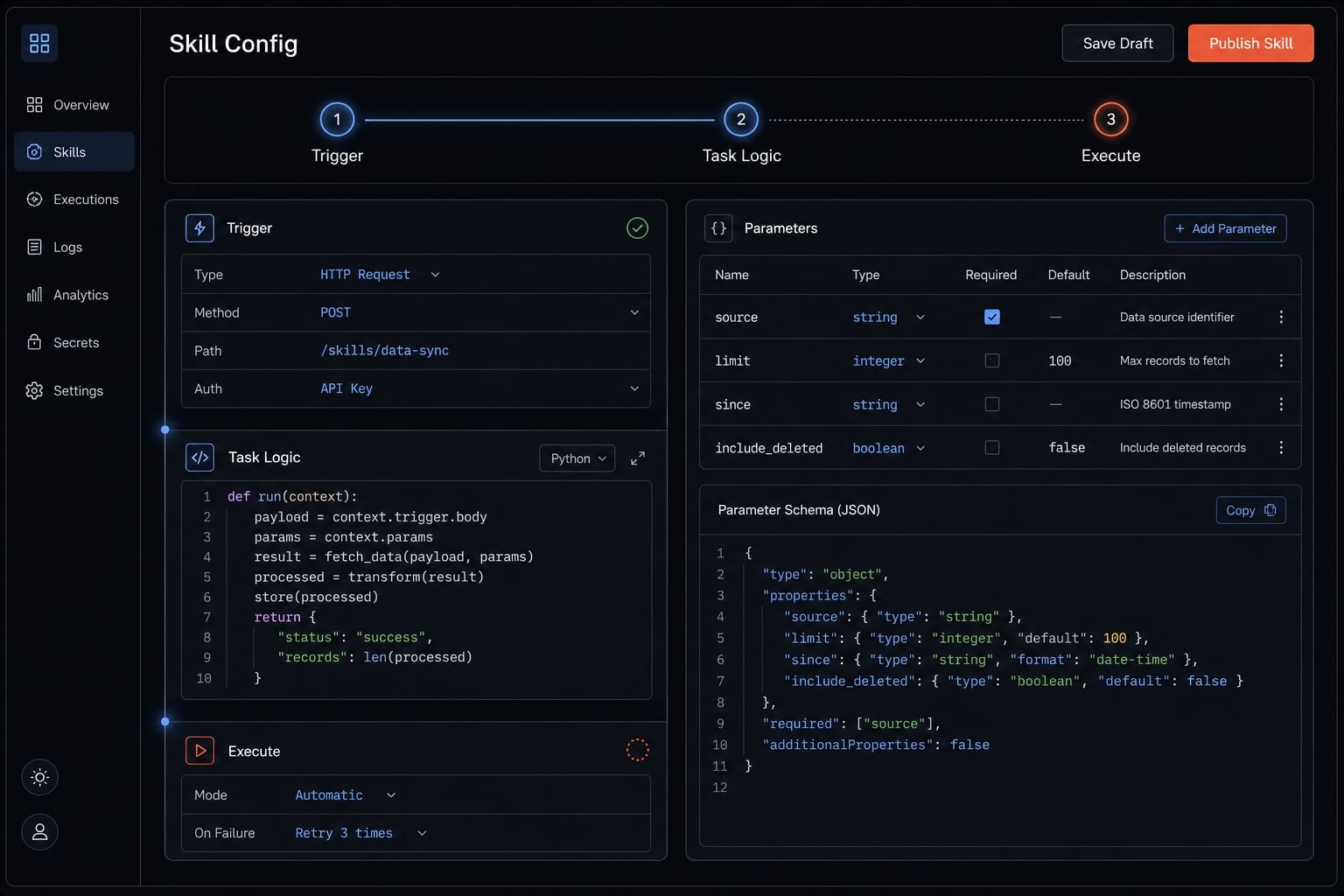
What a Claude Code skill is - and why best practices matter
A Claude Code skill is a reusable workflow package that helps Claude handle a repeatable task more consistently. It is typically centered on a SKILL.md file, and can optionally include references, templates, or scripts that support the workflow. The goal is to reduce repeated prompting, improve consistency, and make recurring tasks easier to reuse across sessions.
In real usage, the problem is rarely “the skill does not exist.” The problem is that it is too broad, too vague, or too heavy. A common failure mode is a skill that looks complete on paper but rarely activates because the description trigger is weak. Another is a skill that loads successfully but carries so much instruction text that it competes with more relevant session context.
Best practices matter because Claude Code custom skills only help when they are discoverable, maintainable, and scoped to a stable workflow. If any of those pieces are weak, the skill becomes shelfware.
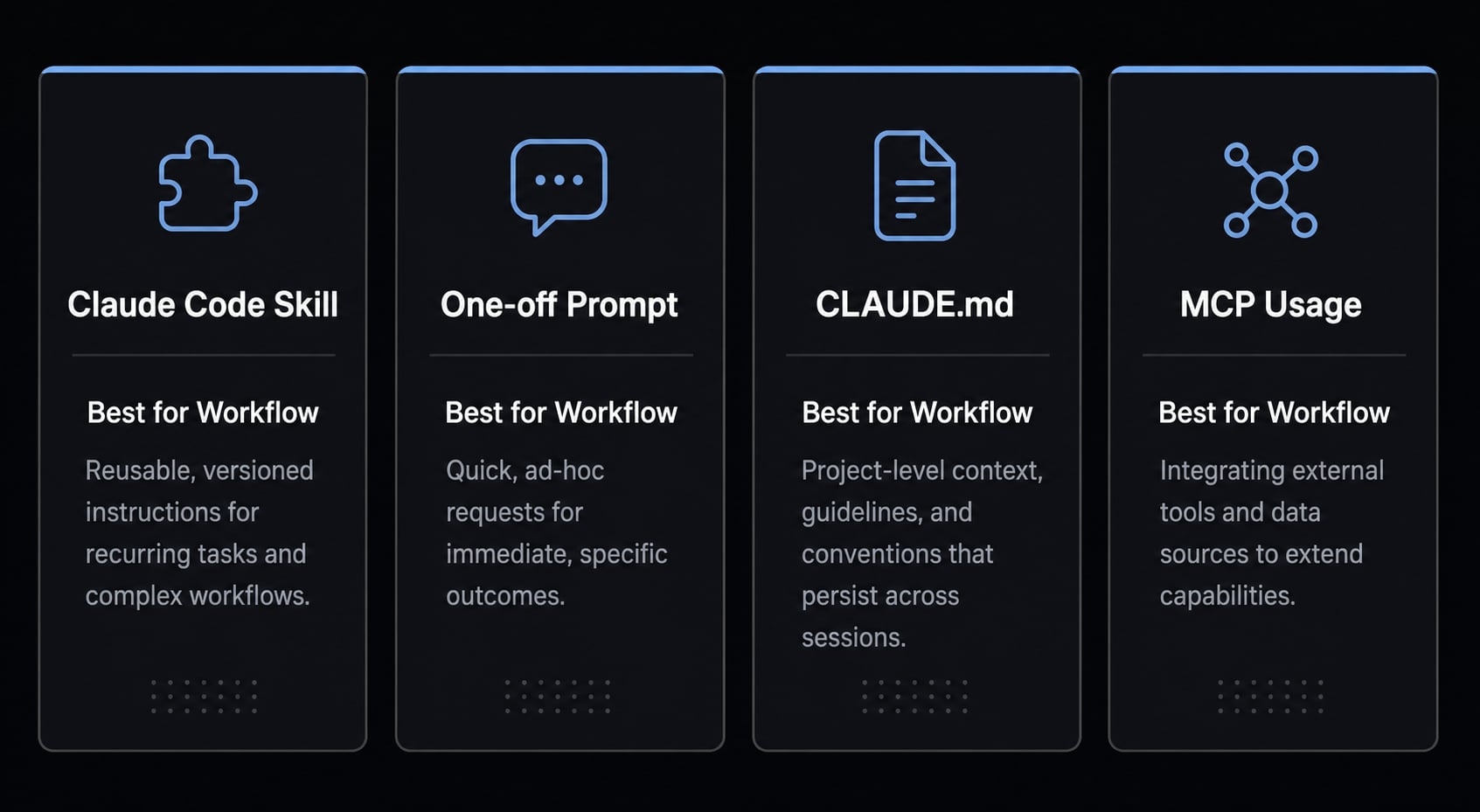
It also helps to keep the boundaries clear:
- Skill: Best for a repeatable, structured workflow.
- One-off prompt: Best for an ad hoc task with no reuse value.
CLAUDE.md: Best for broader repo or project guidance.- MCP or direct tool usage: Best when the tool can solve the task directly without extra workflow packaging
Just as important, not every repeated task should become a skill. If the task is too unstable, too broad, or already easy to handle with direct instructions, a skill may be the wrong tool.
What a skill handles well
- Repeatable workflows with a stable structure.
- Standardized outputs such as review notes, summaries, or checklists.
- Repo-specific or team-specific rules that should be applied consistently.
- Tasks where Claude Code custom skills can reduce prompt repetition.
When a skill is the wrong tool
- One-off prompts that are unlikely to be reused.
- Broad or unstable tasks with changing logic each time.
- Cases where direct instructions are already enough.
- Tasks better handled by MCP-powered tools or direct tool calls
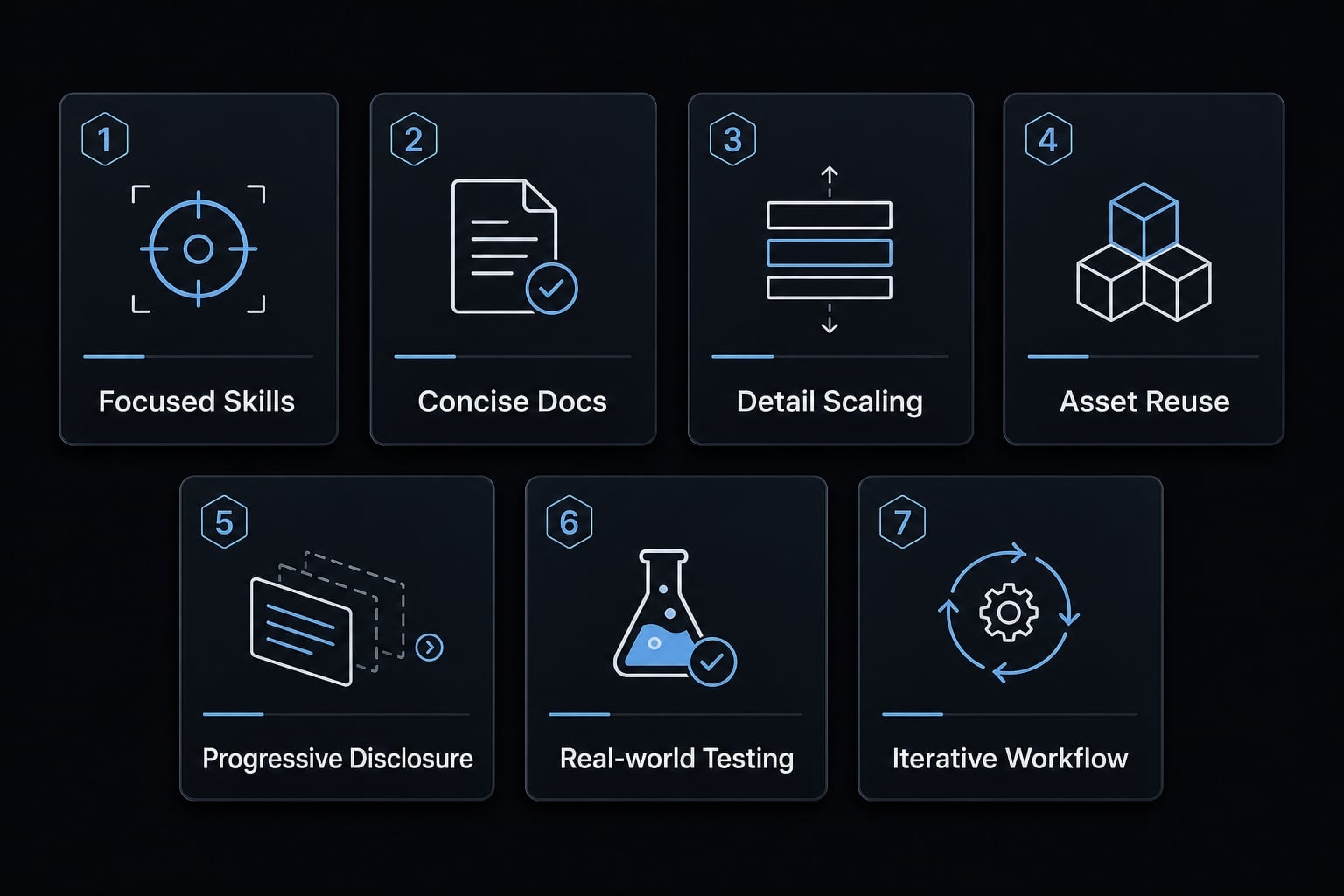
The core framework: 7 best practices for writing effective Claude Code skills
The most useful Claude Code skills best practices are not complicated. They are mostly about structure, restraint, and testing. If you get those right, your skills become easier to trigger and far easier to maintain.
- Keep each skill focused on one purpose.
- Treat the description as the trigger.
- Keep
SKILL.mdconcise. - Match instruction detail to task fragility.
- Use references, templates, and scripts correctly.
- Design for progressive disclosure.
- Test and iterate with real prompts.
1. Keep one skill focused on one clear purpose
A common failure mode is trying to pack too many workflows into one skill. That usually weakens triggering, makes updates risky, and turns the skill into a vague catch-all. Single-purpose skills are easier to activate and produce more consistent outputs because the workflow pattern is clear.
- Bad:
dev-helper - Good:
frontend-code-revieworrelease-note-draft
The best focused skill design maps one skill to one repeated workflow, not to a whole category of work.
2. Treat the description as the trigger, not an afterthought
In practice, the description is one of the most important parts of the skill. Claude uses it to decide when the skill is relevant. If the wording is generic, the skill may exist but still fail to activate. Strong trigger phrases improve discoverability because they mirror the kinds of requests users actually type.
- Before: “Helps with development tasks and project work.”
- Better: “Use when the user asks to review a pull request for frontend issues, component consistency, accessibility regressions, or missing UI edge cases.”
A good description trigger should be specific, realistic, and written around actual request patterns. This is also where the YAML frontmatter deserves attention. The frontmatter is not just metadata hygiene; it directly affects whether the skill can be found and used well.
3. Keep SKILL.md concise and token-conscious
Longer does not mean better. The problem usually appears when authors put every possible explanation into SKILL.md, including things Claude already knows. That creates noise and consumes token context that could be used for the current task.
Keep only the instructions Claude needs repeatedly:
- Include core workflow logic that matters almost every run.
- Remove obvious background explanations Claude can infer.
- Cut anything that does not justify its token context cost.
A lean SKILL.md is easier to maintain and usually more reliable in live sessions.
4. Match instruction detail to task fragility
More detail is not automatically better. Some workflows need flexible, declarative instructions. Others need a tighter sequence because the task is fragile or order-dependent. The right level depends on how much variation the workflow can tolerate inside an agentic workflow.
Task type | Recommended instruction style | Why |
|---|---|---|
Flexible tasks | Light text guidance | Multiple valid approaches are acceptable |
Preferred-pattern tasks | Moderate structure with steps or pseudocode | A standard approach helps, but some variation is fine |
Fragile tasks | Tight instructions or specific scripts | Sequence and consistency matter more than flexibility |
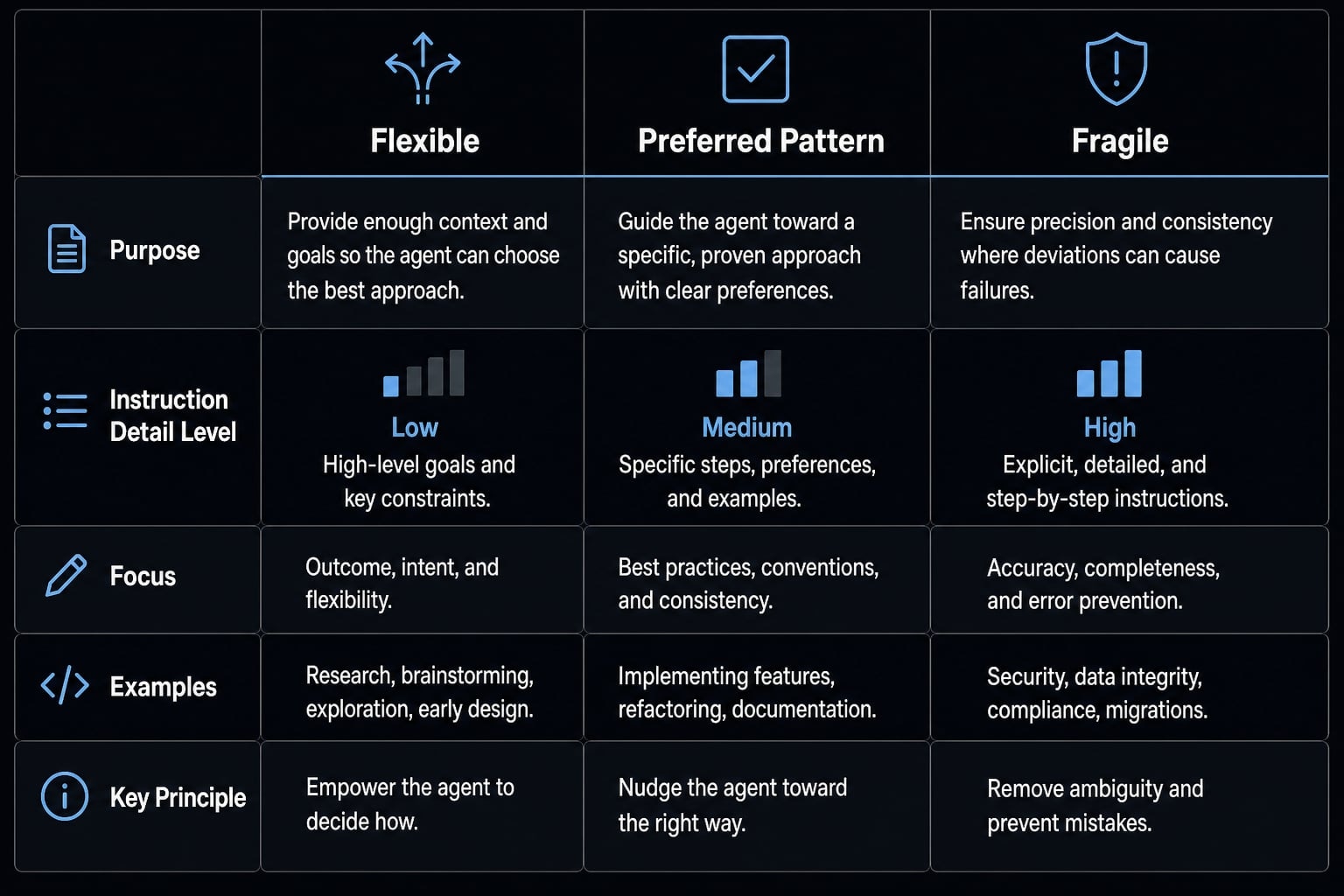
If the workflow breaks easily, be more explicit. If it benefits from judgment, stay lighter.
5. Use references, templates, and scripts for the right jobs
Another common issue is forcing everything into the main file. That usually makes the skill harder to scan and harder to update. Templates and scripts exist to separate concerns. Use them this way:
- References: For deeper context, secondary rules, or examples that are useful but not needed every run
- Templates: For repeatable output structure when consistency matters
- Executable scripts: For deterministic actions, transformations, or validation steps
If you mix all of that into SKILL.md, the skill becomes cluttered and harder for Claude to navigate.
6. Design for progressive disclosure
Progressive disclosure keeps the core file lightweight while still allowing depth when needed. In real usage, this matters because not every task needs every instruction on every run.
Rules of thumb:
- Put always-needed guidance in the core file.
- Move optional or deeper detail into references.
- Avoid long chains of nested links or scattered documentation.
The mistake here is link sprawl. If Claude has to navigate too many layers, important guidance gets missed. Good progressive disclosure keeps depth available without making the entry point heavy.
7. Build a test-and-iterate loop from the start
Untested skills often fail in the exact moments they were meant to save time. The better pattern is simple: test with real prompts, observe behavior, then revise. That is how you create reliable validation loops instead of relying on guesswork.
Use this three-step process:
- Save a small set of real prompts that should trigger the skill.
- Run the skill against those prompts and inspect activation and output quality.
- Update the wording, structure, or support assets based on what actually happens.
Iteration is normal. In most teams, the first useful version of a skill is rarely the final one.
How to decide what goes in the description, body, references, templates, or scripts
One of the most common authoring mistakes is treating SKILL.md like a storage bin for everything. It is usually better to think in terms of information architecture: what Claude must know immediately, what it can access only when needed, and what should be automated instead of explained.
A heavier SKILL.md is not automatically better. In many cases, it is just noisier.
Asset Type | Best Use | Avoid Putting There |
|---|---|---|
Description | Activation cues, intent, realistic request wording | Long procedures, edge-case rules, deep examples |
Main body / | Core workflow logic needed almost every run | Background theory, large reference material, repeated boilerplate |
References | Secondary rules, detailed context, extended examples | Critical steps Claude cannot miss |
Templates | Stable output formats, reusable scaffolds, consistent structure | General strategy notes or long explanations |
Scripts | Deterministic actions, validation, repeatable transformations | Broad prose guidance or flexible reasoning tasks |
Put it in the description if…
- It helps Claude know when to activate the skill.
- It includes realistic request wording or trigger phrases.
- It states the task intent clearly and narrowly.
Put it in the main body if…
- The instruction is needed on almost every run.
- The workflow would drift or fail without it.
- The guidance represents the core operating logic of
SKILL.md.
Put it in references, templates, or scripts if…
Get the next post in your inbox
New guides and AgentKit updates, no spam. Unsubscribe at any time.
SKILL.md every time.If your first instinct is to put everything into the body, that is usually a sign the skill needs better separation.
Common mistakes that make Claude Code skills weak or unreliable
Most weak skills fail for a small number of repeatable reasons. The goal is not to avoid every imperfection. The goal is to remove the patterns that make activation, maintenance, and output quality worse over time.
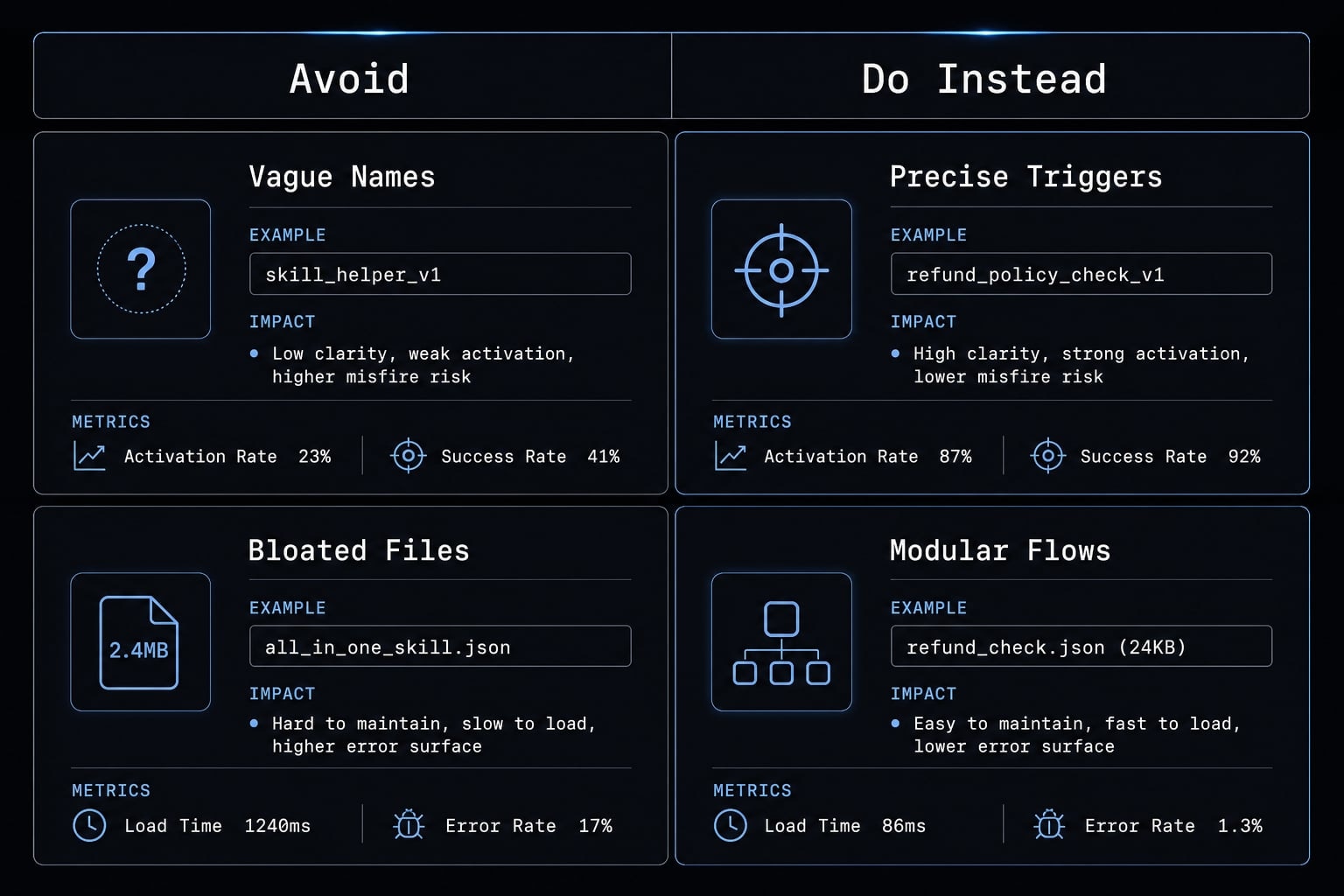
Mistake 1: Vague names and generic descriptions
Names like “helper” or “assistant-tool” create ambiguity. Vague descriptions make it harder for Claude to know when the skill applies, which reduces trigger reliability.
- Before:
helper- “Assists with project work.” - Better:
frontend-accessibility-review- “Use when reviewing UI changes for semantic HTML, keyboard navigation, focus states, and accessibility regressions.”
Mistake 2: One giant skill for unrelated workflows
A multi-purpose skill often feels efficient at first, but it usually becomes unreliable. Different workflows compete inside the same instruction set, and maintenance gets harder as the agentic workflow grows.
Better approach: split by workflow type. If code review, release QA, and analytics summaries do not share the same structure, they should not live in one skill.
Mistake 3: Bloated SKILL.md
Overstuffed SKILL.md files increase token usage and crowd out more relevant session context. Repeating obvious information is especially costly because it adds size without adding control.
Better approach: keep the core file short, move supporting material into references, and use templates or scripts where structure or determinism matters.
Mistake 4: No test prompts, no validator, no iteration
Untested skills often look fine until they meet real requests. Without validation loops, activation problems and output drift go unnoticed until they interrupt actual work.
Better approach: keep a small prompt set, test after each update, and use a lightweight validation step if the workflow depends on format, structure, or rule compliance. Iteration is normal; it is not a sign the skill failed.
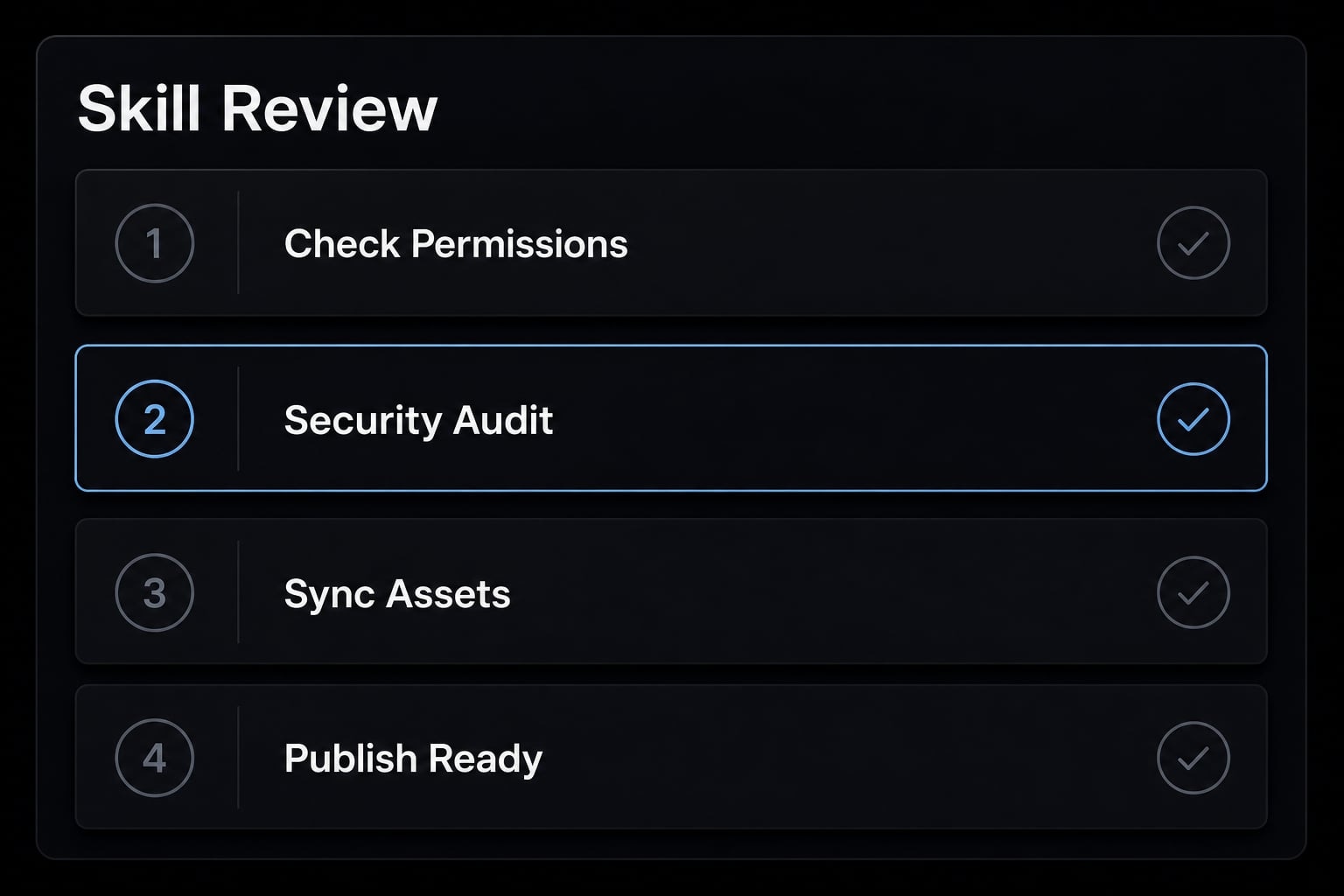
A simple review checklist before you publish or reuse a skill
Use this Claude Code workflow checklist before publishing, sharing, or reusing a skill. It is intentionally lightweight so teams can apply it quickly without turning review into ceremony.
- Is the skill clearly single-purpose?
- Does the description include realistic trigger phrases?
- Is the
YAML frontmattercomplete, accurate, and easy to understand? - Is the main body concise and limited to necessary instructions?
- Are references, templates, and scripts used for the right jobs?
- Has the skill been tested with real prompts, not just imagined ones?
- Is there a simple update habit or skill review checklist for future revisions?
- Is the skill easy to maintain inside version-controlled infrastructure?
- Would another teammate understand when to use it and when not to?
This kind of pre-publish routine catches most structural issues early. It also makes the skill easier to hand off across teams.
Practical example: Turning a repeated workflow into a reusable skill
A practical example is code review standardization. A small product team kept asking Claude for review help, but the prompts changed every time. Sometimes the focus was UI consistency, sometimes edge cases, sometimes accessibility. The repeated workflow existed, but the instructions were scattered.
The better move was to create one of a set of reusable agent skills specifically for frontend review. The description included realistic review requests such as checking components, layout regressions, and accessibility issues. The SKILL.md file only kept the core review sequence and decision rules. A small template shaped the review output into sections like findings, severity, and recommended fixes.
The team also added a simple validation loop: run the skill against a saved set of review prompts after each update. The result was not magical automation. It was steadier AI workflow standardization, less prompt repetition, easier reuse, and simpler maintenance over time.
Frequently asked questions
What is a Claude Code skill?
A Claude Code skill is a directory containing a SKILL.md file that serves as a reusable workflow package. It allows users to automate recurring tasks, maintain consistency, and reduce the need to provide manual prompts each time they work with Claude Code.
Why should a Claude Code skill focus on a single purpose?
A single-purpose design prevents the skill’s description from becoming too broad, which could cause Claude to activate the wrong skill or behave inconsistently. When each skill addresses one specific workflow, it becomes much easier to control, maintain, and trust than a large, multipurpose skill.
How do I write an effective description for a Claude Code skill?
Write the description in natural language and include specific actions or trigger phrases you commonly use. Avoid generic wording. Clearly state the skill’s purpose and intended context so Claude can identify and activate the correct skill from the beginning of a session.
What content should go in SKILL.md versus the references directory?
Place the essential instructions required for the workflow in SKILL.md to ensure that Claude always follows them. Move supporting documentation, additional context, and secondary rules to the references directory to keep the main file concise and reduce token context usage.
When should I use templates and scripts instead of writing everything in SKILL.md?
Use templates when the output must follow a consistent structure, and use scripts when the workflow requires complex logic, testing, or data validation. Separating these resources helps reduce errors compared with requiring Claude to generate the code from scratch each time.
How do I test and optimize a Claude Code skill after creating it?
Create a set of sample prompts for each skill and conduct practical tests after every update. Observe how Claude responds, then refine the steps or description in SKILL.md based on its actual behavior rather than your initial assumptions.
Should I update a Claude Code skill during an active session?
No. Claude Code loads skills when a session is initialized, so changes to the SKILL.md file will not take effect immediately. You must restart the session for Claude to load the latest updates from your skill files.
Read more:
- Claude Code slash commands: Essential shortcuts for CLI flow
- Aider vs Claude Code: Choosing the right AI Coding Assistant
- Claude Code invalid tool parameters: Causes and fixes
Conclusion
Good Claude Code skills best practices are mostly about disciplined design. The strongest skills stay narrow in scope, use descriptions that trigger clearly, keep core instructions concise, place supporting material in the right assets, and improve through testing.
That matters because reusable skills are really a form of reusable workflow infrastructure. If the structure is weak, the workflow will drift. If the structure is clear, the skill becomes easier to trust and easier to scale across sessions or teammates. If you are building a shared skill library, start with one repeated workflow, apply the checklist above, and turn it into a small internal pattern library your team can refine over time.
Go deeper in the docs
Reference pages for every command, skill, hook and setting mentioned here.
Read the docs →Share this article
Keep reading
- Master Claude Code PostToolUse hook: Setup and examplesLearn how to configure Claude Code PostToolUse hooks for automated formatting and linting. Follow our guide to improve workflow efficiency today.15 min read
- How to use Kimi K2 with Claude Code: Setup & verification guideLearn how to configure Kimi K2 with Claude Code using Anthropic-compatible endpoints. Follow our step-by-step guide for setup, verification, and testing.13 min read
- Claude Code effort level: How to choose the right settingLearn how Claude Code effort level impacts reasoning and performance. Discover the best settings for your tasks to balance efficiency and accuracy.10 min read