
TDD Claude Code: A practical workflow that keeps AI coding on track
Claude Code is fast, but it often drifts into implementation-first behavior unless you make success criteria explicit. By applying Test-Driven Development (TDD), you give Claude a tighter operating loop: define behavior as a test, confirm failure, then implement only the minimum code required to pass. This guide explains what that workflow actually looks like, the minimum viable process you can use today, and when to stay simple with prompts versus adding CLAUDE.md, hooks, or subagents.
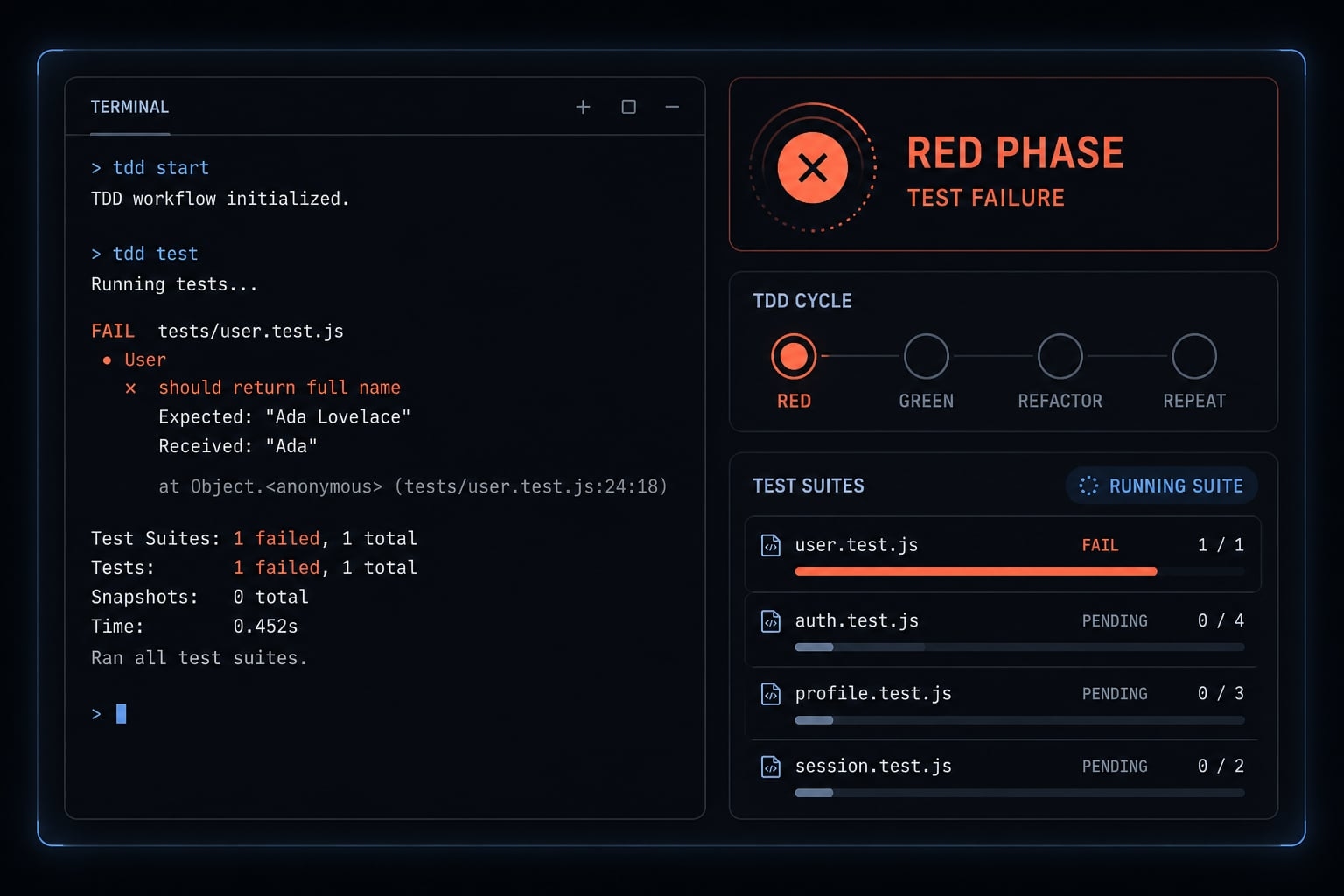
What “TDD with Claude Code” actually means
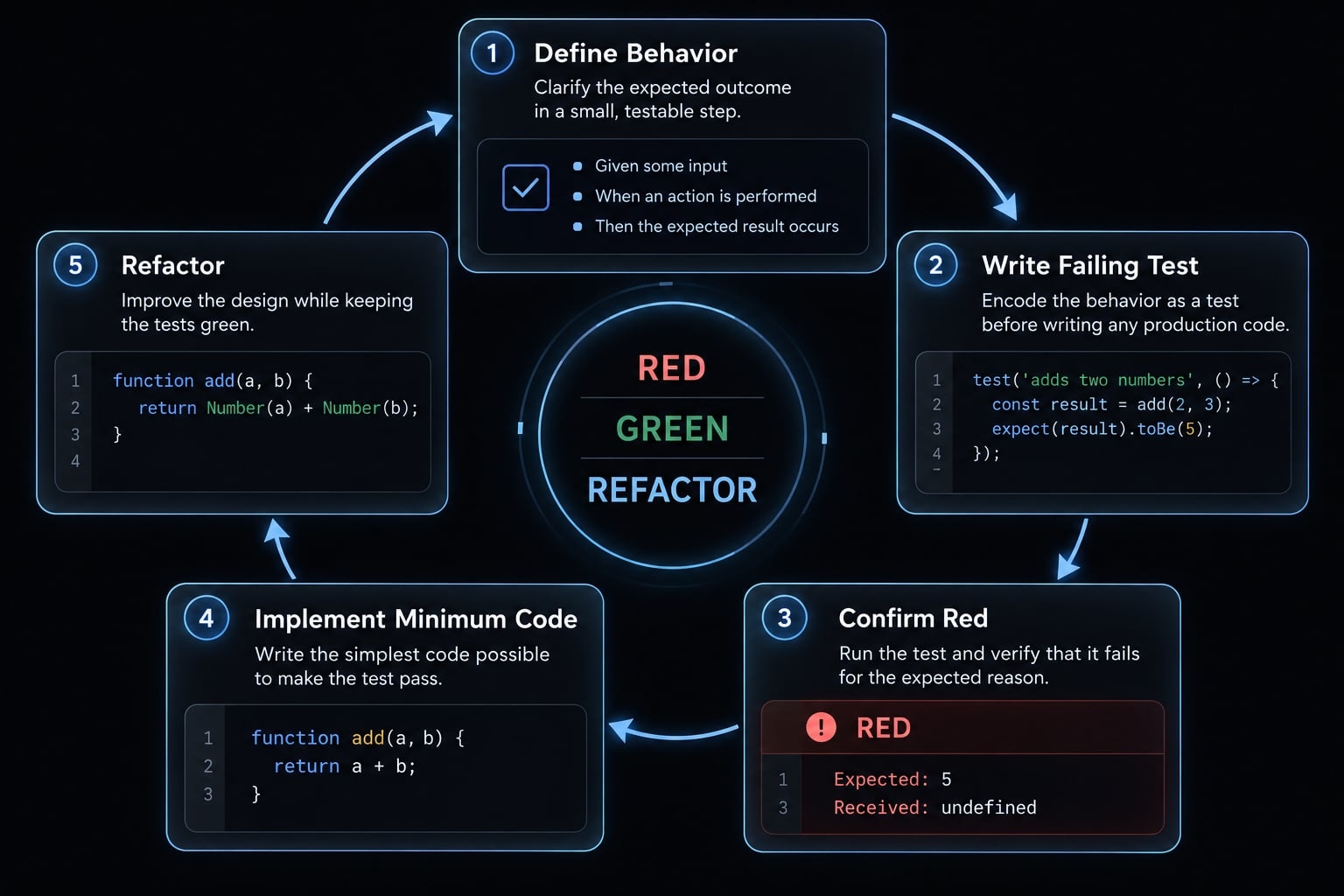
TDD with Claude Code is using test-driven development to control how Claude writes code: Start with a test, confirm the test fails, ask for the smallest passing implementation, then clean up in a final Red-Green-Refactor pass. In short, the test serves as the guide, and the passing test result acts as a vital checkpoint.
When teams talk about TDD Claude Code, they are not describing a new testing philosophy. They are describing a practical way to stop Claude from jumping straight into feature code. In real usage, AI coding tools often overbuild when you ask for a feature directly. They fill in assumptions, add edge cases too early, or reshape the solution before the intended behavior is locked down.
Using test-driven development with Claude changes that dynamic. Instead of prompting, “Build this feature,” you prompt, “Write the failing test for this behavior first.” That creates a narrower loop:
- Red: Write one small test and confirm failure
- Green: Produce the minimum code required to pass
- Refactor: Improve structure only after tests pass
This Red-Green-Refactor loop works well in AI-assisted development because tests are more precise than feature requests. A test is an executable requirement. It reduces ambiguity, gives Claude a clear target, and makes unit testing the control layer rather than an afterthought.
Red → Green → Refactor in plain language
- Red: Write one small test for one behavior and verify it fails.
- Green: Ask Claude for the smallest possible fix or implementation.
- Refactor: Improve naming, structure, or duplication while keeping tests green.
Why tests are better prompts than feature requests alone
Feature requests are often broad. Tests are specific.
A direct feature prompt leaves room for interpretation. A test defines exact input, expected output, and failure conditions. That means less guesswork for Claude, faster validation for the developer, and better control over what gets written. TDD with Claude Code improves reliability and focus, but it does not guarantee correctness. Human review still matters.
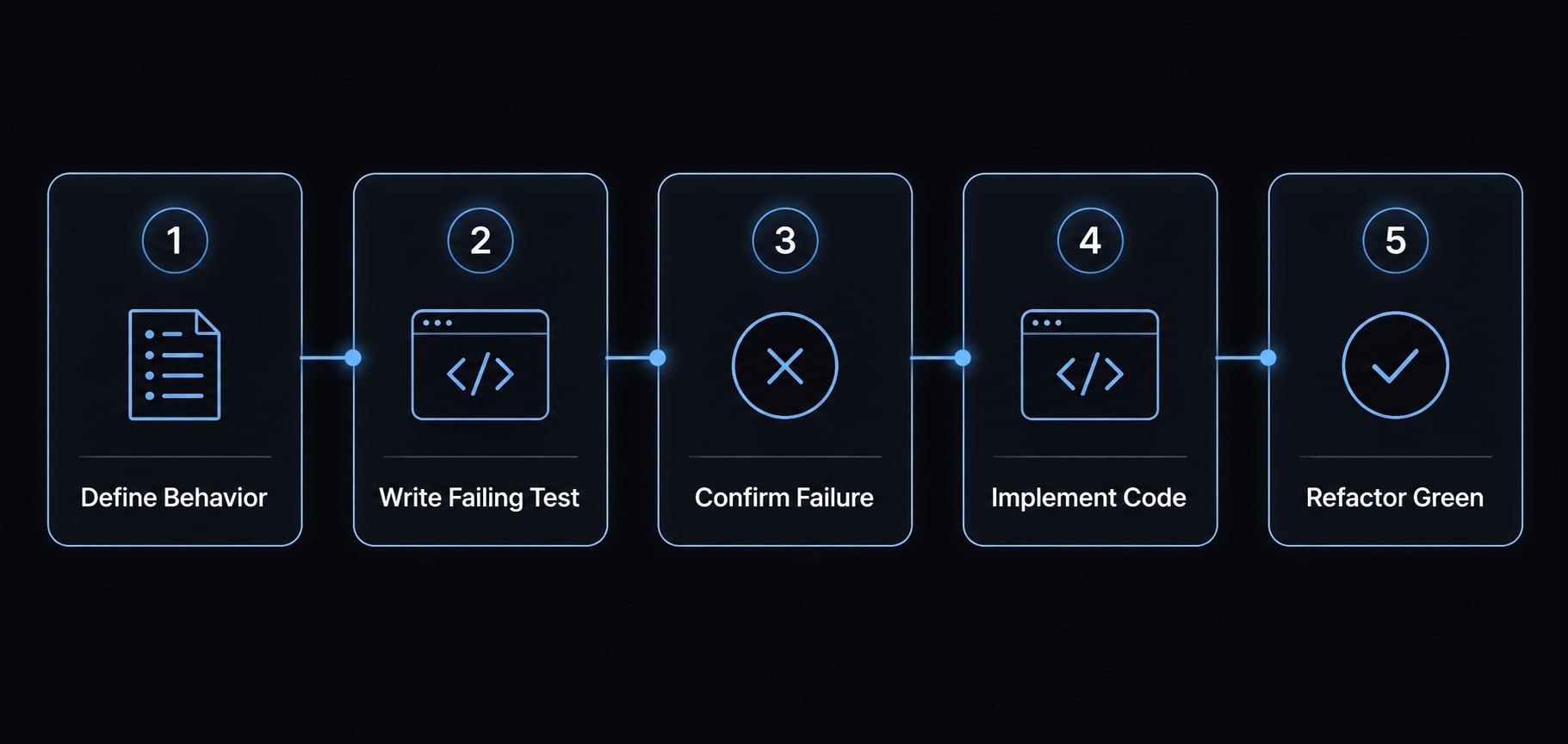
The minimum viable TDD workflow in Claude Code
- Define one small behavior.
- Ask Claude to write a failing test first.
- Run the test and confirm it fails.
- Ask for the minimal implementation needed to pass.
- Refactor only after green.
If you want to know how to use Claude Code for TDD without overengineering it, this is the simplest path. The key is to keep the loop small and explicit. Most TDD failures in AI workflows happen because the prompt is too broad, the test covers too much, or Claude is allowed to skip the RED step.
Step 1 - Phrase the task as behavior, not architecture
Define one behavior only. Not a module, not a service, not the full feature.
Good behavior-first scope:
- “When
calculateDiscount(100, 'VIP')is called, it should return 90.” - “When email input is empty, validation should return an error.”
Avoid prompts like:
- “Build the full discount engine”
- “Create the whole auth flow”
- “Implement the entire feature”
A behavior-first prompt keeps the Claude Code workflow narrow. This is the easiest way to reduce drift.
Sample prompt:
Implement this using TDD.Behavior to add:When calculateDiscount(100, "VIP") is called, it should return 90.First, write the failing test only.Do not write implementation yet.
Step 2 - Force the RED phase
The most important control is forcing a failing test before any implementation starts. If you are learning how to use Claude Code for TDD, do not assume Claude will naturally stay disciplined. Ask for the test first, and require failure output. That extra confirmation step matters because it prevents Claude from silently moving into implementation-first mode.
Use instructions like:
- Write the test only.
- Run the test.
- Show the failure output.
- Do not proceed until RED is confirmed.
This one-behavior-per-loop structure is usually enough to make the workflow usable immediately.
Step 3 - GREEN Phase: Minimum code only
Once the failure is confirmed, ask for the minimal implementation. That phrase matters. Without it, Claude often expands scope, adds speculative edge cases, or rewrites neighboring code that was not part of the task. The goal of GREEN is not completeness. It is to make the current test pass with the smallest reasonable change.
Useful constraints:
- Implement only what the current test requires
- Do not add unrelated edge-case handling yet
- Do not expand the API
- Keep file changes narrow
This is where many users lose discipline. Broad prompts produce broad solutions.
Step 4 - REFACTOR After Green
Only after the tests pass should you ask Claude to refactor. Typical refactor targets:
- Naming cleanup
- Duplication removal
- Simpler conditionals
- Small structure improvements
Keep the refactor pass short. You are not redesigning the system. You are improving readability and maintainability while preserving behavior.
A practical rule: Passing tests improve control, not certainty. Human review is still needed for semantics, maintainability, and missing scenarios.
Reusable workflow prompt:
Use TDD for this task.1. Write one failing test for the behavior below.2. Run the test and show the failure output.3. After RED is confirmed, write the minimum code needed to pass.4. Run the tests again.5. If green, do a brief refactor pass only if it improves naming, duplication, or structure without changing behavior.Behavior:[describe one small behavior]
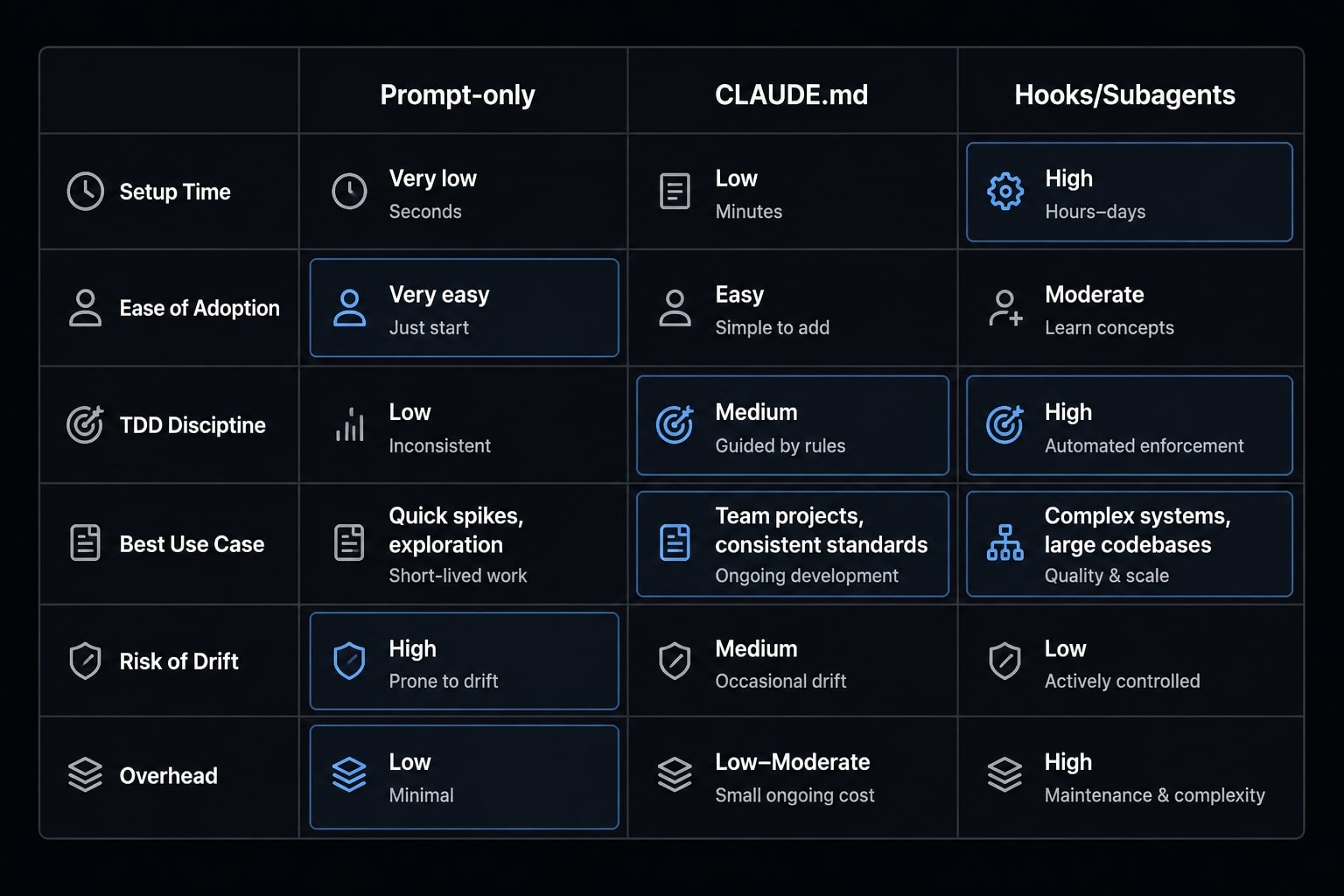
Three setup levels: Prompt-only, CLAUDE.md, and hooks/subagents
Most readers should start simple. You do not need a complex enforcement system on day one. The practical maturity path is:
The right setup depends on repetition, team size, and how often Claude slips into implementation-first behavior.
Setup Level | Setup Time | Ease of Adoption | TDD Discipline | Best Use Case | Risk of Implementation-First Drift | Overhead | Beginner Suitability |
|---|---|---|---|---|---|---|---|
Prompt-only | Very low | Very easy | Moderate | Solo work, bug fixes, small features | Higher | Low | High |
| Low | Easy | Stronger | Repeated project work, consistent habits | Medium | Low | High |
Hooks/Subagents | Medium to high | Moderate | Strongest | Team workflows, repeated enforcement, stricter process | Lower | Higher | Medium to low |
Level 1 - Prompt-only setup
Prompt-only is the fastest way to start.
It works best for:
- Solo development
- Small deterministic features
- Reproducible bug fixes
- Lightweight scripts
Its main limitation is enforcement. Claude can still drift if the prompt is vague or the task is too broad. Still, for many readers, this is enough. If you are experimenting with TDD or validating a small workflow, start here before investing in structure.
Level 2 - CLAUDE.md setup
CLAUDE.md is a persistent instruction file that tells Claude how to behave inside a project. For TDD, it works as a stable guardrail: Instead of repeating process rules in every prompt, you define them once and let Claude inherit them across repeated tasks.
For most users, CLAUDE.md TDD is the best default upgrade. It adds consistency without much complexity. If you are doing repeated feature work in the same repo, a small rules file usually gives the best return.
A simple CLAUDE.md TDD ruleset should include:
- Tests first
- Confirm failure before implementation
- Minimum code only
- Do not rewrite tests just to force a pass
Example rules:
# TDD Rules- Write tests before implementation for new behavior.- Confirm the test fails before writing production code.- Implement only the minimum code required to pass.- Do not rewrite or weaken tests just to manufacture a green result.- Refactor only after tests pass.
This is enough for most projects. You do not need a huge policy file. A compact CLAUDE.md TDD setup is usually more effective than an overbuilt one.
Level 3 - Hooks/subagents setup
Claude Code hooks add an enforcement or automation layer. For example, you can trigger test runs after edits or block completion if tests fail. This improves consistency, but it also adds setup and maintenance.
Claude Code subagents help with phase separation. Their value is context isolation: One worker handles test-writing, another handles implementation, and another handles refactoring. In stricter workflows, this reduces bleed between phases.
That said, most readers do not need Claude Code hooks or Claude Code subagents immediately. They make sense when:
- The workflow is repeated often
- Multiple contributors need the same guardrails
- The team wants stricter discipline
- Prompt-only and
CLAUDE.mdstill allow too much drift
If you go this route, think of hooks as automation and subagents as separation tools. They can also be paired with project skills, but that is an advanced pattern, not the default starting point.
A simple prompt and CLAUDE.md template you can reuse
If you want something copy-ready, start with a small Claude Code TDD prompt and a compact rules file. Most users do not need a large setup for automated TDD with Claude. A clear prompt plus a short CLAUDE.md file is usually enough.
Reusable prompts for feature work and bug fixes
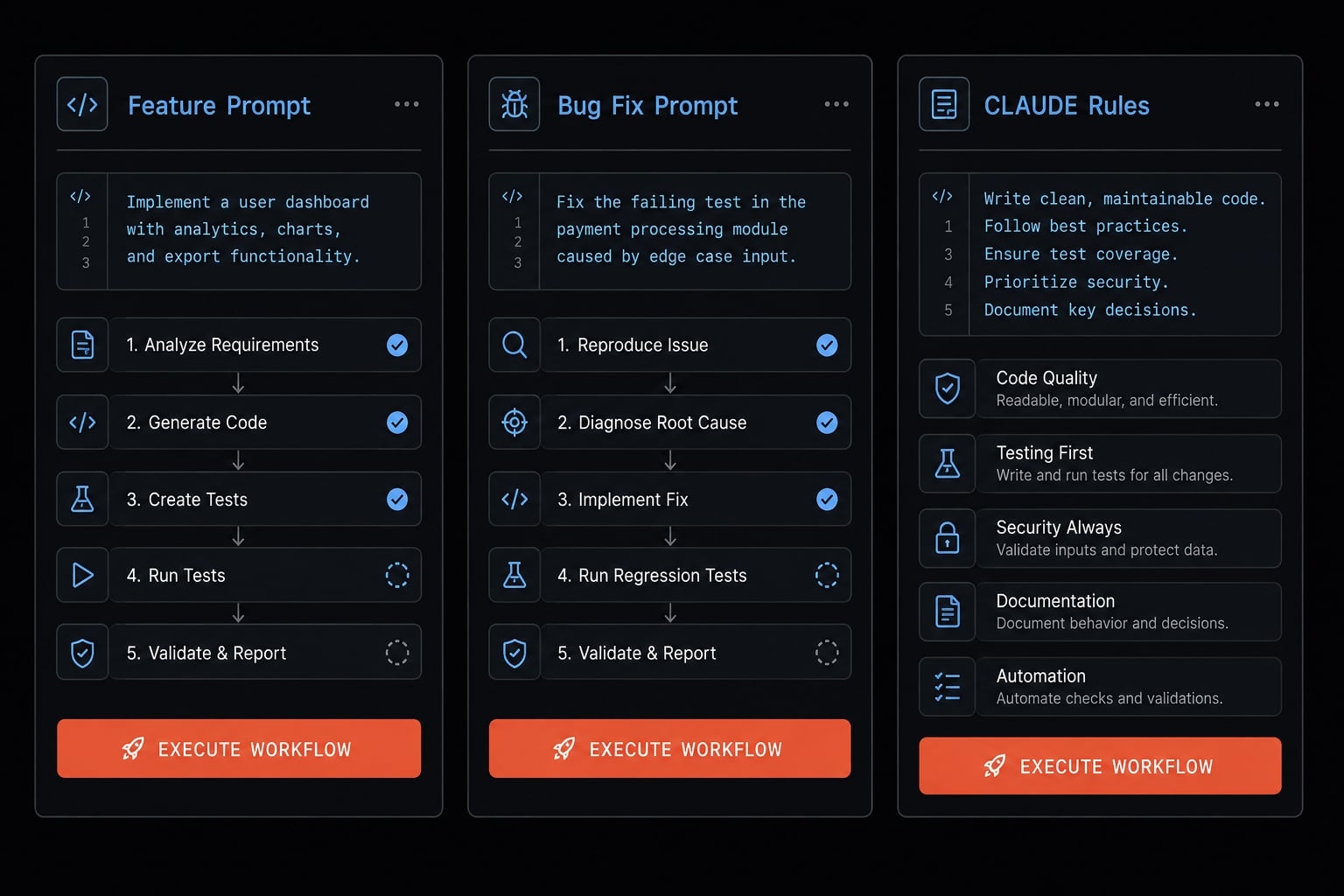
Feature-work Claude Code TDD prompt
Implement this using TDD.Behavior:[describe one small behavior]Instructions:1. Write a failing test first.2. Run the test and show the failure output.3. Do not write implementation until failure is confirmed.4. Write only the minimum code needed to pass.5. Run tests again.6. If green, do a brief refactor pass without changing behavior.
Use this test-first prompt when adding a small feature or rule. It keeps the loop aligned with a Red-Green-Refactor prompt pattern instead of feature-first generation.
Bug-fix Claude Code TDD prompt
Fix this bug using TDD.Bug:[describe bug briefly]Instructions:1. Reproduce the bug with a failing test.2. Run the test and show the failure output.3. Confirm RED before changing implementation.4. Fix the bug with the smallest possible code change.5. Do not change expected behavior unless the requirement is wrong.6. Run tests again and refactor only if needed.
This second Claude Code TDD prompt is useful because bug-fix work often tempts Claude to patch symptoms rather than first proving the failure.
Compact CLAUDE.md rules snippet
A good CLAUDE.md example should be short enough to maintain and strict enough to matter.
# TDD Workflow- For new behavior or bug fixes, start with a test first.- Confirm the test fails before writing implementation.- Write the minimum implementation required to pass.- Do not modify tests just to force a passing result.- Refactor only after tests are green.- Adapt commands and test syntax to the current language and framework.
This CLAUDE.md example is enough for most teams. If your process only works with a giant rulebook, it is probably too heavy.
Common failure modes when using Claude Code for TDD
Most TDD mistakes with Claude are workflow problems, not model problems. When people say “Claude ignored TDD,” the root cause is usually one of five issues: the prompt was too broad, the RED phase was skipped, the session mixed too many goals, or the setup was heavier than the task needed.
Context pollution in plain language
Context pollution in AI coding happens when too many goals, files, assumptions, or phases are mixed into one session. The result is drift: Claude starts solving adjacent problems, blending test design with implementation, or changing scope mid-loop instead of staying focused on one behavior.
This is one of the biggest reasons Claude Code implementation-first behavior shows up. If the prompt mixes architecture, feature planning, testing, and refactoring in one block, Claude has too much room to improvise. The first fix is usually simpler prompts and smaller loops. Claude Code subagents can help later, but only as an advanced option.
Problem → Cause → Fix
1. Claude writes implementation before tests
- Cause: The prompt did not force RED strongly enough.
- Fix: Require failure output first. State clearly that no implementation is allowed before the test fails.
2. Test scope is too broad
- Cause: Multiple behaviors were bundled into one request.
- Fix: Reduce the task to one behavior. Smaller scope lowers drift and improves AI code quality.
3. Claude changes the test to fit the code
- Cause: The session is optimizing for green rather than correctness.
- Fix: Explicitly forbid test edits unless the requirement changed. This is a common source of test drift.
4. The prompt/session is overloaded
- Cause: Planning, coding, test writing, refactoring, and architecture are all in one conversation.
- Fix: Separate phases. Simplify the prompt first. This reduces context pollution without extra tooling.
5. Setup becomes heavier than the task requires
- Cause: Hooks, elaborate rules, or orchestration were added for small work.
- Fix: Fall back to prompt-only or a compact
CLAUDE.md. More process is not always better.
Quick troubleshooting checklist
- If Claude Code implementation-first behavior appears → require failure output before any code.
- If tests are too broad → reduce to one behavior per loop.
- If Claude edits tests to get green → forbid test changes unless requirements changed.
- If the workflow feels heavy → use prompt-only or a small
CLAUDE.md. - If the code passes but is messy → run a short refactor pass.
- If drift keeps happening across repeated work → consider Claude Code hooks or subagents later.
When TDD with Claude Code is useful and when it’s overkill
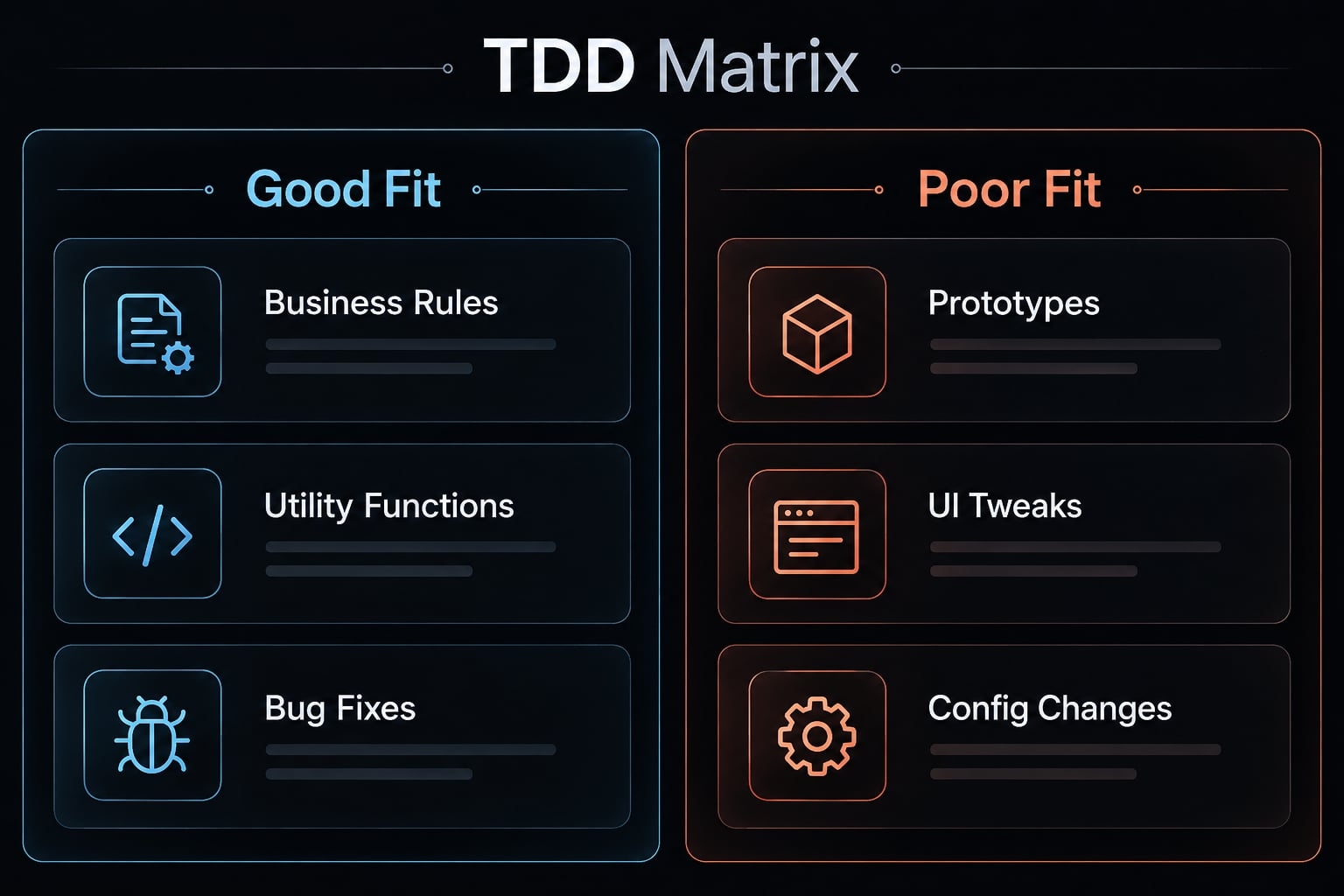
Use TDD with Claude Code when correctness matters more than raw output speed. That is the simplest rule for when to use TDD. If the behavior needs to be explicit, testable, and stable, TDD gives Claude better boundaries. If the task is disposable or exploratory, the extra steps may not pay off.
Good Fit | Poor Fit / Overkill |
|---|---|
Behavior-heavy logic | Rough prototypes |
Utility functions | UI styling tweaks |
Backend business rules | One-off scripts |
Reproducible bug fixes | Config-only changes |
Validation rules | Quick experimentation |
Good-fit scenarios usually share one trait: the output can be judged clearly through AI-assisted testing. That makes the workflow useful for repeatable logic and predictable behavior. It also aligns with strong Claude Code best practices because the tests become the contract for the coding workflow.
Poor-fit scenarios are not bad engineering. They simply do not justify the overhead. If you are experimenting with a layout, editing a config file, or throwing together a short script, test-first discipline can slow you down more than it helps.
So, when to use TDD comes down to trade-offs. If the task affects business logic, regressions, or software quality, use it. If speed and exploration matter more than precision, keep the process lighter.
Practical example: One small feature through the full red-green-refactor cycle
A good Claude Code TDD example should stay small. That is how the workflow works best in practice.
Assume the rule is: calculateDiscount(100, "VIP") should return 90.
Step 1: Define one behavior
Prompt Claude to write a test for that rule only.
test("VIP gets 10% discount", () => {
  expect(calculateDiscount(100, "VIP")).toBe(90);
});
This unit test example is narrow and deterministic.
Step 2: Confirm RED
Run the test. It should fail because the function is missing or incomplete. Do not move forward until that red state is visible.
Step 3: Ask for the minimum implementation
Now ask Claude to make only that test pass.
function calculateDiscount(amount, tier) {
  if (tier === "VIP") return 90;
}
It is intentionally minimal. That is the point of the Red-Green-Refactor workflow.
Step 4: Refactor after green
Once tests pass, ask Claude to improve naming or generalize the calculation if it can do so without changing behavior.
This Claude Code TDD example is illustrative, not universal. The lesson is scope: one rule, one failing test, one small implementation loop.
Frequently asked questions
What is TDD with Claude Code?
TDD with Claude Code is a development workflow where you require the AI to write a failing test before implementing any feature code. By enforcing this Red-Green-Refactor cycle, you provide Claude with explicit success criteria, reducing the risk of "implementation-first" drift and over-engineered output.
How does TDD improve Claude Code performance?
TDD improves performance by shifting the goal from "write this feature" to "pass these tests." This minimizes ambiguity, prevents the AI from guessing requirements, and forces the model to focus on specific, testable behaviors, which significantly increases code reliability and decreases the need for manual revisions.
Do I need complex setup to practice TDD?
No. You can start with a simple prompt-only workflow. Advanced setups like CLAUDE.md rules, hooks, or subagents are only necessary when you need strict enforcement or are managing larger, repeated team workflows. Most solo developers find a compact CLAUDE.md file sufficient for consistent results.
Why does Claude Code sometimes ignore TDD?
Claude Code often defaults to "implementation-first" behavior because it prioritizes direct task completion. If your prompt is too broad, the AI will jump straight to coding. To fix this, you must explicitly require a failing test as the first step and block implementation until the failure is confirmed.
When should I use TDD with Claude Code?
Use TDD for logic-heavy tasks, complex utility functions, backend business rules, or reproducible bug fixes where correctness is the priority. Avoid TDD for exploratory prototypes, UI styling tweaks, or simple configuration changes, as the process overhead may outweigh the benefits for those specific use cases.
Is TDD with Claude Code a substitute for human review?
No. While TDD significantly improves code quality and reduces bugs, it does not eliminate the need for human oversight. Always review the code generated during the Refactor phase and verify that your tests accurately represent the intended business logic before deploying to production.
Read more:
- Claude Code desktop app: Install and start coding guide
- Claude Code agent teams: Setup, examples and best practices
- What is Claude Cowork: A guide to task delegation and AI
Conclusion
TDD Claude Code works because tests give Claude clearer success criteria than feature prompts alone. The practical adoption path is straightforward: start with prompt-only loops, add CLAUDE.md when you want consistency across repeated tasks, and only move to hooks or subagents when stricter enforcement is worth the overhead.
The goal is not ritual, but better control, smaller implementation loops, and more reliable outputs when using TDD with Claude Code. If you want a faster rollout, copy the prompt and rules snippets above into your project, or use them as the basis for an internal checklist on AI coding guardrails.