Mastering the Claude Code workflow for reliable AI development
Claude Code workflow: A practical process for reliable AI-assisted development
A strong Claude Code workflow is less about clever prompts and more about execution discipline. When Claude Code feels inconsistent, the root problem is usually not the model alone. It is weak task framing, bloated context, skipped planning, or poor validation. In real-world codebases and lean teams, these process gaps quickly cause costly rework. This guide explains a practical workflow you can reuse for everyday AI-assisted development: How to research first, plan clearly, implement in controlled steps, and validate output before you trust it.
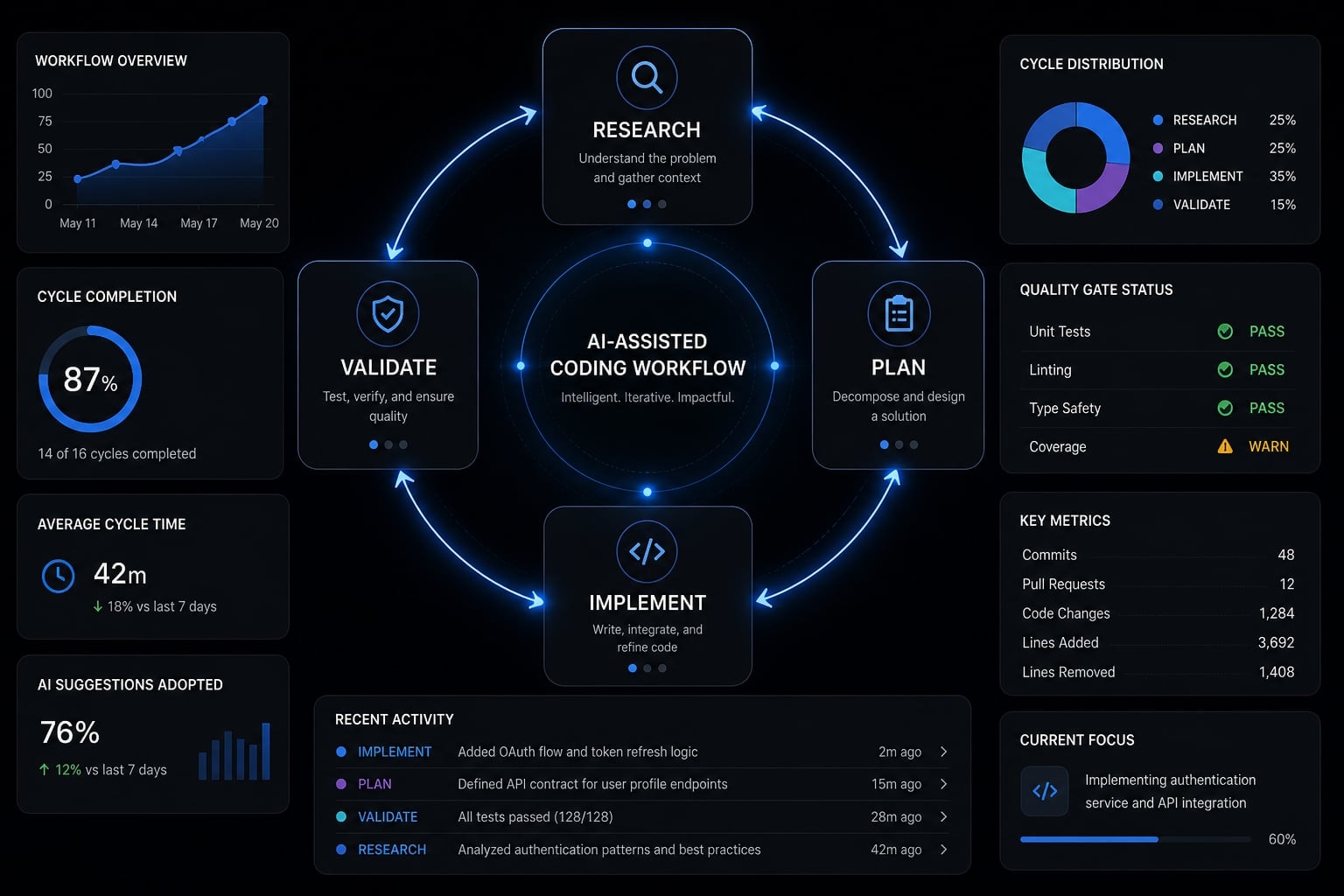
What a good Claude Code workflow actually looks like
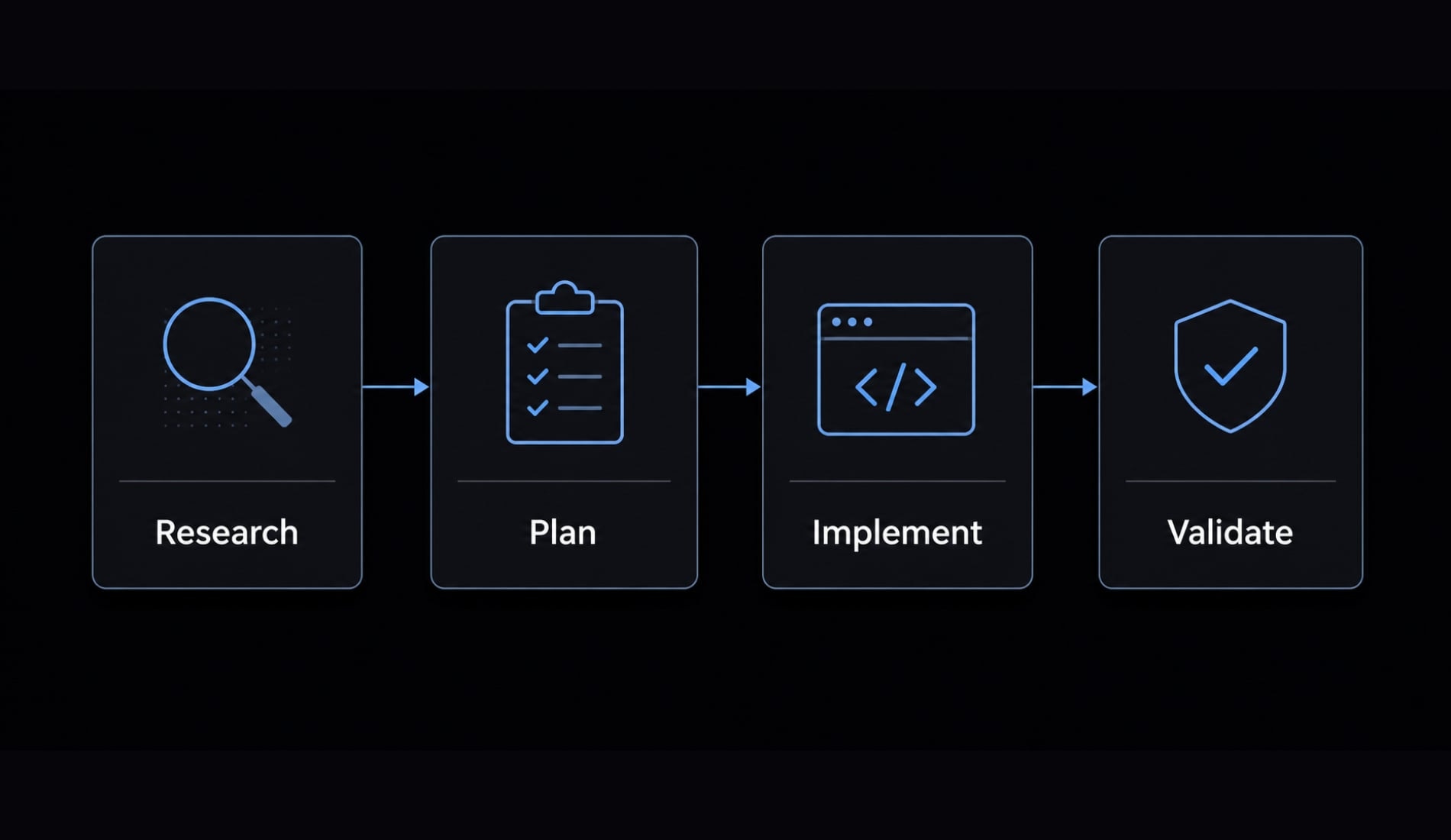
A Claude Code workflow is a phase-based workflow for AI-assisted software tasks: Research → Plan → Implement → Validate. It gives Claude Code the right context at the right time, keeps changes scoped, and adds review gates so output is easier to trust in a real codebase.
This is crucial: ad-hoc prompting fails as soon as a project involves dependencies, legacy decisions, and multiple moving parts. In simple demos, a vague request can still produce something usable. In a production repository, the same habit often creates noisy output, missed edge cases, and changes that look plausible but fail under review.
Effective teams integrate Claude Code into a structured AI implementation pipeline rather than using it in isolation. The goal is not to let the tool guess its way through the task. The goal is to give it a bounded problem, a clear execution path, and a validation standard. This logic also applies to other agentic coding tools, but Claude Code benefits especially from disciplined session structure.
Common failure patterns are predictable:
- Vague requests hide missing assumptions
- Large repositories contain hidden dependencies
- Too much context creates context noise
- One-shot execution lacks review gates
- Weak structured task decomposition causes drift
In real codebases, the problem is rarely just prompting quality. It is usually weak scoping, poor context boundaries, or missing validation.
The four default stages: Research → Plan → Implement → Validate
- Research = Understand the current system, affected area, and likely impact.
- Plan = Define the intended change, success criteria, and sequence of work.
- Implement = Execute in small, controlled batches.
- Validate = Confirm correctness, stability, and merge readiness.
Single-prompt execution is rarely reliable for complex, high-stakes tasks. Claude Code can accelerate delivery, but it does not replace engineering judgment.
Step 1: Start with research, not code
The research phase exists to reduce ambiguity before anything gets changed. At this point, Claude Code should help with codebase analysis, not implementation. If you start coding too early, the session often locks onto the wrong files, wrong assumptions, or wrong level of abstraction.
This is where context engineering matters. In plain English, context engineering means choosing the right context, not all available context. For most tasks, relevant context beats maximum context. A focused session around the affected area is usually more reliable than dumping broad project history into the prompt.
In real teams, experienced developers inspect impacted files, dependencies, and current behavior first. That habit matters even more in a Claude Code development cycle because the quality of the first phase shapes everything that follows. No implementation happens yet.
What to give Claude Code at the start
Do include:
- The feature goal or bug symptom.
- The affected area or subsystem.
- The expected result.
- Relevant files or modules, if known.
- Constraints such as framework, coding standard, or test expectations.
Don’t include:
- Entire project dumps.
- Unrelated files or folders.
- Vague product ideas with no scope.
- Broad prompts like “improve this codebase”.
- Old discussion history that does not affect the task.
A useful research prompt is narrow and directional. It tells Claude Code what to inspect and what question to answer.
A lightweight research checklist
Use this research checklist before moving on:
- What already exists?
- Which files matter?
- What is likely to change?
- What dependencies or edge cases are visible?
- What open questions need answers before coding?
A simple example: If you are updating authentication behavior, research should identify the login flow, middleware, session logic, tests, and any related user-facing states. That level of codebase analysis is enough to build a plan without inflating the session.
Step 2: Create a clear plan before implementation
An implementation plan is a short execution map created before coding starts. It translates research into a sequence of changes, highlights risk, and defines what “done” means. In practice, this is where many Claude Code sessions become much more reliable. Planning reduces drift, prevents unnecessary edits, and makes it easier to catch bad assumptions early.
This is also the simplest version of a spec-driven development workflow. You do not need a heavy specification document. You need a clear working plan that Claude Code and the human reviewer can both follow. The key is to define success criteria before implementation begins.
What a usable Claude Code plan should contain
- Objective of the task.
- Affected files or likely modules involved.
- Sequence of changes to be made.
- Risks or open questions that could change the approach.
- Tests and validation expectations before completion.
That structure is enough for most bug fixes, features, and scoped refactors. It keeps Claude Code focused on the intended path instead of improvising across the repository.
A lightweight planning template can look like this:
- Objective: Add retry handling for failed webhook delivery.
- Likely files: Webhook service, retry scheduler, logging module, tests.
- Sequence: Inspect current failure path → add retry state → update scheduler logic → add tests.
- Risks/questions: Duplicate delivery, backoff timing, alert noise.
- Success criteria: Retries trigger correctly, tests pass, no unrelated webhook behavior changes.
Why human approval before coding is a control point, not a slowdown
A human-in-the-loop review step is one of the best quality controls in this workflow. It catches weak assumptions before they become commits. It also reduces implementation drift, especially when the task touches multiple files or unclear business rules. Human approval before coding should be the default when:
- Requirements are still fuzzy.
- Multiple valid approaches exist.
- The task affects core flows.
- Regression risk is non-trivial.
If the plan is weak, revise it before asking Claude Code to implement anything. That is not friction. That is normal engineering control.
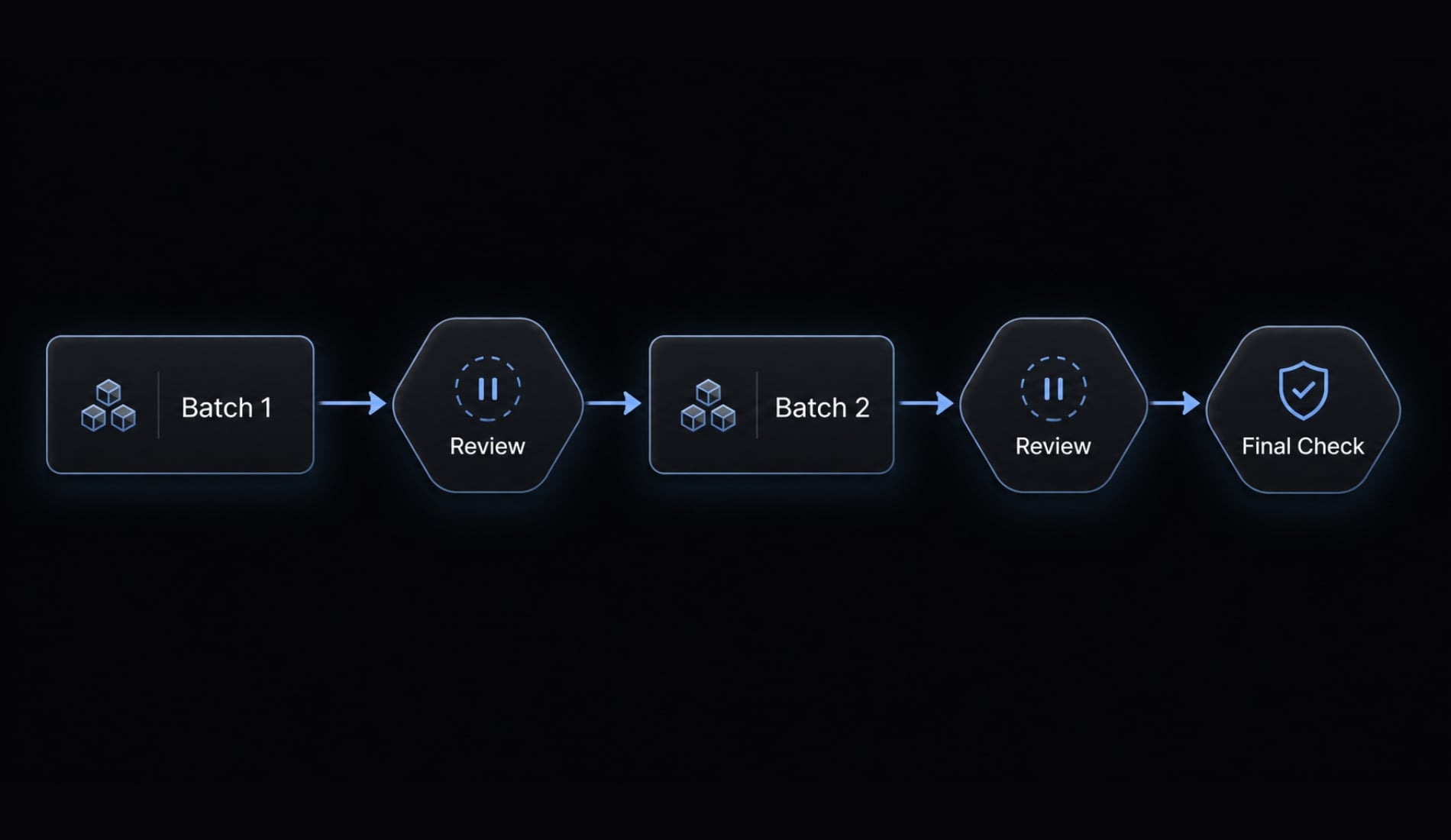
Step 3: Implement in small, controlled batches
Implementation is where most AI sessions either become productive or chaotic. The safest default is modular implementation: Change one bounded part of the system at a time, inspect the output, then continue. In an LLM-based coding workflow, this is more reliable than asking for a full feature in one pass.
The reason is simple. Broad sessions accumulate assumptions, cross too many files, and lose sharpness as the context window fills up. Iterative development keeps the task understandable for both the human and the model. It also makes rollback, review, and debugging much easier.
Practical execution rules
- Change one area at a time.
- Review output before continuing.
- Re-anchor Claude Code to the plan when scope shifts.
- Save intermediate notes outside the session.
- Start a fresh session if context gets bloated.
This is what controlled execution looks like in practice. If the task has three milestones, do not merge them into one giant prompt. Work milestone by milestone.
A common example is feature work that spans UI, API, and tests. Instead of changing all layers at once, implement the first slice, review it, confirm the approach, and then move to the next slice. That pattern reduces surprises and keeps the session aligned with the original plan.
The context management principle
More context is not always better. In most Claude Code sessions:
- Relevance beats volume.
- Session boundaries improve reliability.
- Context overload creates confusion, not intelligence.
- Long sessions often degrade before they fail visibly.
If output starts getting repetitive, overly broad, or inconsistent, pause. Save the current notes. Start a clean session with only the necessary context. Do not force a tired session to recover.
Step 4: Validate output like an engineer, not a spectator
The validation phase is the step where you confirm the result is correct, safe, and ready to merge. In a reliable Claude Code development workflow, validation is not optional cleanup. It is a required control point. Fluent output can still be wrong, incomplete, or risky.
Validation should combine automated verification, normal engineering review standards, and human oversight. That usually means tests, linting, local checks, and any relevant CI/CD checks. If the task changed behavior, validation should also confirm that the intended outcome actually happened.
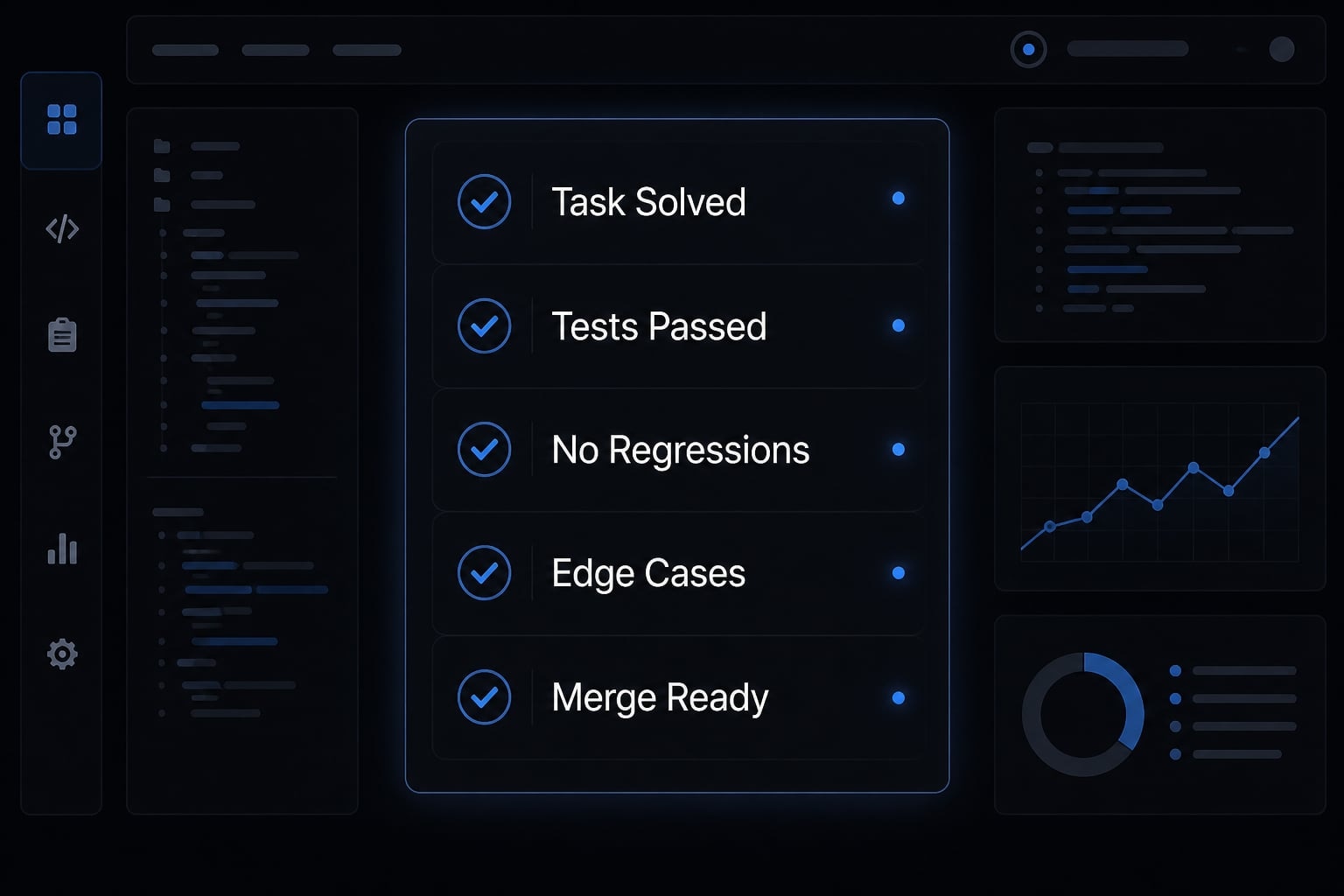
Minimum validation checklist
Use this minimum validation checklist every time:
- Did the code solve the stated task?
- Did tests pass?
- Did anything unrelated change?
- Are edge cases covered?
- Would you merge this confidently?
This checklist is intentionally simple. It forces a decision on correctness, regression risk, and merge readiness without turning validation into ceremony.
Why “looks correct” is not enough
AI-generated code often reads cleanly. That is useful, but dangerous if mistaken for proof. Hidden regressions are common when the task touches shared logic, conditional flows, or old assumptions embedded in the codebase.
AI-powered code review can help inspect the result against the plan, but responsibility still sits with the human reviewer. That is why review gates matter. They catch drift, expose unrelated changes, and reduce cleanup later.
In practical terms, if you would not merge a human-written change without testing and review, do not lower the bar because Claude Code produced it. The validation phase is non-negotiable.
Workflow variations by task type
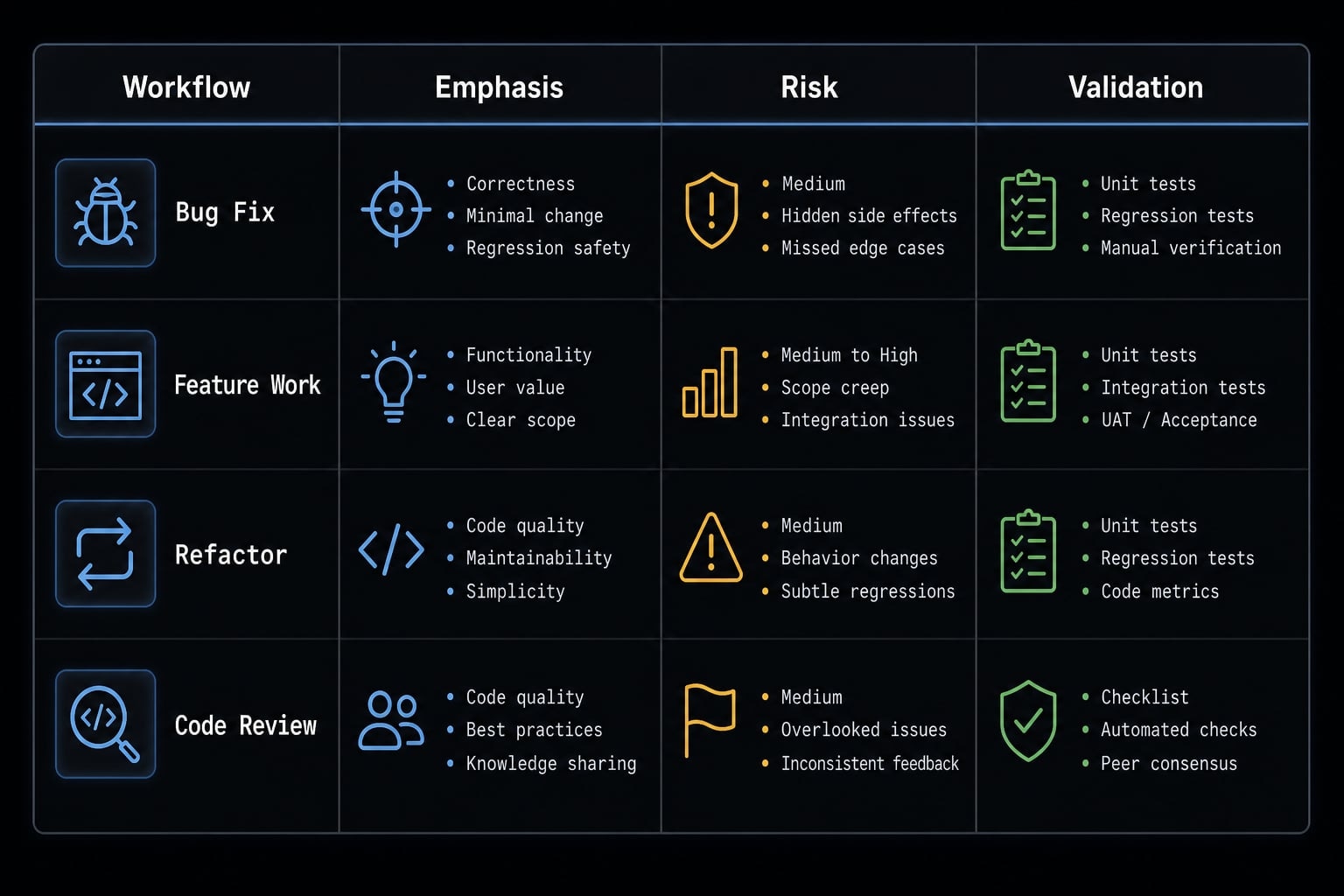
The same structure works across most tasks, but the emphasis changes. A task-based workflow variation is often the difference between a smooth session and an unreliable one. This is not a one-size-fits-all process. A bug fix workflow needs different guardrails than a feature development workflow or refactoring workflow.
Task type | Workflow emphasis | Main risk | Validation focus |
|---|---|---|---|
Bug fix | Reproduce issue, isolate cause, patch narrowly | Fixing the symptom but not the root cause | Confirm the issue is resolved and no regression was introduced |
Feature work | Clarify expected behavior, split into milestones | Scope drift and inconsistent behavior across layers | Validate user-facing outcome, tests, and integration points |
Refactor | Keep behavior stable, limit blast radius | Unintended behavior changes during cleanup | Compare before/after behavior and run regression checks |
Code review | Compare change against plan and stated intent | Trusting surface-level quality too quickly | Review clarity, risk, edge cases, and merge confidence |
For bug fixes
Start by trying to reproduce issue behavior first. In many cases, that is more valuable than asking Claude Code for a fast patch. A good bug fix workflow isolates the likely cause and verifies that the fix does not reintroduce the problem elsewhere.
For feature work
A feature development workflow should begin with clear expected behavior. Break the work into milestones, especially if the task spans multiple layers. Validation should focus on what the user or system is supposed to experience, not just whether the code compiles.
For refactoring or cleanup
A refactoring workflow should preserve current behavior while improving structure. The safest tactic is to limit blast radius, keep changes narrow, and compare before/after outputs carefully.
For code review tasks
A code review workflow can use Claude Code to critique changes against the plan, call out regression risk, and highlight unclear logic. That output is assistive, not final. Final judgment still belongs to the human reviewer.
Common Claude Code workflow mistakes to avoid
Most workflow anti-patterns are predictable. They usually come from rushing, overloading context, or treating fluent output as validated output.
- Context overload → Too much unrelated information weakens focus and increases noise → Use only the relevant context for the current stage.
- Vague prompting → Claude Code fills in missing assumptions with guesses → State the task, affected area, and expected result clearly.
- Skipping planning → Implementation drifts across files without a stable target → Create an implementation plan before coding.
- Skipping validation → Errors hide behind clean-looking output → Use a fixed validation checklist every time.
- Not saving notes across sessions → Research and decisions get lost when you reset context → Save research, plans, and review notes outside the session.
- Coding before research → The session locks onto the wrong problem too early → Inspect current behavior and dependencies first.
- Changing too much in one session → Review becomes harder and errors spread faster → Keep modular implementation as the default.
These are not edge cases. They are the common sources of AI coding failures in normal development work.
A simple setup you can use today
You do not need a complex stack to make this workflow repeatable. What you need is a lightweight system that preserves persistent memory, reduces session loss, and makes the process easy to repeat.
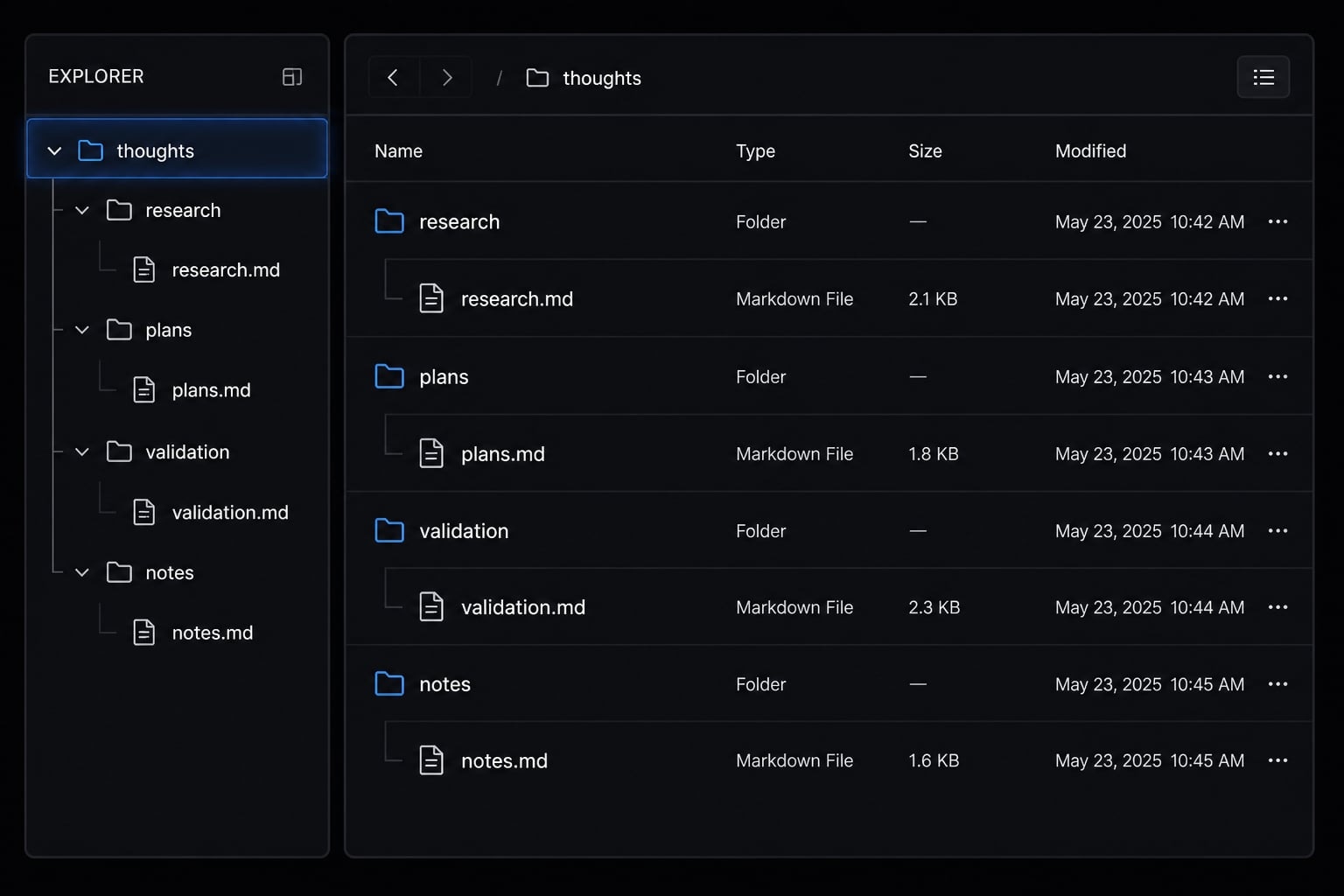
A simple option is a thoughts directory in your project or notes space. Save research notes, implementation plans, and validation outcomes there. The goal is not documentation for its own sake. The goal is to keep decisions outside the chat session so you can reset cleanly without losing progress.
Minimum setup in plain English:
- Save research notes for each task.
- Save implementation plans before coding.
- Keep one validation checklist and reuse it.
- Reuse the same reusable workflow for each task.
- If the team scales later, standardize shared workflows and controls.
You can do this with plain markdown files and lightweight templates. For small teams that later want stricter workflow standardization, a control layer such as AgentKit can help organize repeatable AI workflows across contributors. But the core habit should stay simple: save the work, reuse the structure, and keep humans in control.
Frequently asked questions
What is a Claude Code workflow?
A Claude Code workflow is a structured, phase-based engineering process designed to keep AI-assisted coding tasks manageable and reliable. It organizes development into four distinct stages-Research, Plan, Implement, and Validate-to prevent context overload, reduce implementation drift, and ensure the AI's output meets production-ready standards.
What should a Claude Code implementation plan include?
A robust implementation plan serves as a roadmap before coding begins. It should include:
- The clear objective of the task.
- The specific files likely to be affected.
- A sequence of logical execution steps.
- Identified risks or open technical questions.
- Defined success criteria, including test and validation expectations.
How do you validate Claude Code output?
Validation is the mandatory final gate before merging AI-generated changes. Use this checklist:
- Did the code solve the stated task?
- Do all automated tests pass?
- Are there any unintended changes outside the affected area?
- Have all edge cases been addressed?
- Would you be comfortable merging this code manually?
How does the Claude Code workflow change for different tasks?
The structure remains constant, but the focus shifts based on the objective:
- Bug Fixes: Prioritize issue reproduction and regression testing.
- Feature Work: Focus on breaking requirements into smaller milestones.
- Refactoring: Emphasize maintaining current behavior and limiting the blast radius.
- Code Reviews: Use Claude Code to critique existing changes against a predefined plan.
Why do ad-hoc AI coding sessions often fail?
Ad-hoc prompting usually fails in real codebases because it lacks structure. Without clear boundaries, sessions suffer from context bloat, leading to hallucinations and unexpected behavior. A structured workflow mitigates this by enforcing research, iterative planning, and explicit human-in-the-loop review gates.
Is Claude Code a substitute for engineering judgment?
No. Claude Code is a productivity tool for execution, not a replacement for high-level design or quality assurance. An effective workflow assumes the AI may make errors; therefore, human oversight, manual testing, and systematic validation remain mandatory parts of the development lifecycle.
What is the purpose of the "Research" phase?
The Research phase involves codebase analysis to gather only the relevant context needed for the task. By identifying impacted files and dependencies before implementation, you avoid the common mistake of overloading the AI with unnecessary data, which directly improves output quality and stability.
Read more:
- Claude Code skills best practices: Build reusable AI workflows
- ClaudeKit: Optimize your AI workflow and development delivery
- Claude Code hooks guide: Automate and control AI workflows
Conclusion
A reliable Claude Code Workflow is not built on bigger prompts. It is built on a repeatable sequence: Research → Plan → Implement → Validate. That structure reduces chaos, improves consistency, and makes AI-assisted development easier to trust in real software work.
If you want better outcomes, start by tightening context, writing a short plan, splitting implementation into small batches, and making sure you validate every output. If useful, create a reusable checklist or planning template and apply the same workflow to your next bug fix, feature, or refactor.