Claude Code CLAUDE.md guide: Best practices and 3 templates
Claude Code CLAUDE.md: What it is, what to include, and 3 simple templates
If you are searching for Claude Code CLAUDE.md, the real question is usually not “what is this file?” but “how do I make Claude Code behave more consistently without repeating myself every session?”. A common failure mode is uneven output across tasks because project guidance is either missing, too vague, or stuffed into the wrong place. CLAUDE.md helps by giving Claude Code a stable layer of repo-specific instructions. This guide covers what CLAUDE.md is, what belongs in it, how to structure it, three simple templates you can copy, and the most common mistakes to avoid.
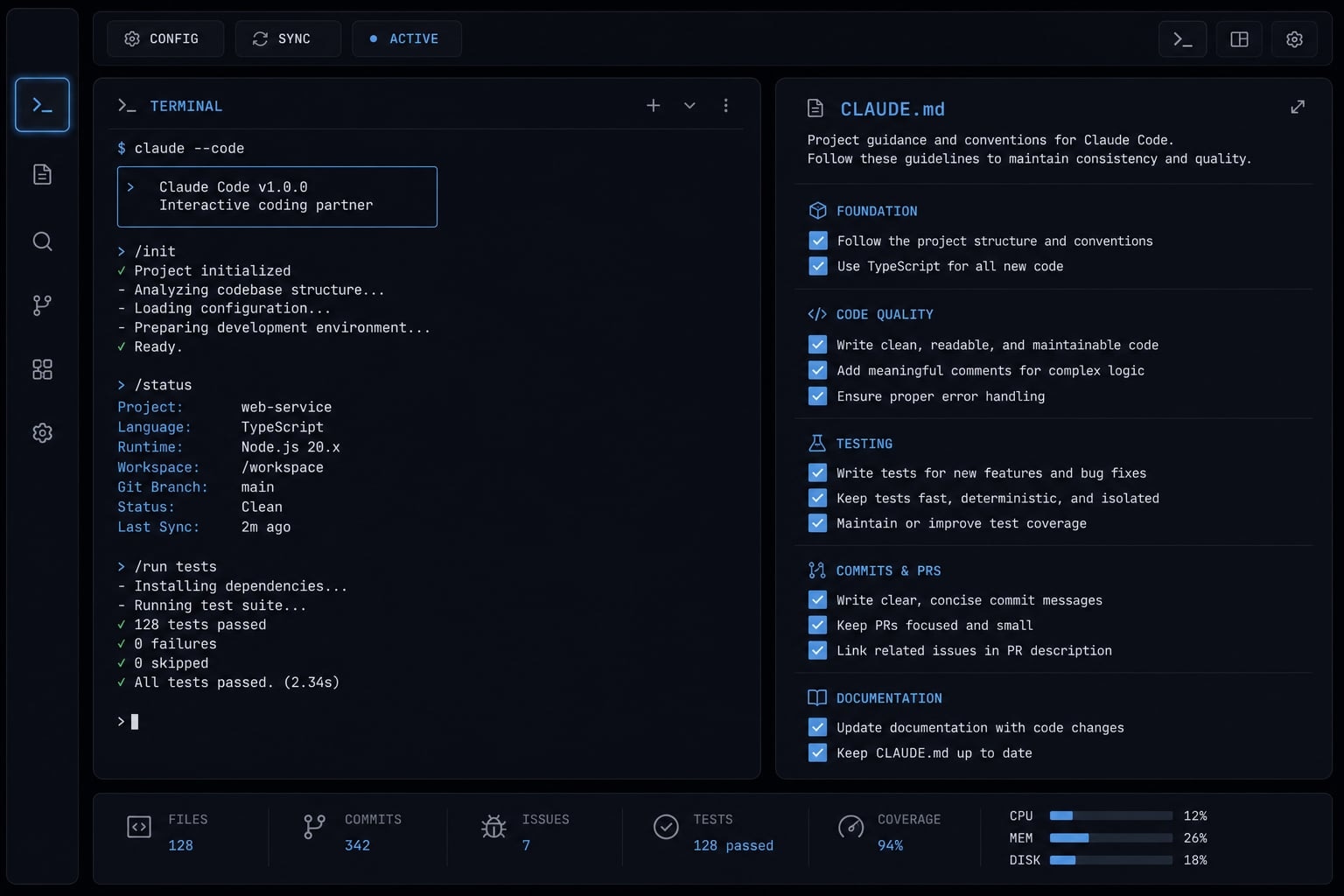
What CLAUDE.md is in Claude Code - and why it matters
CLAUDE.md in Claude Code is a repository-level instruction file that gives Claude stable project guidance inside a specific repo. It usually defines role, workflow, read-first sources, and guardrails so Claude can work more consistently without relying on repeated session prompts or scattered instructions.
In practice, CLAUDE.md works best as a project guidance layer. It helps Claude Code understand how to approach work in your repository before it starts making edits.
That matters because many teams run into the same issue: Claude performs well in one session, then behaves differently in the next. The root cause is often weak repo guidance, not model capability. A good Claude Code configuration file reduces that inconsistency by turning repeated instructions into repository-level guidelines.
What CLAUDE.md usually influences
- Role and communication style: Example: act like a developer working inside this repo, be concise, ask when requirements are unclear.
- Project navigation hints: Example: read
README.md,package.json, anddocs/before proposing changes. - Build, test, and lint workflow: Example: use existing commands, verify changes with tests, respect formatter rules.
- Safety rules and coding guardrails: Example: do not assume behavior without checking code, do not disable tests to force success.
What CLAUDE.md does not replace
- Code review: It can guide behavior, but it cannot validate architectural quality on its own.
- Detailed technical documentation: Deep implementation notes still belong in
docs/or other technical documentation. - Task-specific instructions: If the instruction only matters for one task, keep it in the current system prompt or session prompt instead.
The goal is not to make Claude Code fully automatic. The goal is to create a stable working baseline so repo-specific work becomes more predictable.
What to put in CLAUDE.md (and what to leave out)
A useful CLAUDE.md contains stable, reusable guidance that applies across most tasks in the repository. Detailed, changing, or temporary instructions should live elsewhere. If it changes every task, it probably does not belong in CLAUDE.md.
That single rule prevents most bloated files. A common mistake is turning CLAUDE.md into a dump of everything the repo might ever need. In practice, short, stable guidance beats giant rule dumps. The file tends to work best when it captures only the instructions Claude should follow again and again.
Keep these in CLAUDE.md
- Project purpose in 1-2 lines: A short statement helps with context and prioritization.
- Role definition: Clarify whether Claude should act as a developer, reviewer, debugger, or implementation assistant.
- Default workflow steps: Define the normal task execution plan before code changes begin.
- Files Claude should inspect first: Point to
README.md,package.json,docs/, config files, and representative code paths. - Non-negotiable constraints: Include rules such as following existing patterns, avoiding test bypasses, and verifying from code.
Move these elsewhere
- Deep architecture notes →
docs/: Keep complex subsystem explanations out of the main instruction file. - Repetitive task recipes → workflow docs: Reusable flows such as creating a service or shipping a release belong in supporting files.
- Temporary instructions → current session prompt: Current task goals, one-off edge cases, and short-lived requirements do not belong in the repo-wide file.
- Area-specific exceptions →
.claude/rules or supporting files: If one folder needs special handling, isolate it instead of polluting the global file.
Decision table: What belongs where?
Content type | Best location | Why |
|---|---|---|
Stable repo-wide rules |
| Reused across most tasks |
Deep implementation details |
| Too detailed for the main file |
Task-specific goals | Session prompt | Changes per task |
Repetitive workflows | Workflow docs | Better action document modularity |
Project-area variations | Supporting rule files | Keeps global guidance clean |
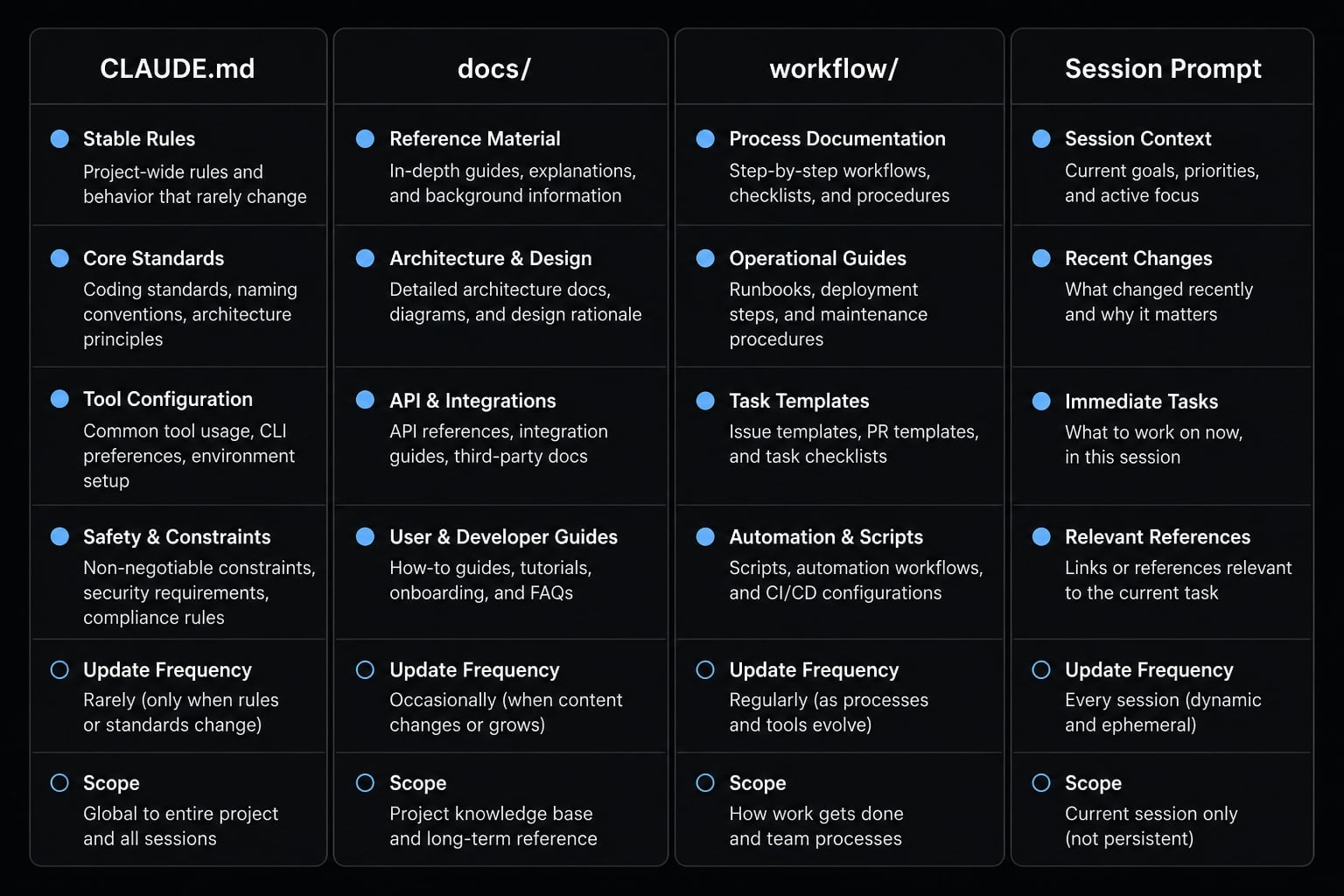
A strong file is not the most complete one. It is the one that stays maintainable while improving deterministic workflows and reducing repeated prompting.
How to structure a good CLAUDE.md step by step
Structure matters because Claude follows patterns better when instructions are short, ordered, and easy to scan. In most repos, one short page is enough. A strong developer workflow context file should help Claude understand how to work, not overwhelm it with every possible rule.
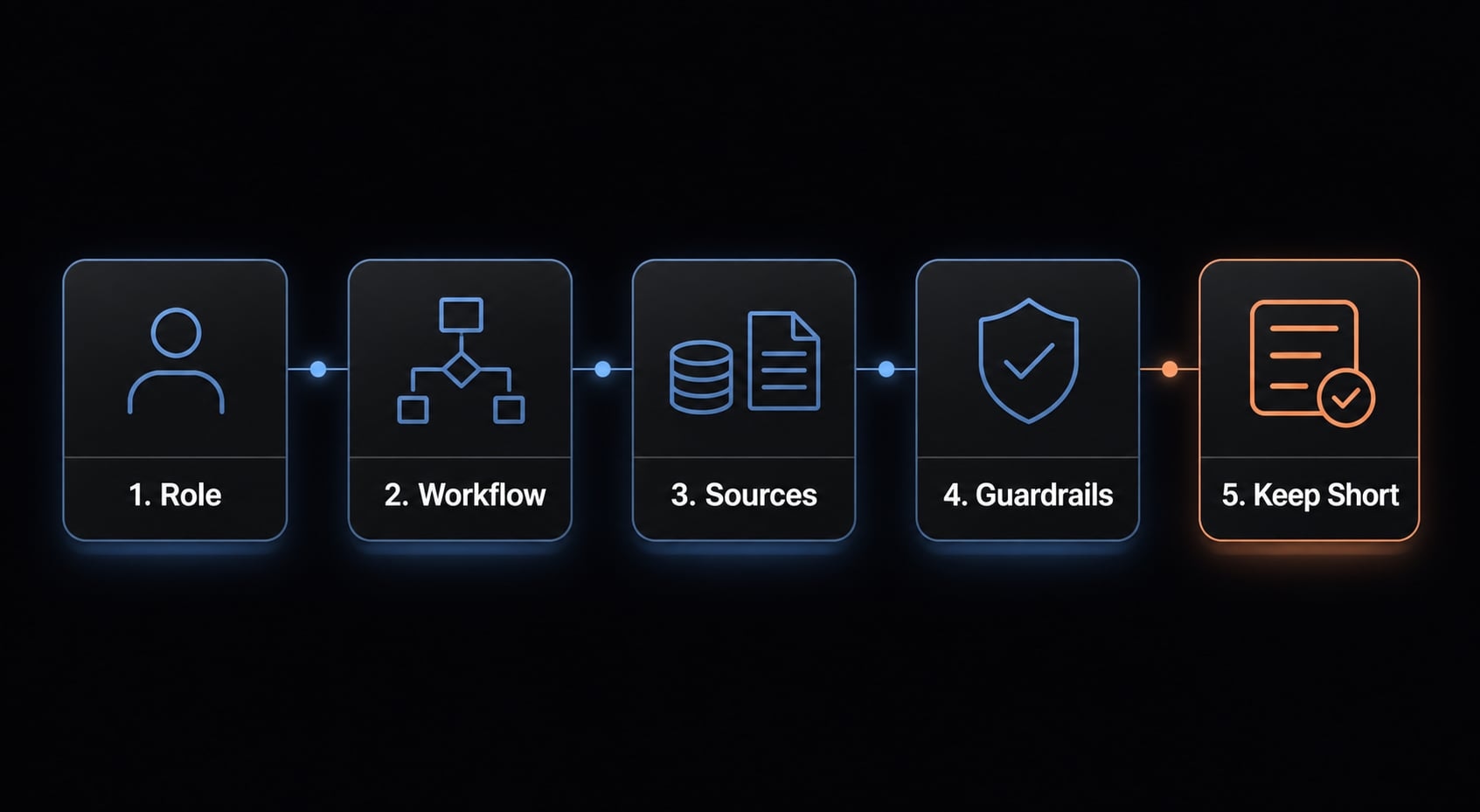
5-step structure:
- Define Claude’s role clearly.
- Define the default working flow.
- Point Claude to the right sources.
- Add a few high-value guardrails.
- Keep it short enough to stay useful.
1. Define Claude’s role clearly
Start with the role Claude should play inside the repository. This improves consistency and reduces style drift between sessions.
Include:
- What Claude is doing in this repo.
- How it should communicate.
- What to do when requirements are unclear.
Example line: You are a developer working in this repository. Be concise, verify assumptions from code, and ask for clarification when requirements are ambiguous.
This helps establish project role definition early, which is often more useful than adding dozens of low-value rules later.
2. Define the default working flow
Next, describe the standard path Claude should follow before making changes. This is one of the highest-value parts of the file because it creates repeatable behavior.
Include this sequence:
- Read the request.
- Inspect repo structure and docs.
- Check commands and config.
- Propose a plan.
- Execute in small steps.
Example line: Start by reading the request, then inspect the repo, review relevant docs and configs, propose a short plan, and implement in small verifiable steps.
This makes the task execution plan more consistent and reduces the tendency to jump straight into code.
3. Point Claude to the right sources
Claude performs better when it knows where to look first. This is especially important for context window management, because good file targeting reduces noise.
Point Claude to:
package.jsonREADME.mddocs/- Lint and test configs.
- Existing code examples in similar areas.
Example line: Read README.md, package.json, docs/, lint and test configs, and similar existing implementations before editing code.
This keeps the Claude Code configuration file grounded in the real repo instead of generic assumptions.
4. Add a few high-value guardrails
Guardrails should be short and practical. Focus on rules that prevent costly mistakes.
Include:
- Do not assume; verify from code.
- Do not disable tests to make things pass.
- Follow existing patterns first.
- Prefer incremental change.
Example line: Do not disable tests, do not invent patterns when existing ones are available, and prefer small changes that can be checked quickly.
These AI agent system instructions are most useful when they reinforce safe behavior rather than trying to control every detail.
5. Keep it short enough to stay useful
Long files create noise. They are harder to maintain, easier to contradict, and less effective as stable guidance. In practice, shorter files usually support better repository management because they stay readable and current.
Example line: Keep this file concise; move deep explanations and changing workflows into docs or supporting files.
A shorter file improves:
- Consistency.
- Less repeated prompting.
- Safer edits.
- Easier maintenance.
If your file keeps growing, that is usually a sign you need better supporting docs, not a bigger CLAUDE.md.
3 simple CLAUDE.md templates you can copy
There is no universal claude.md example that fits every repo. The right structure depends on repo size, team habits, and how much supporting documentation already exists. These templates are intentionally compact so you can adapt them quickly.
Template 1: Minimal CLAUDE.md for solo developers
Best when you work alone and want a simple minimal CLAUDE.md with just enough structure to reduce repeated prompting.
# CLAUDE.mdYou are a developer working in this repository.Be concise. Verify assumptions from code before changing anything.Before coding:1. Read the user request carefully.2. Read README.md and package.json.3. Inspect relevant files and similar implementations.4. Propose a short plan.5. Make small changes and verify them.Guardrails:- Follow existing patterns first.- Do not disable tests to make changes pass.- Ask for clarification when requirements are unclear.
Template 2: Team repository template
Best for shared repos where team conventions matter more than individual preference.
# CLAUDE.mdYou are a developer contributing to this team repository.Follow existing conventions, communicate clearly, and avoid unnecessary complexity.Read first:- README.md- package.json- test and lint configs- relevant docs in docs/Default workflow:1. Understand the request.2. Inspect the current implementation.3. Propose a plan before major edits.4. Implement in small steps.5. Run the relevant checks.Rules:- Prefer existing libraries and patterns.- Do not bypass hooks or disable tests.- If code behavior is unclear, verify from the repo before proceeding.
Template 3: Project with supporting docs and workflows
Best for repos using supporting docs/workflows where CLAUDE.md acts as an entry point instead of holding everything.
# CLAUDE.mdYou are a developer working in this repository.Use this file as the starting point, then read supporting docs based on the task.Read first:- README.md- package.json- docs/- relevant config files- similar code examplesWorkflow:1. Read the request.2. Find and read the relevant docs.3. Propose a plan.4. Execute in small steps.5. Validate changes.Guardrails:- Do not assume implementation details; verify from code and docs.- Follow documented workflows when available.- Stop and ask for clarification if the task conflicts with repo conventions.
A useful pattern for managing project context in CLAUDE.md for AI agents is to keep the main file stable and push depth into docs. That improves maintainability without losing guidance.
Template type | Best for | Maintenance level |
|---|---|---|
Minimal | Solo repos | Low |
Team repository | Shared conventions | Medium |
Supporting docs model | Larger or workflow-heavy repos | Medium to high |
Templates are starting points, not universal defaults. Blind copying usually creates stale rules faster than it creates better outcomes.
Best practices that make CLAUDE.md actually work
A well-written file only stays useful if it matches how the repo is actually used. In practice, short and stable beats long and clever.
- Prefer entry-point instructions over huge rule dumps: Use
CLAUDE.mdto direct Claude where to look, not to store every detail. This improves context window management and keeps instructions easier to maintain. - Use filenames and docs Claude can inspect quickly: Clear file names in
docs/and obvious config paths make it easier to find the right context fast. The outcome is more consistency and less repeated prompting. - Keep command references current: If test, build, or lint commands change, update the file. Stale commands create avoidable failures and reduce trust in the documentation.
- Refine documentation after real tasks: When the same confusion happens twice, update the repo guidance. This creates lightweight self-refining documentation loops grounded in real usage.
- Standardize repeated task flows: If the same setup appears often, move it into a reusable workflow doc. This improves deterministic workflows and makes onboarding easier for both humans and Claude Code.
- Keep the assistant supervised:
CLAUDE.mdis a guide, not a replacement for judgment. Better repo instructions help, but they do not remove the need for review.
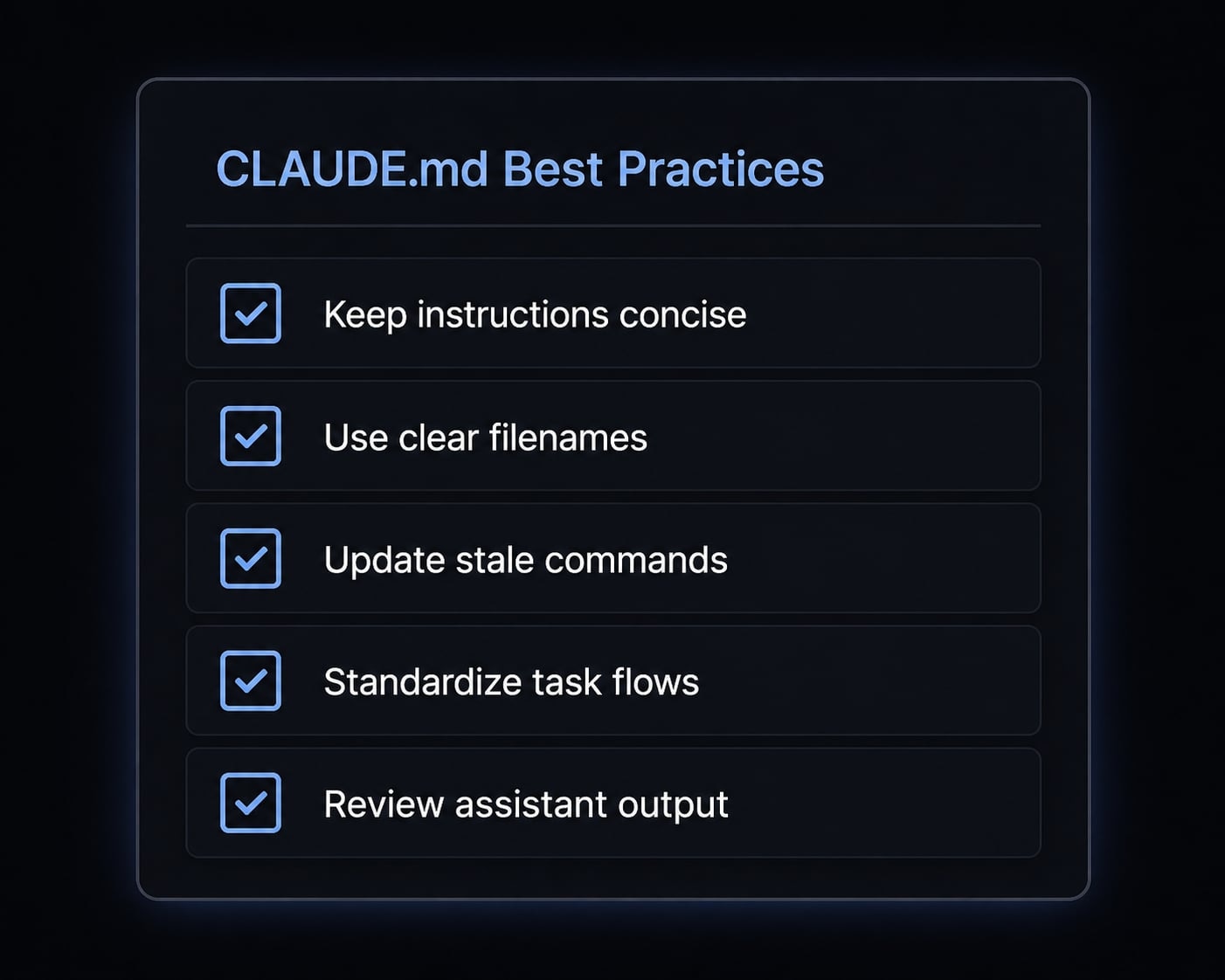
If you want a repeatable review process, a simple internal checklist for repo guidance is often more valuable than adding more prose to the file itself.
Common mistakes to avoid with CLAUDE.md
Most problems come from poor scope control, vague instructions, or stale documentation habits. The fixes are usually simple.
- Overstuffing the file: Too many rules make the file noisy and harder to follow.
- Quick fix: Keep only stable repository-level guidelines and move depth into docs.
- Making instructions too vague: Generic guidance like “write good code” does not shape behavior.
- Quick fix: Replace vague instructions with specific workflow steps and guardrails.
- Ignoring real repo conventions: A polished file fails if it conflicts with how the codebase actually works.
- Quick fix: Point Claude to existing patterns, configs, and similar implementations first.
- Hiding critical rules in random docs: Important rules get missed when they are scattered across unrelated files.
- Quick fix: Keep global rules in
CLAUDE.md; keep deeper detail in clearly named supporting docs.
- Quick fix: Keep global rules in
- Treating one template as universal: What works for a solo repo may fail in a team or workflow-heavy project.
- Quick fix: Adapt the file to your repo’s size, conventions, and documentation maturity.
Mistake | Quick fix |
|---|---|
File is too long | Cut to stable rules only |
Guidance is vague | Add concrete steps |
Repo patterns are ignored | Reference real code and configs |
Rules are scattered | Centralize global rules |
Template is copied blindly | Adapt to the repo |
Practical example: A lightweight documentation pattern for more predictable agent workflows
One pattern that consistently helps is treating CLAUDE.md as the entry point, not the full manual. The main file keeps stable repo-wide rules: role, workflow, read-first files, and a few constraints. Deeper explanations move into docs/, while temporary instructions stay in the task prompt.
A lightweight setup might look like this:
CLAUDE.mdfor stable guidance.docs/testing.mdfor validation workflow.docs/frontend-patterns.mdfor UI conventions.docs/release-checklist.mdfor repeated release steps.- session prompt for current task goals.
This model supports reusable agent workflows without turning the root file into a wall of text. It also makes onboarding easier: New contributors and Claude Code follow the same high-level path, then read deeper docs only when needed.
Teams using structured workflow kits, including patterns similar to those used by agentkit.best, often get better results from this layered approach because it improves predictability without overengineering the repo.
Frequently asked questions
What is the purpose of the CLAUDE.md file in Claude Code?
CLAUDE.md serves as a repository-level instruction file that provides persistent guidance to Claude Code. It ensures consistency across sessions by defining project roles, preferred communication styles, and established development workflows, which reduces the need for repetitive prompting while helping the agent navigate specific project constraints.
How does CLAUDE.md differ from standard technical documentation?
While technical documentation (e.g., docs/ folder) stores deep architectural knowledge and user manuals, CLAUDE.md is an operational entry point. It tells Claude Code how to interact with your codebase and workflows, whereas standard documentation provides the what and why regarding system features and business logic.
What should I avoid including in my CLAUDE.md?
Avoid including task-specific instructions, deep implementation details that change frequently, or area-specific exceptions. If information is temporary or only relevant to a single coding session, keep it in the current chat prompt to prevent your CLAUDE.md from becoming bloated, difficult to maintain, or context-heavy.
Should I use one global CLAUDE.md for all my projects?
No. Because CLAUDE.md acts as a project-specific guidance layer, a global file would likely contain conflicting instructions or irrelevant context. Each repository should have its own tailored file that reflects its unique technology stack, linting rules, and specific development patterns.
How can I make my CLAUDE.md more effective?
Keep the file concise-ideally under 30-50 lines. Focus on stable, high-value guardrails and navigation hints. Use it as an entry point to point the agent toward specific documentation files, and refine its contents organically as you identify patterns that repeat across multiple development sessions.
Can I automate the maintenance of my CLAUDE.md?
Yes. You can instruct Claude Code to reflect on your completed tasks by running a /refine command or prompting it to analyze session memory. Ask the agent to evaluate what it learned and suggest updates to your docs/ folder or CLAUDE.md to improve future consistency.
Where should I store complex project workflows?
Store complex workflows in a dedicated docs/ or .claude/workflows/ directory. By keeping these as separate files, you keep your main CLAUDE.md clean. Claude Code can effectively use its file-read tools to access these specific documents only when the task requires that specific workflow.
Read more:
- Claude Code toolkit: Scale your AI development workflow easily
- Claude Code automation: Build repeatable and low-risk workflows
- Claude Code tutorial: Set up and master your AI coding agent
Conclusion
The best Claude Code CLAUDE.md setup is usually not the longest one. It is the one that clearly defines role, workflow, read-first sources, and guardrails while staying short enough to maintain. Stable rules belong in CLAUDE.md; changing details belong in docs, workflow files, or the current session prompt.
If you keep the file concise and grounded in real repo conventions, Claude Code becomes easier to steer and more consistent across sessions. Use the templates in this guide as a starting point, then refine them around your actual workflows. For more reusable agent workflows, templates, and repo guidance patterns, review the workflow resources available on agentkit.best.