
Vibe Coded prototype: What it is, when it helps, and where it breaks
Prototyping often stalls in the gap between static mockups and full engineering work. A vibe coded prototype has become a practical middle ground: Faster than traditional builds, more interactive than design files, and increasingly accessible through vibe coding tools. That speed is useful, but it also creates a new problem - teams may trust a polished demo more than they should. This guide explains what a vibe coded prototype actually is, how it differs from a mockup, MVP, and production app, when it makes sense, how to build one without chaos, and where the biggest risks appear.
What is a vibe coded prototype?
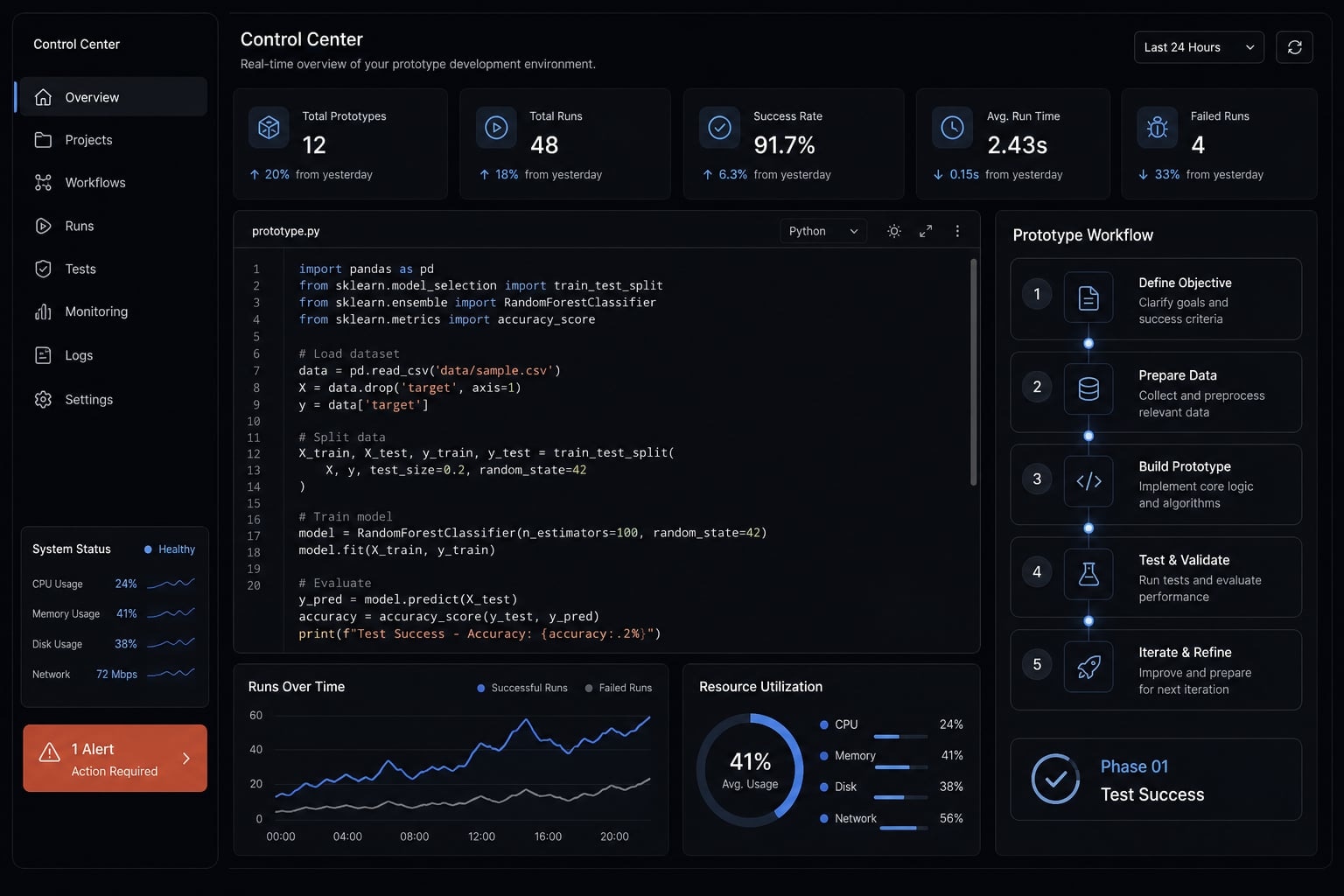
A vibe coded prototype is a functional early-stage product concept built quickly with AI coding tools through natural-language prompts and iterative refinement. Its main purpose is fast validation of an idea or user flow, not production-grade architecture, security, or scalability.
A working definition in plain English
A vibe coded prototype is an early interactive build created through vibe coding, usually by describing what you want in natural language and refining the result step by step. It is a functional prototype, which means users can click, input data, and move through a real flow instead of just looking at static screens.
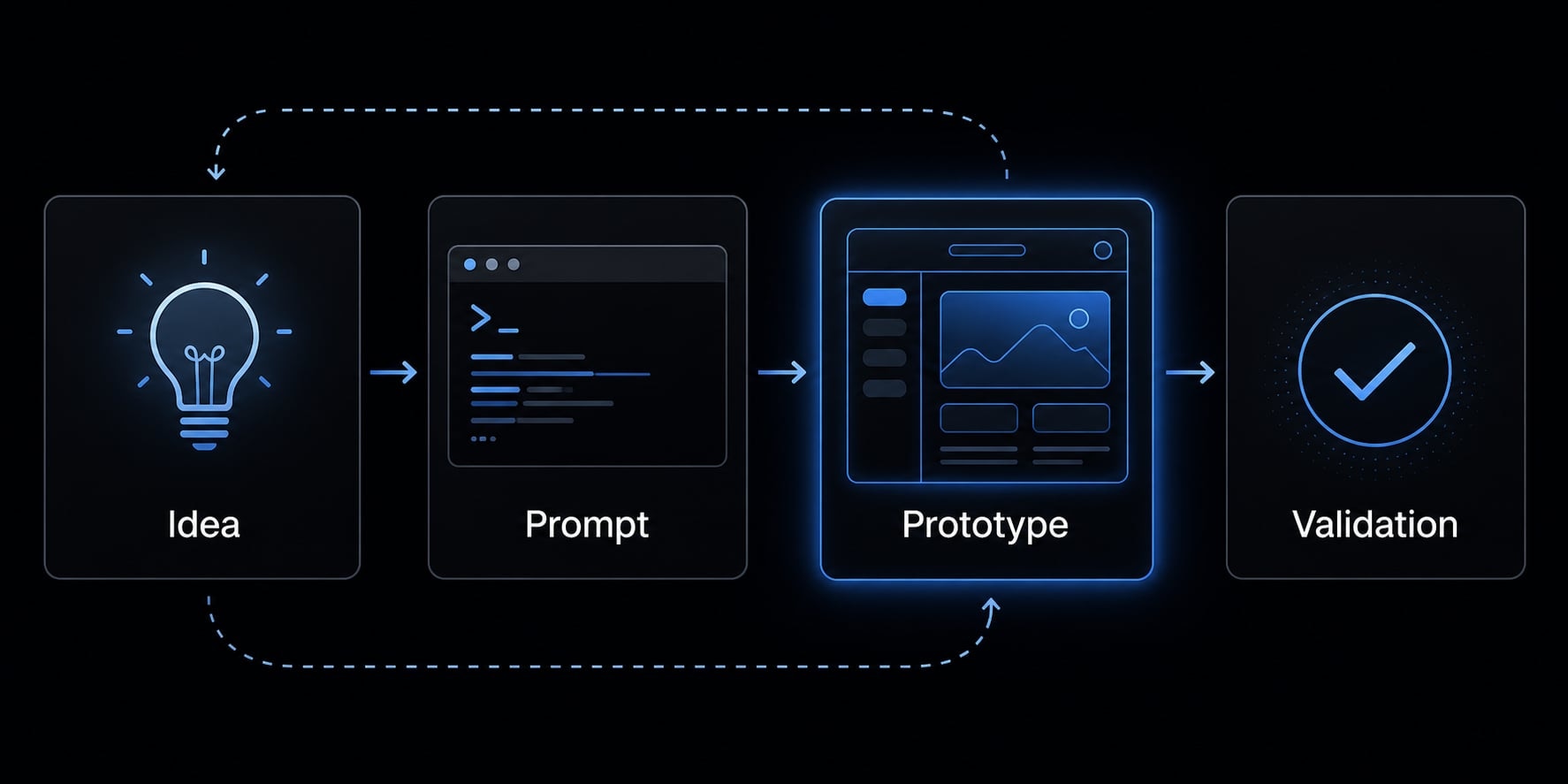
That matters because it goes beyond a visual mockup. A mockup shows intent. A vibe coded prototype shows behavior. It can simulate a workflow, test a user journey, or act as a lightweight proof-of-concept before a team commits real engineering time.
For founders, PMs, solo builders, and small teams, this creates a faster path to product validation. You can test whether an idea makes sense before investing in a full build. In practice, many teams use this approach for quick internal demos, investor walkthroughs, or early user feedback sessions.
Non-engineers can often use vibe coding for simple prototypes, but complexity rises quickly once integrations, debugging, authentication, or edge cases enter the picture.
Why the term is gaining traction
The term is gaining traction for a few simple reasons:
- AI coding tools are easier to access than before
- Moving from prompt to interface is much faster
- Teams can test ideas with lower upfront effort
- The appeal is speed and learning, not perfection
The key takeaway is simple: A vibe coded prototype is useful for validation and learning, but not production-ready just because it appears to work.
How a vibe coded prototype differs from a mockup, MVP, and production app
The confusion usually starts when people use the same word - “prototype” - for very different maturity levels. The cleanest way to understand prototype vs MVP is to compare purpose, reliability, and risk.
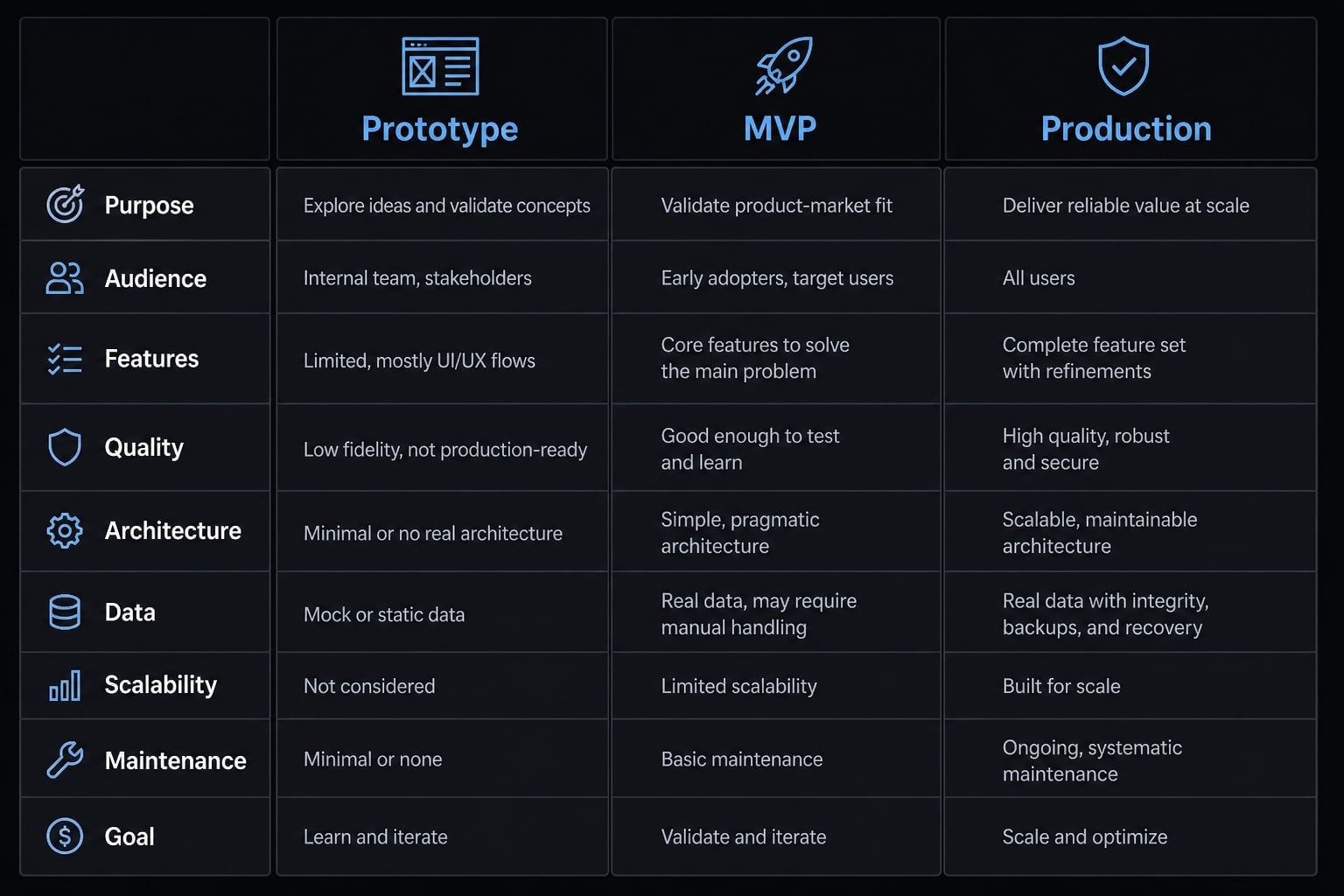
Type | Primary purpose | Interactivity | Code quality expectation | Security expectation | Lifespan | Risk if misused | Best use case |
|---|---|---|---|---|---|---|---|
Mockup | Visual alignment | Low | None or minimal | None | Very short | Teams mistake visuals for validated demand | UI direction and stakeholder review |
Vibe coded prototype | Fast product validation | Medium to high | Limited, often fragile | Basic only | Short | Stakeholders overestimate readiness | Workflow testing and concept demos |
MVP | Real-world learning with actual users | High | Moderate and intentional | Meaningful baseline required | Medium | Weak foundations create expensive rebuilds | Testing demand with limited but usable product |
Production app | Reliable ongoing usage | High | Strong maintainability and stability | High | Long | Operational, financial, and security failures | Real customer-facing software |
The risk of false confidence:
A mockup can look polished without actually working. A vibe-coded prototype may run smoothly in a narrow flow, yet remain unstable under real conditions. An MVP is more operational, but it’s still not the same as a production-ready app.
That’s why the distinction between prototype and MVP matters. A prototype is primarily a learning tool. An MVP is built for more durable, real-world use. True production readiness demands far more than visible functionality.
AI-generated code often fuels this confusion. It can behave correctly along a single demo path while remaining brittle underneath. A smooth UI can mask weak logic, missing validation, and a fragile structure.
Common warning signs include:
- “Looks finished” being treated as “is ready”.
- One successful demo creating unrealistic expectations.
- AI-generated code passing a narrow scenario but failing small changes.
The boundary is straightforward: If reliability, security, and long-term ownership matter, you are no longer talking about a prototype.
When a vibe coded prototype makes sense - and when it does not
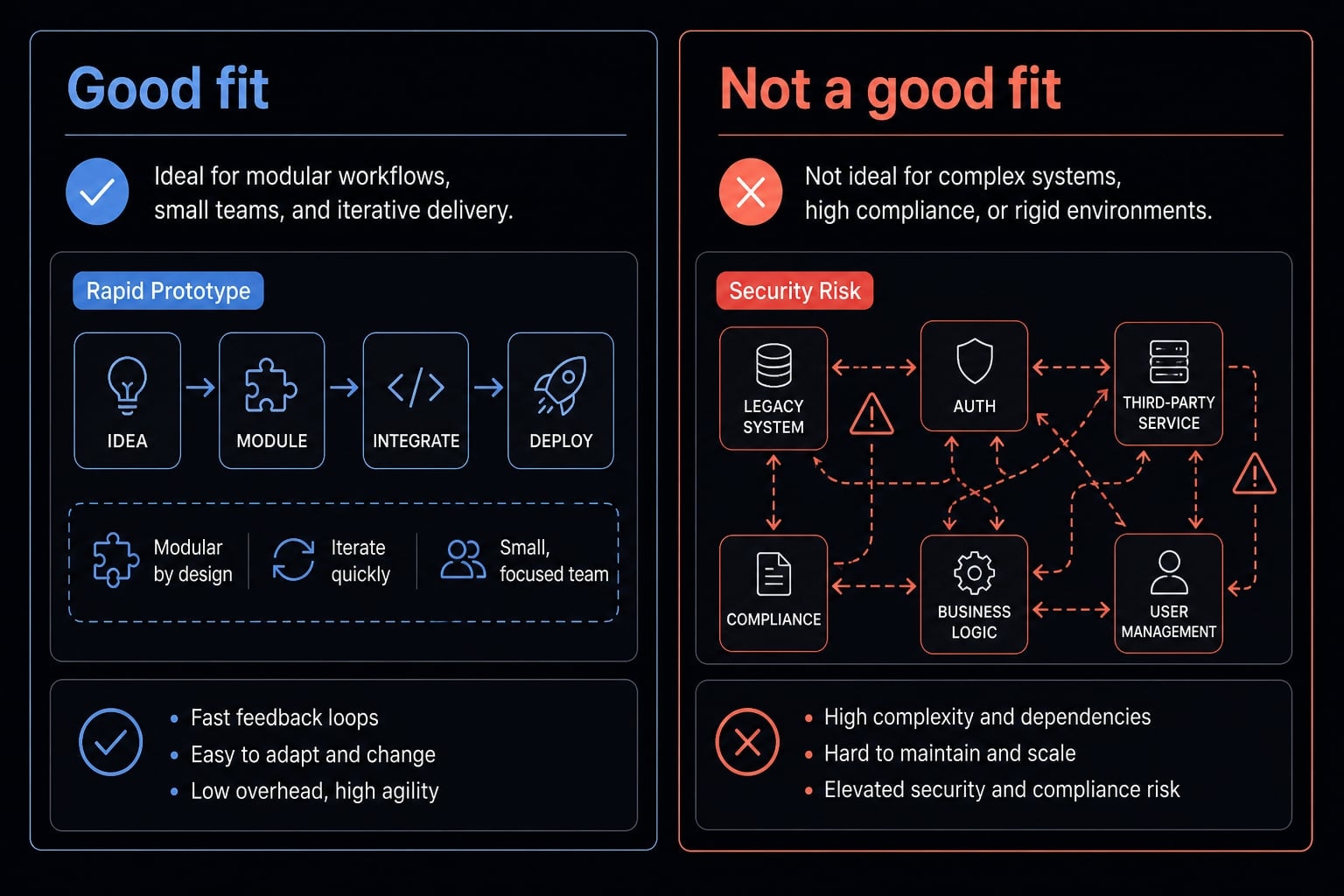
The real decision is speed vs control. If your goal is fast product validation, a vibe coded prototype can be a good fit. If your product has meaningful security, compliance, or reliability demands, it quickly enters a caution zone.
Good use cases
A vibe coded prototype is usually a good fit for:
- Founder idea validation before assigning engineering time.
- PM concept demos for internal review.
- Internal workflow prototypes.
- User-testing artifacts for early feedback.
- Stakeholder presentations.
- Simple internal tools.
- Landing-page-to-demo experiments.
- Lightweight customer-facing concept tests.
- Early idea testing where learning speed matters more than durability.
These are all contexts where product validation matters more than full system quality. Used this way, an AI prototyping workflow can reduce time spent debating ideas that have not been tested.
Bad use cases or caution zones
Use caution or avoid this approach for:
- Compliance-heavy apps, where mistakes create legal and reputational risk.
- Products handling sensitive user data, where exposure risk is too high.
- Security-sensitive workflows, where weak safeguards can create immediate issues.
- Complex multi-tenant systems, where debugging becomes harder and reliability weaker.
- Reliability-critical backend logic, where failures disrupt real operations.
- Systems needing maintainability from day one, where handoff and rebuild costs escalate.
In these cases, speed from rapid application development is usually not worth the downside. The business risk is not abstract. It shows up as rework, wasted handoff time, misleading expectations, and hidden exposure.
A practical rule: If the main question is “Should we build this?” a prototype helps. If the main question is “Can we safely run this?” move to a more controlled build path.
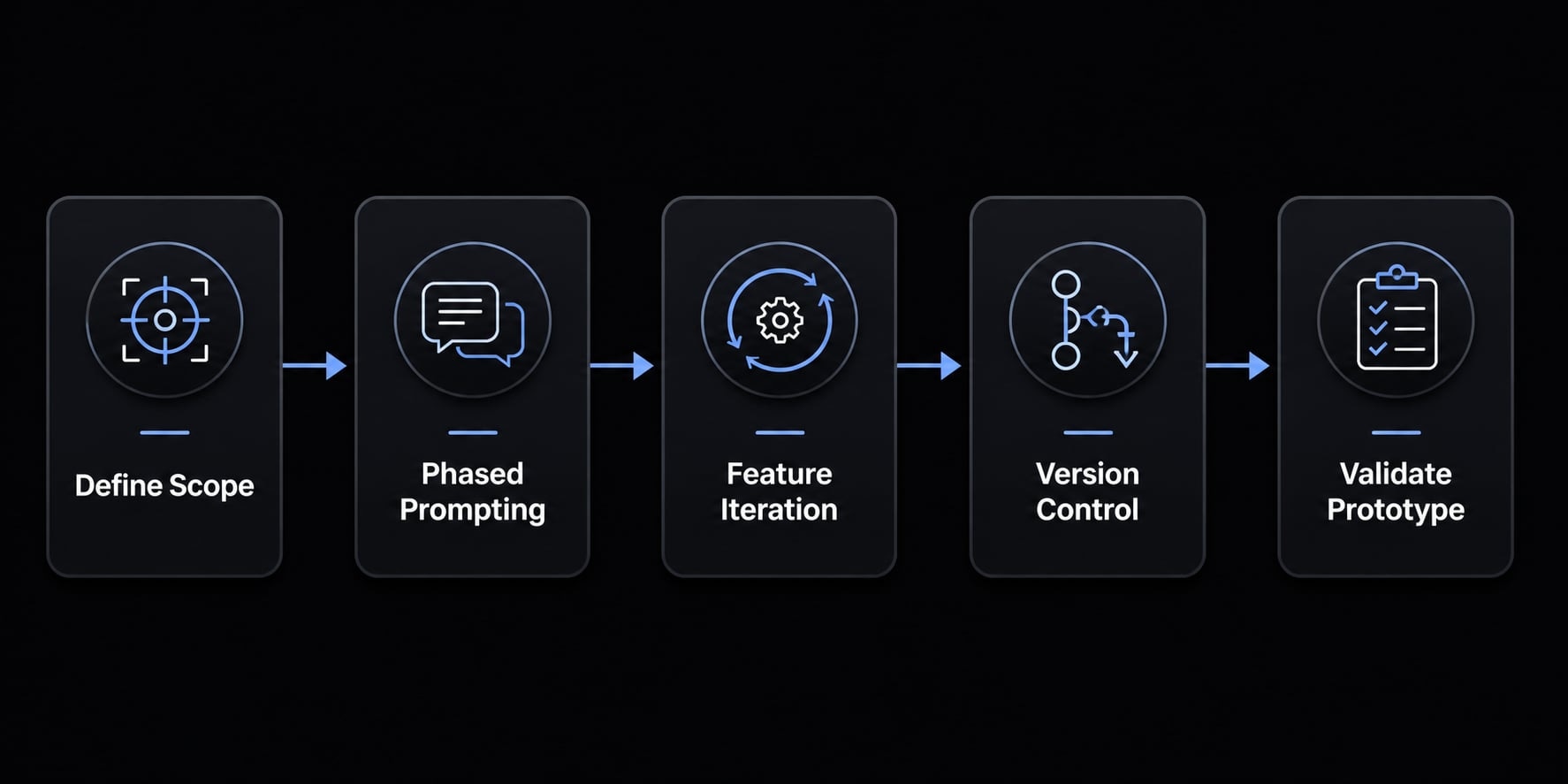
A simple 5-step workflow to build a vibe coded prototype
How to build functional prototypes using vibe coding is less about clever prompts and more about disciplined scope. The teams that get value from prompt-to-code development usually keep the build narrow, move in phases, and protect working states.
- Define the problem, user, and success criteria.
- Prompt for a phased build, not the full app.
- Build one feature at a time with test cases.
- Use version control to protect working states.
- Test the prototype as a decision tool, not a final product.
Step 1: Define the problem, user, and success criteria
Before writing prompts, create a short requirements.md. This document should define one user type, one must-have flow, and what success looks like.
A simple checklist helps:
- Who is this for?
- What single job should it help them do?
- What should a successful demo prove?
Adopting this requirement-first approach is one of the most effective habits for building functional prototypes. Without a clear requirements.md, prompts drift, scope expands, and the prototype becomes harder to evaluate.
Step 2: Prompt for a phased build, not the full app
Ask the tool for a staged plan first. Then ask it to clarify assumptions before implementation. This matters because large prompts often create scattered results.
Start with one or two modules only. For example, if you are testing a workflow dashboard, begin with login flow simulation and one core action. Do not try to generate the whole startup in a single request.
Phased builds create cleaner iterative build cycles and make it easier to inspect what changed.
Step 3: Build one feature at a time with test cases
Each new feature should have expected behavior and a few test cases. This is how you keep the prototype honest.
Useful rules:
- Define what success looks like before generating code.
- Include obvious edge cases.
- Avoid bundling too many requests at once.
- Keep feature requests separate from bug fixes.
In practice, this lowers confusion in iterative build cycles. It also reduces the common pattern where one fix silently breaks two other parts of the prototype.
Step 4: Use GitHub or version history as a safety layer
Use GitHub or platform version history from the start. Commit often. Preserve known-good states. If a tool keeps applying broken fixes, roll back instead of continuing blindly.
This habit is critical because repeated repair attempts often make the prototype worse. Version control protects learning speed and reduces time lost to unstable changes.
Step 5: Test the prototype like a decision tool, not a final product
A prototype should answer a business question. It should not be treated as launch-ready software.
Test the key flows, gather stakeholder feedback, and decide what comes next:
- Validate the idea and move toward a proper build.
- Revise the concept and test again.
- Stop the effort because the value is not clear.
That mindset is what keeps the prototype useful as a decision tool. The point is learning, not pretending the work is complete.
If your team needs a reusable planning format, a prototype planning checklist or a more structured AI build workflow can make this process far more repeatable across projects.
Best practices that make vibe coding more useful in real life
Most frustration in AI-assisted prototyping comes from weak context, endless patching, or careless security habits. Strong vibe coding best practices reduce drift, reduce rework, and make collaboration easier.
Keep project context outside the chat window
Store your requirements.md, user flows, and acceptance criteria in a persistent document. Do not rely only on conversation history.
This matters because LLM context weakens across long sessions and tool switches. When the structure lives outside the chat, multiple people can work on the same prototype with less confusion.
The outcome is clear: Reduced project drift and improved team collaboration.
Reduce “dory loops” and rework
Dory loops are repetitive cycles where the AI keeps forgetting, re-breaking, or undoing earlier fixes. They are common when prompts become vague or when teams keep patching unstable code.
To reduce them:
- Share exact logs and visible errors.
- Add screenshots when the issue is UI-related.
- Roll back when repeated fixes fail.
- Switch tools if the agent keeps circling.
- Use iterative feedback instead of giant corrections.
This is one of the most practical vibe coding best practices because it directly lowers rework.
Treat basic security as non-negotiable even for prototypes
Even early builds need basic guardrails.
- Use environment variables for secrets.
- Avoid hardcoded credentials.
- Do simple API testing before wiring full flows.
- Never use real customer data.
These are not advanced engineering practices. They are baseline controls. Ignoring them increases security risk and creates bad habits that are expensive to unwind later.
Best AI tools for a vibe coded prototype (without overcomplicating your tech stack)
The best AI prototyping tools depend on what you need: Speed, control, or lightweight backend support. The wrong move is stacking too many tools into the first prototype.
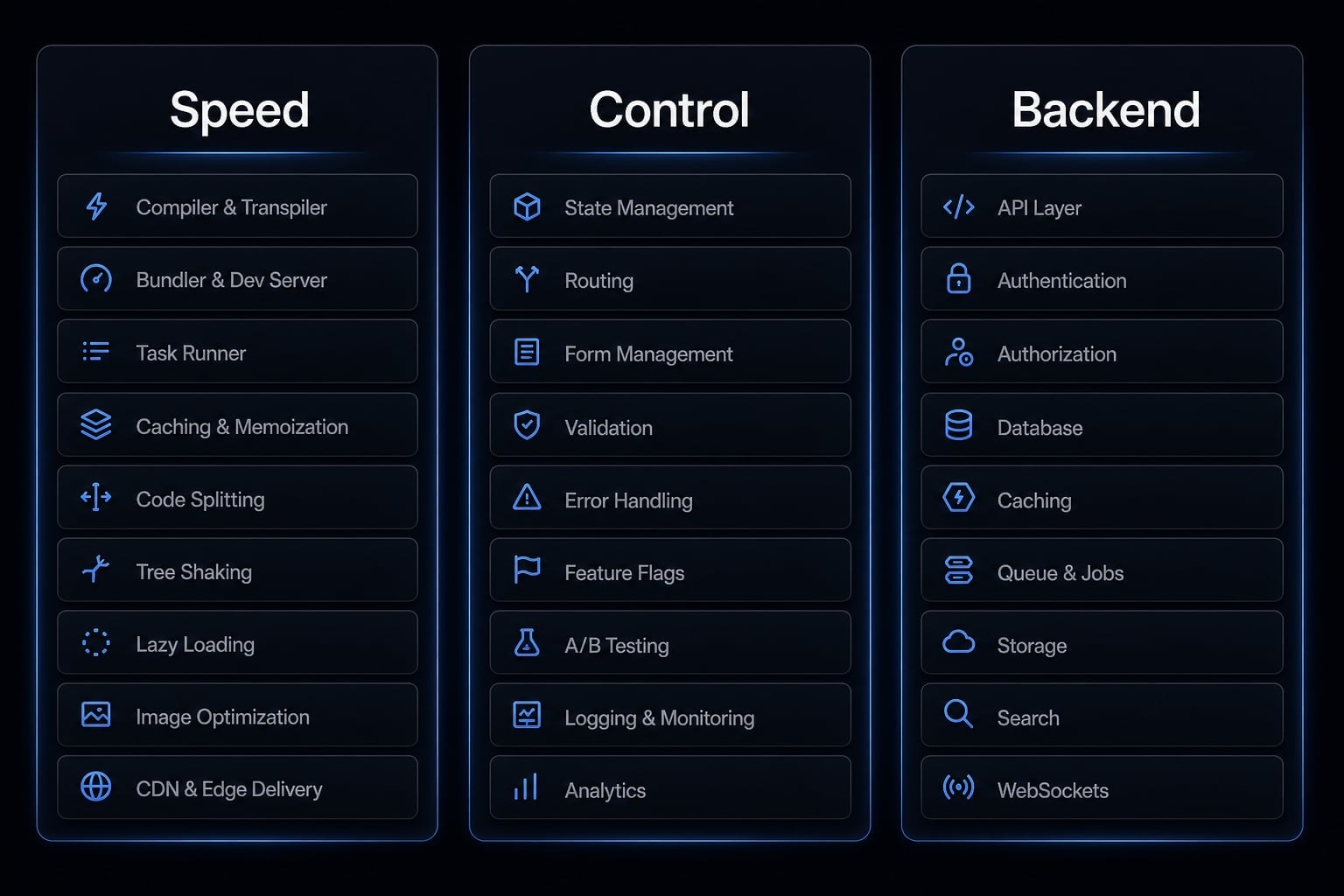
Fast UI and app builders
- Lovable
- v0
- Replit
These are useful when speed matters most. They help teams generate interfaces quickly, iterate visually, and move from idea to usable flow with less setup.
More control-oriented tools
- Cursor
- GitHub
These are better when you need code inspection, refinement, debugging, and rollback. They add control, especially once the prototype starts becoming harder to manage.
Backend and workflow helpers
- Supabase
- n8n
These are useful for simple authentication, lightweight databases, and workflow logic. They help separate a bit of backend behavior without building everything from scratch.
A practical rule for AI prototyping tools: keep the first stack minimal. One speed-first builder, one control layer, and only the backend helper you truly need is usually enough.
What not to trust in a vibe coded prototype
The biggest mistake is assuming a working demo equals healthy software. Much of the technical debt in AI prototypes is invisible at first. It only shows up when the team tries to extend, hand off, secure, or stabilize the build.
Red flags before moving beyond prototype stage
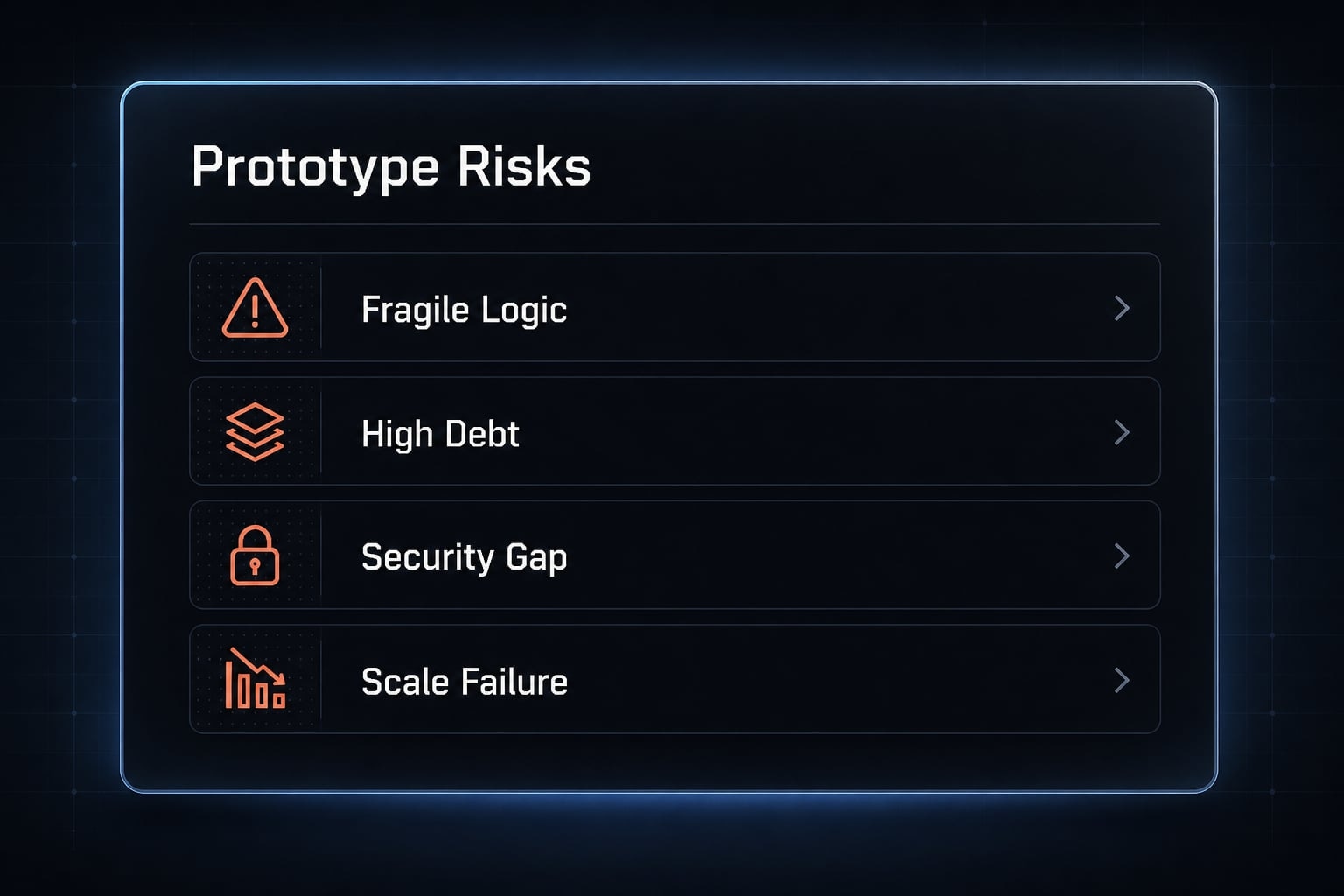
- Hardcoded secrets - Immediate security risks.
- Confusing code structure - Expensive handoff and weak code-base maintenance.
- No test coverage - Small changes become unstable.
- Repeated unexplained fixes - Low confidence in future iteration.
- Sensitive data involved - High exposure risk.
- No one on the team can explain the core logic - Ownership failure.
This is where technical debt in AI prototypes becomes a business issue. Weak maintainability means longer rebuilds. Poor structure slows future work. Hidden fragility creates misleading confidence.
If these red flags appear, stop extending the prototype. That is usually the point where a proper rebuild is safer than continued patching, especially if production readiness is becoming the expectation.
Practical example: A founder uses vibe coding to validate a workflow tool idea
A founder wants to test a simple internal operations dashboard for agency teams. The goal is narrow: One user type, one dashboard view, and one workflow for assigning and tracking tasks. This founder prototype workflow is not about launch. It is about finding out whether the idea is useful.
The founder uses AI-assisted rapid prototyping to create a partly functional interface with simple navigation and mocked task states. The build acts as a proof-of-concept rather than a real system. A few potential users click through the flow and react to the experience.
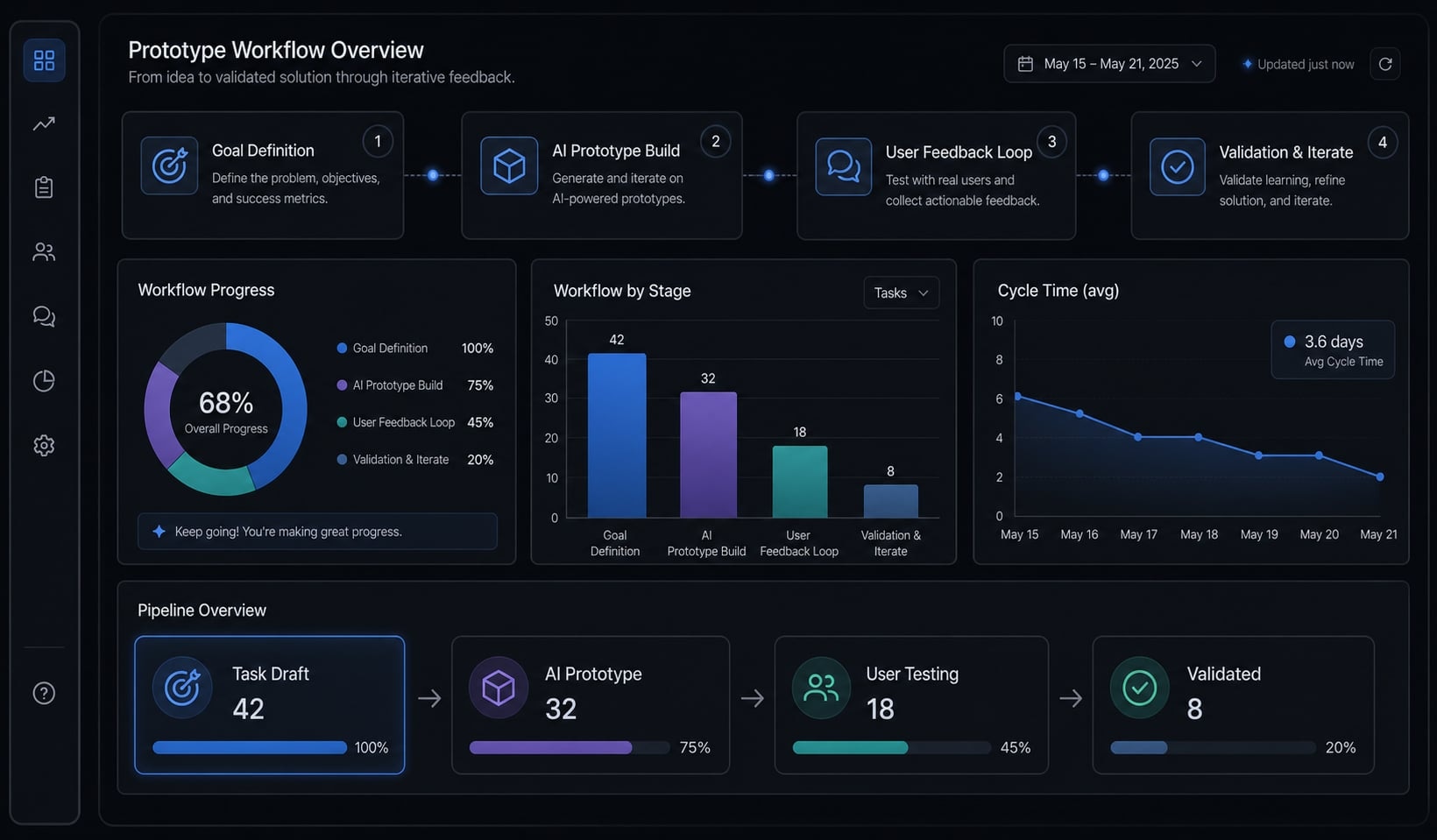
What gets learned is often more important than what gets built. Users may like the dashboard concept but ignore the assignment logic. Or they may value status visibility more than automation. That iterative feedback helps the founder decide whether to revise the workflow, test a second version, or commission a proper build.
As teams mature, structured agent workflows become more useful when they move from ad hoc prompting to repeatable systems.
Frequently asked questions
What is a vibe-coded prototype?
A vibe coded prototype is an early-stage functional product model built quickly using vibe coding and AI tools through prompts and iterative refinement. Its primary purpose is to validate an idea or user flow, not to provide production-ready architecture.
How does a vibe-coded prototype differ from an MVP?
A vibe-coded prototype focuses on rapidly validating an idea or hypothesis through interaction. A minimum viable product (MVP), by contrast, is a simplified but stable product version designed to collect feedback from real users in a real-world environment.
Why should you be cautious when using a vibe-coded prototype?
A functioning prototype may conceal subtle logic errors or security vulnerabilities. Using it beyond its intended purpose without adequate technical oversight can create technical debt, making future maintenance and production development more difficult.
How do you build an effective vibe-coded prototype?
- Clearly define the objective, target users, and success criteria.
- Plan the development process in stages instead of relying on one broad prompt.
- Build each feature alongside relevant test cases.
- Use GitHub for version control and to preserve stable, working states.
Which tools are commonly used for vibe coding?
Common tools include Lovable or v0 for rapidly building interfaces, Replit for prototyping, Cursor for reviewing and refining source code, and Supabase or n8n for managing data and basic business logic.
When should you avoid using a vibe-coded prototype?
Avoid this approach for applications with strict security compliance requirements, systems that process sensitive user data, or products requiring high reliability and maintainability from the first day.
Read more:
- 7 practical vibe coding examples: Build apps faster with AI
- Vibe code Android: How to build apps faster with AI prompts
- Human in the loop AI coding: Optimize speed and quality
Conclusion
A vibe coded prototype is most valuable when it helps you learn quickly through a functional prototype, not when it creates the illusion that the hard part is already done. Its best use is fast validation: Testing workflows, shaping stakeholder conversations, and reducing wasted build effort before a full product commitment.
To make this approach work in practice, keep the scope narrow and build in phases. Start with a clear requirements.md, add focused test cases, and use version control to protect stable states. Treat polished output with caution, especially once security, maintainability, or real customer usage comes into play.