
Claude Code AWS deployment: A practical Amazon bedrock setup guide
Deploying Claude Code on AWS typically means connecting the developer's client to AWS-hosted inference services, rather than installing Claude Code as a new AWS service.
Claude Code runs on a developer workstation or an approved development environment and uses Amazon Bedrock as its inference provider. This requires a supported model or inference profile, an appropriate AWS Region, working AWS authentication, and IAM permissions. An enterprise gateway is optional; it is not a prerequisite for direct access.
This guide covers prerequisites, configuration, access controls, and rollout validation. It does not cover hosting a custom agent application or deploying application infrastructure through Claude Code.
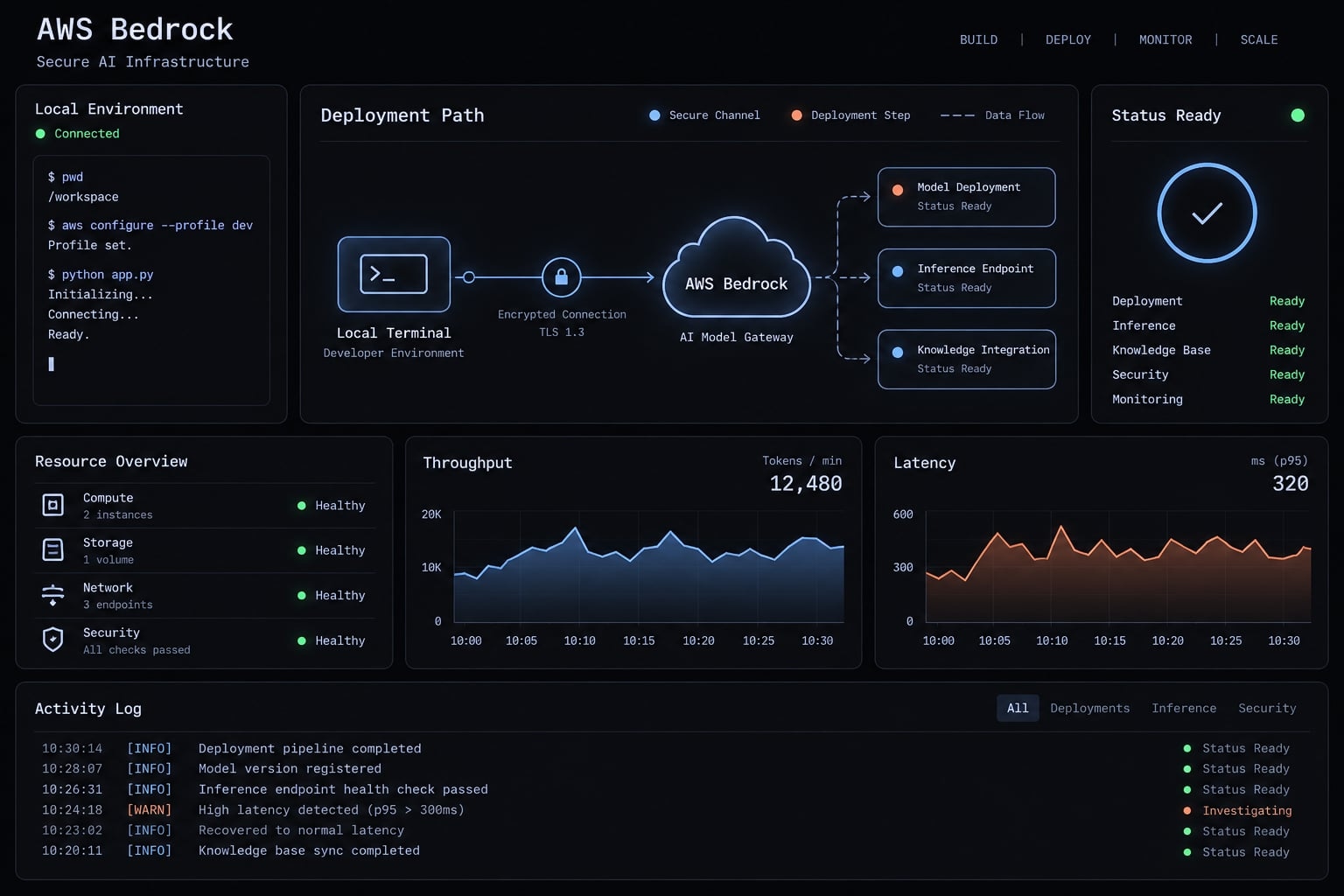
What does “Deploy Claude Code on AWS” mean?
Claude Code, Bedrock and agent infrastructure serve different purposes
A Bedrock-backed Claude Code deployment configures an agentic development client to send supported model requests through AWS. The client still reads files and executes permitted tools in its runtime environment. Bedrock supplies inference; AWS identity and access policies determine which model requests the caller may make.
Component | Primary purpose | Required for this setup? |
|---|---|---|
Interactive coding client with local tool execution | Yes | |
Amazon Bedrock | Managed access to supported foundation models | Yes |
Optional enterprise gateway | Mediate requests and implement selected central controls | No; implementation-specific |
Claude Agent SDK | Build custom agent applications using agent capabilities | No |
Amazon Bedrock AgentCore | Suite of infrastructure services for building and operating agents | No |
Running the client on an AWS-hosted workstation is another decision. It does not automatically select Bedrock or establish model permissions.
Choose the appropriate Claude Code deployment pattern
Choose by control requirements, not team size alone.
Pattern | Authentication framing | Decision criterion | Operational complexity |
|---|---|---|---|
Direct access | Profile resolving approved credentials | Controlled pilot with existing access controls | Low |
Federated direct access | Identity Center or another temporary-credential flow | Standardized access without operating a proxy | Low–moderate |
Optional gateway | Implementation-specific enterprise login | Required controls are impractical in the direct path | Higher |
These are related choices, not maturity tiers. Federated access is itself a form of direct access.
Illustrative scenario: A B2B SaaS engineering team already uses IAM Identity Center. It begins with federated direct access because existing identity controls meet its pilot requirements.
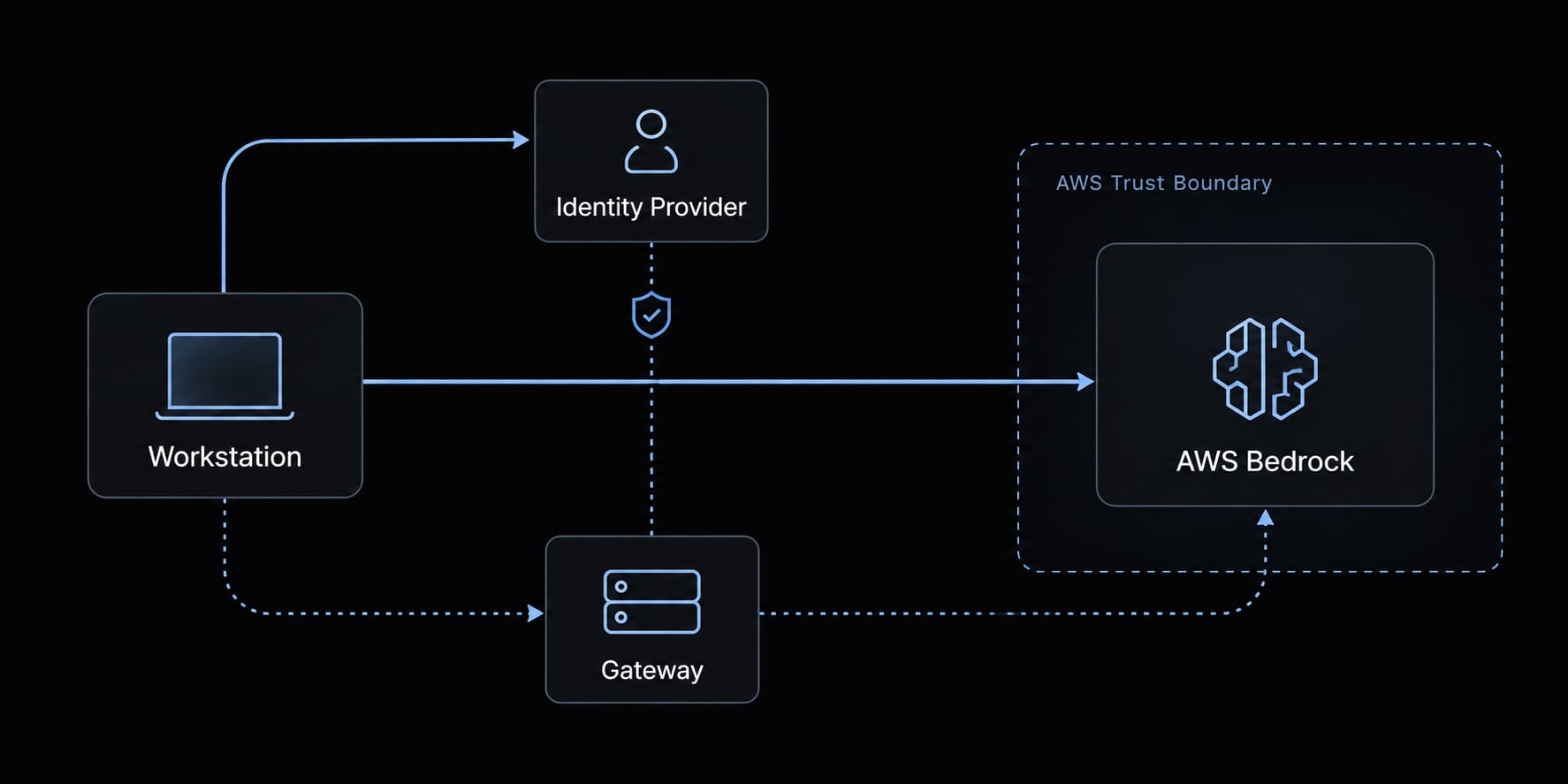
Prerequisites for Claude Code and Amazon Bedrock
AWS account and region requirements
Availability, account entitlement, and authorization are separate checks. A model appearing in a catalog does not prove your runtime identity can invoke it.
- Intended AWS account identified and approved.
- Source AWS Region supports the selected invocation path.
- Approved model ID or Bedrock inference profile recorded.
- Permitted processing geography confirmed.
- Required identity and Bedrock endpoints are reachable.
Cross-Region inference can route processing beyond the configured source Region; inspect the selected profile’s destination geography. For example, an approved model may require an inference profile rather than direct invocation in the initially selected Region.
Bedrock model access and entitlements
Confirm Amazon Bedrock model access against the current AWS documentation and the account’s actual entitlement state.
Provider onboarding, use-case information, or AWS Marketplace subscription permissions may apply. Separate administrator-led enablement from everyday developer invocation. Do not grant every developer subscription administration merely to avoid onboarding friction.
Version-sensitive requirement: Model offerings and activation workflows change. Historical “enable model access” instructions may not describe your account’s current workflow.
Local tooling checklist
Prepare:
- Claude Code installed through a supported installer.
- AWS CLI v2 for the demonstrated SSO workflow.
- An already configured authentication profile.
- A non-production repository without sensitive data.
- Network access to required endpoints.
- Optional repository instructions in
CLAUDE.md.
Node.js is not a universal prerequisite; requirements depend on the installer.
Record the tooling baseline:
claude --version
aws --version
Configure Claude Code to use Amazon Bedrock
Configure Claude Code with Bedrock in this order:
- Authenticate to AWS.
- Enable Bedrock and set the Region.
- Select an approved model.
- Launch and validate.
- Persist configuration safely.
The examples use Bash. Replace every angle-bracket placeholder before running a command.
Step 1: Authenticate to AWS
Use IAM Identity Center, AWS’s workforce access service, to obtain a temporary AWS session.
The profile must already exist. If necessary, configure it first with aws configure sso; aws sso login does not create it.
# Replace with your existing IAM Identity Center profile.export AWS_PROFILE="<approved-sso-profile>"aws sso login --profile "$AWS_PROFILE"# Run in the same shell that will launch Claude Code.aws sts get-caller-identity
The result should show the expected Account and role identity in Arn. Keep account identifiers and personal session details out of published evidence.
Check credential precedence before proceeding. Existing AWS_ACCESS_KEY_ID, AWS_SECRET_ACCESS_KEY, or AWS_SESSION_TOKEN values can affect credential resolution. Remove unintended overrides through your approved process without printing their contents.
A successful CLI command with an explicit profile does not independently prove the client uses the same identity. Validate the client’s environment and corroborate its requests server-side where possible.
Step 2: Enable Amazon Bedrock in Claude Code
export CLAUDE_CODE_USE_BEDROCK=1
export AWS_REGION="<approved-source-region>"
CLAUDE_CODE_USE_BEDROCK selects the Bedrock provider. Replace <approved-source-region> with the supported source Region approved for your deployment.
These Claude Code environment variables apply to this shell and its child processes. They do not automatically configure other terminals, remote workstations, or automation runners.
For team use, distribute non-secret defaults through an approved launcher or supported managed configuration. Review inherited provider, endpoint, and model settings before starting a fresh session.
Step 3: Select the approved Claude model
A model ID identifies a particular model offering. An inference profile identifies a supported inference configuration, which may route requests across Regions or provide usage tracking.
export ANTHROPIC_MODEL="<approved-bedrock-model-or-inference-profile-id>"
Use the exact identifier accepted by your account’s selected invocation path. Do not copy a model ID from another Region without checking compatibility.
For the pilot, configure one primary model rather than every model family. Depending on the client release and enabled features, helper operations may use another model. Review those behaviors and configure approved alternatives before rollout. Never grant unrestricted model access simply to resolve an unexpected helper-model permission denial.
Step 4: Launch and validate Claude Code
cd "<path-to-safe-test-repository>"# Reconfirm the shell's effective AWS caller.aws sts get-caller-identityclaude
Use a bounded task:
Summarize the repository structure using read-only inspection. Do not modify files, install dependencies, execute project scripts, or access external services.
Review permission prompts. The instruction itself is not an enforceable sandbox.
Confirm the selected provider and model through the client’s available status information and launch configuration. Obtain a successful response, then correlate the test window with available Bedrock telemetry.
A response alone does not establish which account handled every request. Billing views can be delayed, so immediate cost visibility is not a success requirement.
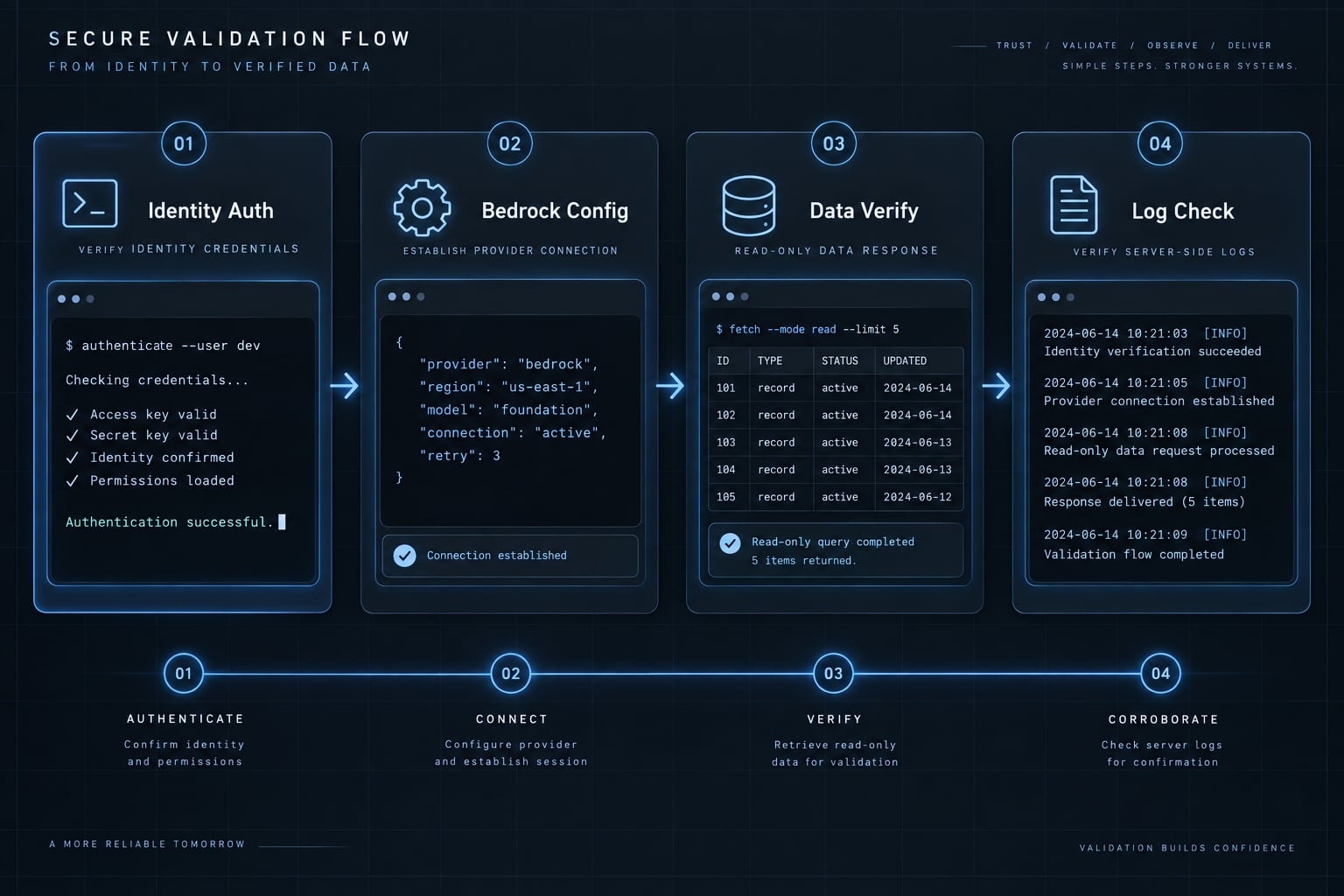
Step 5: Persist team configuration safely
Configuration | Store here | Do not store here |
|---|---|---|
Repository conventions | Reviewed | Treating prose as authorization policy |
Provider, Region, approved model | Supported managed settings or controlled launcher | Unreviewed per-user overrides |
Authentication material | Approved credential tooling | Git, shared documents, repository settings |
Authorization rules | IAM and applicable organizational controls | Prompt instructions |
CLAUDE.md does not enforce AWS authorization. Review which client settings are enforceable in your installed release rather than assuming every default is locked.
Configure AWS authentication and IAM permissions
Authentication options
Authentication establishes identity; authorization determines permitted actions. An AWS profile is a configuration used to resolve credentials; it is not an authentication mechanism in itself.
Method | Appropriate use | Lifetime behavior | Important caveat |
|---|---|---|---|
Long-lived IAM user keys | Approved exceptions | Persist until rotated or revoked | Avoid as the standard developer setup |
Assumed-role profile | Delegated access | Temporary role credentials | Source identity and trust policy still matter |
IAM Identity Center | Interactive workforce access | Renewable, expiring sessions | Test expiry and reauthentication |
OIDC federation with STS | Compatible automated workloads | Temporary credentials | Requires configured issuer and role trust |
Gateway session | Validated gateway deployment | Implementation-specific | Not inherently an AWS credential |
OIDC authentication uses OpenID Connect identity tokens. AWS STS, the Security Token Service, can exchange supported federated identity for temporary AWS credentials. Workload federation and interactive human SSO are not interchangeable defaults.
Temporary credentials reduce exposure duration. They do not fix excessive privileges or a compromised workstation.
Minimum IAM permission categories
Claude Code Bedrock IAM permissions should separate runtime invocation from administrative enablement.
Relevant invocation actions include:
bedrock:InvokeModelbedrock:InvokeModelWithResponseStreamfor streaming requests
Least-privilege IAM restricts these actions to approved resources. The required resource set depends on the invocation path, including inference profiles and underlying foundation models. Cross-Region profiles may require permissions covering destination resources.
Keep provider onboarding and subscription administration separate. Likewise, shell commands, deployment tools, and MCP services need their own controls. MCP or Model Context Protocol, connects the client to external tools and data sources.
Do not use bedrock:* as a production shortcut.
IAM validation before rollout
Test four outcomes:
- The approved model succeeds.
- An intentionally unapproved model is denied.
- Session expiry and reauthentication work.
- Unauthorized role assumption and unrelated AWS actions remain unavailable.
Record actual results; do not assume denial from the policy’s appearance. Organization policies, permissions boundaries, session policies, and explicit denies can constrain access further.
Optional enterprise gateway architecture
When a gateway becomes justified
Start with direct access unless a documented control gap justifies another service. Regulated status alone does not make a gateway mandatory.
Evaluate a gateway when requirements include:
- Central model policies beyond existing IAM workflows.
- Enterprise login integration.
- Individual or group usage attribution.
- Approved routing controls.
- Enforced usage limits demonstrated by the implementation.
- A team accountable for operating the service.
No named gateway implementation is assumed here. Before adoption, verify its publisher, license, maintenance status, supported Claude Code releases, authentication design, and operational documentation.
Reference AWS architecture
The following is a reference pattern, not a deployable product specification.
Component | Responsibility | Required or implementation-dependent |
|---|---|---|
Gateway runtime | Process supported client requests | Required for a gateway; Fargate, EKS, or EC2 are alternatives |
Task or instance role | Authorize upstream Bedrock access | Required in this role-based pattern |
Enterprise identity provider | Authenticate users | Depends on login design |
Controlled ingress and TLS | Protect client-to-gateway transport | Required; implementation varies |
State store | Persist sessions or policy state | Implementation-dependent |
Secrets storage | Protect required secrets | Implementation-dependent; AWS Secrets Manager is one option |
Telemetry collector | Export operational signals | Implementation-dependent |
PostgreSQL is not universally required. Private DNS alone does not establish private network connectivity.
Use Infrastructure as Code-version-controlled infrastructure definitions-where supported to make changes reviewable and reversible.
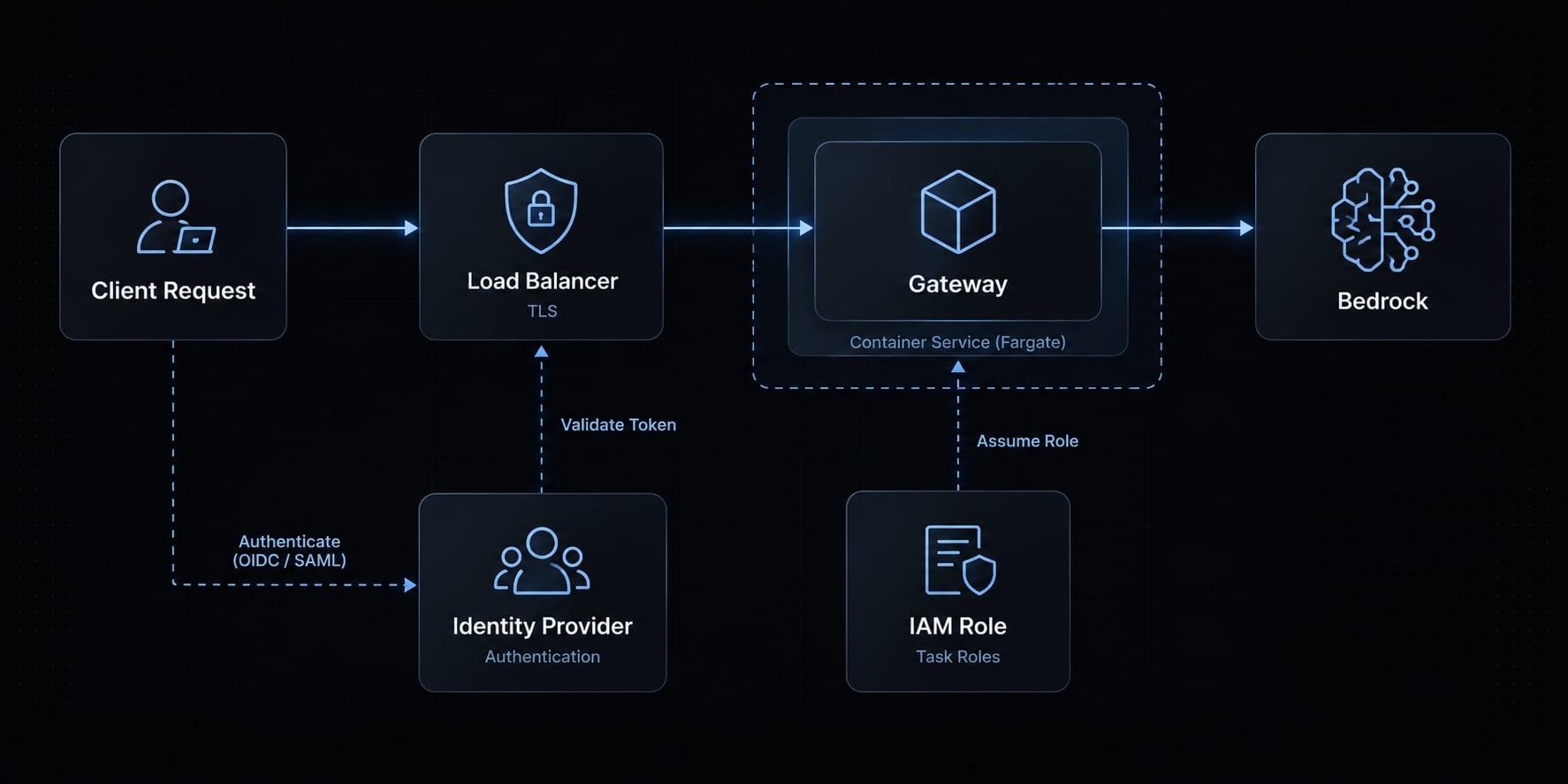
Enterprise request flow
Validate these stages against the selected implementation:
- Configure the supported client endpoint.
- Initiate the documented login flow.
- Authenticate through the identity provider.
- Establish the supported session.
- Evaluate identity and policy.
- Apply implemented model and usage checks.
- Send the authorized upstream inference request.
- Emit configured telemetry.
Do not assume a particular bearer-token format, endpoint variable, or protocol adapter.
Common gateway deployment patterns
Get the next post in your inbox
New guides and AgentKit updates, no spam. Unsubscribe at any time.
The gateway adds upgrades, availability planning, support, and infrastructure costs. It does not govern every local shell action. If provider fallback is supported, review it separately. Switching providers can change data handling, model behavior, availability, and billing.
Security, observability and cost controls
Security baseline
Inference authorization does not secure the entire agent workflow. Establish:
- Temporary credentials and least privilege.
- Approved models and processing geography.
- Repository, shell, endpoint and MCP permissions.
- Human approval for production-impacting actions.
- Log redaction and retention rules.
- Private connectivity where required and supported.
Do not assume Bedrock Guardrails automatically apply to all Claude Code requests. Verify integration on the actual invocation path.
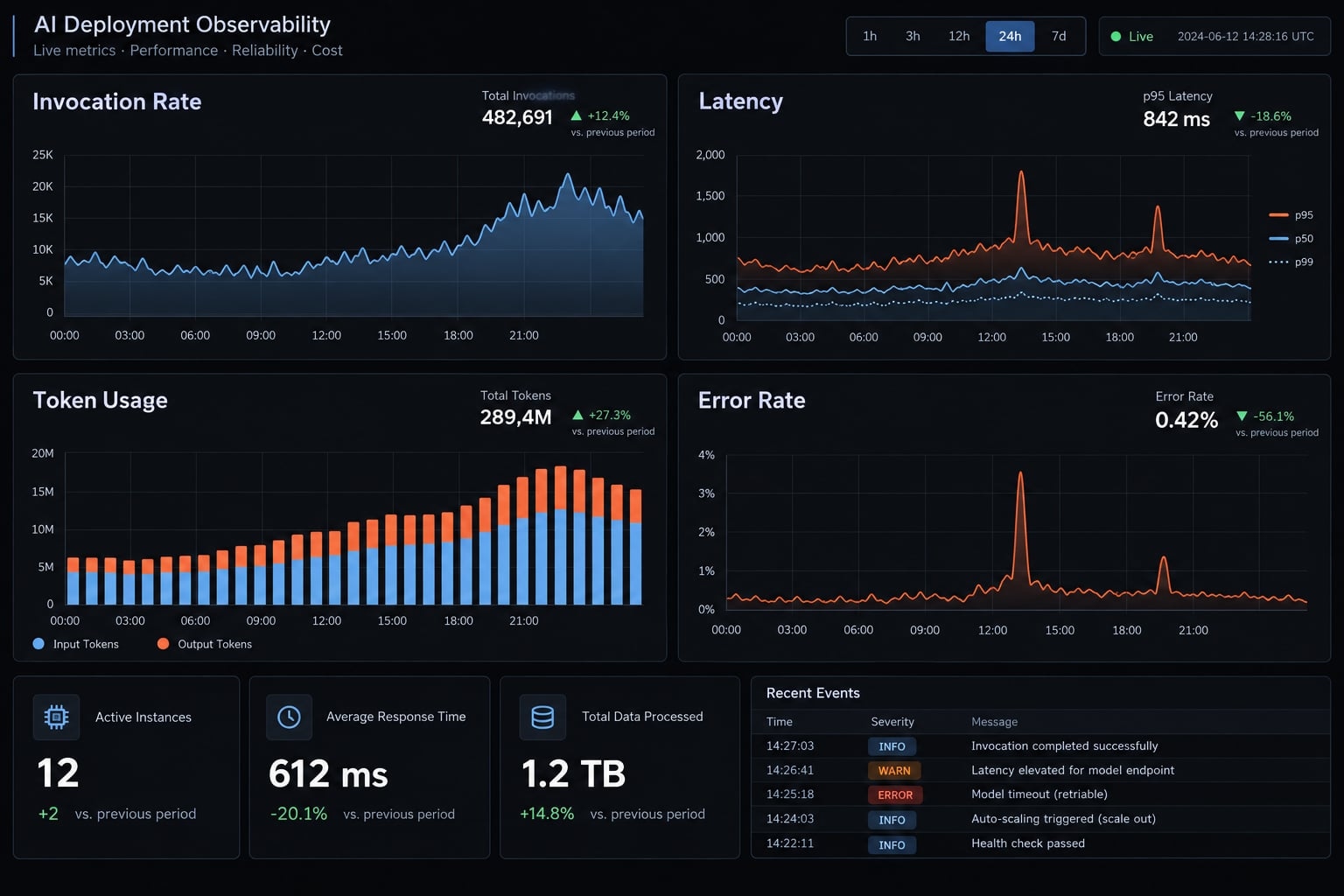
Observability baseline
Signal | Purpose | Likely source or limitation |
|---|---|---|
User or role identity | Accountability | Identity records and configured audit telemetry; shared roles can obscure users |
Request count | Usage baseline | Bedrock CloudWatch metrics; dimensions vary |
Errors | Diagnose failures | Client errors and service metrics |
Throttling | Detect capacity pressure | Service metrics and client responses |
Latency | Assess responsiveness | Service metrics versus client end-to-end timing |
Token usage | Understand consumption | Available invocation metrics or configured client telemetry |
Estimated cost | Budget planning | Usage-based estimates reconciled with AWS billing |
CloudTrail is not automatically a complete inference transcript. Confirm supported events and collection settings. OpenTelemetry observability requires explicit configuration; exported fields depend on the client release. Avoid collecting prompt bodies or repository content unless necessary and approved.
Cost-control baseline
Prioritize these AI cost management controls:
- Assign a cost owner.
- Establish baseline usage and budget alerts.
- Restrict available models.
- Design team-level token usage attribution.
- Validate gateway enforcement only if needed.
AWS Budgets notifications are not real-time per-user hard caps. Tags do not automatically identify each developer or request.
Test concurrency and overshoot before trusting gateway limits. Prompt caching depends on model and invocation support; measure its effect rather than assuming savings. Repeated agent turns can increase consumption even when human task counts remain unchanged.
Validate and troubleshoot the deployment
Deployment validation checklist
For Claude Code AWS troubleshooting, verify configuration before changing infrastructure.
Client-side checks:
- Claude Code starts.
- Bedrock is the selected provider.
- The expected identity or gateway session is active.
- The Region is approved and supported.
- The model or inference profile is valid.
Execution and server-side checks:
- Required invocation permissions are present.
- A read-only task succeeds.
- Available telemetry matches the intended account.
- Unapproved model access remains denied.
- Reauthentication succeeds after session expiry.
Record versions, authentication method, model identifier, test time, and redacted results. A one-user pilot demonstrates only its tested scope, not enterprise readiness.
Common errors and resolutions
Symptom | Likely causes | First verification step |
|---|---|---|
| Wrong identity, missing action, resource mismatch, or explicit organizational deny | Confirm caller identity, then inspect the denied action and resource. |
Credentials not found | Missing profile, expired session, or credential-chain conflict | Check the launch environment and run caller-identity validation there. |
Model unavailable | Incorrect identifier, unsupported Region, missing entitlement, or incompatible invocation path | Compare the exact identifier and Region with current Bedrock availability documentation. |
Inference-profile error | Profile required, wrong profile selected, or missing profile/model permissions | Verify profile type and the required underlying model resources. |
Throttling or timeout | Quota or capacity pressure, network failure, or request timeout | Separate explicit throttling responses from connection failures before changing quotas. |
Gateway login failure | Identity-provider configuration, callback, claims, session handling, or reachability | Correlate redacted identity-provider and gateway logs for the failed login. |
Streaming disconnects | Network instability, client behavior, or proxy/load-balancer timeouts | Compare disconnect timing with configured transport limits. |
Unexpected billing account | Unintended effective role or gateway upstream account | Inspect the invoking role and upstream account; Region alone does not select the billed account. |
An AWS credential error is not a reason to distribute permanent keys. Likewise, do not broaden IAM indiscriminately or disable TLS validation to make a test pass.
Production readiness gate
Before expansion, require reviewed access policies, tested expiry and revocation, monitoring ownership, and a named cost owner. Document approved models and geography, configuration rollback, support escalation, and version revalidation.
Rollback should restore approved configuration or suspend access-not silently switch providers. Recheck after relevant client, model-access, or gateway changes, and schedule a 60–90-day review.
Frequently asked questions
Does Claude Code run directly on AWS, or does it connect to AWS?
Claude Code is a client-side command-line interface that runs locally on your workstation or within your development environment. It connects to Amazon Bedrock as its inference provider to process agentic tasks. You configure the client to use temporary AWS credentials to securely access Bedrock models.
How do I configure Claude Code to use Amazon Bedrock?
To configure Claude Code, ensure your AWS credentials are active via the AWS CLI. Use the CLAUDE_CODE_USE_BEDROCK=1 environment variable to enable the provider. You can also run the /setup-bedrock command within the Claude Code REPL to follow an interactive setup process for your preferred AWS Region and model identifiers.
Can I enforce hard spend limits on Claude Code usage?
Standard AWS IAM policies cannot enforce real-time, per-user monetary spend caps. To implement enforceable limits, you must deploy an Enterprise Proxy Gateway, which can track usage against budget thresholds and return HTTP 429 errors when a developer or group reaches their assigned ceiling for inference requests.
Should I store AWS credentials in the CLAUDE.md file?
No. Never store AWS credentials, access keys, or secret tokens in CLAUDE.md. Use CLAUDE.md only to provide operational instructions to the agent, such as project-specific deployment commands, naming conventions, or approved AWS infrastructure patterns. Always use standard AWS authentication mechanisms like IAM Identity Center for security.
How does Claude Code handle model access permissions?
Claude Code relies on the permissions associated with your AWS identity. You must grant the IAM role or user the bedrock:InvokeModel and bedrock:InvokeModelWithResponseStream permissions for the specific models or inference profiles you wish to use. Access is controlled server-side by AWS, meaning unauthorized models will be denied even if configured in the client.
Read more:
- Claude Code CLAUDE.md guide: Best practices and 3 templates
- Claude Code MCP configuration: A practical setup guide
- Connect GitHub MCP to Claude Code: Step-by-step guide
Conclusion
A controlled Claude Code AWS deployment connects the client to Amazon Bedrock using an approved identity, Region, and model. The essential work is configuration and verification: authenticate with temporary credentials, select a supported invocation path, restrict permissions, and test both successful and denied requests. Keep model access separate from the client’s ability to read repositories, execute commands, or call external tools.
For enterprise deployment, start with the simplest architecture that meets organizational requirements. Federated direct access can remain appropriate at scale. Introduce a gateway only when its verified capabilities address a specific control gap and an accountable team can operate it.
Use this article’s deployment checklist as your rollout record, adding actual versions, redacted evidence, recovery procedures, and named owners before expanding access.
Go deeper in the docs
Reference pages for every command, skill, hook and setting mentioned here.
Read the docs →Share this article
Keep reading
- Master Claude Code PostToolUse hook: Setup and examplesLearn how to configure Claude Code PostToolUse hooks for automated formatting and linting. Follow our guide to improve workflow efficiency today.15 min read
- How to use Kimi K2 with Claude Code: Setup & verification guideLearn how to configure Kimi K2 with Claude Code using Anthropic-compatible endpoints. Follow our step-by-step guide for setup, verification, and testing.13 min read
- Claude Code effort level: How to choose the right settingLearn how Claude Code effort level impacts reasoning and performance. Discover the best settings for your tasks to balance efficiency and accuracy.10 min read