
Claude Code sandbox: What it is, what it protects, and when to enable it
Letting AI run local bash commands brings both high convenience and high risk. While permission prompts ask for consent, they are easily ignored in command-heavy workflows due to alert fatigue. The Claude Code sandbox addresses this by enforcing real runtime restrictions as soon as a command starts running. This guide explains how the sandbox works, how it differs from basic permissions, its limitations, and practical setups for everyday development.
What Claude Code sandbox actually is
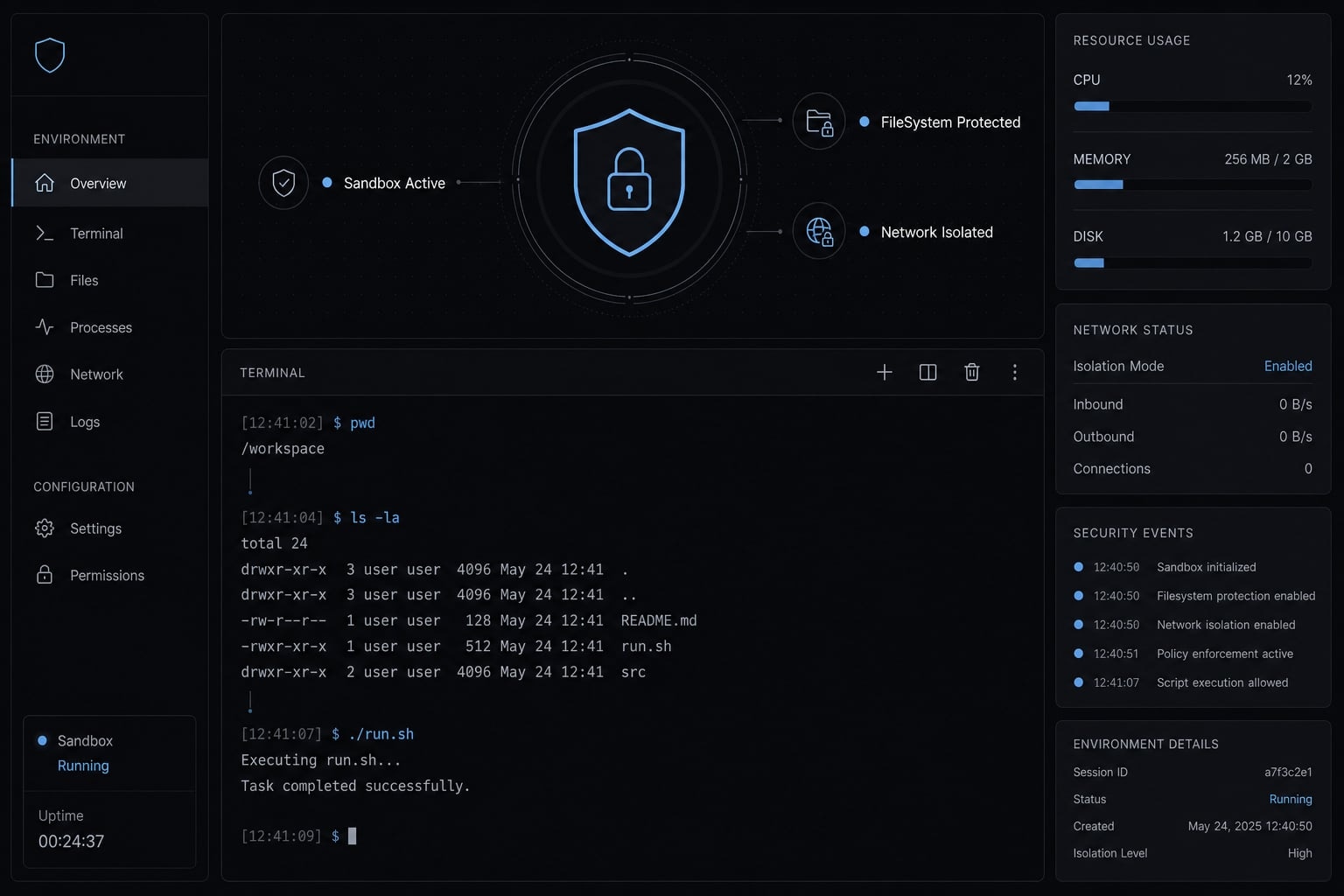
Claude Code sandbox is a restricted runtime environment for bash commands and subprocesses. It is designed to improve practical safety by limiting what those commands can do while they run. It is not full protection, and it does not fully cover everything Claude Code does.
In plain terms, the sandbox puts boundaries around command execution. If Claude runs shell commands as part of a task, those commands can be constrained by policy instead of relying only on your approval habits. That makes sandboxed AI bash execution meaningfully safer than running everything with normal terminal-level access.
This is why many users see it as part of Claude Code’s secure environment, but that description needs qualification: it is only one layer. It does not replace judgment, secret hygiene, or tool-level controls. It also does not mean every Claude Code capability is governed the same way.
The practical starting point is the /sandbox command, which lets you check or enable the feature. You can think of it as lightweight AI agent containerization for command execution, not a blanket security system for the entire product.
What sandbox means in plain English
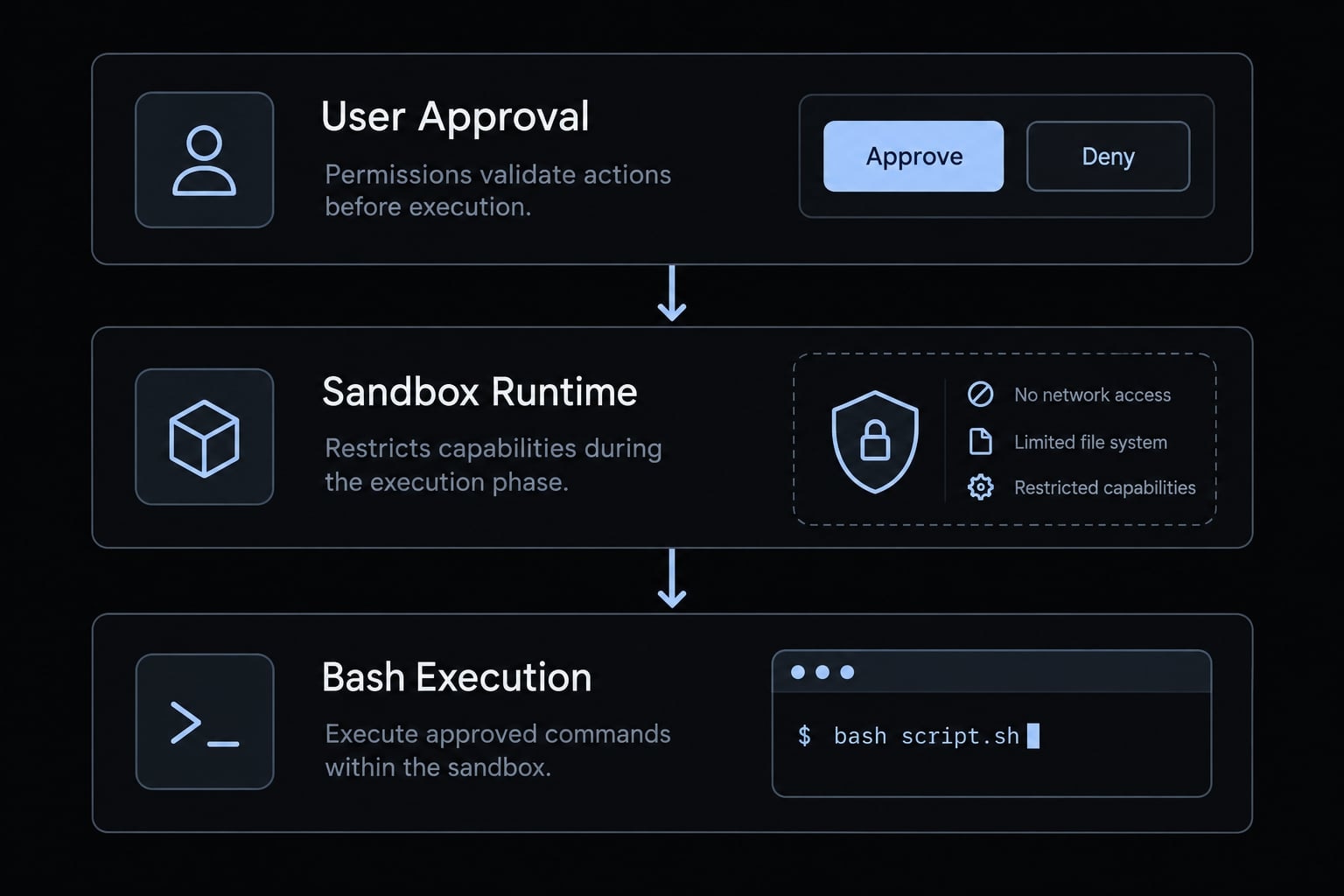
A sandbox narrows what a command is allowed to do while it is running. That is the core idea. It does not make the model smarter. It does not improve intent recognition. It does not guarantee safe decisions. It changes the execution boundary.
So the meaningful distinction is simple:
- Unsandboxed means commands may run with your normal terminal access.
- Sandboxed means commands run inside tighter limits.
- Sandboxing is about execution control, not better reasoning.
Why this matters for everyday users
In real workflows, prompt fatigue is common. After the tenth or twentieth approval, many users stop evaluating each command carefully. That is not negligence. It is predictable operator behavior.
The sandbox helps by reducing how much safety depends on perfect human attention every single time. If an agent tries to write outside the intended workspace or make a connection that policy should restrict, runtime controls can block that behavior directly.
That makes it a better default, not a magic shield.
Quick summary:
- Claude Code sandbox restricts bash commands and subprocesses.
- It is narrower than “everything Claude Code does”.
- It improves practical safety, not absolute isolation.
Is Claude Code sandbox on by default?
Quick answer: default state
Note: Claude Code sandbox is not enabled by default. It is an opt-in feature, which means you need to turn it on yourself. If you have never checked with the /sandbox command, command execution may still be happening with normal terminal-level access.
Direct answer: Claude Code sandbox is disabled by default. You must enable it manually if you want sandboxed execution.
Many users assume secure defaults are already in place. That assumption is understandable, especially in AI coding tools that present approval prompts. But prompts and sandboxing are not the same safeguard.
If sandbox is off, bash commands may inherit the same practical access your terminal already has. Depending on your machine and workflow, that can include broad file access, outbound network access, and possible exposure to local credentials or sensitive configuration files.
The first thing users should check
- Open Claude Code
- Run
/sandbox - Confirm the current mode before command-heavy tasks
This is the quickest practical answer to whether Claude Code sandbox is on by default and how to enable it. Check first, then decide whether the current workflow should stay unsandboxed.
Claude Code sandbox vs permissions: What is the difference?
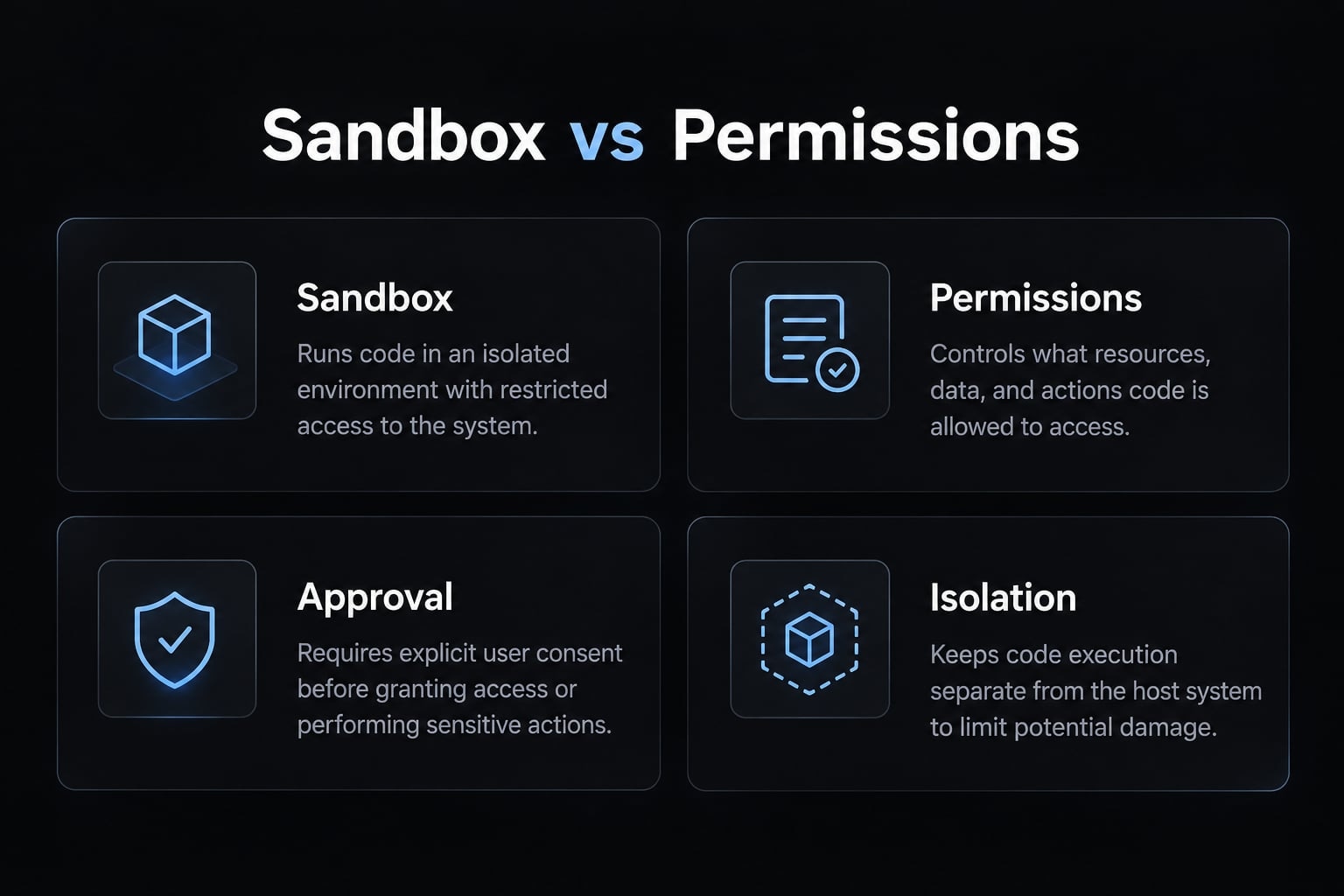
The simplest way to understand permissions vs sandboxing is this: permissions ask, while sandbox enforces. They solve different problems, and strong workflows usually need both.
Feature | Permissions | Sandbox |
|---|---|---|
Main role | Approval before execution. | Restriction during execution. |
Scope | Broader tool-level control. | Primarily bash/subprocess isolation. |
User override | Yes, through approval. | Not in the same way once enforced. |
Best for | Workflow governance. | Runtime safety. |
Main weakness | Prompt fatigue or misapproval. | Compatibility limits or incomplete coverage. |
Permissions: Approval logic
Permissions are about whether an action gets approved before it runs.
That gives users governance and visibility. You can see what the tool wants to do and choose whether to allow it. For many tasks, that is useful and necessary.
But the weakness is obvious in practice: it depends on human judgment every time. In repetitive workflows, approval quality drops. People skim. They normalize risk. They assume the next command is similar to the last one.
That is why Claude Code permission vs sandbox security should never be framed as a winner-takes-all choice. Permissions are important, but they are easier to misuse under routine pressure.
Sandbox: Runtime restriction
A sandbox is a runtime restriction. It controls what the command can do while it is running. That matters because blocked behavior fails at execution time instead of waiting for you to catch every risky detail in advance. In terms of Bash tool security, this is a more reliable layer for repetitive command flows.
The benefit is not theoretical. It reduces reliance on “approve now, inspect later” behavior. That makes day-to-day agentic workflows less fragile.
Both matter
The right mental model is straightforward:
- Permissions help govern what gets attempted
- Sandbox helps restrict what the command can do once it runs
- Together, they create a safer and more workable baseline
What Claude Code sandbox protects, in plain English
Claude Code sandbox can help restrict filesystem writes, narrow some network access, and reduce dependence on repeated manual approvals. That makes it useful for secure command execution for LLMs, but it should be understood as practical safety, not absolute isolation.
Filesystem protection
The most intuitive protection is filesystem write blocking. If an AI agent drifts outside the intended project area and tries to write somewhere it should not, the sandbox may block that action. That is valuable because accidental writes are a very real class of workflow failure.
A common example is when an agent tries to create, modify, or move files outside the current workspace. Another is touching sensitive system-level paths or user directories that were never part of the task. In practice, this helps when:
- A refactor spills outside the project folder.
- A script tries to write into a personal config path.
- A generated command targets a broader location than intended.
Some implementations rely on kernel-level blocking, but the important user-facing point is simpler: Writes outside allowed areas may fail instead of silently succeeding.
Network protection
The second major area is network behavior. A sandbox may use a network isolation proxy or a local proxy allowlist model to narrow outbound access. In plain English, that means not every external connection should be assumed open, even if the same command would work normally in your terminal.
This matters for workflows that fetch packages, call APIs, or reach external services. Some commands may work as expected. Others may fail because the sandboxed environment is stricter about where traffic can go and how it should be routed.
The practical takeaway is not “network is fully blocked.” It is this: outbound access can be more restricted than many users expect.
Practical benefit: Fewer risky approvals
The operational win is that some risk gets handled by runtime controls instead of by repeated prompts. That helps most in command-heavy sessions, where the agent is doing iterative work and the user is tempted to approve quickly just to keep momentum. The sandbox reduces the chance that routine speed turns into routine overtrust.
This is practical safety, not absolute isolation. But for everyday workflows, that distinction still matters a lot.
What sandbox does not protect well enough
Before relying on it too heavily, keep these sandbox limitations in mind:
- It is not the whole security model.
- It may not fully solve read access or secrets exposure.
- Some legitimate commands can fail under restrictions.
- Bypass settings can materially weaken the safety posture.
- Unsandboxed fallback behavior changes the risk picture.
Limitation 1: sandbox is not the whole security model
This is the most important limitation. Sandboxing is one layer in a broader security model. If your real concern is preventing AI agents from accessing sensitive local files, sandbox alone may not be enough. Read access, secrets handling, and tool-level policy still matter.
This is where Read tool permissions become relevant. Restricting runtime behavior for bash is not the same as fully controlling every way an AI system might inspect local content. Sensitive paths such as SSH keys, cloud credentials, and local config files should still be handled deliberately.
A good rule is simple: If access to secrets or private local data would be unacceptable, do not assume the sandbox closes that gap by itself.
Limitation 2: some commands may break
Stricter control can break legitimate workflows. Build processes, initialization steps, package fetching, cloning, or network-heavy tasks may fail because the sandbox policy is tighter than the task requires. That is not automatically a product bug. Often, it is a sign that the command and the current policy do not match.
Treat failures as signals of policy mismatch before assuming a product bug. That mindset prevents a common mistake: Disabling protection immediately instead of identifying what actually needs to be widened.
Limitation 3: escape hatches change the risk level
Settings like allowUnsandboxedCommands and dangerouslyDisableSandbox change the practical risk posture in a major way.
These are not harmless convenience toggles. They are explicit decisions to loosen or bypass restrictions. Sometimes that is necessary. But it should be deliberate, temporary, and tied to a known task.
If unsandboxed fallback becomes routine, the value of the sandbox drops quickly. That is why teams should treat bypass behavior as a policy choice, not an informal workaround.
How to use Claude Code sandbox safely without overcomplicating it
For most users, the best approach is simple: Enable sandbox first, keep the initial setup narrow and understandable, and widen only when the reason is clear. That is usually the safest default setup for agentic workflow security.
A practical starting framework:
- Turn sandbox on before repeated command workflows.
- Keep the first policy simple.
- Observe what fails and why.
- Widen restrictions only for known needs.
- Avoid normalizing unsandboxed exceptions.
Recommended default for solo developers
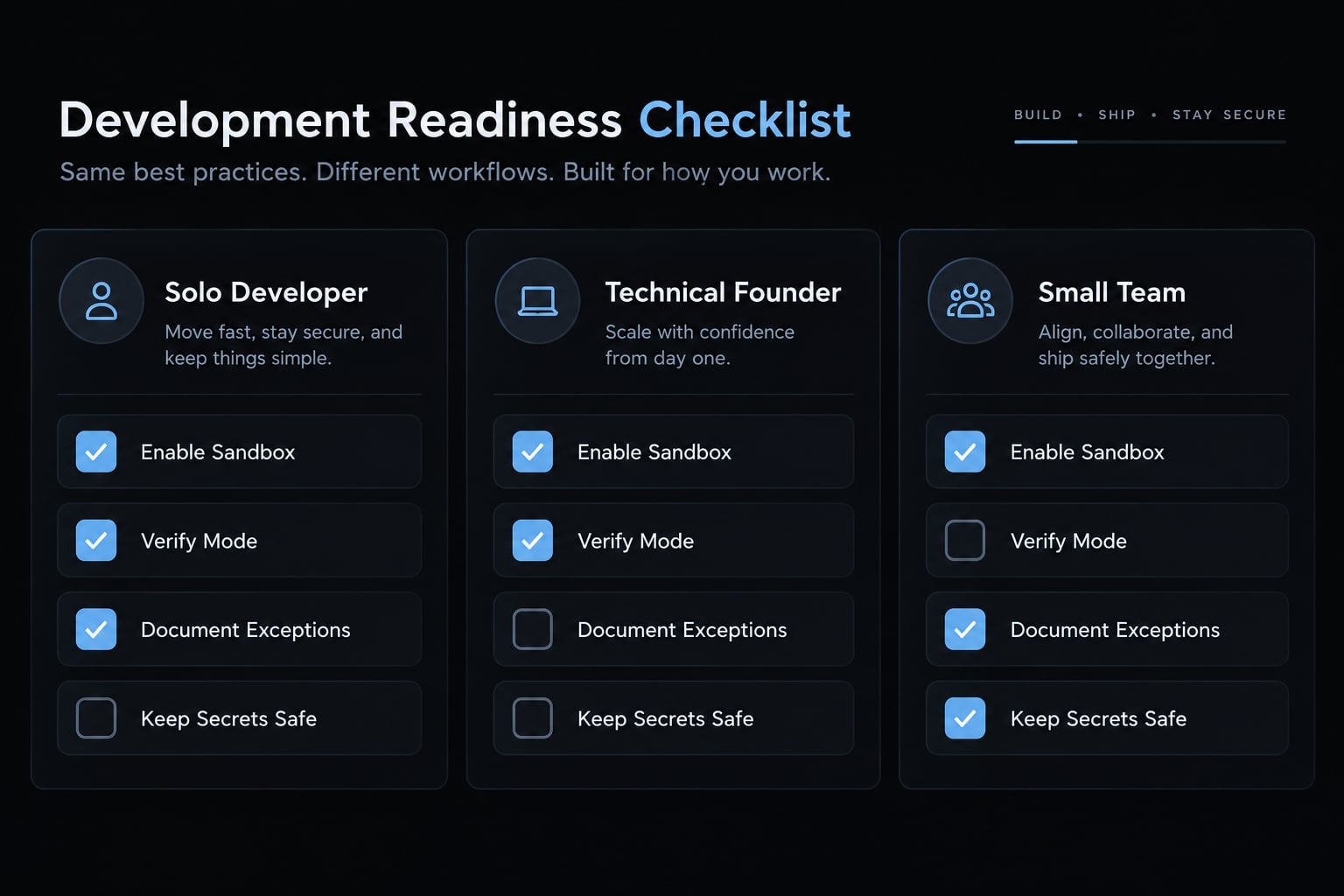
- Turn sandbox on before repeated command workflows.
- Keep the default policy simple.
- Widen only after understanding what is blocked.
- Keep secrets out of easy-to-read project locations.
This is the most practical answer to how to enable sandbox in Claude Code without turning the process into a systems project. Start small. If a command fails, inspect the mismatch before loosening controls everywhere.
That pattern is more reliable than starting permissive and trying to tighten later.
Recommended default for small teams
Small teams benefit from a shared baseline much earlier than they think. If every developer or founder handles sandbox exceptions differently, drift appears fast. One person tolerates unsandboxed execution. Another stores credentials in a project-adjacent file. A third disables protections when a build breaks once.
A better approach is to standardize:
- One baseline set of Claude Code sandbox settings.
- One clear rule for when unsandboxed execution is acceptable.
- One documented approach to credentials and sensitive paths.
- One team expectation that exceptions are temporary, not permanent defaults.
This is especially useful in fast-moving product teams where AI workflows become habitual before governance catches up.
When to temporarily relax restrictions
Relax restrictions only for a known task. That means you know which command needs more freedom, why it needs it, and whether the change is temporary or should become part of your baseline. If a command fails, inspect policy mismatch first. Do not assume the answer is broad disabling.
Then, once the task is complete, return to the safer default. That pattern keeps convenience from quietly becoming exposure.
Bottom line: Should you enable Claude Code sandbox?
Yes, for most users, you should enable Claude Code sandbox. It is the safer baseline for a safer AI coding workflow, especially if Claude Code is running frequent shell commands on a local machine.
Key reasons:
- It reduces reliance on perfect prompt approval.
- It improves runtime safety for bash-heavy workflows.
- It is a better default than unsandboxed execution.
- It does not replace Claude Code permissions.
- It does not replace secret-handling discipline.
The nuance is important. A sandbox is not a complete secure environment by itself. It is one practical control that lowers routine risk. If you work alone, enabling it early helps you avoid bad habits. If you work in a team, standardizing it early helps avoid inconsistent exception behavior later. So the decision is not complicated: For most real workflows, turn it on first and adjust from there.
Frequently asked questions
What is the Claude Code sandbox?
Claude Code sandbox is a restricted runtime environment for bash commands and subprocesses. It enforces security boundaries during command execution - such as filesystem write-blocking and network filtering—to provide an extra layer of protection beyond standard permission prompts, ensuring the AI agent operates within defined limits.
Is the Claude Code sandbox enabled by default?
No, the Claude Code sandbox is not enabled by default. It is an opt-in feature that users must manually activate. To check your current status or enable the sandbox, run the /sandbox command directly within your Claude Code session.
How is the sandbox different from permission prompts?
Permissions function as an approval gate before an action occurs, while the sandbox acts as a runtime restriction during execution. Permissions rely on human judgment for every request, whereas the sandbox enforces automated policy boundaries that the model cannot bypass.
What does the Claude Code sandbox protect?
The sandbox provides practical safety by restricting filesystem writes to allowed directories and filtering network traffic through a local proxy. It reduces the risk of accidental system modifications and helps prevent agents from executing commands that fall outside the intended project scope.
What are the limitations of the Claude Code sandbox?
The sandbox is not a total security solution. It does not automatically restrict read access to sensitive files, nor does it replace the need for disciplined secret management. Additionally, some legitimate workflows (like specific builds or daemonized tasks) may fail, requiring careful policy configuration.
How should I use the Claude Code sandbox in my workflow?
Start by enabling the sandbox as your default safety baseline for command-heavy workflows. Avoid using "escape hatch" settings like dangerouslyDisableSandbox unless absolutely necessary for a specific task. For teams, standardize these sandbox settings to ensure consistent security across all developer environments.
Should I enable the Claude Code sandbox?
Yes, for most users, enabling the sandbox is the recommended best practice. It serves as a more reliable safety baseline than relying solely on repeated manual approvals, helping to reduce operational mistakes without preventing the agent from performing necessary development tasks.
Read more:
- Claude Code plugin marketplace: A guide to discover and setup
- Connect GitHub MCP to Claude Code: Step-by-step guide
- Claude Code stuck? How to recover and troubleshoot fast
Conclusion
Claude Code sandbox is a better runtime-safety baseline than relying on prompts alone. It restricts what bash commands can do while they run, which makes everyday AI-assisted coding workflows safer in a practical sense. But it is still one layer in a broader security model, not full protection.
The most sensible pattern is simple: Enable first, adjust second. Use permissions, secret-handling discipline, and clear exception rules alongside sandboxing rather than treating any single control as sufficient. Teams that define reusable agent configuration standards early usually avoid more workflow drift, inconsistent bypass habits, and unnecessary exposure later.