
Claude Code code-simplifier: What it is and how to use it safely
Claude Code code-simplifier is a specialized agent designed to refine AI-generated code for better readability and maintainability without altering its core functionality. This guide walks through safe installation, precise agent invocation, scoped cleanups, and validation strategies to help you streamline code efficiently while keeping behavior fully intact.
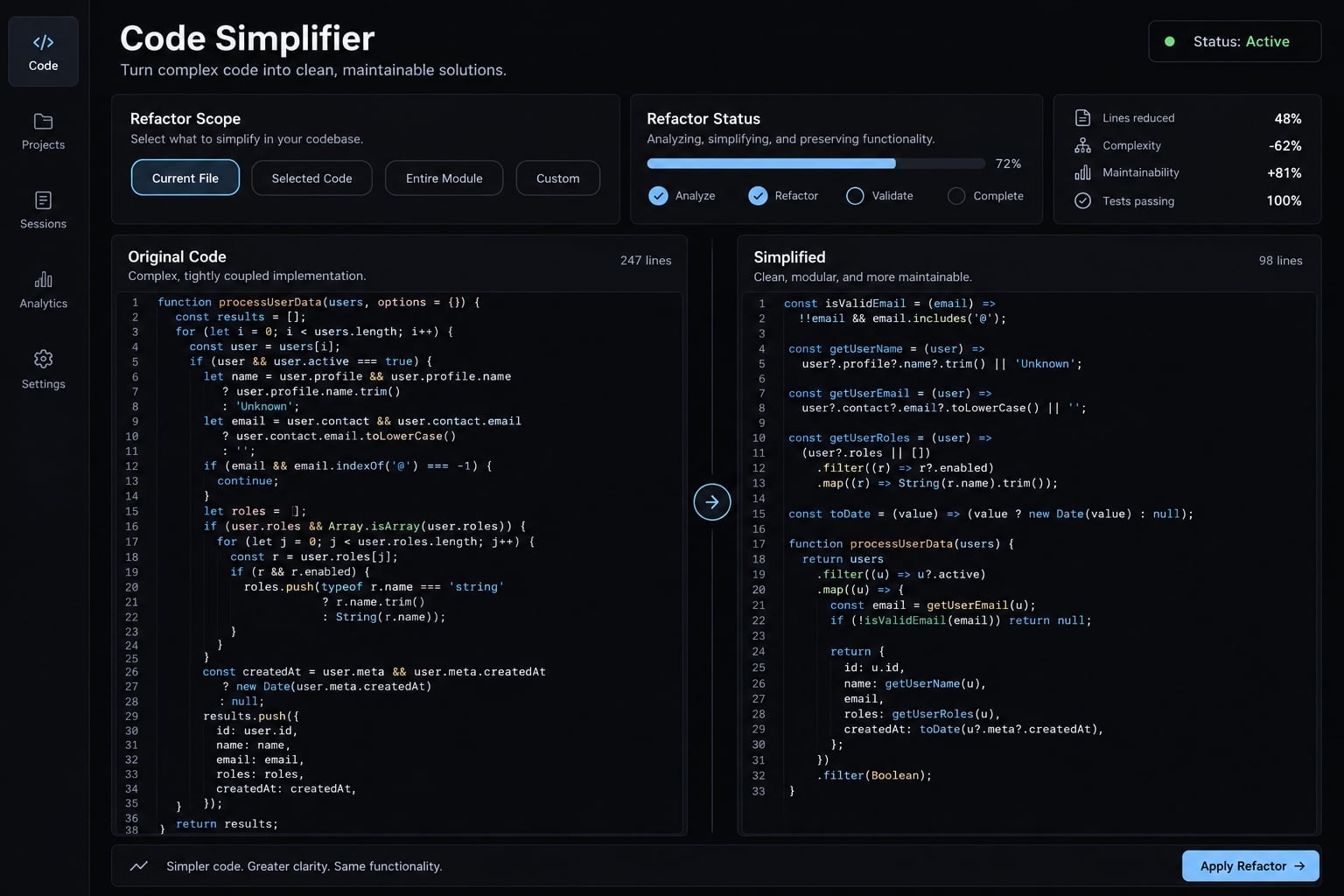
What is Claude Code’s code-simplifier?
The plugin is the installable package; the agent performs the refinement. Confusing those layers can lead to invoking a nonexistent slash command.
Anthropic’s Claude Plugins Official repository describes the component through its plugin manifest and code-simplifier agent definition. The agent is designed to prioritize clarity, established project conventions, and the preservation of core functionality.
Table compare plugin vs. agent vs. command:
Term | General meaning | Relevance here |
|---|---|---|
Plugin | Package containing Claude Code extensions |
|
Agent | Specialized assistant with task-specific instructions | Performs code refinement |
Command | Interactive entry point, often slash-prefixed | A same-named |
Instructions and supporting resources for a reusable capability | A real component type, but not interchangeable with this agent |
A native simplification feature, where available, is not necessarily the same component as the plugin. This guide uses the plugin-and-agent route rather than assuming /simplify is an alias. Behavior preservation remains an objective, but this does not guarantee that outputs, timing, and side effects remain unchanged.
How to install or access code-simplifier
Check availability before installing, then verify invocation separately. Claude Code’s plugin management and custom subagents interfaces handle these tasks.
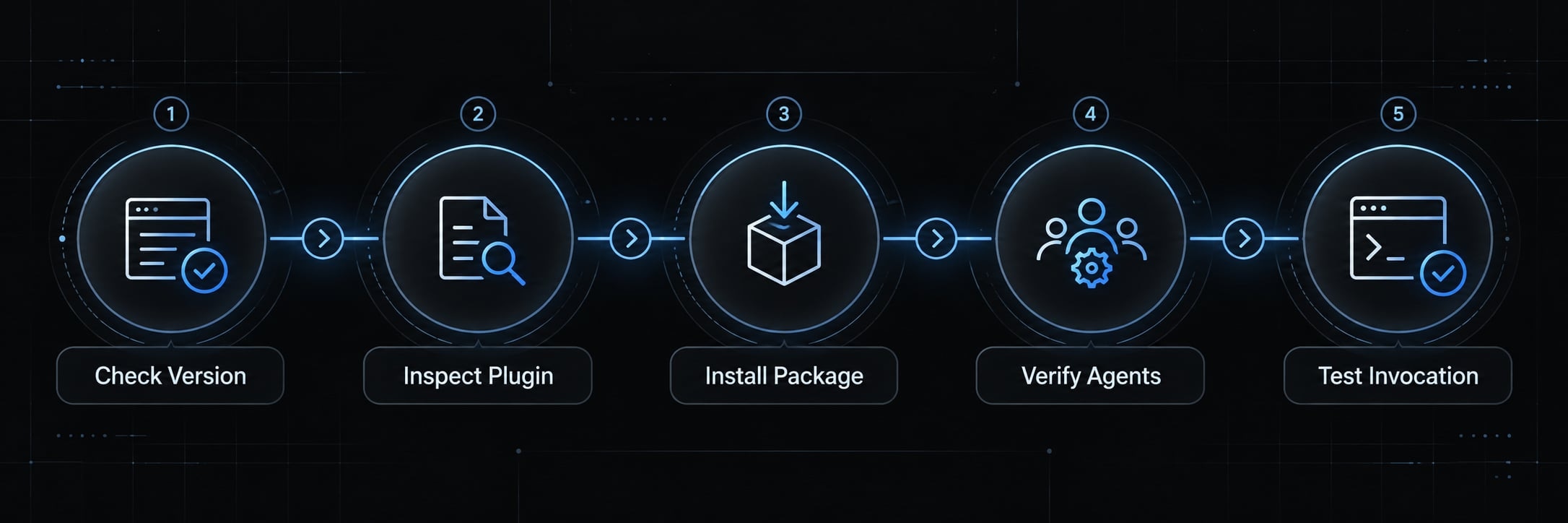
Check availability first
Run this in your terminal:
claude --version
It prints your installed Claude Code version. Record it when troubleshooting.
In a Claude Code interactive session, open:
/plugin
This opens plugin management. Inspect installed packages, enablement, and marketplaces without starting a cleanup. Preserve existing work before authorizing edits. A separate branch alone does not save uncommitted changes.
Install and activate the plugin
Follow this six-step sequence:
- Open a working Claude Code session in a disposable repository or low-risk project branch.
- In plugin management, confirm the marketplace is Anthropic’s
claude-plugins-officialand inspect thecode-simplifierentry. - Install the package using the interactive command below.
- Follow any reload instructions; reopen the session if necessary.
- Confirm the plugin is enabled for the intended scope, then inspect available agents.
- Request the agent explicitly on one disposable file and inspect its activity and resulting diff.
Run in the Claude Code interactive session:
/plugin install code-simplifier@claude-plugins-official
Expected indicator: Successful installation, followed by an enabled plugin entry.
Then open the agent manager in the same interactive environment:
/agents
Expected indicator: The plugin-provided code-simplifier agent appears among available agents.
Confirm invocation
Use a natural-language request:
Use the code-simplifier agent to simplify only src/accounts/account-label.ts. Preserve its signature and return values. Do not edit other files. Summarize any changes.Confirm that Claude delegates to the named agent rather than merely answering with generic refactoring advice. An installed package alone does not establish successful invocation.
How code-simplifier works
Project context guides refinement; your scope determines what should be changed. The agent definition emphasizes recently modified code unless directed otherwise. That is not a hard Git-based sandbox.
Diff-Scoped review
A Git diff represents differences between specific states:
- Unstaged changes compare working files with the index.
- Staged changes compare the index with the last commit.
- Branch comparisons use a selected base and head.
- Ordinary diff output does not include untracked files.
Specify which change set matters. “Review the current diff” is ambiguous after committing or stashing.
Reuse, quality and efficiency
Use these as a recommended review lens, not a claim about this plugin’s internal architecture:
- Reuse: Identify duplicate logic and suitable existing helpers.
- Quality: Reduce confusing nesting and unnecessary structure.
- Efficiency: Investigate avoidable work without casually changing execution order.
Project context through CLAUDE.md
Record project conventions, public interfaces, relevant tests and exclusions in CLAUDE.md. These instructions provide context; they do not enforce permissions.
Recommended flow: Selected changes → Project instructions → Cleanup → Validation → Review
How to use code-simplifier without an uncontrolled refactor
Name the scope and invariants before execution. An invariant is behavior or an interface that must remain unchanged.
Preserving a baseline and retaining a cleanup target are separate tasks. After committing, the original working-tree diff disappears; record the relevant commit identifiers or file list.
Simplify recently modified code
For a branch whose latest commit contains only the intended implementation, use:
Use the code-simplifier agent. Inspect the changes in HEAD~1..HEAD and edit only files changed by that commit. Preserve public APIs, outputs, side effects, callback order, error behavior, and all string literals, including user-facing text. Exclude generated files, lockfiles, and migrations. Make readability-only changes. Stop if wider edits are necessary. Summarize changed files and remaining concerns.Use that range only when its assumption is true. Otherwise, substitute explicitly recorded commits.
Limit simplification to specific files
Use the code-simplifier agent on src/accounts/session-service.ts only. Reduce nested conditionals. Preserve authorization decisions, return values, logging, and error behavior. Do not modify imports, dependencies, tests, generated files, or other modules. If the cleanup requires wider changes, stop and explain instead.Focus on one cleanup goal
Choose one objective:
- Flatten nested conditionals.
- Remove duplicated local logic.
- Clarify local names without changing exported interfaces.
Scope / Preserve / Exclude is a useful prompt structure. These restrictions remain instructions, not security boundaries. Treat dependency removal and asynchronous reordering as separate work.
What code-simplifier typically changes and what it should leave alone
Clearer code matters more than shorter code. Common cleanup candidates include nested conditionals, duplicate logic, unclear local names and unnecessary wrappers.
Import reordering, dependency removal and parallelized asynchronous operations are not automatically cosmetic. They may affect initialization, side effects, or timing.
Change type | Typical risk | Required validation |
|---|---|---|
Local renaming | Lower: missed references or naming conventions | Type checks, linting, relevant tests |
Condition flattening | Moderate: changed evaluation order | Branch and edge-case tests |
Abstraction replacement | Moderate-high: hidden semantics lost | Integration tests and implementation comparison |
Async ordering | High: timing, races, side effects | Ordering, failure, and concurrency tests |
Public outputs or meaningful strings | High: external consumers break | Contract tests and exact-value assertions |
Security or migration changes | High: access or persistent-data damage | Specialist review and isolated testing |
A contract test checks that an externally consumed interface still behaves as expected. Exclude billing, authorization, migrations and weakly tested critical paths from routine cleanup unless a qualified reviewer owns the work. “Readability improvement” is not sufficient justification for changing business-sensitive behavior.
Before-and-After example and safe validation workflow
A useful first cleanup changes one thing and remains easy to inspect. This illustrative TypeScript function belongs to a SaaS account-administration module.
Example refactor
The example below is hand-written, not output from a recorded agent run.
Before:
type Account = { active: boolean; name: string };export function accountLabel(account: Account | null): string { if (account !== null) { if (account.active) { return account.name; } return "Inactive"; } return "Unknown";}
After:
type Account = { active: boolean; name: string };export function accountLabel(account: Account | null): string { if (account === null) { return "Unknown"; } if (!account.active) { return "Inactive"; } return account.name;}
The proposed change replaces nesting with guard clauses. It retains the signature, string literals, and returned name without introducing another helper. Validate null input, inactive accounts, active accounts, and an active account with an empty name. Compare the same cases against the baseline.
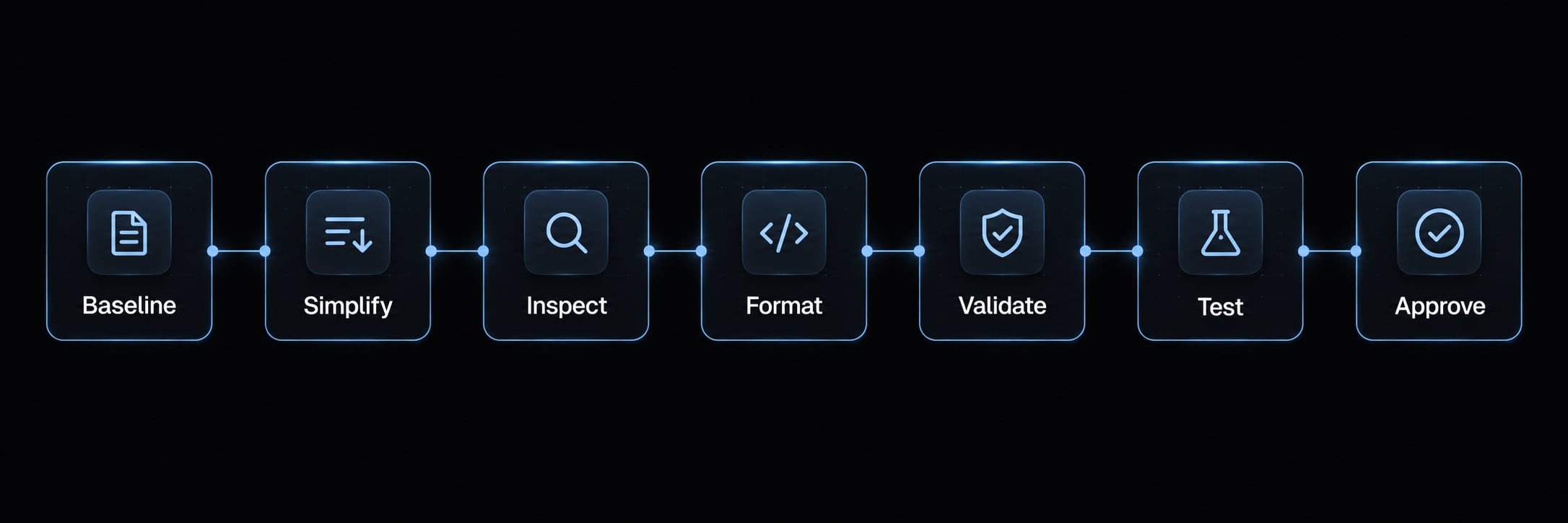
Save the “Simplify → Verify → Review” checklist
Get the next post in your inbox
New guides and AgentKit updates, no spam. Unsubscribe at any time.
If a formatter modifies files, inspect the diff again. Avoid automatic fixes that silently expand scope.
Troubleshooting common code-simplifier issues
Diagnose installation, invocation, and behavior separately. Check Claude Code’s official release notes when installed behavior differs from the documented interface.
Symptom | Possible cause | Next action |
|---|---|---|
Expected command unavailable | Agent mistaken for slash command | Inspect |
Package not found | Marketplace missing or package name incorrect | Inspect marketplace registration and package entry |
Installed component inactive | Scope, policy, enablement, or session state | Check each setting; refresh the session |
| Component-type mismatch, naming issue, or unsupported version | Confirm agent identity and installed version |
No code changes | No useful cleanup or wrong target | Inspect scope; accept a justified no-op |
Too many changed files | Ambiguous scope or broader tool edits | Stop and inspect the entire diff |
Conventions ignored | Missing context or misunderstood guidance | Clarify |
Tests fail after cleanup | Regression, environment issue, or baseline failure | Stop cleanup and compare baseline results |
If rollback is necessary, preserve unrelated work and revert only the isolated cleanup. Preexisting failures also limit confidence; they do not excuse unexplained new failures.
Turning code simplification into a repeatable AgentKit workflow
While you can run the code-simplifier plugin standalone in Claude Code, scaling software development across teams requires systemic coordination. AgentKit provides the open scaffolding and infrastructure needed to construct full-fledged AI Engineering Systems. AgentKit connects execution environments with structured quality gates, ensuring refactoring agents operate within strictly defined bounds.
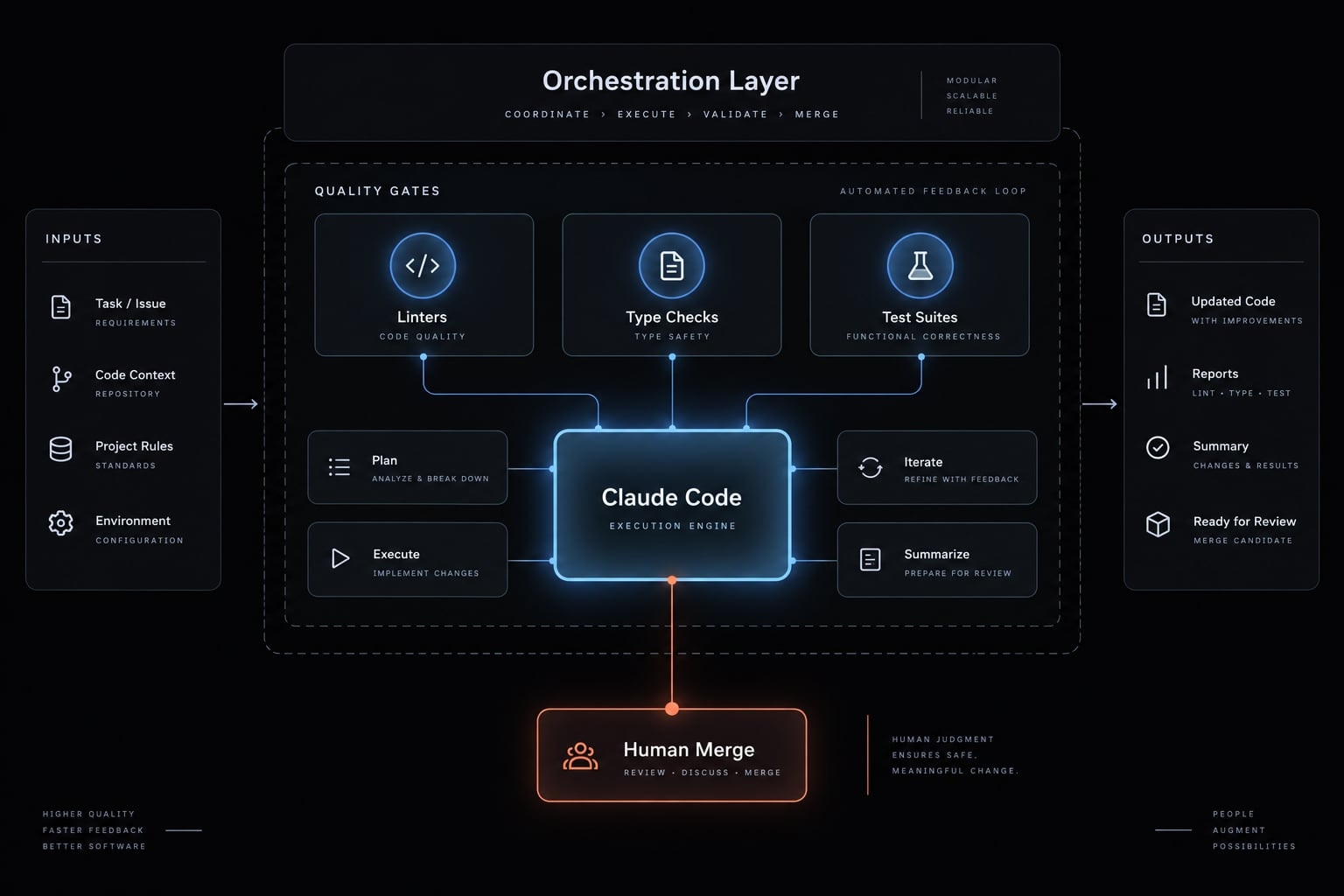
Recommended quality pipeline
Plan → Implement → Simplify → Verify → Review → Human approval
This is a proposed configuration, not a claim that these stages run automatically by default. A quality gate is a required check before changes proceed; failed gates should block progression.
Workflow specification
Element | Recommended configuration |
|---|---|
Inputs | File allowlist, baseline, invariants, project instructions |
Responsibilities | Implementation adds functionality; simplification only refines it |
Verification commands | Explicit project commands for formatting, linting, types, and tests |
Permissions and exclusions | Restricted writes; protect secrets, migrations, and generated files |
Outputs | Reviewable diff, check results, unresolved concerns |
Human approval | Named reviewer accepts changes before merge |
Product boundary | Optional coordination; no assumed plugin portability |
Frequently asked questions
What is the Claude Code code-simplifier agent?
The code-simplifier is a specialized agent designed to refactor AI-generated code for clarity and maintainability. It identifies patterns like redundant abstractions, nested conditionals, and duplicate logic, refining them while strictly aiming to preserve the original code's functionality and interface contracts.
Does the code-simplifier change how my code works?
No, the agent is engineered to preserve your code's intended behavior. Its scope is limited to improving structural readability - such as naming, nesting and control flow - rather than altering the logic, public APIs, or output requirements of your application.
Can I limit the scope of the code-simplifier's changes?
Yes. You can narrow its focus by providing specific instructions, such as /simplify focus on error handling. Additionally, the agent primarily analyzes code within your current diff or recent modifications, helping prevent unexpected changes to stable, unrelated parts of your codebase.
What should I do if the agent makes an unwanted change?
If an automated cleanup produces unexpected results, you should revert the changes immediately. Always preserve a Git baseline before running simplification tasks so you can compare differences and safely discard any modifications that do not meet your project standards or quality gates.
Is the code-simplifier a substitute for human code review?
No. While the agent automates the cleanup of common readability issues, it is not a replacement for human oversight. It is a tool to improve code quality, but all modifications - especially those affecting complex logic or security-sensitive paths- require thorough manual verification.
Read more:
- Claude Code automation: Build repeatable and low-risk workflows
- Claude Code hooks guide: Automate and control AI workflows
- Claude Code toolkit: Scale your AI development workflow easily
Conclusion
A safe claude-code-simplifier workflow has three foundations: identify the installed component, define a narrow target and validate the resulting diff. Installing the plugin and successfully invoking its agent are separate checks.
For your first run, choose one low-risk function with clear inputs, outputs, and existing tests. Preserve the baseline, request one readability improvement, and reject unrelated edits. Behavior preservation remains the goal - not a guarantee supplied by the agent.
Ship features with Engineer Kit
Planning, implementation, review and testing workflows for AI coding agents, ready to install.
Explore Engineer Kit →Share this article
Keep reading
- Master Claude Code PostToolUse hook: Setup and examplesLearn how to configure Claude Code PostToolUse hooks for automated formatting and linting. Follow our guide to improve workflow efficiency today.15 min read
- How to use Kimi K2 with Claude Code: Setup & verification guideLearn how to configure Kimi K2 with Claude Code using Anthropic-compatible endpoints. Follow our step-by-step guide for setup, verification, and testing.13 min read
- Claude Code effort level: How to choose the right settingLearn how Claude Code effort level impacts reasoning and performance. Discover the best settings for your tasks to balance efficiency and accuracy.10 min read