
Claude Code plugin marketplace: How to discover, install, and create one without overcomplicating it
A Claude Code plugin marketplace becomes useful the moment your reusable tools start spreading across multiple repos, local folders, and one-off setups. That usually starts small - one skill here, one plugin there - but it quickly turns into setup drift, inconsistent installs, and wasted time rebuilding the same workflow. A marketplace helps centralize discovery, installation, and reuse. This guide explains what a marketplace actually is, how to add and install one, when public vs local vs private setups make sense, and how to create a simple custom version without turning it into a maintenance project.
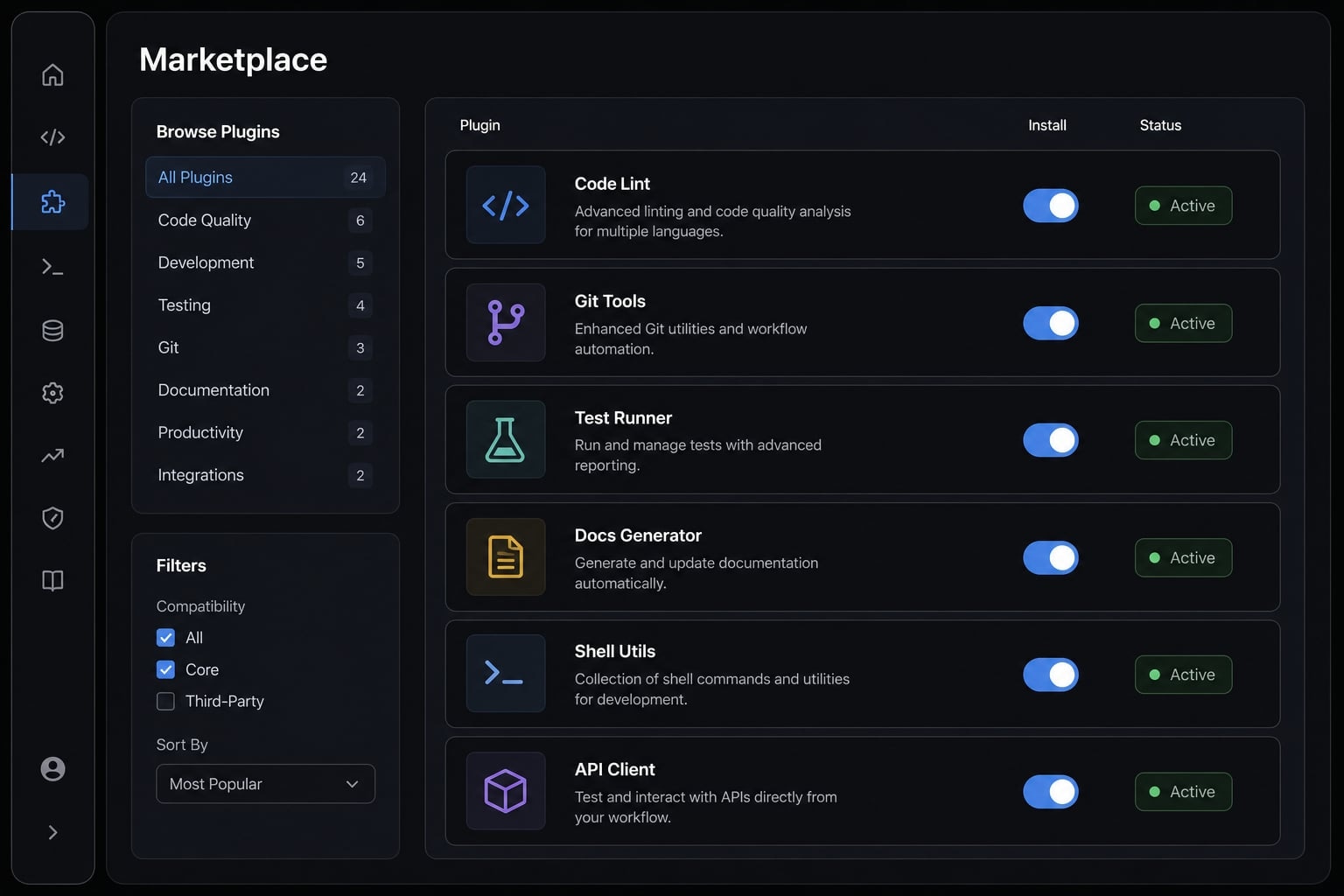
What is a Claude Code plugin marketplace?
A Claude Code plugin marketplace is a registry or distribution layer that lists installable plugins and makes them easier to discover, install, and reuse across projects. It is not the plugin itself. Think of it as an organized index that points Claude Code to available plugin packages, often through a repository structure and a plugin manifest.
In practice, a marketplace helps reduce workflow mess when plugins and agent skills are scattered across different locations. Instead of manually copying files or remembering which repo contains which tool, you can add one source and install what you need from there.
What a plugin marketplace does well:
- Improves discovery of reusable plugins.
- Simplifies installation across projects or machines.
- Supports cross-project reuse.
- Keeps plugin collections more organized.
- Makes onboarding easier for repeated setups.
What it does not do by itself:
- It does not replace plugin testing.
- It does not solve broader governance issues.
- It does not automatically standardize team workflows.
- It is not the execution layer for skills or external tools.
A common source of confusion in the Claude Code plugin registry ecosystem is that people treat plugins, skills, MCP connections, and marketplaces as the same thing. They are related, but they play different roles.
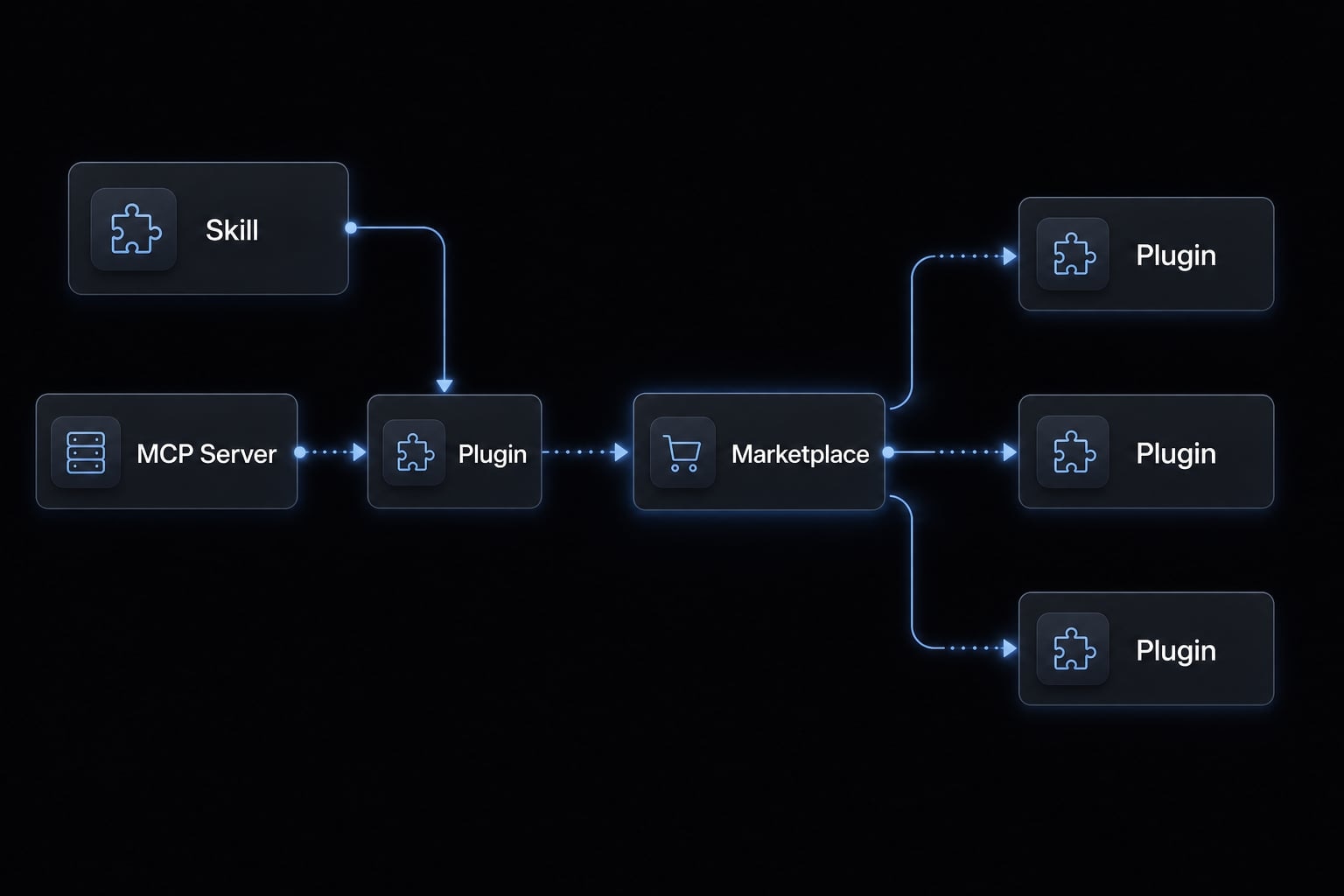
Plugin vs Skill vs MCP Server vs Marketplace
At a high level, skills do work, plugins package capability, MCP servers connect tools, and marketplaces distribute plugins.
Term | Plain-English meaning | Main role | Typical use |
|---|---|---|---|
Skill | A reusable instruction set for a specific task | Teaches the agent how to handle a repeatable task | Research, debugging, planning, writing, code review |
Plugin | An installable bundle that may include skills, commands, hooks, or MCP-related components | Packages capability into something installable | Shipping a reusable toolset |
MCP Server | A connector to external tools and services through Model Context Protocol (MCP) | Extends the agent with outside systems or APIs | GitHub, databases, search tools, SaaS systems |
Marketplace | A collection or registry that exposes plugins for discovery and install | Organizes and distributes plugins | Public discovery, private team distribution, local reuse |
This distinction matters because many setup problems come from mixing up the distribution layer with the plugin layer. If a plugin is broken, the marketplace will not fix it. If the marketplace path is wrong, the plugin may never show up even when the plugin itself is valid.
How to add and install a Claude Code plugin marketplace
A typical Claude Code marketplace setup follows a familiar pattern, but exact command syntax may vary slightly depending on the source structure or current Claude Code behavior. The safest approach is to think in terms of a general command pattern, not a single universal command for every source.
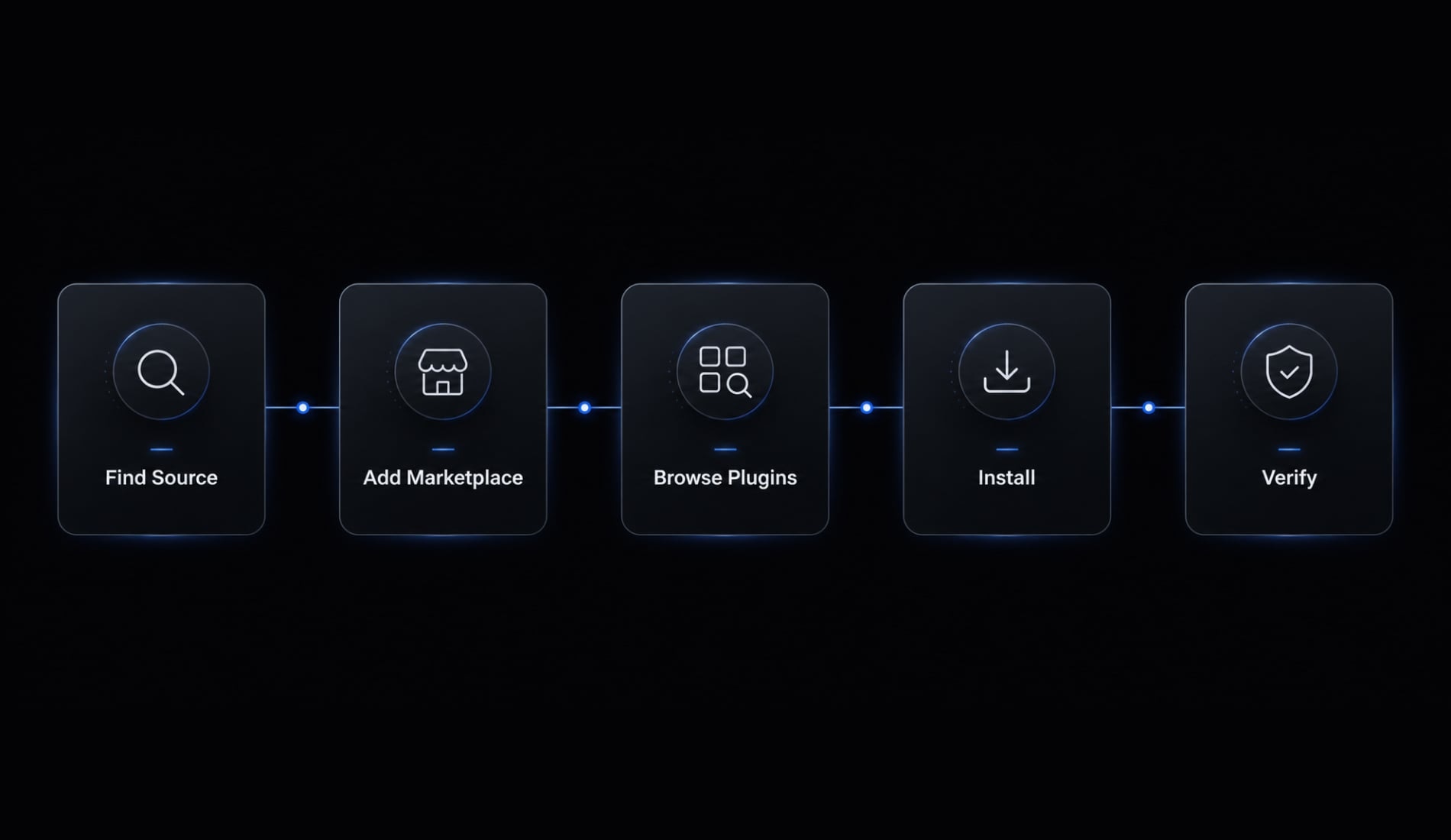
The usual process looks like this:
- Find a valid marketplace source.
- Add it in Claude Code using a local path or repository reference.
- Browse available plugins.
- Install the plugin at the right scope.
- Verify that it appears and works.
For most users, this is enough to install Claude Code plugins without building anything custom first.
Step 1: Find a marketplace source
The first decision is where the marketplace lives. Common options include:
- A public marketplace or open directory.
- A GitHub-hosted repo.
- A local marketplace on your machine.
- A private/internal team source.
If your goal is fast discovery, start with a public or GitHub source. If you are testing your own plugin or keeping a personal stack synced across projects, local often makes more sense. If you need team consistency, a private source is usually the cleaner option.
A practical rule: verify that the source is structured as a marketplace, not just a repo full of unrelated plugin files.
Step 2: Add the marketplace in Claude Code
In most cases, you will use a CLI pattern similar to /plugin marketplace add and point it to either a local path or a repository reference. The exact input format can differ, so treat the following as placeholders rather than fixed documentation.
# General pattern only — verify current Claude Code behavior/plugin marketplace add <local-marketplace-path>/plugin marketplace add <repository-reference>
The most common failure here is simple: The path points to the wrong root. If Claude Code expects the marketplace manifest at a specific location and you reference the parent or sibling folder instead, discovery usually fails.
Step 3: Browse and Install Plugins
Once the marketplace is added, open the plugin browser or use the available install flow inside Claude Code. Focus on installing only the plugins relevant to your current workflow.
At this point, plugin scoping matters:
- User-level scope: The plugin is available across your user environment.
- Project-level scope: The plugin is tied to a specific project setup.
User scope is better for tools you want everywhere. Project scope is safer when a plugin is only relevant to one codebase or one repeatable workflow.
Step 4: Verify It’s Working
Use this quick validation checklist after installation:
- The plugin is visible in the marketplace or installed list.
- The plugin appears in the expected install scope.
- A basic help or test command works.
- The installed behavior matches the source you intended to use.
A lot of users assume the marketplace is broken before checking scope or source mismatch. In real workflows, those two issues cause more problems than the marketplace concept itself.
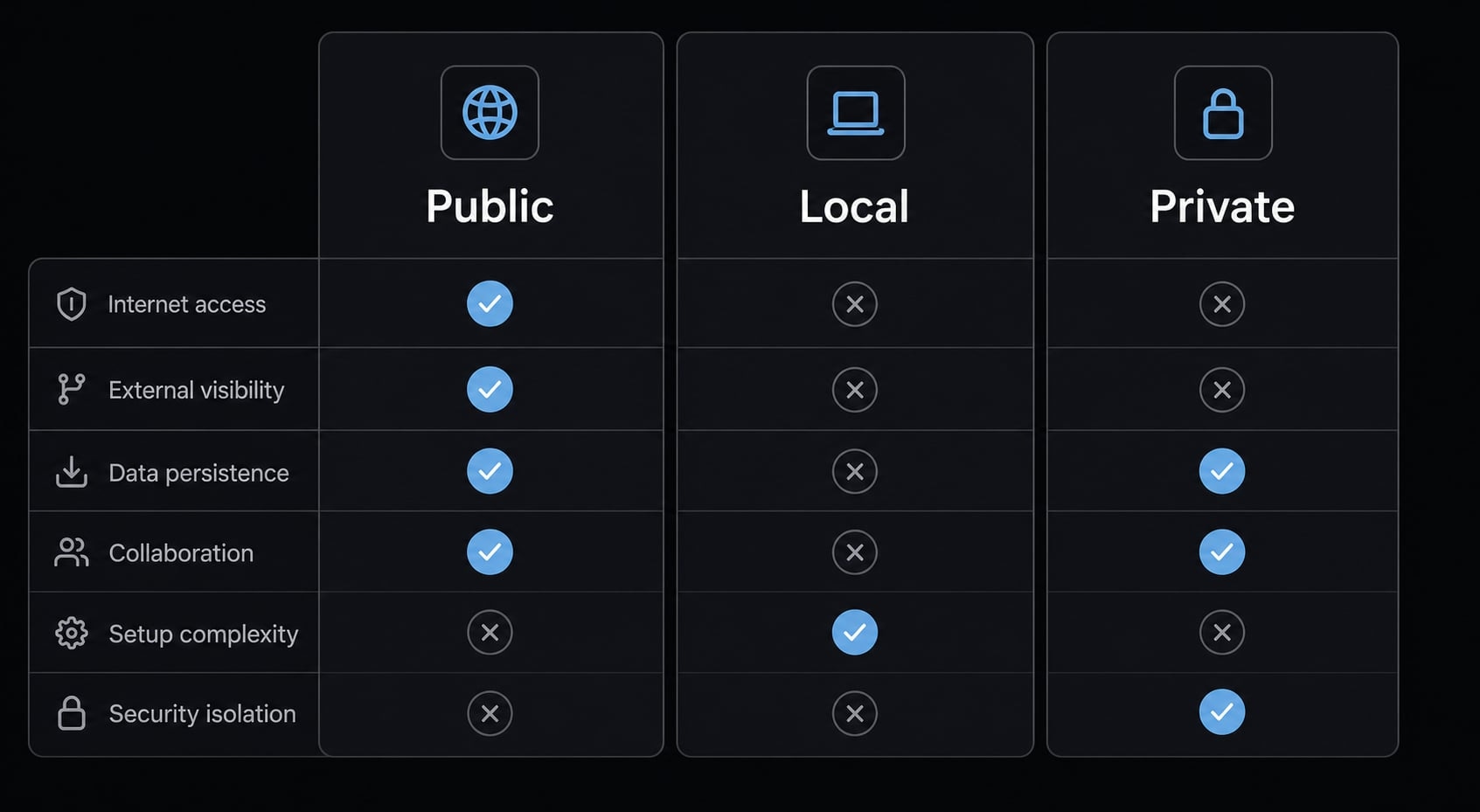
Public vs local vs private marketplace: Which setup makes sense?
The right setup depends less on technical preference and more on how much control, reuse, and consistency you actually need.
Setup type | Setup speed | Discovery | Control | Reuse across machines | Team consistency | Maintenance overhead | Best fit |
|---|---|---|---|---|---|---|---|
Public marketplace | Fastest | Highest | Low | Good | Low | Low | Fast adoption and discovery |
Local marketplace | Fast | Low | High for one user | Limited unless manually synced | Low | Low to moderate | Personal testing and machine-specific reuse |
Private marketplace | Moderate | Medium | Highest | Strong | High | Moderate to high | Internal standardization and controlled distribution |
Here is the practical interpretation.
- A public marketplace is usually the easiest place to start. It gives you quick access to existing plugins and reduces setup friction. The trade-off is lower control over curation and version discipline.
- A local marketplace works well when you are testing plugins across several repos or want personal reuse without publishing anything broadly. It is useful, but not automatically team-scalable.
- A private marketplace is the better choice when setup consistency matters more than speed. It helps teams standardize reusable tools, but it also introduces governance work, maintenance ownership, and repository discipline.
Recommended starting points by persona:
- Solo developer: Start public, move local if you test often.
- Technical founder: Public first, private later if repeatability matters.
- Small product team: Private once consistency matters more than setup speed.
- Ops or platform-minded team: Private by default.
There is no universal best choice. The right answer depends on whether your main problem is discovery, personal reuse, or team control.
How to create a simple Claude Code plugin marketplace
If you only want to install plugins, you can skip this section. If you want to know how to create a custom Claude Code plugin marketplace, the most useful approach is to understand the mental model first rather than chase a deeply technical schema that may evolve.
The stable model is simple:
- A marketplace root folder or repo.
- A marketplace manifest.
- One or more plugin folders.
- A plugin-level manifest or config.
- Local-first validation before wider sharing.
- Optional publication to a GitHub registry or internal repo.
Minimal folder structure
A lightweight structure might look like this:
my-marketplace/
├── .claude-plugin/
│   └── marketplace.json
├── plugin-one/
│   ├── .claude-plugin/
│   │   └── plugin.json
│   ├── commands/
│   │   └── example-command.md
│   ├── hooks/
│   │   └── hooks.json
│   └── scripts/
│       └── example-script.sh
└── plugin-two/
    └── .claude-plugin/
        └── plugin.json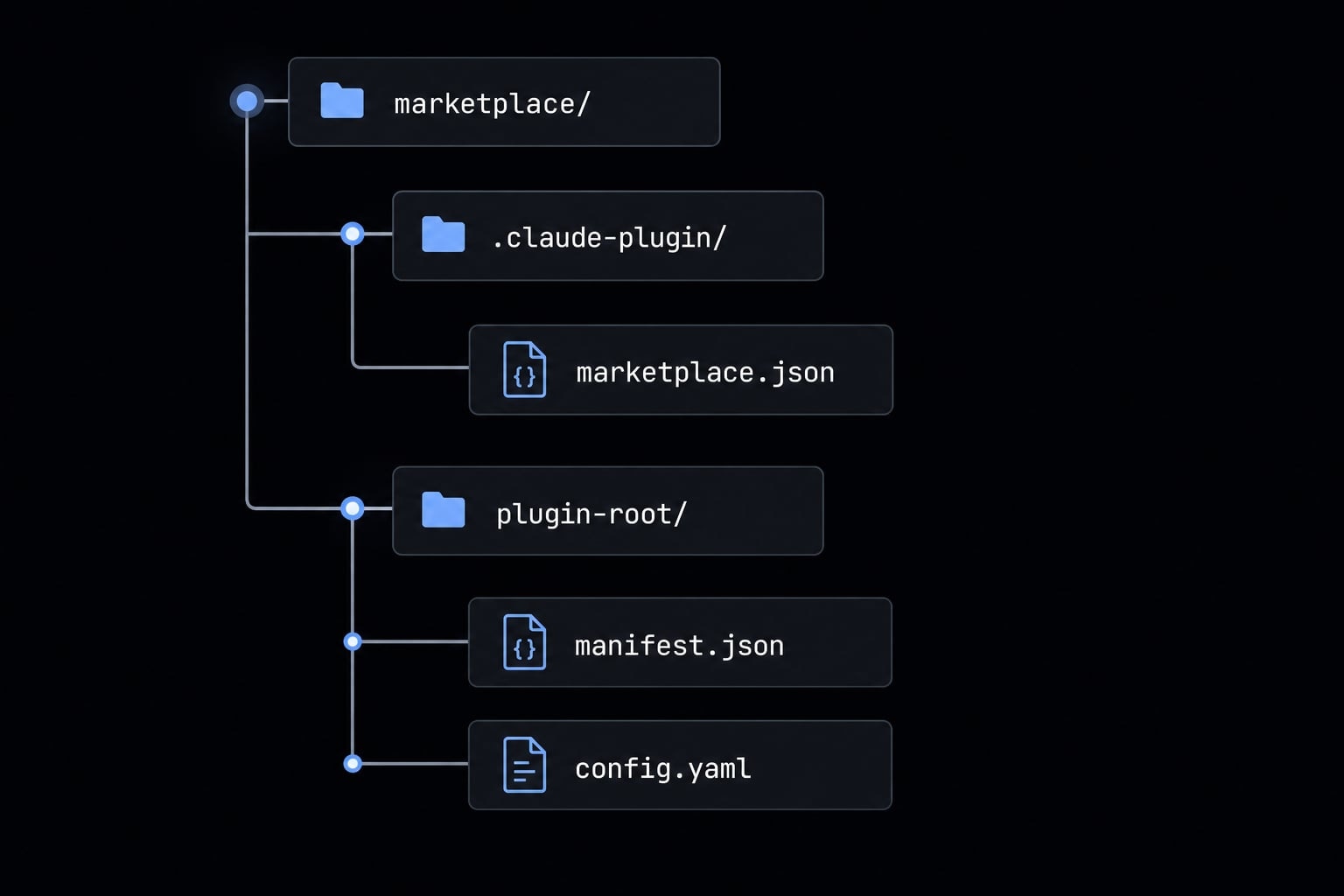
This structure is intentionally simple. The key idea is that the marketplace contains a top-level registry file, and each plugin has its own package definition.
What the marketplace manifest does
marketplace.json is the index file that identifies the marketplace, describes its owner or metadata, and lists the plugins available for discovery and installation. In practical terms, it tells Claude Code what this marketplace is and where each plugin source lives.
What it usually needs to do:
- Define the marketplace name.
- Include basic owner or source metadata.
- List available plugins.
- Reference each plugin’s source location.
- Use valid JSON configuration.
- Use correct relative paths.