Claude Code automation: Build repeatable and low-risk workflows
Claude Code automation: A practical guide to building repeatable, low-risk workflows
Claude Code automation becomes useful when it moves beyond one-off prompts and turns into repeatable workflows you can trust. The challenge is not getting Claude Code to produce something once. The harder part is choosing the right tasks, giving enough context, and validating output without creating more cleanup work later. This guide focuses on practical workflow automation, not AI theory. You will see what Claude Code automation means in real work, which tasks to automate first, how to structure requests so output is usable, and how to review results safely.
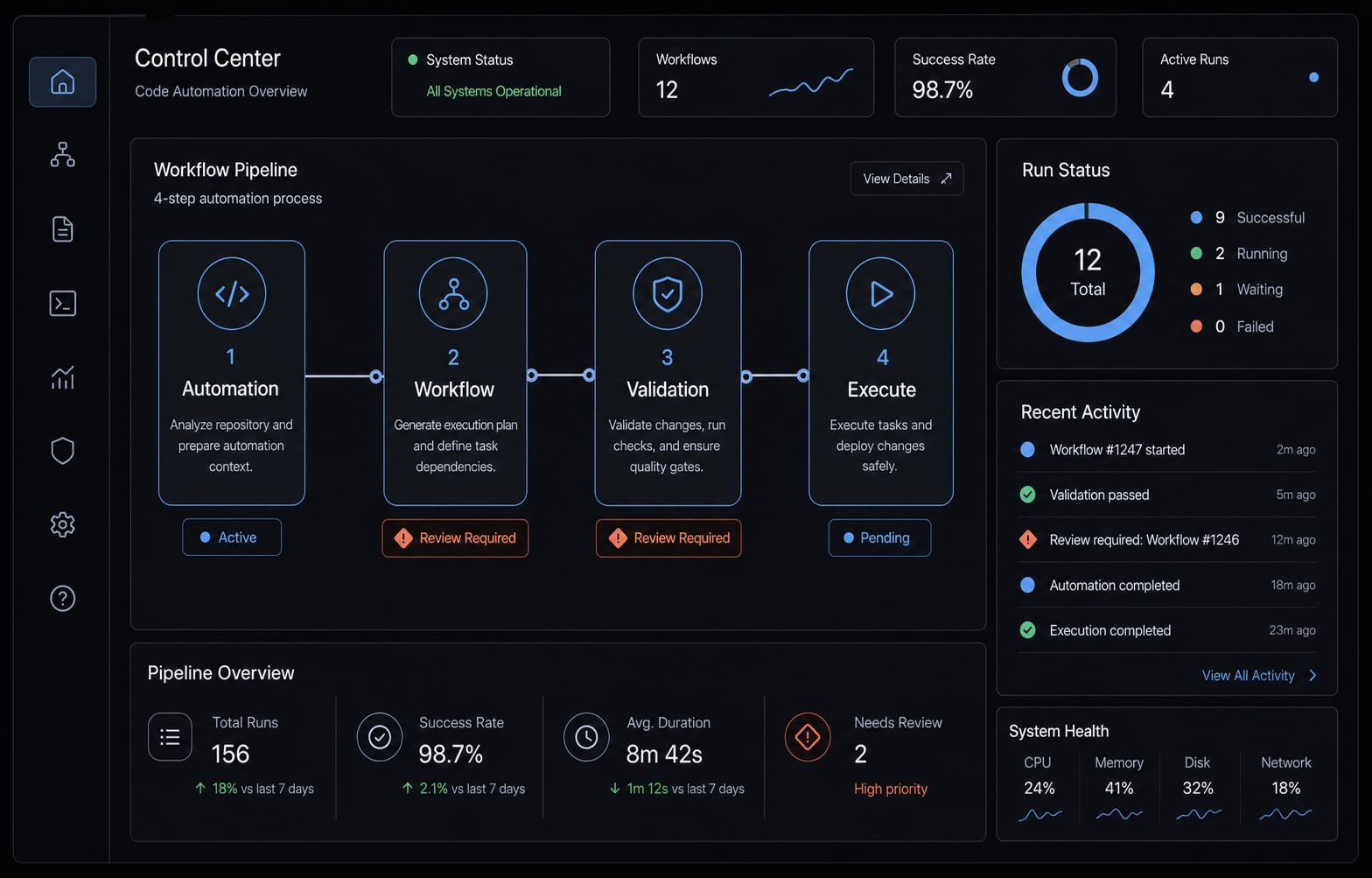
What Claude Code automation actually means in practice
Claude Code automation is the use of Claude Code to execute recurring, bounded tasks inside a real codebase using repository context, structured instructions, and a review step. In practice, it is less about asking for code once and more about creating repeatable execution for work that is easy to verify and safe to iterate.
That distinction matters. Many teams get early value from AI coding workflow experiments, but stall because the work stays ad hoc. A single useful prompt can feel productive. A repeatable workflow is what actually compounds.
The strongest use cases usually share three traits:
- They happen often enough to matter.
- They are scoped tightly enough to control.
- They are easy enough to verify quickly.
Claude Code is especially effective when the task depends on files, naming patterns, existing tests, folder structure, or project conventions. That is where generic chat tools often become noisy. Claude Code has a practical advantage when the work needs to fit the repo, not just sound plausible in isolation.
Automation vs. assistance vs. review-only work
Work type | Best fit | Typical examples | Review expectation |
|---|---|---|---|
Automation | Repetitive, low-risk, easy-to-check work | file cleanup, docs refresh, baseline tests, small script updates | Review after execution |
Assistance | Drafting or narrowing work that still needs judgment | refactoring suggestions, debugging hypotheses, initial test scaffolding | Active human guidance |
Review-only | High-risk or hard-to-reverse decisions | security logic, architectural changes, production data actions | Human-led decision first |
This boundary improves trust. Not every task should be automated, and not every useful Claude Code interaction is true automation.
Why Claude Code feels different from general chat tools
Claude Code works closer to the codebase itself. It can reason through files, patterns, and project structure in a way that better supports multi-step software work. That makes it more useful for AI-assisted code refactoring, test updates, debugging support, and repo-aware documentation than a general chat response copied into an editor.
How to choose the right tasks to automate first
Most early disappointment with task automation comes from poor task selection, not poor model capability. If the task is vague, high-risk, or difficult to check, even polished output can create hidden rework. The easiest path to LLM hallucination mitigation is not more theory. It is choosing safer tasks first.
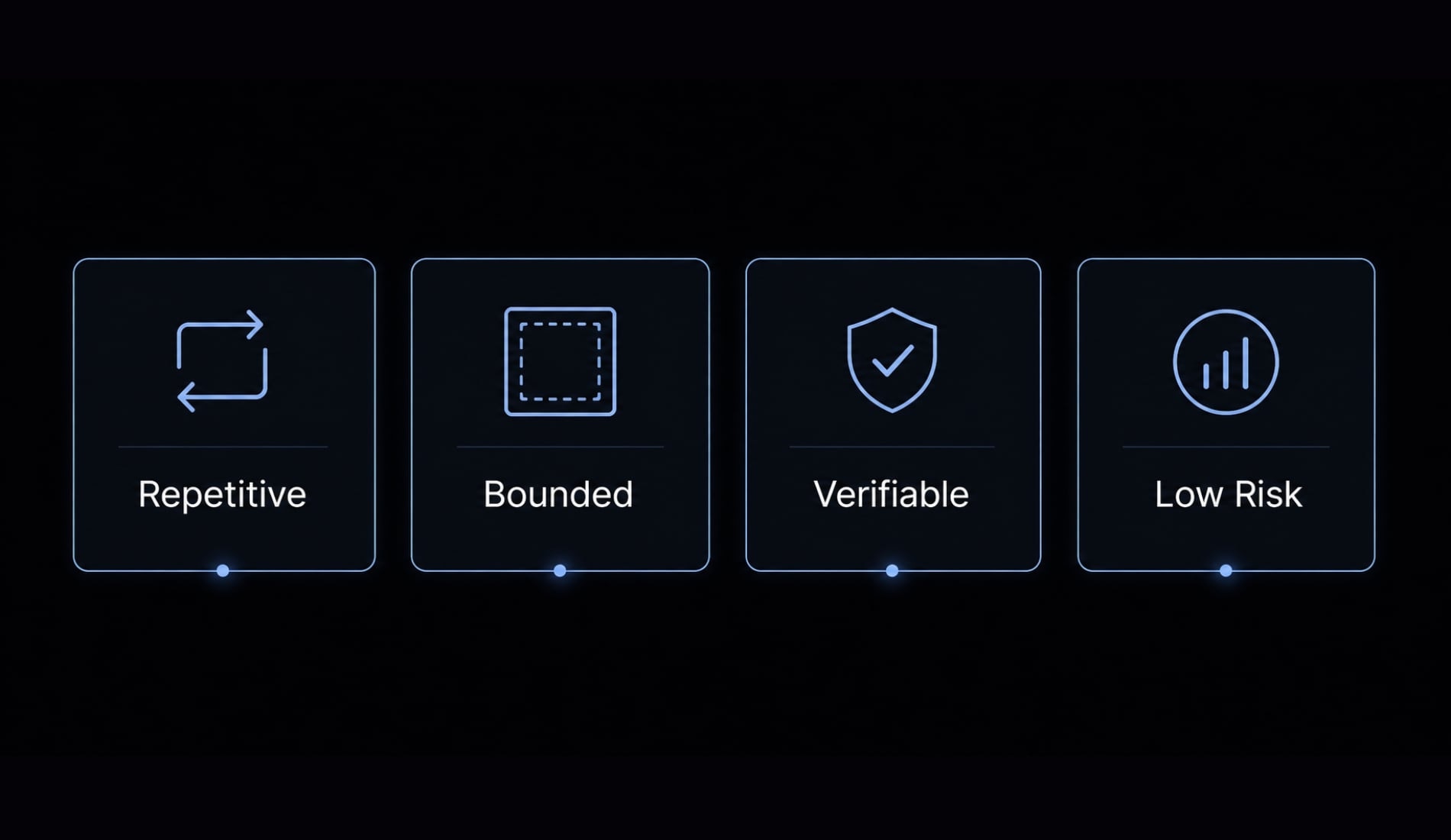
A Simple 4-Point Automation Filter
- Repetitive enough to matter: If the task happens often, automation has a real payoff.
- Clear inputs and boundaries: Claude Code performs better when the files, scope, and expected change are explicit.
- Easy to verify quickly: You should know within a few minutes whether the output is usable.
- Low operational risk if wrong: Start where mistakes are easy to catch and easy to reverse.
This filter works because it screens for practical value and controllable risk at the same time.
Good First Tasks for Claude Code Automation
- Test scaffolding - Generate baseline tests around existing logic using current project patterns.
- Repetitive code cleanup - Standardize imports, remove duplicated patterns, or apply a consistent helper structure.
- Small debugging tasks with visible symptoms - Narrow likely causes based on an error, failing behavior, or mismatch in expected output.
- Documentation updates - Refresh README sections, endpoint notes, setup instructions, or internal engineering docs.
- Simple script maintenance - Update small utility scripts, reporting helpers, or recurring automation logic.
- File operations with clear boundaries - Rename, reorganize, or update repeated patterns across a known folder path.
These are strong starting points because they are bounded, recurring, and usually easy to inspect.
Tasks to avoid automating too early
- Security-sensitive logic.
- Architecture-level changes.
- Production database actions.
- Tasks where correctness is hard to check quickly.
- Anything that quietly expands scope across the codebase.
For safe automation, a useful self-check is often enough:
- Would I know in five minutes whether this output is wrong?
- If this breaks, is the blast radius small?
- Am I automating a task or outsourcing judgment?
If the answer to the last question feels uncomfortable, the task probably belongs in assistance or review-only mode.
A simple setup formula: How to give Claude Code enough context
Most disappointing output does not come from Claude Code being unusable. It usually comes from under-specified requests. Weak inputs create vague changes, generic code, or output that looks clean but misses the actual need.
Good prompt engineering here does not mean writing elaborate prompt art. It means giving enough structure for context-aware coding to work inside the repo you already have.
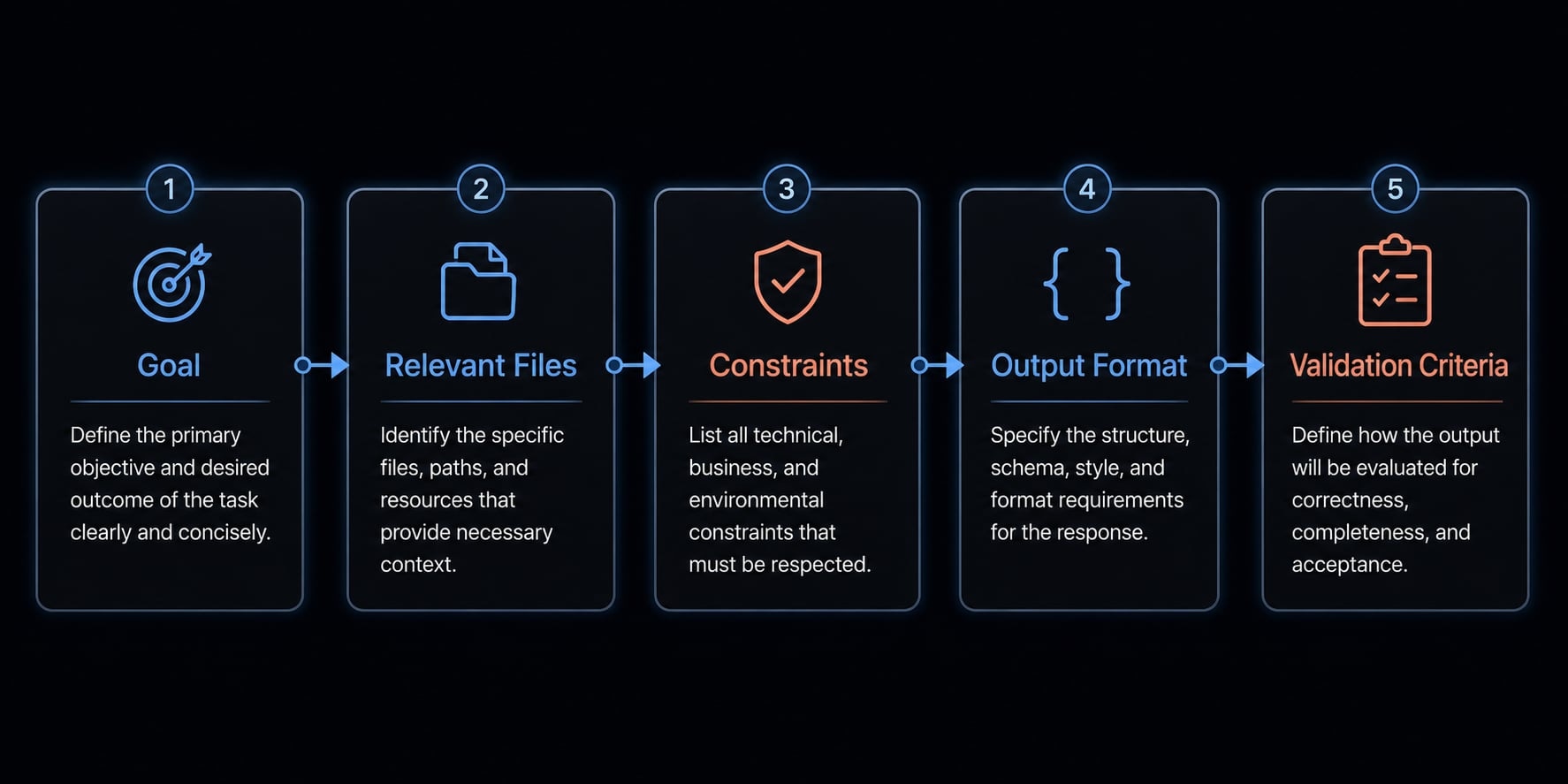
The 5-part context formula
- Goal: State what you want done in plain language. Focus on the outcome, not a long backstory.
- Relevant files or repo area: Point Claude Code to the files, directories, or modules that matter. This sharpens repository context immediately.
- Constraints: Define boundaries such as framework, coding style, files not to touch, backward compatibility, or existing patterns to follow.
- Expected output format: Say whether you want a patch, draft tests, a hypothesis, a summary, or only the changed code blocks.
- Validation criteria: Explain how the result will be checked: tests passing, a specific behavior reproduced, naming consistency, or alignment with current docs.
This formula is lightweight, but it solves most setup problems without requiring advanced codebase indexing tricks or heavy process.
Example Prompt Structure for a Real Task
- Bad: “Write tests for this.”
- Better: “Review
auth_service.tsandauth_service.test.ts. Add baseline unit tests for failed login, expired token, and valid refresh flow. Use the current Jest pattern already used in/tests/auth. Return only the new test cases and note any edge cases you could not verify.”
Why the second version works better:
- It names the files.
- It limits scope.
- It defines the behaviors to cover.
- It points to existing project patterns.
- It asks for clear output and flags uncertainty.
Common setup mistakes
- Asking for too much at once.
- Not naming the relevant files or repo area.
- Not defining boundaries.
- Not saying what a usable output looks like.
- Not explaining how the result will be checked.
Better setup improves output quality. It does not remove the need for human review.
Practical Claude Code automation examples you can copy
The easiest way to understand how to build AI workflows with Claude Code is to start with bounded tasks that resemble real work. End-to-end automation sounds attractive, but most durable gains come from smaller workflows with clear review rules.
Example 1 - Generate initial tests faster
- Task: Create baseline test scaffolding for an existing feature using the project’s current framework and style. This is one of the most practical forms of automated software testing with Claude.
- Prompt approach: “Review
billing_service.tsand the existing tests in/tests/billing. Add baseline Jest tests for invoice creation, invalid discount handling, and duplicate payment prevention. Match the current naming style and fixture structure. Return the new test cases only and note any logic paths you could not confidently cover.” - Expected output: A draft test file or test block that follows the repo’s conventions and covers the requested scenarios.
- Review step: Run the tests and inspect for shallow assertions. Generated tests can pass while proving very little. Common risks include weak edge-case coverage, duplicate tests, or assertions that only confirm status codes without validating behavior.
Example 2 - Debug a small but annoying issue
- Task: Use debugging automation to narrow down a visible issue such as wrong output, a broken endpoint response, or inconsistent behavior after a recent change.
- Prompt approach: “Inspect
report_builder.js,weekly_summary.js, and related helpers in/lib/reports. The exported report includes extra columns beyond the defined header row. Identify the most likely cause, show the mismatch, and propose the smallest fix. Return a short hypothesis first, then the code change.” - Expected output: A likely explanation, the file or function responsible, and a proposed patch with a narrow scope.
- Review step: Reproduce the bug and verify the fix against known expected behavior. Claude Code helps narrow the search. It is not a root-cause oracle, and it can still anchor to the wrong assumption if the symptom is described loosely.
Example 3 - Refactor repetitive code patterns
- Task: Clean up repeated logic across multiple files while preserving behavior. This is a strong use case for AI-assisted code refactoring when the pattern is obvious and testable.
- Prompt approach: “Review the validation helpers used in
/src/formsacrosssignup.ts,checkout.ts, andprofile.ts. Extract the repeated email normalization logic into a shared utility without changing current behavior. Keep existing function signatures intact where possible. Show the refactor plan first, then the edits.” - Expected output: A consistent helper-based refactor that reduces duplication while fitting the current project structure.
- Review step: Compare before-and-after behavior and run relevant tests. Refactoring is safest when you can prove that outputs remain the same. If there are no tests, narrow the change further before accepting it.
Example 4 - Update documentation from the codebase
- Task: Refresh a README, setup guide, endpoint summary, or internal note using repository context instead of memory or stale docs.
- Prompt approach: “Review
README.md,/src/api, anddocker-compose.yml. Update the local setup section and API endpoint summary to match the current codebase. Keep the tone concise. If any command or endpoint behavior is unclear, list assumptions separately instead of guessing.” - Expected output: A documentation draft that reflects the current repo structure, setup commands, and visible API behavior.
- Review step: Verify commands, environment variable names, and endpoint details manually. Documentation generated from code is still a draft. Remove assumptions, check naming, and confirm the current behavior before publishing.
Example 5 - Automate a personal or ops workflow
- Task: Use Claude Code for a small operator workflow such as script maintenance, recurring reporting logic, or SEO automation tied to technical work. This can also support a founder’s personal productivity workflow when the process is repeatable.
- Prompt approach: “Review
weekly_seo_report.gsandquery_helpers.js. Add a function that detects missing weekly report rows and backfills them using the existing query pattern. Keep the current header format and menu behavior unchanged. Return the new function and note any date assumptions.” - Expected output: A targeted script update that fits the current logic rather than a generic rewrite.
- Review step: Test with a known gap and confirm row order, headers, and date handling. Adjacent workflows like reporting or content support are useful automation candidates when the process is repetitive and the validation is straightforward.
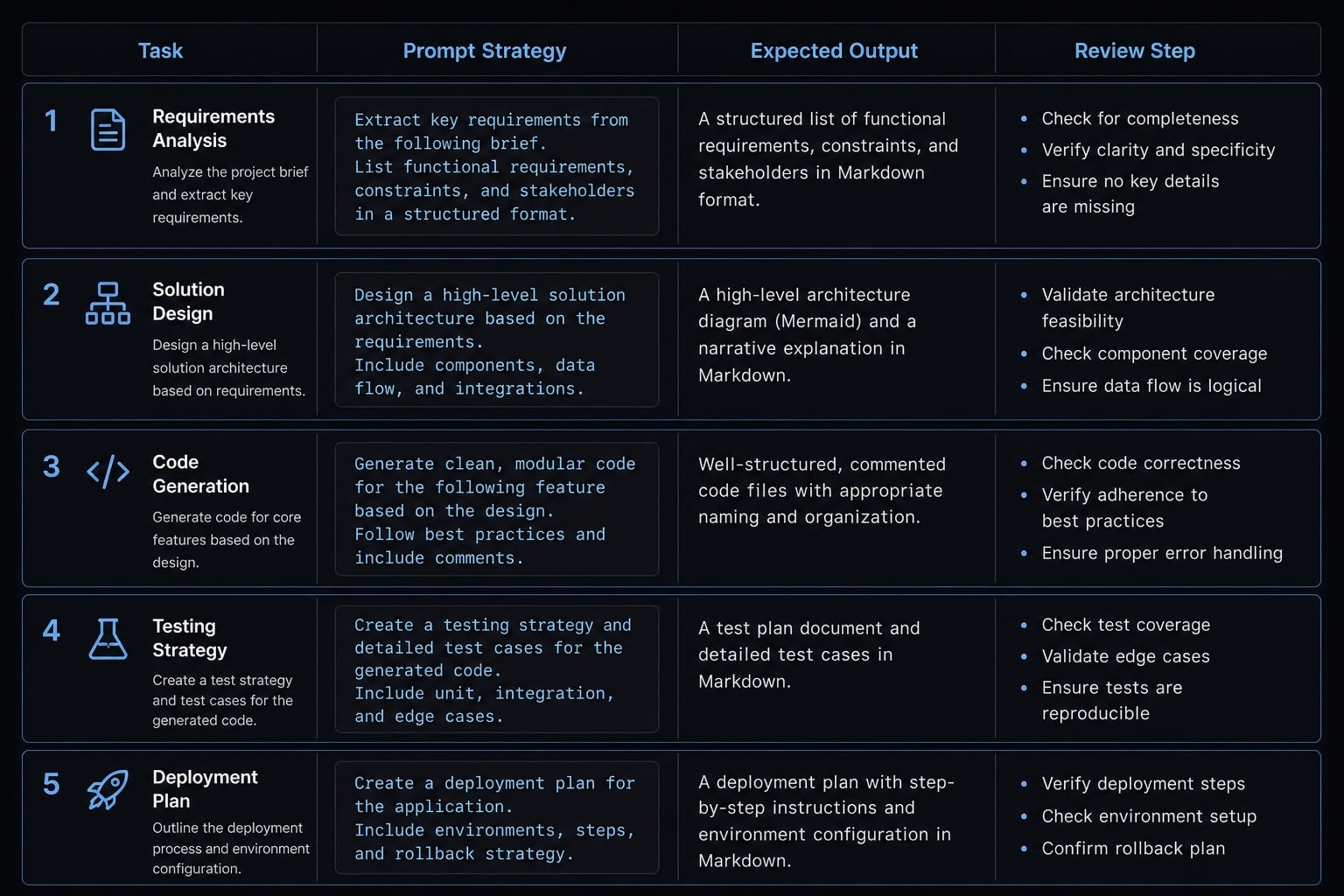
If your team keeps repeating the same types of requests, turning these examples into saved templates is often the next maturity step. If you are comparing repeated prompt patterns across projects, agentkit.best can help package them into reusable agent workflows and structured automation without rebuilding the same setup each time.
How to validate Claude Code automation without losing control
Quality issues often come from skipping review, not from using Claude Code in the first place. Fast output is not the same as production-ready output. The safest habit is a lightweight validation loop that keeps speed high without lowering standards.
A lightweight validation loop
- Inspect the logic and readability: Check whether the change actually matches the request and fits the existing code style.
- Run tests or verify expected behavior: Use existing tests, manual checks, or a quick reproduction path to confirm the result works.
- Compare against edge cases or known baseline: Look for missing conditions, duplicated logic, or assumptions that do not hold in real usage.
- Iterate with narrower instructions if needed: If the output is close but wrong, tighten the scope and ask for a smaller correction.
This loop works for individual developers, solo founders, and lean product teams because it is fast enough to use every day.
Red flags to watch for
- Tests that pass but prove little.
- Repetitive output with little real value.
- Confident explanations without evidence.
- Clean-looking changes that still miss the requirement.
- Broad edits that quietly affect more files than expected.
For advanced review, some teams use mutation testing to see whether generated tests can actually catch meaningful defects. That can be useful, but it should remain a second layer, not the starting point.
From one-off prompts to repeatable workflows
Once a pattern works more than once, it is worth standardizing. Rebuilding the same request from scratch every week wastes time and increases inconsistency. Repeated success usually comes from locking in four things: task type, context structure, review rules, and expected output format.
That matters for solo builders as much as small teams. A founder maintaining scripts, a PM working with technical docs, or a developer handling repeated cleanup tasks all benefit from a reusable structure.
Signs a workflow should be standardized:
- It repeats weekly or every sprint.
- Multiple contributors use the same task pattern.
- The same review rules apply every time.
- The setup keeps being rewritten from scratch.
- The output format is predictable.
At that point, lightweight workflow packaging starts to make sense. AgentKit is one option for turning repeated prompt patterns into structured agent kits, subagents, and automated workflows that are easier to reuse across projects without losing control over context and review rules.
Frequently asked questions
What is Claude Code automation?
Claude Code automation is the practice of using AI agents to execute repetitive, bounded software development and operational tasks by leveraging deep repository context. Unlike generic AI chat, it focuses on repeatable workflows-such as testing or refactoring-that require human validation to ensure production-ready quality.
How do you choose the right tasks to automate first?
Prioritize tasks that satisfy these four criteria:
- Repetitive: The task recurs frequently enough to save meaningful time.
- Bounded: It has clear inputs, outputs, and defined boundaries.
- Verifiable: The output can be checked for correctness in minutes.
- Low-risk: A mistake would have a minimal operational impact.
What context should you include to improve Claude Code output?
Follow this five-part formula to ensure the AI understands your specific needs:
- Goal: Clearly define the objective.
- Relevant files: Identify the specific modules or paths to work within.
- Constraints: List your technical limitations or required patterns.
- Output format: Specify how you want the result returned.
- Validation criteria: Explain exactly how you will verify the final output.
How do you validate Claude Code automation results?
Implement this four-step loop to maintain control:
- Inspect: Manually review the logic and readability of the generated code.
- Verify: Execute existing tests or perform a manual behavior check.
- Compare: Ensure the result aligns with your project’s baseline and edge cases.
- Iterate: Use narrower, more specific instructions if the initial output fails validation.
Is Claude Code automation safe for production?
Fast AI output is not the same as production-ready code. While Claude Code excels at scaffolding and refactoring, human oversight remains mandatory. Treat AI-generated code as a draft that requires verification against your project’s security standards and business logic before being merged into production.
When should a prompt become a reusable workflow?
Standardize your prompts into reusable workflows when a task becomes a recurring requirement for multiple team members, follows a predictable pattern, and necessitates consistent review rules. Standardizing these into structured agent kits helps prevent the inefficiency of rebuilding logic from scratch for every execution.
Read more:
- Claude Code Plan Mode: Optimize your AI coding workflow
- Claude Code tutorial: Set up and master your AI coding agent
- Claude Code toolkit: Scale your AI development workflow easily
Conclusion
Claude Code automation works best when the work is repetitive, bounded, and easy to validate. The practical model is straightforward: Choose the right task, provide strong context, review the output carefully, and standardize what proves useful. That approach keeps automation grounded in real workflow value rather than AI hype. It also reduces risk, because good task selection and a clear validation habit matter more than asking for bigger changes.