
Claude Code plugin token cost: How to monitor and reduce token usage
Optimizing Claude Code token costs goes beyond simple installation fees or shorter prompts. Because standard coding requests often trigger hidden background workflows—such as repository searches, project instructions, terminal logs, and multi-turn debugging - controlling costs requires managing everything that enters the model context. This guide explores how to audit your active workflows, deploy the right monitoring and optimization tools, and reduce overall expenses per successfully completed task.
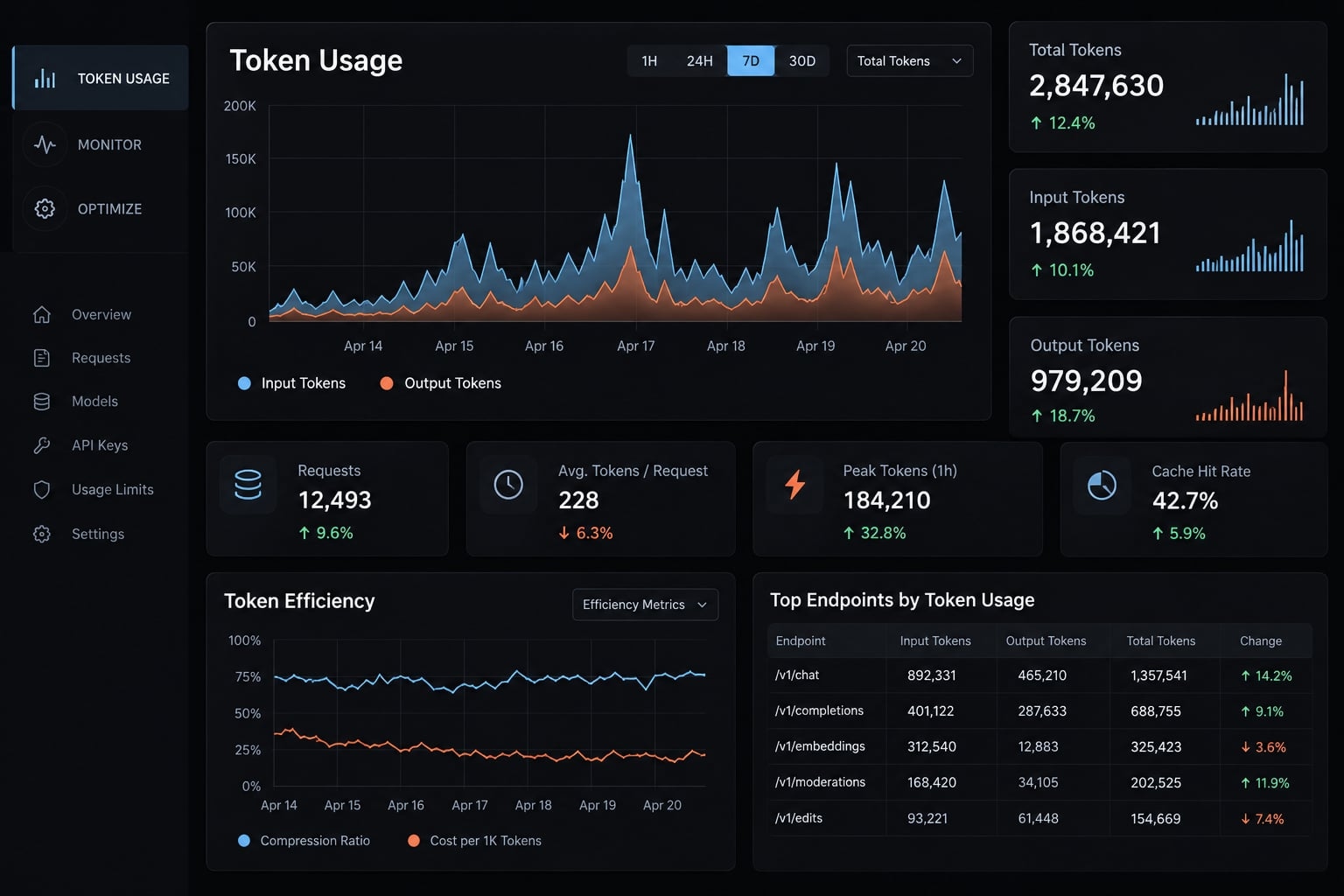
Do Claude Code plugins use extra tokens?
Claude Code plugins can increase or decrease usage, depending on their behavior. An integration might add instructions, return large results, or trigger another model call. It might also retrieve a smaller, more relevant code excerpt. Installation alone does not establish token overhead; the model-visible workflow determines the effect.
What enters the model context?
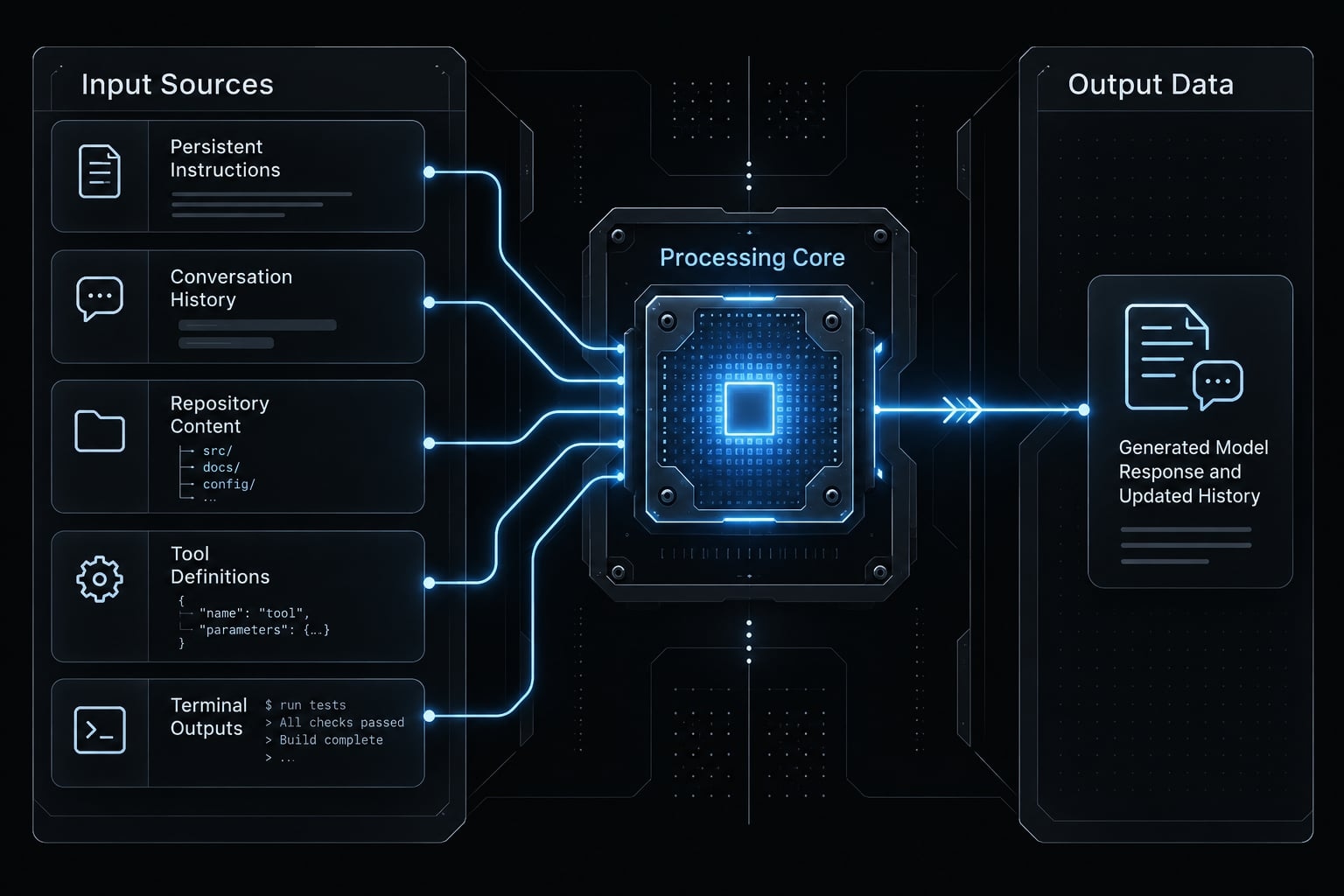
Potential inputs include:
- User messages and retained conversation history.
- Applicable project instructions, including CLAUDE.md.
- Exposed tool definitions, sometimes called tool schemas.
- Retrieved source files and excerpts.
- Tool results, including terminal output.
Generated responses count as output tokens. They may become input history in later requests. The context window is the information available within a single model request-it is not a running total of session usage.
An MCP server (Model Context Protocol server) connects an assistant to tools or resources. Tool discovery and deferred loading depend on the client version and configuration. Do not assume every enabled definition loads identically.
Local processing versus model usage
Local activity: no Claude tokens by itself | Where model usage can arise |
|---|---|
Indexing repository files | Sending retrieved excerpts to Claude |
Executing a command | Returning output or requesting interpretation |
Filtering logs | Including filtered results in a request |
Retrieving database records | Sending records for analysis |
Parsing configuration | Loading instructions or triggering model calls |
Local utilities may have infrastructure costs or invoke another model. For example, an integration returning an entire JSON response instead of three relevant fields can add avoidable input. This is an illustrative mechanism, not a measured result.
Subscription limits versus API billing
Subscription: Usage follows current plan allowances and policies.
API-backed access: Charges follow the relevant provider’s billing rules.
Mixed access: Extra usage options or third-party providers can change the billing path.
Check your installed version and active account rather than inferring billing from the interface.
What actually drives Claude Code token cost?
Visible prompts are only one contributor. Claude Code plugin token cost also depends on retrieved information, generated responses, repeated calls, model pricing, and applicable caching.
Six primary drivers deserve inspection:
- Persistent instructions (e.g., CLAUDE.md).
- Conversation history retained across turns.
- Retrieved repository content and code snippets.
- Exposed tool definitions and schema declarations.
- Tool execution results and terminal output logs.
- Generated model responses and reasoning outputs.
Items 1 through 5 contribute to input when included. Item 6 contributes to output. Repeated calls may reuse retained context, subject to compaction, caching, and client behavior.
Input and output grow differently
Consider an illustrative scenario: a small B2B SaaS team changes an API endpoint. Claude reads project instructions, finds the handler, edits validation logic, and runs tests.
The suite returns extensive passing-test output alongside one failure. Later requests may retain that output even though only the failure is relevant.
Output can also grow unnecessarily through lengthy explanations, full-file reproductions, and repeated summaries. Correction loops increase both sides: more generated attempts and more history to process.
Applicable instructions + retained history
          + selected files + tool results
                         ↓
                   Model request
                         ↓
                  Generated output
                         ↓
          Relevant history for later requests
Prompt caching changes pricing, not relevance
Prompt caching reuses eligible repeated context through cache writes and cache reads. Applicable pricing can differ from ordinary input pricing; cached input is not inherently free.
Caching does not make irrelevant content useful. Nor does restarting a session universally guarantee a cache miss. Cache behavior depends on the request, retention, and provider implementation. Current context occupancy is a snapshot; cumulative usage measures processing across requests.
Diagnose the source of token waste before adding a plugin
Establish a comparable baseline before changing your setup. A Claude Code token monitor can show trends, but it cannot determine whether a task was completed correctly.
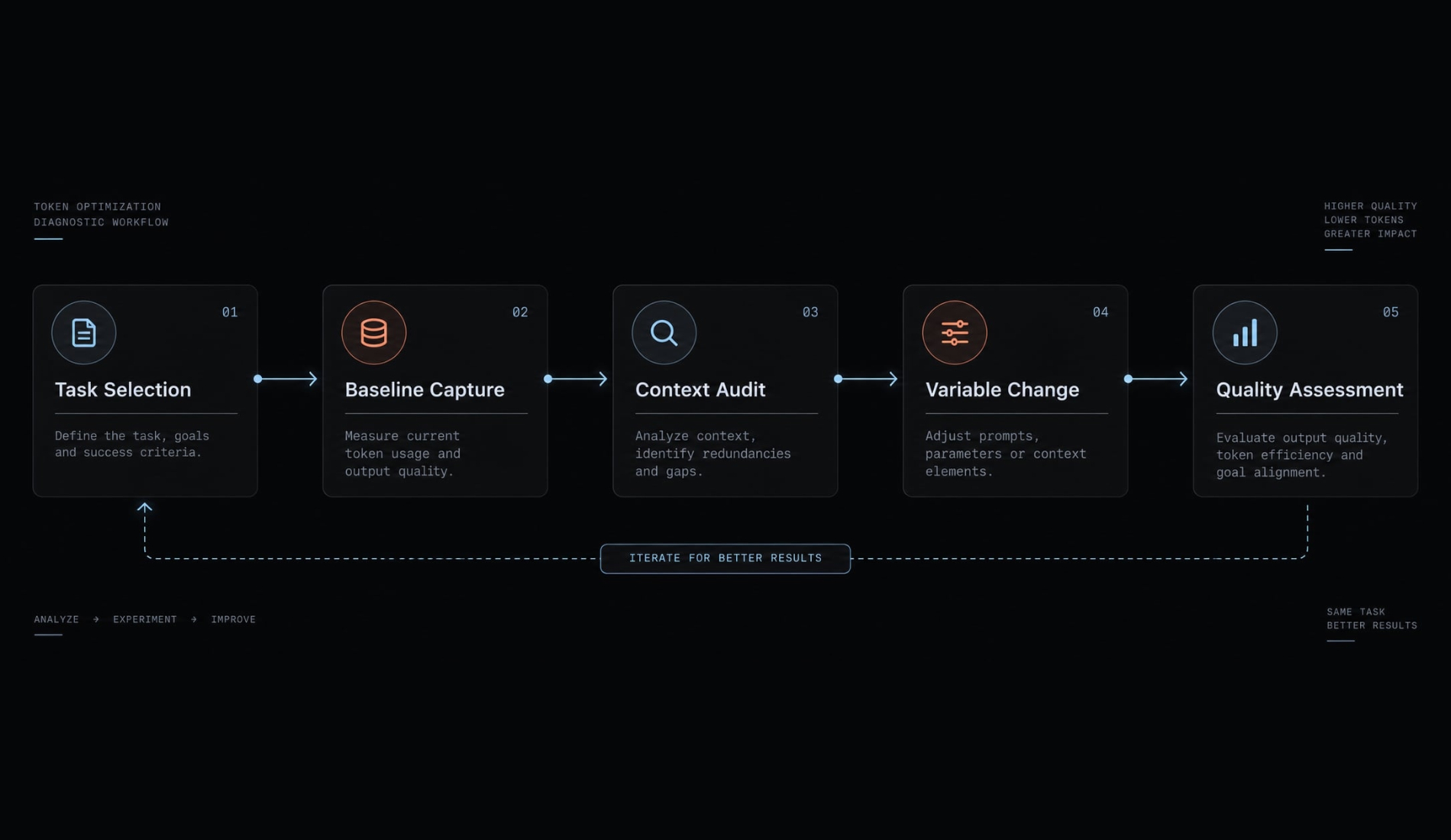
Use this five-step process:
- Choose a representative task: Define expected validation behavior and passing tests (e.g., an API endpoint edit).
- Record starting conditions: Capture the model identifier, access method, client version, repository snapshot, active tools, and available usage.
- Inspect context and results: Perform a context audit and identify oversized logs, repeated instructions, or unnecessary responses.
- Change one contributor: For example, return failure-focused test output while preserving raw logs.
- Repeat and assess quality: Restore the same repository snapshot and comparable session state.
Do not compare an initial implementation against a rerun where the feature already exists. Record tokens, estimated or recorded spend, retries, elapsed time, and missed requirements.
Symptom-to-cause decision matrix
These causes are hypotheses, not universal diagnoses.
Symptom | Possible cause | Affected usage | First action |
|---|---|---|---|
Large context immediately | Instructions or exposed tools | Input | Inspect loaded context |
Growth during long sessions | Accumulated history | Input | Check retained relevance |
Spikes after tests | Verbose results | Input | Inspect returned logs |
Long answers | Unbounded response scope | Output | Request concise reporting |
Repeated corrections | Missing context or unclear criteria | Both | Clarify task requirements |
Unexpected burn rate | Parallel calls or model changes | Spend or allowances | Inspect calls and access path |
Monitoring does not equal saving
Context inspection shows occupancy. Session logs support estimates. Account views report allowances or usage. Provider billing records establish invoiced charges.
For API-backed work, define cost per task as:
Total model spend across all attempts / Accepted completed tasks.
This excludes developer labor unless explicitly added. Subscription users without attributable spend should compare usage and completion-quality proxies rather than fabricated dollar costs.
Claude Code token monitoring and optimization tools compared
Start with native controls; add tooling only for a demonstrated gap. A monitor, command filter, and repository index solve different problems. None is automatically a Claude Code plugin.
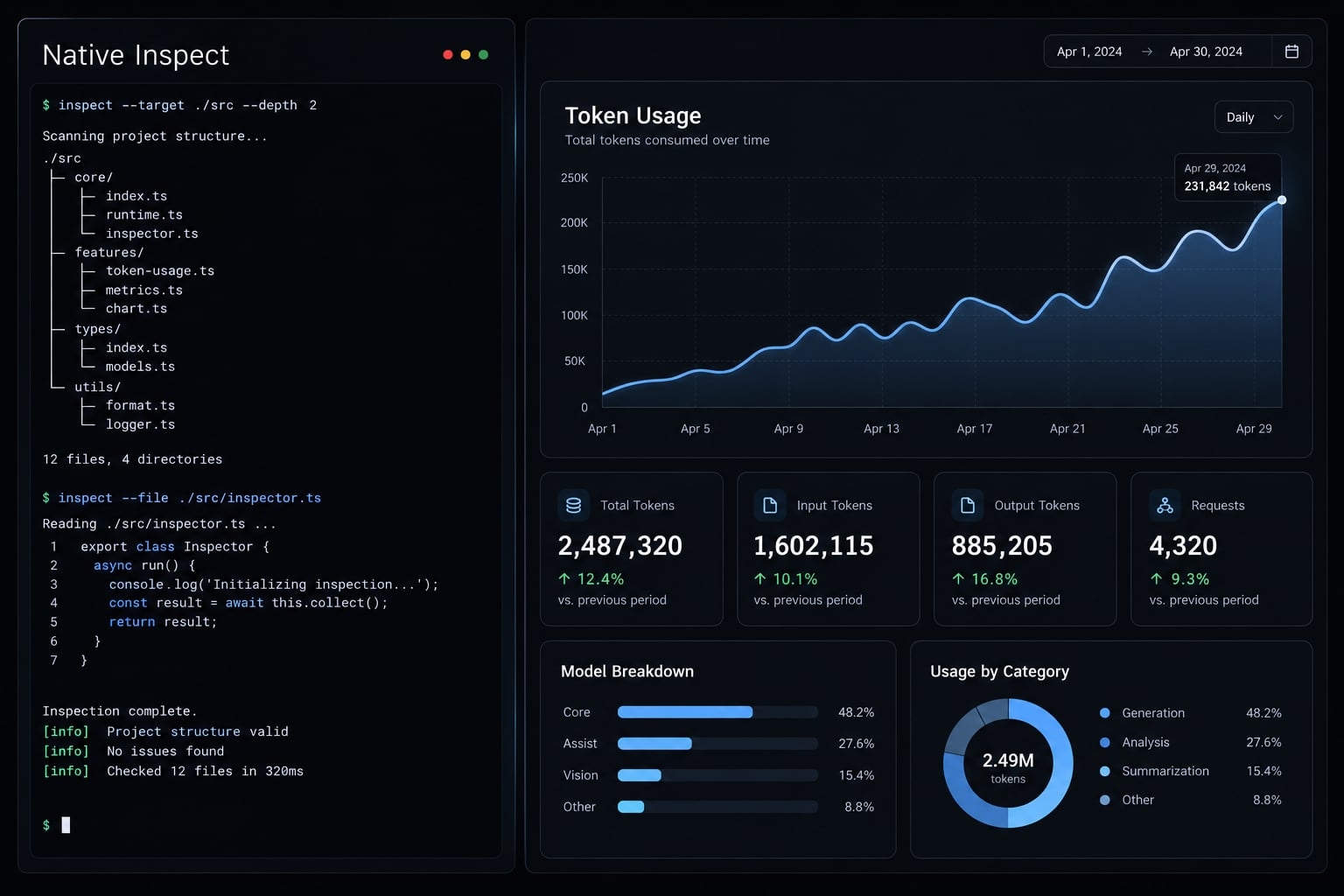
Tool comparison
The third-party categories below are evaluation candidates, not endorsements of an unidentified project.
Option | Format | Mechanism | Reduction | Best fit | Limitation | Check |
|---|---|---|---|---|---|---|
Native usage views | Built-in controls | Expose available usage information | No | Baseline visibility | Session and account measures differ | View definition and access path |
Third-party usage monitor | CLI or dashboard | Summarizes supported records | No | Trends and alerts | Often estimated or incomplete | Project, data source, pricing assumptions |
Command-output filtering | CLI or wrapper | Returns smaller tool results | Conditional input | Noisy tests and builds | May hide evidence | Raw-log access and exit status |
Concise-response instructions | Instruction profile | Limits unnecessary generation | Conditional output | Verbose reporting | May omit useful explanation | Actual generated output |
Structural indexing | Indexer or integration | Retrieves focused code relationships | Potential input | Large repositories | Setup and freshness overhead | Permissions and retrieval quality |
| Configuration edit | Removes unnecessary loaded instructions | Conditional input | Bloated project guidance | Essential rules can disappear | Applicable loading behavior |
| Native commands | Inspect, summarize, or restart state | Conditional; inspection alone: no | Session growth | State loss and compaction work | Installed-version help |
MCP pruning | Integration configuration | Removes unnecessary exposure or activity | Conditional | Unused integrations | Deferred loading changes impact | Actual definitions, results, calls |
Monitoring tools: Understand the measurement
Native visibility should answer the first question: what is consuming context or allowance? Command availability and displayed metrics are version-sensitive; consult Claude Code’s Interactive mode and cost-management documentation.
A third-party monitor helps when supported records enable useful aggregation, alerts, or comparisons. Its estimates are not authoritative account billing.
“Claude Code Usage Monitor” is not a sufficiently precise project identity by itself. Verify the owner, repository, release, compatibility, and data handling before installation.
Input reduction: Change what reaches the model
Command-output filtering can help the endpoint scenario if the model receives fewer irrelevant passing-test lines. Keep failure details, raw-log access, and the original exit status.
A utility such as rtk requires verification against its exact maintainer documentation before attributing capabilities or compatibility. Do not assume its name establishes how filtering works.
Generation and navigation solve different problems
Concise instructions can reduce output tokens if they change generation. Trimming a displayed answer afterward does not undo already-generated tokens.
Structural indexing instead aims to retrieve relevant code without broad file dumps. It does not automatically reduce output. Small repositories may not justify another indexing layer.
Ambiguous names such as Caveman or CodeGraph should not substitute for verified project identities. Evaluate the documented technique and implementation, not the label.
Recommended Claude Code setup by use case
Use the smallest setup that addresses your observed problem. These are starting configurations, not a universally tested stack.
Individual developer: Prioritize visibility
Start with native usage information, focused project instructions, and context inspection. Compact related work when useful; start fresh for unrelated tasks.
Add a monitor only when you cannot answer a concrete question, such as which workflow repeatedly consumes your allowance. Avoid maintaining a dashboard merely because it displays more numbers.
Solo founder: Prioritize completed features
Evaluate your Claude Code workflow by accepted features and retries. Use model selection based on task difficulty, current pricing, and observed results.
Filter excessive command output and retrieve focused repository context. A lower-priced model is not cheaper overall if it repeatedly misses acceptance criteria. Likewise, a stronger model is not automatically necessary for a bounded edit.
Small product team: Prioritize consistency
Keep shared instructions in version control. Approve integrations, record configuration changes, and make rollbacks straightforward.
Review usage by workflow rather than comparing developers without accounting for task difficulty. Track configuration drift-unintended differences between environments-because it undermines comparisons.
Token-saving practices that do not require a plugin
Start with reversible changes that reduce unnecessary usage or overall task cost:
Get the next post in your inbox
New guides and AgentKit updates, no spam. Unsubscribe at any time.
Ship features with Engineer Kit
Planning, implementation, review and testing workflows for AI coding agents, ready to install.
Explore Engineer Kit →Share this article
Keep reading
- Master Claude Code PostToolUse hook: Setup and examplesLearn how to configure Claude Code PostToolUse hooks for automated formatting and linting. Follow our guide to improve workflow efficiency today.15 min read
- How to use Kimi K2 with Claude Code: Setup & verification guideLearn how to configure Kimi K2 with Claude Code using Anthropic-compatible endpoints. Follow our step-by-step guide for setup, verification, and testing.13 min read
- Claude Code effort level: How to choose the right settingLearn how Claude Code effort level impacts reasoning and performance. Discover the best settings for your tasks to balance efficiency and accuracy.10 min read