Claude Code Vue: Practical guide for AI-assisted development
Claude Code Vue: A practical guide to using Claude Code in a Vue project
Claude Code with Vue can be genuinely useful, but only when the task is clear and easy to verify. Many developers try AI tools on a Vue.js codebase, get shallow tests, odd abstractions, or broken reactivity, then assume the tool is unreliable. The bigger issue is usually task fit, repo readiness, and weak review discipline. This guide covers what Claude Code actually helps with in a Vue project, how to set it up simply, which Vue tasks are worth delegating, how to prompt it better, and what to review before accepting changes.
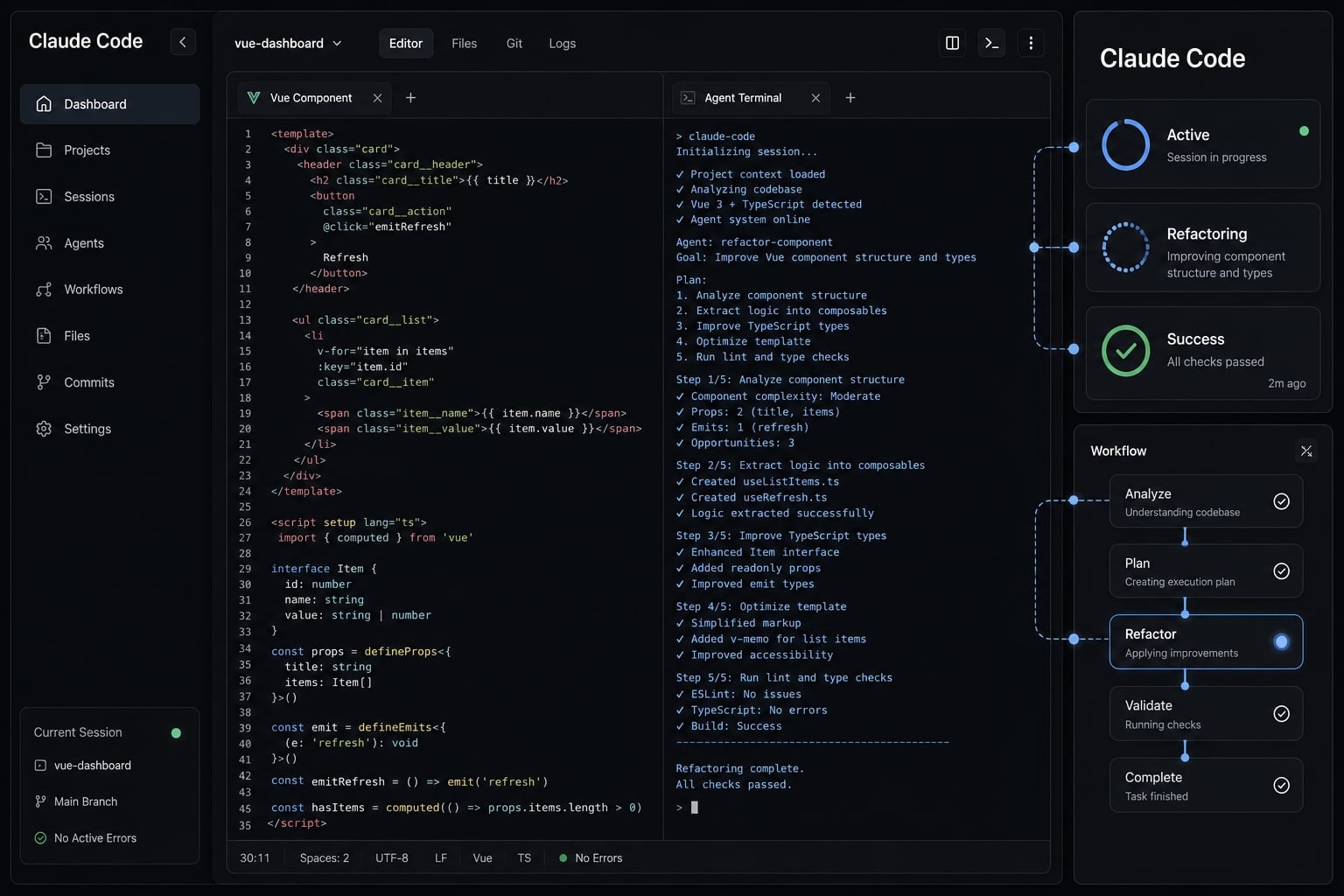
What Claude Code actually helps with in a Vue project
Claude Code in a Vue project is an AI coding agent used for scoped development tasks such as updating components, refactoring patterns, writing tests, and cleaning repeated logic. It works best when the task is bounded, the repository has clear conventions, and the result can be validated through build, test, and type-check steps.
In practice, Claude Code is most useful inside an implementation → validation → review loop. It can speed up routine Vue.js work, but it should not be treated as a replacement for engineering judgment. The highest value usually comes from well-defined tasks with obvious success criteria.
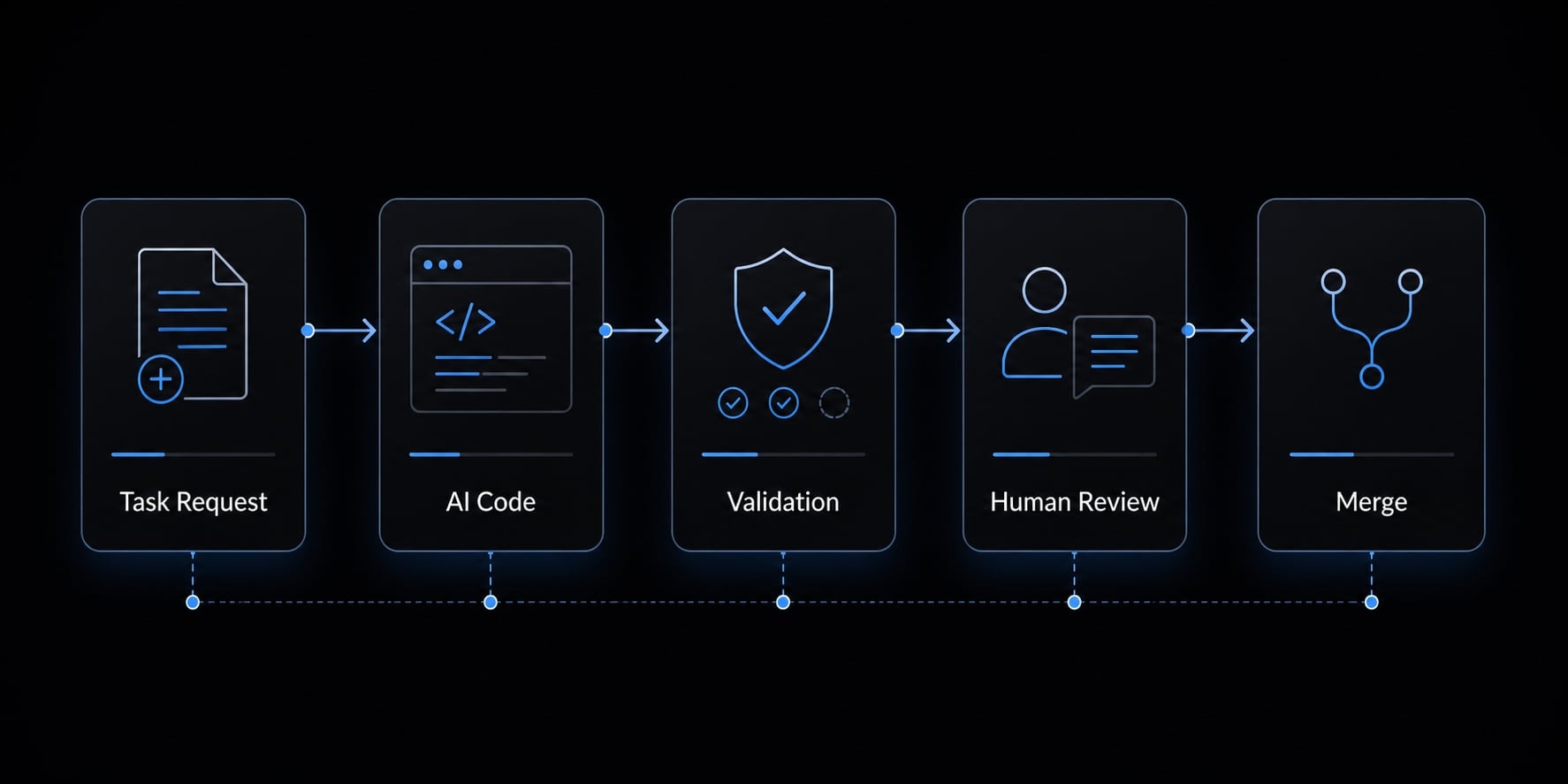
Claude Code vs basic autocomplete
Claude Code vs autocomplete is mainly about scope. Autocomplete predicts the next fragment or line, while Claude Code can work through a broader task using repo context. For Vue.js work, that means it can update a component, add tests, or refactor a file set. It performs best when the objective is explicit and the validation path is clear.
Best-fit Vue tasks at a glance
- Generate or update Vue 3 components with clear props, emits, and file conventions.
- Refactor older Options API components to Composition API (modern Vue state and logic pattern).
- Improve or add Vitest (unit testing framework) coverage.
- Extract repeated logic into Vue composables (reusable stateful logic functions).
- Investigate obvious implementation issues around imports, refs, watchers, or computed state.
Used well, AI-assisted Vue development can remove repetitive effort. Used loosely, it often creates plausible but weak output that still needs manual correction.
A simple setup for using Claude Code with Vue
A good starting point for Claude Code is not advanced tooling. It is repo readiness. In most Vue repos, output quality improves when the project is standard, readable, and easy to validate. For Claude Code configuration for Vue 3 projects, the goal is to make expectations visible rather than clever.
Claude Code works better in a clean Vue 3 repository using mainstream tools such as Vite, TypeScript, and Vitest. It also performs better when scripts like test, build, and type-check already exist.
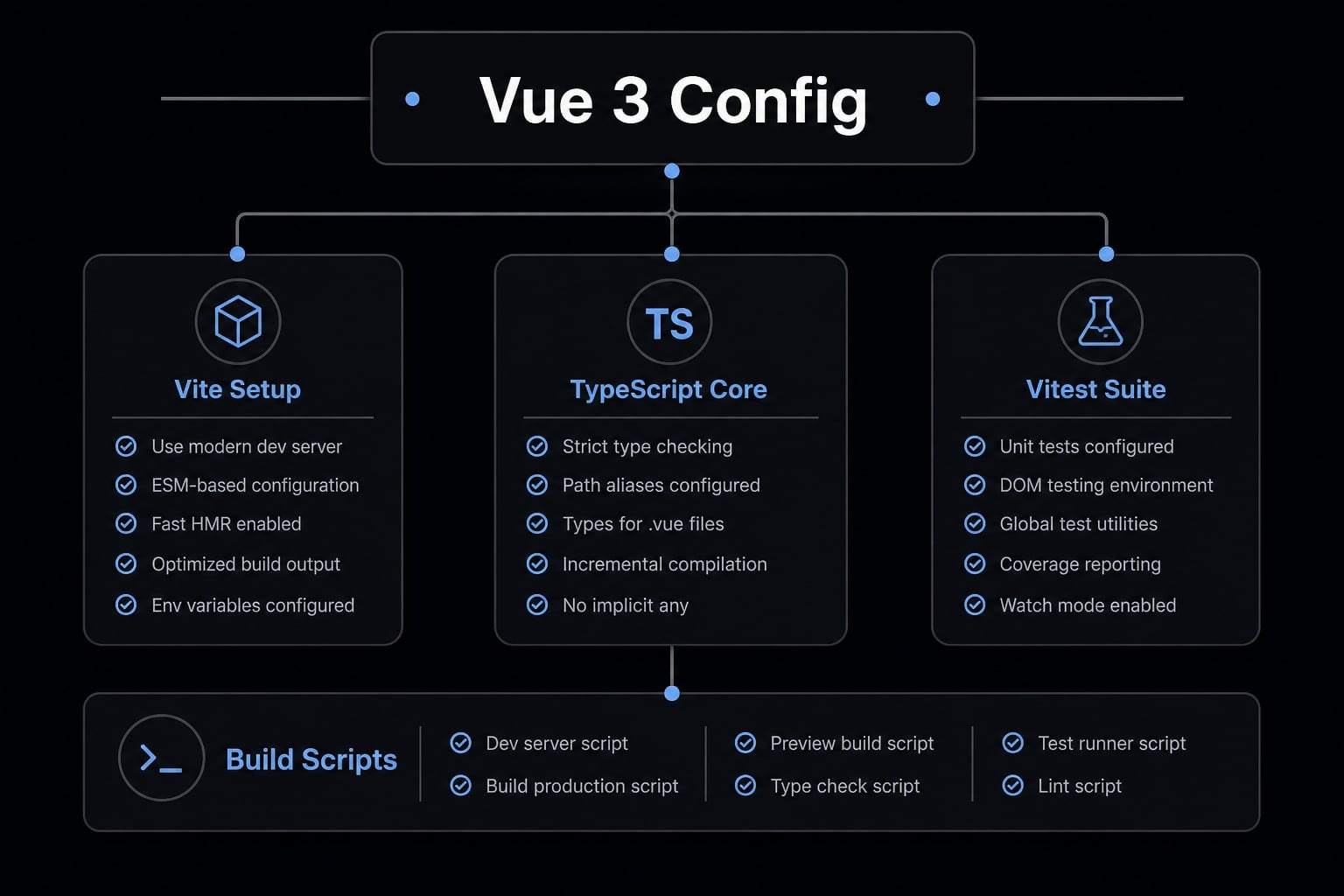
Recommended project conditions before using Claude Code
- Clear folder structure for components, composables, tests, and utilities.
- Working
testcommand. - Working
buildcommand. - Working
type-checkcommand. - Consistent component and composable naming patterns.
- Existing repo conventions for file placement and coding style.
A common failure mode is asking Claude Code to improve a repo that already has unclear structure or inconsistent patterns. In that environment, the agent tends to mirror the mess rather than fix it cleanly.
Validation signals to give the agent
- Run tests after changes.
- Check TypeScript output.
- Confirm the build still passes.
- Verify component behavior matches intent.
- Ask the agent to explain assumptions for non-trivial changes.
The ideal baseline for a Vue project setup is simple: A standard stack, working validation commands, and conventions clear enough that the agent can follow them consistently.
The best Vue use cases for Claude Code
Claude Code is strongest on structured, repetitive, and bounded Vue tasks. That is where code refactoring automation and implementation support save time without creating too much review overhead. The key is that every good-fit task still needs explicit validation.
Generating or updating Vue components
This is usually a strong fit. Vue component generation works well when the task includes clear requirements for props, emits, local state, and styling assumptions. It is especially useful for boilerplate-heavy updates, form components, wrappers, or repeated UI patterns.
Results improve when your prompt specifies:
- Expected props and emitted events.
- State behavior.
- Whether to use
<script setup>. - File and naming conventions.
- Whether tests should be updated too.
You should still review for:
- Overbuilt abstractions.
- Unnecessary helper layers.
- Incorrect props or emits behavior.
- Components that no longer match repo style.
Refactoring to Vue 3 Composition API
This is another good fit, especially for teams modernizing older code. Refactoring Vue Options API to Composition API with AI can save time when the desired pattern is explicit: <script setup>, TypeScript, and composables where appropriate.
In practice, this works best with isolated components rather than older modules that are tightly coupled. Claude Code can convert structure quickly, but developers still need to verify:
- Reactivity behavior.
- Lifecycle behavior.
- Prop typing.
- Whether extracted logic truly belongs in a composable.
A common failure mode is a clean-looking refactor that subtly changes state timing or watcher behavior.
Improving Vue unit tests with Vitest
This is one of the highest-value use cases. AI-assisted Vue unit testing is useful for expanding missing coverage across components and composables, particularly with Vitest and Vue Test Utils.
Good test targets include:
- Props behavior.
- Emits behavior.
- State transitions.
- Conditional rendering.
- Composable logic.
- Edge-case handling.
However, this area also produces some of the weakest AI output if left unchecked. Watch for:
- Shallow tests that only confirm rendering.
- Excessive mocking.
- Tests tied to implementation details instead of behavior.
- “empty” assertions with little confidence value.
In most Vue repos, Claude Code is a strong starting point for tests, not the final quality bar.
Cleaning up composables and repeated logic
This is a medium-high fit. Claude Code is useful when several components repeat similar state handling, fetch logic, or UI behavior and you want to extract that into Vue composables.
The benefit is usually consistency and readability. It can also reduce duplication across related files. But review is still required for:
- Composable API clarity.
- Hidden side effects.
- Naming quality.
- Long-term maintainability.
A composable that technically works can still be too broad or unclear for future contributors.
Debugging obvious implementation issues
This is a medium fit. Claude Code can help narrow likely causes for issues around reactive state management, missing imports, misused refs, watchers, or computed logic. It is useful for bounded bugs where the failure surface is relatively small.
Typical examples include:
refvalues handled incorrectly.- Computed logic not updating as expected.
- Watchers doing unnecessary work.
- Simple import or typing mistakes.
It is much weaker when the bug depends on deep product context, inconsistent historical behavior, or unclear expected UX. In those cases, Claude Code can suggest probable fixes, but it is not a guarantee of correct diagnosis.
Task-fit summary table
Vue Task | Good fit for Claude Code? | Why it works | What you should validate |
|---|---|---|---|
Component scaffolding | High | Repetitive structure and clear conventions. | Props, emits, naming, file organization. |
Composition API refactor | High | Pattern conversion is structured. | Reactivity, lifecycle, TS typing. |
Vitest test generation | High | Test boilerplate is repetitive. | Test depth, mocks, real assertions. |
Composable cleanup | Medium-High | Good at extracting repeated logic. | API design, readability, side effects. |
Debugging UI issues | Medium | Useful for narrowing probable causes. | Final behavior, edge cases. |
Architecture decisions | Medium-Low | Needs human judgment and product context. | Long-term maintainability. |
If you use Claude Code where the structure is clear, validation is possible, and business logic is not too ambiguous, the odds of useful output improve sharply.
How to prompt Claude Code effectively for Vue work
Prompt quality has a direct effect on Vue output quality. Weak prompts lead to wrong assumptions, unnecessary abstractions, and code that looks polished but does not fit the repo. Good prompt engineering for Vue is not about clever phrasing. It is about scope, constraints, and validation.
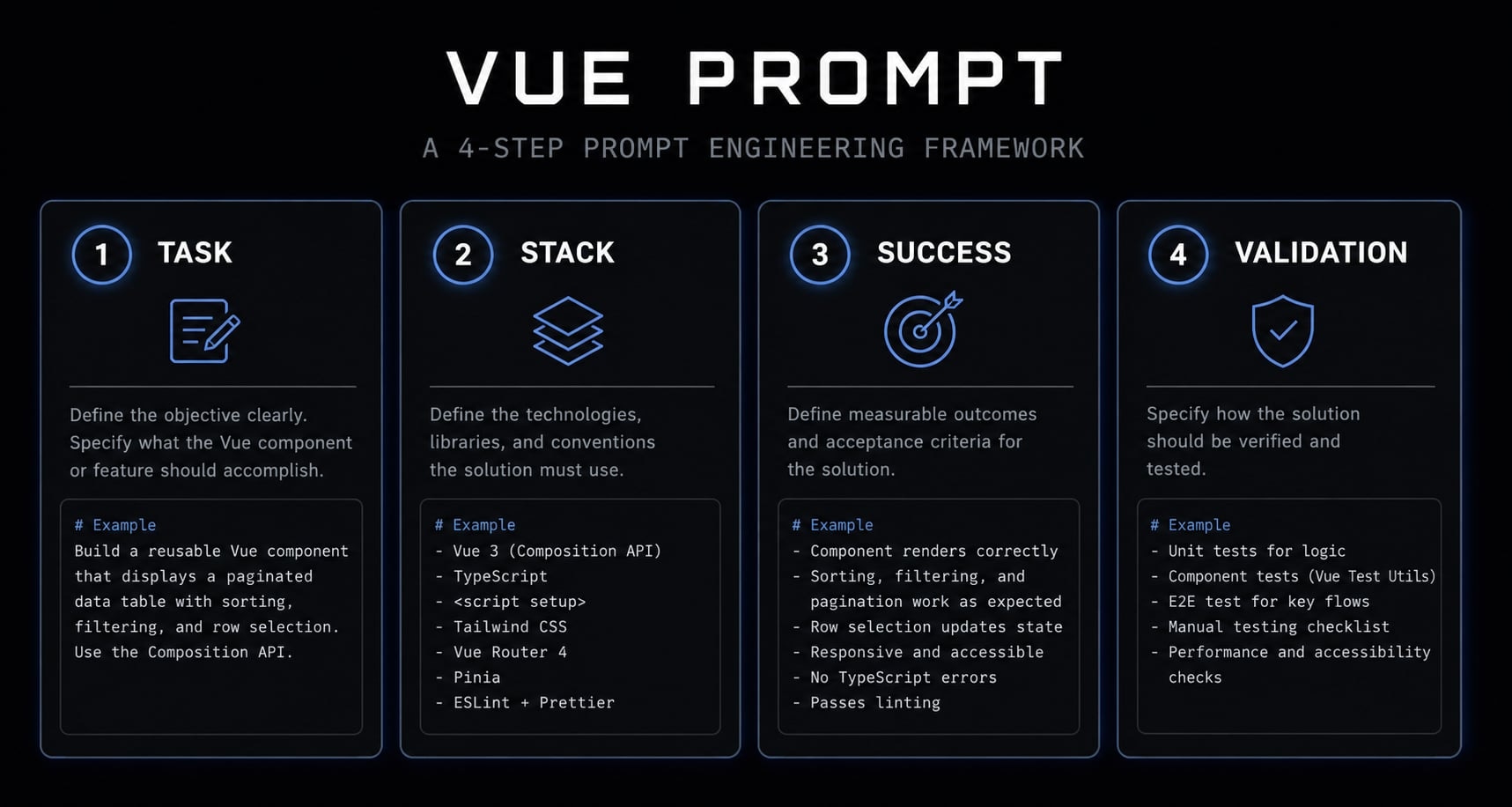
A simple prompting framework
- State the task clearly.
- Specify the Vue stack and coding conventions.
- Define what success looks like.
- Ask for validation or self-checks.
This simple structure works well for Claude AI pair programming for Vue because it reduces ambiguity and keeps the output aligned with the actual codebase.
What good instructions usually include
- Vue 3.
- Composition API.
<script setup>- TypeScript.
- Vite/Vitest.
- Avoid unnecessary abstractions.
- Match the existing repo style.
For non-trivial changes, it also helps to ask Claude Code to explain assumptions before or after the change. That makes review faster and exposes hidden guesses early.
Example prompt patterns for common Vue tasks
Add Vitest tests for this Vue 3 component using Vue Test Utils. Cover props, emits, and key state transitions. Match existing test patterns in the repo, avoid excessive mocks, and confirm the test suite still passes.
Refactor this Options API component to Composition API using <script setup> and TypeScript. Preserve existing behavior, keep props and emits compatible, and run type-check and tests after the change.
Extract the repeated loading, error, and retry logic from these two components into a reusable composable. Preserve current behavior, keep the API simple, and avoid introducing extra abstraction unless necessary.
Bad prompt vs better prompt
Bad:
Improve this Vue component.
Better:
Refactor this Vue 3 component to use <script setup> with TypeScript. Preserve current props and emits behavior, avoid unnecessary abstractions, and add or update Vitest tests if behavior changes. Use the repo’s existing file and naming conventions.
The best Claude Code practices for Vite and Vitest usually come down to one principle: Define both the implementation target and the validation target. That is what keeps Vue.js best practices connected to real output quality.
What to review before accepting Claude Code changes
Review is mandatory, even when the generated Vue code looks correct at first glance. Plausible code is not the same as correct code. In practice, build success, test success, and type-check success are necessary, but they are not enough on their own.
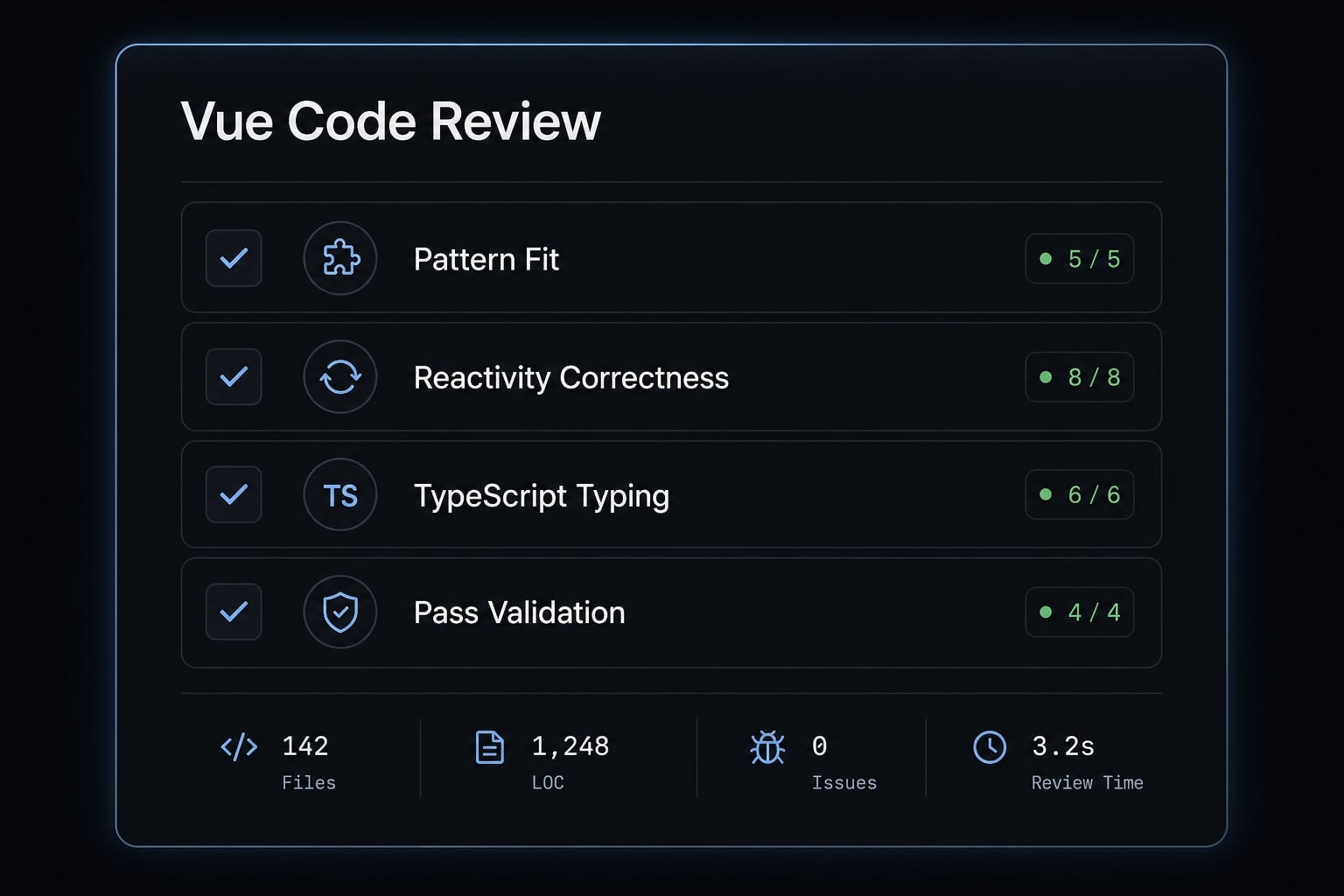
Vue review checklist for Claude-generated output
- Does it follow the project’s Vue pattern?
- Are refs and reactive values handled correctly?
- Are computed properties and watchers used appropriately?
- Is TypeScript type safety still sound?
- Are tests meaningful rather than superficial?
- Did
build,test, andtype-checkall pass?
This code review checklist matters because many Vue failures are subtle. A component may compile while still introducing Vue reactivity pitfalls, weak test depth, or unnecessary complexity in reactive state management.
Common weak outputs to watch for
- Empty or shallow tests
- Excessive mocks
- Unnecessary watchers
- Broken reactivity through destructuring
- Components becoming too abstract too early
A strong review process should also look beyond Vitest coverage numbers. Coverage can increase while actual confidence stays low if the assertions are weak. The goal is not just passing output. It is correct, maintainable behavior that still fits the codebase.
Realistic limits of Claude Code in Vue projects
Claude Code has clear limits, and expectation management matters. The main limitation categories are ambiguity, poor repo quality, and tasks that depend heavily on product or architectural judgment. These are not edge cases. They are common in real frontend work.
Where Claude Code tends to struggle:
- Ambiguous business logic.
- Inconsistent legacy code.
- Unclear testing expectations.
- UI decisions tied to product context.
- Long-term Vue architecture tradeoffs.
Messy repositories reduce output quality significantly. If naming is inconsistent, patterns conflict, and test expectations are unclear, Claude Code limitations become obvious quickly. The agent may still produce usable fragments, but AI coding agents performance drops when the environment itself is unreliable.
This is why frontend workflow risks in Claude Code Vue projects should be managed upfront. Claude Code is best treated as an accelerator for well-scoped work, not an autonomous engineer making final calls on product behavior or architecture.
Making Claude Code workflows repeatable across Vue projects
Once a team uses Claude Code repeatedly, consistency becomes a process problem rather than a one-time tooling problem. Shared standards for prompts, validation, and review help keep results stable across contributors and repositories.
A lightweight workflow layer such as AgentKit can help teams package reusable Vue skills, reduce prompt repetition, and standardize an AI-powered workflow without turning every task into custom setup work.
Where repeatable workflow systems help:
- shared Vue 3, TypeScript, and Vitest standards
- less time rewriting the same prompts
- more consistent outputs across contributors
That kind of workflow automation is especially useful for Claude Code for Vue.js codebase management when small teams want repeatable quality across multiple repos using the same reusable Vue skills.
Frequently asked questions
What is Claude Code in a Vue.js project?
Claude Code in a Vue.js project is an AI-powered coding agent designed to automate bounded development tasks. It functions as a pair programmer that understands your repository context to implement features, refactor code, or generate tests, provided you validate its output against your project's standards.
How does Claude Code differ from standard AI autocomplete?
While standard autocomplete suggests small code fragments based on immediate syntax, Claude Code is an agent capable of executing scoped, multi-step tasks. It interacts with your terminal to run builds, tests, and type-checks, allowing it to iterate on larger implementation goals within a Vue codebase.
What are the best-fit Vue tasks for Claude Code?
Claude Code is most effective for structured, repetitive tasks including:
- Generating or scaffolding Vue components.
- Refactoring Options API to Composition API.
- Expanding Vitest unit test coverage.
- Extracting repeated frontend logic into reusable composables.
- Narrowing down implementation issues related to reactivity.
What conditions should a Vue project meet before using Claude Code?
For optimal results, ensure your Vue project has:
- A clean, consistent folder structure.
- Working CLI scripts for
test,build, andtype-check. - Standardized naming conventions for components and composables.
- Consistent use of TypeScript and modern Vue 3 patterns.
Is human review necessary for Claude-generated Vue code?
Yes. Human review is mandatory because AI agents can produce plausible-looking code that violates project architecture or reactivity patterns. Always verify that the generated output correctly handles Vue’s reactivity (e.g., proper use of ref vs reactive) and that all project tests pass after changes.
How can I improve Claude Code's output for Vue development?
You can improve output quality by writing specific, constraint-based prompts. Define the Vue stack (e.g., <script setup>, TypeScript), provide clear success criteria, and explicitly ask the agent to validate its changes by running your project's test or type-check commands before finalizing the task.
Read more:
- Claude Code react: Best practices for faster frontend dev
- Claude Code tutorial: Set up and master your AI coding agent
- Mastering the Claude Code workflow for reliable AI development
Conclusion
For Claude Code Vue workflows, the best results usually come from repetitive implementation work, test generation, focused refactors, and repeated logic cleanup. Claude Code is most useful when the task is small in scope, the repo conventions are clear, and validation steps are already in place.
The practical rule is simple: Give precise instructions, define the Vue stack, require validation, and review everything before merging. If you want more consistent results across projects, the next step is to standardize your prompts, review checklist, and validation workflow rather than relying on one-off AI sessions.