Claude Code context window size: Practical limits and best tips
Claude Code context window size: What it is in practice and how to manage it
If you are searching for the Claude Code context window size, the short answer is simple: the active model may support a large headline context window, but your practical working room inside Claude Code is always smaller. That is why long sessions can start showing repetition, drift, or forgotten constraints earlier than expected. This guide explains the practical limit, what counts toward context, how to check usage, and the easiest ways to manage Claude Code memory limits during everyday development work.
What is the Claude Code context window size?
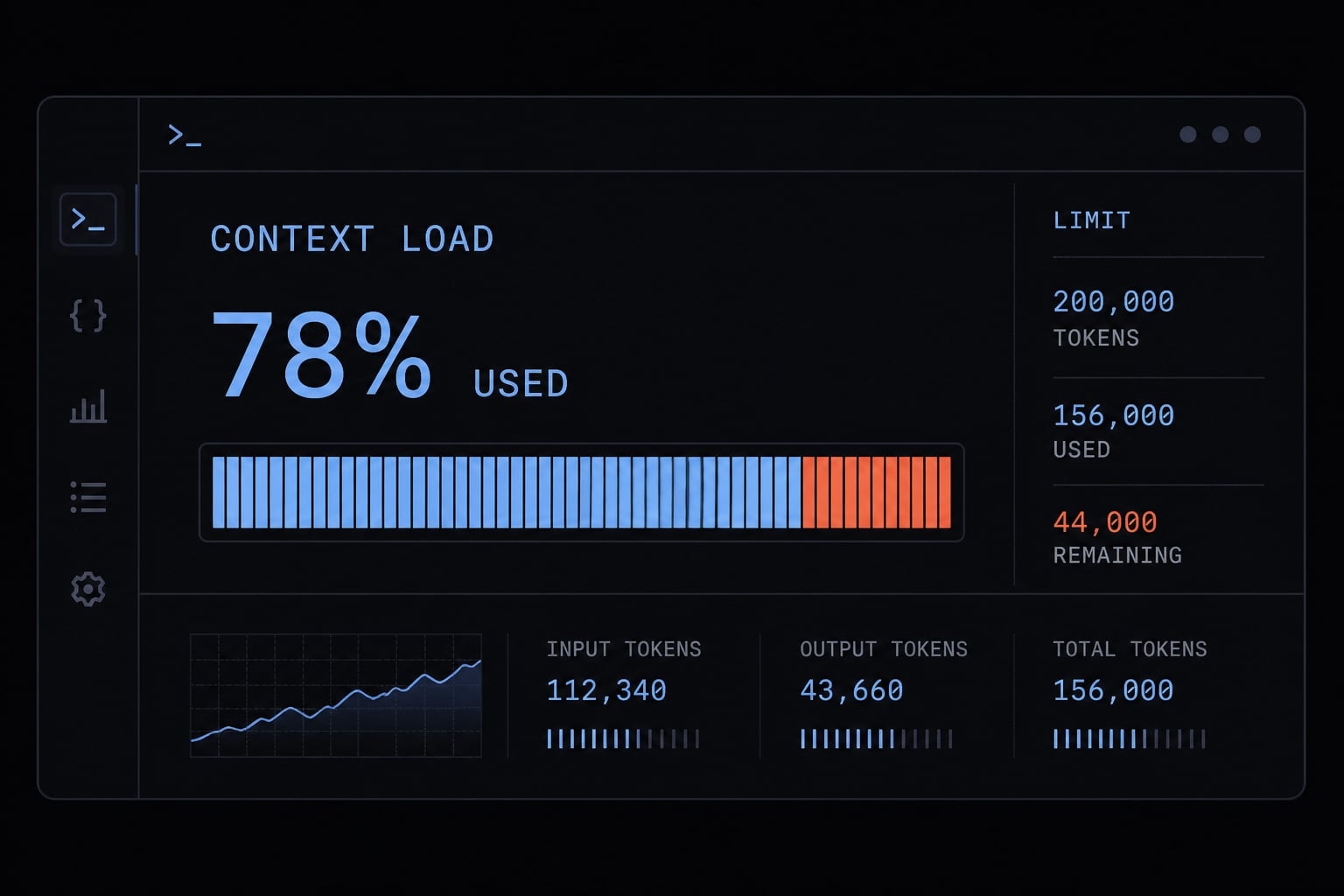
Claude Code typically inherits the context capacity of the active Claude model. In practice, people often refer to about 200,000 tokens at the model level, but the usable room inside a real session is smaller and varies based on what is already loaded.
Quick Answer:
- Model-level context: Often discussed as around 200K tokens when using a Claude model with that capacity.
- Practical reality: Your actual usable context is lower.
- Why: Messages, files, instructions, and outputs all share the same pool.
When people ask about Claude Code’s context window, they often expect a single, definitive number. In practice, the amount of context available varies from session to session. The active model may have a large LLM context window capacity, but your available max token capacity for real work depends on how much of that window is already occupied.
In practice, many users notice quality drop before they feel they have used an enormous amount of context. A few large file reads, a long debugging thread, or verbose command output can reduce working room faster than expected.
Advertised model context vs usable session context
- Published or advertised context is the theoretical maximum window supported by the active model.
- Usable context is the remaining working room after instructions, tools, file content, and session history already consume part of that window.
Why there is no single guaranteed free number
There is no single guaranteed available token count for every Claude Code session. The exact amount depends on prior messages, loaded files, tool results, CLAUDE.md, MCP (Model Context Protocol) tool definitions, and other active session setup. That is why claude code context window size should be treated as a practical range, not a fixed promise.
What counts toward the context window in Claude Code?
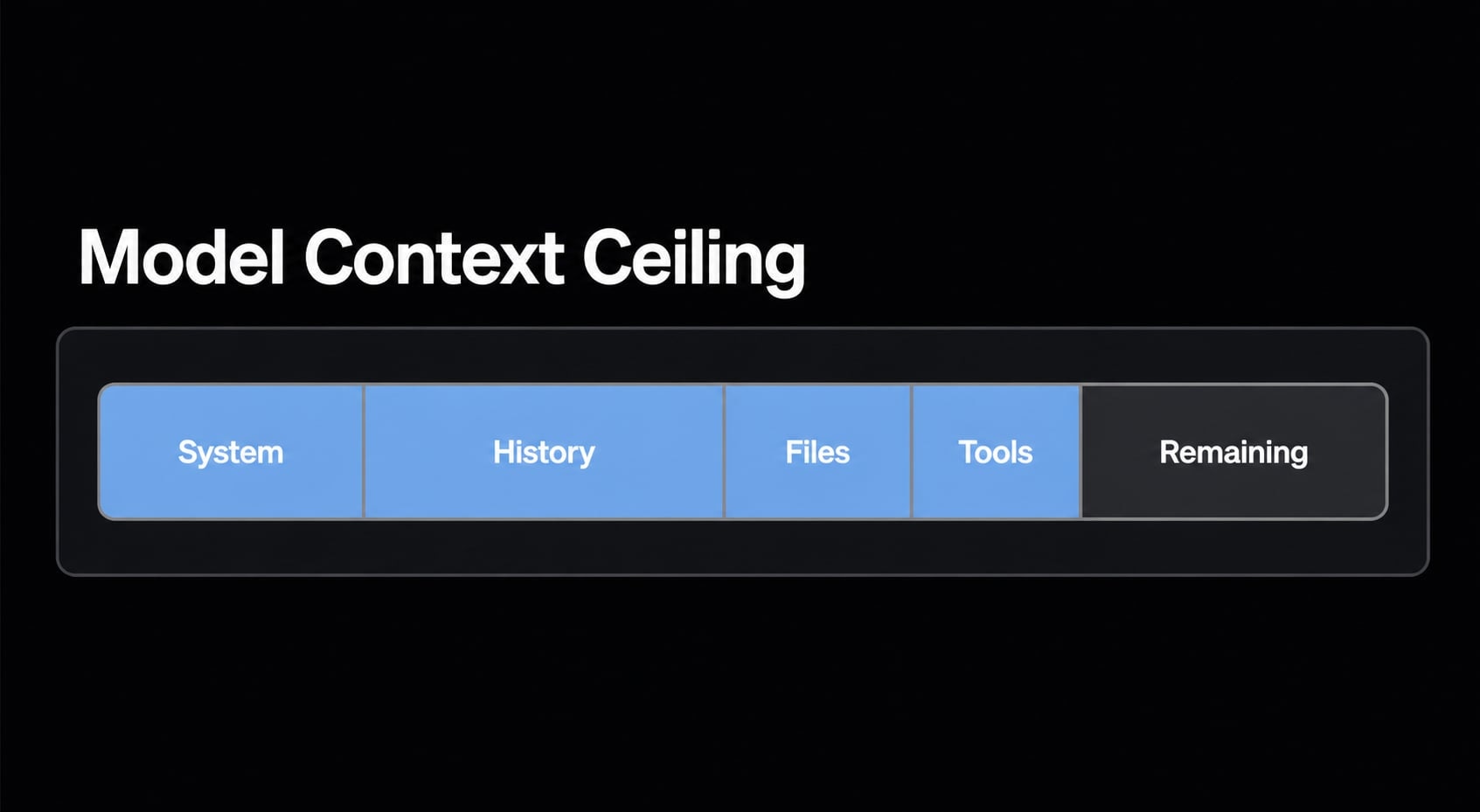
Think of Claude Code’s context as a shared pool: messages, file content, instructions, and tool results all consume part of the same limited space. If you want to manage token usage well, this is the most important idea to understand.
A common mistake is to focus only on what you typed into chat. In real development sessions, file reads, test output, grep results, and other tool outputs often consume more session memory than the conversation itself.
The main things that consume context
- Your messages to Claude Code.
- Claude’s replies, including generated code and explanations.
- Files and code snippets loaded into the session.
- Command output, such as tests, logs, grep, or search results.
- Tool outputs from integrations and built-in tooling.
- Persistent instructions, including project guidance from
CLAUDE.md - MCP tool definitions or related results when those tools are active.
Commonly Overlooked Contributors
- Large test failures with long stack traces.
- Broad repo searches that return too many matches.
- Reading entire files when only one function matters.
- Repeated tool calls that produce near-duplicate output.
- Overgrown
CLAUDE.mdinstructions that load every session. - Too many active MCP tools or overly verbose tool schemas.
In practice, verbose outputs consume context faster than many users expect. A few large file reads plus noisy command results can cut down usable working room quickly. The tradeoff is straightforward: the more you load now, the less room you keep for later reasoning.
Why your usable context is smaller than the published limit
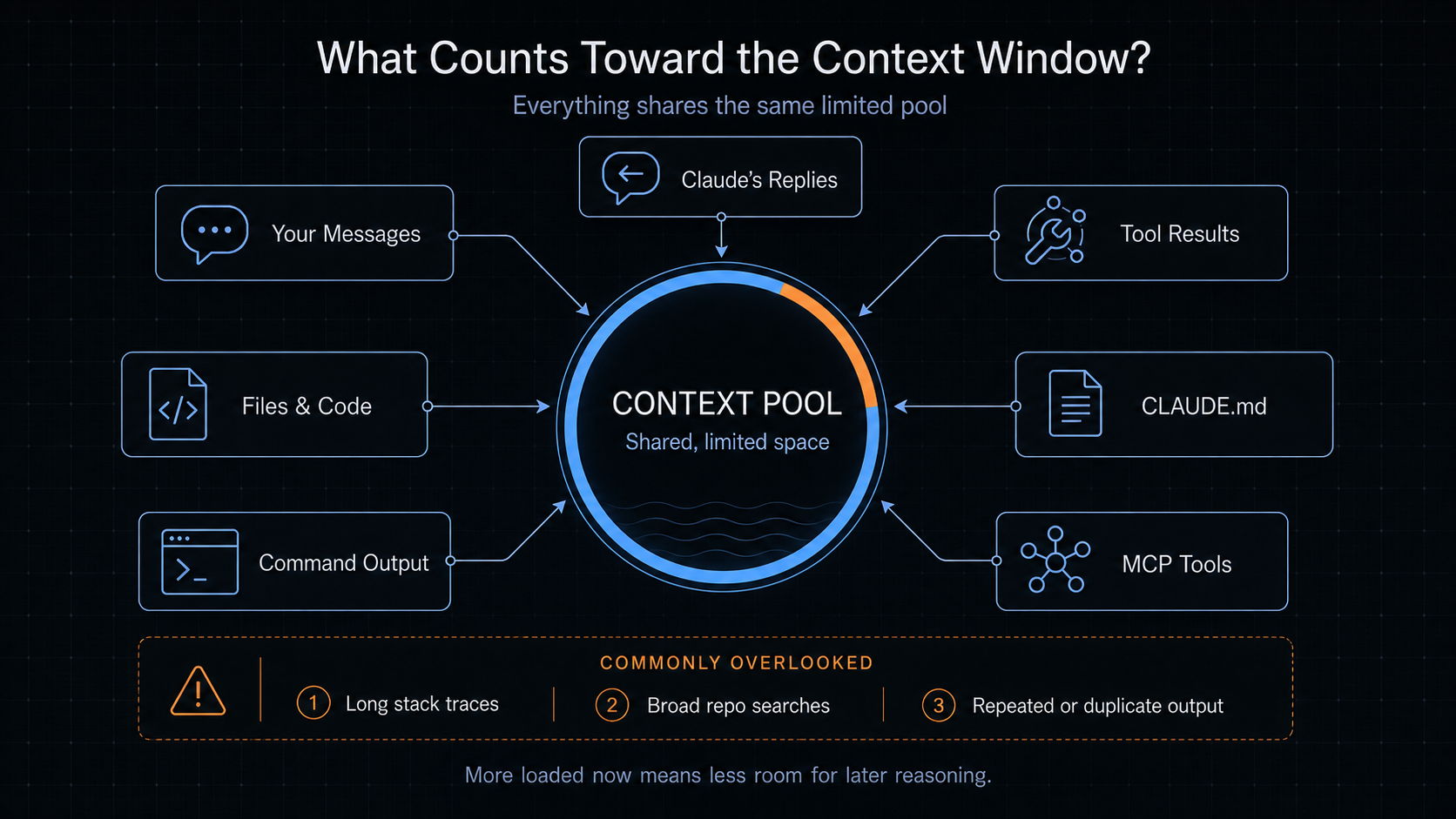
The published limit is the ceiling. Usable context is what remains after session overhead and active content are already taking space. That is why a large headline number can still feel tight in real work.
Many users think, “I didn’t type that much, so why does the session already feel crowded?” The answer is that Claude Code works from a shared pool, not from chat text alone. Session instructions, tool definitions, prior interaction history, command output, and active session state all contribute to the load.
Ceiling vs working room
- Ceiling: The maximum model-level context supported by the active Claude model.
- Working room: The portion still available after history, files, outputs, and instructions take their share.
Simple example of fast context drop
Imagine a long debugging session. You ask Claude Code to inspect two backend files, review one config file, run tests, and analyze a large failure log. Then you switch into follow-up questions and request a refactor. Even if your own prompts stay short, the combination of file content, tool output, and conversation history can reduce practical room much faster than expected. This is normal behavior, not necessarily a product issue.
This is also why context window optimization is less about chasing a perfect number and more about keeping the session focused. Once the session state gets crowded, quality can drift even before the theoretical ceiling is fully reached.
How to check context usage in Claude Code
If you want a direct operational answer, use /context. That is the fastest way to check whether your current session is getting crowded. You do not need exact token math to make good decisions. You just need a reliable signal for whether the session still has enough working room.
Use /context for a quick check
- Run
/contextin your current Claude Code session. - Review the high-level usage signal, such as context percentage or signs that the session is getting crowded.
This is the simplest answer to how to check Claude Code context window usage. The main question is not “What is the exact token count?” but “Do I still have enough room for the next phase of work?”
What to look for:
- Whether context usage is already high.
- Whether the session feels close to a natural boundary.
- Whether it is smarter to use
/compactbefore continuing. - Whether the task has changed enough that
/clearis the better move.
Use /statusline for ongoing visibility
If you work in long sessions, /statusline can provide passive visibility without forcing you to stop and check manually. Claude Code supports a configurable status line that can show items like model name and context percentage. This is optional, but useful when you want lightweight monitoring during extended repo work.
Signs Claude Code is running out of context
When Claude Code context is full becomes relevant, the first signal is usually degraded output quality, not a dramatic error message. In other words, context pressure often appears as weaker session behavior before any obvious limit warning.
One useful way to think about this is lost in the middle: older or buried information may receive less attention once the session becomes crowded.
Common Symptoms Checklist
- Claude starts repeating points or re-explaining completed work.
- It contradicts earlier decisions without a clear reason.
- Previously stated instructions get ignored.
- Architectural constraints are forgotten.
- Naming becomes inconsistent across edits.
- Claude asks again for details already established earlier.
- Reasoning becomes more vague or less structured.
- It revisits work that was already finished.
- Tool use becomes sloppier because the session state is crowded.
These are often signs of LLM degradation caused by context pressure rather than a complete model failure. The best move is to intervene early, while continuity is still recoverable.
Simple ways to manage Claude Code context better
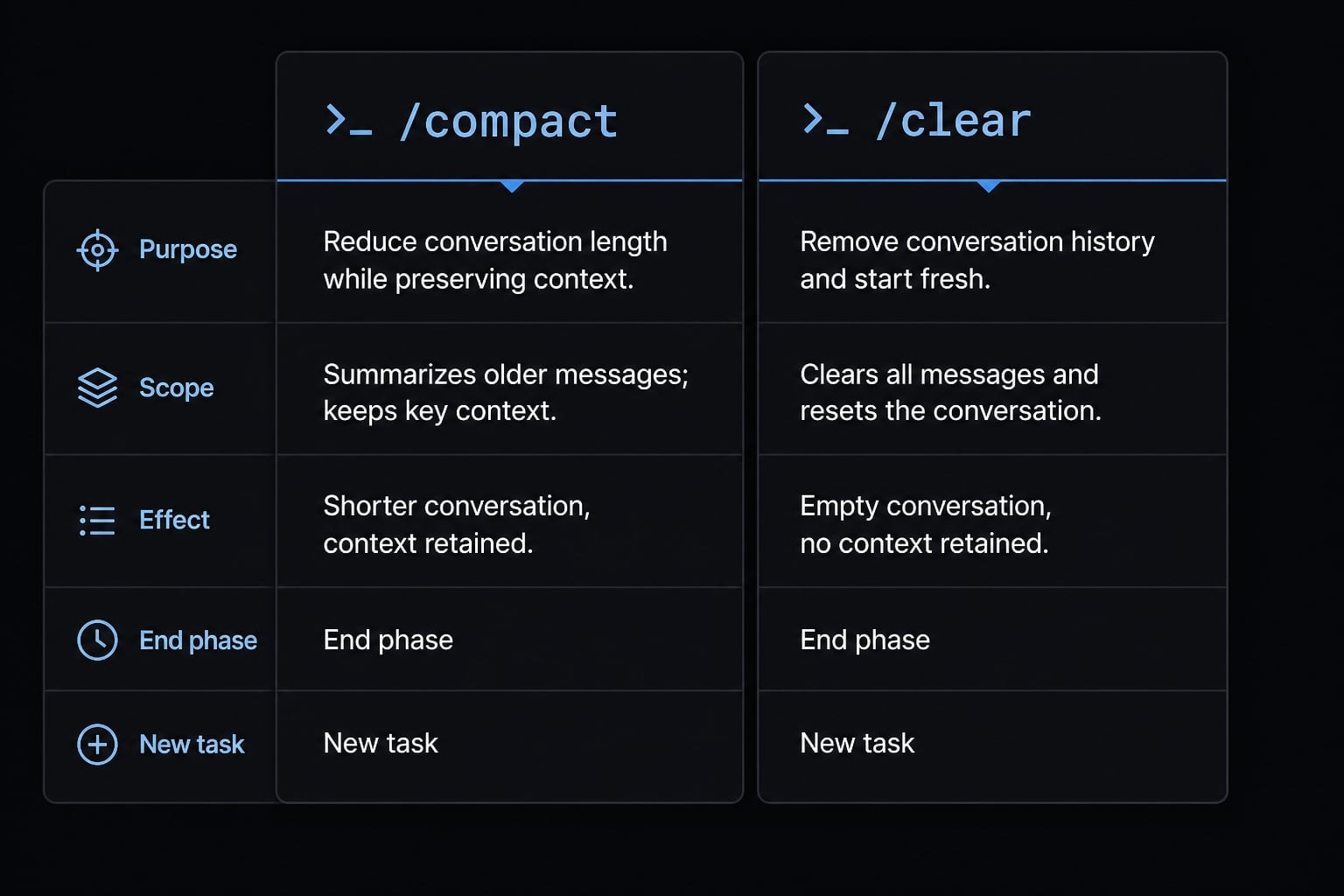
The best habits are simple: Check usage, keep scope tight, use /compact between phases, and use /clear when switching tasks. Good Claude Code token management is usually about session discipline, not complicated prompt tricks.
When to use /compact vs /clear
Command | Best use case | Effect |
|---|---|---|
| End of a work phase | Reduces history while keeping important state |
| New task or overly noisy session | Resets session memory for a cleaner start |
/compactpreserves continuity in a tighter form. It is useful when you have completed one phase, such as diagnosing a bug, and want to continue into implementation without carrying every detail forward in full./clearis different. It intentionally resets continuity. Use it when you are switching from one problem to another, such as moving from backend debugging to frontend refactoring. That cleaner reset often improves output quality more than trying to keep an overloaded thread alive.
It is important to be realistic here: /compact helps, but it is not a magic fix for unlimited memory. If the session is noisy, unfocused, or mixing too many unrelated tasks, /clear is often the better decision.
Reduce unnecessary context load
- Read less and target more narrowly. Ask for a specific file, function, or line range instead of a whole directory.
- Avoid loading full large files if a smaller excerpt will answer the question.
- Prefer focused outputs over very verbose logs or test dumps.
- Keep
CLAUDE.mdconcise, current, and relevant to the project. - Reduce unnecessary MCP or tool sprawl if many tools are loaded but rarely used.
- Break very large work into smaller, task-bounded sessions.
- Use
/compactafter a completed phase instead of waiting for visible degradation. - Use
/clearbefore a new bug, module, or feature thread starts.
These are the most reliable best practices for Claude Code token efficiency because they map directly to common workflow moments. In practice, mixed-task sessions degrade faster than tightly scoped ones. Stable results usually come from smaller task boundaries, narrower reads, and less noisy output.
If you maintain long-running AI coding routines across multiple repos, it also helps to standardize session hygiene rules inside your team workflow. The simpler the routine, the more likely it gets used consistently.
Practical workflow example for long Claude Code sessions
A realistic pattern is a repo session where you start by diagnosing a failing test, then patch the issue, then review the change. The session stays healthy when each phase has a boundary and only the necessary context is pulled in.
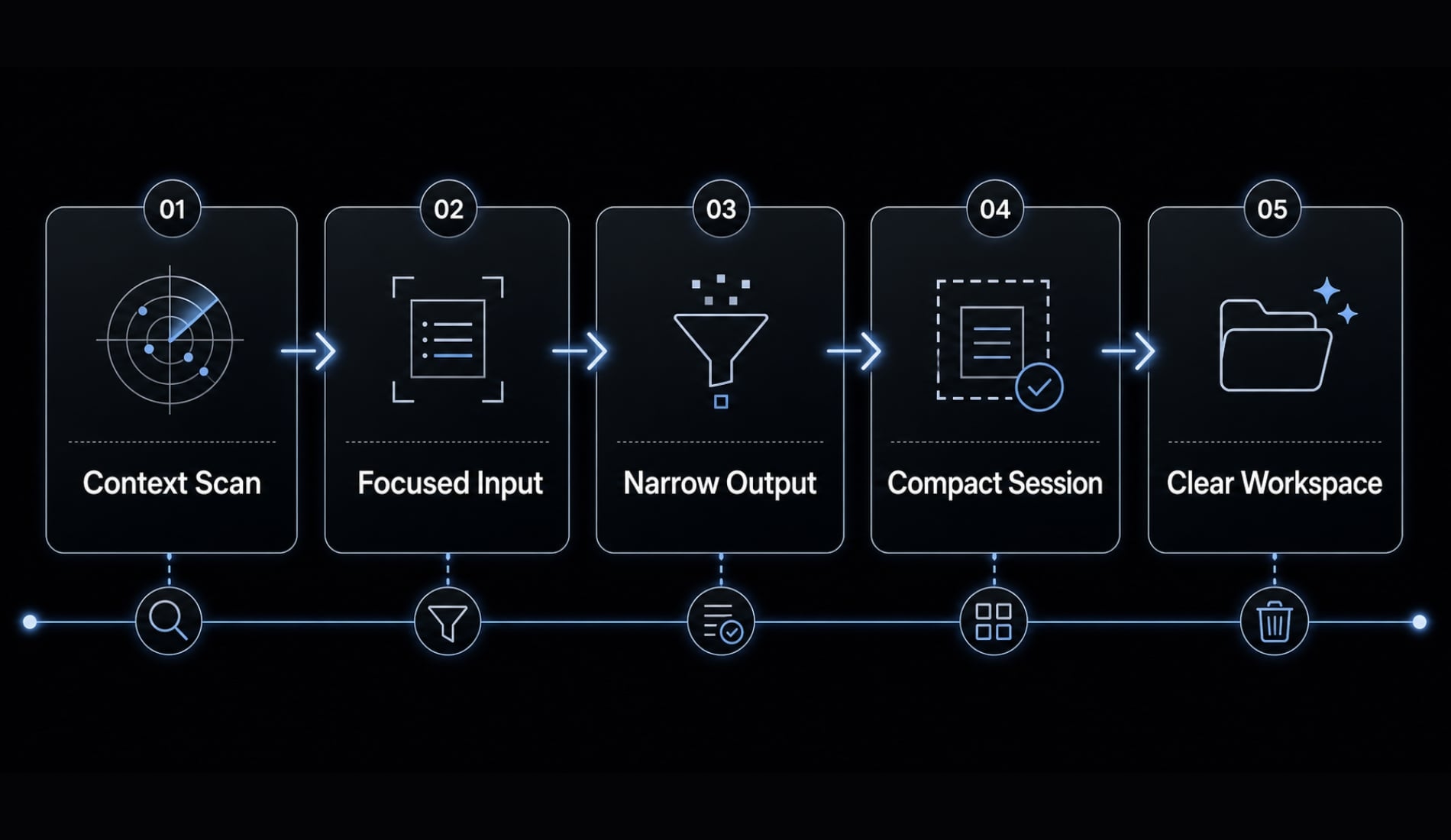
A simple 5-step routine:
- Start with
/contextto see how much working room you have before the task grows. - Bring in only the files you actually need, rather than loading broad sections of the repo.
- Keep outputs narrow by asking for focused test results or targeted search results.
- Use
/compactafter one completed phase, such as diagnosis or implementation. - Use
/clearbefore switching to a different bug, module, or feature.
For teams using subagent workflows, the same principle still applies: isolate self-contained work where possible so the main session stays cleaner. For managing Claude Code context for large projects, small boundaries usually outperform one giant all-purpose thread.
Frequently asked questions
What is the Claude Code context window size?
Claude Code typically inherits the context capacity of the active model, often cited at about 200,000 tokens. However, the usable working room is always lower than this theoretical limit because it must share space with your conversation history, loaded files, tool outputs, system instructions, and active session state.
What fills up the Claude Code context window?
The context window is a shared pool of tokens consumed by everything active in your session. Major contributors include your messages, Claude’s responses, file contents read into the session, tool execution outputs (such as test results or logs), system prompts, CLAUDE.md instructions, and active MCP tool definitions.
How can I check my current context usage?
You can check your current usage by running the /context command within your Claude Code session. It provides a status report on your session's context state. For passive monitoring, you can configure a /statusline to display persistent context usage metrics without needing to run commands repeatedly.
What happens when the Claude Code context window is full?
When the context window becomes crowded, you will typically notice a decline in response quality rather than a hard crash. Common symptoms include Claude repeating information, contradicting earlier decisions, ignoring established coding rules or constraints, or forgetting specific details discussed earlier in the same session.
When should I use /compact vs /clear?
Use /compact at the end of a distinct work phase to compress conversation history while retaining essential context. Use /clear when you finish a task or switch to a completely different project module, as it resets the session memory to provide a completely fresh, empty context window.
Does CLAUDE.md consume context?
Yes, the contents of CLAUDE.md are loaded into every session and consume part of your available context window. Because this file persists across sessions, it is important to keep it lean, well-structured, and free of outdated information to ensure it remains efficient as your project grows.
Read more:
- Claude Code Windows: How to install, set up, and fix issues
- Claude Code tutorial: Set up and master your AI coding agent
- Claude Code toolkit: Scale your AI development workflow easily
Conclusion
The practical answer is that the active model may support around 200K tokens, but the usable context available inside Claude Code is always smaller and varies by session contents. Messages, files, tool output, CLAUDE.md, and MCP-related material all compete for the same shared pool.
The most useful habits are straightforward: check usage with /context, optionally watch it with /statusline, and manage crowded sessions with /compact and /clear. Stable AI coding sessions usually come from good operating habits, not guesswork. If you want a practical follow-up resource, read the related workflow guide on AI coding session hygiene and task scoping for longer development sessions.