12 best Claude Code skills for faster development workflows
12 best Claude Code skills by workflow and use case
Best Claude Code skills are not necessarily the most popular ones. The strongest choices solve a specific workflow problem, such as requirements clarification, implementation planning, browser verification, refactoring, or context management. For most developers, the most practical starting point is to choose one workflow skill and one verification mechanism, rather than a large set of overlapping instructions. This guide evaluates each option by development impact, verification strength, context cost, maintenance, source ownership, and permission risk.
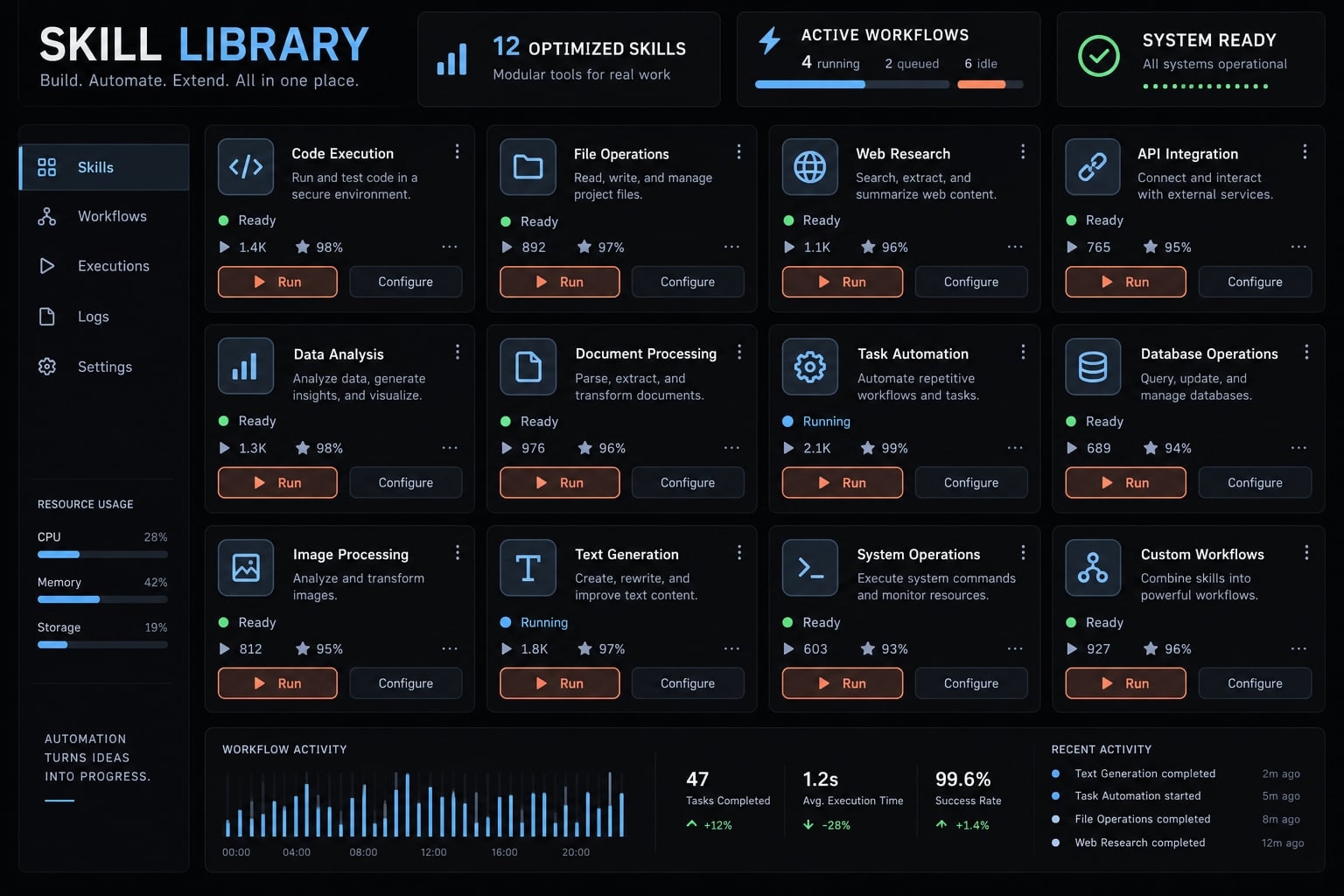
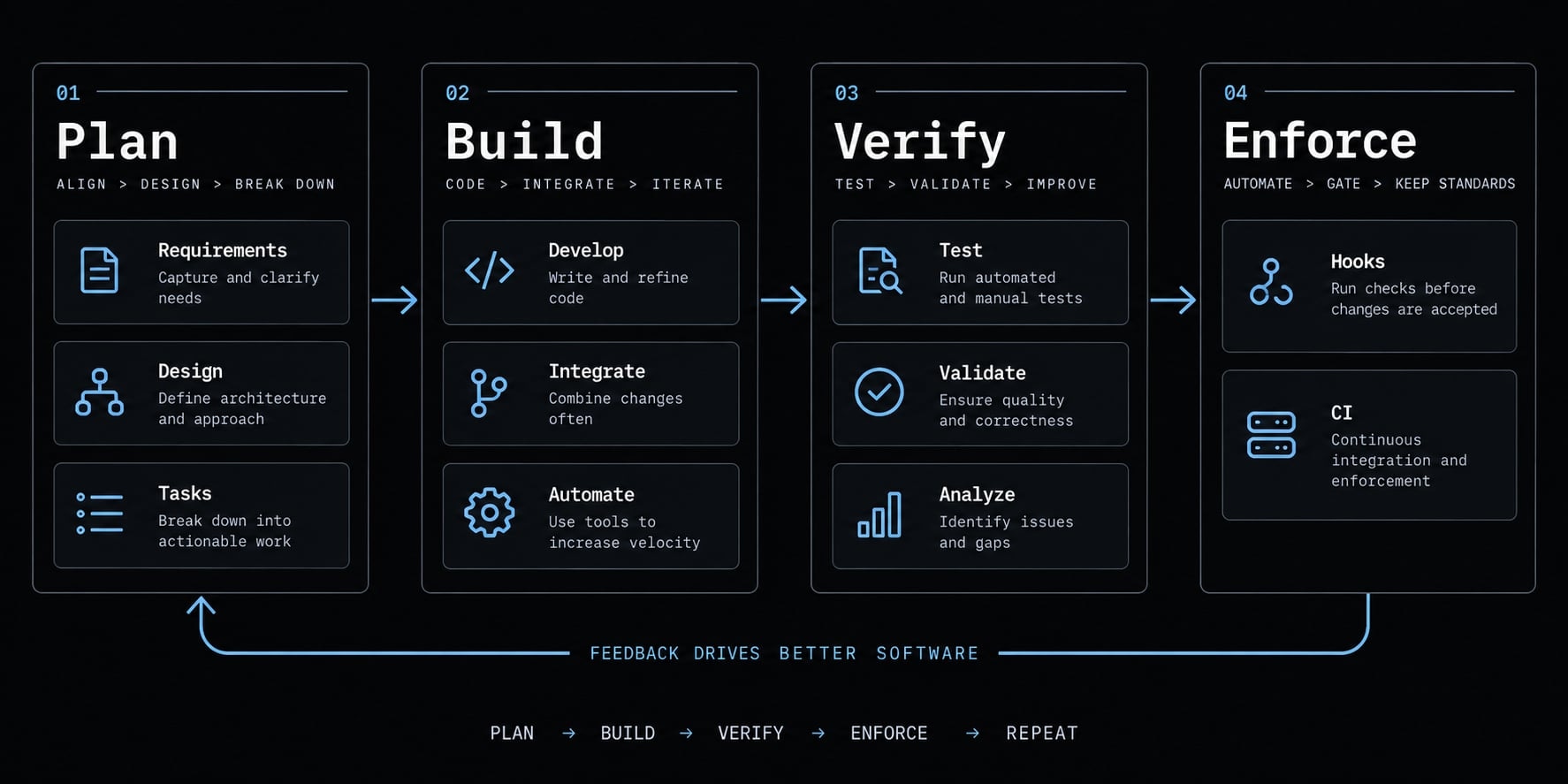
Claude Code skills are reusable, task-specific procedures that guide Claude Code through activities such as planning, implementation, testing, debugging, or review. They can standardize recurring work, but duplicate instructions and broad workflow packages may increase context overhead or create conflicts without delivering measurable developer productivity gains.
Best Claude Code skills at a glance
The right choice depends on your current bottleneck. Evaluate each option based on source ownership, setup complexity, context cost, maintenance requirements, and trustworthiness - not just GitHub popularity.
Skill or package | Best for | Source type | Main benefit | Setup | Context cost | Trust notes | Last verified |
|---|---|---|---|---|---|---|---|
Superpowers | Complex features and refactors | Maintainer-owned community | Plan-first development workflow | Medium | High | Inspect hooks, scripts, dependencies | Mar. 8, 2025 |
Grill Me | Ambiguous requirements | Maintainer-owned community | Exposes assumptions before planning | Low | Medium | Confirm current package behavior | Mar. 8, 2025 |
Skill Creator | Building custom skills | Official Anthropic source | Packages recurring procedures | Medium | Medium | Review generated files and scripts | Mar. 8, 2025 |
webapp-testing | Browser verification | Official Anthropic source | Tests observable user flows | Medium | Medium | Review browser and network access | Mar. 8, 2025 |
code-simplifier | Post-implementation cleanup | Official Anthropic source | Improves readability and maintainability | Low | Low | Tests and diff review remain required | Mar. 8, 2025 |
frontend-design | Initial UI generation | Official Anthropic source | Improves visual hierarchy and composition | Low | Medium | Inspect assets and dependencies | Mar. 8, 2025 |
Web Interface Guidelines | UI quality review | Vendor-owned source | Reviews usability and accessibility | Low | Low | Confirm current guideline version | Mar. 8, 2025 |
React Best Practices | React and Next.js work | Vendor/community guidance | Adds framework-aware conventions | Low | Medium | Check ownership and version assumptions | Mar. 8, 2025 |
TypeScript Workflow Skills | Type-safe change planning | Maintainer-owned community | Reduces poorly scoped refactors | Low | Low–Medium | Instructions do not enforce Git policy | Mar. 8, 2025 |
PlanetScale Skills | PlanetScale database workflows | Official vendor source | Adds database-specific guidance | Medium | Medium | Protect credentials and production data | Mar. 8, 2025 |
TerraShark | Terraform diagnostics | Third-party community package | Structures infrastructure diagnosis | Medium | Medium | Treat output as advisory | Mar. 8, 2025 |
Context Mode | Long-running CLI sessions | Third-party community package | Reduces noisy session context | Medium | Medium–High | Review storage and retention behavior | Mar. 8, 2025 |
Setup and context labels: Low means minimal configuration and limited ongoing instruction load. Medium indicates dependencies or meaningful task context. High indicates broad workflow control, persistent state, or substantial configuration.
Most developers should begin with one workflow skill and one verification skill. Add specialized Claude Code plugins or agentic coding skills only after identifying a repeated failure pattern.
How we selected the skills worth installing
Popularity is not proof of workflow value. A useful package should improve a repeatable task, define a better completion standard, or provide a capability missing from the current Claude Code workflow.
This list is an editorial evaluation, not a universal benchmark across every framework, operating system, model version, and repository type. Results will vary with project conventions and Claude Code behavior.
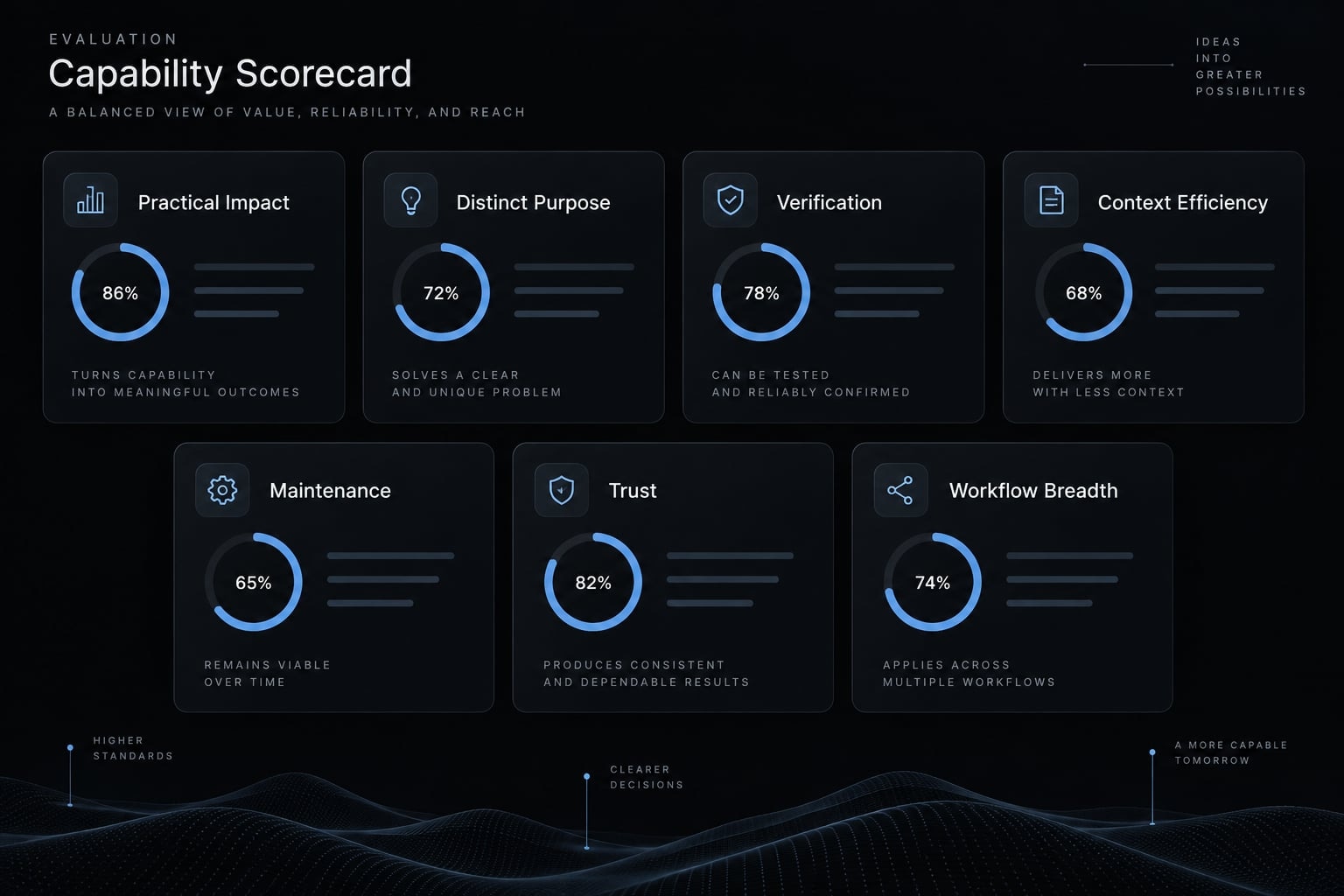
Evaluation criteria
- Practical impact: The skill improves a real planning, coding, testing, debugging, or review task.
- Distinct purpose: It provides guidance beyond behavior already handled adequately by Claude Code or existing project instructions.
- Verification strength: It defines evidence showing whether the task was completed correctly.
- Context efficiency: Its value justifies the additional instructions, output, latency, and correction effort.
- Maintenance: The source provides current documentation, meaningful commits, releases, or active issue handling.
- Trust: Scripts, hooks, dependencies, permissions, external calls, and file changes can be inspected.
- Workflow breadth: The package is broadly reusable or clearly valuable within a specialized environment.
Criterion | Evaluation question | Pass signal | Warning signal |
|---|---|---|---|
Practical impact | Does it improve real work? | Better plans, tests, or reviews | Only changes writing style |
Distinct purpose | Does it add unique value? | Encodes a clear procedure | Repeats native behavior |
Verification | How is completion proven? | Tests, checks, or evidence | “Looks correct” |
Context efficiency | Is the overhead justified? | Fewer corrections | Longer sessions without gains |
Maintenance | Is the source current? | Active documentation or releases | Archived or abandoned source |
Trust | Can behavior be audited? | Transparent files and permissions | Hidden installers or calls |
Breadth | Where does it fit? | Clear general or specialist use | Unclear target workflow |
A lightweight baseline test
- Run one representative repository task without the skill.
- Run a comparable task with the skill enabled.
- Compare planning completeness, defects, verification coverage, review findings, elapsed time, context consumption, and manual corrections.
- Keep the skill only when the improvement repeats across relevant tasks.
This approach makes Claude Code workflow optimization measurable. It also prevents developers from keeping context-management tools or verification skills installed unless they deliver measurable results.
The 12 best Claude Code skills by use case
These recommendations are organized by workflow rather than popularity. Install only the package that addresses a current bottleneck, and verify its original source before using installation instructions.
1. Superpowers - Best overall workflow skill
- Best for: Multi-step features, complex refactors, and structured AI-assisted debugging.
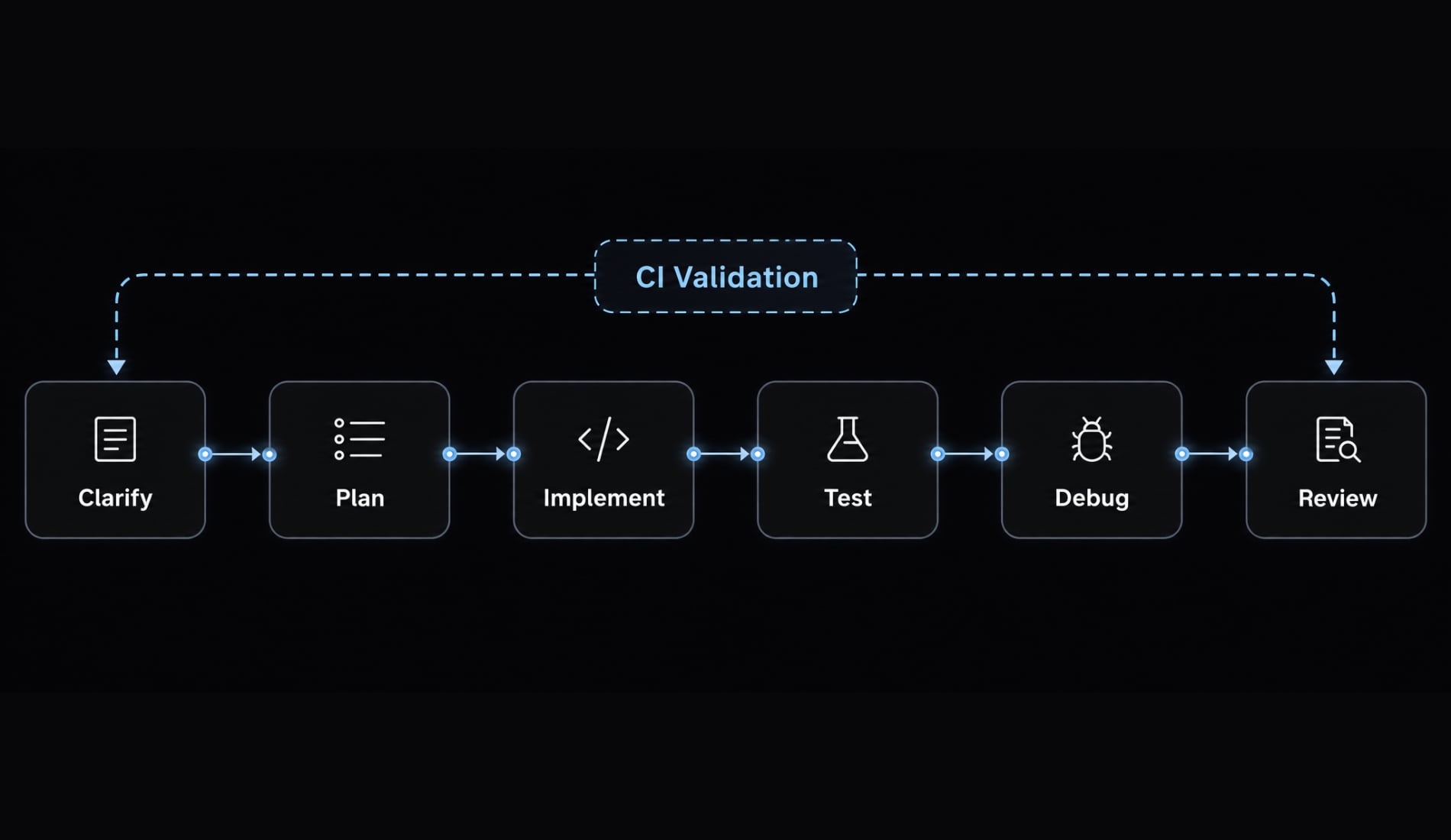
- Why it is useful: Superpowers introduces a broader Claude Code workflow covering clarification, planning, implementation sequencing, Test Driven Development (TDD), debugging, and review.
- When to use it: Use it when an incorrect architectural direction would create expensive rework.
- Main limitation: The additional process can be excessive for one-line fixes or tightly scoped maintenance.
- Source type: Maintainer-owned community package.
- Installation: Use the current instructions in the original Superpowers repository.
- Do not combine unless: Responsibilities are clearly separated from another comprehensive methodology package.
- Trust note: Inspect hooks, shell commands, dependencies, project files, and repository activity. TDD instructions guide behavior but are not deterministic enforcement unless supported by hooks or CI.
2. Grill Me - Best for clarifying ambiguous requirements
Problem: Founder-led feature requests often contain unstated assumptions, incomplete acceptance criteria, and undefined edge cases.
Best use: Grill Me makes requirements clarification the first stage of the Claude Code workflow. It is useful before creating a product requirements document, estimating scope, or making architecture decisions.
Limitation: Extensive questioning adds friction when the task is already obvious and narrowly defined.
- Source type: Maintainer-owned community package.
- Installation: Confirm the current module and instructions in Matt Pocock’s skills repository.
- Do not combine unless: A broader workflow package begins only after discovery is complete.
- Trust note: Verify that the current package still implements the documented interview behavior. Do not infer functionality from the command name.
3. Skill creator - Best for building custom Claude Code skills
- Best for: Turning recurring repository procedures into focused custom skills.
- Why it is useful: Project-specific skills can encode conventions, repeated failure patterns, review checklists, and a shared Definition of Done.
- When to use it: Create one after the same correction appears across several tasks.
- Main limitation: An oversized skill becomes another difficult-to-maintain project prompt.
- Source type: Official Anthropic source.
- Installation: Follow the current Anthropic plugin repository and official Claude Code documentation.
- Do not combine unless: Persistent rules remain in
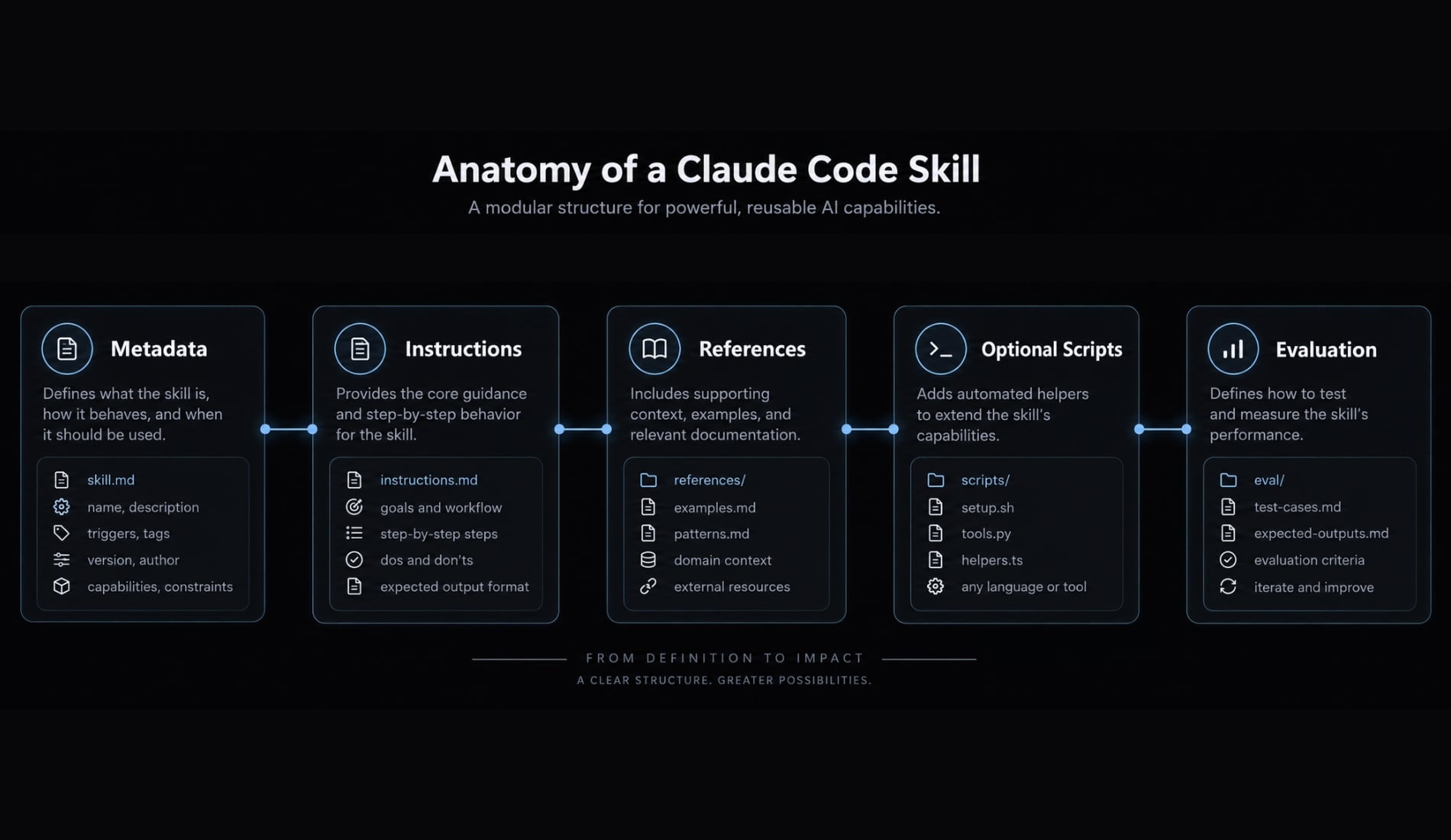
CLAUDE.md, while the skill handles an on-demand procedure. - Trust note: Generated reusable skills still require human review. Inspect instructions, references, scripts, evaluations, scope, and permissions before adoption.
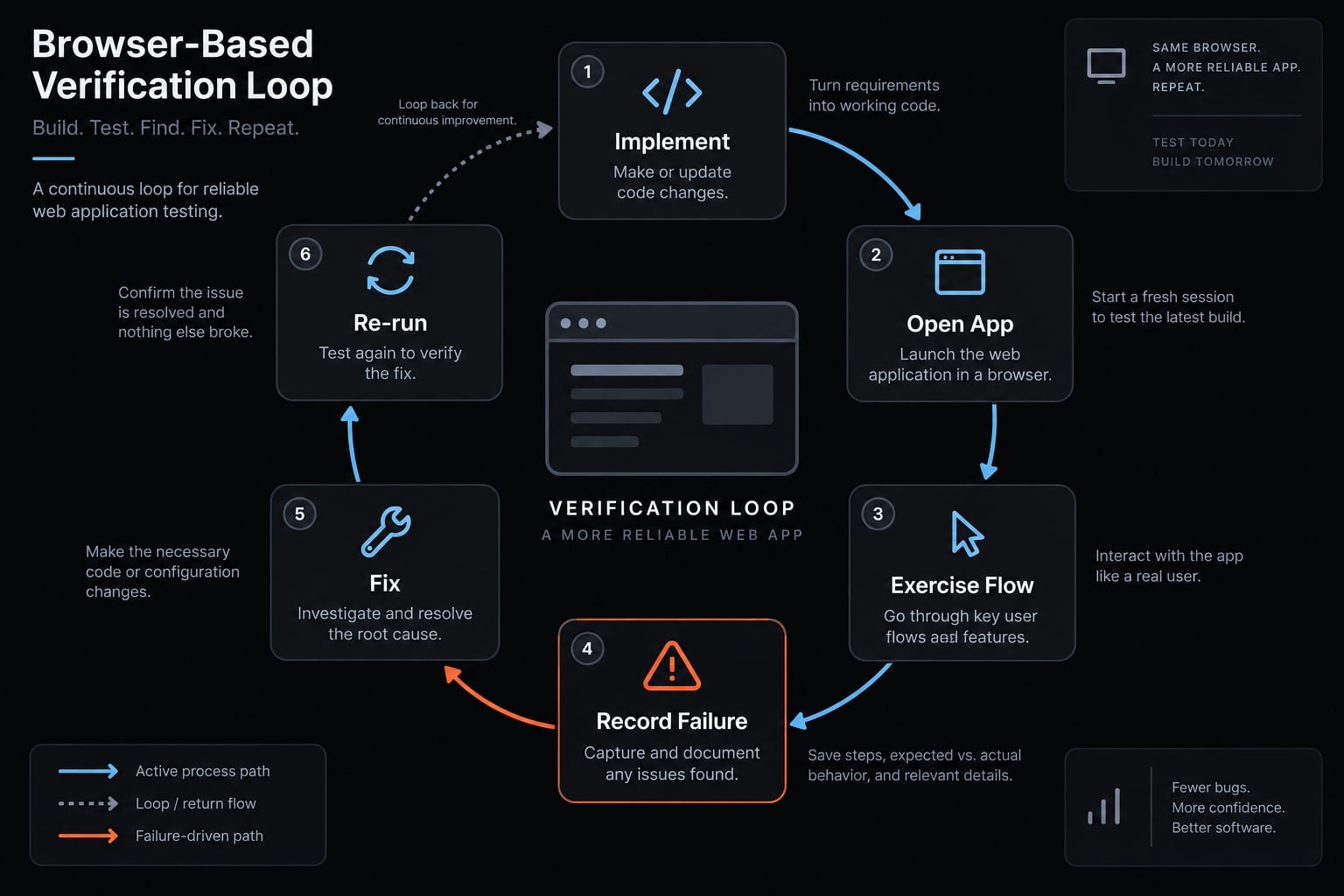
4. webapp-testing - Best for browser-based verification
- Best for: User-facing changes involving forms, navigation, UI states, errors, and regression-prone flows.
- Why it is useful: It helps automate testing with Claude Code by exercising observable behavior in a browser.
- When to use it: Add browser verification when a change cannot be validated adequately through static code inspection.
- Main limitation: Browser checks do not replace unit, integration, or end-to-end test suites.
- Source type: Official Anthropic source where available.
- Installation: Verify the current package through Anthropic’s skills repository.
- Do not combine unless: Browser verification and CI have separate responsibilities.
- Trust note: Review browser permissions, network access, authentication state, environment variables, screenshots, and stored session data.
5. code-simplifier - Best for safe code cleanup
Use before:
- Tests are passing.
- The cleanup scope is defined.
- The relevant diff is isolated.
Verify after:
- Tests and type checks still pass.
- Lint and formatting rules remain satisfied.
- Observable behavior is unchanged.
- The review diff has not expanded unexpectedly.
code-simplifier can improve naming, nested conditionals, duplication, interface clarity, and maintainability. Its main limitation is that stylistic simplification does not prove behavioral equivalence.
- Source type: Official Anthropic source.
- Installation: Use the official Anthropic plugin source.
- Do not combine unless: Broad refactoring and cleanup have separate scopes.
- Trust note: Existing formatter, linter, test, and repository conventions remain authoritative. Always review the diff.
6. frontend-design - Best for initial UI generation
- Best for: Creating initial interface layouts, components, visual hierarchy, and typography.
- Why it is useful: frontend-design can move UI generation beyond generic layouts when Claude receives adequate design constraints.
- When to use it: Use it for new pages or components, especially with a documented design system.
- Main limitation: It is a generation aid, not a design validation system.
- Source type: Official Anthropic source.
- Installation: Refer to Anthropic’s skills repository.
- Do not combine unless: Generation, guideline review, and behavior testing occur at separate stages.
- Trust note: Inspect introduced fonts, assets, external libraries, remote resources, accessibility requirements, and license implications.
Creation | Validation |
|---|---|
frontend-design | Web Interface Guidelines and webapp-testing |
7. Web interface guidelines - Best for UI quality review
- Best for: Reviewing an existing interface for accessibility, responsiveness, consistency, interaction clarity, and usability.
- Why it is useful: It creates a review layer after initial frontend design or React implementation.
- When to use it: Run it before browser verification and final human review.
- Main limitation: Guidelines do not replace automated accessibility testing or user research.
- Source type: Vendor-owned source from Vercel Labs.
- Installation: Follow the original Web Interface Guidelines repository.
- Do not combine unless: The generation skill creates the interface and this package reviews it.
- Trust note: Confirm repository ownership, update status, referenced guidelines, and any external content retrieved during review.
Generate versus review: frontend-design proposes the interface. Web Interface Guidelines evaluates whether the implemented interface follows defined quality principles.
8. React best practices - Best for react and Next.js projects
- Best for: Framework-compatible component boundaries, state placement, rendering, data fetching, and error handling.
- Why it is useful: Generic coding guidance often misses framework-specific trade-offs.
- When to use it: Apply it only when its assumptions match the repository’s React or Next.js version and architecture.
- Main limitation: Browser-focused Next.js advice may be incorrect for React Native.
- Source type: Vendor or community guidance; verify the current repository owner.
- Installation: Confirm the original source, then compare its guidance with Next.js documentation.
- Do not combine unless: Project conventions take precedence over generic recommendations.
- Trust note: Review framework compatibility, maintenance status, version assumptions, dependencies, and generated architecture changes.
9. TypeScript workflow skills - Best for type-safe refactoring
The strongest Claude Code skills for TypeScript development usually solve one focused problem. They should guide planning and boundaries while the compiler, linter, tests, and CI remain the source of truth.
Module type | Best for | Keep if | Remove if |
|---|---|---|---|
PRD-writing skill | Scope and interface planning | It clarifies constraints | It duplicates existing planning |
Refactor-planning skill | Large type-sensitive changes | It reduces unsafe edits | Plans remain generic |
Git guardrails | Change control | It prevents recurring risky actions | It conflicts with hooks or team policy |
- Source type: Maintainer-owned community collection.
- Installation: Select only the needed module from Matt Pocock’s repository.
- Main limitation: Instruction-based guardrails cannot replace protected branches, deterministic hooks, or CI controls.
- Trust note: Inspect commands affecting Git history, branches, commits, worktrees, and repository state.
10. PlanetScale skills - Best for database workflows
Install if:
- The project uses PlanetScale or a compatible workflow.
- Schema management, indexing, query optimization, or branching guidance repeatedly causes friction.
- Database changes already require review and rollback planning.
Skip if:
- The project uses an unrelated database model.
- Vendor-specific guidance conflicts with the team’s migration process.
- Claude would receive unnecessary production access.
- Source type: Official vendor source when obtained through PlanetScale documentation.
- Main limitation: Vendor-specific database workflows are not universally transferable.
- Do not combine unless: Migration planning and execution permissions remain separate.
- Trust note: Protect credentials, production connectivity, sensitive data, backups, execution plans, destructive commands, and rollback procedures. Require human approval for production changes.
11. TerraShark - Best for Terraform diagnostics
TerraShark is most appropriate as an advisory Terraform diagnostic workflow. It can help gather context, classify failures, and structure risk-aware recommendations.
Infrastructure warning: Do not allow direct production apply by default. Review every terraform plan, protect state, use least-privilege credentials, test outside production, and require manual authorization before infrastructure changes.- Best for: AI-assisted debugging of Terraform failures.
- Main limitation: Infrastructure risk is materially higher than UI or code-style risk.
- Source type: Third-party community package.
- Installation: Verify current behavior through the original TerraShark repository.
- Do not combine unless: CI validation, diagnostic assistance, and authorization are clearly separated.
- Trust note: Inspect shell execution, cloud credentials, state access, network behavior, command construction, and destructive-operation handling.
12. Context mode - Best for long-running session context
Context Mode addresses noisy shell output and context degradation during extended CLI sessions. It should not automatically be treated as persistent memory.
Option | Best for | Main risk | Use when |
|---|---|---|---|
Context Mode | Filtering or managing long sessions | Storage and retention behavior | CLI output creates excessive noise |
Claude Mem | Persistent memory-style workflows | Sensitive data persistence | Cross-session recall is necessary |
Native context | Lightweight built-in continuity | Limited long-session control | Project requirements are simple |
- Source type: Third-party community context-management extension.
- Installation: Use the original Context Mode repository.
- Main limitation: Additional LLM memory management can create its own storage, context, and debugging overhead.
- Do not combine unless: Each memory or context layer has a distinct responsibility.
- Trust note: Review local storage, retention, network calls, deletion behavior, sensitive data handling, and overlap with native Claude Code features.
Recommended Claude Code skill Stacks by workflow
Small stacks are easier to test, maintain, and remove. Begin with the bottleneck, then add another component only after observing a repeated need.
User profile | Recommended skills | Install first | Add later | Main avoidance rule |
|---|---|---|---|---|
Most developers | Workflow + verification + cleanup | Workflow and verification | Cleanup or custom skill | Avoid two full methodology layers |
Frontend developers | Generation + review + browser verification | Generation and testing | Interface review | Do not confuse generation with QA |
TypeScript teams | Planning + compiler/lint/CI + cleanup | Planning and deterministic gates | Refactor module | Skills do not replace type checks |
Solo founders | Requirements + PRD + execution | Requirements and scope | Design and testing | Do not automate unclear requirements |
Infrastructure teams | Planning + CI + diagnostics | Planning and CI | TerraShark | No autonomous production apply |
Team quality | Team skill + verification + hooks + CI | Shared standards and CI | Subagents or MCP | Avoid duplicated rules |
Best starter Stack for most developers
Start with:
- Superpowers or another broad workflow skill.
- webapp-testing or an equivalent verification procedure.
- A custom project skill only after repository-specific repetition appears.
Best frontend Stack
Use frontend-design for creation, Web Interface Guidelines for review, and webapp-testing for observed behavior. Accessibility scanners, tests, and CI remain separate validation layers.
Best TypeScript Stack
Planning skills can guide type-safe refactoring, but the TypeScript compiler, lint rules, tests, and CI validate the change. Git instructions are not equivalent to repository protections.
Best solo founder Stack
Use this order:
- Requirements clarification.
- PRD or scope definition.
- Implementation workflow.
- Design and testing after the product path stabilizes.
Best infrastructure Stack
Begin with planning, CI, Terraform validation, and protected state. Add diagnostic assistance only after the deterministic controls are working, then require manual approval.
Best team quality Stack
A mature AI development workflow can combine a version-controlled team skill, shared Definition of Done, verification procedure, and deterministic hooks or CI. Add subagents or Model Context Protocol integrations only when isolation or external access is needed.
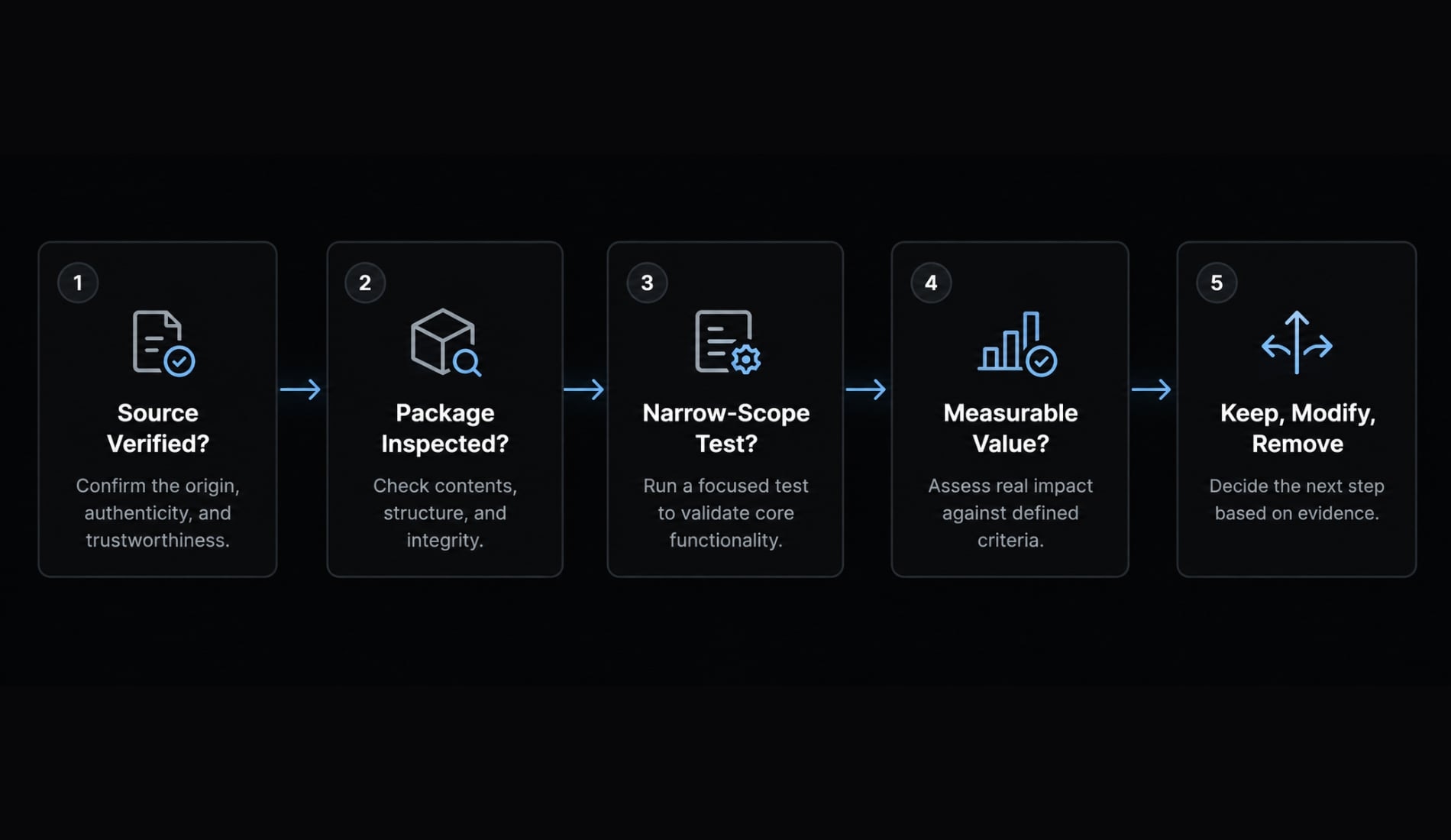
How to install and validate a Claude Code skill
- Confirm the original source.
- Inspect the package.
- Install at the narrowest practical scope.
- Run a controlled baseline evaluation.
- Keep, modify, or remove it.
1. Confirm the original source
Check the maintainer’s identity, repository ownership, documentation, releases, recent meaningful commits, open security issues, and archived status. Names should remain consistent between the repository and any Claude Code marketplace listing.
2. Inspect the package
Review more than SKILL.md. Inspect:
- YAML frontmatter, if present.
- Scripts, hooks, commands, and installers.
- Dependencies and referenced files.
- Network requests and external services.
- Environment-variable and credential access.
- Files written outside the repository.
- Stored memory or session data.
3. Install at the narrowest scope
Test in a disposable, non-sensitive repository. Prefer project-level installation before global installation, back up configuration, and record every changed file.
Only use commands verified against the original source on the publication date. Repositories and Claude Code CLI behavior can change, so this article does not reproduce commands that could not be independently validated.
4. Run a controlled evaluation
Use one representative task and compare:
- Planning quality.
- Defect count.
- Test completion.
- Review corrections.
- Time to acceptable output.
- Context usage.
- Manual intervention.
Avoid artificial microbenchmarks that do not represent normal repository work.
5. Keep, modify or remove it
- Keep: Repeatable value is visible.
- Modify: The procedure is useful but needs repository-specific constraints.
- Remove: It adds noise, duplicates existing controls, conflicts with another workflow, or lacks maintenance.
Rollback should remove skill files, hooks, dependencies, commands, configuration entries, stored state, and credentials. Run a clean Claude Code session afterward to verify removal.
Security, context cost and choosing the right Claude Code primitive
Third-party packages can contain more than Markdown instructions. Plugins may include hooks, scripts, installers, dependencies, network calls, and persistent storage. Popularity on GitHub is not a security review.
Pre-installation security checklist
- Verify the original maintainer and repository.
- Read every executable and referenced file.
- Inspect hooks, shell commands, installers, and network requests.
- Search for environment-variable and credential access.
- Test in a disposable or restricted environment.
- Apply least-privilege permissions.
- Review generated diffs and command logs.
- Remove packages with no measurable value.
- Re-audit after major updates.
- Never call a third-party skill safe solely because it is popular.
Skills vs CLAUDE.md, Hooks, Subagents, Plugins, MCP, and CI
Model Context Protocol (MCP) connects Claude to external tools or data. It is not a substitute for project instructions, memory, deterministic enforcement, or CI.
Mechanism | Best used for | Loads or runs when | Example | Primary risk |
|---|---|---|---|---|
| Concise persistent project context | Relevant sessions | Repository conventions | Context bloat or stale rules |
Skill | Repeatable on-demand procedure | Invoked or task-matched | Code review checklist | Conflicting instructions |
Hook | Deterministic lifecycle enforcement | Defined event | Block completion if tests fail | Unsafe shell behavior |
Isolated or parallel analysis | Explicit delegation | Security review | Context or delegation gaps | |
Plugin | Distribution of multiple components | After installation | Workflow package | Expanded attack surface |
MCP server | External tools or data | Capability call | Browser or database access | Credentials and network access |
CI pipeline | Mandatory validation | Push or pull request | Tests and security scans | Misconfiguration or false confidence |
Decision rules
- Use a skill for an on-demand procedure.
- Use
CLAUDE.mdfor concise persistent context. - Use a hook or CI for deterministic enforcement.
- Use a subagent for isolated or parallel work.
- Use MCP when Claude needs an external capability or data source.
- Use a custom skill when a recurring procedure depends on repository-specific knowledge.
Context cost includes instructions loaded, repeated output, stored summaries, tool-response volume, conflicting procedures, and corrections caused by irrelevant behavior. It affects focus, latency, maintainability, and debugging—not only token price.
Effective secure Claude Code plugin management therefore requires both source inspection and operational evaluation. A package that is harmless in a disposable frontend repository may be unacceptable when credentials, databases, or cloud infrastructure are accessible.
Choose the smallest skill Stack that solves the problem
The best Claude Code skills are those that address a visible workflow bottleneck and produce repeatable evidence of improvement. Start with one workflow skill and one verification mechanism, evaluate both against a baseline, and remove anything that adds more context than value.
When recurring repository patterns emerge, custom skills are usually more durable than a growing collection of generic packages. Keep deterministic enforcement in hooks or CI, and use original sources for installation and maintenance decisions.
For teams that have progressed from standalone skills to coordinated agents, quality gates, reusable configurations, and MCP integrations, the AgentKit starter kit provides an optional path toward a more controlled Claude Code workflow.
Frequently asked questions
What are the best Claude Code skills for professional developers?
The best Claude Code skills are those that enforce repeatable workflows, such as Superpowers for TDD and planning, webapp-testing for verification, and code-simplifier for maintaining standards. Focus on skills that solve specific workflow bottlenecks rather than installing broad collections that increase context overhead.
How do I install a Claude Code skill safely?
To install a skill safely, first verify the original maintainer's repository. Inspect the SKILL.md file, hooks, and any included scripts for unauthorized network calls or permission requests. Install the skill at the narrowest project scope, run a baseline evaluation, and remove it immediately if it fails to provide measurable value.
Can I combine multiple Claude Code skills?
You can, but be cautious. Combining too many skills—especially those that enforce conflicting methodologies—creates "context noise" and degrades performance. Use a minimal stack: one broad workflow skill, one verification skill, and only repository-specific skills as needed. Always test your skill stack against a representative task baseline.
What is the difference between a Claude Code skill and a hook?
A skill is an on-demand, advisory procedure loaded when a task matches its criteria, intended to guide Claude’s decision-making. A hook is a deterministic piece of code that triggers automatically on lifecycle events (like commits or PRs) to enforce specific project requirements, regardless of Claude’s current reasoning.
How do I remove a Claude Code skill if it causes issues?
To fully remove a skill, delete its folder from your .claude/skills/ directory and remove any associated configuration lines in your CLAUDE.md or project settings. Verify that any hooks, dependencies, or environment variables installed by the skill are also manually cleaned up to ensure the environment returns to a stable state.
Do I need AgentKit if I already use Claude Code skills?
You likely do not need AgentKit if you only use one or two standalone skills for simple tasks. AgentKit becomes necessary when your workflow requires coordinating multiple agents, standardizing skills across several repositories, managing complex MCP integrations, or enforcing consistent quality gates across a growing engineering team.
Read more:
- Claude Code skills best practices: Build reusable AI workflows
- Claude Code plugin marketplace: A guide to discover and setup
- Claude Code secrets: How to secure .env files and credentials
Conclusion
In conclusion, the best Claude Code skills are the ones that solve a real workflow bottleneck, not the ones that simply sound popular. Start small, combine one workflow skill with one verification step, and keep only what delivers clear, repeatable value.