Superpowers Claude Code: Mastering structured AI workflows
Superpowers Claude Code: What it is, How it helps, and whether it’s worth using
Superpowers for Claude Code isn't about making the AI smarter - it's about adding repeatable structure to your workflow. If you are tired of re-typing the same planning, coding, and review prompts, this tool eliminates the repetition. This guide covers what Superpowers is, how to install it quickly, and when plain Claude Code is already enough.
What is Superpowers for Claude Code?
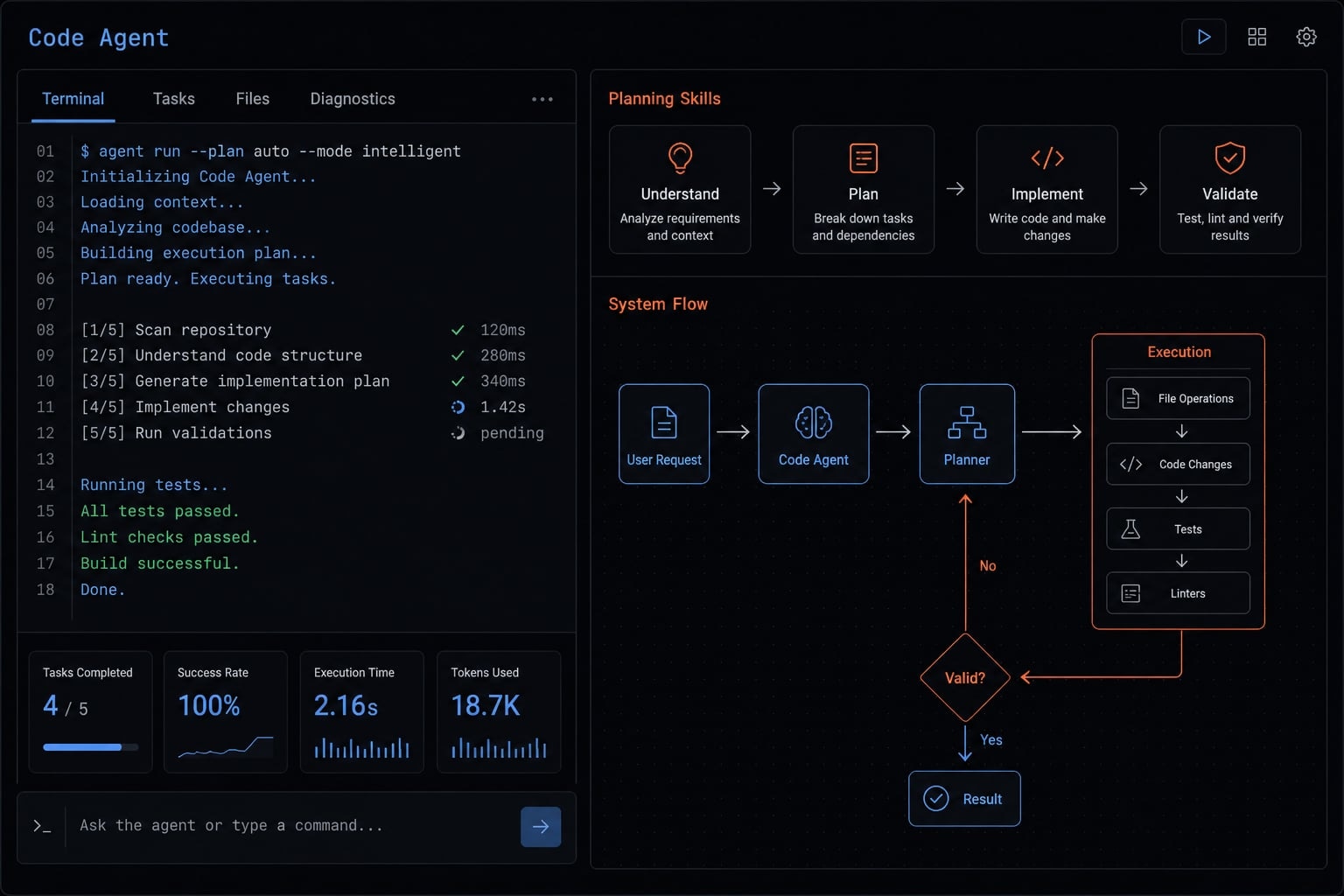
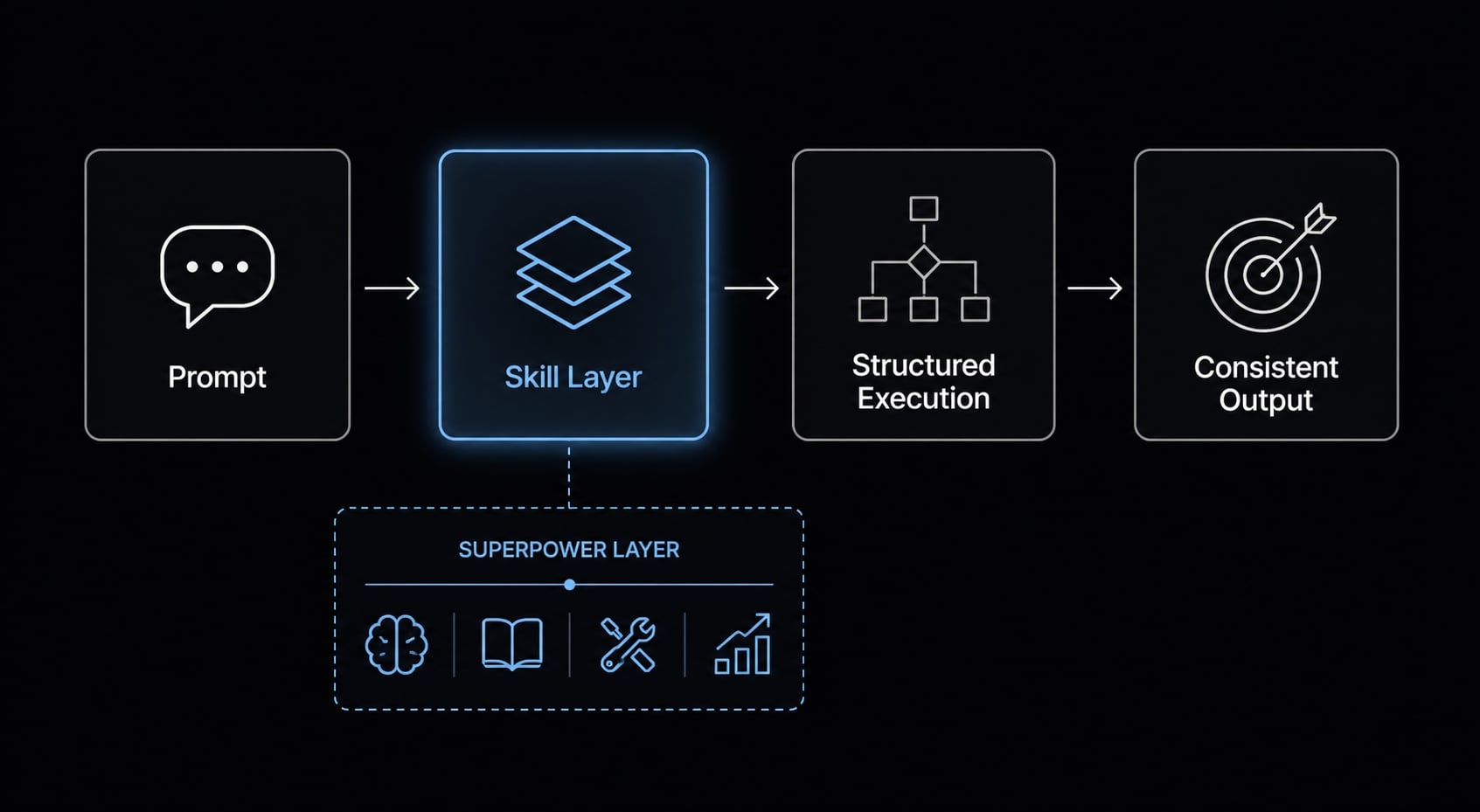
The Superpowers plugin for Claude Code is a structured skills layer that gives Claude reusable workflow patterns for common development tasks such as planning, debugging, review,... It improves consistency and repeatability, but it is not a model upgrade and does not add new underlying intelligence.
The easiest way to think about this plugin is as a collection of reusable playbooks. Instead of asking Claude Code to reinvent its approach in every session, you give it a structured skills framework that already defines how to handle recurring tasks.
That matters because many users do not struggle with raw code generation. They struggle with process drift. One session starts with careful planning, another jumps straight into implementation, and a third produces a long but scattered debugging response. The Superpowers plugin for Claude Code helps reduce that inconsistency by giving Claude Code predefined workflow patterns it can follow more reliably.
Superpowers is a structure layer, not magic
- It is not a new model from Anthropic.
- It does not add new reasoning powers to Claude Code.
- It adds structured methods for recurring tasks like planning, review, debugging, and testing.
- It improves consistency, repeatability, and prompt discipline across sessions.
- It helps Claude Code behave more like a workflow-aware assistant, not just a reactive coding tool.
Why this matters in real development work
In real projects, multi-step tasks degrade when the AI has to infer process from scratch every time. If you keep re-explaining how to plan a feature, isolate a bug, or review a pull request, you are spending time on prompt reconstruction instead of delivery. A structured skills framework for Claude reduces that friction. The gain is operational: Less re-prompting, clearer execution, and more predictable outputs.
How Superpowers makes Claude Code better in practice
The biggest practical benefit is not that Claude Code suddenly becomes smarter. It is that structured reasoning gives the tool a more repeatable way to handle complex work. For users dealing with a multi-step development workflow, that often means less prompt repetition, fewer scattered outputs, and a better chance of getting usable results on the first pass.
Much of the day-to-day friction when using Claude Code comes from having to explain not only what to do, but also how to do it: Plan the work, check dependencies, consider edge cases, run tests, and reproduce bugs before proposing a fix. Superpowers helps reduce this burden by embedding more of that workflow upfront.
A structured process can also improve Claude Code’s token efficiency, since the model spends less effort reinventing its approach from scratch. However, this should be viewed as token optimization through better structure, not as a guaranteed reduction in costs.
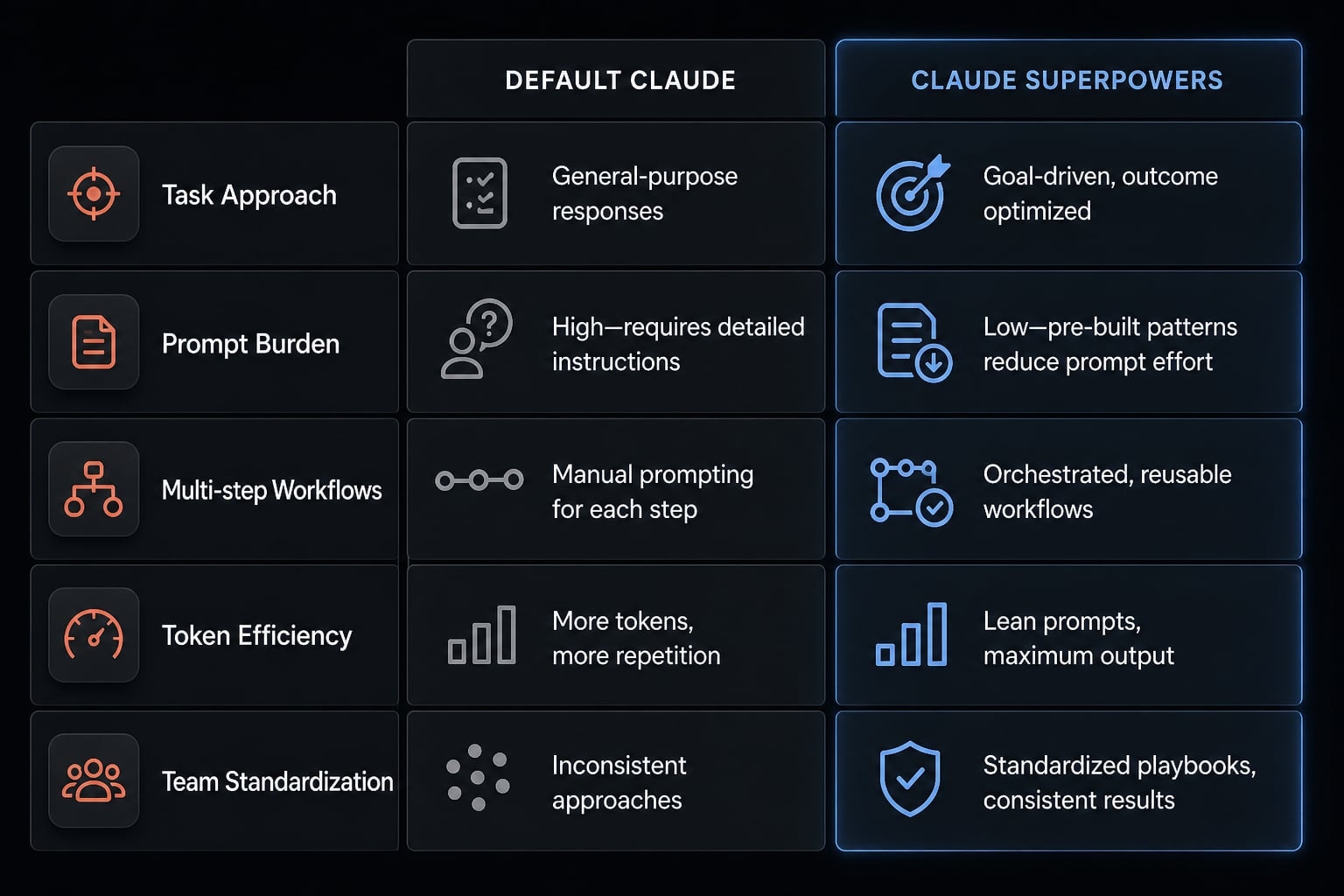
Default Claude Code vs Claude Code with Superpowers
Criteria | Default Claude Code | Claude Code with Superpowers | Practical impact |
|---|---|---|---|
Task approach | Often inferred from the prompt each time | Guided by reusable workflow patterns | Less process drift between sessions |
Prompt burden | Higher, especially for complex tasks | Lower because structure is partially predefined | Less time spent restating instructions |
Multi-step workflows | Can become uneven or verbose | Better suited for a multi-step development workflow | More predictable sequencing |
Token efficiency | May use extra reasoning to reconstruct process | Can support improving Claude Code token efficiency with skills | Potentially tighter outputs |
Team standardization | Hard to keep prompting consistent across users | Easier to align on repeatable methods | Better shared AI working habits |
The biggest workflow gains
- Planning before coding: For new features, Claude Code often benefits from being pushed into decomposition first. A planning skill helps identify requirements, dependencies, and edge cases before implementation begins.
- Cleaner debugging flows: Debugging gets better when the process is explicit: reproduce, isolate, verify, fix, and confirm. That is a more reliable pattern than asking for a fix from a vague error message.
- More consistent review and testing prompts: Review and test tasks are where ad hoc prompting often becomes shallow. A structured workflow makes it easier to check readability, security, edge cases, and regression risk in a repeatable way.
Most users notice the benefit fastest in planning, debugging, and review-heavy tasks. That is where process quality matters as much as output quality. Still, Superpowers does not compensate for poor context, unclear specs, or a disorganized codebase. If the task is vague, the result can still be vague.
Contextual next step
If your team is already struggling with inconsistent AI-assisted coding habits, standardizing task structure usually creates more value than adding more prompts. Reviewing workflow patterns before scaling usage is often the safer move.
What skills does Superpowers add?
Superpowers ships 14 skills, organized in the repo under four categories: Testing, Debugging, Collaboration, and Meta. You don't invoke them from a menu — the skills trigger automatically when the agent detects a relevant task, which is why the plugin is better understood as a methodology than as a command list.
Testing
test-driven-development - Enforces a strict RED-GREEN-REFACTOR cycle: write a failing test, watch it fail, write the minimum code to pass, watch it pass, commit. Code written before its test gets deleted. Ships with a testing anti-patterns reference.
Debugging
systematic-debugging- A four-phase root cause process that blocks fixes until the cause is identified. Bundles three techniques: root-cause-tracing, defense-in-depth, and condition-based-waiting.verification-before-completion- Confirms the bug is actually fixed with evidence, rather than accepting the agent's claim that it is.
Collaboration
This is the largest group, and the skills map to the order real work happens in.
brainstorming- Socratic design refinement. Runs before any code is written: asks questions, explores alternatives, presents the design in readable chunks, then saves a design document.using-git-worktrees- Creates an isolated workspace on a new branch after design approval, runs project setup, and verifies a clean test baseline.writing-plans- Breaks approved work into bite-sized tasks of two to five minutes each, with exact file paths, complete code, and verification steps per task.executing-plans- Runs the plan in batches with human checkpoints between them.subagent-driven-development- The faster alternative: dispatches a fresh subagent per task with two-stage review, first for spec compliance, then for code quality.dispatching-parallel-agents- Concurrent subagent workflows for work that can run in parallel.requesting-code-review- A pre-review checklist that grades issues by severity; critical findings block progress.receiving-code-review- Structured handling of review feedback.finishing-a-development-branch- Verifies tests pass, presents the merge / PR / keep / discard decision, then cleans up the worktree.
Meta
writing-skills- Guides authoring and testing new skills, applying TDD principles to documentation.using-superpowers- The bootstrap skill that introduces the system to the agent at session start.
How they fit together: The default path runs: Brainstorming → git worktree → writing-plans → subagent-driven-development (or executing-plans) → TDD → code review → finishing the branch. The underlying philosophy is explicit in the repo: tests first, systematic over ad-hoc, complexity reduction, and evidence over claims.
How to install and start using Superpowers
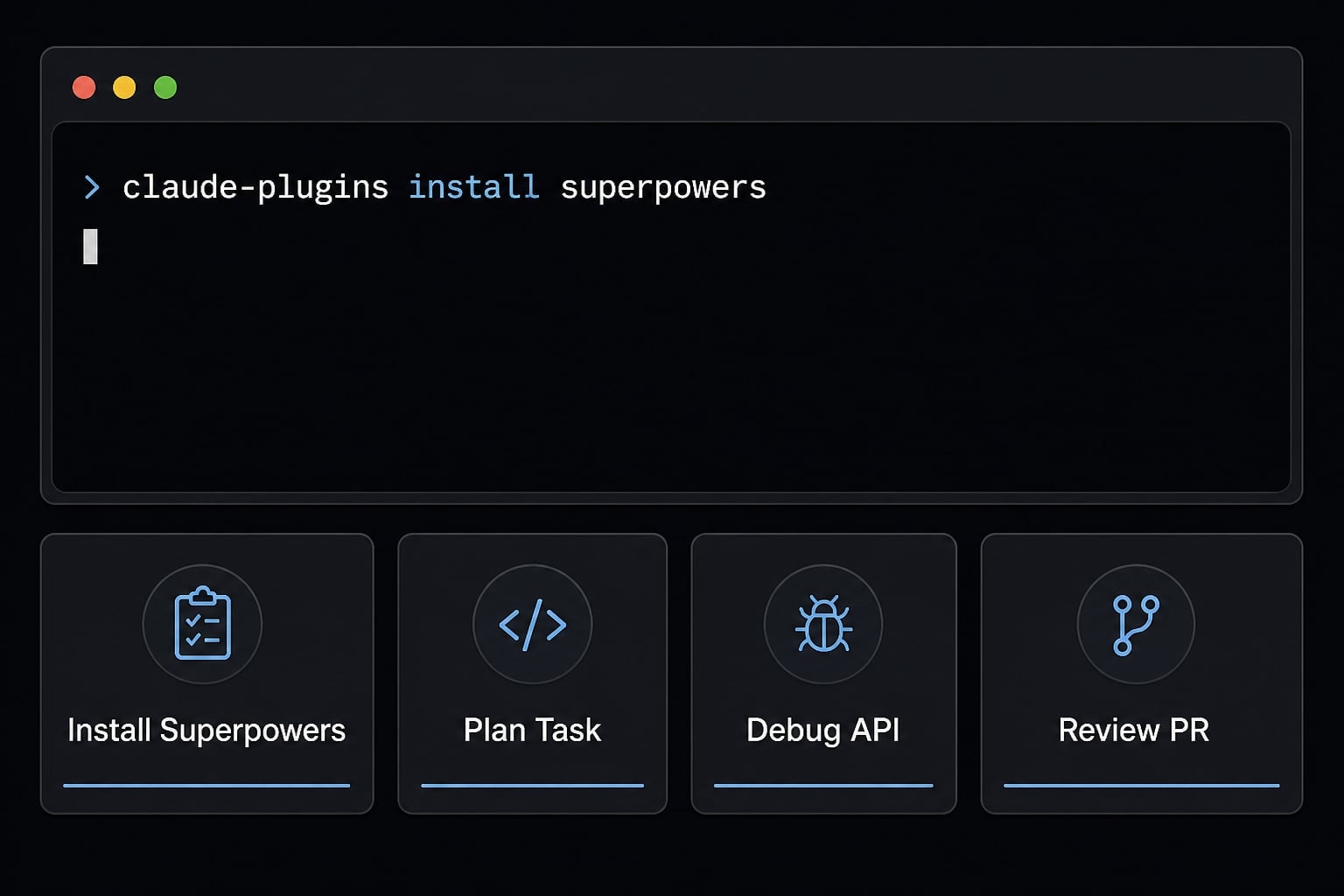
If you are looking for how to install Superpowers plugin in Claude Code, the setup is straightforward. The main goal is not just installation, but testing it on the right first tasks. The fastest way to evaluate value is to install it, confirm the skills are available, and try a planning, debugging, or review workflow with clear project context.
- Install the plugin.
- Confirm it appears in Claude Code.
- Start with a planning, debug, or review task.
- Give clear project context.
- Compare results before adopting it widely.
Basic Installation
/plugin install superpowers@claude-plugins-official
That command installs the plugin inside Claude Code. Once recognized, it becomes available as a workflow-oriented skills layer that Claude Code can use alongside your project context and CLAUDE.md configuration. If you are evaluating how to install Superpowers plugin in Claude Code, this is usually the only command needed to get started.
A practical note: Installation alone does not guarantee better outputs. The plugin improves structure, but it still depends on your repo context, task clarity, and how well your CLAUDE.md configuration reflects the project.
First commands to try
/superpowers:brainstorm/superpowers:write-plan/superpowers:execute-plan
These are strong starting points because they expose the difference between plain prompting and using Claude Code Superpowers. Planning, debugging, and review are usually where the workflow benefit appears fastest.
Beginner tips for better results
- Clear goals still matter: Skills add structure, but they do not replace a usable task definition.
- Skills do not create project understanding: If your repository is messy or context is missing, the outputs can still be weak.
- Start with planning, debugging, and review: These are the easiest places to notice the value of using Claude Code Superpowers.
- Compare before and after: Run a similar task with and without Superpowers to judge whether the workflow improvement is meaningful for your use case.
Contextual next step
If installation is easy but results still feel inconsistent, the issue is often not the plugin. It is usually missing task structure, weak repo context, or unclear expectations around the output.
When Superpowers is worth using - and when it may be overkill
If you are asking should you use Superpowers, the simplest test is this: Does your work involve multiple steps, dependencies, or repeated prompting patterns? If yes, it is worth trying. If not, plain Claude Code may already be enough.
Superpowers is most useful when structured AI workflows improve execution quality, not just convenience:
- For solo developers, that often means less prompt reinvention and better discipline around planning or debugging.
- For small teams, it can support standardizing AI coding workflows so different contributors are not all inventing their own prompting habits.
Best fit use cases
- Planning new features: Useful when requirements are ambiguous or the work spans dependencies, tests, and implementation order.
- Debugging non-trivial issues: Strong fit for bugs that need reproduction, isolation, validation, and confirmation rather than a quick patch.
- Standardizing recurring AI-assisted workflows: Especially useful for teams that want repeatable methods for planning, review, testing, and delivery.
When plain Claude Code is enough
- Quick snippet generation: If you just need a helper function or a small example, extra structure may not add much.
- Small syntax fixes: Superpowers can be unnecessary for narrow, low-risk edits.
- Simple exploratory questions: If you are asking for concepts, alternatives, or basic examples, default Claude Code is often sufficient.
Decision shortcut
If the task has multiple steps, dependencies, or requires repeatable consistency, Superpowers is worth testing. If you mostly use Claude Code like advanced autocomplete, it may be overkill.
This is where trust matters most. A Claude Code productivity upgrade only counts if it matches how you actually work. Superpowers will not rescue vague specs, disorganized codebases, or poor context. It also will not magically align a team that has no shared development standards. What it can do is make structured AI workflows more practical when the work itself is repetitive, complexity-heavy, or quality-sensitive.
For solo developers, the upside is usually sharper planning and less prompt repetition. For small teams, the upside is standardizing AI coding workflows across people and projects with more consistent prompting habits. That is a real operational gain, but only when repeatability matters.
Contextual next step
If your use cases sit in the high-complexity, high-repeatability range, it is worth documenting a few standard prompt paths before broader rollout. That usually prevents tool enthusiasm from turning into workflow inconsistency later.
Frequently asked questions
What is the Superpowers plugin for Claude Code?
The Superpowers plugin for Claude Code is an open-source framework that adds 14 structured skill modules to your development environment. It provides a repeatable workflow layer, allowing Claude to approach tasks like planning, debugging,… using defined mental models rather than inferring processes from scratch each time.
How do I install the Superpowers plugin in Claude Code?
Installation is straightforward: run the command /plugin install superpowers@claude-plugins-official directly inside your Claude Code session. Once installed, the plugin integrates with your project’s configuration, allowing you to invoke specific skills like /plan, /debug, or /review to manage your development workflow.
Is the Superpowers plugin worth using for all projects?
Superpowers is most effective for complex, multi-step development tasks that require dependency management and consistency. If you primarily use Claude Code for quick one-off snippets, syntax fixes, or trivial coding tasks, the plugin may be unnecessary and could feel like overkill for your daily workflow.
How does Superpowers improve token efficiency?
By providing structured, predefined approaches to recurring tasks, Superpowers reduces the need for the model to "rediscover" best practices during every session. This structured reasoning typically leads to tighter, more predictable outputs, which can reduce the amount of back-and-forth prompting required to complete complex software engineering jobs.
Read more:
- Claude Code toolkit: Scale your AI development workflow easily
- Everything Claude Code: A guide to streamlined AI coding
- ClaudeKit: Optimize your AI workflow and development delivery
Conclusion
Superpowers Claude Code is best understood as a workflow improvement layer for developers who deal with repeatable, multi-step tasks. It does not make Claude Code smarter at the model level, but it can make planning, debugging and review more consistent and easier to repeat.
That said, it is not necessary for every use case. If you mainly generate quick snippets or fix small syntax issues, plain Claude Code is often enough. But if you are moving toward structured AI workflows and want less prompt reinvention, Superpowers is a credible tool to test.