
Claude Code Ultraplan: What it was and what to use instead
Claude Code Ultraplan was a research preview feature that sent a planning task from your local terminal to a Claude Code on the web session. You started it with /ultraplan, reviewed the resulting plan in your browser, and then chose where to implement it. Anthropic removed Ultraplan in version v2.1.222 (August 4, 2026). If the /ultraplan command no longer works, you can switch to local plan mode or use Claude Code on the web.
What was Claude Code Ultraplan?
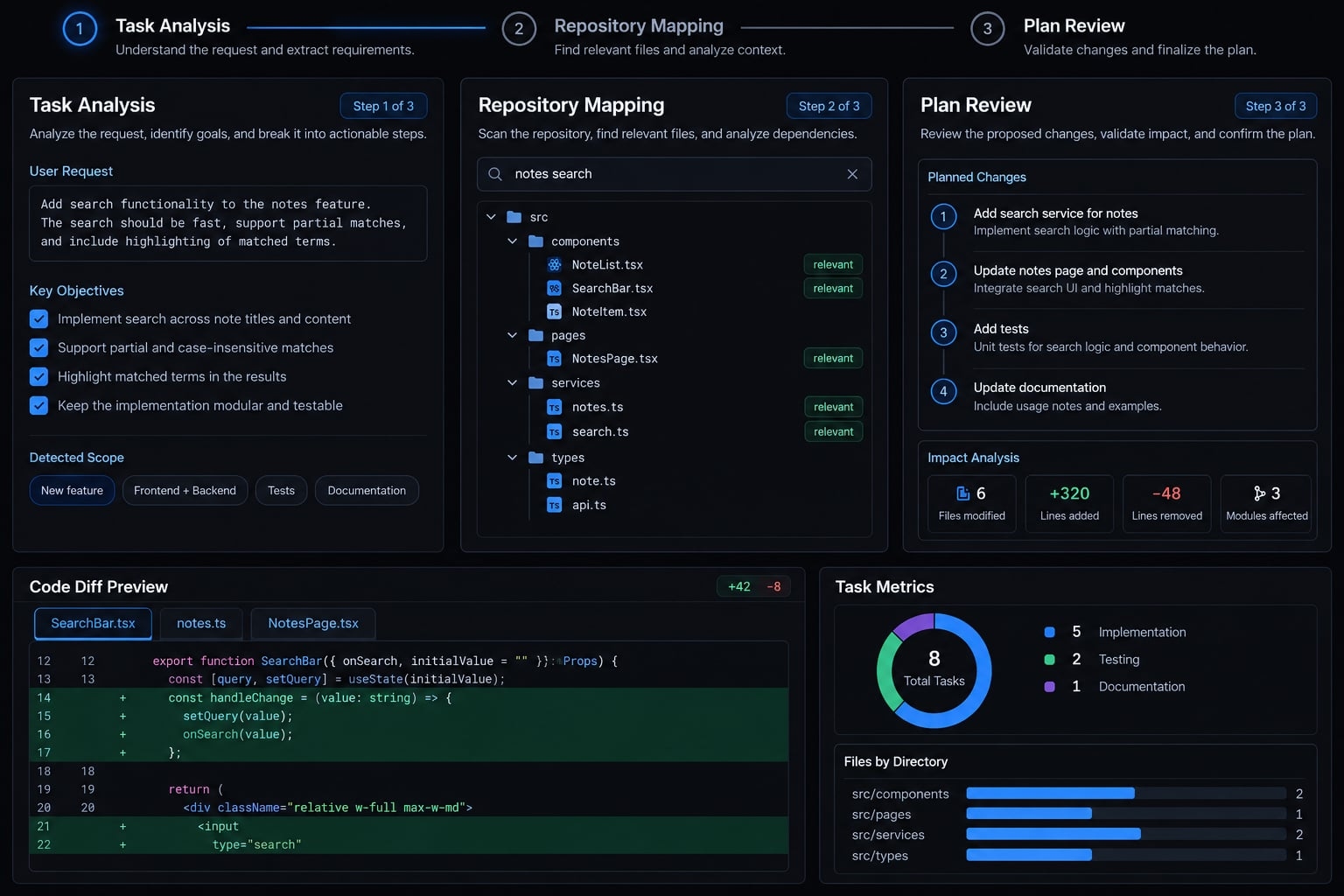
Ultraplan handed a planning task from the Claude Code CLI to a cloud session on Claude Code on the web, running in plan mode. Your terminal stayed free while Claude researched the codebase and drafted the plan. You could review the plan in the browser, then implement it in the cloud or bring it back to your local session.
You could start it two ways: type /ultraplan followed by a prompt, or, after a local plan finished, choose to refine it with Ultraplan on Claude Code on the web. It required a Claude Code on the web account and a connected GitHub repository.
How would a repository-planning workflow work?
The following is a general planning framework, not a verified description of Ultraplan’s behavior:
- Describe the task: Supply the goal, relevant context, and boundaries.
- Start a supported planning workflow: Check the documented controls for the interface you use.
- Inspect the proposal: Review findings, affected files, dependencies, and tests.
- Correct assumptions and approve scope: Resolve uncertainty before authorizing edits.
- Implement and validate: Execute in an approved environment, then review the results.
The underlying sequence is: Scope → Inspect → Plan → Approve → Implement → Validate
Submit a task and provide context
Give the assistant enough information to investigate without silently expanding the assignment.
For example:
Consolidate duplicated validation rules in the account form and account API. Preserve existing API responses. Identify server-only checks before proposing shared logic.
Useful context includes the relevant directories, compatibility requirements, known failures, and expected outcome. Avoid uploading unrelated code or sensitive configuration merely to provide more context.
Explore the repository and assemble a plan
A useful plan connects proposed work to observable repository findings. It should identify:
- Current behavior and relevant entry points.
- Affected files and dependencies.
- Ordered changes, including prerequisite work.
- Tests that demonstrate compatibility.
- Assumptions that still require confirmation.
Prefer “this caller expects the existing error structure” over an unsupported statement such as “the refactor is backward compatible.”
A plan should distinguish findings from recommendations. Otherwise, an inferred requirement can quietly become an implementation decision.
Review before execution
Human approval should involve making real decisions, rather than simply acknowledging that a plan is there. Before authorizing implementation, check:
- Are the assumptions accurate?
- Is unrelated work excluded?
- Are completion criteria testable?
- Is the execution environment approved?
Plan approval is not code-review approval. It also does not authorize deployment. Those later decisions require their own evidence and controls.
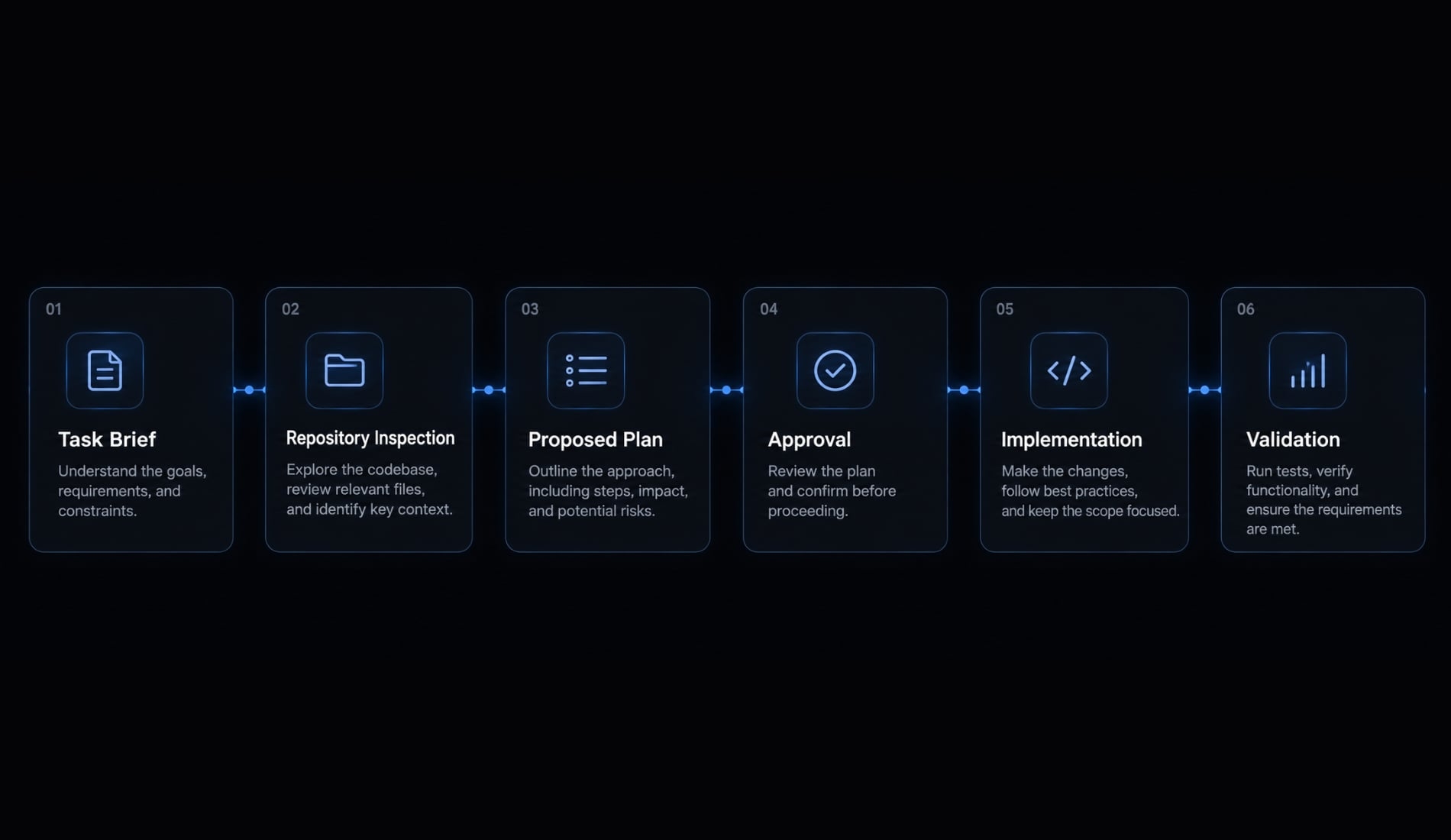
Claude Code Ultraplan vs. Claude Code Plan Mode
Compare controls and workflow boundaries, not presumed intelligence or capabilities inferred from a name.
Attribute | Ultraplan (removed) | Local plan mode | Claude Code on the web |
|---|---|---|---|
Where planning runs | Cloud session, started from the CLI | Your local session | Cloud session |
How you review | In the browser | In the terminal before approving | In the browser |
Terminal availability | Freed while planning | Occupied while planning | Not needed |
Repository requirement | Connected GitHub repo | Local repository | Connected GitHub repo |
Status | Removed in v2.1.222 (Aug 2026) | Available | Available |
Claude Code documentation describes Plan Mode as a way to explore and plan before implementation. Exact controls and interface behavior should be checked against the version in use.
A terminal session accessing local files does not mean model processing is offline or entirely local. Interface location, file access, and inference location are different questions.
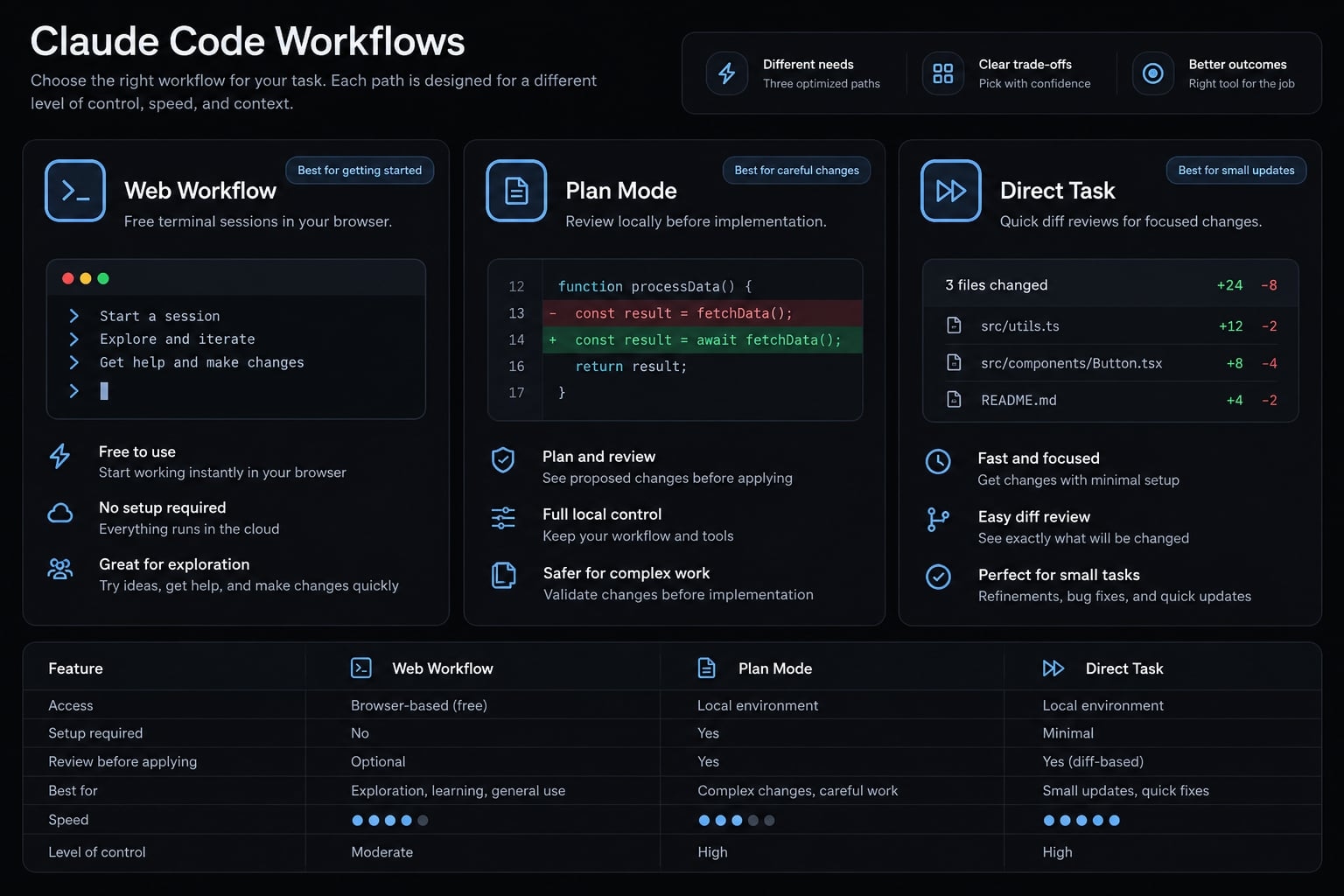
Choose the lightest suitable workflow:
- Isolated edit: Use a direct task with normal diff review and testing.
- Multi-file change: Inspect the repository and review a plan first.
- Long-running task: Consider a documented, organizationally approved cloud workflow.
- Restricted repository: Follow access and processing rules before selecting convenience features.
Investing extra time in planning is only worthwhile when it significantly reduces uncertainty or review risks.
Why /ultraplan no longer works
Anthropic removed Ultraplan in Claude Code v2.1.222, released August 4, 2026. The /ultraplan command and the “Refine with Ultraplan” option in plan mode no longer exist. Anthropic has not published a detailed rationale beyond the changelog entry. Use local plan mode for interactive planning, or start a session on Claude Code on the web if you want planning to run in the cloud.
How to plan a complex task in Claude Code
You can use a reviewable planning process without relying on Ultraplan. The essential deliverable is a proposal that another developer can challenge before implementation.
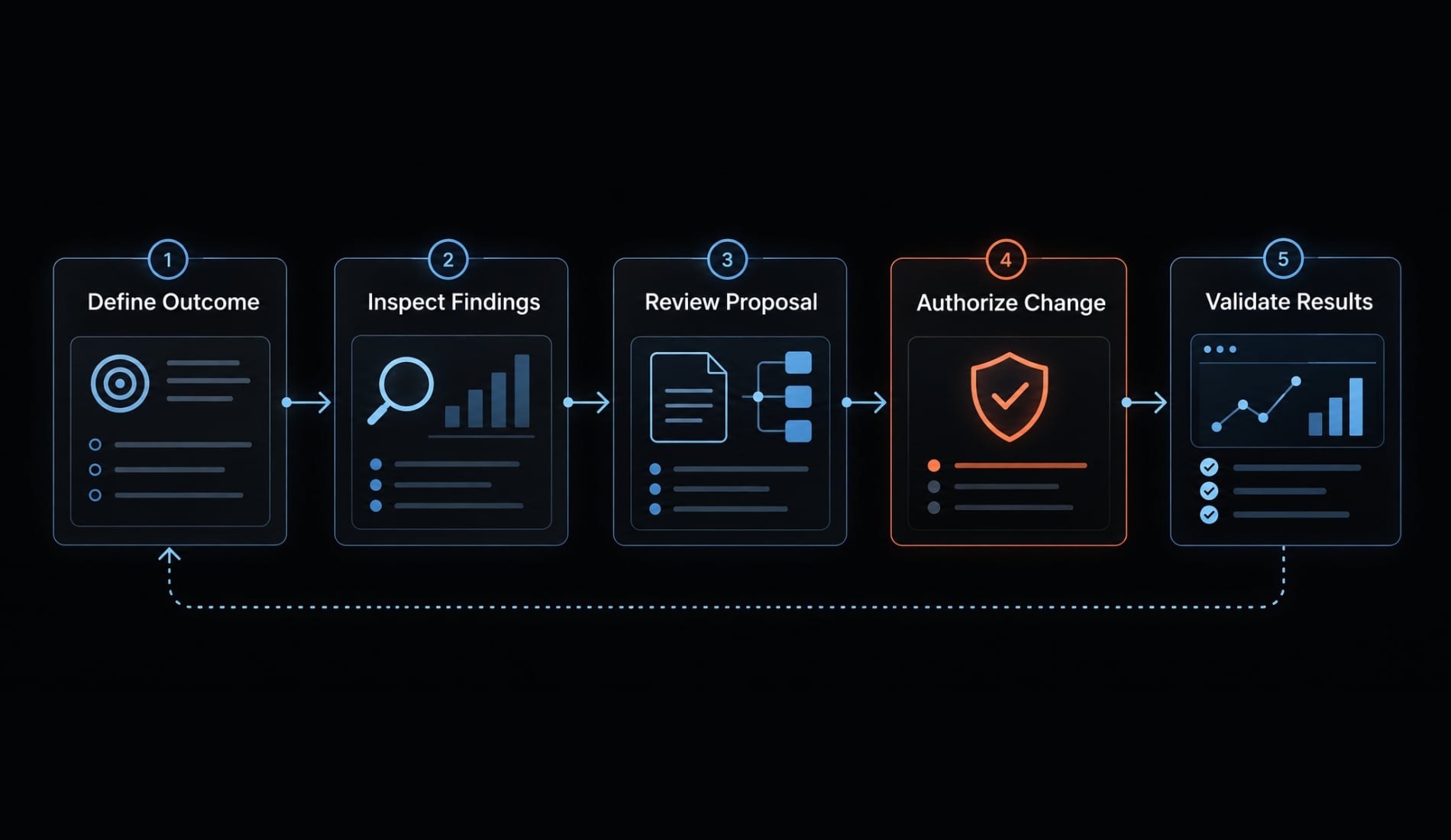
Use a five-step planning workflow
- Define the outcome and boundaries: State what should change and what must remain stable.
- Request inspection before edits: Ask for repository findings rather than an immediate solution.
- Review the proposal: Check files, assumptions, dependencies, tests, and risks.
- Authorize bounded implementation: Specify the approved scope and environment.
- Review the diff and validate: Check actual changes and test results independently.
Where available, Claude Code Plan Mode can support the planning stage. Check its documented permissions and behavior rather than treating a prompt as a security boundary.
Copyable task brief
Task request - not a command:
Goal:[Describe the desired outcome and why it matters.]Relevant areas:[List likely files, directories, interfaces, or workflows.]Constraints:[State compatibility, security, dependency, and scope limits.]Inspect the relevant repository context before proposing changes.Return a plan containing:1. Current-state findings Separate observed behavior from inference.2. Affected files and dependencies Explain why each area needs to change.3. Ordered implementation steps Identify prerequisites and keep unrelated work out of scope.4. Tests and acceptance criteria State how correct behavior and compatibility will be checked.5. Risks and rollback considerations Identify likely failure modes and a practical reversal path.6. Assumptions requiring confirmation List decisions that need human input.Request approval before implementation.Do not edit files or run state-changing commands at this stage.
Limitation: Requesting no edits does not itself enforce read-only access. Use supported permission controls and an appropriately restricted environment.
After implementation, compare the diff with the approved plan. Investigate unexplained changes, skipped tests, and altered assumptions before accepting the work.
Passing tests provide evidence, not proof of complete correctness. Review security-sensitive behavior, compatibility, and operational impact separately where relevant.
Example: Plan a multi-file refactor
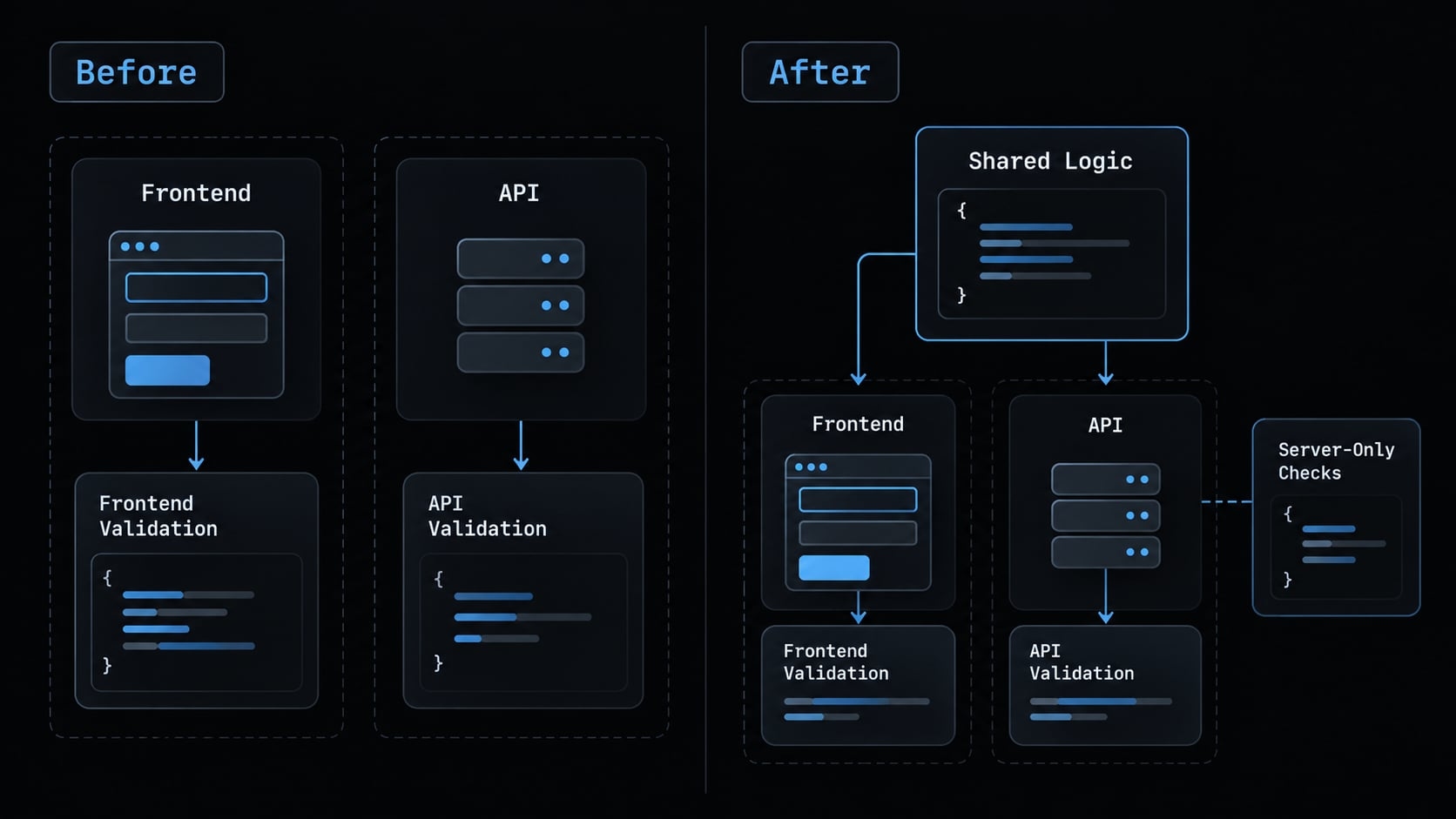
Illustrative scenario: A small product has duplicated input-validation logic in a frontend account form and an API endpoint. The rules have diverged, producing inconsistent feedback.
The goal is to share suitable validation logic without changing the API contract or weakening server-side enforcement. This is a planning example, not a tested customer case study.
Review the proposed change
Problem: The frontend and API independently validate account inputs. Some differences may be accidental; others may reflect legitimate server-only responsibilities.
Proposed plan:
- Inspect both implementations and their tests.
- Record differences in required fields, normalization, limits, and error behavior.
- Identify pure validation rules that can safely be shared.
- Keep authorization, database-dependent checks, and other server-only protections on the server.
- Update callers while preserving the API’s existing response contract.
- Add or revise tests before reviewing the complete diff.
The affected components might include the form, API handler, a shared validation module, and their tests. These are illustrative components, not assertions about a particular repository.
Review: Ask whether a shared module would introduce server-only dependencies into the frontend bundle. Confirm that normalization changes do not alter stored values unexpectedly.
Client-side and server-side validation need not be identical. The frontend helps users correct input; the server must enforce authoritative requirements regardless of client behavior.
Define acceptance criteria before editing
The plan should make these outcomes explicit:
- Valid inputs still pass.
- Invalid inputs are rejected appropriately.
- Existing API consumers remain compatible.
- Server-side validation remains intact.
- Relevant tests pass.
Validation: Review both the diff and the test results. Include requests that bypass frontend validation, because browser behavior cannot establish API safety.
Rollback: Keep the refactor separate from unrelated changes. Describe how to revert the shared module and caller updates together, accounting for any deployment ordering.
For complex refactoring, a smaller reversible change is often easier to assess than a broad cleanup bundled into the same task.
Frequently asked questions
How can I plan complex tasks without Ultraplan?
You can continue using the built-in Plan Mode (/plan or Shift+Tab) within your terminal. For more intensive architectural reasoning, you can use the /model opusplan command to leverage Claude Opus for planning, or utilize the native Claude Code on the Web interface for advanced, browser-first development.
Can I still perform multi-agent reviews?
Yes. While the specific Ultraplan pipeline is retired, you can perform multi-agent reviews using the /code-review ultra or /ultrareview commands. These commands allow you to fan out review agents in the background to analyze code changes for depth and consistency, similar to the original multi-agent exploration approach.
What should I do if I need to offload planning from my local laptop?
If you need to free up your local terminal during complex tasks, you should use the official Claude Code on the Web interface. You can initiate a cloud session and use the "teleport" functionality to bring approved plans or code changes back to your local development environment.
Read more:
- Production-ready Claude Code: Engineering workflow guide
- Claude Code automation: Build repeatable and low-risk workflows
- Claude Code and Codex shared workflow: A practical setup guide
Conclusion
Ultraplan was a short-lived research preview, removed in Claude Code v2.1.222 on August 4, 2026, but the planning discipline it encouraged still works. Use local plan mode to review an approach before any edits, Claude Code on the web when planning should run in the cloud, or a direct task with diff review for small changes.
Whichever you choose, check six things before approving a multi-file change: scope, affected files, assumptions, tests, permissions, and rollback. That review matters more than which planning feature you use.