Production-ready Claude Code: Engineering workflow guide
How to make Claude Code production-ready: A practical engineering workflow
To safely deploy AI-generated code to production, teams must rely on a rigorous engineering workflow—incorporating context definition, planning, testing, security reviews, and human-led approvals—rather than expecting automated settings or successful compilation alone to guarantee safety.
Define what “production-ready” means before Claude writes code
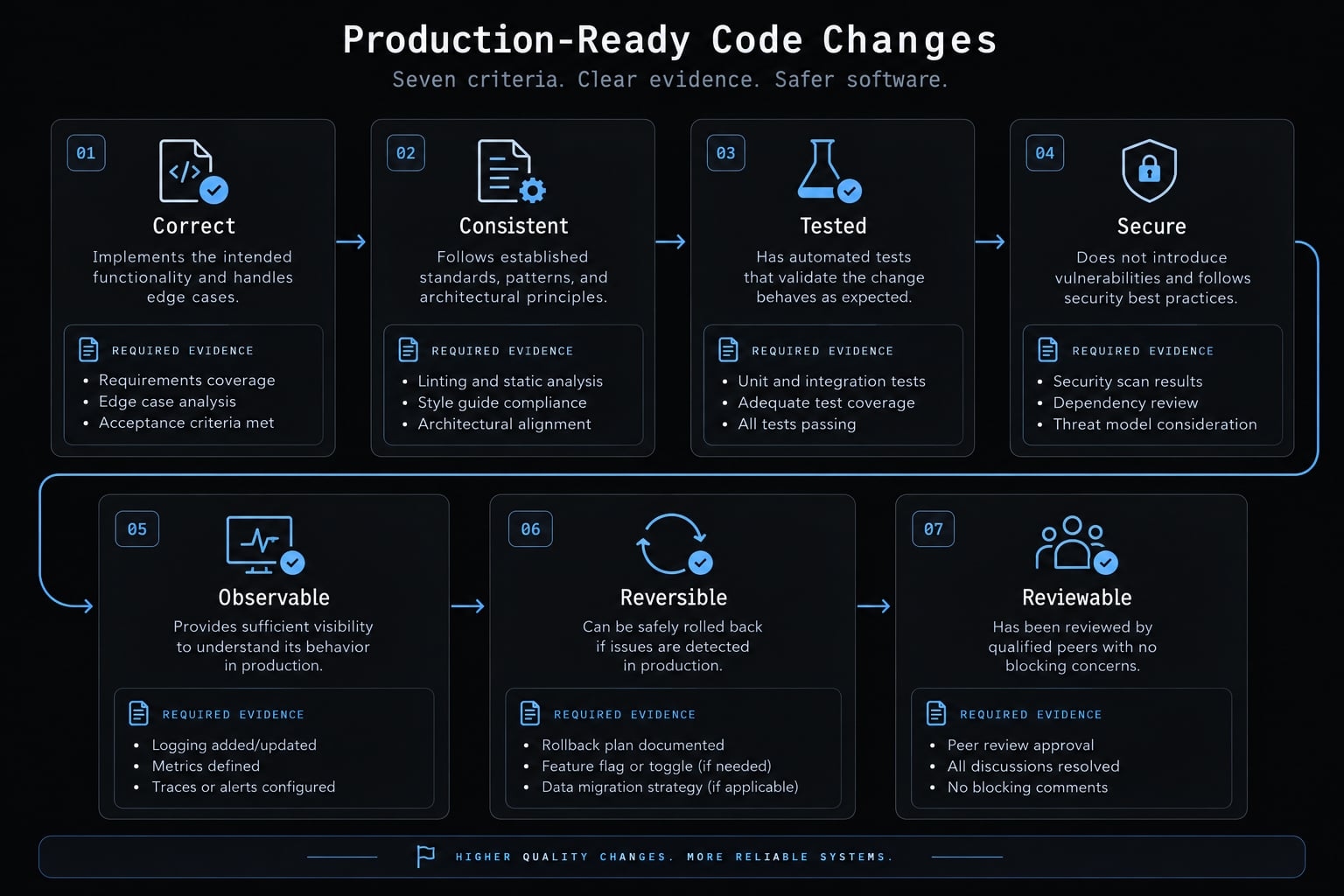
To make Claude Code production-ready, teams must follow a controlled workflow ensuring all generated changes meet strict requirements for correctness, consistency, testing, security, observability, reversibility, and reviewability. Readiness depends on inspectable repository and operational evidence, matched to the change’s risk, rather than successful local execution, confident explanations, or any certification of the generated output.
Use these seven criteria as an engineering framework, not an official Anthropic standard.
Criterion | Practical meaning | Evidence required |
|---|---|---|
Correct | Meets agreed behavior | Acceptance criteria mapped to results |
Consistent | Follows existing architecture | Representative patterns and reviewed diff |
Tested | Exercises relevant failures | Test assertions and execution records |
Secure | Preserves access boundaries | Authorization tests and security review |
Observable | Failures can be detected | Existing monitoring coverage or added signals |
Reversible | Recovery is feasible | Reviewed recovery or roll-forward procedure |
Reviewable | Humans can assess the change | Focused diff and clear rationale |
Match the quality gate to the risk level:
- Low: Documentation or genuinely nonfunctional changes; verify accuracy and applicable checks.
- Medium: Bounded business logic or compatible API changes; add behavior and integration checks.
- High: Authorization, payments, sensitive data, migrations, infrastructure, or deployment controls; require specialist review and operational verification.
Note that classification is always contextual; even minor dependency updates or small configuration changes can introduce high risks.
Invoice-export formatting and tenant authorization may produce similarly sized diffs, but a tenant-filtering failure exposes customer data. Unit tests can miss that failure when they exercise only formatting.
These quality guardrails support code quality; they do not establish universal sufficiency. A code revert also cannot necessarily recover exposed data, reverse a migration, or undo external side effects.
Configure repository context with a lean CLAUDE.md
Context engineering means selecting the instructions, examples, documentation, and boundaries relevant to the task. Keep CLAUDE.md focused on durable project instructions rather than copying the documentation archive.
Include:
- Verified build, test, lint, and type-check commands.
- Architecture and directory responsibilities.
- Non-obvious coding and testing conventions.
- Required before-edit and after-edit behavior.
- Approval boundaries for dependencies and high-impact actions.
- References to task-specific documentation.
For invoice exports, point toward existing tenant authorization and export implementations. Reusing these patterns makes architectural consistency easier to review.
Minimal CLAUDE.md template
Replace every command and documentation placeholder before using this template. Confirm commands against the repository rather than assuming standard script names.
# Before Editing- Inspect relevant code, tests, and repository conventions.- Propose scope, affected files, assumptions, and verification.- Wait for developer approval before editing.- Stop if material assumptions remain unresolved.# Validation- Build: <verified build command>- Test: <verified test command>- Lint: <verified lint command>- Type-check: <verified type-check command>- Report commands, environment, results, and exit status.- Disclose failed, skipped, and unavailable checks with reasons.# Engineering Rules- Follow existing architecture and tenant-access patterns.- Keep changes within the approved scope.- Request approval for new dependencies or changed public contracts.- Do not commit, merge, deploy, access secrets, or perform destructive operations in this workflow.# Additional Context- Architecture: <existing repository documentation path>- Authorization: <existing repository documentation path>- Export behavior: <existing repository documentation path>
Instructions are not access controls. Enforce restrictions through configured tool permissions, scoped filesystem access, credentials, and environment controls. A sentence in CLAUDE.md cannot prevent a permitted tool from performing an unsafe operation.
Load Detailed Context Only When It Is Relevant
Keep durable root guidance separate from detailed supporting documents. Ask Claude to inspect representative implementations before proposing a new pattern.
A Markdown reference is not necessarily an automatic import. Anthropic’s Claude Code documentation, “Manage Claude’s memory,” describes instruction files, imports, and scoped rules. Check supported locations and loading behavior against the documentation for your installed version before relying on them.
Do not assume a referenced authorization document entered the session context. Ask Claude to identify which files it inspected and the relevant constraints.
Never place credentials or sensitive production data in instruction files.
Keep instructions current and conflict-free
- Assign an owner.
- Version changes in Git.
- Update instructions when commands or architecture change.
- Remove obsolete rules.
- Resolve contradictions explicitly.
A stale test command can make validation unavailable. The control is maintained instructions; the evidence is an actual successful command execution, not an agent’s interpretation.
Start every task with acceptance criteria and a read-only plan
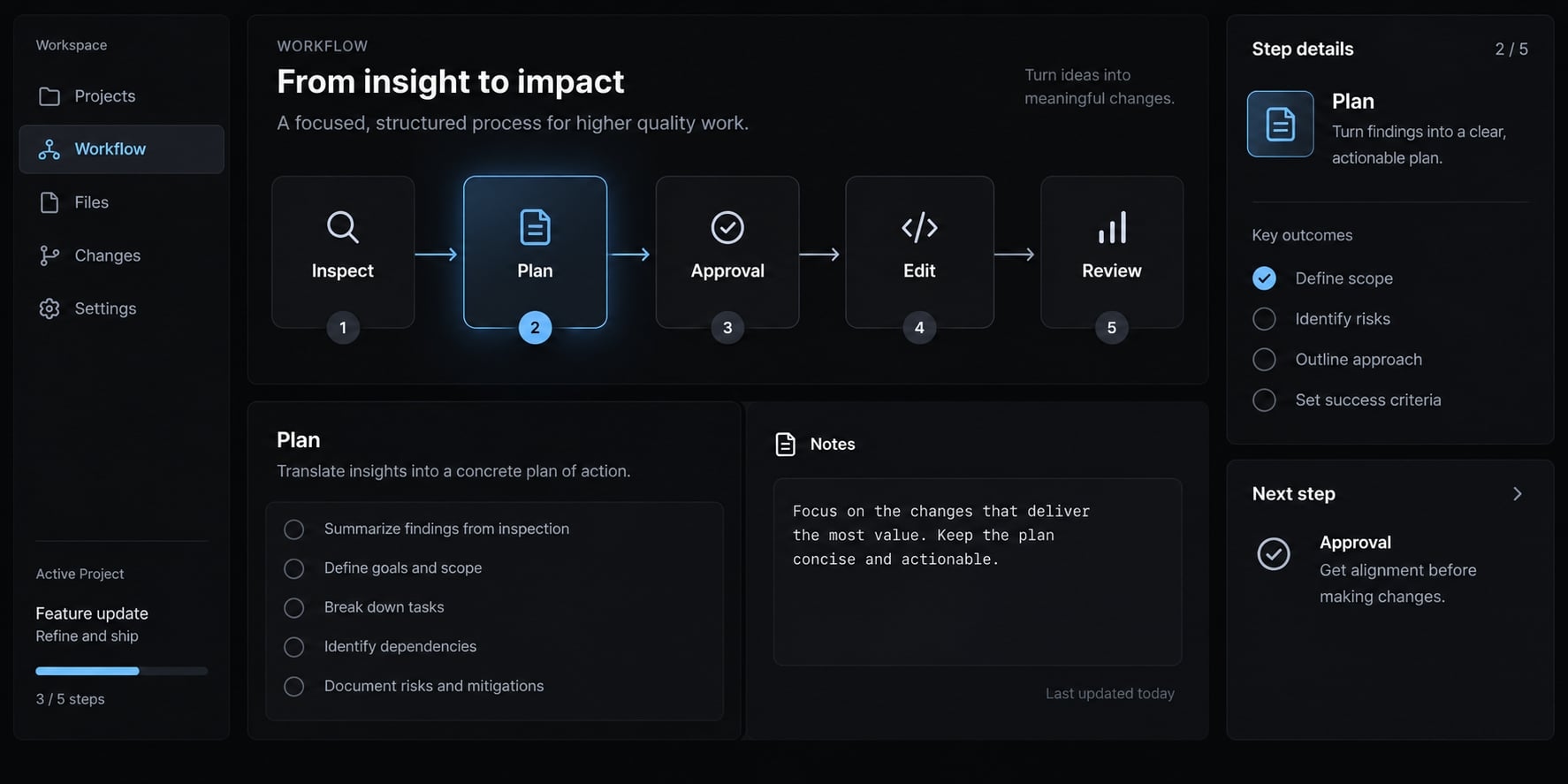
Define observable behavior before permitting edits. Plan-first execution makes assumptions and scope visible while changes are still inexpensive to reject. Use this sequence:
- Define the objective.
- Set scope and exclusions.
- Specify acceptance criteria.
- Inspect relevant code, tests, and history.
- Identify affected files, assumptions, risks, and verification.
- Obtain human approval.
Broad requests such as “add invoice exports” leave authorization, output limits, and failure behavior unspecified. A task specification closes those gaps.
Copyable feature task brief
Objective- Add tenant-scoped invoice export using existing access patterns.Scope- Existing invoice export endpoint and supporting tests.- Exclude schema changes, new dependencies, and unrelated refactoring.Acceptance Criteria- Authorized roles can export permitted invoices.- Records belonging to other tenants are excluded.- Unauthorized requests are rejected.- Empty results produce a header-only export.- Export failures use the existing error contract without leaking data.Constraints- Preserve current public contracts and authorization policy.- Reuse existing fixtures and export conventions.- Escalate changes to the approved scope.Verification- Test permitted, unauthorized, cross-tenant, empty, and failure cases.- Run focused checks, then required repository-wide validation.- Record results for the reviewed revision.Delivery Rules- Inspect and plan before editing.- Wait for developer approval.- Do not commit, merge, or deploy.
The empty-result and failure criteria are illustrative decisions, not universal export requirements. Confirm them with the feature owner.
Ask Claude to produce an implementation plan
Do not edit files yet. Inspect relevant code, tests, and history. Propose affected files, existing patterns, assumptions, risks, tests, and recovery considerations. Identify unresolved decisions and wait for approval.
A read-only request expresses intent; it does not itself prevent writes or side effects. Configure tool restrictions separately, and retain an organizational approval gate.
Anthropic’s Claude Code permissions documentation is the reference for version-specific permission behavior. Validate the active configuration rather than treating a prompt as enforcement.
A plan is not evidence of correctness. Block implementation when material assumptions remain unresolved—for example, whether “export permission” includes every invoice visible in the interface.
Implement one small, verifiable slice at a time
A vertical slice is a small end-to-end behavior change that can be independently checked. Incremental implementation makes unintended changes easier to detect; small size alone does not make a change safe.
Large single-pass changes often increase review difficulty because unrelated decisions arrive together.
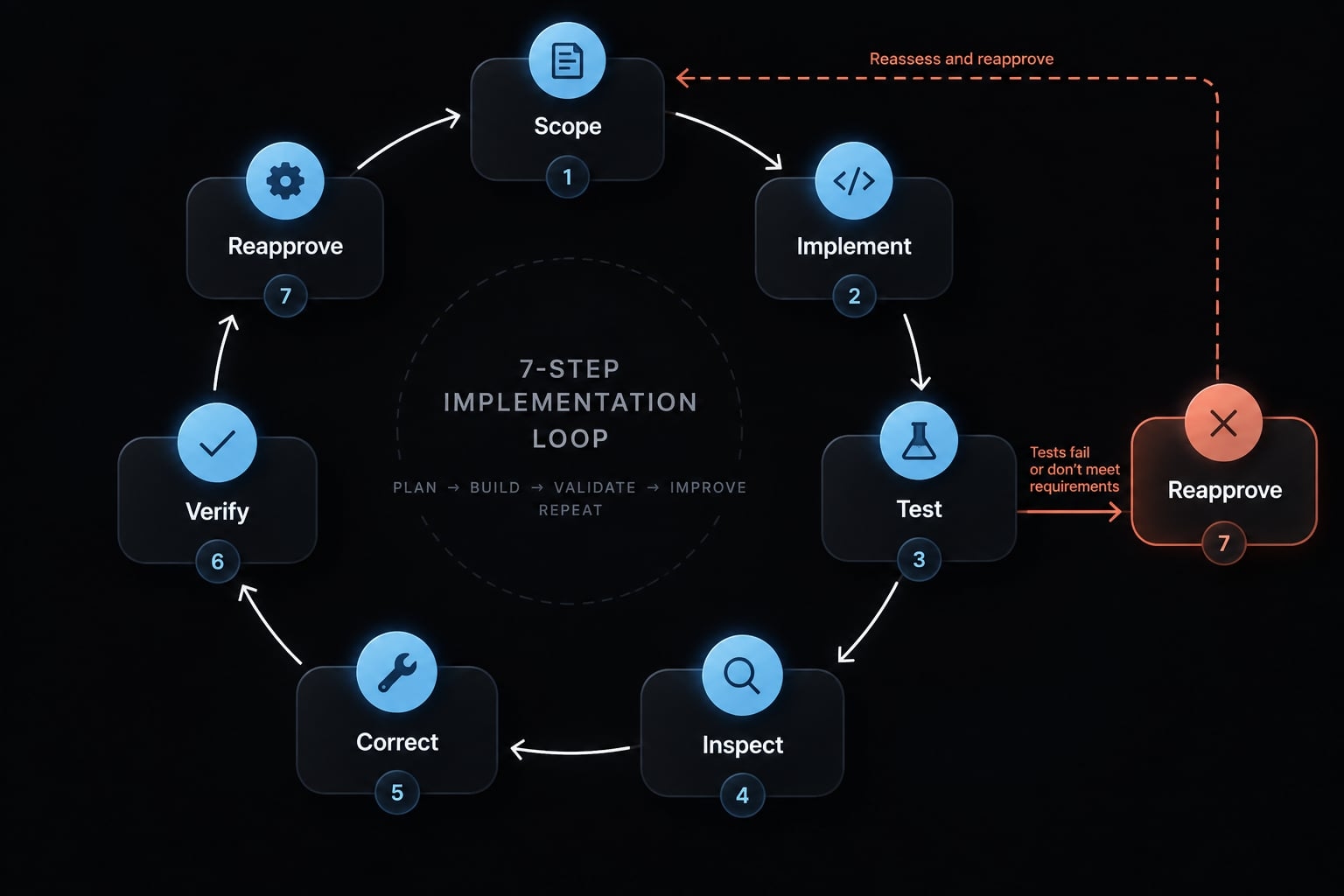
Recommended Implementation Loop
- Confirm the approved scope.
- Implement the smallest complete behavior.
- Run focused tests.
- Inspect the diff.
- Correct issues.
- Continue only after the slice is verified.
- Run broader validation after assembly.
For invoice export, start with a bounded authorized export path that already enforces tenant isolation. Then address empty results and failures, followed by additional interface behavior.
Do not postpone access control until a later slice. Do not use the feature as an opportunity to reorganize unrelated invoice modules.
Stop and seek reapproval when:
- A new dependency is needed.
- A public API or data model must change.
- Authorization behavior changes.
- An unrelated failure blocks validation.
- The approved plan becomes materially inaccurate.
Record why validation is blocked; do not silently repair unrelated code to manufacture a green result.
Prevent context drift during longer tasks
Maintain a short handoff record containing:
- Approved plan.
- Completed changes.
- Remaining work.
- Current risks and assumptions.
- Commands run and results.
Use milestone-based resets or compaction when useful, rather than resetting after arbitrary interaction counts.
Context window management preserves useful session information. Compaction does not remove technical debt or guarantee accurate memory. After a handoff, recheck the branch, working tree, changed files, and validation state against the record.
Use subagents for separation of concerns, not unsupervised Autonomy
Role | Responsibility | Boundary |
|---|---|---|
Planning reviewer | Challenge scope and assumptions | Read-only; no implementation approval |
Implementation agent | Make approved changes | Restricted files and tools |
Test agent | Assess and exercise behavior | No redefining acceptance criteria |
Security reviewer | Identify exposure and abuse paths | Read-only; no release authority |
Role labels do not enforce isolation. Configure actual tool access and permissions; consult Anthropic’s “Create custom subagents” documentation for supported configuration.
A second agent is not an independent human approver. Incremental implementation remains a repeatable workflow with explicit gates, not delegated release authority.
Require meaningful tests and automated validation
Tests can pass while the feature remains broken. An authorization mock that always allows access cannot establish that unauthorized invoice exports are rejected.
Mocks are useful for isolating dependencies. The mistake is mocking away the boundary the test claims to verify.
Test behaviors, not the implementation Claude just created
Meaningful test coverage should inspect:
- Expected outputs and side effects.
- Boundary cases and invalid input.
- Unauthorized and cross-tenant requests.
- Defined failure behavior.
- Existing fixtures and testing conventions.
- Regression cases for known defects.
Test-Driven Development, writing a failing behavioral test before implementation, is one useful method—not a readiness guarantee.
For tenant isolation, create fixtures belonging to two tenants and exercise the real access path. Verify that the permitted export excludes the other tenant’s records.
Where appropriate, temporarily reproduce the known defect in an isolated local check. Confirm the regression test fails, restore the correction, and rerun it. That provides stronger evidence than a test that has only ever passed.
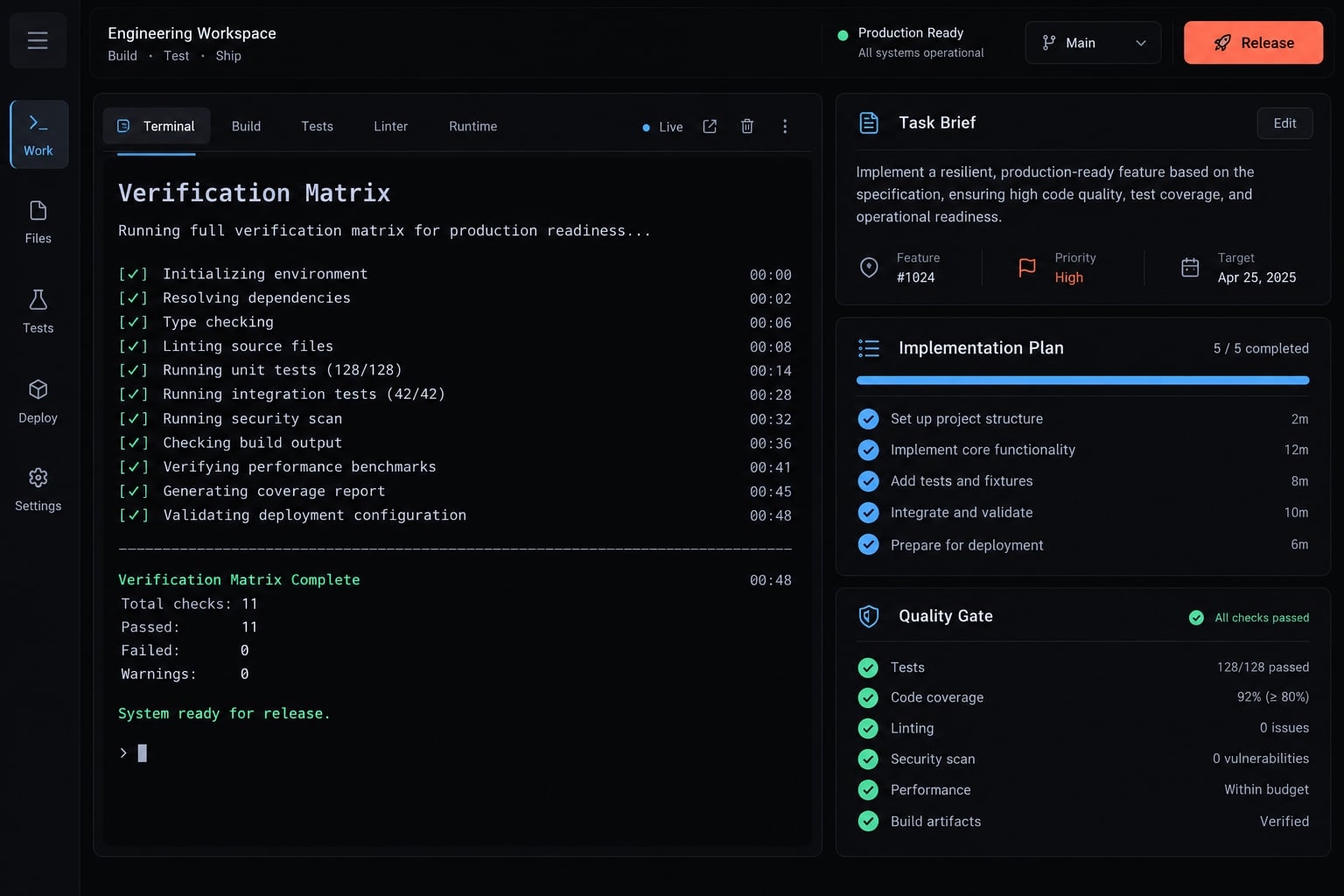
Verification Matrix
Use this as a starting point, not a universal compliance standard.
Change type | Minimum verification | Additional checks |
|---|---|---|
Business rule | Unit tests and boundaries | Relevant integration behavior |
API endpoint | Request, response, access tests | Contract and failure behavior |
Database change | Migration and integration tests | Compatibility and recovery rehearsal |
Dependency update | Build, tests, dependency review | License, vulnerability, runtime checks |
Authentication or payment | Positive and negative flows | Specialist review and abuse cases |
UI behavior | Interaction and error-state tests | Accessibility and end-to-end checks |
Test review prompt
Review these tests skeptically. Identify weak assertions, overmocking, missing failure cases, and tests that could pass with broken behavior. Cite specific tests and propose corrections within approved scope. Do not redefine requirements.
Automated validation needs observed evidence. Report:
- Command executed.
- Relevant environment and revision.
- Result or exit status.
- Failed checks.
- Skipped or unavailable checks, with reasons.
Resolve required checks that cannot run, or obtain a documented exception from the accountable policy owner. Never mark them complete by inference.
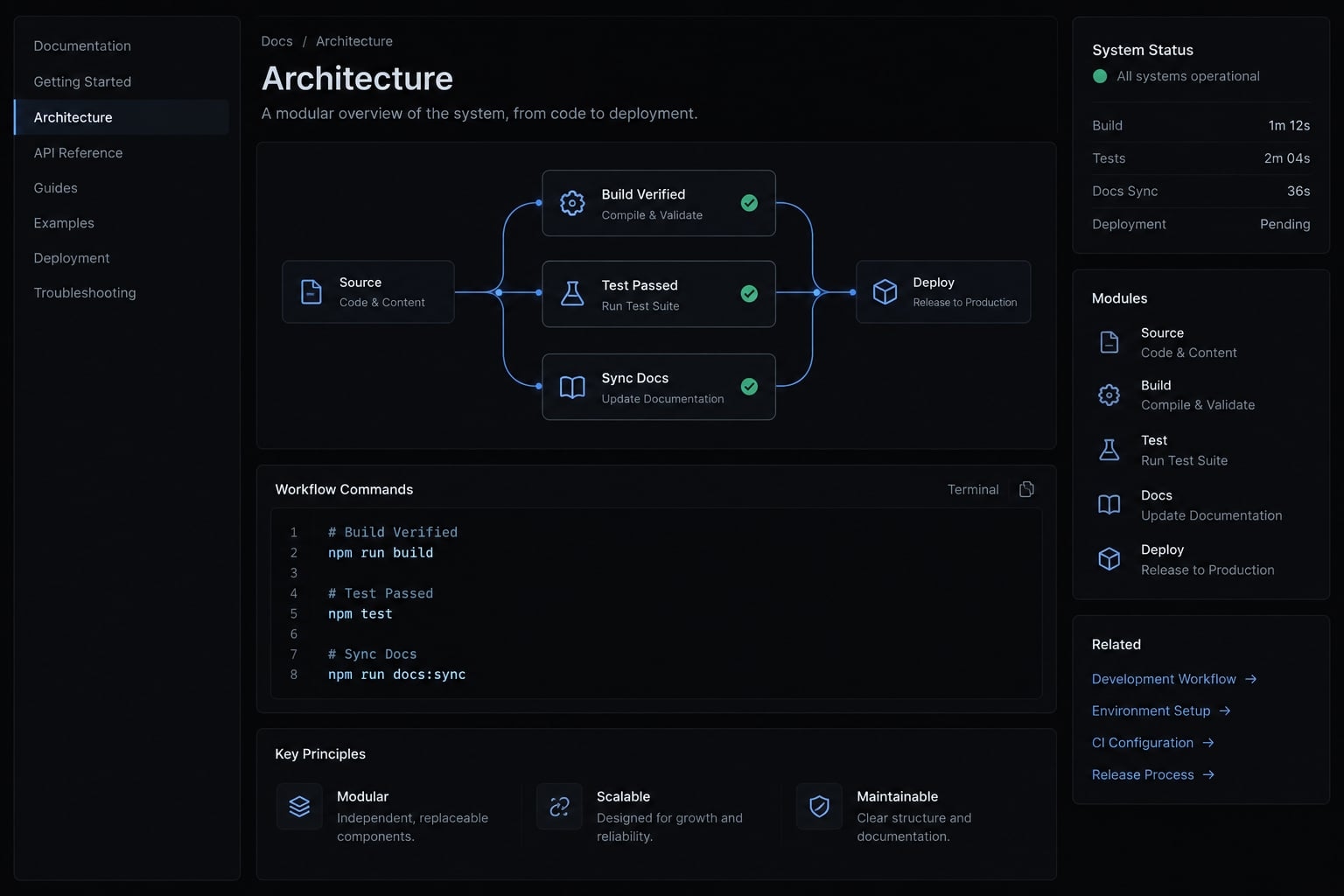
The CI/CD pipeline, which automates integration and delivery checks, should validate the reviewed revision through protected checks. GitHub’s “About protected branches” documentation explains required status-check controls.
CI provides execution outside the Claude session, not proof of sound test design. Review changes to tests and CI configuration themselves. Meaningful test coverage depends on assertions, not test count.
Review the diff for security, operations and release readiness
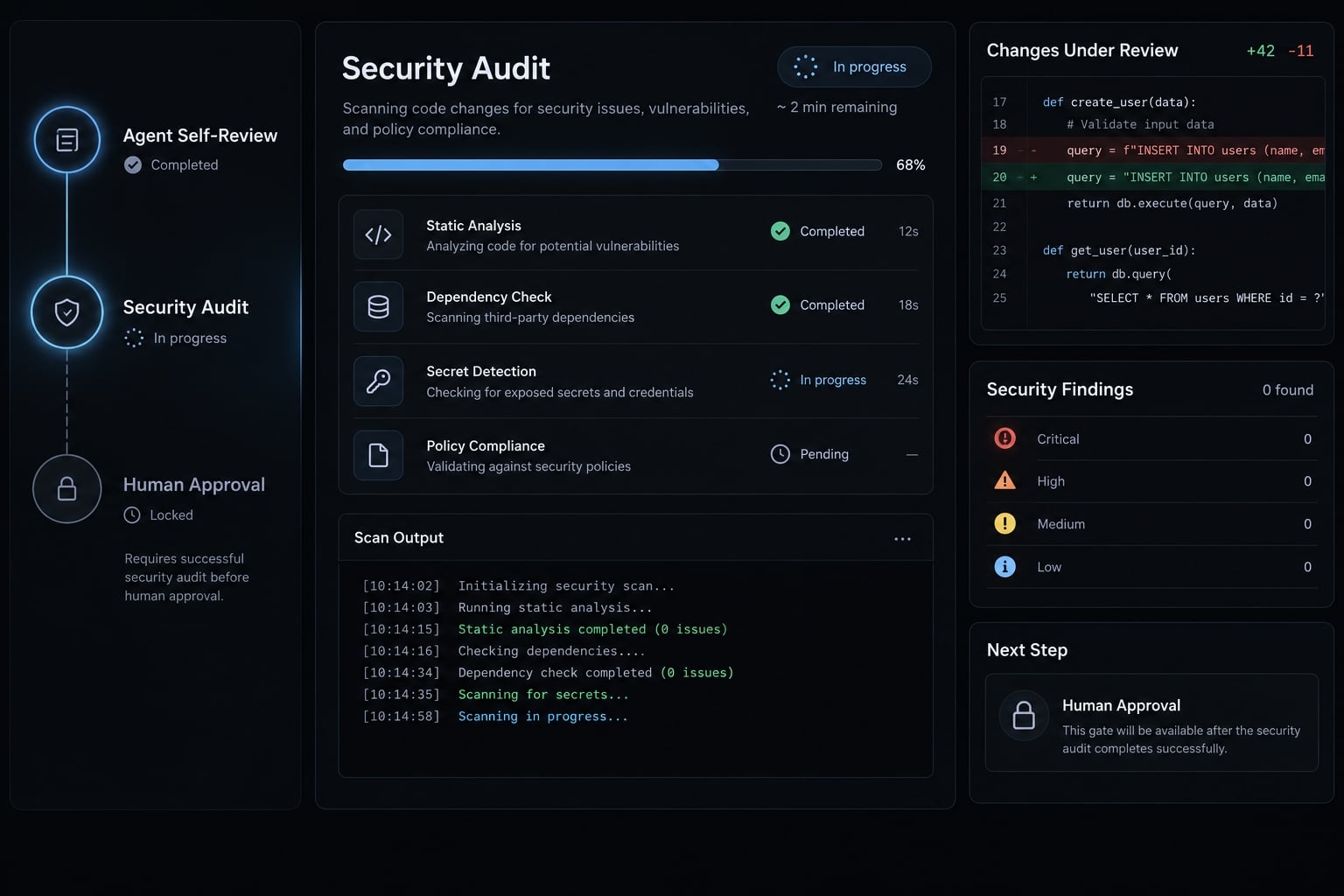
Passing tests does not establish security or deployment readiness. Use three gates: agent self-review, security and operational review, then accountable human approval.
Quality Gate 1: Claude self-review
Review the complete diff against the intended base revision, including tracked and untracked proposed files. Do not edit. Assess correctness, maintainability, architectural consistency, backward compatibility, weak tests, missing error handling, unrelated edits, and unnecessary complexity. Report severity, file references, and supporting reasoning.
An unstaged working-tree diff may omit committed or staged changes. Establish the base and head revisions before pull request review.
Quality gate 2: Security and operational review
Check application risks:
- Authentication, authorization, and tenant isolation.
- Object-level access: changing an identifier must not expose another tenant’s invoice.
- Input handling and injection.
- Secrets and sensitive logs.
- Dependency changes.
OWASP’s Authorization Cheat Sheet supports permission checks on every request. OWASP API Security Top 10’s Broken Object Level Authorization guidance addresses identifier-based access failures.
Check agent and operational risks:
- Excessive filesystem or network access.
- Untrusted repository or tool content influencing instructions.
- Migration sequencing and compatibility.
- Monitoring and post-deployment checks.
- Recovery or rollback feasibility.
For AI agent security, use isolated development environments and least-privilege credentials. Isolation reduces exposure; it does not eliminate unsafe tool use or malicious inputs. OWASP’s LLM Prompt Injection Prevention Cheat Sheet provides relevant defensive guidance.
Tests can pass against a fully migrated database while a rolling deployment fails against the previous schema. Review release sequencing separately.
Quality gate 3: Human approval boundaries
This table defines a conservative operating policy, not inherent Claude Code capability limits.
Action | Agent role in this workflow | Approval or execution owner |
|---|---|---|
Read code | Inspect authorized, nonsensitive files | Repository owner defines access |
Prepare plans | Propose scope without editing | Developer approves implementation |
Edit application code | Implement approved behavior | Developer reviews diff |
Edit tests | Preserve agreed requirements | Developer reviews assertions |
Run validation | Execute permitted, nondestructive checks | Maintainer defines allowed commands |
Change dependencies | Propose; edit after explicit approval | Dependency owner or maintainer |
Change public APIs | Propose contract changes | API owner approves |
Change authorization | Propose and implement after approval | Security-aware reviewer approves |
Destructive production operations | No execution | Authorized operator |
Access secrets or alter production infrastructure | No secret access or infrastructure execution | Security/platform owner |
Commit, merge, or deploy | Prepare evidence only | Developer and named release owner |
Pre-merge and pre-deployment checks
Use this production-readiness checklist during pull request review and release authorization.
Pre-merge | Pre-deployment |
|---|---|
Final diff matches approved scope | Deploy the approved revision |
Required checks pass or have documented exceptions | Check migration order and compatibility |
Humans review security-sensitive changes | Use approved secret/configuration systems |
Failed and skipped checks are disclosed | Confirm monitoring and recovery procedures |
Tests and configuration changes are reviewed | Define post-deployment verification |
Unresolved risks have accountable owners | Named release owner approves deployment |
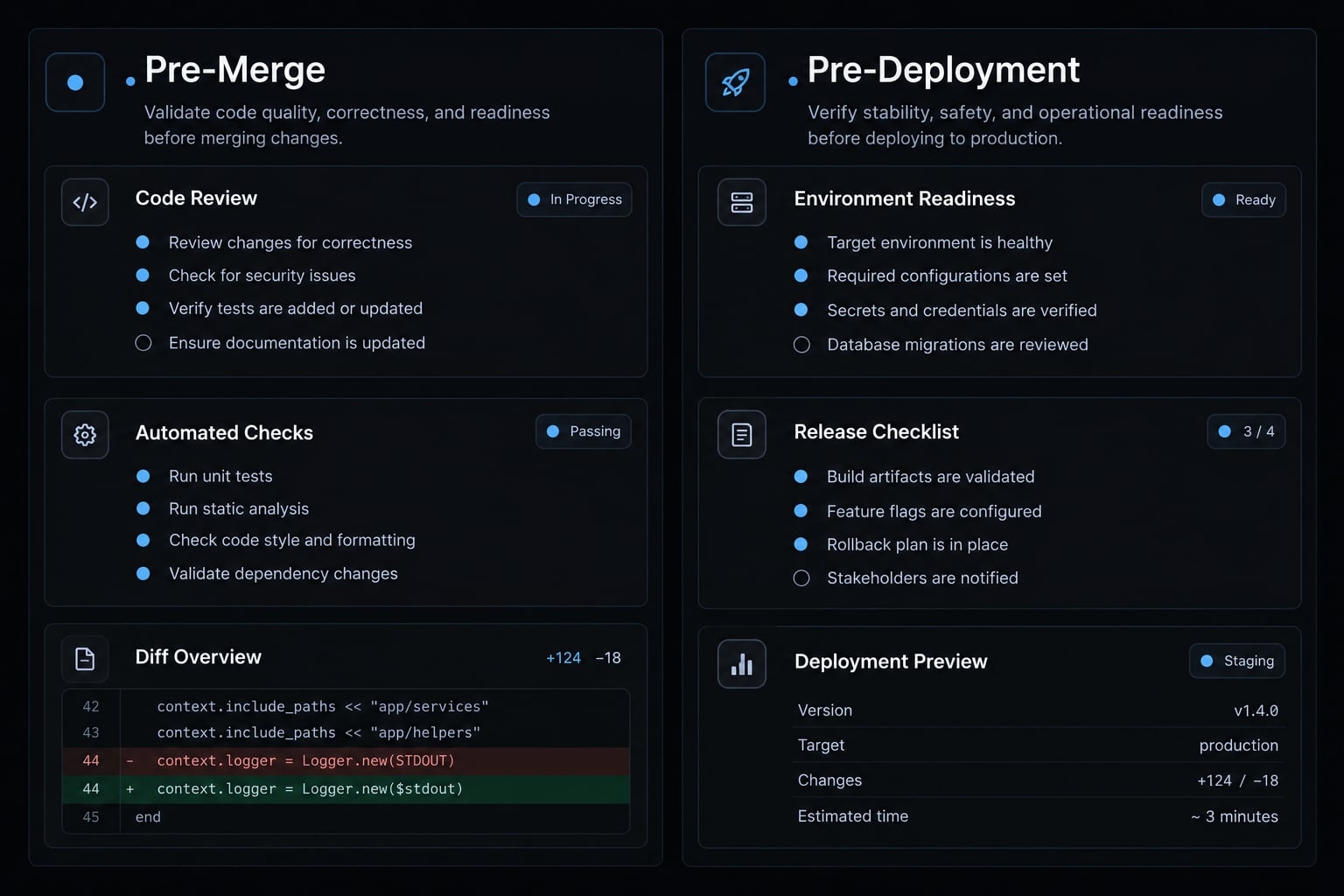
Human approval must be informed by evidence. It contributes to readiness without guaranteeing safety.
Standardize the workflow without removing human control
Standardize an understood manual process before automating it. Reusable agent workflows should package instruction templates, task briefs, review prompts, validation commands, and permission policies.
Keep organization-wide controls separate from repository-specific architecture and commands. Shared policy might prohibit production credentials; each repository still needs its own tested validation instructions.
Apply five governance actions:
- Version workflow assets.
- Review changes like code.
- Test them on representative tasks.
- Restrict tools and credentials.
- Improve them using documented failures.
Applied Workflow Example
For the illustrative invoice export:
- Conduct read-only planning.
- Obtain developer scope approval.
- Perform bounded implementation.
- Execute defined verification.
- Conduct read-only security review.
- Keep delivery human-controlled.
AgentKit Engineer is an optional packaging approach for specialized development subagents and reusable workflows across planning, implementation, testing, and review.
That packaging does not establish readiness. Inspect its configuration and adapt it to repository policy before granting access. Versioned assets and execution records—not orchestration alone—show whether reusable agent workflows are operating as intended.
Put the workflow into practice
Production-ready Claude Code depends on controlled scope, useful repository context, meaningful verification, and human review. Keep CLAUDE.md lean, approve plans before edits, and require evidence for each completed check. Preserve uncertainty where validation is missing.
Start with one bounded, lower-risk task in an existing repository. Record the approved plan, inspect the final diff, and compare local results with CI before authorizing delivery. Increase automation only after the manual gates are understood.
No prompt, plugin, model, or agent independently guarantees production readiness. Copy the task brief, instruction template, and production-readiness checklist above to establish your first controlled workflow.
Frequently asked questions
What does "production-ready" mean for Claude Code?
"Production-ready" refers to a controlled engineering workflow where AI-generated code meets strict standards for correctness, security, and maintainability. It requires observable evidence—such as passing tests, successful CI runs, and documented human review—to verify that changes comply with repository conventions before deployment.
Why is Claude Code output not automatically production-ready?
Claude Code can generate syntactically correct code that still violates architectural constraints, exposes sensitive data, or lacks sufficient test coverage. Because models lack situational awareness of your organization's security policies and specific domain logic, you must treat all generated code as an unverified draft requiring verification and human approval.
How do I configure a lean CLAUDE.md file?
Use a concise index file under 100 lines that points to verified documentation rather than embedding entire manuals. Your CLAUDE.md should include essential build/test commands, current architectural patterns, and references to task-specific documentation. Keep it focused on high-level conventions to ensure the model remains responsive and accurate.
What is the role of Plan Mode before writing code?
Plan Mode restricts the agent to read-only tool use, forcing it to inspect repository state, dependencies, and git history before suggesting edits. This stage allows you to validate the implementation strategy against your acceptance criteria, ensuring the proposed changes are bounded, logical, and safe before any file-level modifications occur.
Can I trust Claude Code to handle security and permissions?
No. While Claude Code features built-in sandboxing and permission prompts, it is not an autonomous security authority. You must enforce security boundaries by running agents in isolated environments (such as ephemeral containers), applying the principle of least privilege, and conducting rigorous human-led security reviews of all diffs before they are merged.
How should I verify Claude-generated changes?
Verification should match the risk level of the change. At a minimum, every slice requires meaningful tests that exercise the actual business behavior—not just mocked internal implementation details. You must also report the exit status of all automated checks and handle skipped or failed tests explicitly, ensuring they are resolved before any release gate.
What are the stop conditions for an implementation task?
You must halt the agent if the scope expands beyond the approved plan, if a new dependency is required, or if the architectural complexity exceeds your review capacity. Any change that modifies authorization logic, sensitive data access, or infrastructure configurations requires an immediate pause for manual inspection and re-approval.
Read more:
- Mastering the Claude Code workflow for reliable AI development
- Claude Code automation: Build repeatable and low-risk workflows
- Claude Code prompt engineering: A practical guide for developers
Conclusion
Ultimately, ensuring Claude Code output is production-ready requires a balanced blend of automation and human oversight. By establishing clear context, enforcing rigorous planning, maintaining thorough testing, and keeping human approval at the core of release workflows, engineering teams can safely harness AI-generated code without compromising security or quality.