Claude Code for .NET: Setup, CLAUDE.md guide & best practices
Claude Code for .NET: Setup, CLAUDE.md template, skills and best practices
Claude Code for .NET works best when guided by repository context—such as frameworks, dependency boundaries, and test patterns—rather than just generic C# syntax. To ensure reliable code generation and avoid issues like unintended package additions or broken architectural rules, developers should follow a structured approach: inspect the codebase first, establish a clear CLAUDE.md configuration, enforce explicit permission policies, and follow a repeatable, step-by-step validation workflow before scaling automation.
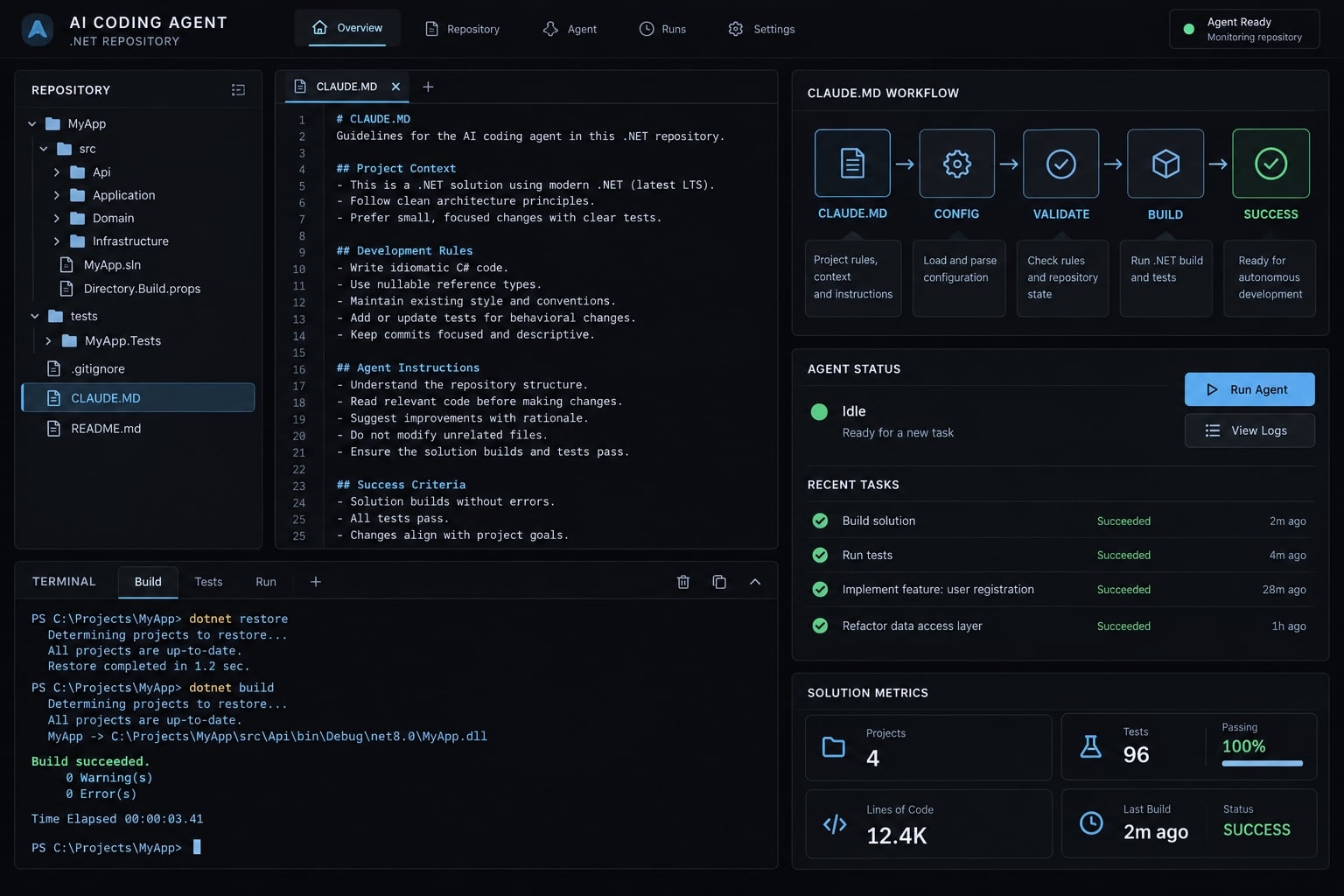
What Claude Code needs to work reliably in a .NET repository
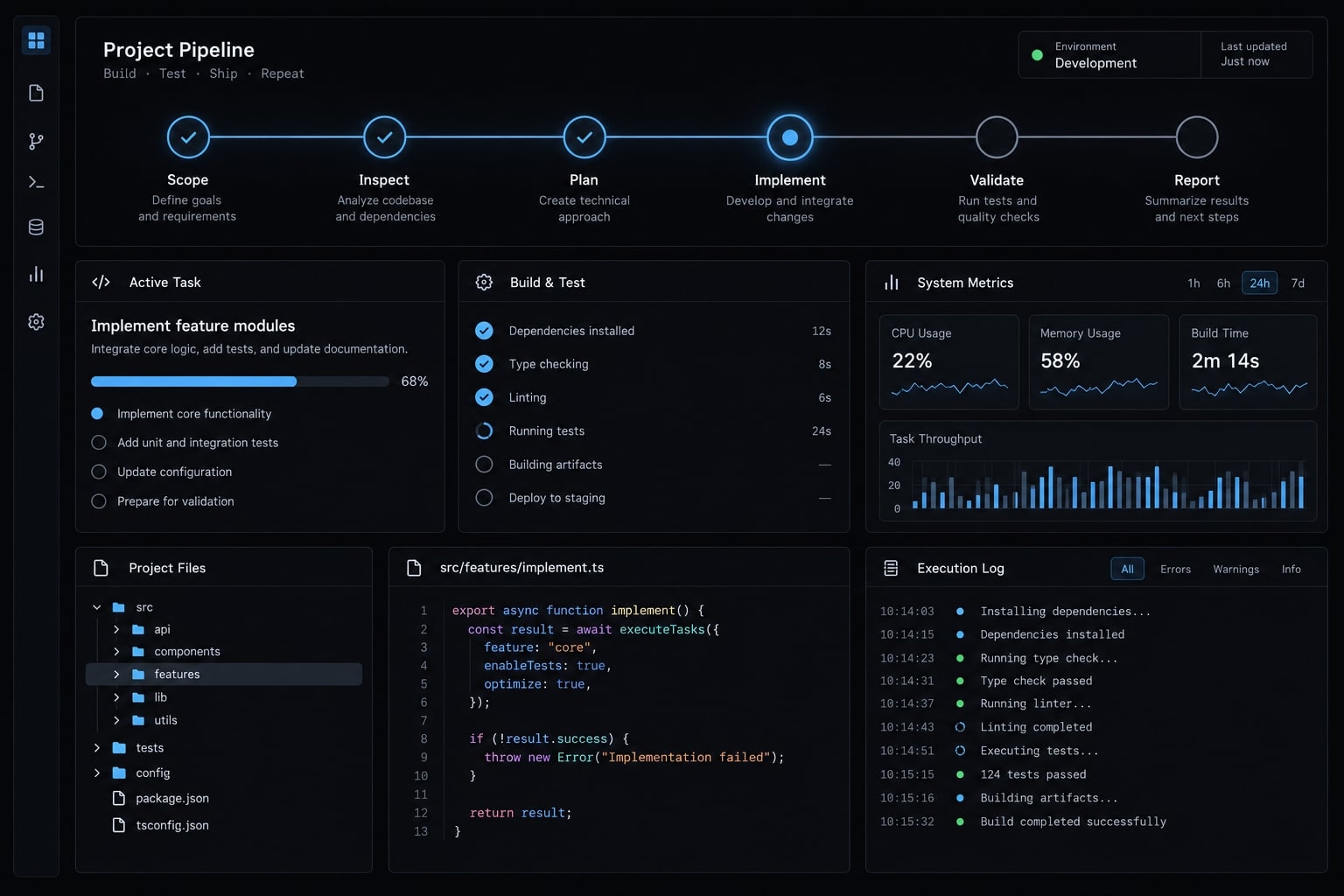
Claude Code needs four complementary layers: accurate repository context, appropriate execution controls, optional task-specific capabilities, and independent validation. Together, these support reliable changes by explaining conventions, limiting access, supplying specialized guidance, and checking outcomes. They do not guarantee correctness, eliminate review, or establish that a successful build is production-ready.
The four configuration layers:
Layer | Purpose | Mechanisms |
|---|---|---|
Context | Explain repository facts and conventions. |
|
Control | Restrict execution and accessible resources. | Settings, OS restrictions, isolation. |
Capability | Add specialized guidance or connected tools. | |
Validation | Check requirements against observable evidence. | CLI checks, tests, analyzers, CI, review. |
This is an editorial guide, not an official Anthropic configuration model.
For Claude Code for .NET, repository configuration starts with key facts: the primary solution, test execution methods, and core implementation patterns. Project memory means persistent instructions and context—not guaranteed recall or model learning.
Official Claude Code documentation on memory and permissions distinguishes guidance from execution controls. Neither replaces the .NET CLI, the command-line tools used to build and test your application.
Throughout this guide, the illustrative repository is an ASP.NET Core API supporting a B2B SaaS application, with existing services and tests. An endpoint change could compile while accessing persistence directly and violating its service boundary. Skills and MCP are optional. Architecture decisions and other high-impact changes still require review.
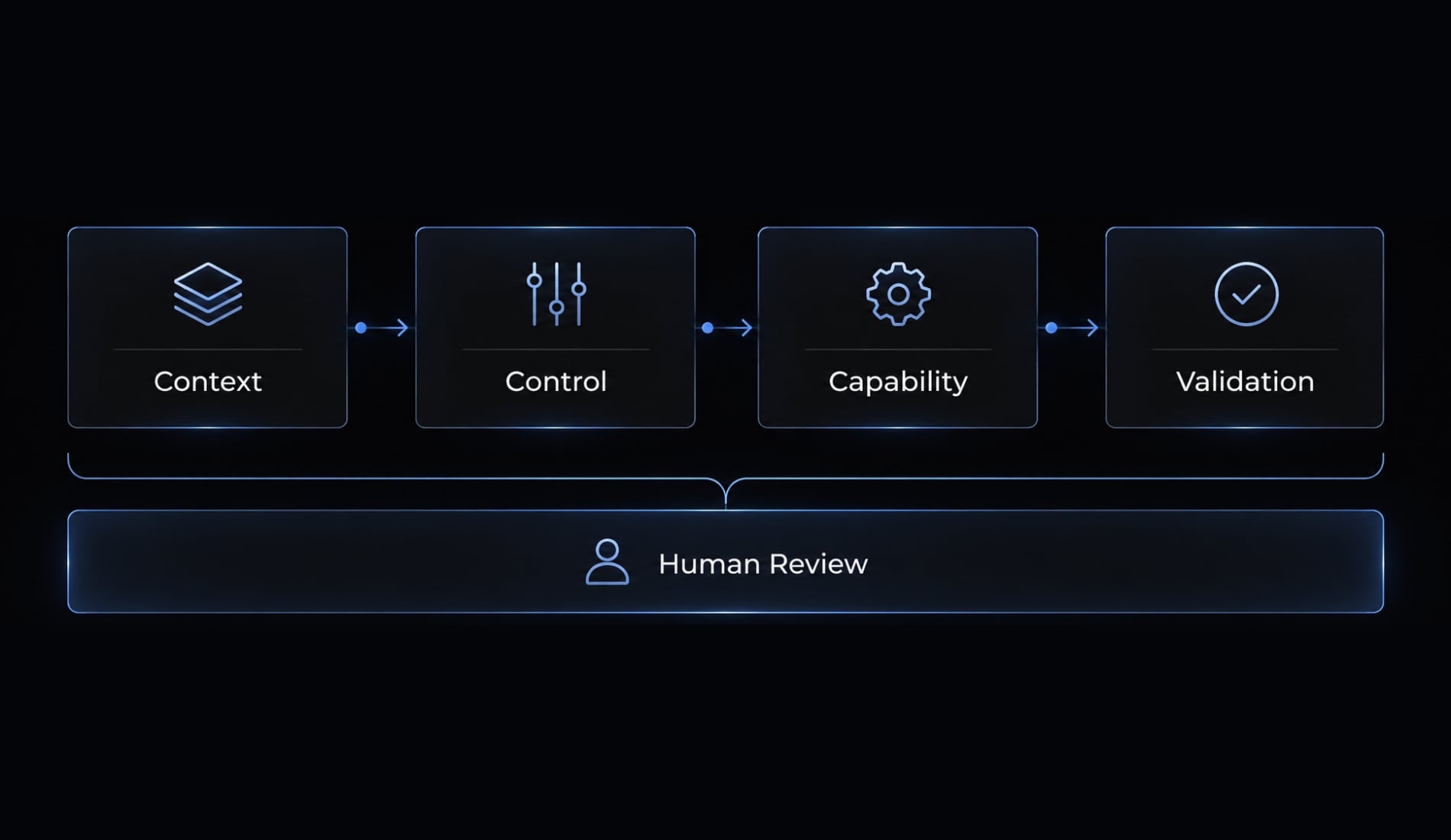
Configure Claude Code for .NET in five steps
- Inspect the repository.
- Write minimal project instructions.
- Scope execution permissions.
- Add optional capabilities selectively.
- Validate one representative change.
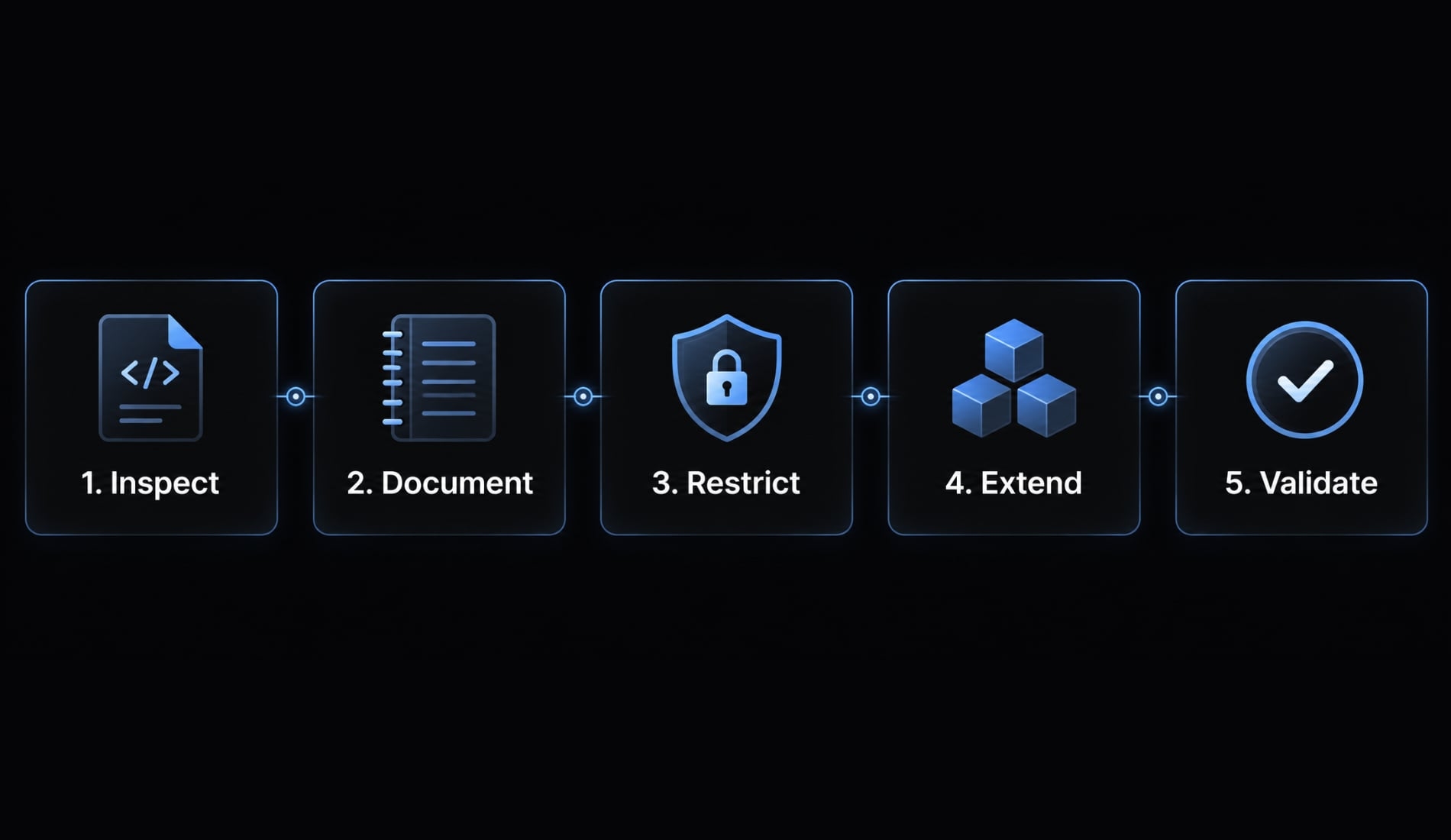
Step 1: Inspect the solution before writing instructions
Inspect global.json, project files, shared build files, solution structure, tests, analyzers, continuous integration (CI), and architecture documentation. Identify one canonical endpoint and its tests.
SDK selection and target frameworks are different. global.json influences SDK selection; TargetFramework or TargetFrameworks specifies compilation targets. Inspect installed SDKs and any explicit language settings too. Microsoft Learn’s global.json documentation explains this distinction.
After repository trust review, establish baseline results. Replace angle-bracket placeholders with actual paths; adapt testing arguments to the repository’s runner.
claude --versiondotnet --infodotnet sln "<solution-path>" listdotnet restore "<solution-path>"dotnet build "<solution-path>" --no-restoredotnet test "<test-project-path>"
Record exit codes and existing failures. Do not impose a new architecture on an established codebase.
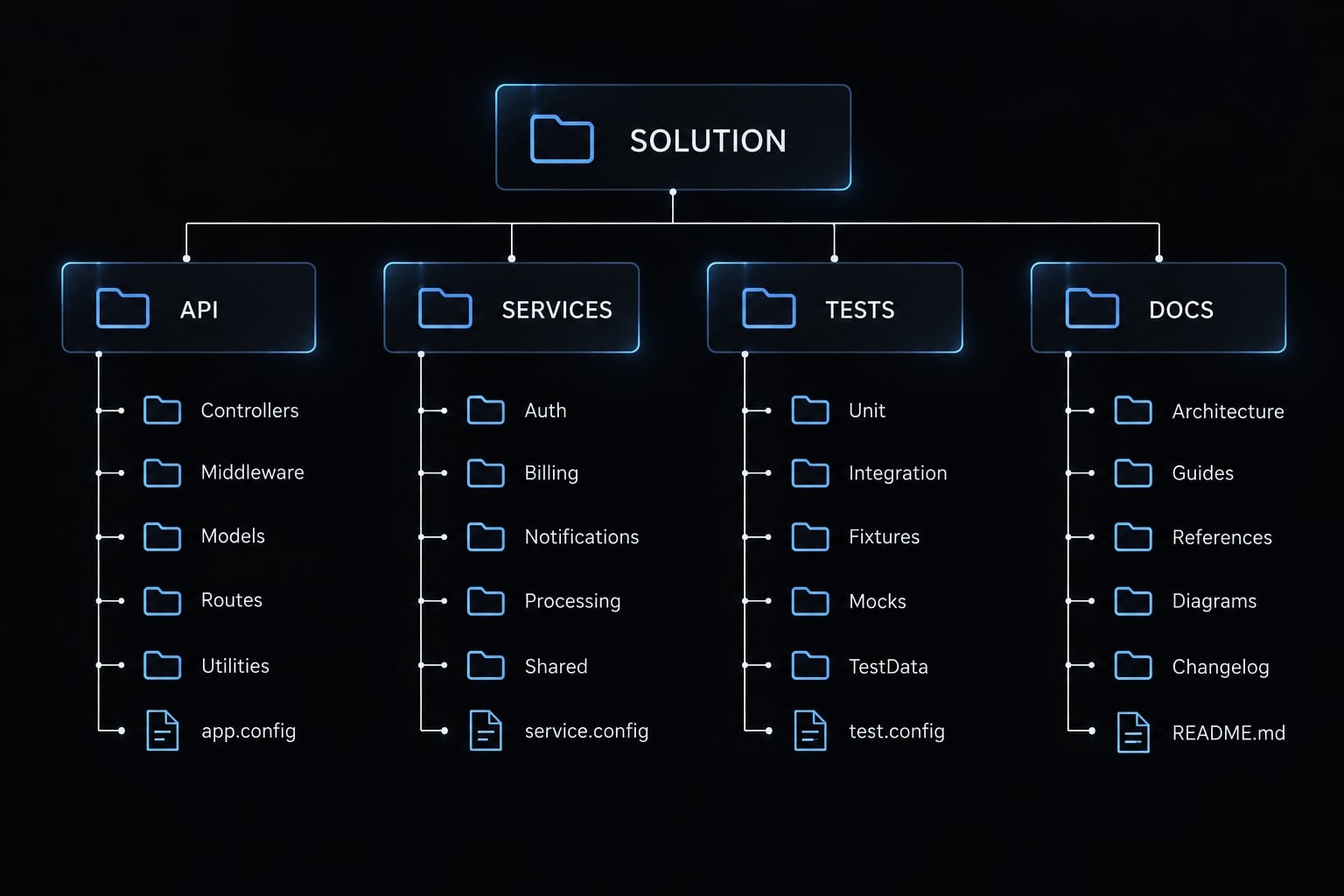
Step 2: Create a minimal project-level CLAUDE.md
CLAUDE.md is a repository instruction file that gives Claude Code persistent context about project purpose, structure, conventions, and working commands. It should describe how this codebase operates and what completion requires. It is not executable policy, a security boundary, or proof that instructions were followed.
Place a minimal file at the repository root. Replace every placeholder in this CLAUDE.md template with inspected facts; remove inapplicable lines. Include a C# version only when explicitly constrained or operationally relevant.
# Repository Instructions## Application- Purpose: <application purpose>- Type: <ASP.NET Core API / Blazor / worker / library>- Target framework(s): <actual project values>- SDK selection: <global.json constraints, or absence>- Data access: <existing stack and conventions>- Tests: <framework, runner, integration dependencies>## Structure- Solution: <solution path>- Application: <application project path>- Services: <service project or directory>- Tests: <test project paths>## CommandsRun from the repository root in the approved development environment.- Restore: `dotnet restore "<solution-path>"`- Build: `dotnet build "<solution-path>" --no-restore`- Test: <verified repository test command>- Format check: `dotnet format "<solution-path>" --verify-no-changes --no-restore`- Run locally: `dotnet run --project "<application-project-path>"`Confirm formatter support and scope for this SDK before adoption.A format check reports changes needed; it must not rewrite source.Modifying formatting: use the approved formatter only within task scope.## Boundaries- Preserve: <actual dependency direction and architecture boundaries>- Follow endpoint example: <existing file path>- Follow service example: <existing file path>- Follow test example: <existing file path>- No packages, migrations, or architecture changes without approval.## Definition of Done- Acceptance criteria implemented and independently reviewed.- Relevant tests, build, formatting, and analyzer checks completed.- No unrelated edits or weakened tests.- Report commands, outcomes, skipped checks, and unresolved risks.## Detailed References- <existing architecture documentation path; otherwise remove>- <existing testing documentation path; otherwise remove>
Maintain the file with three rules:
- Separate repository facts from personal preferences.
- Reference detailed documentation instead of duplicating it.
- Update instructions when frameworks, architecture, tests, or structure change.
Never include credentials or machine-specific paths.
Step 3: Configure safe permissions for routine .NET commands
Use shared project settings for team policy and local settings for developer-specific choices. Official Claude Code settings documentation describes .claude/settings.json and .claude/settings.local.json; confirm support and effective configuration for your installed version.
Version warning: Permission syntax and interactions can change. This conceptual policy is not a tested settings file or precedence specification.
Action | Default policy |
|---|---|
Build, test, format checks | Allow inspected, scoped commands in trusted repositories. |
Read-only Git inspection | Allow narrowly scoped inspection. |
Dependency changes | Require explicit approval. |
Migration generation/application | Review generation; separately authorize application. |
Deployment/infrastructure | Keep outside routine development access. |
Secret/key access | Keep credentials unavailable. |
Destructive operations | Require approval and recovery planning. |
Repository-scoped commands are not inherently harmless. Builds can invoke custom targets, tests execute code, and restore can contact package feeds. Review unfamiliar repositories or use isolation before execution.
Treat modifying formatters separately from checks. Permissions reduce exposure; they are not a complete sandbox, and CLAUDE.md does not enforce them.
Step 4: Add hooks and .NET skills only where they improve the workflow
Hooks are configured actions at supported lifecycle events. Skills provide reusable task-specific instructions and supporting resources. MCP (Model Context Protocol) connects explicitly configured external tools or context.
- Use a hook when a predictable checkpoint should run a lightweight, scoped check.
- Use a skill when recurring work needs specialized guidance beyond repository facts.
Avoid full builds, full test suites, or modifying formatters after every edit. Prefer deliberate checkpoints and repository scripts that developers can also run directly.
Before adopting a .NET skill, inspect maintainer identity, contents, compatibility, dependencies, and current installation instructions. Distinguish official resources from community packages; popularity is not verification.
Step 5: Validate the setup with a small representative task
Use the illustrative task: Add request validation to an existing endpoint without new packages.
- Inspect the endpoint, service, and neighboring tests.
- Propose a short plan.
- Implement a bounded change.
- Run appropriate checks.
- Review and summarize the diff.
Evaluate project selection, framework compatibility, pattern adherence, test relevance, and scope control. Confirm invalid requests fail correctly while valid requests preserve behavior.
Add permanent instructions only when failures expose recurring missing context. Fix deterministic defects through tests, analyzers, or code—not endless instruction growth.
Choose the right configuration mechanism
Instructions explain intent; deterministic tools verify specific rules. Use the narrowest mechanism that solves each requirement, rather than duplicating policy across agent configuration files.
Claude Code for .NET configuration decision matrix
Requirement | Best mechanism | Reason |
|---|---|---|
Solution structure |
| Provides stable repository navigation. |
Architecture rationale | Instructions plus documentation | Explains boundaries and trade-offs. |
Cross-agent shared guidance | Shared document with supported references | Reduces conflicting copies. |
Formatting |
| Stores rules that tooling checks or applies. |
Code-quality diagnostics | Roslyn analyzers and build configuration | Checks configured rules and severities. |
Execution restrictions | Settings plus external controls | Limits actions and accessible resources. |
Repeated local checks | Hooks/repository scripts | Automates defined checkpoints. |
Specialized task guidance | Skills | Adds optional reusable expertise. |
External tools/context | Configured MCP server | Exposes explicitly connected capabilities. |
Merge validation | Required CI and human review | Checks changes beyond agent self-reporting. |
Do not assume Claude Code automatically reads AGENTS.md. Shared guidance requires supported references or wrappers, verified separately for each tool.
Likewise, .editorconfig stores rules; it does not execute them. Analyzer enforcement depends on severity and build configuration. Microsoft Learn’s code-analysis and formatting documentation describes these distinctions.
Local hooks offer convenience, not independent merge protection. Their configuration can be missing, changed, or bypassed.
Three placement rules
- Put repository explanations in instructions and documentation.
- Put mandatory checks in enforceable tooling and required CI.
- Put specialized or external capabilities in optional skills and integrations.
When a requirement appears in multiple places, designate one authoritative definition. Reference it elsewhere instead of maintaining competing versions.
Use a repeatable Claude Code workflow for .NET changes
Use a build-test-review workflow that produces inspectable evidence. The following procedure is recommended, not a report of an executed test.
- Define acceptance criteria and scope: Specify behavior and prohibited changes.
- Inspect relevant files: Locate implementations, dependencies, and tests.
- Propose a short plan: Resolve ambiguity before editing.
- Implement the requested change: Keep unrelated cleanup separate.
- Validate: Check behavior and repository rules.
- Review the diff: Inspect every changed file.
- Report results: Include evidence and remaining uncertainty.
A practical prompt pattern for an ASP.NET core task
Add request validation to the existing POST /accounts endpoint.Inspect its handler, service boundary, and neighboring validation tests first.Reject blank names using the repository’s existing error-response convention;preserve valid-request behavior.Propose a short plan before editing.Do not add packages or change architecture without approval.Run the affected build, relevant tests, and formatting checks.Report changed files, commands executed, outcomes, and checks not run.
- Scope: One endpoint, with explicit invalid- and valid-request behavior.
- Alignment: Existing examples determine implementation choices.
- Evidence: Commands and outcomes matter more than a confident summary.
Replace the illustrative endpoint with an actual repository route. Resolve unspecified behavior before implementation rather than allowing the agent to invent a contract.
Validation order for .NET changes
- Build the affected project.
- Run relevant tests.
- Check formatting and analyzer diagnostics.
- Broaden local validation according to impact.
- Inspect code, project, package, and configuration diffs.
- Record unresolved risks.
Analyzer checks may already run during build. Confirm their effective severity rather than assuming warnings block completion. Use the .NET CLI for reproducible checks, but remember that automated testing covers only implemented assertions. A successful build does not demonstrate correct error responses or preserved authorization behavior.
Do not weaken tests merely to pass. Disclose unrun integration tests, missing dependencies, and environmental failures. Focused local checks never replace required CI. Human code review should verify acceptance criteria, not simply approve green command output.
Add security and quality guardrails
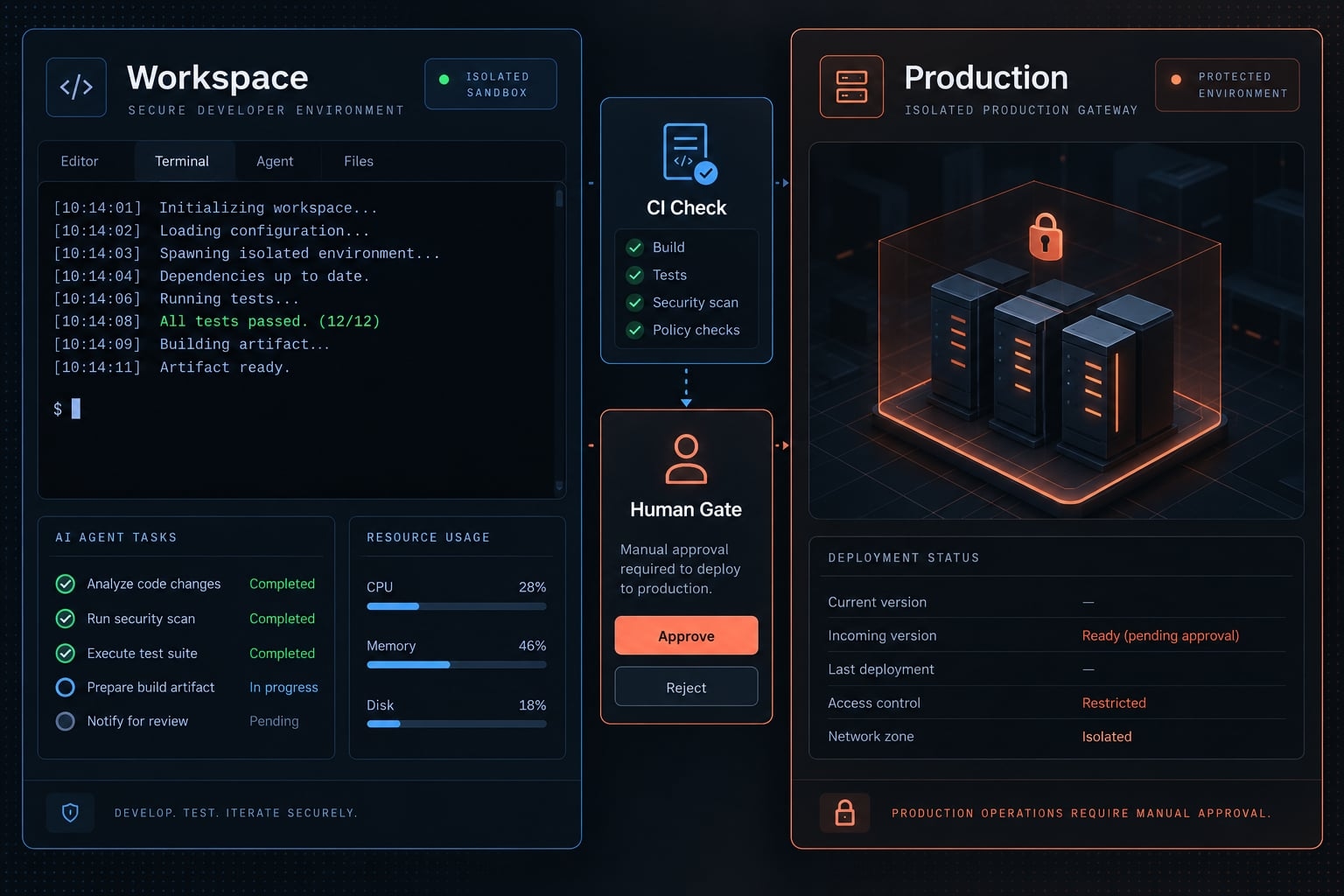
Reduce risk through least privilege, credential separation, independent checks, and explicit human approval gates. Keep production access outside routine development sessions, and inspect actions that can alter dependencies, infrastructure, or security behavior. CLAUDE.md is not a security control. Permission rules provide one protective layer, not comprehensive isolation across every execution path.
Files and data Claude Code should not access by default
For secret protection, keep these outside the accessible environment:
- Secret-bearing
.envand configuration files. - User secrets and credential stores.
- Signing certificates and private keys.
- Cloud credentials and production connection strings.
- Unredacted customer or production data.
- Unrelated local files.
Ignore rules, .gitignore, and natural-language instructions do not independently prevent access. Shell commands, integrations, and other tools can have different access paths.
Use an isolated development environment with only necessary credentials and resources. Official Claude Code permissions documentation explains tool-level controls; those controls should complement OS restrictions and credential separation.
Actions that should require human approval
Action | Required review or boundary |
|---|---|
NuGet additions/upgrades | Necessity, provenance, compatibility, license implications. |
Migration generation/application | Review generated changes; authorize target-specific application separately. |
Authentication/authorization edits | Security-focused code review and relevant tests. |
Large deletions/destructive Git operations | Confirm scope and recovery options before execution. |
Deployment, infrastructure, CI edits | Maintainer approval; separate deployment credentials. |
Production service access | Separate authorized workflow, not routine agent access. |
Disabled tests/analyzers/security checks | Explicit justification and independent approval. |
Command approval is not code-change approval. An editor operation may be permitted while its authentication changes still require specialized review. Migration generation also differs from production application. Even generation may execute design-time application code, so inspect its environment and credentials.
Keep validation independent from the agent
Use protected branches, required checks, and reviewers responsible for changes to tests, CI, and build configuration. CI remains trustworthy only when its definitions and bypass permissions are controlled. A passing pipeline weakened by the same change is not independent evidence.
Review MCP server provenance, exposed tools, and credentials. Connected content must never be treated as permission to expand scope.
Avoid common setup mistakes and measure the results
Common mistakes
Mistake | Correction |
|---|---|
Wrong SDK or generic architecture assumptions | Inspect configuration and existing patterns. |
Bloated | Move enforceable rules into tooling. |
Broad shell access | Scope permissions; isolate execution. |
Overlapping skills | Evaluate one addition at a time. |
Full checks after every edit | Use staged validation. |
Unapproved dependencies | Require explicit review. |
Build-only completion | Verify acceptance criteria and tests. |
Exposed secrets | Separate credentials from the workspace. |
Metrics for evaluating the setup
- First-pass build success: Tasks whose first attempted build passes ÷ tasks with a build attempt.
- Relevant test pass rate: Passing executed relevant tests ÷ executed relevant tests; separately report skipped and unrun tests.
- Correction prompts per task: Track avoidable redirection.
- Review burden: Count substantive comments and unrelated changed files.
- Time to approved implementation: Include corrections and review.
Compare similar tasks against a documented baseline. Record task count, complexity, versions, and meaningful environment changes. A small uncontrolled sample does not establish causation.
The objective is fewer avoidable corrections while preserving developer control—not maximum autonomy.
Claude Code for .NET starter checklist
- Confirm SDK and target frameworks.
- Identify canonical repository examples.
- Complete minimal
CLAUDE.md. - Verify formatting checks.
- Scope execution permissions.
- Separate secrets and credentials.
- Add hooks only if useful.
- Inspect trusted skills.
- Connect MCP only when necessary.
- Complete one representative task.
- Review the diff and required CI.
- Measure outcomes against baseline.
Keep the checklist with the repository’s engineering documentation. Revisit it after SDK upgrades, test-runner changes, or substantial restructuring.
Frequently asked questions
What does Claude Code need to work reliably in a .NET repository?
Claude Code requires four distinct layers to function effectively: repository context (via CLAUDE.md), secure execution controls (settings and permissions), optional specialized capabilities (skills or MCP), and rigorous independent validation (builds, tests, and human review). These components together support reliable changes. They do not guarantee correctness or remove the need for review.
How do I configure Claude Code for an existing .NET project?
To set up Claude Code for .NET, follow these five steps: inspect your solution (targets, test runners, and architecture), create a project-level CLAUDE.md with your build commands, configure scoped permissions for routine tasks, integrate optional skills or hooks where relevant, and finally, validate the configuration using a small, representative task.
Is CLAUDE.md a security control?
No. CLAUDE.md is a guidance file for the agent, not an enforceable security boundary. It does not prevent the agent from accessing sensitive files, executing unauthorized shell commands, or interacting with production credentials. Always use OS-level permissions, environment variable isolation, and human approval gates for high-impact actions.
Which mechanism should I use for .NET configuration?
Use the narrowest tool for the job: repository instructions go in CLAUDE.md, formatting rules belong in .editorconfig, diagnostics should be configured in your build files (Roslyn analyzers), repeatable local checkpoints can use hooks or repository scripts, while mandatory checks belong in required CI — local hooks can be missing, changed, or bypassed.
Can I run Claude Code with production credentials?
No. You should never grant an agent environment access to production connection strings, signing certificates, or sensitive secrets. Keep sensitive material outside the agent's working directory entirely. Use least-privilege permissions and require human approval for any changes that touch deployment configurations, migration logic, or authentication systems.
What are the most common Claude Code .NET setup mistakes?
Common mistakes include assuming the agent knows your architecture, relying on bloated instruction files rather than build-integrated tooling, granting excessive shell permissions, or skipping independent validation. Avoid these by keeping instructions lean, automating checks via standard .NET tools, and strictly reviewing all diffs before merging.
Read more:
- Mastering the Claude Code workflow for reliable AI development
- Claude Code tutorial: Set up and master your AI coding agent
- Claude Code for Laravel: Setup, CLAUDE.md, and best workflow
Conclusion
Claude Code for .NET benefits from accurate context, bounded access, optional capabilities, and independent validation. A concise CLAUDE.md explains the repository; permissions and environment boundaries constrain execution. Tests, analyzers, CI, and human review establish evidence beyond the agent’s own account. None of these layers substitutes for the others.
Configure one repository and evaluate one bounded change before expanding. Check whether the agent chose the correct project, preserved conventions, produced relevant tests, and avoided unrelated edits. Add skills or hooks only when they address an observed recurring need. Keep production credentials separate and unresolved risks visible. Copy the in-article starter configuration, replace its placeholders with verified repository facts, and use the checklist to evaluate your first change.