Claude Code project instructions: Master CLAUDE.md guide
Claude Code project instructions: How to set up a useful CLAUDE.md
If you keep repeating the same repo rules, stack details, and workflow preferences every session, your Claude Code project instructions are probably missing or too weak. In many cases, the issue is not Claude Code itself. It is the lack of durable project guidance that helps the agent start with the right assumptions. This guide explains what project instructions are, how CLAUDE.md works, what to include, what to leave out, and how to start with a copy-paste template you can adapt in minutes.
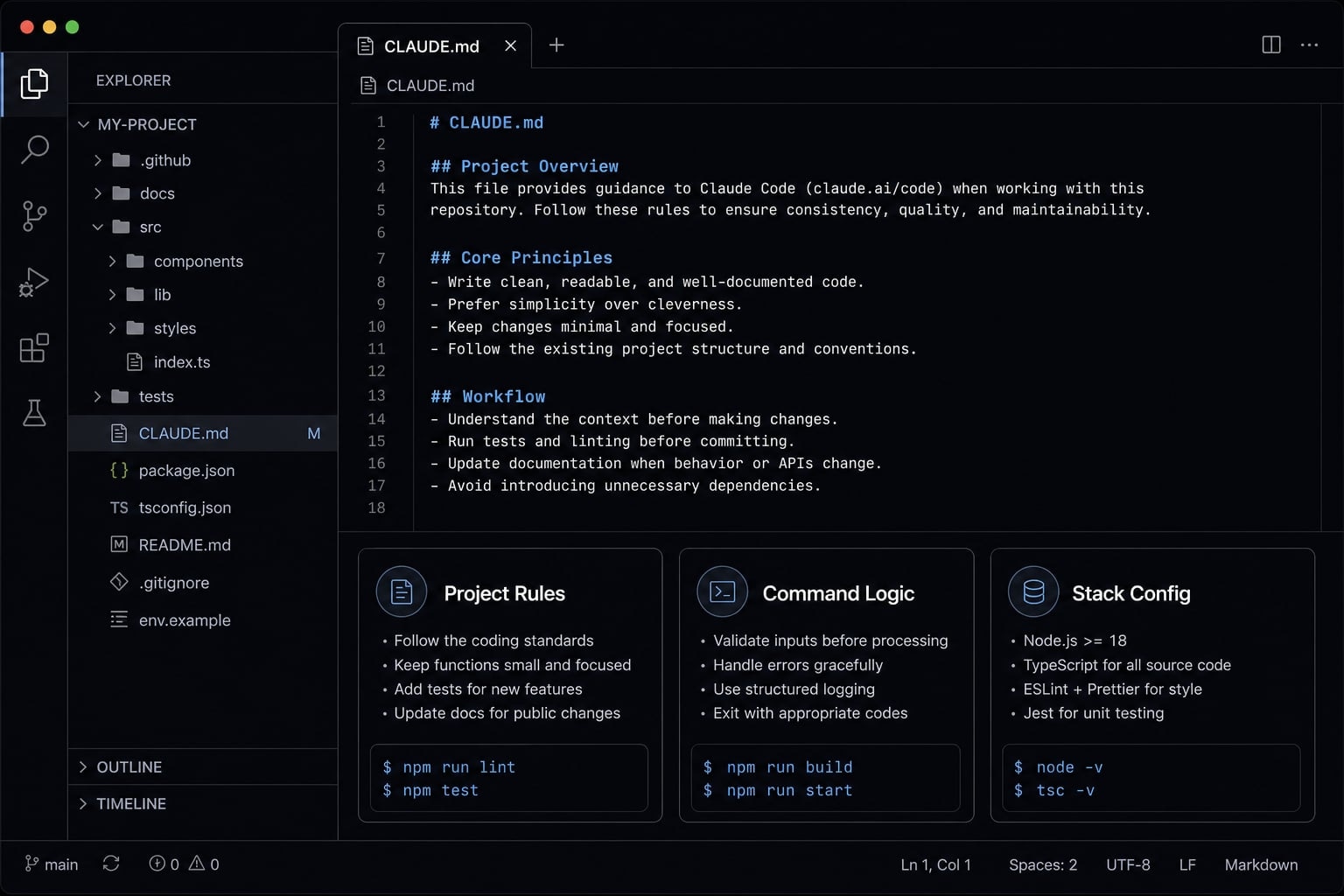
What Claude Code project instructions are and why they matter
Claude Code project instructions are the durable rules, context, and workflow guidance stored in a CLAUDE.md file so Claude can work with the right project assumptions across sessions.
That is the core idea. Instead of re-explaining the same project setup every time, you give Claude Code a stable operating layer for that repo or workspace. Good Claude Code project instructions reduce repeated prompting, lower the chance of wrong assumptions, and make the output more consistent.
A practical CLAUDE.md configuration guide should also be honest about limits. This is not magical memory. It is not a full knowledge base. It is closer to AI agent onboarding: A short file that tells Claude what this project is, how work happens here, and what rules matter most.
Many teams run into the same pattern:
- Claude does reasonable work, but misses repo-specific rules.
- The agent keeps asking the same setup questions.
- Different sessions produce inconsistent outputs.
- The file exists, but it is overloaded with too much context.
The goal of Claude Code project instructions is not to store everything. The goal is to store the right things.
Distinguish project instructions from one-off prompts
Project instructions differ from one-off prompts because they are meant to be reused across sessions, while one-off prompts are temporary and task-specific.
- Project instructions = Durable project rules and recurring guidance.
- One-off prompts = Short-term requests for the current task.
- Rules vs reference material = Rules belong in
CLAUDE.md; supporting documents usually belong elsewhere. - Reference material helps Claude do the work, but does not all need to live in the instruction file.
Why this matters across project types
The same concept applies across more than code.
- App repo: Claude needs stack, commands, refactor limits, and deployment cautions tied to the project context.
- Docs workspace: Claude needs audience, tone, folder rules, and editorial workflow.
- Ops workspace: Claude needs runbooks, naming conventions, approval steps, and system-specific workflow notes.
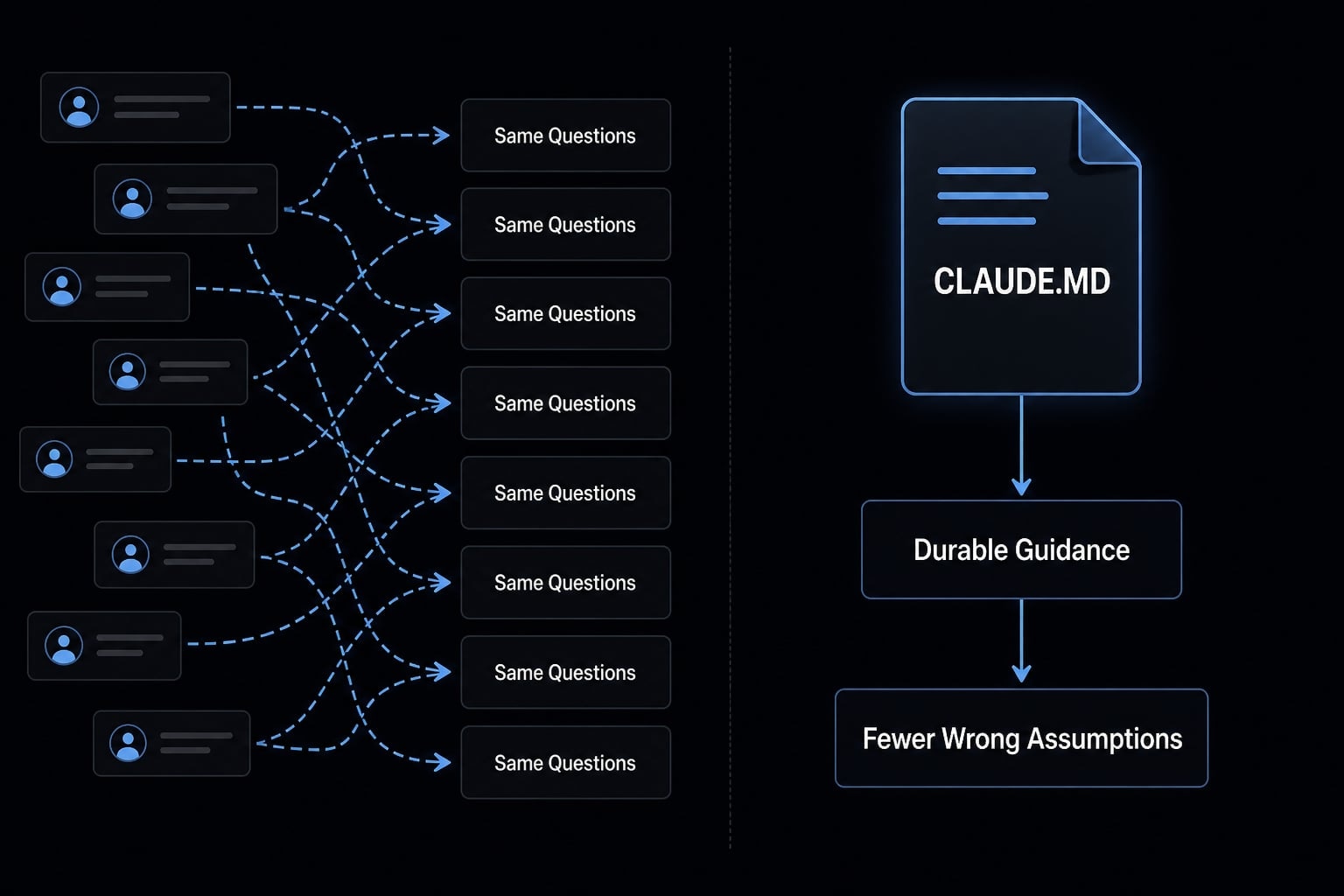
How CLAUDE.md works at the project level
At the project level, CLAUDE.md is the file that stores reusable instructions for a repo or workspace. Claude Code uses it as part of an instruction hierarchy, which means not all instructions live at the same level. In practice, you usually want three layers:
- Global instructions for personal defaults.
- Project
CLAUDE.mdfor repo or workspace rules. - Reference files for detailed material consulted when needed.
This broad-to-specific setup is often described as folder-based inheritance. The important point is simple: Broader rules should stay broad, and project rules should stay specific. If these layers conflict, Claude becomes less reliable. Clear layering matters more than adding extra text.
Claude Code may support auto-loading behavior for project instruction files, but you should still treat CLAUDE.md as scoped guidance, not permanent universal memory. Keep the file targeted to the folder or workspace where it applies.
Global instructions vs project instructions vs reference files
Layer | Best for | What to store | What to avoid |
|---|---|---|---|
Global instructions | Personal defaults across all work | Communication preferences, planning defaults, output style | Repo-specific commands, team-specific rules |
Project | Repeated project-level rules | Scope, stack, workflows, guardrails, key paths | Meeting notes, long specs, temporary tasks |
Reference files | Detailed supporting material | Architecture docs, briefs, ownership docs, specs | Rewriting the same rules already in project instructions |
Practical rule of thumb
- Put repeated, durable guidance in
CLAUDE.md. - Keep temporary task notes in the current session.
- Store detailed, occasional material in separate docs.
- Use references and paths instead of pasting large blocks.
- Avoid conflicting rule architecture across folders or teams.
What to include in a good project CLAUDE.md
A good project file is short, stable, and operational. The best project-specific system prompts do not try to describe the entire repo. They give Claude Code the minimum durable guidance needed to work correctly and consistently.
Use this five-part Claude Code instruction set:
- Project purpose.
- Stack and environment.
- Commands and workflows.
- Rules and guardrails.
- Key files and references.
This structure works because each section reduces a different class of mistakes:
- Project confusion.
- Bad environment assumptions.
- Wrong command usage.
- Unsafe or low-fit changes.
- Missing source references.
Well-written project-specific system prompts also age better. If the file is stable, Claude can rely on it. If it changes constantly, it becomes noise.
Project purpose
Start with the project purpose in 2 to 4 lines.
Include:
- What the project is
- Who it serves
- What success looks like
- Any critical scope boundary
Example: This repo powers a B2B SaaS onboarding dashboard for internal customer success teams. Prioritize reliability, clear admin workflows, and low-risk incremental changes. Do not treat this as a public marketing site.
Keep this short. It should orient Claude, not replace a product brief.
Stack, framework versions, and environment
Your tech stack should prevent obvious bad assumptions. Include only the stack, tools, and environment details that affect decisions:
- Primary language: TypeScript
- Framework: Next.js 15
- Styling: Tailwind CSS 4
- Package manager: pnpm
- Tests: Vitest and Playwright
- Runtime: Node 20
- Deployment target: Vercel
- Database access goes through approved service layer only
For non-code workspaces, the same principle applies to stack/tools/environment:
- Writing workspace
- SEO workflow
- Analytics stack
- CRM or content tooling
Important commands and preferred workflow
List the important commands Claude should use or check before making changes.
Example:
# Run locallypnpm dev# Validate changespnpm lintpnpm testpnpm build
Also specify the preferred sequence:
- Read the relevant feature files first.
- Follow existing patterns before introducing new abstractions.
- Run lint and tests before proposing final changes.
- Ask before changing build, auth, or deployment logic.
This is one of the highest-value parts of a Claude Code instruction set because it reduces avoidable workflow mistakes.
Rules and guardrails
This section matters more than generic style commentary. Strong guardrails prevent high-cost errors.
Examples:
- Never commit secrets, tokens, or
.envvalues. - Ask before major refactors or dependency changes.
- Follow existing patterns before introducing new architecture.
- Preserve accessibility requirements for UI changes.
- Do not weaken validation, auth, or security defaults.
- Keep performance-sensitive components lightweight.
- Respect existing coding conventions and naming patterns.
Vague rules like “write clean code” do not help much. Specific guardrails do.
Key files and references
Point Claude to key files or references instead of stuffing them into the instruction file.
Example:
- Product requirements:
docs/prd.md - Architecture notes:
docs/architecture.md - Design tokens:
src/styles/tokens.ts - API contracts:
docs/api-contracts.md - Repo ownership:
docs/owners.md
This improves clarity without overloading the file. It also makes the project structure easier to navigate.
Contextual resource: If you are standardizing AI workflows across repos, a shared instruction pattern and reusable reference structure usually save more time than rewriting prompts from scratch every week.
What not to put in project instructions
A project CLAUDE.md should not become a dumping ground. More content is not always better. In real use, overloaded instruction files create context bloat, reduce signal-to-noise, and make the file less helpful.
This is where context window management matters in plain English: If the instruction file includes too much low-value material, Claude spends attention on the wrong things. Good token efficiency is not about making files tiny. It is about keeping the right information easy to find.
Treat CLAUDE.md as a lightweight persistence layer for stable rules, not a full archive. Detailed material is usually better stored in modular files nearby.
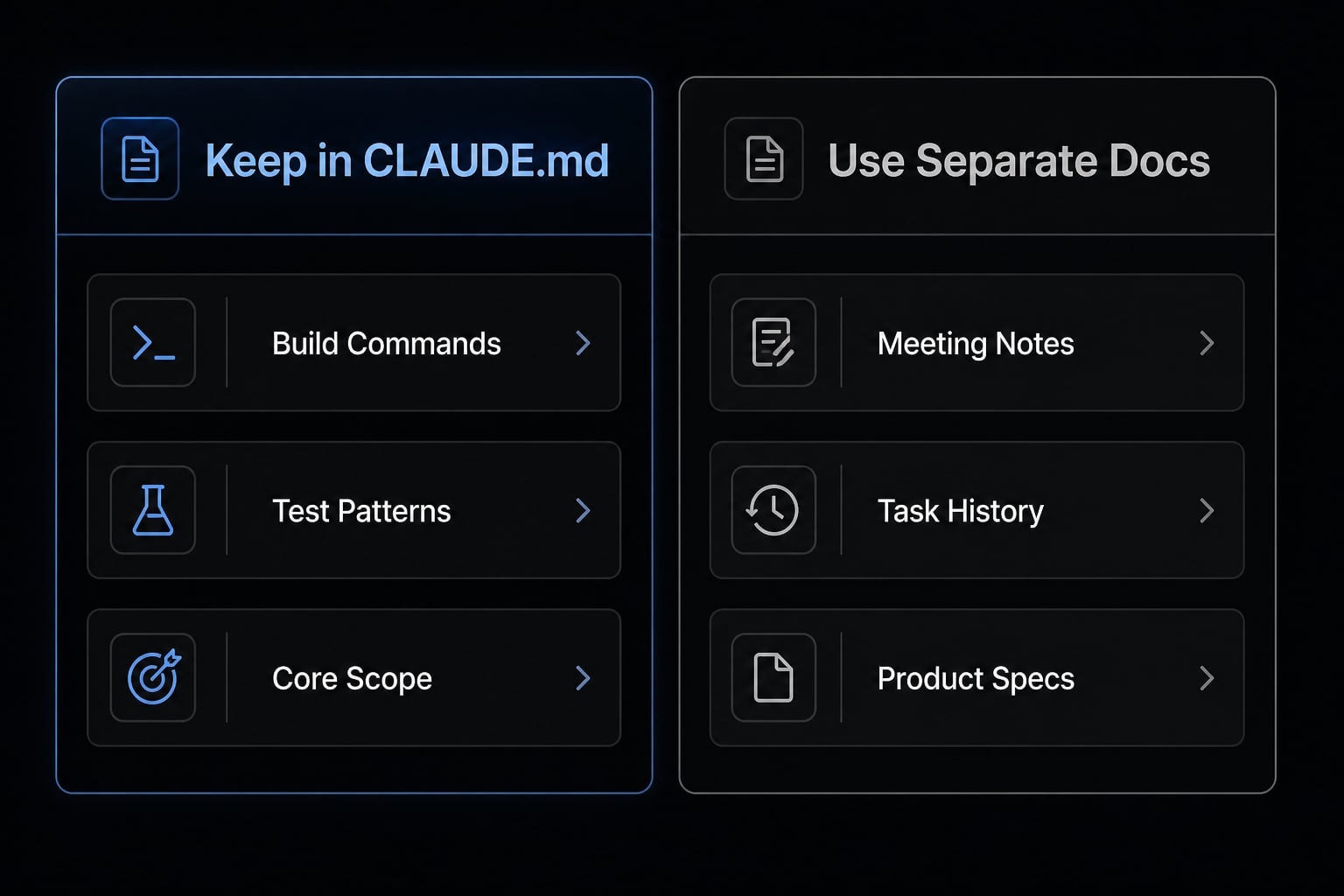
“Put it in CLAUDE.md” vs “Keep it in separate docs”
Content type | Put in | Better location |
|---|---|---|
Project purpose and scope | Yes |
|
Build, test, lint commands | Yes |
|
Durable workflow rules | Yes |
|
Temporary task list | No | Current session or task tracker |
Meeting notes | No | Notes doc or project management tool |
Full product spec | No | Separate docs |
Detailed architecture deep dive | Usually no | Architecture doc |
Fast-changing release notes | No | Changelog |
Ownership and escalation links | Sometimes | Short pointer in |
Signs your project instruction file is too large or too vague
Use this checklist to spot a bloated file:
- It repeats large chunks of existing docs.
- It includes task history or meeting notes.
- It changes every week.
- It uses vague language like “do it well” or “be smart”.
- Claude still asks the same setup questions.
- It mixes durable rules with temporary decisions.
- It shows clear context bloat without improving outcomes.
A simple copy-paste template for Claude Code project instructions
Start with a minimal CLAUDE.md template first. Then expand only if the project actually needs it.
Minimal template version
This minimal template is designed to be editable in under two minutes.
# Project PurposeThis project is:Primary users:Success looks like:# Stack and EnvironmentLanguage/framework:Package manager:Runtime/deployment:Key tools:# Commands and WorkflowRun:Test:Lint:Build:Preferred workflow:# Rules and Guardrails- Ask before major refactors- Follow existing patterns- Never expose secrets- Preserve accessibility, security, and performance expectations# Key Files and References- Product/spec:- Architecture:- Important paths:- Ownership/reference docs:
This CLAUDE.md template works because each block answers a practical question:
- What is this project?
- What stack am I working in?
- How should I validate changes?
- What must I avoid?
- Where do I look next?
Expanded version for teams or more complex repos
Use this team repo template when multiple contributors, approvals, or deployment risks are involved.
# Project PurposeThis repo supports:Primary users/stakeholders:Non-goals:Definition of a good change:# Stack and EnvironmentPrimary stack:Framework versions:Runtime/deployment target:Testing tools:Package manager:Important environment constraints:# Commands and WorkflowRun:Lint:Test:Build:Before editing, review:Preferred implementation flow:When to ask for confirmation:# Rules and Guardrails- Do not commit secrets or credentials- Ask before changing auth, billing, deployment, or schema logic- Follow existing folder and naming patterns- Preserve accessibility and security requirements- Prefer incremental changes over broad rewrites# Ownership and ReviewPrimary code owners:Files or areas requiring extra caution:Review expectations:Deployment caution notes:# Key Files and References- PRD:- Architecture docs:- API contracts:- Design system:- Ownership docs:
This expanded Claude Code project instructions template is still not a handbook. It is a compact instruction set inside a broader family of AI context management files.
Use the expanded version when:
- The repo has shared ownership.
- Review rules matter.
- Deployment risk is non-trivial.
- The project has several critical references.
Three practical examples by project type
The same structure works across workflows, but the project rules should change based on what the workspace actually does. This is the practical side of structuring context files for AI coding assistants: Keep the format familiar, change the instructions that drive decisions.
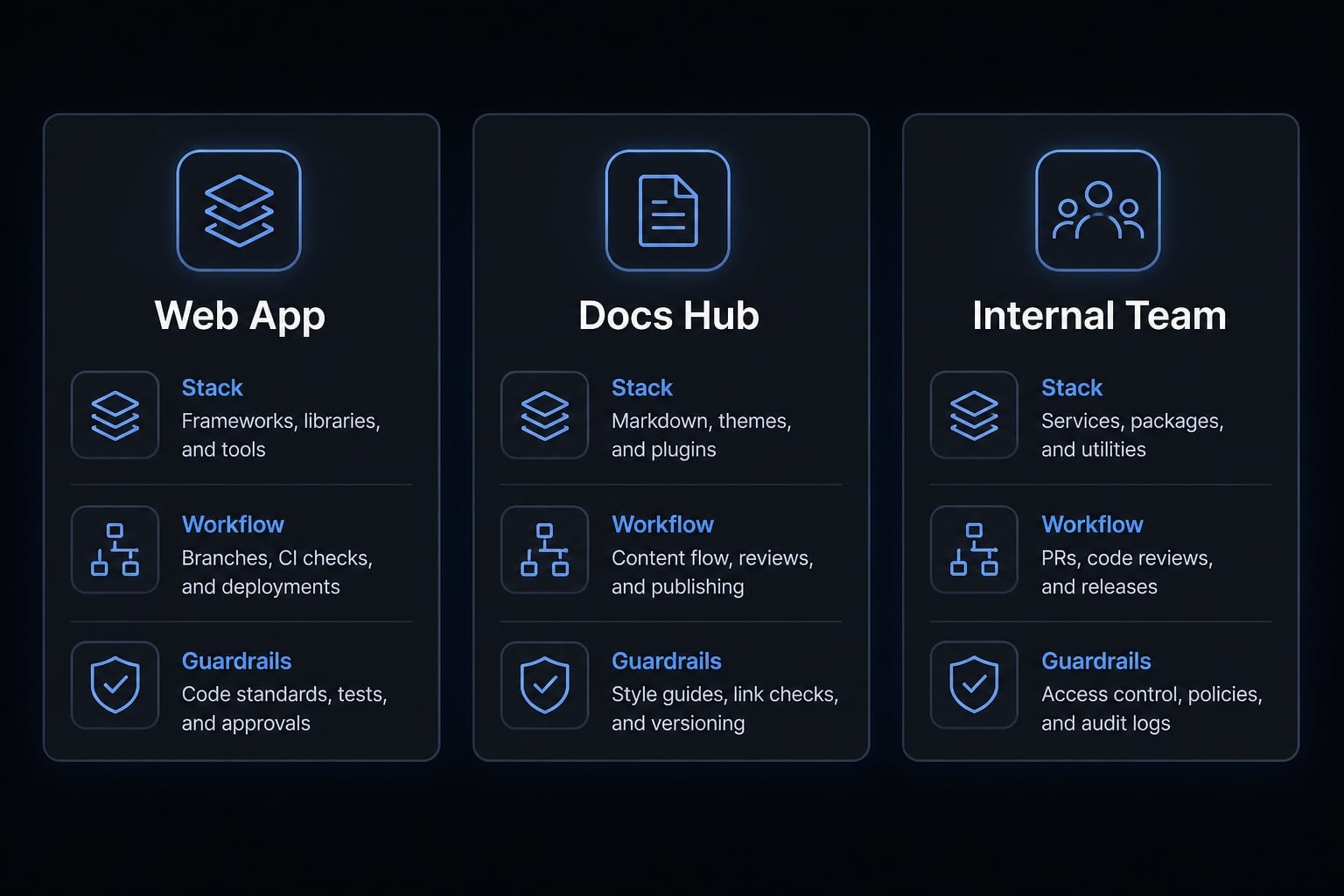
Web app project example
For a web app project, prioritize runtime assumptions, validation commands, and change safety.
Project: Customer portal built with Next.js, TypeScript, and PostgreSQL.Commands: pnpm dev, pnpm lint, pnpm test, pnpm build.Project rules: ask before changing auth, schema, or routing patterns.Maintain accessibility and do not weaken validation or security defaults.
This aligns with common Claude Code best practices because it focuses on high-impact errors first.
Content or documentation workspace example
In a docs workspace or content workflow, the priorities shift.
Project: B2B content workspace for technical product education.Audience: developers, founders, and operators.Tone: concise, practical, no hype, explain terms simply.Workflow: draft -> factual review -> style pass -> publish.Folders: /briefs, /drafts, /references, /published.
Here, audience and approval flow matter more than test commands.
Small team repo / internal tool example
A team repo or internal tool repo often needs ownership and release caution.
Project: Internal ops dashboard used by finance and support teams.Follow existing service and component patterns before adding abstractions.Review expectations: ask before touching permissions, exports, or scheduled jobs.References: docs/owners.md, docs/runbooks.md, docs/deploy.md.
This kind of file improves workflow consistency without forcing every contributor to repeat the same setup every session.
Best practices for keeping project instructions useful over time
Even a strong file degrades if no one maintains it. The best best practices for Claude Code project instructions are simple: Review occasionally, trim aggressively, and move unstable details elsewhere.
Stale instructions are nearly as bad as missing instructions. If the file says one thing and the repo now works differently, Claude starts from the wrong assumptions. Good context window management is not just about length. It is also about freshness, clarity, and modularity.
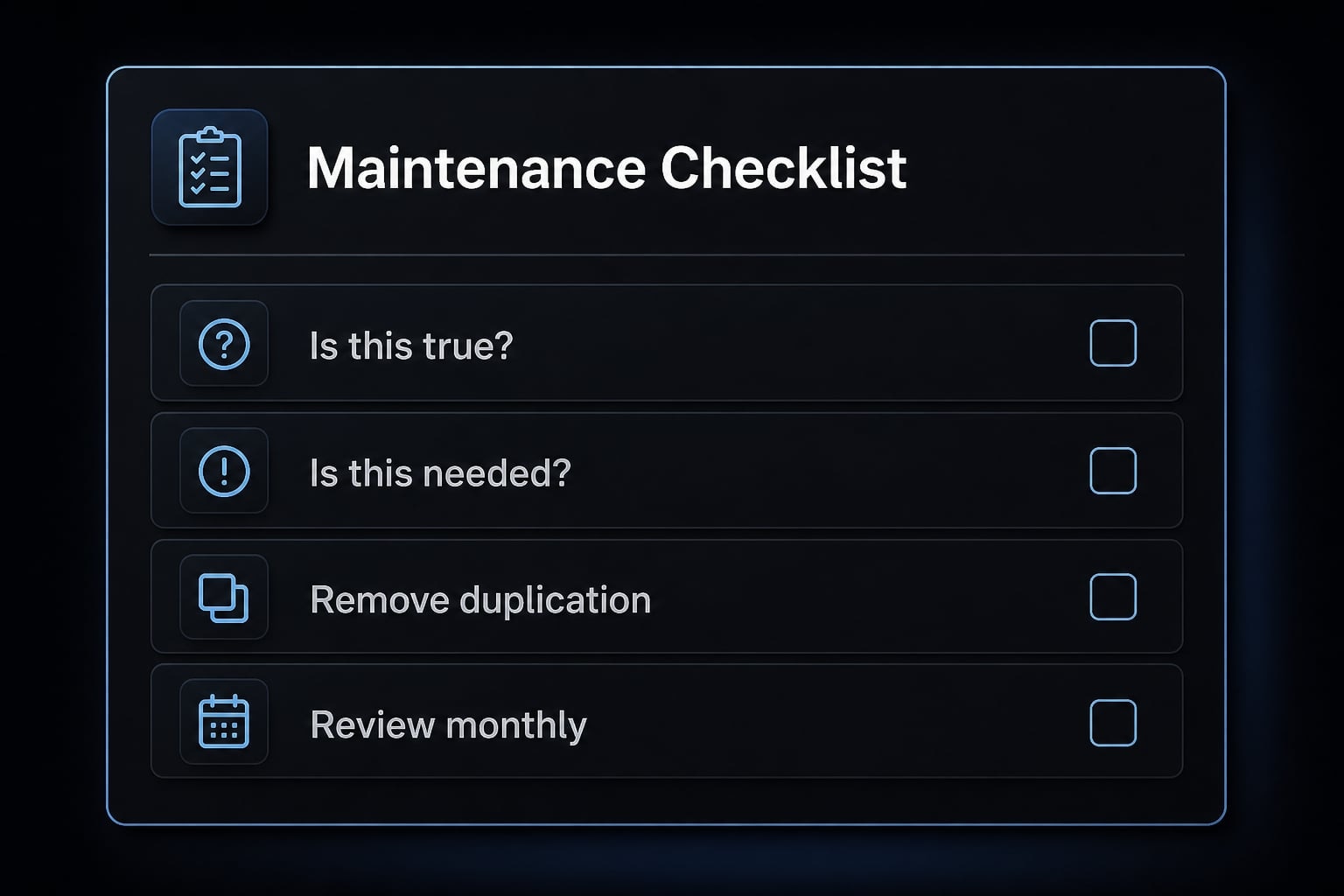
A lightweight monthly review checklist
Review your CLAUDE.md monthly using this quick checklist:
- Is this still true?
- Is this used often enough to justify staying in the file?
- Should this move to a separate reference instead?
- Is anything duplicated from another doc?
- Is any instruction too vague to guide action?
- Are commands still current?
- Are ownership or review notes still accurate?
- Has the file grown beyond what a quick read can support?
This monthly review checklist should take a few minutes, not an hour. Think of it as a small maintenance checklist that preserves usability.
Where project instructions fit into a broader reusable agent workflow
For individuals, project instructions reduce repeated prompting. For teams, they improve workflow standardization across repos and workspaces. The strongest systems usually combine project instructions with shared references, reusable skills, and repeatable execution patterns.
That is where reusable agent workflows become more valuable than isolated prompts. Instead of rebuilding context every time, you keep a stable project layer and add task-specific input only when needed. In broader contextual AI engineering, this makes the agent easier to trust, review, and scale.
At AgentKit, this is the practical pattern we see most often: clear project instructions, small reference files, and reusable workflow components usually outperform large prompt dumps or constantly rewritten setup messages.
Frequently asked questions
What are Claude Code project instructions?
Claude Code project instructions are durable rules, context, and workflow guidance stored in a CLAUDE.md file. They allow the AI agent to operate with the correct project-specific assumptions, preferences, and guardrails across different sessions, reducing the need for repetitive prompting.
How do CLAUDE.md files work at the project level?
CLAUDE.md files work through folder-based inheritance. Claude Code automatically reads instructions from your current directory up to the root. Instructions stack, with more specific folder-level rules overriding general global settings. This hierarchy ensures that Claude always applies the most relevant context for the task at hand.
What should be included in a project CLAUDE.md file?
A high-performing CLAUDE.md file should include five core components: project purpose, stack and environment details, essential commands, specific rules or guardrails, and links to key documentation. Keep these sections concise to ensure the AI remains focused on operational guidance rather than project history.
Should I put all my project documentation in CLAUDE.md?
No. Only store durable, high-level operational guidance in CLAUDE.md. Placing full project specs, meeting notes, or task histories in these files causes "context bloat," which reduces token efficiency and can lead to less precise responses. Keep reference material in separate, linked documentation files.
How often should I update my project instructions?
Review your CLAUDE.md file monthly. Use this time to trim redundant rules, remove information for completed project phases, and ensure that your commands and coding conventions remain accurate. Keeping the file clean and lean is critical to maintaining a consistent, reliable AI assistant.
Does CLAUDE.md provide permanent memory for the AI?
It is important to note that CLAUDE.md is not magical memory. It provides a persistent context layer that is loaded at the start of each session, but it does not enable the AI to "remember" past conversations or transient task details. Treat it as a stable onboarding document, not a database.
Read more:
- Mastering Claude Code rules: A guide to consistent AI development
- Claude Code subagents documentation: Setup and usage guide
- Claude Code tutorial: Set up and master your AI coding agent
Conclusion
Useful Claude Code project instructions follow three rules: Keep them project-specific, store durable rules instead of everything, and review them often enough to stay accurate. A good CLAUDE.md does not try to be magical memory or a full documentation archive. It gives Claude Code the minimum stable guidance needed to work with fewer wrong assumptions.
If you are starting from scratch, begin with the minimal CLAUDE.md template, use the five-part structure in this guide, and trim anything that looks like task history or documentation sprawl. For a broader setup, explore reusable workflow patterns and shared reference design so your instruction layer stays lean as your projects grow.