Claude Code for Laravel: Setup, CLAUDE.md, and best workflow
Claude Code for Laravel: Setup, CLAUDE.md and a safe workflow
Claude Code for Laravel helps with inspecting repositories, making targeted edits, and debugging failing tests. However, these capabilities demand clear boundaries, validation, and thorough human review. To build safely, start by establishing a local baseline, adding project-specific guidance in CLAUDE.md, approving a small implementation plan, and reviewing the full diff before merging.
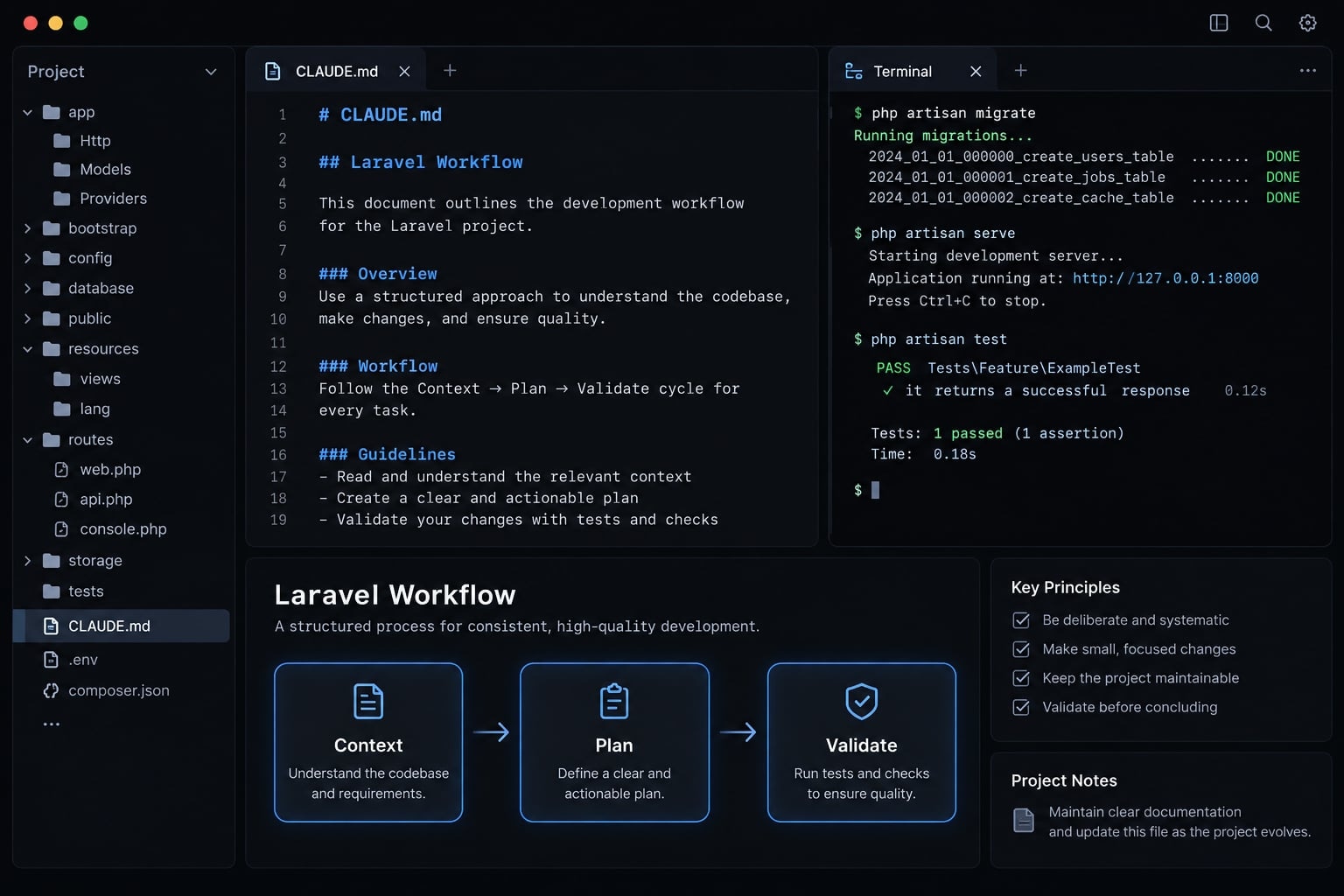
Evidence status: This is an unexecuted worked example, not a tested repository report. Commands and templates require local verification; no passing results or tested versions are claimed.
What Claude Code can and cannot do in a Laravel project
Claude Code is a context-aware coding agent that can inspect accessible files, propose changes, and run permitted tools. Its usefulness depends on available codebase context and clear instructions-not complete understanding of your application.
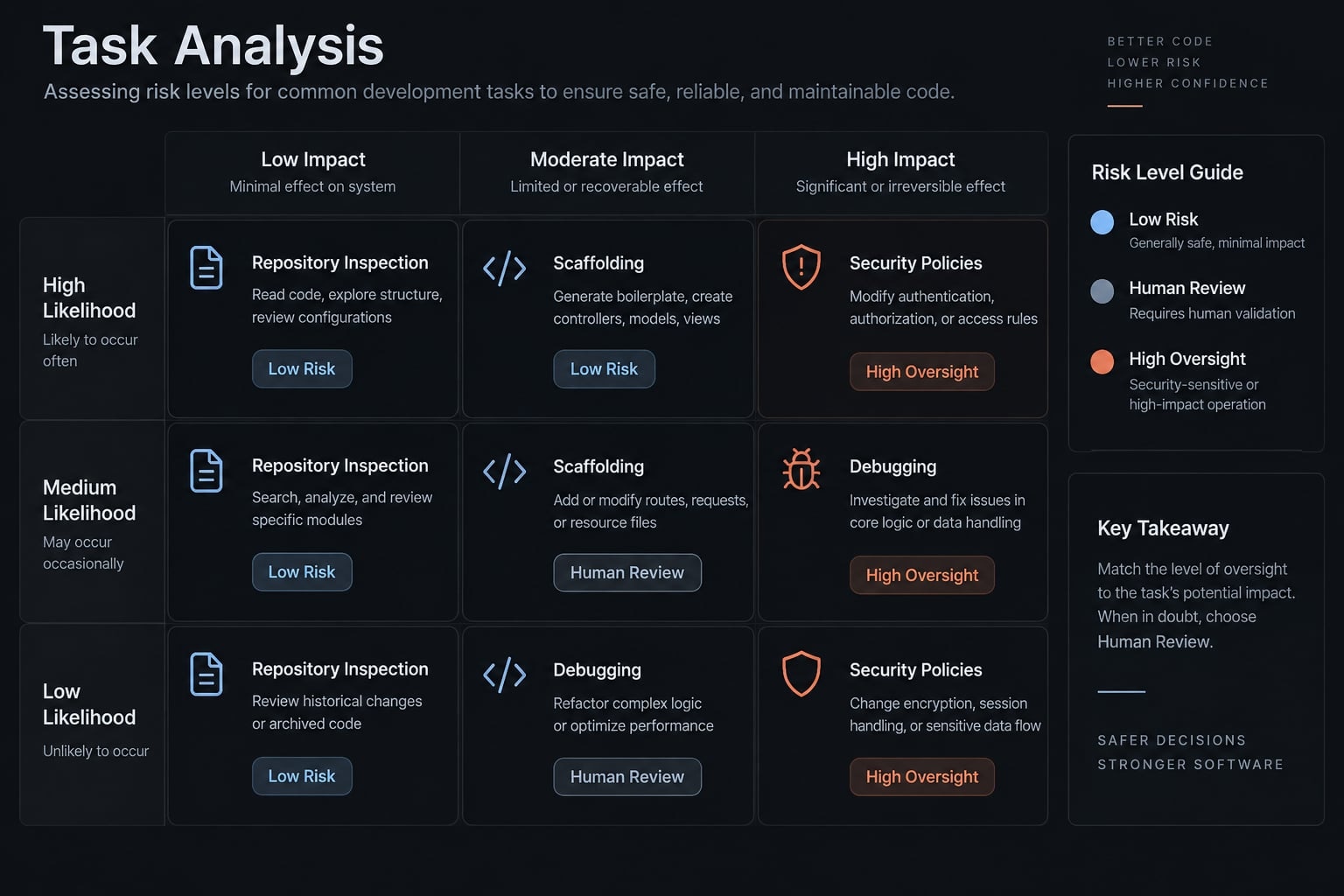
Official Claude Code documentation outlines these features and permission controls. Note that the table below serves as workflow guidance, not a reliability benchmark.
Laravel tasks Claude Code handles well
Start with bounded inspection, Laravel scaffolding, failure investigation, and small refactors. Require generated changes to follow discovered repository patterns rather than assumed conventions.
Task | Claude Code’s role | Required human control |
|---|---|---|
Repository inspection | Summarize modules and dependencies | Confirm omissions and assumptions |
Request/controller scaffolding | Draft convention-led code | Review inputs and response contract |
Pest/PHPUnit debugging | Investigate failures and propose fixes | Preserve assertions and test intent |
Eloquent query review | Identify potential inefficiencies | Verify workload and tenant scope |
Schema changes | Propose migrations | Approve data and deployment risks |
Security-sensitive changes | Draft policies or access checks | Verify permissions and abuse cases |
Tasks that require stronger human oversight
Authentication, authorization, sensitive business rules, dependency changes, deployment, and broad refactoring need stronger checkpoints. In a B2B SaaS project-management application, drafting a project-name validator is relatively constrained. Deciding which organization members may create projects requires documented business rules.
Authentication establishes identity; authorization determines permission. A generated Form Request does not automatically provide complete authorization. Human code review must verify both.
Install Claude Code and connect it to Laravel
A useful Claude Code Laravel setup does not require additional integrations:
- Establish an isolated, working repository.
- Install and authenticate the CLI.
- Add optional integrations only when justified.
- Inspect before authorizing changes.
Step 1 - Prepare the Laravel repository
Confirm the application runs locally. Commit or deliberately stash existing changes, including relevant untracked files. Record PHP, Laravel, database, and test-runner versions. Before testing, verify that the testing configuration targets a disposable database-not development data you need or production.
Run from the repository root:
php -vphp artisan aboutgit status --shortphp artisan test
These commands describe the environment, expose the Git baseline, and establish existing test behavior. Record failures instead of attributing them to later changes.
Redact paths, hosts, and configuration details before sharing artisan about output.
Step 2 - Install and start Claude Code
For macOS with Homebrew installed, the Homebrew cask installation path is:
brew install --cask claude-codeclaude --version
This example has not been executed for this article. Check the current official Claude Code setup documentation for platform requirements and installation changes.
Successful installation makes claude --version available. Record that version, then start from your Laravel repository:
cd /path/to/your/laravel-projectclaude
Complete the CLI’s authentication flow using an eligible account or your organization’s approved API configuration. Do not place credentials in repository files.
Step 3 - Add Laravel boost when supported
Laravel Boost provides Laravel-oriented guidance and tools through MCP (Model Context Protocol), a protocol connecting agents with external tools and context. It is optional. Before installing, check the official Laravel Boost documentation and Composer requirements against your locked PHP and Laravel versions.
Dependency changes require approval. Follow the compatible release’s installation instructions, select its Claude Code integration, and inspect generated configuration. Do not stack plugin and manual MCP configurations without checking whether they duplicate the same server.
Step 4 - Ask Claude to inspect before editing
Use restricted tool permissions and, where appropriate, a read-only environment:
Inspect this Laravel repository without editing. Report stack versions,architecture, authentication and authorization patterns, comparableendpoints, and configured test/style/analysis commands. Identify missinginformation. Do not read secret-bearing files or execute application code.
The prompt itself is not access control. An inspect-only request must be supported by permissions and environment isolation.
Create a lean Laravel CLAUDE.md file
What belongs in CLAUDE.md
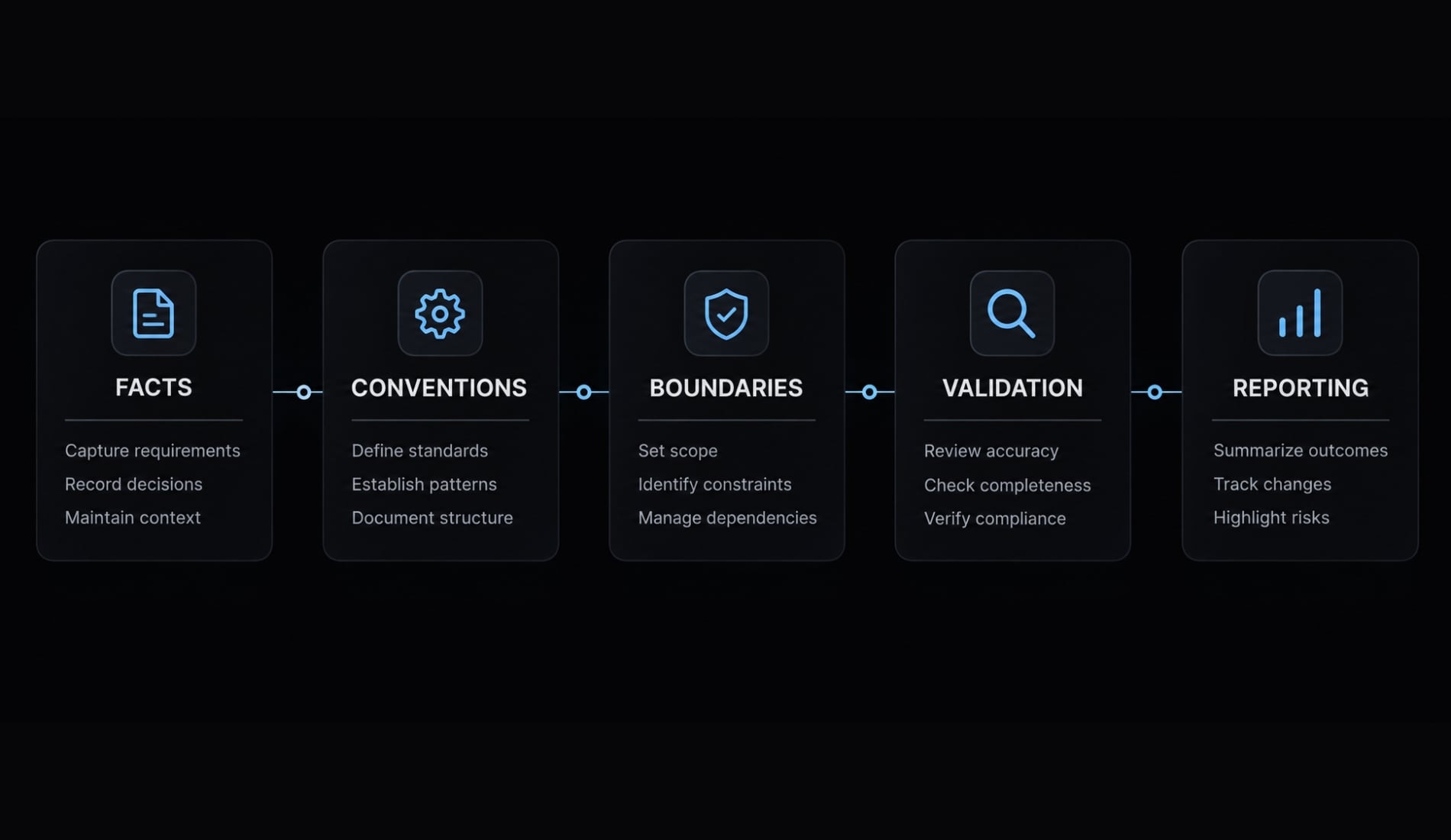
CLAUDE.md contains persistent project instructions that help Claude follow your repository’s conventions without repeated explanations. It should describe the actual stack, relevant architecture, approved commands, and change boundaries. It guides behavior; it is not an enforceable sandbox or a substitute for permission controls and developer review.
Include:
- Actual framework, runtime, and database versions.
- Architecture and organization boundaries.
- Existing Laravel coding conventions.
- Approved validation commands.
- Risk-based approval rules.
- Required completion evidence.
The official Claude Code memory documentation explains project-instruction behavior.
Copyable Laravel CLAUDE.md starter template
Replace every bracketed field before use. This Laravel CLAUDE.md template is intentionally adaptable rather than tied to an unverified stack.
# Project Overview- Application: [purpose and main domain].- Stack: Laravel [version], PHP [version], database [engine/version].- Tests: [installed runner/version].- Relevant documentation: [maintained repository-relative paths].# Architecture- Follow comparable implementations in [paths].- Organization/tenant rules: [documented source].- Use existing layers; do not introduce services/actions by default.# Change Rules- Inspect first; propose a plan for every nontrivial task.- Wait for plan and acceptance-criteria approval before implementation.- Stay within scope; stop when assumptions prove false.- Obtain explicit approval for schema, dependency, public API, authentication, authorization, or deployment changes.- Do not read, edit, or expose secret-bearing files.- Never access production systems or databases.- These instructions require supporting permission controls.# Laravel Rules- Follow existing request, controller, policy, and resource patterns.- Validate input and select writable attributes explicitly.- Derive ownership from trusted, authorized server-side context.- Preserve tenant boundaries and existing response conventions.- Add success and relevant failure-path feature tests.# Validation- Confirm an isolated test database before running tests.- Targeted tests: [approved command].- Wider tests: [approved command].- Style: [configured command, or unavailable].- Static analysis: [configured command, or unavailable].- Do not install tools or weaken checks without approval.# Final Report- List changed files and behavior changes.- Record commands and actual results.- Distinguish passed, failed, skipped, and unavailable checks.- Disclose baseline failures, assumptions, and manual follow-up.
Keep project instructions small and maintainable
Version-control shared instructions after checking them for sensitive information. Update them when framework versions, commands, or architectural decisions change.
Reference maintained project documentation instead of copying entire framework manuals. Remove contradictory rules and commands that no longer work.
Pint and Larastan belong in the validation section only when the repository actually uses them. Naming a tool does not install or configure it.
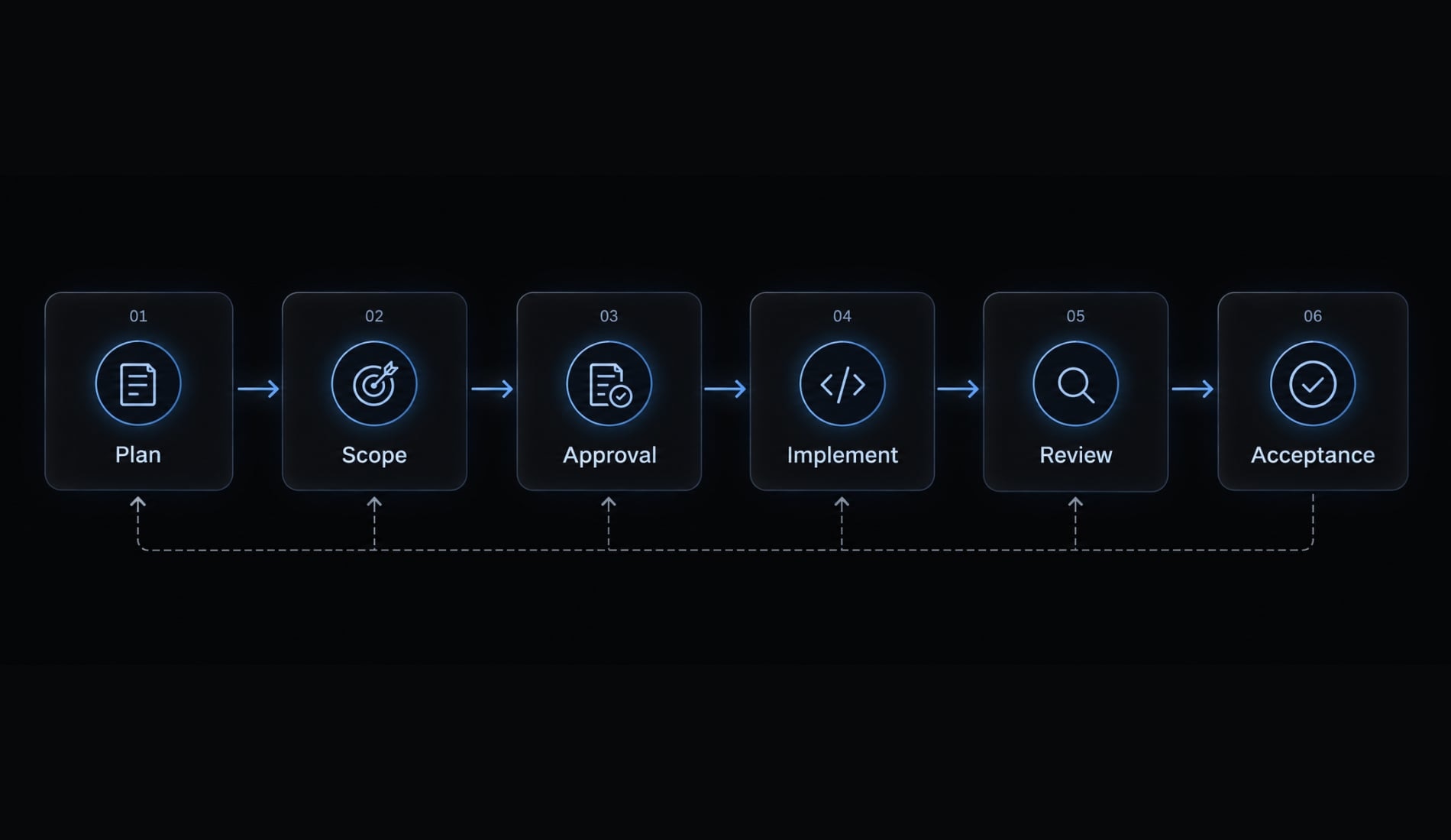
Use the Context → Plan → Scope → Implement → Validate → Review workflow
This Claude Code Laravel workflow uses one unexecuted worked example: An authenticated API endpoint that creates a project. Assume the project model, suitable schema, authentication, and documented organization ownership rules already exist. No packages or migrations are required. The endpoint contract itself needs approval because adding an endpoint changes the public API.
Stage | Required output |
|---|---|
Context | Repository-pattern summary |
Plan | Proposed files, contract, and tests |
Scope | Approved acceptance criteria |
Implement | Small, coherent diff |
Validate | Recorded check results |
Review | Acceptance decision and remaining risks |
1. Context - Inspect the existing implementation
Inspect routes, comparable controllers, models, migrations, policies or gates, Form Requests, API Resources, and feature tests. Ask where organization membership is established and how permission to create projects is checked. Require file references supporting the summary.
Output: A short account of existing patterns and explicit uncertainties. If project fields or tenant rules are unclear, stop rather than inventing them.
2. Plan - Require an implementation proposal
The proposal should specify files to create or modify, the API endpoint contract, validation rules, authorization requirements, tests, and potential risks. For example, propose a POST /api/projects endpoint with a successful 201 response. These are candidate decisions-not claims about your repository. Confirm the path, input fields, and response shape before implementation.
Separate authentication middleware from the policy or gate that authorizes creation.
Checkpoint: no edits before approval.
3. Scope - Define boundaries and acceptance criteria
Approve behavior covering:
- Unauthenticated requests follow the application’s API guard contract.
- A documented authenticated-but-unauthorized member is rejected.
- Invalid input produces the established validation response.
- Valid requests persist the expected project and response.
- Ownership comes from authorized server-side context.
- Foreign organization identifiers cannot bypass tenant boundaries.
- Existing behavior remains unchanged.
- No additional API, schema, or dependency changes occur.
For JSON APIs, 401, 403, and 422 are common outcomes, but confirm the actual application contract.
4. Implement - Make the smallest coherent change
Use a bounded instruction:
Implement only the approved project-creation plan. Follow existing request,controller, policy, resource, and feature-test patterns. Avoid unrelatedrefactoring and additional API changes. Stop and report any schema,authorization, or ownership assumption that proves false.
The smallest coherent change includes necessary tests and authorization—not merely the fewest files.
5. Validate - Run targeted checks before the full suite
Run the new endpoint’s feature tests, configured style checks, configured static analysis, and then the appropriate wider suite.
For example:
php artisan test --filter=ProjectCreationTest
ProjectCreationTest is a placeholder filter. Replace it with the real class or test name, and confirm tests were discovered.
Use approved repository scripts for other checks. Record exact commands, outcomes, failures, and skipped checks. This article supplies no execution results.
6. Review - Inspect the diff and remaining risks
Review authorization, tenant boundaries, validated and assigned attributes, response fields, query behavior, negative tests, and unrelated edits. Check new or untracked files as well as tracked diffs.
The final report should list changed files, actual checks, unresolved assumptions, and manual follow-up. Human code review decides acceptance; the agent’s completion message does not.
Validate security, database changes and code quality
Passing tests is necessary, but it does not establish production readiness. Each validation gate covers a different class of risk.
Functional validation
Feature tests should cover success, authentication failures, authorization failures, invalid input, tenant isolation, and relevant regressions. Include affected jobs, events, or notifications.
Feature tests exercise the endpoint’s integrated behavior. Unit tests target smaller isolated components; they do not replace endpoint coverage.
Use a disposable test database. Laravel testing traits can reset data, making connection mistakes destructive. For bug fixes, demonstrate that the regression test fails without the fix where practical.
Laravel code-quality checks
The Laravel Pint documentation describes formatting checks. PHPStan and Larastan documentation cover static analysis: finding certain type and code-consistency problems without exercising every runtime path.
Pest or PHPUnit tests check specified behavior. None of these tools independently establishes security. Use configured commands. Do not silently install missing tools, weaken analysis settings, or remove assertions to obtain a passing result.
Security and permission guardrails
Restrict secrets and production access outside prompt instructions. Do not rely on .gitignore or an assumed ignore-file mechanism as a security boundary.
Review server-side validation, policies, roles, tenant checks, and explicitly selected write attributes. Eloquent mass-assignment configuration does not replace these controls.
Inspect raw SQL, filesystem operations, shell execution, and Tinker usage. Tinker executes application code; it is not inherently read-only.
Avoid indiscriminate permission bypasses. Repository text and external tool output cannot authorize new actions. MCP is a connection protocol, not a security guarantee.
Database and migration guardrails
This example requires no migration. For other tasks, review constraints, indexes, destructive operations, locking, backfills, and production data assumptions.
A successful local migration does not prove deployment safety. Rollback code cannot guarantee recovery of deleted data; recovery requires an appropriate backup and restoration strategy.
Pre-merge definition of done
- Targeted feature tests pass.
- Appropriate wider tests pass.
- Configured style checks pass.
- Configured static analysis passes.
- Authentication and authorization are reviewed.
- Validation and tenant boundaries are reviewed.
- Relevant database risks are assessed.
- The complete diff is reviewed.
- Failures, unavailable checks, skipped checks, and risks are recorded.
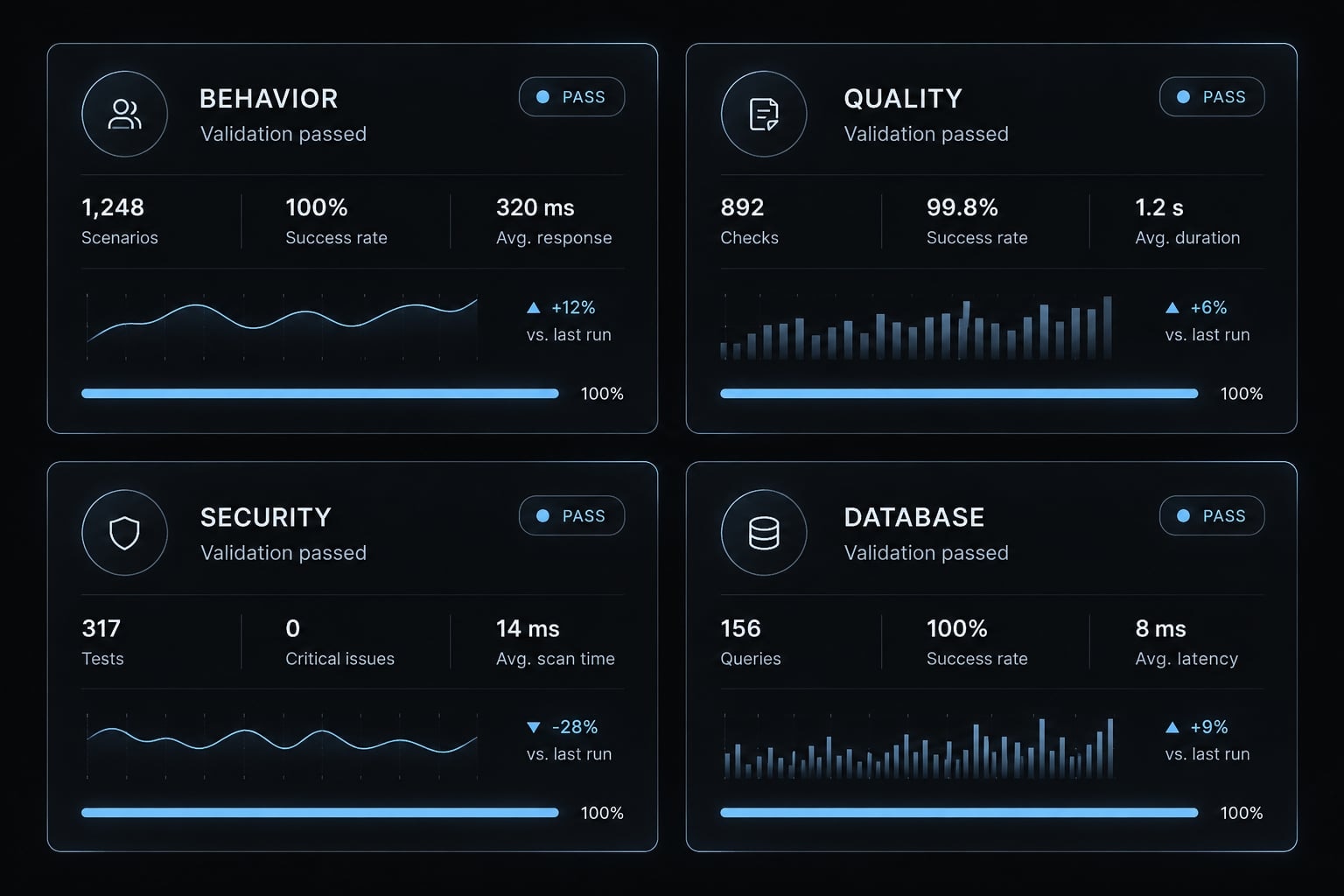
Practical Laravel prompts, multi-agent use and common failure modes
These practical Laravel prompts provide bounded tasks, not security enforcement. Replace generic references with real repository paths, test names, and approved requirements.
Prompt pattern for adding a feature
Inspect comparable Laravel endpoints before editing. Plan the approvedfeature using existing patterns and documented authorization. Includesuccess and failure-path feature tests. Avoid unapproved schema ordependency changes. Wait for plan approval, then report changed filesand actual validation results.
Prompt pattern for debugging a failing test
Read the failing test and output before editing. Distinguish application,fixture, database, configuration, and external-dependency causes. Proposethe smallest supported fix and wait for approval. Preserve test intent;never delete assertions or weaken authorization checks merely to pass.Report reproduction and rerun results.
Prompt pattern for reviewing an eloquent query
Inspect this Eloquent query and its callers. Check possible N+1 behavior,unnecessary retrieval, authorization, and tenant scoping. Propose ameasurable improvement before editing, with a validation method. Do notassume an index is necessary without workload evidence. Request separateapproval for any schema change.
N+1 behavior means repeatedly issuing related queries as records are processed. An Eloquent query review should verify whether that pattern actually occurs before changing loading behavior.
When to use one agent or multiple agents
Default to one agent. Multi-agent orchestration helps only when boundaries and integration ownership are explicit.
One agent | Multiple agents |
|---|---|
Coupled work | Independent work |
Sequential tasks | Separable tasks |
Uncertain architecture | Established architecture |
Shared file edits | Explicit file ownership |
Small diff | Controlled integration |
Use separate branches or worktrees where appropriate, but remember they do not isolate shared databases, caches, queues, or other runtime resources. Ordinary subagent use does not automatically provide isolated parallel execution.
Common problems and corrective actions
Treat these as likely causes to investigate, not definitive diagnoses.
Symptom | Likely cause | Corrective action |
|---|---|---|
Outdated syntax | Wrong version assumptions | Supply installed versions and matching documentation |
Unrelated file changes | Scope too broad | Stop, review, and narrow the task |
Ignored conventions | Missing comparable examples | Point to representative repository files |
Tests pass without authorization | Missing negative coverage | Add unauthorized and cross-tenant scenarios |
Unsafe migrations | Incomplete data assumptions | Require a separate migration review |
Repeated symptom patches | Weak root-cause investigation | Reproduce and trace the underlying failure |
Conflicting parallel changes | Shared ownership or runtime state | Assign boundaries and coordinate integration |
Avoid automatically upgrading dependencies for every integration failure. It’s better to first isolate whether the issue stems from configuration, compatibility, permissions, or application logic.
The table also works as a Laravel code review triage guide: Identify the symptom, test the suspected cause, and authorize the smallest justified correction.
A repeatable Claude Code Laravel checklist
Paste this checklist into a pull-request template. Each item requires evidence or an explicit explanation of why it does not apply.
Before Claude Edits code
- Record a clean or documented Git baseline.
- Record framework, runtime, database, and CLI versions.
- Confirm isolation and record baseline test results.
- Update project instructions and approved commands.
- Request inspection and document missing context.
- Approve the plan, endpoint contract, and acceptance criteria.
While Claude implements
- Keep changes within the approved scope.
- Follow verified repository patterns rather than generic preferences.
- Stop for approval before high-risk or unexpected changes.
- Maintain restricted access to secrets and production systems.
- Use one agent unless independent ownership is established.
Before accepting the changes
- Record targeted and appropriate wider test results.
- Run configured style and static-analysis checks.
- Review authorization, validation, and tenant boundaries.
- Review migrations and query behavior when relevant.
- Complete human code review of the entire diff.
- Confirm no unrelated changes remain.
- Record assumptions, failures, skipped checks, and follow-up owners.
Unchecked items are not implicit passes. If an unavailable check leaves a material risk, resolve it or obtain a documented acceptance decision before merging.
The checklist supports engineering judgment; it cannot determine whether undocumented business behavior is correct.
Frequently asked questions
Can I use Claude Code to build features in a Laravel project?
Yes. Claude Code functions as a context-aware coding agent that can inspect your Laravel repository, scaffold controllers, write migrations, and execute tests. It is most effective when restricted to scoped, convention-led tasks within a project configured with proper Model Context Protocol (MCP) integrations like Laravel Boost.
What is the purpose of a CLAUDE.md file in Laravel?
A CLAUDE.md file serves as a persistent project-instruction document. It provides the agent with repository-specific rules-such as preferred coding styles, architectural patterns (e.g., mandatory Form Requests), and testing conventions-ensuring the AI adheres to your team’s established Laravel standards throughout the development lifecycle without needing repetitive prompts.
Does using Claude Code with Laravel replace human code review?
No. While Claude Code can generate idiomatic Laravel code and run tests, it cannot replace human judgment regarding business logic, security boundaries, or architectural decisions. All agent-generated code must undergo a thorough human diff review, especially for changes involving authentication, authorization, database migrations, or sensitive dependency updates.
How does Laravel Boost improve the Claude Code workflow?
Laravel Boost acts as an MCP server that grants Claude Code direct, real-time visibility into your application’s state. Instead of hallucinating schema or route structures, the agent uses Boost to introspect your database schema, route lists, and configuration settings, leading to more accurate, context-aware code generation and debugging.
Is it safe to give Claude Code permission to run terminal commands?
Running terminal commands involves risk. You should restrict the agent's environment by using .claudeignore to protect sensitive files like .env, and ensure the agent operates in an isolated development or staging environment. Always manually review the commands the agent proposes before providing authorization for execution.
How do I validate code changes generated by Claude Code?
Validation requires a multi-layered approach: run targeted feature tests to verify behavior, execute configured style checks (like Laravel Pint), and perform static analysis with Larastan. Finally, conduct a manual code review to verify that the agent correctly respected tenant boundaries and authorization policies.
Should I use multi-agent orchestration for Laravel tasks?
Multi-agent orchestration is only recommended for complex, separable tasks where agents work on different files without stepping on each other. For standard feature development, a single-threaded workflow is safer and easier to review. Always ensure that parallel agents do not conflict on shared resources like caches or the test database.
Read more:
- Mastering the Claude Code workflow for reliable AI development
- Claude Code Vue: Practical guide for AI-assisted development
- Claude Code code review: Ultimate setup and optimization guide
Conclusion
Using Claude Code with Laravel works best as a controlled workflow: establish repository context, keep instructions lean, approve a bounded plan, and validate changes. Start with a single task in an isolated environment, verify authorization and tenant boundaries, and keep unresolved risks visible. Adopt the CLAUDE.md template and checklist today-expanding your workflow only after your team can confidently explain and verify every change.