
Vibe coding vs traditional coding: What actually changes and what still matters
In practice, vibe coding usually follows a simple loop: you describe the feature or behavior you want, let the AI generate the code, then run it and see the result. AI can now generate usable code in minutes, which makes early progress feel dramatically faster. But working code is not automatically production-ready. For founders, solo builders, and lean teams, the better question is not which approach sounds more modern. It is which one fits the project’s speed, control, maintainability, and risk profile.
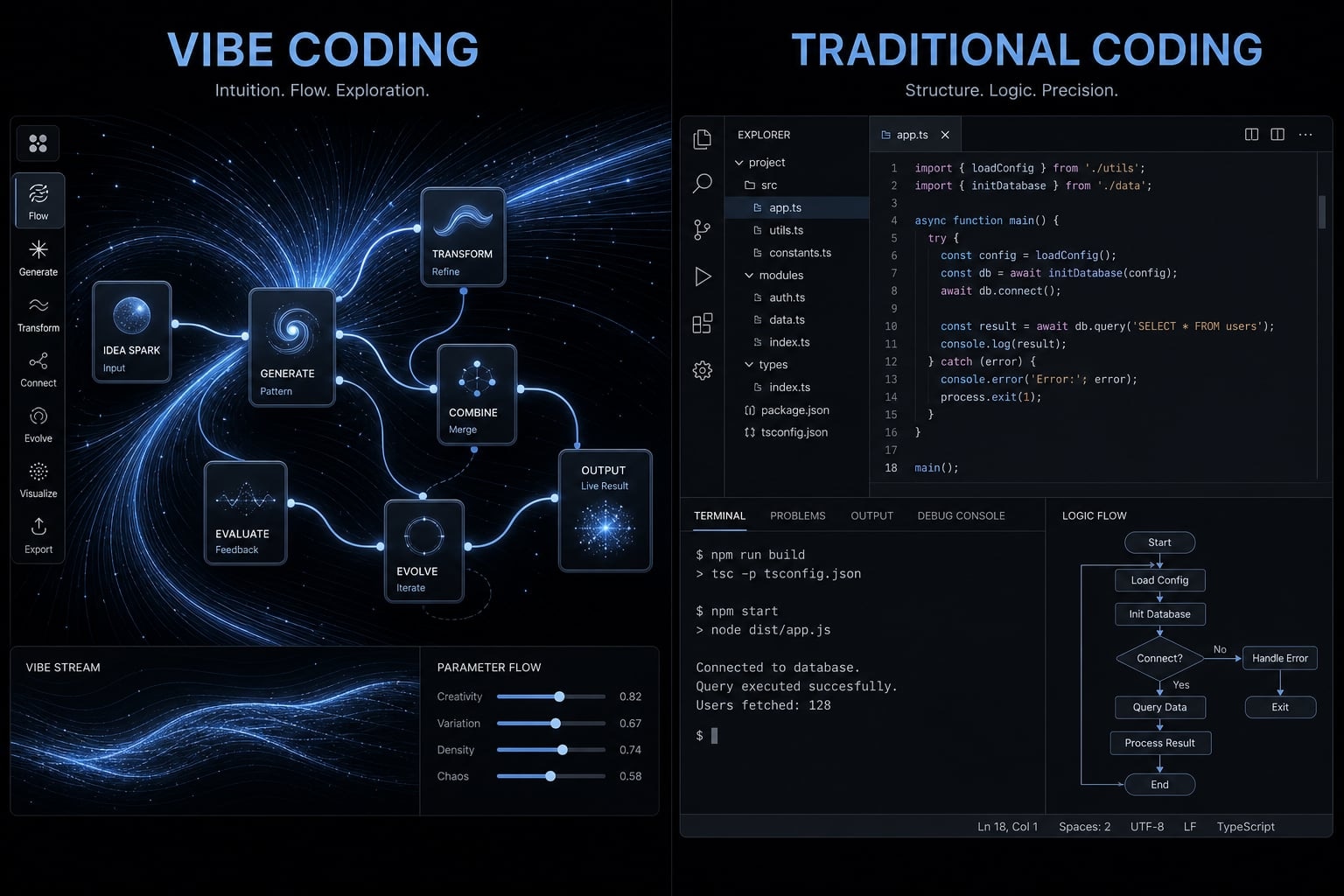
What is vibe coding, and what counts as traditional coding?
- Vibe coding is a prompt-led way of building software. You describe what you want in plain language, an AI tool generates code, and you keep refining the result through back-and-forth prompts. In broader AI-driven development, this sits at the more conversational, higher-abstraction end of the workflow. The appeal is obvious: less manual typing, faster drafts, and easier experimentation.
- Traditional coding is the more explicit process of writing and shaping software directly through code, using established engineering steps such as requirements, architecture, implementation, testing, and debugging. It does not exclude AI. A developer can still use AI assistance inside a traditional workflow. The real difference is not just who wrote the code first. It is how much direct control, understanding, and verification the team keeps at every step.
AI-assisted development is broader than vibe coding. A disciplined engineer using AI for scaffolding, test suggestions, or refactoring is still operating with strong human oversight. By contrast, prompt-first programming usually pushes more of the first-draft work into the model and asks the human to steer outcomes from a higher level.
In simple terms, the distinction is this: Vibe coding is faster, more prompt-led, and higher-level. Traditional coding is more deliberate, explicit, and higher-control.
What vibe coding usually looks like in practice
In practice, vibe coding usually follows this loop:
- Write a prompt describing the feature or behavior you want.
- Let the AI generate code from that request.
- Run the result and see what happens.
- Inspect the output, errors, or UX issues.
- Refine with more prompts and repeat the iteration loop.
This form of natural language programming creates speed, but understanding can stay shallow if the user cannot clearly explain what the model changed.
What traditional coding usually looks like in practice
- Define requirements clearly before building.
- Decide on architecture and system structure.
- Implement the logic directly in code.
- Add testing for expected behaviors.
- Use structured debugging when issues appear.
In manual software development, progress is usually slower upfront, but control and traceability are much higher.
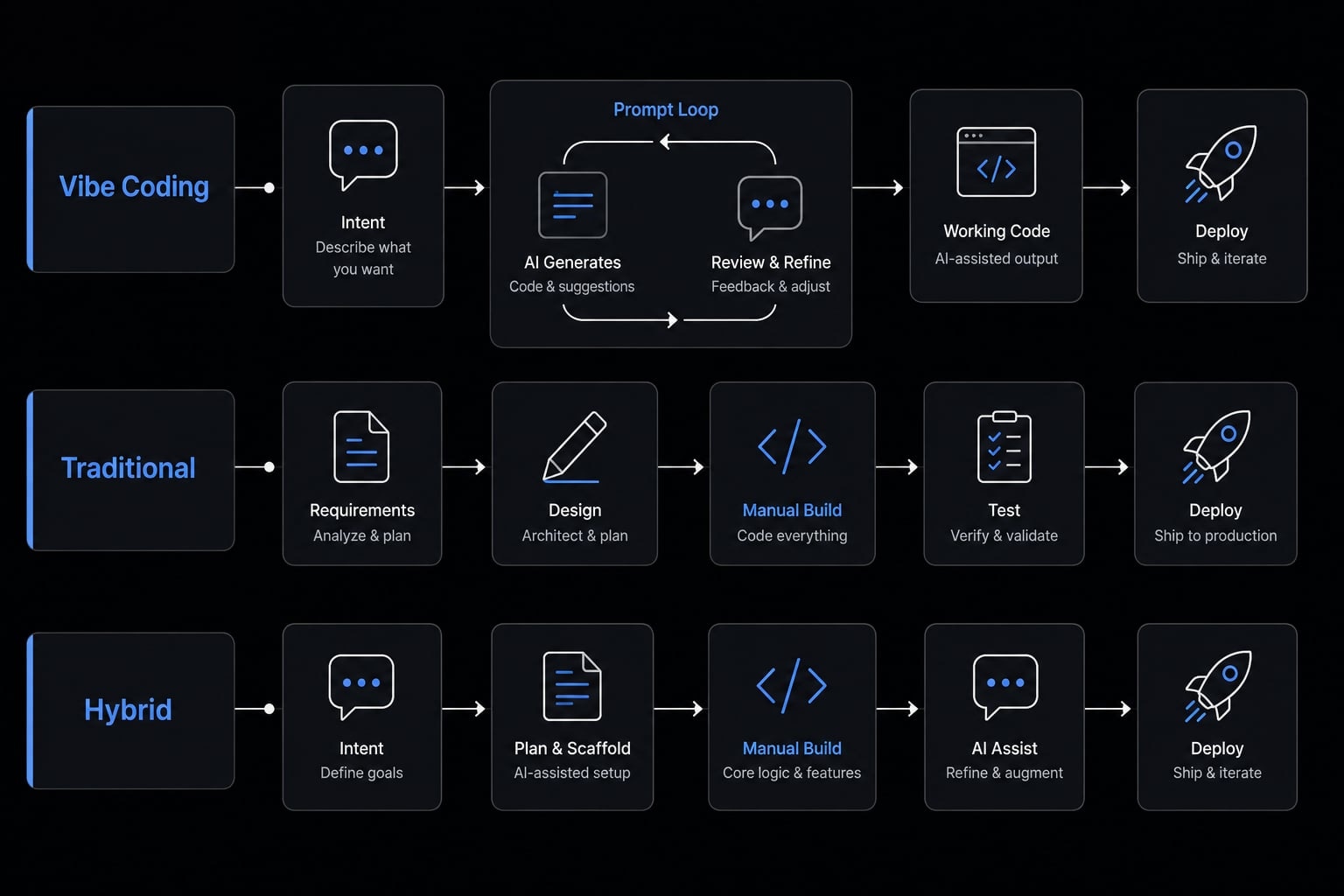
Vibe coding vs traditional coding: The core differences
The most useful way to compare vibe coding vs traditional coding is through development velocity, codebase maintainability, and accountability. Both can produce useful software. The difference is how they handle control, verification, and future change.
Side-by-side comparison table
Dimension | Vibe coding | Traditional coding | What it means in practice |
|---|---|---|---|
Primary input | Natural language prompts. | Direct code and structured specs. | One starts with intent, the other with explicit implementation. |
Initial speed | Very fast for first drafts. | Slower at the start. | Vibe coding can get a demo running quickly. |
Learning curve | Lower for simple tasks. | Higher. | More accessible for non-experts, but depth still matters later. |
Degree of control | Lower unless reviewed carefully. | Higher by default. | Traditional workflows make decisions more visible. |
Reliability | Variable. | More predictable. | AI output may work on the happy path but miss edge cases. |
Testing discipline | Often added after generation. | Usually planned earlier. | Review and verification matter more in vibe coding. |
Maintainability | Mixed, depends on oversight. | Usually stronger. | Weakly understood code is harder to extend safely. |
Best-fit project type | Prototypes, internal tools, quick MVPs. | Long-lived products, complex systems. | Fit depends on risk and expected lifespan. |
Risk if shipped without review | High. | Lower, but never zero. | Unreviewed AI output can create hidden failure points. |
The table makes one point clear: Faster now does not always mean faster later. A team may gain early development velocity, then lose time when it needs to debug, rewrite, or explain code that was generated quickly but not well understood.
The real issue is whether the team can safely change the code later. That is where codebase maintainability, reliability, and ownership begin to matter more than the speed of the first output.
Why “faster now” does not always mean “faster later”
Technical debt here means hidden rework that slows future changes. When code is generated quickly but poorly understood, every update becomes more expensive. A small feature request can turn into a long debugging session because no one is fully confident about how the system behaves. That is why total delivery speed should be measured across the full lifecycle, not just the first successful demo.
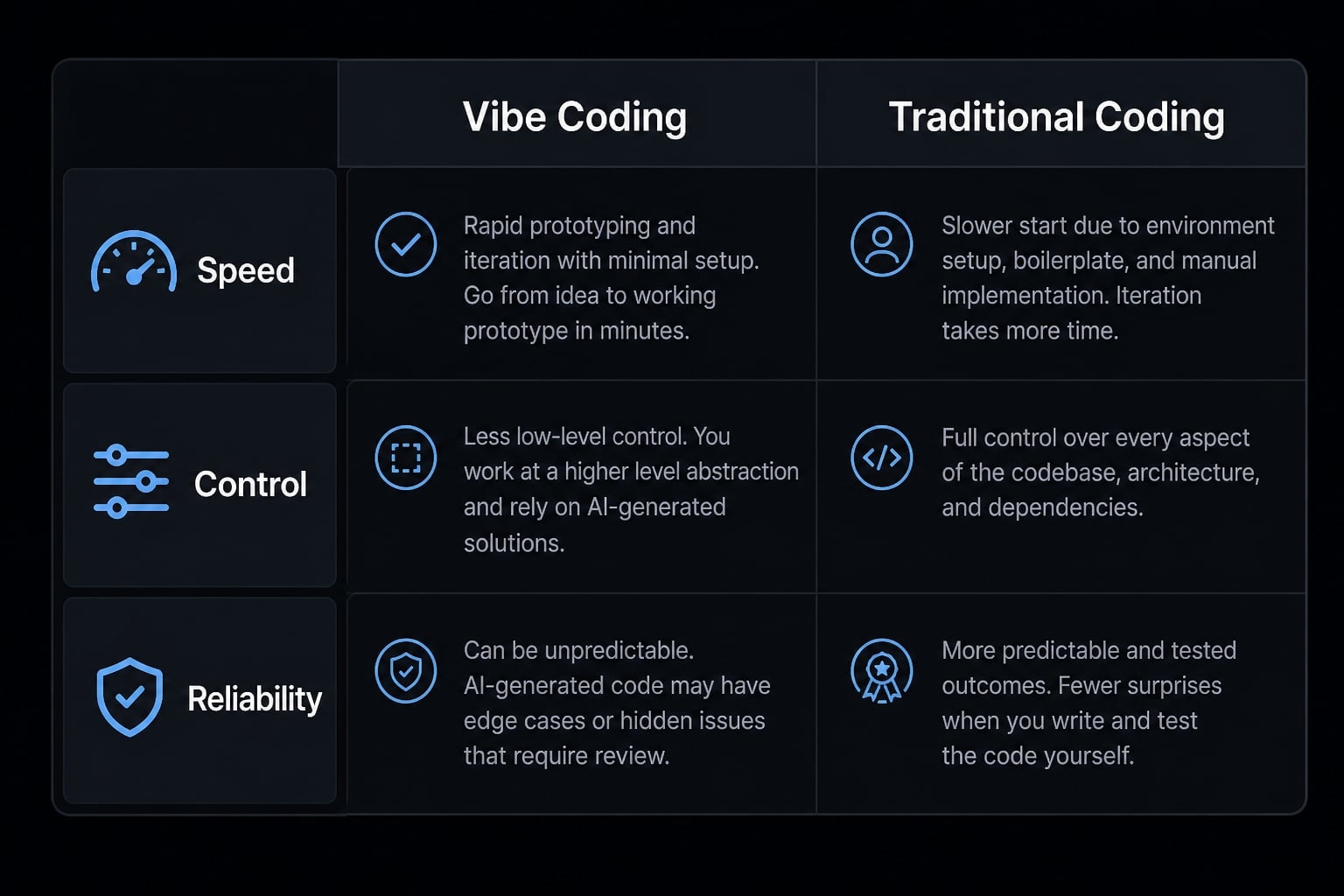
Pros and cons of vibe coding compared with traditional development
Vibe coding creates real leverage in the right context. It also creates real fragility when teams confuse a fast result with a safe result. The trade-off is not theoretical. It shows up when a project moves from demo mode into ongoing maintenance.
Where vibe coding creates real leverage
- Faster prototyping for new ideas and feature concepts.
- Lower barrier to entry for solo builders and non-specialists.
- Less boilerplate work for repetitive setup.
- Faster experimentation for MVP projects and internal tools.
- Useful starting point for UI drafts, simple flows, and AI-generated code that a human will refine.
This is why vibe coding feels powerful. It compresses the time between idea and visible output. For early exploration, that matters.
Where vibe coding becomes fragile
- Hidden bugs can remain unseen until real users touch the system.
- False confidence grows when the code “works” but is not well understood.
- Standards can become inconsistent across multiple AI outputs.
- Security risks increase when the code touches auth, payments, or personal data.
- Weak structure creates technical debt that becomes expensive over time.
This is where the production-ready question matters. Code that looks fine in a quick demo may still be unsafe to ship or painful to maintain.
Why traditional methods still matter for professional software delivery
Traditional development still matters because it creates predictable architecture, stronger review, and clearer ownership. It is slower upfront, requires more skill, and involves more manual effort. Those costs are real. But for software expected to live for years, support multiple contributors, or handle sensitive workflows, that discipline often reduces rework across the full lifecycle.
The issue is not that AI-generated code is inherently bad. The real issue is whether a human has reviewed, validated, and taken responsibility for what gets released. From a practical scalability perspective, that distinction matters far more than the method used to draft the first version.
When to use vibe coding and when traditional coding is the safer choice
Across the software development lifecycle, the right choice depends on project complexity, business exposure, and how expensive failure would be. Small teams often benefit from speed, but they still need to know where speed is safe and where stronger discipline is the better default.
Good use cases for vibe coding
Vibe coding is usually a good fit for:
- Prototypes.
- Landing pages.
- Internal automations.
- Simple CRUD apps.
- Fast MVP projects.
- Low-risk experiments.
If the project is reversible, narrow in scope, and unlikely to create serious customer or business damage, AI-first speed can make sense.
Good use cases for traditional coding
- Customer-facing systems.
- Payment flows.
- Authentication and permissions.
- Apps handling personal data.
- Complex backend logic.
- Regulated or compliance-heavy workflows.
- Higher-risk enterprise applications.
These cases need stronger security guardrails, clearer review, and more deliberate control from the start.
The “cost of failure” lens
If failure is cheap and reversible, AI-first speed may be acceptable. If failure is costly, public, or hard to undo, stronger engineering discipline should lead. In practice, cost of failure, operational risk, and project complexity matter more than trendiness.
The best practical answer for most teams: A hybrid workflow
For most teams, the smartest answer is a hybrid workflow. Not AI-only. Not traditional-only. The most practical model is AI-augmented engineering where AI accelerates output and humans keep ownership of judgment, verification, and release decisions.
This is where human-in-the-loop discipline matters. Teams can use AI aggressively for speed without pretending that responsibility transfers to the tool. That is also where lightweight agentic workflows can help. AI can handle repetitive execution steps, but final product accountability still belongs to people.
For non-technical founders, the simplest rule is this: AI can accelerate drafts, but responsibility cannot be outsourced.
What AI should own
- Scaffolding.
- Boilerplate generation.
- First drafts.
- Repetitive UI components.
- Test generation for automated testing.
- Refactor suggestions.
These are acceleration tasks. They reduce manual effort, but they should not be treated as final authority.
What humans should own
In a hybrid workflow, humans should still own:
- Architecture.
- Validation.
- Edge cases.
- Security review.
- Deployment and release decisions.
- Ongoing ownership and change management.
- Code review.
- Final accountability.
Humans remain the final owners of production outcomes.
A working demo is useful. A maintainable product is what the business has to live with later.
A simple decision checklist before you ship AI-generated code
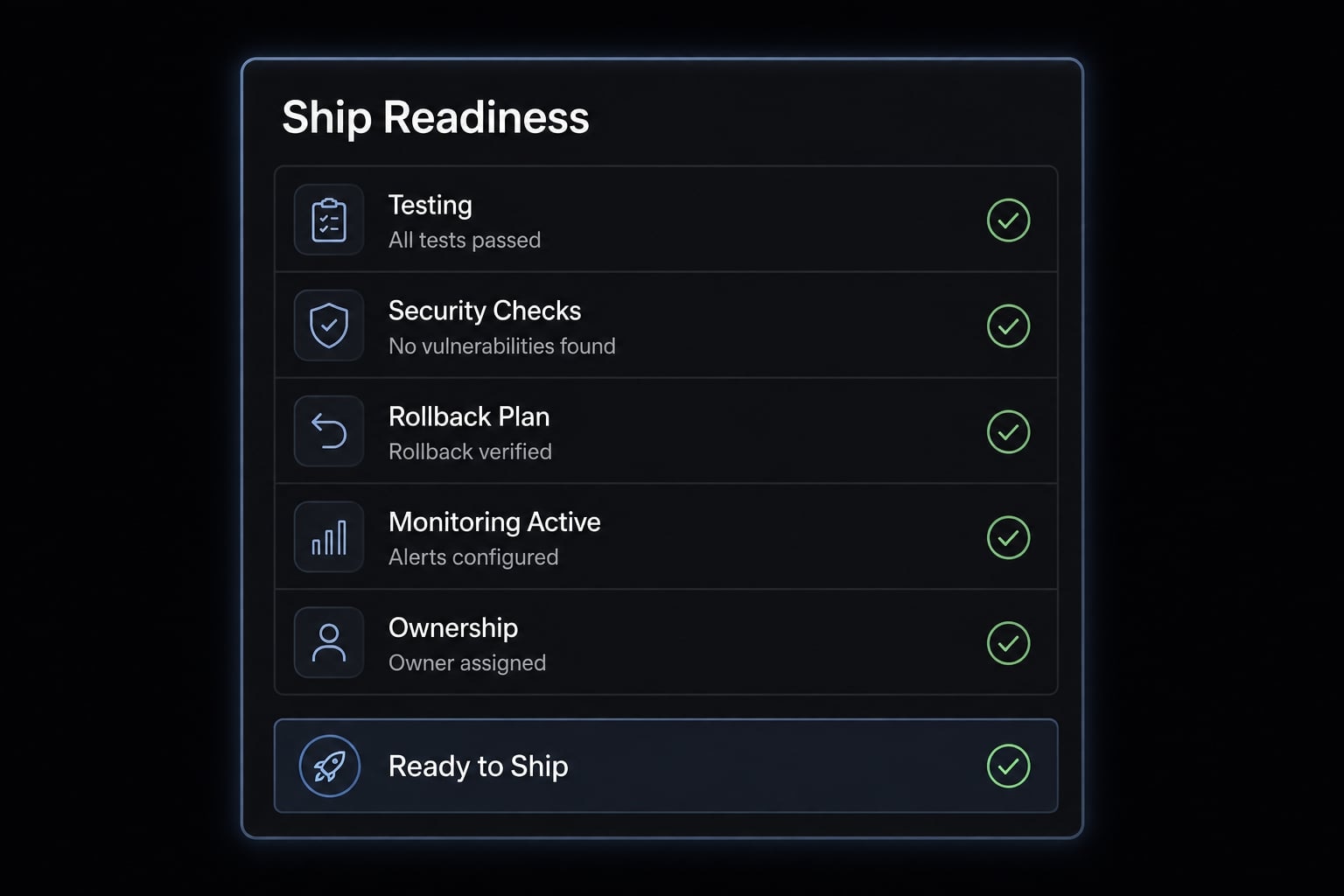
Verification should be the real release gate for AI-generated code, not how quickly it was produced.
Example checklist questions:
- Can someone on the team explain how this code works?
- Do we have tests for critical paths?
- Does the product touch payments, auth, or personal data?
- Have we run basic security checks?
- Is there a rollback plan if something fails?
- Do we have monitoring after release?
- Will we still be maintaining this in six months?
- Is there a clear human owner for future changes?
If several answers are “no,” shift away from AI-first speed and toward stronger engineering review, better deployment infrastructure, clearer accountability, and higher maintainability standards.
Frequently asked questions
What is the difference between vibe coding and traditional coding?
Vibe coding is a prompt-first workflow where developers use AI to generate code via natural language. Traditional coding involves manually writing, structuring, and testing code. The key difference is that vibe coding prioritizes speed and iteration, while traditional coding focuses on explicit control, long-term maintainability, and structural reliability.
Is vibe coding suitable for production-ready software?
Vibe coding is effective for prototypes and internal tools, but it carries risks for production systems. AI-generated code may contain brittle logic or security gaps. For production software, vibe coding should only be used within a "human-in-the-loop" workflow that includes rigorous human code review, security audits, and automated testing.
Why do some developers prefer traditional coding for large projects?
Traditional coding provides a predictable architecture, clearer ownership, and strict adherence to style guides. Large-scale, security-sensitive, or long-lived projects benefit from the manual oversight that traditional coding enforces, ensuring the codebase remains maintainable and compliant over time, which AI alone often struggles to guarantee.
How can teams combine vibe coding and traditional coding?
The most effective approach is a hybrid workflow. Teams use vibe coding for rapid scaffolding, boilerplate, and feature prototyping to increase speed. They then apply traditional engineering practices—such as structured code reviews, unit testing, and architectural validation—to ensure the final output is secure, reliable, and maintainable.
What are the main risks of relying solely on vibe coding?
The primary risks include the "illusion of correctness," where code appears to function but contains hidden security flaws or architectural debt. Without manual oversight, teams may struggle to debug or extend AI-generated code, leading to significant rework costs when requirements change or errors appear in complex production environments.
When should you avoid using vibe coding?
Avoid vibe coding for high-stakes workflows, including payment processing, authentication systems, PII handling, and regulated environments (SOC 2, HIPAA). These areas require high levels of precision, human-verified security guardrails, and compliance documentation that AI-generated code cannot reliably provide without extensive manual refactoring and specialized oversight.
Read more:
- Agentic coding vs vibe coding: A practical guide for developers
- Is vibe coding bad? Pros, cons and responsible AI practices
- Vibe coding business impact: Balancing speed and maintenance
Conclusion
The best answer to vibe coding vs traditional coding is rarely ideological. It depends on risk, maintainability, and who will own the system after the first release. Vibe coding is useful for speed, experimentation, and early output. Traditional coding remains the safer default for high-stakes, long-lived, or complex software.
For many teams, the most practical path is a hybrid workflow: Use AI to accelerate drafts and repetitive work, while humans retain control over review, verification, and release accountability. If you want a next step, use this article as a working checklist and build an internal policy for when AI-generated code is acceptable to ship.