
Vibe coding MVP: When it works, what breaks, and how to use it without fooling yourself
Founders and PMs are under constant pressure to validate ideas before budget, time, or team patience runs out. That is why vibe coding mvp has become so attractive: it promises speed when engineering bandwidth is limited. But there is a real trade-off many teams learn the hard way - AI can generate fast, yet generated output is not automatically safe to trust. This guide explains what vibe coding actually means in practice, where it fits for MVP validation, what usually breaks, and how to use it responsibly without mistaking momentum for product progress.
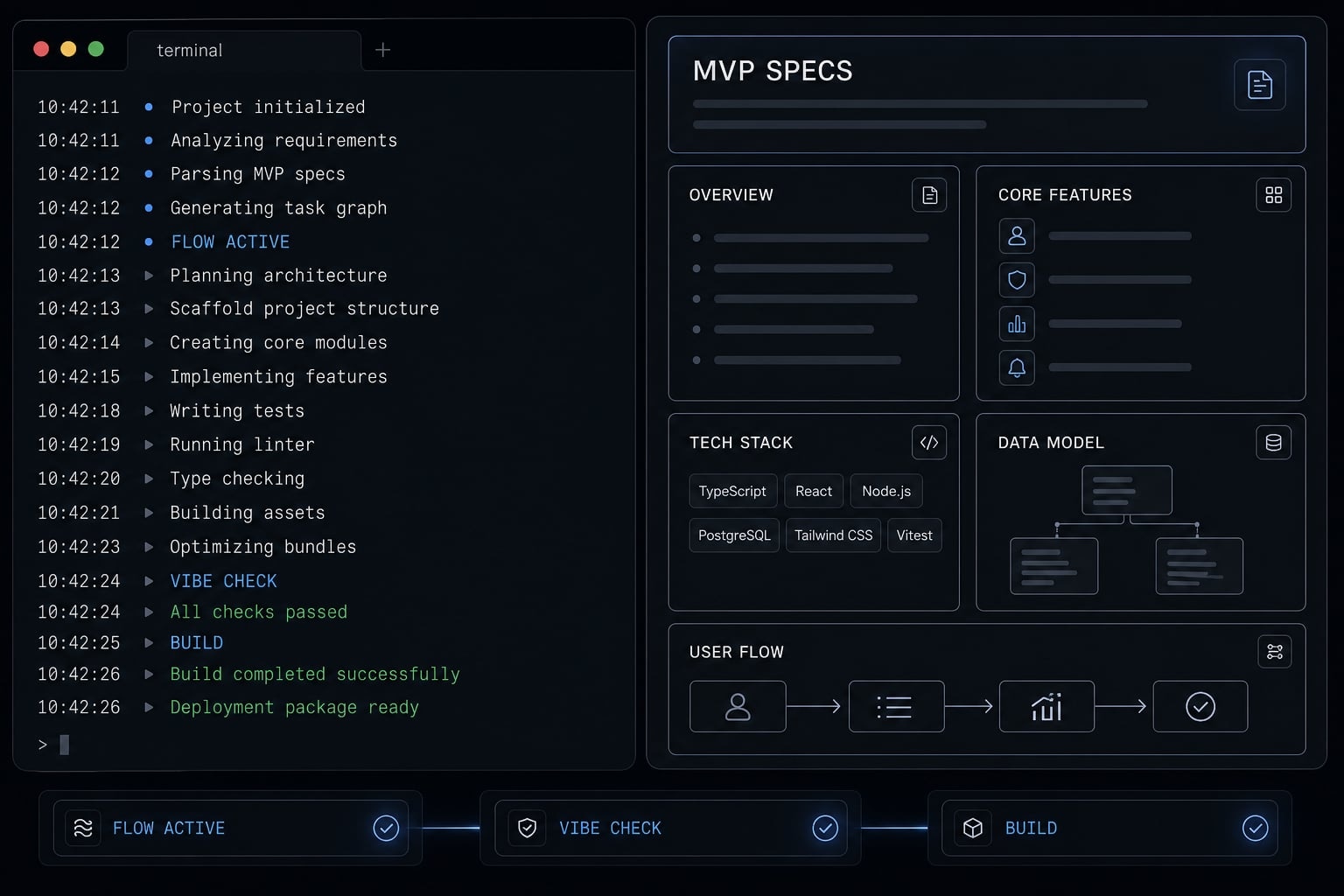
What “vibe coding an MVP” actually means
Vibe coding an MVP is using AI coding tools, prompts, and lightweight human review to build a validation-grade product faster than traditional development. It can accelerate implementation, but it does not remove the need for scope control, testing, or judgment. In most cases, the goal is faster learning, not finished software.
In practice, vibe coding usually means a founder, PM, or small team uses tools like Claude, Replit, Supabase, or Lovable to describe what they want in plain language, review what gets generated, then repeat. The appeal is obvious: Limited engineering bandwidth, pressure to validate fast, and a lower barrier to shipping something users can touch.
When people talk about a vibe coding mvp, they are rarely describing full software engineering. They are describing AI-assisted prototyping with enough structure to test whether a workflow, offer, or product concept deserves deeper investment. That is useful. But AI-generated MVP code still creates a verification burden, especially once logic, edge cases, or integrations appear.
What this often looks like in practice:
- Building a simple dashboard for one user role.
- Creating an intake form and lead routing flow.
- Generating a CRUD app shell for internal operations.
- Launching a narrow wrapper around an API or model.
- Assembling a lightweight internal workflow tool.
- Running early prompt-to-product engineering experiments to support MVP validation.
A vibe coding mvp can be effective when the target is narrow and the team stays disciplined. It becomes dangerous when early output creates false confidence.
Vibe coding vs traditional MVP development
Traditional MVP development and vibe coding solve different problems.
- Traditional MVP development usually offers clearer architecture, ownership, and predictability.
- Vibe coding compresses implementation time through natural-language instructions and rapid iteration.
- The trade-off is a much higher verification burden.
- Traditional builds are slower upfront but often cleaner to maintain.
- Vibe-coded builds are faster to generate, but harder to trust without review.
Why the term is often misunderstood
The phrase gets overextended because teams confuse a polished interface with a usable product. That is one reason the working demo vs real product gap matters so much.
AI tools often make UI look finished before business logic is stable. Repeated prompt/fix loops can also bury technical debt inside an app that seems “mostly working” until real users hit edge cases.
Most vibe-coded MVPs should be treated as validation tools first, not production-ready software.
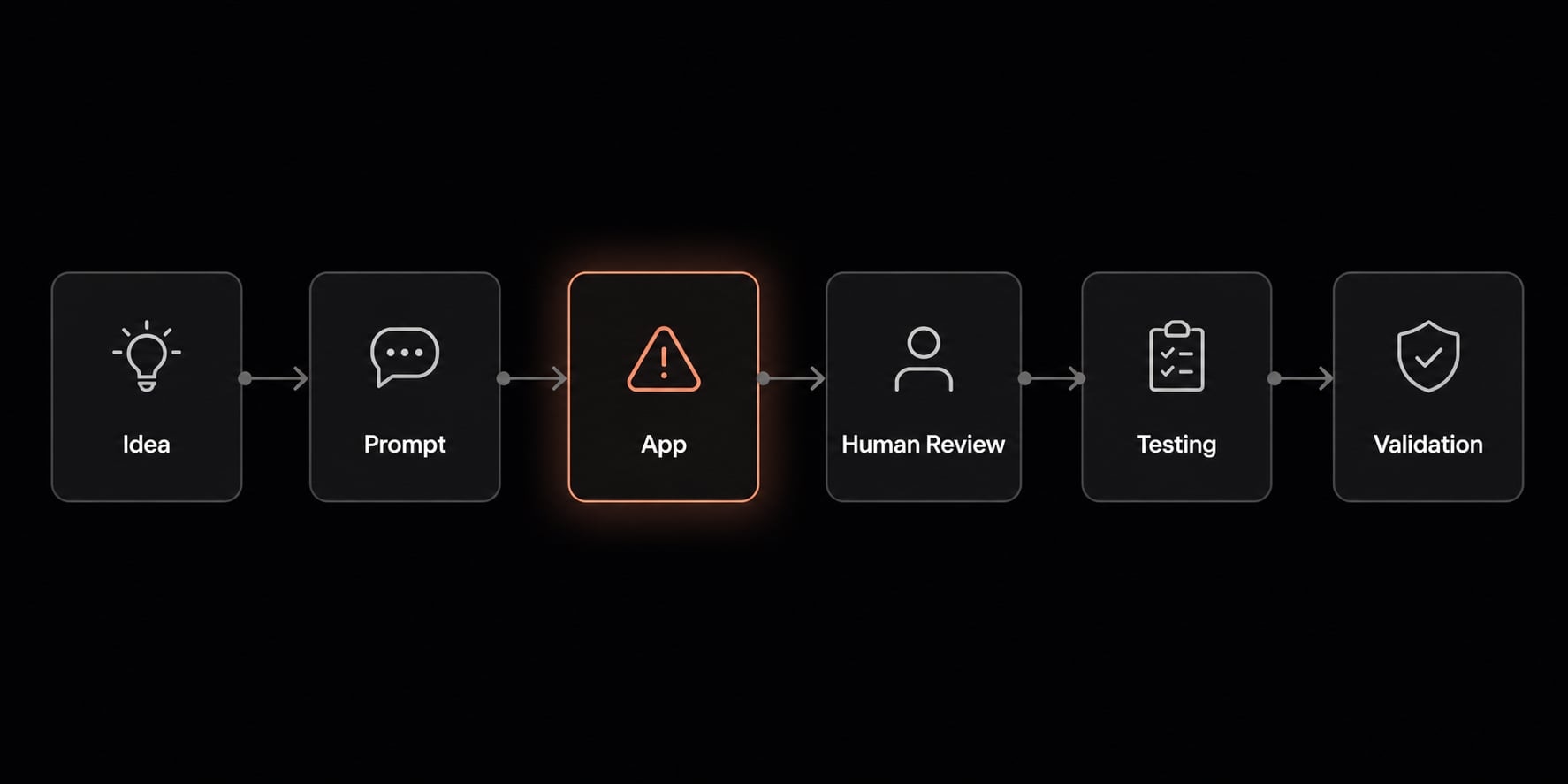
When vibe coding is a good fit for an MVP - and when it isn’t
Vibe coding works best when the product question is simple and the business goal is fast learning. It works poorly when the app must be highly reliable from day one. For founders exploring a non-technical founder MVP, the right question is not “Can AI build this?” but “Can this be tested safely with limited complexity?”
A practical fit check starts with four factors:
- Logic complexity.
- Data sensitivity.
- Integration depth.
- Trust requirement.
If your MVP has low logic complexity, low data sensitivity, shallow integrations, and a moderate trust requirement, vibe coding is often a reasonable path.
Good fit: Fast validation with constrained scope
A constrained scope MVP is where AI agents for MVP work best. The team is trying to test demand, workflow usefulness, or early Product-Market Fit (PMF) signals, not launch hardened software.
Good-fit examples include:
- Internal tool for one team.
- Simple B2B workflow app.
- Landing page plus lead capture flow.
- Lightweight dashboard.
- Narrow AI wrapper with one clear task.
- Single workflow app for one user type.
This is where a non-technical founder MVP can make sense. The build target is narrow, the learning goal is clear, and the consequences of failure are lower.
Risky fit: Apps with hidden complexity
Some MVPs look simple until real logic shows up. This is where the risks and limitations of AI-generated MVP code become obvious.
Risky examples include:
- Complex calculations.
- Permissions-heavy systems.
- Billing logic.
- Multi-step authentication.
- Deep third-party integrations.
- Edge-case-heavy workflows.
This is risky because generated output can look complete before it is reliable. Once logic and integrations both wobble, rework compounds fast. Teams often think they are moving quickly, but they are actually accumulating technical debt and chasing instability.
These are classic examples of hidden complexity, and they sit at the center of many risks and limitations of AI-generated MVP code.
Do-not-use-first scenarios
Some products are poor first candidates for vibe coding, especially if trust failures carry real consequences.
Avoid using it first for:
- Regulated workflows.
- Healthcare products.
- Legal or compliance-heavy systems.
- Fintech or financial workflows.
- Apps storing sensitive customer data.
- Products needing auditability, uptime, or production-grade trust from day one.
For these cases, the fastest path to learning is often not the fastest path to shipping generated code.
MVP Type | Vibe coding fit | Why |
|---|---|---|
Landing page + intake flow | Strong | Low complexity, fast feedback |
Internal ops dashboard | Strong | Narrow workflow, low external exposure |
Single-user workflow app | Strong | Clear scope, limited edge cases |
Billing-heavy SaaS app | Weak | High logic and error risk |
Multi-role permission system | Weak | Hidden complexity grows quickly |
Regulated workflow app | Poor | Trust, compliance, and security burden |
The practical takeaway is simple: use vibe coding where mistakes are survivable and learning is the real output. That is how small teams can use AI agents for MVP without overestimating what the system can safely handle.
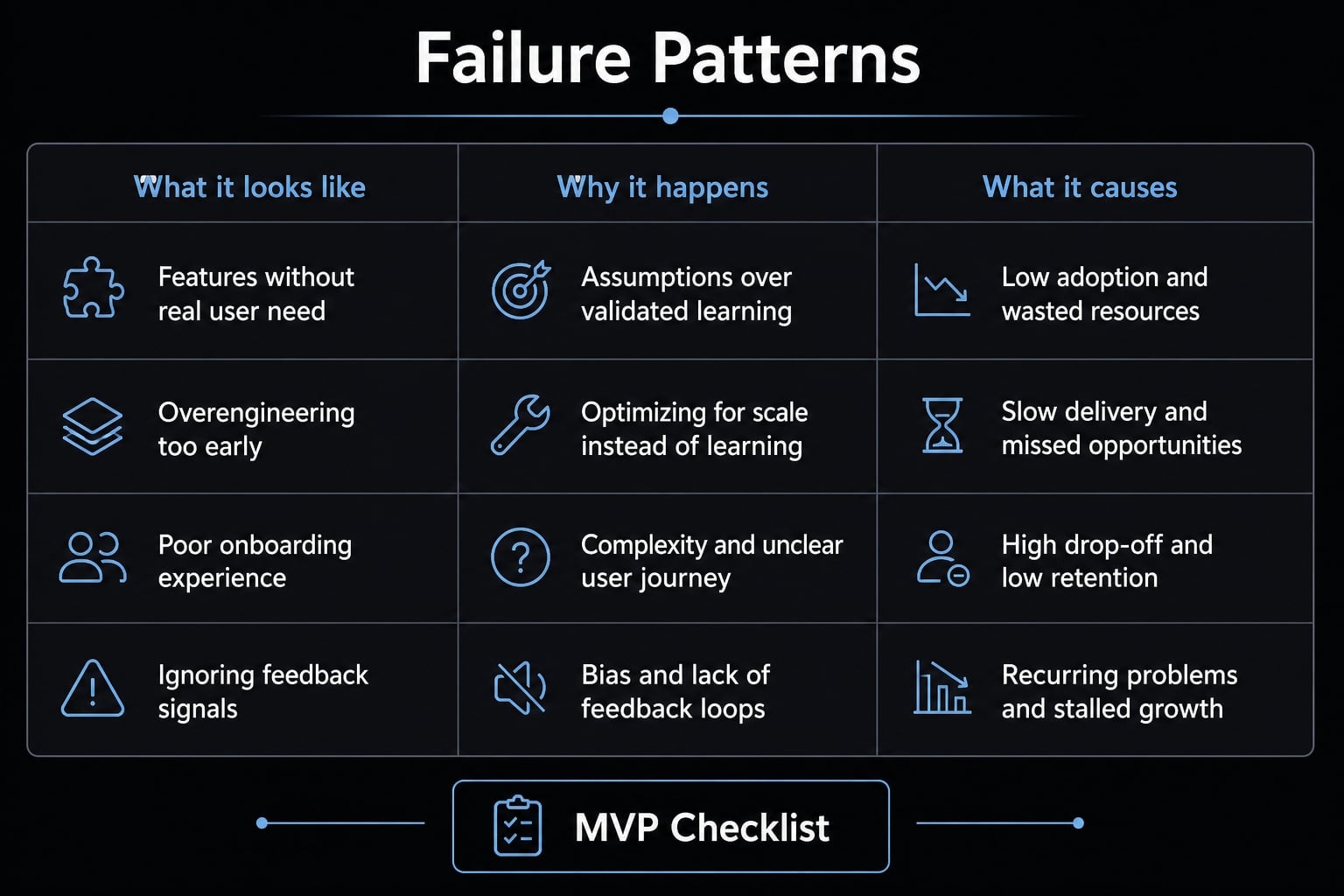
The most common failure patterns in vibe-coded MVPs (Based on real builder stories)
The failure modes are usually not mysterious. Across builder stories, the same patterns keep appearing: vague prompting, fragile outputs, repeated rework, hidden costs, and growing confusion once more than one person gets involved. These are not signs that non-technical teams should avoid experimentation. They are signs that guardrails matter.
1. Unclear prompts create unstable output
This is one of the most common examples of common mistakes vibe coding. A founder says “improve this,” “make it cleaner,” or “add a better flow,” and the tool changes far more than intended.
Why this happens:
- AI fills gaps when instructions are ambiguous.
- Broad requests invite broad changes.
- Too many instructions at once reduce control.
What it causes:
- Unstable behavior.
- Collateral breakage in unrelated screens.
- Regressions after “fixes”.
- Repeated debugging loops.
The operational lesson is straightforward: prompt precision matters more than enthusiasm. Fast generation without control is how teams create avoidable chaos.
2. Scope gets too big too fast
Early speed often creates false confidence. A team gets one screen working, then starts adding features before validating the core task. That is one of the most expensive common mistakes vibe coding teams make.
Why this happens:
- Generated output makes expansion feel cheap.
- Teams confuse visible progress with product progress.
- Extra features seem easy until dependencies pile up.
What it causes:
- Scope creep.
- Bloated MVPs.
- Fragile logic across flows.
- Slower learning and more rework.
This is where a project starts to look productive while moving away from the original validation goal. The app gets bigger, but the evidence of user value does not improve.
3. No verification discipline
Many teams test too loosely. They change five things, click around once, and assume the build is stable. Then a broken flow appears during user testing, or worse, after a prospect already formed a negative impression.
Why this happens:
- Visible output feels like proof.
- Teams skip structured manual testing.
- Rollback is treated like an emergency tool instead of a routine control.
What it causes:
- Regressions.
- Broken user journeys.
- False trust in unstable code.
- Wasted feedback sessions.
A working UI does not guarantee working logic. That is why verification discipline matters so much with AI-generated apps. Test after every meaningful change, especially when prompts modify shared logic or navigation.
4. Hidden cost and false speed
The most misleading part of vibe coding is not always the code. It is the illusion of efficiency. Teams measure how much they generated instead of what they learned.
Why this happens:
- Tool credits and retries feel small in isolation.
- Migrations, cleanup, and rework get ignored.
- Teams polish before validating the core value.
What it causes:
- Hidden costs.
- Poor learning efficiency.
- AI-assisted busywork.
- Output that drifts toward AI slop.
This is one of the clearest risks and limitations of AI-generated MVP code. Fast generation does not equal fast validation. If you spend weeks polishing the wrong workflow, the speed was false speed.
The biggest risk in vibe coding is often not that the AI fails immediately, but that it looks successful before the product is actually trustworthy.
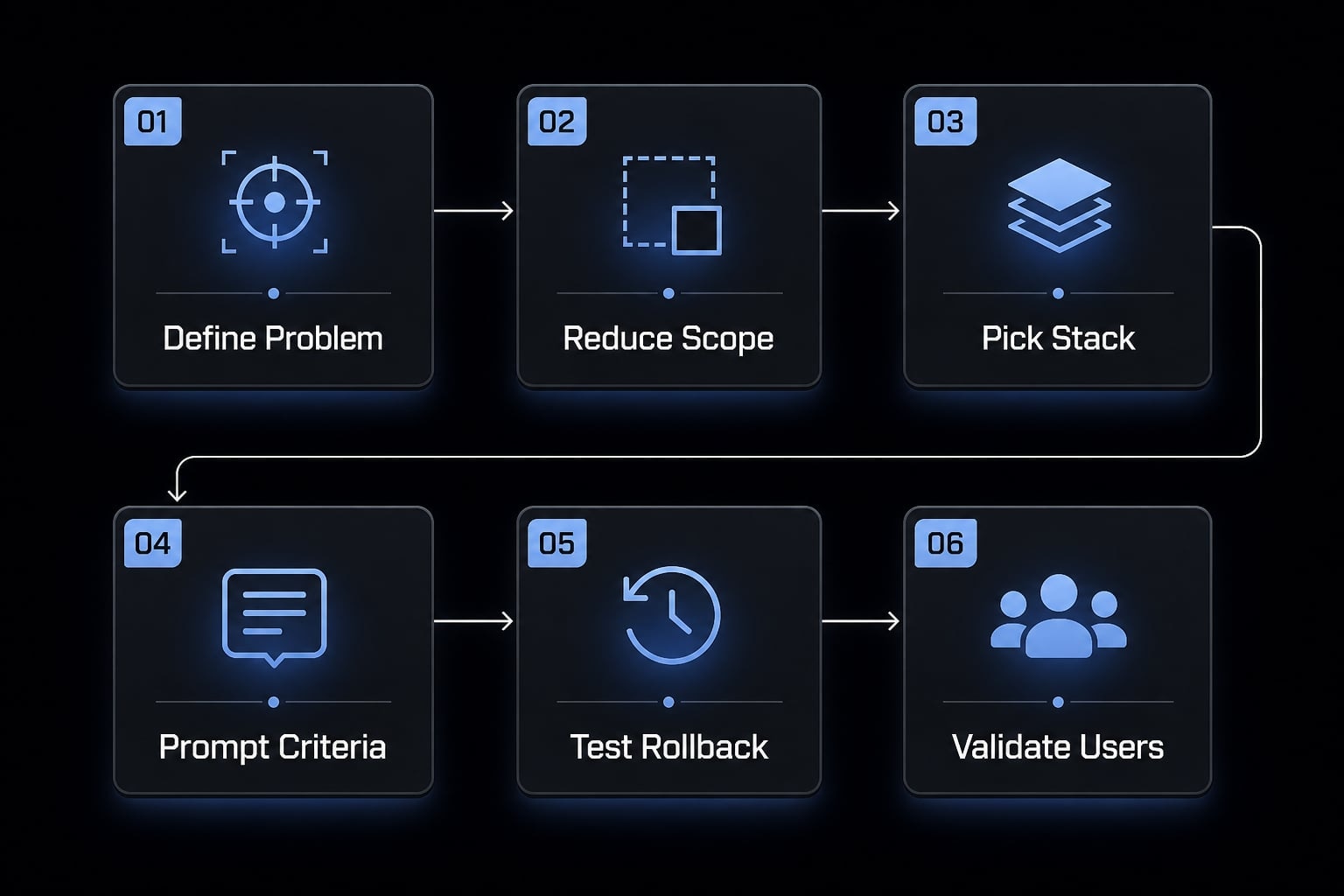
A practical 6-step workflow for building an MVP with vibe coding
If you want to know how to build an MVP with AI responsibly, the answer is not “generate more.” It is “reduce chaos.” The best teams use vibe coding as a structured operating model, not a stream of casual requests. That is what makes AI-assisted prototyping useful instead of messy.
- Define the user problem.
- Reduce scope to one workflow.
- Pick a low-friction stack.
- Prompt with clear acceptance criteria.
- Test and rollback constantly.
- Validate with real users before expanding.
1. Define the user problem before touching any AI tool
Start with the single painful job-to-be-done. What does the user need to complete, and what proof of value must the MVP deliver? This keeps the team focused on the outcome instead of chasing features.
A good starting question is: What would make a target user say, “This is useful enough to try again”? That is the foundation of early user validation. If you cannot describe the problem clearly, no AI tool will fix that.
2. Scope the MVP so the AI can realistically handle it
The most reliable rule is one workflow one user one metric. If the MVP tries to serve three personas, six features, and multiple integrations, the build becomes harder to control and the learning gets muddy.
Use this checklist for a constrained scope MVP:
- One user type.
- One core workflow.
- One success metric.
- Clear must-haves.
- Nice-to-haves removed.
- Nonessential integrations postponed.
A strong example metric is: “10 target users complete the core task without manual help.” That tells you more than a long feature list ever will.
3. Pick a low-friction stack
If you are exploring how to build an MVP with AI, reduce moving parts wherever possible. A low-friction stack means using managed services for auth, database, hosting, and basic deployment so you spend less time in avoidable setup work.
Teams often use combinations like Replit, Supabase, Vercel, Claude, or Lovable because they simplify the deployment workflow. The point is not which tool is best. The point is reducing variables that create more debugging loops than product learning.
4. Treat prompts like product specs, not casual requests
This is where prompt engineering oversight matters most. Do not ask the tool to “make it better.” Tell it exactly what behavior should change, what should remain untouched, and how success will be judged.
Include:
- Expected behavior.
- Constraints.
- Inputs and outputs.
- Edge cases if relevant.
- Acceptance criteria.
- One task at a time.
If something broke, provide the current state, logs, screenshots, or the exact failed flow. Strong prompt precision turns a vague instruction stream into something closer to executable product requirements.
5. Test, review, and rollback constantly
This step is where many teams cut corners. If you want to build an MVP with AI to work in practice, make manual testing and rollback routine. Every meaningful change should trigger a review of the affected flow.
A lightweight control process can be enough:
- Test the primary user path after each change
- Review generated logic at a practical level
- Confirm data is stored and displayed correctly
- Use rollback whenever a fix creates unrelated breakage
- Keep a short log of what changed and why
This is verification discipline in action. It is not glamorous, but it is what prevents fake progress.
6. Validate with users before adding complexity
Once the MVP works well enough for a narrow task, put it in front of a small target user group. The point is not to hear “cool product.” The point is to learn whether the app creates value without hand-holding.
Build a tight user feedback loop:
- Watch users attempt the core task.
- Measure completion, confusion, and repeat intent.
- Ask what outcome mattered most.
- Remove friction before adding features.
- Simplify, pivot, or continue based on evidence.
This is where iterative development becomes useful. The goal is faster learning toward Product-Market Fit (PMF), not bigger output volume. Even a disciplined workflow cannot remove the need for product judgment.
Need a reusable way to scope and review AI-built ideas? Use a simple MVP planning worksheet with fields for user problem, workflow, acceptance criteria, test checklist, and validation metric before you start building.
Prototype vs MVP vs production: Know the boundary before you overtrust the output
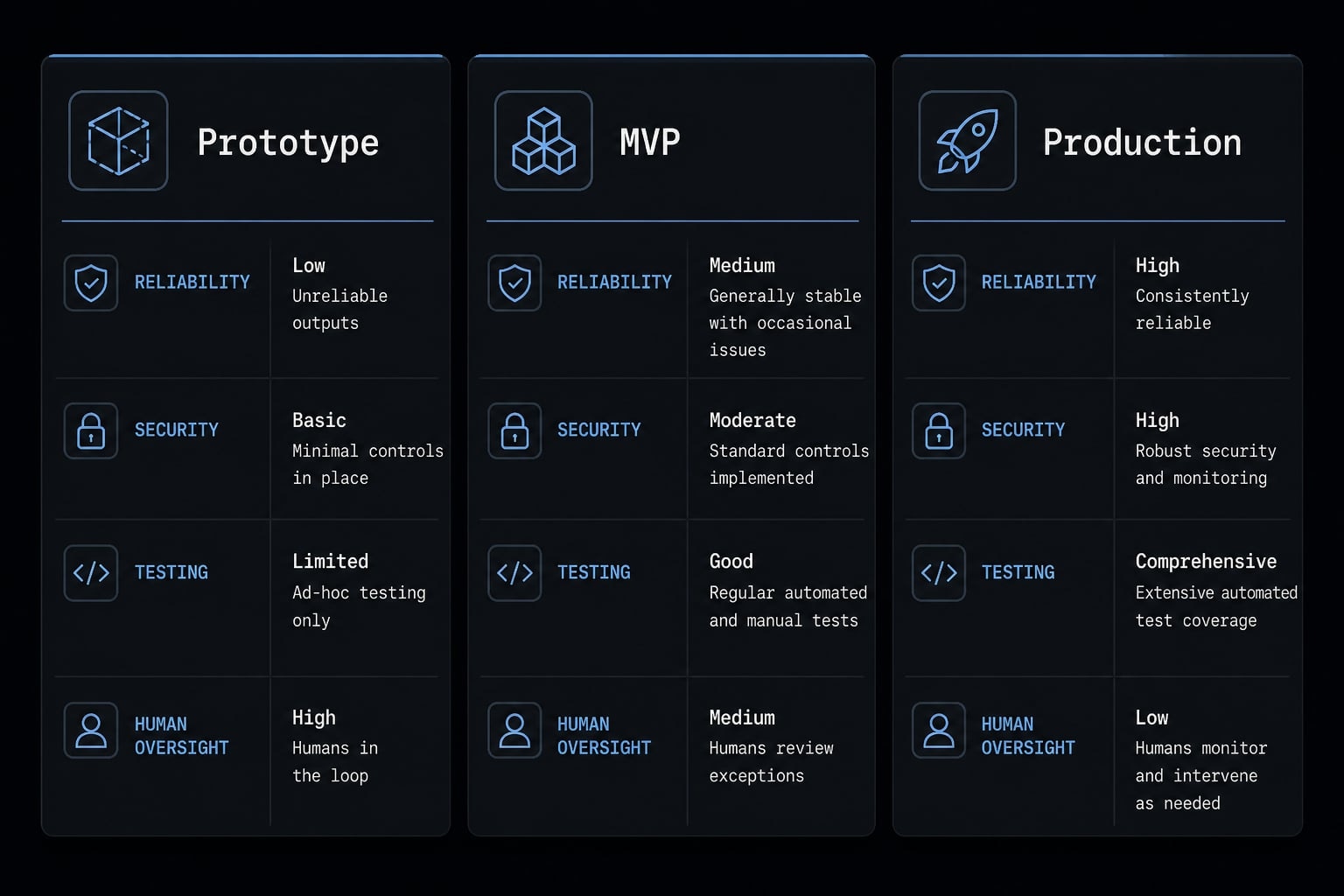
Prototype vs MVP vs production is one of the most important distinctions in AI-built software. A prototype proves a concept, an MVP tests value with real users, and production software must be reliable, secure, maintainable, and operationally trustworthy. Most teams get into trouble when they collapse these stages into one.
Stage | Primary Goal | Reliability Expectation | AI Code Tolerance | Human Oversight |
|---|---|---|---|---|
Prototype | Show concept | Low | High | Light |
MVP | Validate user value | Moderate | Medium, with controls | High |
Production | Deliver dependable software | High | Low unless hardened | Very high |
The business risk of misreading prototype vs MVP vs production is significant. A working interface can hide weak reliability, brittle logic, or poor maintainability. That becomes expensive when a team starts onboarding users, collecting sensitive data, or making commercial promises too early.
This is also where the software development lifecycle matters. Production expectations include stronger testing, clearer ownership, better monitoring, and repeatable maintenance practices. A slick UI does not mean an app is production-ready.
Most vibe-coded outputs are not production-ready without substantially more engineering discipline, testing, and maintainability work.
Stage | Security Needs | Testing Depth | Suitable Use of AI-Generated Code | Maintainability Requirement |
|---|---|---|---|---|
Prototype | Minimal | Basic flow checks | Rapid experimentation | Low |
MVP | Moderate | Structured testing on core paths | Useful with guardrails | Moderate |
Production | High | Deep testing across systems | Limited unless reviewed and hardened | High |
Practical example: What small teams do after ad-hoc vibe coding stops working
Solo prompting works for a while. Then the same team hits a ceiling: Fixes are inconsistent, prompts are scattered, nobody knows which version is safe, and repeated changes create confusion. At that point, the problem is no longer generation speed. It is coordination.
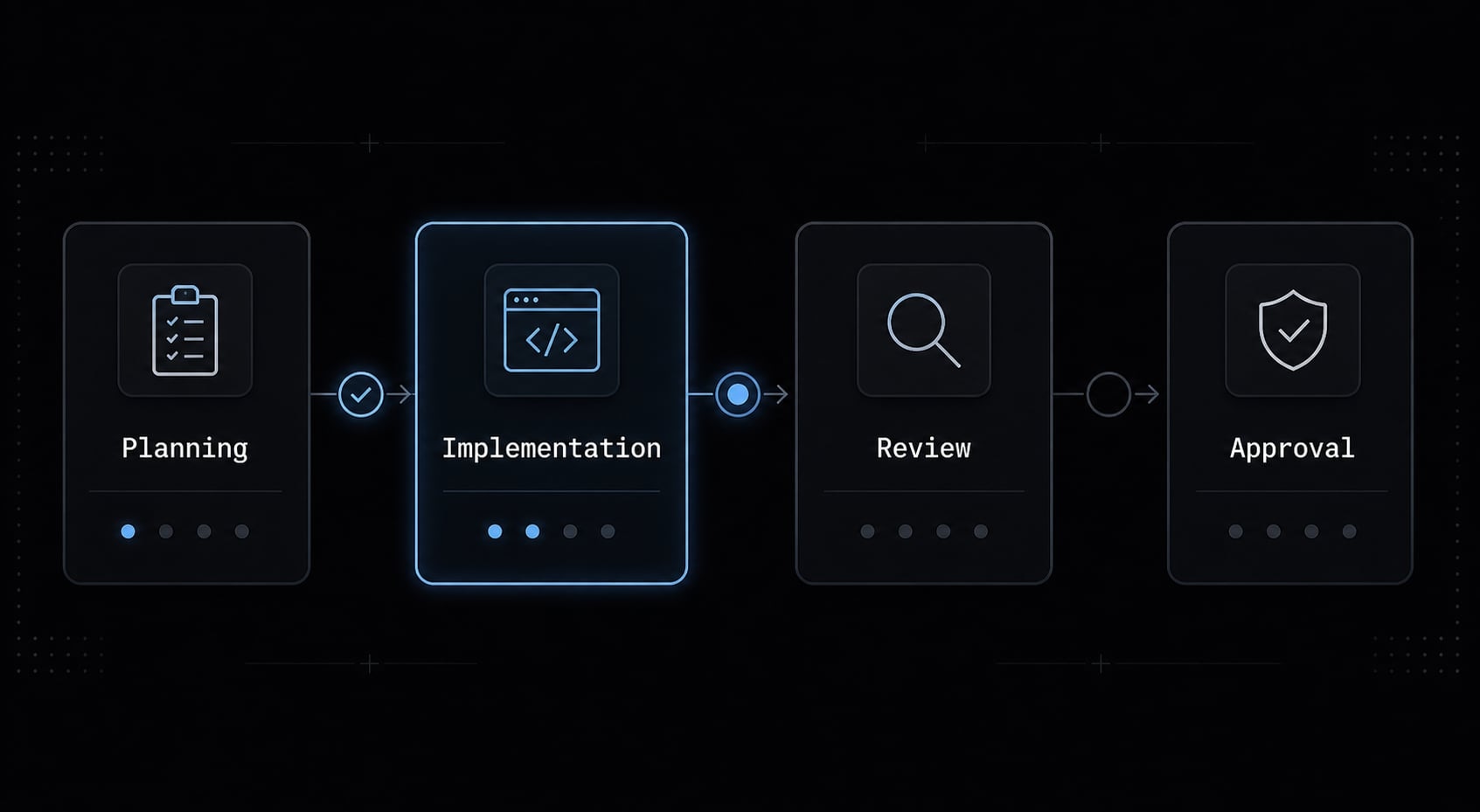
When more than one person uses coding agents, shared standards matter more than raw output speed. Teams usually start adding:
- Reusable prompt templates.
- Shared review checklists.
- Clear subagent roles for research, implementation, testing, and content.
- Approval points before deployment.
- Documented structured AI workflows.
This is why reusable workflows matter. They reduce duplicated effort, tighten review discipline, and make agent-based rapid development less chaotic. Platforms like AgentKit help teams standardize repeatable AI workflows, especially when ad hoc prompting becomes difficult to manage across product, engineering, and growth tasks.
That said, standardization improves consistency, but it still does not replace product judgment or verification.
Frequently asked questions
What is "vibe coding" an MVP?
Vibe coding is the practice of using AI coding agents and natural language prompts to build software prototypes quickly. For an MVP, it enables non-technical founders to move from idea to functional interface, though the output typically requires significant human verification to ensure reliability.
Is vibe coding suitable for production-ready applications?
Generally, no. Most vibe-coded outputs are validation-grade, intended to test market appetite or workflow logic. Production-ready applications require rigorous testing, security hardening, maintainability standards, and architectural oversight that automated AI agents cannot yet guarantee on their own.
What are the biggest risks when vibe coding an MVP?
The primary risks include hidden technical debt, unstable logic from imprecise prompts, "AI slop" (feature bloat without substance), and false confidence. Without constant manual testing and disciplined scope control, founders often find themselves in costly debugging loops that negate initial time savings.
How do I reduce the risk of AI-generated bugs?
- Treat prompts as specific product requirements rather than casual requests.
- Implement routine manual testing after every change.
- Use rollback features aggressively to discard broken iterations.
- Validate only one core user workflow at a time to keep logic complexity manageable.
Can non-technical founders successfully build an MVP this way?
Yes, provided they act as a disciplined product architect rather than a passive user. Success depends on the ability to define clear acceptance criteria, review outputs critically, and prioritize user value over the number of features generated by the AI agent.
When should I move from vibe coding to traditional development?
You should transition when the product moves beyond initial demand validation into a phase requiring deep integrations, high data sensitivity, or regulatory compliance. If your MVP requires consistent uptime and auditability, it is time to move beyond the experimental "vibe" phase.
Read more:
- Vibe coded prototype: What it is, when it helps & the risks
- 7 practical vibe coding examples: Build apps faster with AI
- Vibe code Android: How to build apps faster with AI prompts
Conclusion
A Vibe Coding MVP can be a smart way to validate an idea faster, especially when engineering bandwidth is limited and the scope is narrow. But the teams that get value from it are usually disciplined about scope, prompt precision, testing, rollback, and the user feedback loop. They treat generated output as validation-grade until proven otherwise.
The practical recommendation is simple: Start with one user, one workflow, and one success metric. Use AI to reduce build friction, not to skip judgment. If you want a safer starting point, work from a scoped MVP checklist or planning template before opening any coding tool. That will help you learn faster, with less noise and fewer expensive detours.