Vibe coding backup: What it means and how to protect AI-built projects
A working prototype can easily break after a single broad AI request, and while agents can quickly update code, environment settings, and databases simultaneously, visual success does not guarantee underlying permissions are secure. Because editor histories, rollbacks, and checkpoints often leave connected data untouched, establishing a reliable backup routine is essential to keep your project recoverable instead of relying blindly on the next prompt to fix everything.
What does “vibe coding backup” mean?
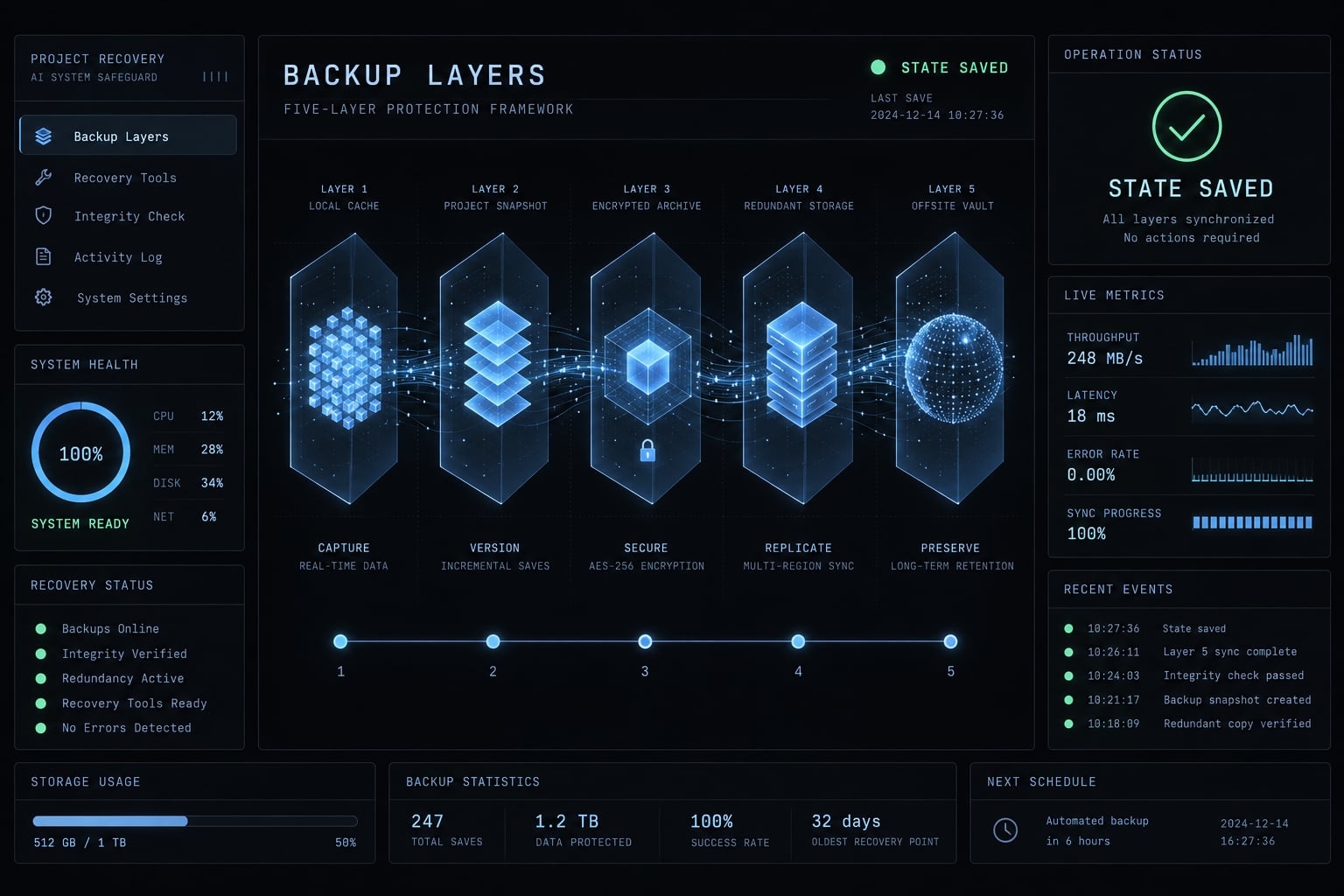
Vibe coding backup is a practical term used in this guide to designate protecting project assets before making significant AI-driven changes. It is not an established technical standard. Its coverage depends on what you actually capture: Source code, workspace files, database contents, uploaded assets, or configuration. No single saved copy automatically includes everything.
The original meaning of vibe coding
Andrej Karpathy introduced “vibe coding” in his February 2025 public explanation of a development style driven by natural-language requests. In that description, the user largely follows the results without closely reading the generated code.
Popular usage has since broadened to include many forms of AI-supported programming. This guide uses the narrower meaning because the distinction matters: prompting an agent while inspecting its changes is different from accepting output based mainly on visible behavior.
Using AI is not, by itself, evidence that someone has abandoned engineering discipline.
Why backup has become part of the discussion
Recovery matters because an agent’s reach can extend beyond the code you see:
- Actions can cross boundaries: Agents may edit files, execute commands, and interact with connected services.
- Scope changes consequences: A styling mistake differs from deleting customer-access records.
- Recovery needs durable coverage: The saved state must include affected assets and survive relevant workspace or account failures.
These concepts serve different purposes:
Checkpoint: A saved restore point with tool-defined coverage.Version history: Recorded revisions of tracked files.Backup: A recoverable copy with appropriate separation from relevant failure risks.
A code backup can be valuable without being a complete project backup. The important question is what it can actually restore.
Vibe coding vs. AI-assisted engineering vs. Copy-paste programming
All three approaches can use code the developer did not originally write. The meaningful differences are scope, understanding, review, testing, and responsibility-not whether the code arrived through a chat window or clipboard.
Three-way comparison
The following table outlines common tendencies rather than fixed rules for every project.
Criterion | Vibe coding | AI-assisted engineering | Traditional copy-paste programming |
|---|---|---|---|
Starting point | Natural-language request and visible outcome | Requirements, constraints, and an implementation plan | Existing snippet, example, or solution |
Typical change scope | Potentially broad, agent-driven changes | Deliberately bounded changes | A snippet or a substantial script |
Code understanding | May be limited or deferred | Sufficient understanding to take responsibility | Depends on the person and workflow |
Implementation control | Agent often chooses details | Developer evaluates agent decisions | Developer selects and adapts source material |
Code review | May be minimal or absent | Explicit review before acceptance | Depends on workflow |
Testing | Often emphasizes visible behavior | Checks behavior, failures, and relevant security boundaries | Depends on workflow |
Execution risk | Depends on access and affected systems | Controlled through scope and permissions | Also depends on scope and privileges |
Backup requirements | Depend on affected assets and change scope | Depend on affected assets and change scope | Depend on affected assets and change scope |
Accountability | Remains with the operator or releasing team | Explicitly assigned to reviewers and owners | Remains with whoever integrates the code |
The practical boundary
Consider an illustrative scenario: A small B2B SaaS team asks the same agent to refactor authentication and customer access. In workflow A, the team accepts the changes after checking that the login screen loads. In workflow B, a reviewer inspects the changes, tests cross-customer access restrictions, and confirms recovery coverage.
The tool is identical; the engineering process is not. Simon Willison’s commentary on vibe coding makes a related distinction between unexamined generation and reviewed AI development.
“Human-in-the-loop” means something only when a person has a defined review or approval responsibility. Accepting a large change is not inherently irresponsible if meaningful review follows. Conversely, pasting a short privileged database script can cause substantial damage.
Vibe coding is therefore not simply faster copy-paste programming. Agent autonomy can widen the change surface, while disciplined review can make AI-assisted engineering substantially more controlled.
What can go wrong when an AI agent changes a project?
The blast radius depends on access and change scope. These failures are not unique to AI, but rapid edits can make their relationships harder to inspect.
- Overwritten files: Useful work disappears before being captured.
- Removed features: A cleanup deletes an overlooked dependency.
- Breaking upgrades: New package versions invalidate existing behavior.
- Unsafe configuration: Development settings weaken deployed access controls.
- Destructive database operations: Commands remove tables or records.
- Exposed credentials: Secrets enter commits, logs, or generated output.
- Duplicated logic: Inconsistent implementations accumulate technical debt-future maintenance costs.
- Speculative edits: Repeated repairs obscure the last usable state.
In the authentication scenario, a successful login might conceal broken customer isolation. Visible success is only one signal.
Why IDE undo and agent checkpoints are not full backups
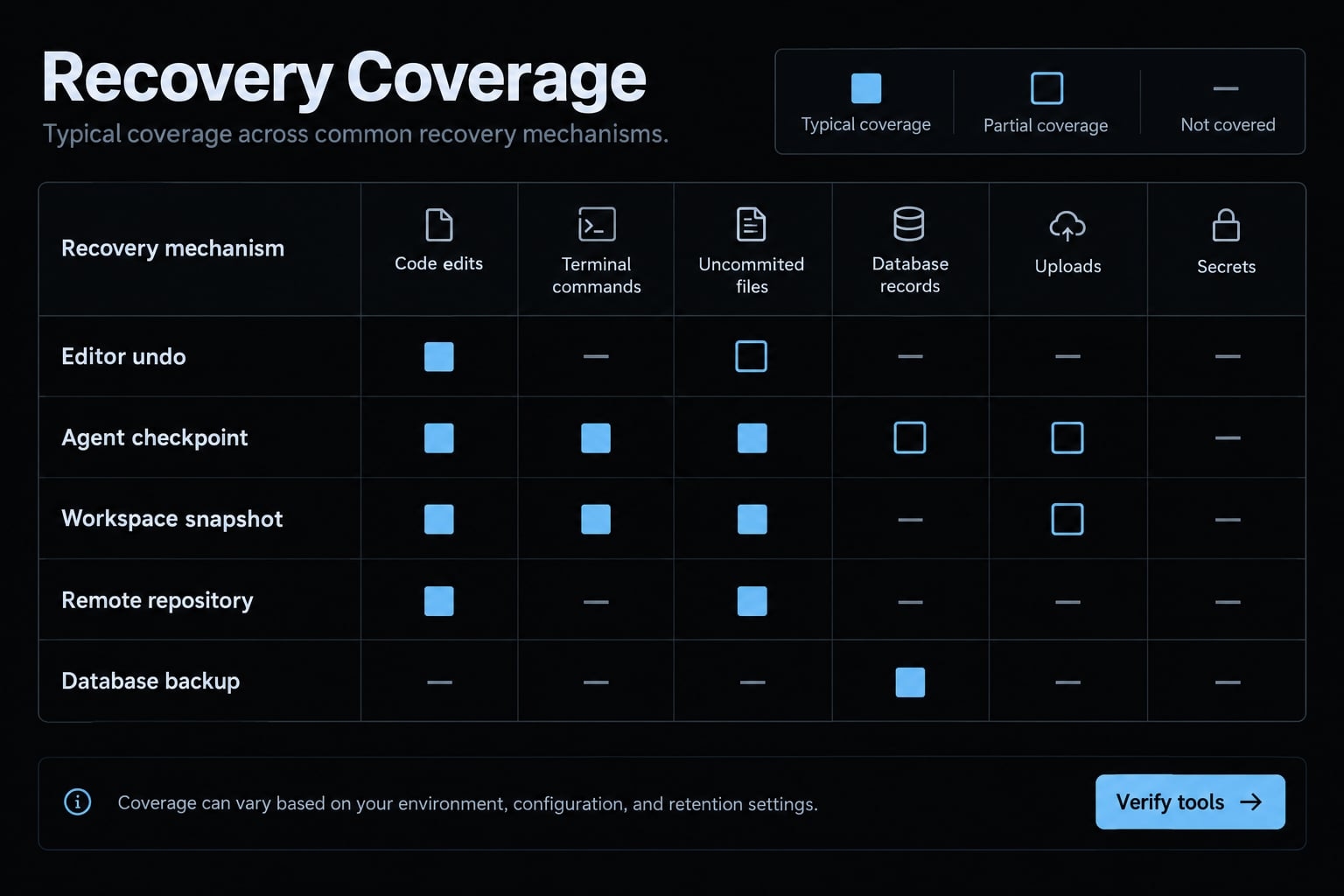
An integrated development environment, or IDE, may offer useful undo history and checkpoints. Coverage varies by tool, version, and configuration; checkpoints may be stored locally or remotely.
Recovery mechanism | Not guaranteed unless explicitly covered |
|---|---|
Editor undo | Other files, persistence after closure, external effects |
Agent checkpoint | External databases, uploads, cloud settings |
Workspace snapshot | Files outside scope, excluded paths, connected services |
Remote repository | Uncommitted work, live data, account-independent recovery |
A snapshot is a captured state at a particular time. Its usefulness depends on its boundaries, retention, and accessibility-not just its name.
Check whether terminal-generated changes are included and whether checkpoints survive workspace deletion. Also ask whether the same credentials can delete both the project and its recovery copies.
IDE checkpoints can be excellent for reversing supported edits. They should not be assumed to reverse destructive agent commands against external systems. For any selected tool, consult its official checkpoint and permissions documentation rather than extrapolating from another product.
Code backup is not data backup
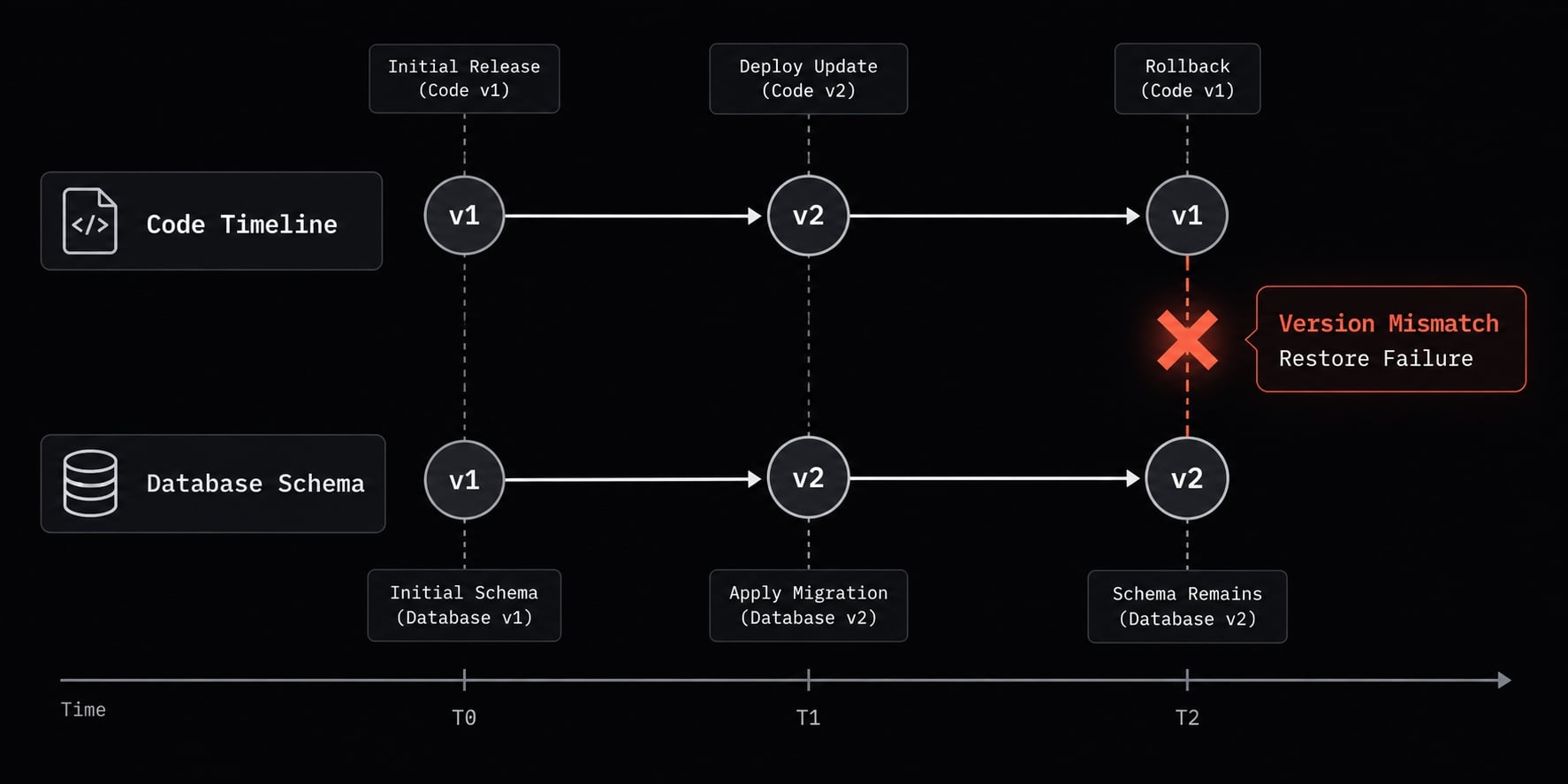
Git records committed files. It can include configuration, infrastructure definitions, or deliberately exported data, but it does not automatically capture live services. A database backup protects a different state. Schema drift means the database structure has diverged from its expected definition; reverting application files does not necessarily correct that divergence.
In the illustrative refactor, restoring old code could leave it incompatible with changed authentication tables. Restoring an older database could also discard newer legitimate records. Exposed credentials require revocation or rotation; restoring files cannot undo their disclosure.
A five-layer backup framework for vibe-coded projects
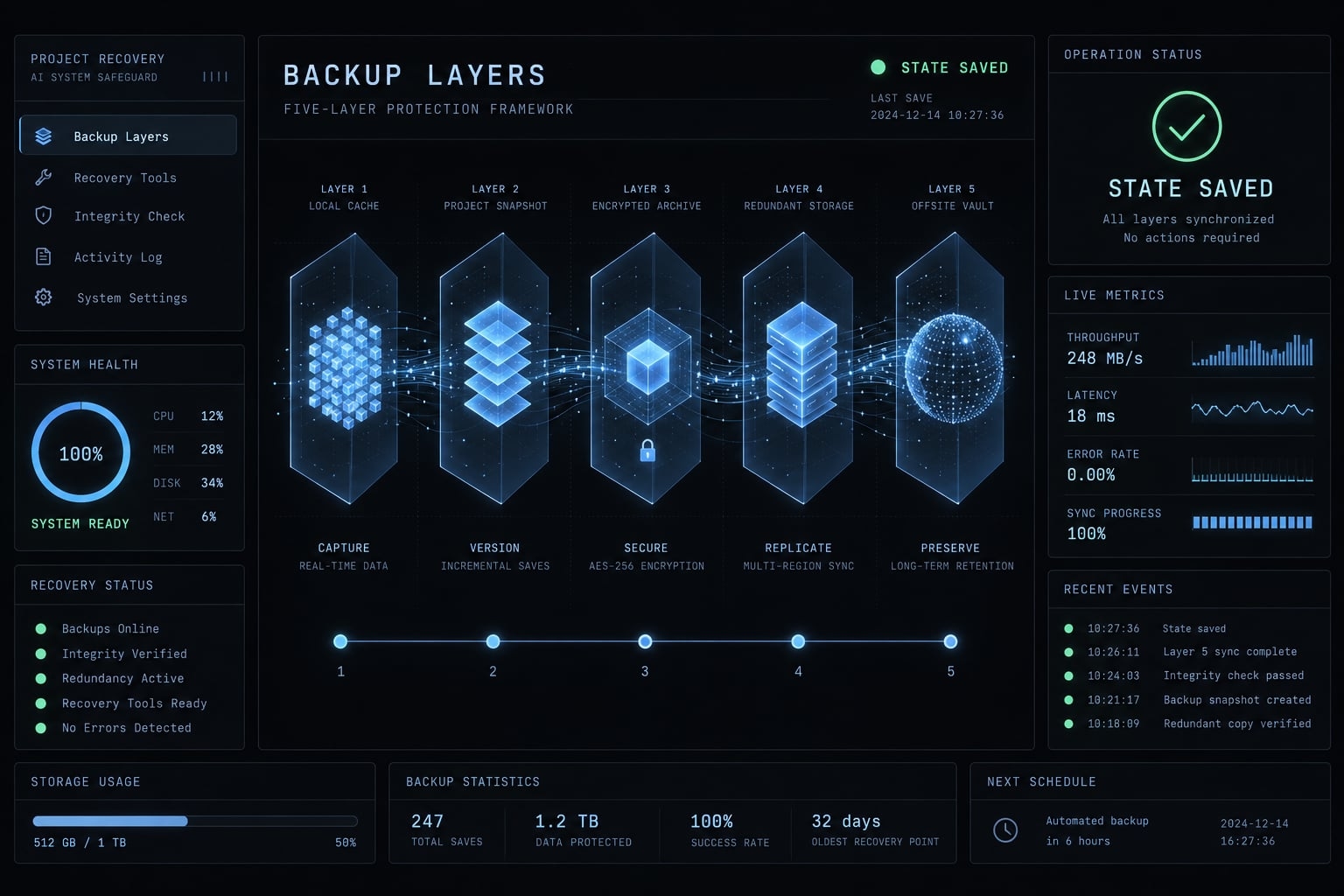
This five-layer vibe coding backup framework organizes recovery needs; it is not an industry-certified standard. Layers overlap intentionally, and coverage still requires verification.
Layer | Asset or recovery need | Practical action |
|---|---|---|
1. Source code | Recorded implementation | Commit, push, protect stable history |
2. Workspace | Unsaved-to-Git project state | Capture required files |
3. Data | Databases and uploads | Back up and test restoration |
4. Configuration | Settings and protected credentials | Document settings; secure secret recovery |
5. Independence | Protection against shared failure | Separate copies, permissions, and retention |
Layer 1: Version-controlled source code
Version control records file revisions. A Git commit saves the selected repository state.
- Commit a known-working version.
- Inspect included files and exclude secrets.
- Push to a remote repository, a repository hosted separately from your working copy.
- Confirm the expected commit is available there.
- Enable appropriate branch protection.
Git’s documentation distinguishes working files, commits, branches, and remotes. GitHub’s protected-branch documentation describes remote restrictions; these do not prevent every local edit or authorized bypass. Remote content may still share account-level deletion risks.
Layer 2: Snapshots of uncommitted work
A filesystem snapshot or equivalent workspace capture can preserve uncommitted changes, untracked files, and required local assets. A new branch alone saves none of that work. A checkpoint branch needs an actual commit.
Check a pre-prompt snapshot for exclusions and sensitive files. Exclude reproducible dependencies, generated builds, and caches where appropriate. Retain lockfiles, which pin dependency versions, and assets you cannot reliably regenerate.
Layer 3: Database and user-generated data protection
- Use isolated development data, preferably synthetic.
- Capture the database before migrations0-changes to its structure-or bulk edits.
- Preserve uploaded files separately when storage is separate.
- Check retention and point-in-time recovery availability.
- Restore safely and validate code, schema, and data compatibility.
Point-in-time recovery, or PITR, restores supported database state within a retained time window. Coverage depends on the provider and configuration.
Database branching creates a separate database environment for experimentation; it does not automatically provide independent backup retention. Check the selected provider’s documentation before relying on either mechanism.
Layer 4: Configuration and secret recovery
Do | Don’t |
|---|---|
Keep an environment-variable template without live secrets | Commit production credentials |
Use a secret manager and documented recovery process | Archive plaintext secrets casually |
Record build commands, deployment settings, and callback URLs | Assume code recreates every setting |
Give agents minimum necessary access | Provide production privileges by default |
OWASP’s Secrets Management Cheat Sheet supports controlled access and secret lifecycle management. Emergency access must not depend entirely on the unavailable system being restored. Revoke or rotate exposed credentials rather than merely replacing the affected files.
Layer 5: Off-site and independent recovery
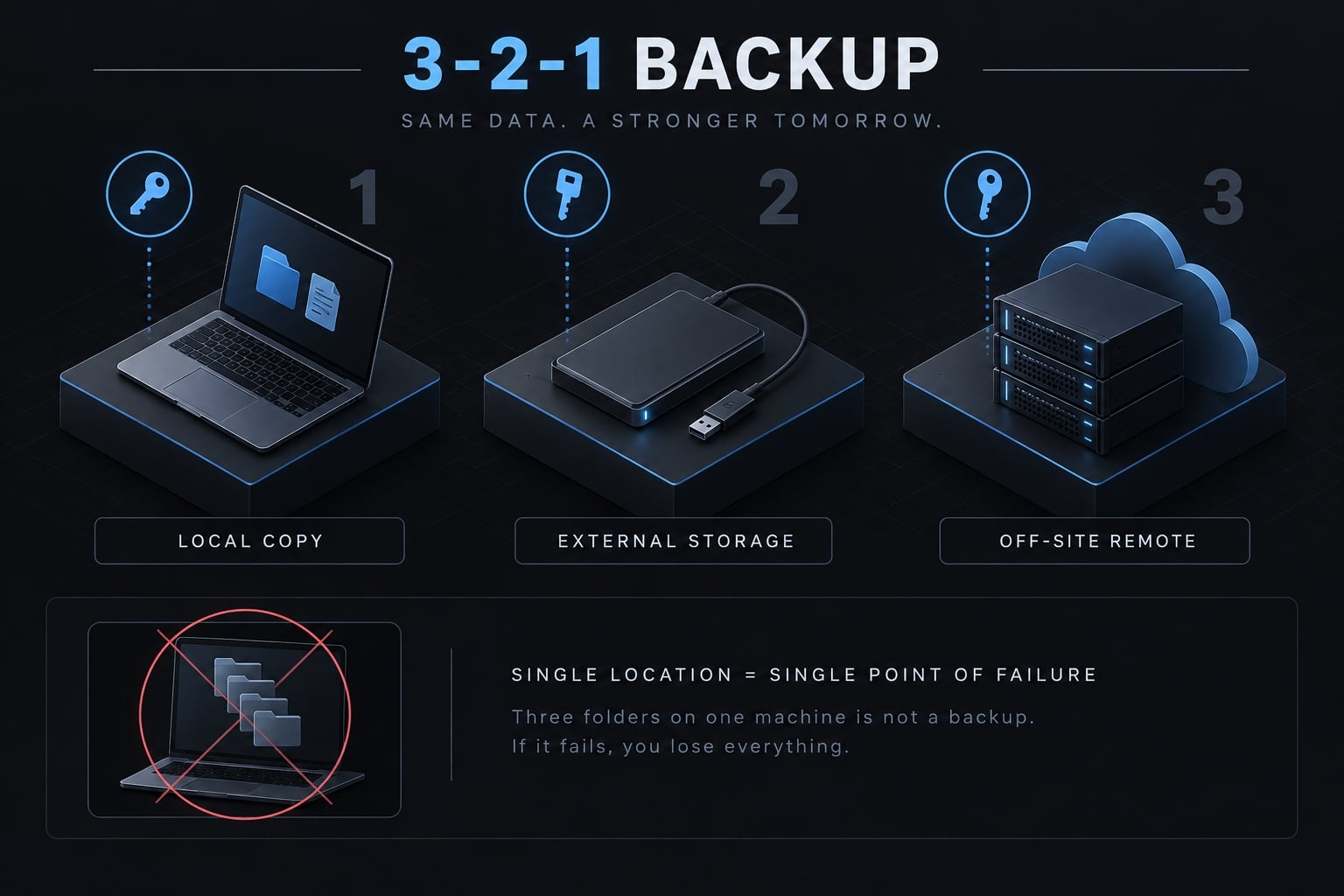
The 3-2-1 backup principle means three copies, on two different media or storage types, with one copy off-site. Its purpose is reducing shared failures. Separately consider permission isolation: an agent should not be able to delete every recovery copy.
Three folders on one machine do not satisfy the principle. Synchronization can propagate deletion; retained history matters. Immutable storage, which restricts modification or deletion, is an option with implementation-specific guarantees-not an automatic property of cloud storage.
The pre-prompt backup workflow: Nine steps for a risky AI change
Steps 1–7 prepare the change; steps 8–9 validate it afterward. Before high-risk execution, the relevant restoration procedure should already have been tested. Step 9 checks that the change has not invalidated those recovery assumptions.
- Confirm the current state works: Run the main workflow and record existing failures. For the authentication example, check login, logout, and customer isolation. Do not label a known-broken state clean merely because the application starts.
- Commit the known-working version: Inspect intended changes and check for secrets before creating the Git commit. Record its identifier. Files excluded from that commit still need an appropriate workspace capture if recovery depends on them.
- Push to a remote repository: Confirm that the expected commit appears remotely, rather than assuming a successful command means the right state was saved. A push preserves repository content, not the complete application environment.
- Create a separate branch: Keep experimental code separate from stable history. For high-impact work, also isolate the workspace and connected resources. A branch is not a sandbox: it does not restrict credentials, terminal access, or database operations.
- Snapshot affected data and workspace files: Capture the development database, relevant uploads, and required uncommitted files. Record compatible code and snapshot identifiers together. Check timestamps and retention so that the copies describe a usable recovery state.
- Restrict agent permissions: Use scoped credentials and tool-enforced approvals for consequential operations. Remove unnecessary production access. Project instructions can explain expectations, but “never delete data” in a prompt does not create an enforceable security boundary.
- Ask for a reviewable plan: Request affected files, intended commands, database changes, risks, and the proposed recovery approach. Break broad refactors into smaller reversible tasks. Have a responsible reviewer approve the scope before execution.
- Review the diff and run checks: A diff shows before-and-after changes. AI-generated code review should cover authentication, authorization, configuration, builds, tests, and relevant security checks—not just whether the agent reports success or the screen looks correct.
- Test the rollback path: Restore into an isolated destination and verify compatible code and data. Record what was restored, checks passed, and remaining gaps. Never overwrite current production records merely to demonstrate that a backup can be opened.
Scale the routine to the affected assets. A text-only change does not need a new database snapshot when database modification is impossible.
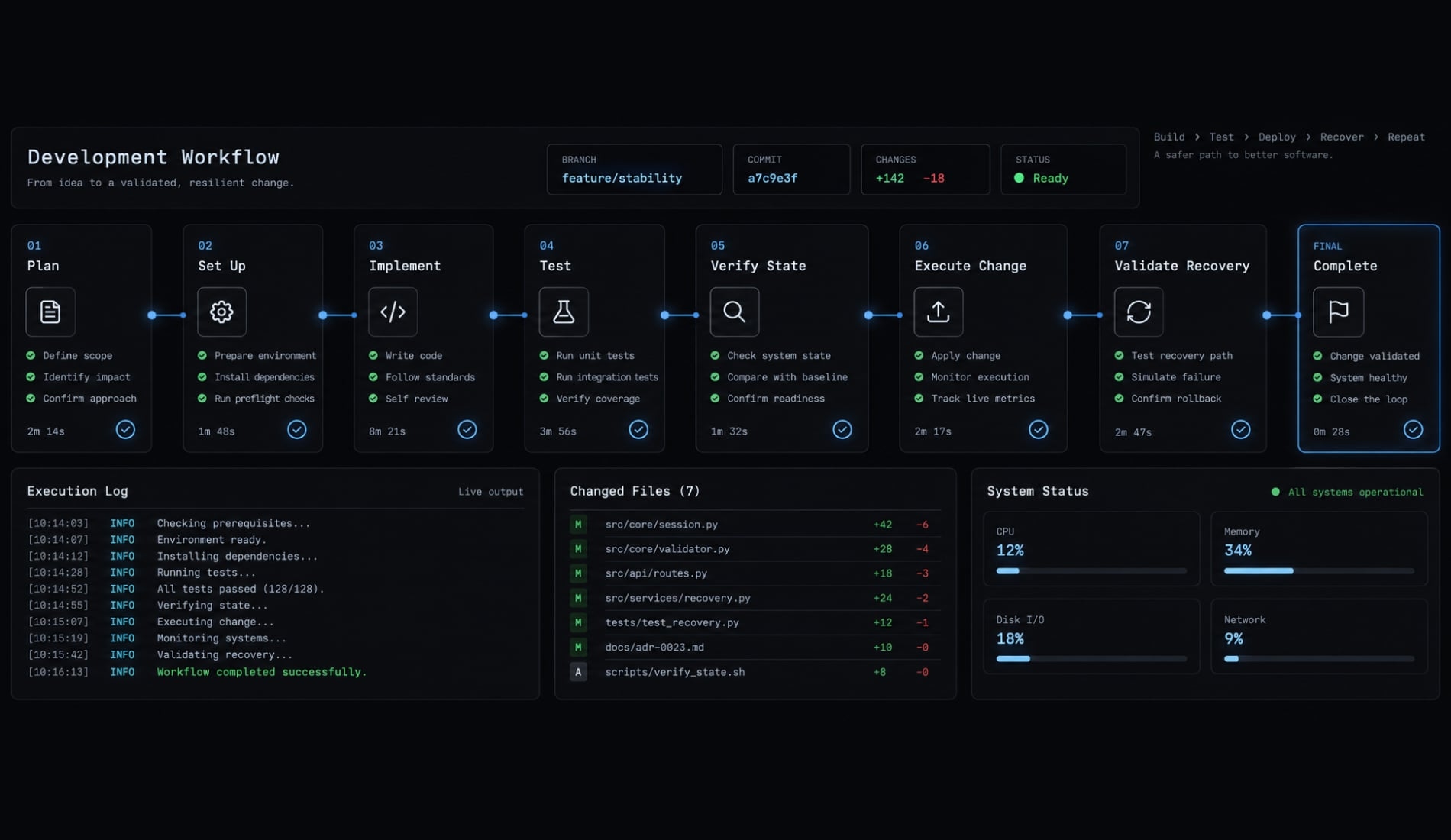
A useful restoration record identifies the tool or version, test date, included assets, exclusions, backup location, restore destination, procedure, and results. Successful rollback testing establishes evidence for that scope—not a permanent guarantee.
When is vibe coding safe - and when is engineering review required?
Low-risk prototypes have limited access and disposable data. Production environments introduce users, persistent records, and consequences that a checkpoint alone cannot address.
Risk decision matrix
“Required” below means this guide’s release recommendation, not a universal legal requirement.
Project condition | Are basic checkpoints enough? | Recommended review boundary |
|---|---|---|
Personal experiment | Reasonable if isolated and non-sensitive | Confirm limited access |
Synthetic-data prototype | Suitable for experimentation | Review before release |
Internal automation | Depends on access and business impact | Review destructive actions and integrations |
Public user accounts | Insufficient alone | Review authentication and authorization |
Payments | Insufficient alone | Structured transaction and failure testing |
Sensitive or regulated data | Insufficient alone | Security and applicable compliance review |
Production database access | Insufficient alone | Avoid unrestricted autonomous access |
Business-critical workflows | Insufficient alone | Engineering review and operational controls |
A recoverable mistake can still interrupt onboarding, expose information, or delay a release. Backups reduce recovery risk; they do not establish correctness or security. Escalate review based on possible consequences, not the apparent simplicity of the prompt.
From vibe coding to production-ready development
A practical maturity path connects six practices:
- Prompt-driven prototype.
- Version-controlled experiment.
- Human-reviewed implementation.
- Automated testing and security checks.
- Controlled deployment.
- Monitoring and documented recovery.
These practices reinforce one another; completing the list is not a certification of production readiness.
AgentKit Engineer supports this kind of workflow: /ak:cook implements in an isolated Git worktree, and its pre-tool hooks prompt for approval before risky operations such as force pushes or destructive DROP/TRUNCATE statements. Enforcement varies by harness, and none of this backs up your database, uploads, or secrets - those layers still need their own recovery copies.
Frequently asked questions
What is vibe coding backup?
Vibe coding backup refers to the practice of preserving recoverable states of a software project before executing AI-driven changes. It involves capturing not just committed code, but also uncommitted workspace files, configuration settings, and database states to ensure project safety during rapid, automated development.
Why are IDE checkpoints not enough for vibe coding?
While IDE checkpoints capture snapshots of your current workspace, they are often limited in scope and retention. They may fail to preserve external database states, uploaded assets, or configurations. Relying solely on IDE-level history can lead to data loss if the workspace index becomes corrupted or if the tool fails.
Is vibe coding the same as AI-assisted engineering?
No, they are distinct workflows. Vibe coding focuses on rapid, natural-language prompting where the user may focus on visible results over deep code review. AI-assisted engineering is a disciplined process that requires human review, thorough testing, and a deep understanding of the resulting codebase before integration.
What is the 3-2-1 backup principle for AI projects?
The 3-2-1 backup principle requires keeping three total copies of your project data, stored on two different types of media, with one copy kept off-site. For vibe-coded projects, this helps mitigate the risk of shared failure points, such as a cloud account lockout or repository deletion.
How can I protect my database from AI agents?
Use isolated development databases or database branching features provided by your cloud host. Never grant agents direct access to production databases. Always snapshot your database state before running migrations or bulk changes, and verify that your restoration process actually works in a safe environment.
Do I need to review every change made by an AI?
While you do not need to manually rewrite every line, responsible development requires reviewing code that impacts security, permissions, or business-critical logic. Use a diff to inspect the specific changes made, ensure your environment is backed up, and verify that the application still functions correctly after the update.
What is the most important step before prompting an AI agent?
The most critical step is ensuring you have a verified, recoverable state of your project. This means committing your current progress to a version-controlled repository, pushing it to a remote, and creating a workspace snapshot of any uncommitted work before allowing the agent to execute changes.
Read more:
- Vibe coding maintenance: A practical guide for AI-built apps
- Vibe coding threat model: Secure AI-assisted development guide
- Vibe coding deployment: How to take an AI-built app live
Conclusion
A reliable vibe coding backup routine protects workspace files, databases, configurations, and recovery copies, ensuring checkpoints contain all compatible assets rather than just source code. Because AI generation requires engineering responsibility - including code review, behavioral testing, and permission restrictions - backups support the process without replacing security.
Before making risky changes, adopt the nine-step Pre-Prompt Backup Checklist and verify your recovery path to keep projects safely recoverable.