Claude Code for WordPress: Setup, use cases, and a safe development workflow
Claude Code for WordPress can help you change plugins and themes, investigate bugs, and run approved command-line tasks. It works with your project files and configured tools, not as a visual page builder or a replacement for code review.
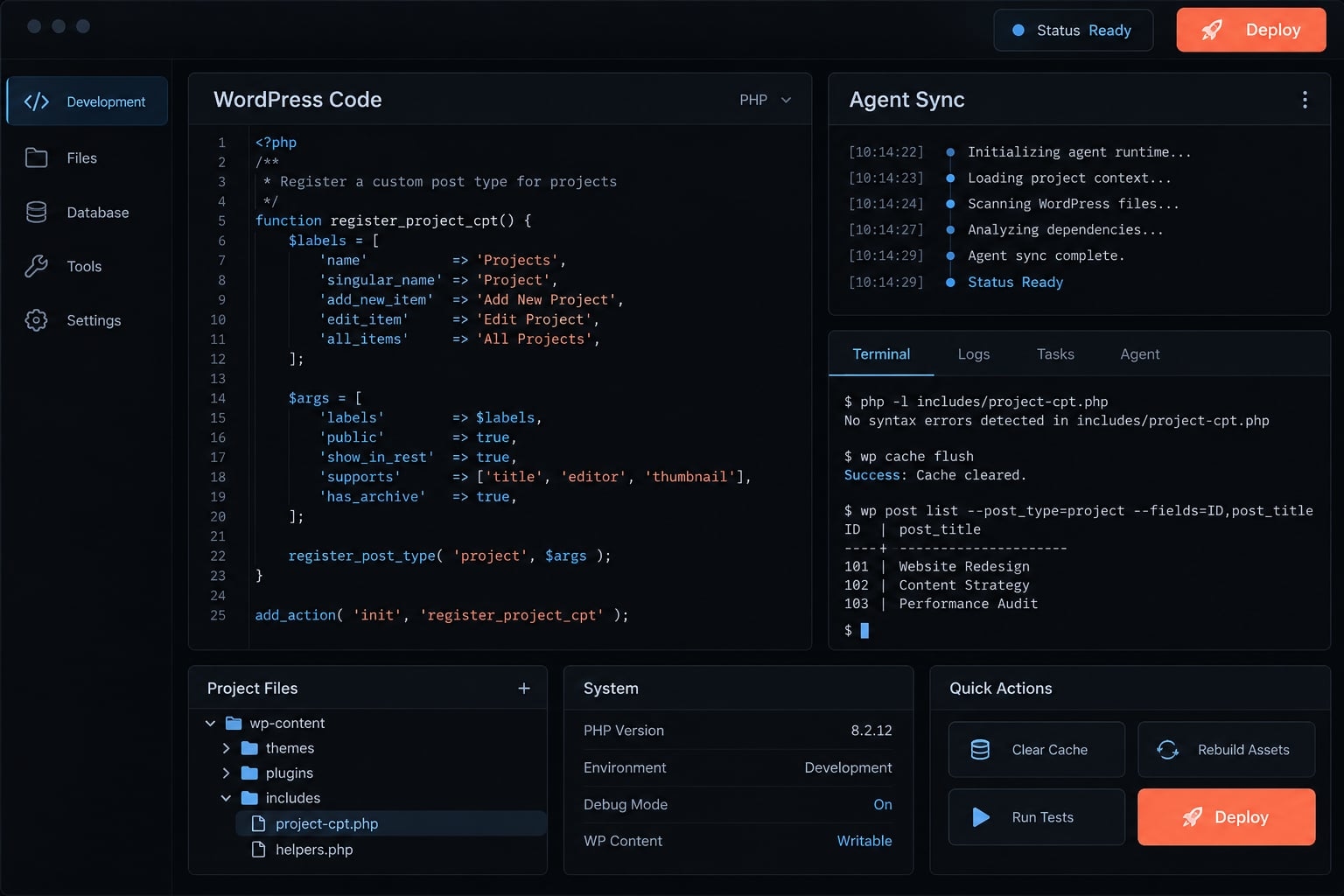
Start on a local site or restricted staging copy before touching production. For developers, site managers, and agency teams, the practical value of AI-assisted WordPress development is a repeatable process: provide context, approve a plan, inspect changes, and test behavior. This guide covers setup, a six-step workflow, reusable instructions, and safeguards for completing one controlled change without granting unnecessary access.
How Claude Code works with WordPress
Claude Code for WordPress describes a development workflow in which Anthropic’s coding assistant inspects project files, proposes changes, edits code, and uses configured tools. It is not a separate WordPress product. Its capabilities depend on available context, credentials, permissions, and the development environment you provide.
This guide focuses on the terminal workflow. Reading a plugin directory does not reveal every active extension, database value, or hosting configuration.
What Claude Code can help with
For WordPress plugin development and ongoing maintenance, Claude can assist with:
- Plugin and theme changes: Follow existing patterns to implement bounded features.
- Codebase navigation: Locate settings registration, hooks, templates, and dependencies.
- Log analysis: Examine sanitized errors and identify possible causes.
- Tests and documentation: Draft checks, implementation notes, and handoff summaries.
- WP-CLI operations: Use the WordPress command-line tool when installed and connected to the intended site.
- WordPress REST API workflows: Interact with HTTP endpoints when connectivity, authentication, and permissions are configured.
For example, Claude can inspect an existing settings screen before proposing a support-email field. Files alone cannot establish whether that field saves correctly.
What still requires human control
Official Claude Code documentation describes configurable tool permissions. Do not assume every command always triggers approval; behavior depends on configuration.
Claude can assist with | Human control required |
|---|---|
Architecture proposals | Business requirements and design decisions |
Code review suggestions | Security and compatibility acceptance |
Connection setup | Credentials and permissions |
UI implementation | Browser and visual validation |
Data-operation planning | Database-change authorization |
Release preparation | Deployment and rollback approval |
Implementation assistance does not transfer responsibility for the running site.
Prerequisites and safe WordPress project setup
Begin with a functioning development copy, not a production directory exposed to unrestricted commands.
- Install and authenticate Claude Code using the current official setup instructions for your platform.
- Open a local site or appropriately restricted staging environment—a nonproduction site used for validation. used for validation.
- Confirm the frontend, administration area, and target feature work before changes.
- Locate the WordPress root and relevant plugin or theme.
- Confirm Git version control tracks the intended code and preserves a clean baseline.
- Identify database snapshots, recovery procedures, and development logs.
- Verify optional tools, including WP-CLI, only when needed.
Local, formerly Local by Flywheel, and WordPress Studio are local-environment options. Their official documentation covers environment-specific setup, Docker is another option for teams already using containers.
After installation and authentication:
cd /path/to/wordpress/wp-content/plugins/company-site-tools
claude
Replace the example path with your actual plugin directory. The claude command starts an interactive session; it does not automatically connect to WordPress Admin.
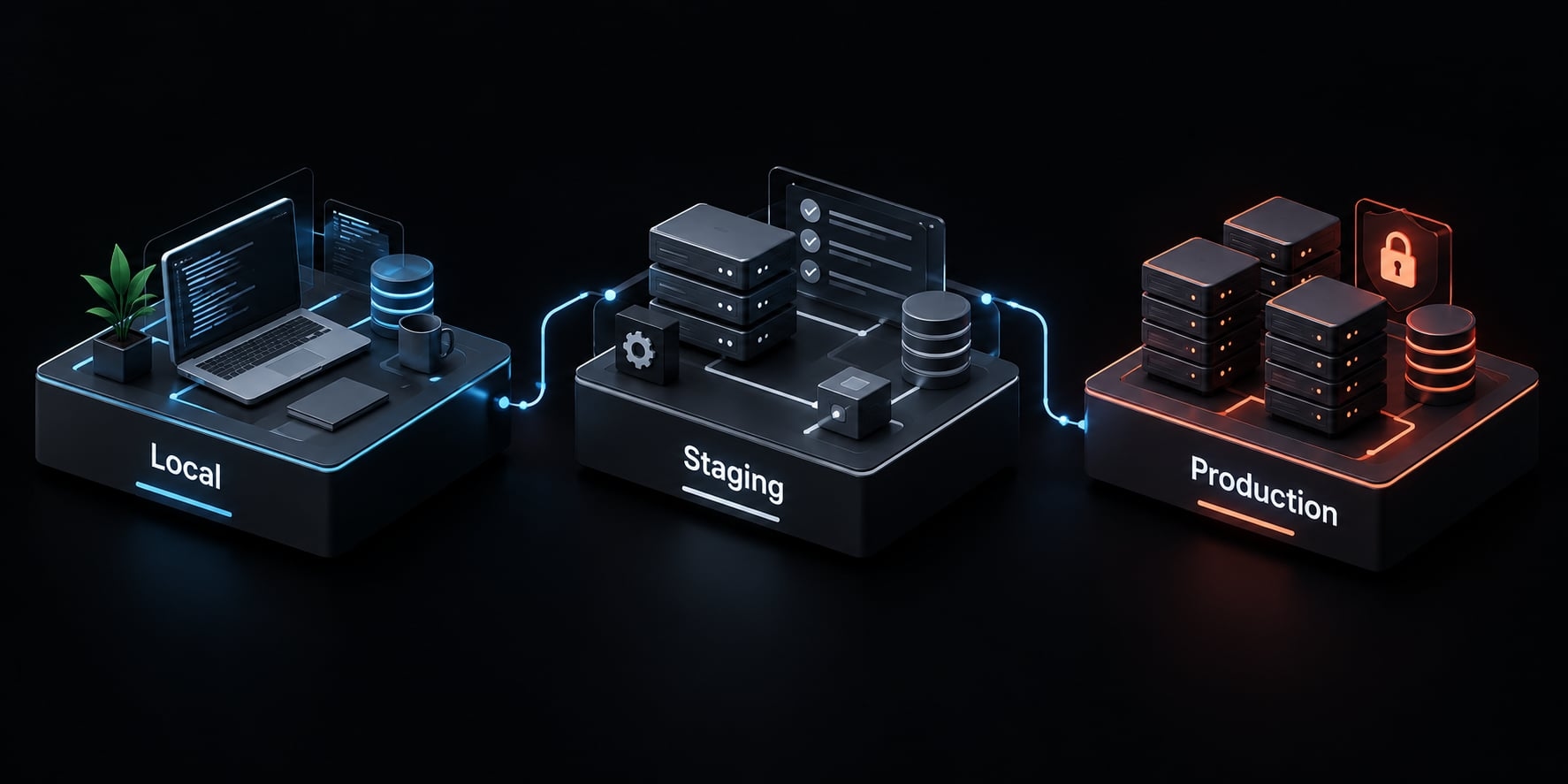
Recommended environment boundaries
Environment | Risk boundary | Recommended control |
|---|---|---|
Local | Lower risk only when isolated from production services and sensitive data | Use sanitized data and restricted credentials |
Staging | May contain confidential content and active integrations | Restrict access and redirect live integrations |
Production | Mistakes affect visitors, data, and business operations | Permit only reviewed, approved operations |
In cloned sites, disable or redirect outbound email, webhooks, payment connections, and other live integrations where applicable. A local environment can still send real messages.
Give Claude only the context it needs
Choose the smallest useful starting directory:
[wordpress-root]/
├── wp-content/plugins/[plugin-name]/
└── wp-content/themes/[theme-name]/
Directory scope: WordPress root, plugin, and theme directories used to scope a Claude Code task.
Use plugin context for a settings change. Expand context when tracing theme interactions or shared dependencies. Supply supported versions, relevant logs, test locations, and project instructions.
A working directory is not a security sandbox. Ignored files and environment variables can remain accessible to processes and tools. Neither .gitignore nor written instructions protect secrets by themselves.
Use enforced permissions, isolation, and restricted credentials. Git protects tracked code history; database and uploaded-media recovery require separate backups.
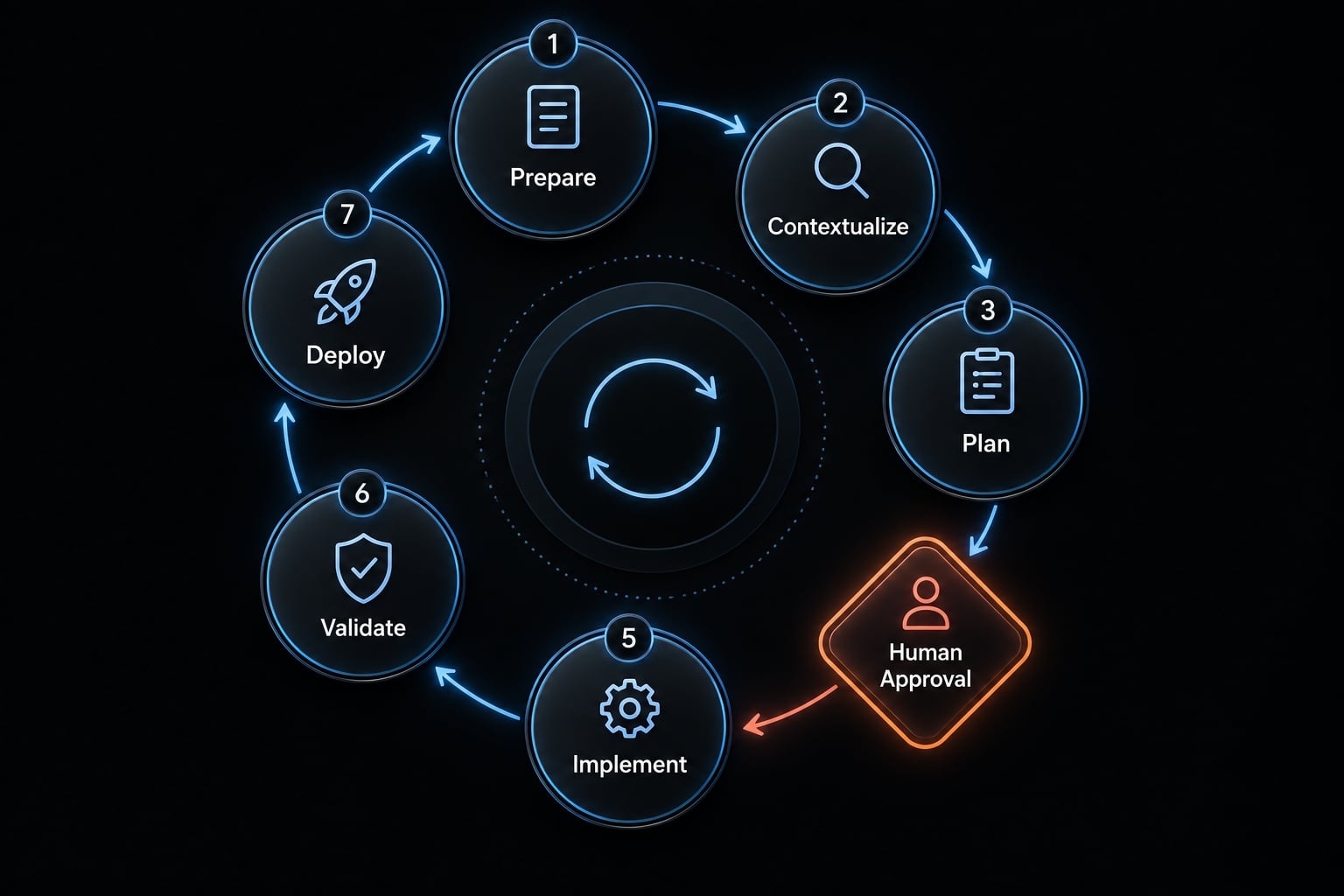
A Six-step Claude Code WordPress workflow
Use one bounded change to establish the process before attempting broader automation.
- Prepare: Establish baseline behavior and recovery.
- Contextualize: Define paths, requirements, and exclusions.
- Plan: Inspect first and obtain approval.
- Implement: Make the smallest approved change.
- Validate: Review code and test actual behavior.
- Deploy: Release through an approved path.
Prepare → Contextualize → Plan
                           ↓
                    HUMAN PLAN APPROVAL
                           ↓
                       Implement → Validate
                                      ↓
                              RELEASE APPROVAL
                                      ↓
                                    Deploy
Six-step Claude Code WordPress workflow with plan approval, validation, and controlled deployment.
The following scenario is illustrative, not an executed case study. No tested versions, reviewed diff, screenshot, or successful deployment are claimed.
Step 1: Prepare the Project
Consider a B2B SaaS site with a custom company-site-tools plugin. Its existing Settings → Company Site screen manages company details but has no support-contact field.
For this illustration, relevant files are:
company-site-tools/
├── company-site-tools.php
├── includes/class-settings.php
└── tests/
Confirm those paths in your actual project. Create a feature branch from a clean baseline and identify a separate database recovery point.
Locate development logs and keep debug output off public pages. Record existing settings behavior so later checks can detect regressions.
Step 2: Provide project context
Explain that the plugin manages company-wide site settings. Identify the settings file, supported WordPress/PHP versions, existing storage structure, and coding conventions.
Define the requested behavior:
- Add a Support contact email field to the existing screen.
- Permit changes only for users with the existing settings-management capability.
- Accept valid email addresses.
- Allow an empty value to disable the contact address.
- Reject invalid nonempty input while preserving the previous value.
Exclude frontend display changes, new dependencies, unrelated refactoring, and new database tables.
Step 3: Ask Claude to inspect and plan
Use a bounded inspection request:
Inspect the plugin’s existing settings registration without editing files.
Identify relevant hooks, files, option storage, and validation callbacks.
Propose how to add an optional Support contact email field using existing
conventions. Explain capability checks, applicable nonce protection, input
validation, and output escaping. Return a short implementation plan and
test plan. Stop and wait for approval before making changes.
An acceptable proposed plan identifies the existing registration and rendering callbacks, extends the current option structure, and adds focused tests. Reject assumptions that contradict the code.
Step 4: Implement the smallest necessary change
Approve only the agreed plan. Require existing architecture, no WordPress core edits, and no unnecessary installation or refactoring.
Saving an option changes database data, but usually does not require a database schema change—a modification to table structure.
Ask for a changed-file summary. An unexpected rewrite of the plugin bootstrap file is a potential scope failure, not evidence of improvement.
Step 5: Review and test
Inspect the Git diff, the record of changed lines. Run available PHP syntax checks, configured coding-standard checks, and relevant tests. Use this test record; all outcomes remain unexecuted until someone verifies them:
Test | Expected result | Observed |
|---|---|---|
Authorized user saves valid email | Value persists after reload | Not run |
Unauthorized user submits directly | Request denied, value unchanged | Not run |
Invalid nonempty email | Error shown, previous value preserved | Not run |
Empty input | Value clears as specified | Not run |
Review validation and escaping, inspect logs, and check existing settings still work. For WordPress debugging, quiet logs are useful but not proof of correctness or security.
Preserve the reviewed diff, sanitized setting screenshot, actual test outcomes, and Claude Code, WordPress, PHP, and plugin versions with the change.
Step 6: Deploy through a controlled path
Validate on staging, including compatibility and visual checks. Identify the release, confirm backups, and obtain deployment approval.
Use the established deployment mechanism. Do not overwrite production with the local database by default.
Assign monitoring and rollback ownership. These artifacts make client handoffs explainable without relying on the assistant’s summary.
Common Claude Code WordPress use cases and the right access method
Choose access by task, not by the maximum permissions available. Files, logs, command-line tools, and remote endpoints serve different purposes.
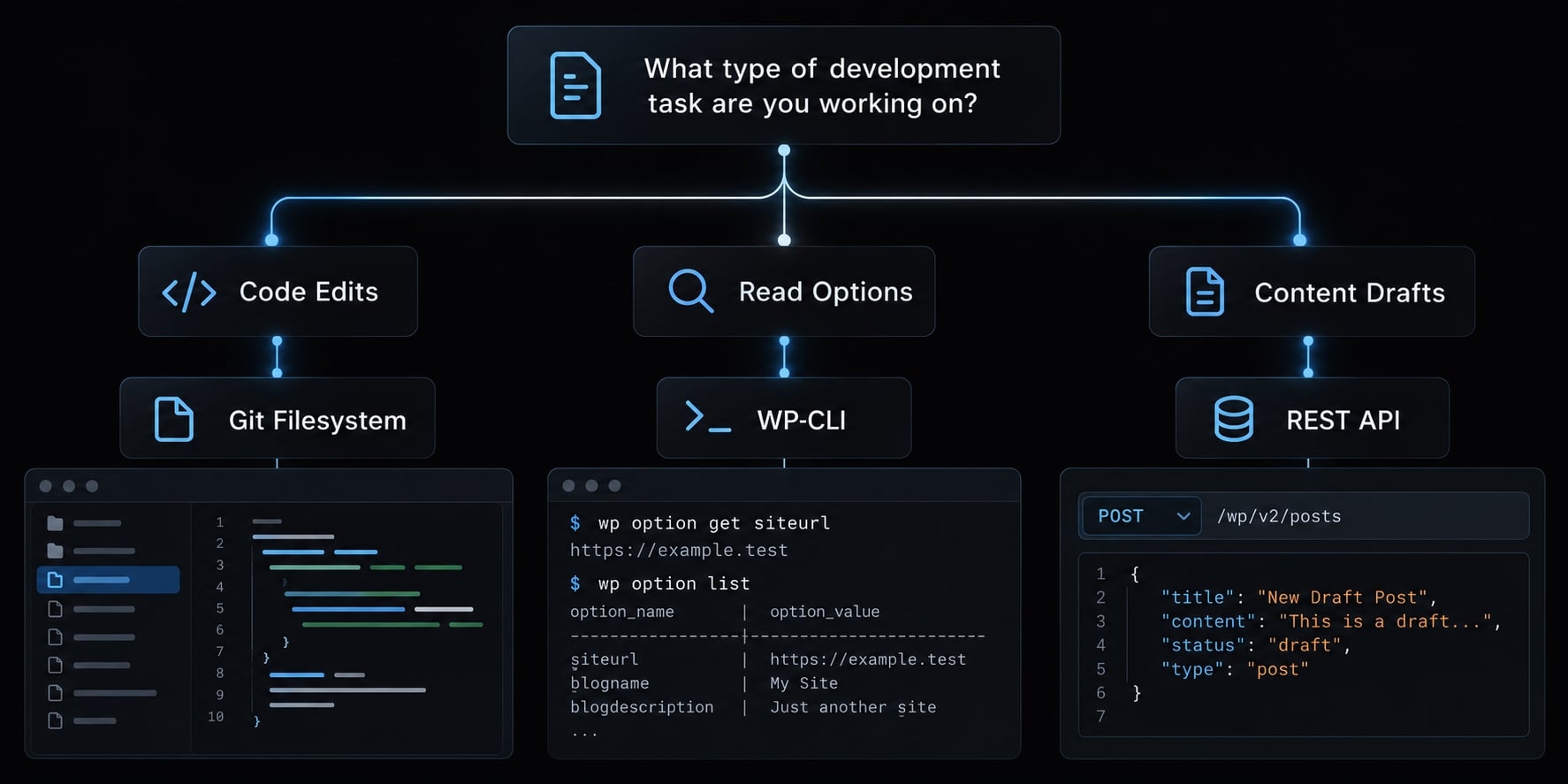
Interaction method decision table
Risk levels below are indicative; actual risk depends on permissions, data, and the operation.
Task | Recommended method | Environment | Indicative risk | Required control |
|---|---|---|---|---|
Edit plugin or theme code | Project files and Git | Local | Moderate | Diff review and tests |
Investigate warnings | Sanitized, read-only logs | Local/restricted staging | Low–moderate | Remove confidential data |
Read an option | WP-CLI | Local/staging | Low–moderate | Confirm target and sensitive values |
Activate a plugin | WP-CLI | Local/staging first | High | Review activation hooks, database recovery |
Prepare content drafts | WordPress REST API | Staging/restricted site | Moderate | Restricted user, draft status |
Publish approved content | WordPress REST API | Production | High | Editorial approval, restricted user |
Bulk taxonomy or metadata edits | Scripted API or CLI | Staging, then production | High | Preview where supported, recovery plan |
Reading an option differs fundamentally from activating a plugin: activation can execute hooks and change database state. WP-CLI documentation defines command-specific prerequisites and flags. Dry-run support is not universal.
Plugin and theme development
A client-specific plugin settings change suits a file-based workflow. A reusable product or case-study template may involve block-theme templates and theme.json, the theme configuration file.
Preview in the browser, check responsive layouts, and validate blocks in the editor. Successful file generation does not establish visual correctness.
Debugging and maintenance
For a PHP warning on a resource page, provide sanitized logs, the affected URL path, reproduction steps, and relevant code.
Claude can perform focused searches and propose compatibility tests. Logs suggest causes; they do not always identify the root cause.
Content and administrative automation
Suitable tasks include drafting resource pages, updating approved taxonomy mappings, and revising media metadata. Preserve editorial approval before publication.
The WordPress REST API Handbook explains that application passwords authenticate as their associated user. Permissions come from that user, passwords are not independently endpoint-scoped by default.
Use least-privilege access, granting only what the task needs. Bulk writes need recovery planning. MCP (Model Context Protocol), a protocol for connecting assistants to tools, is optional and requires a compatible, configured integration. It provides neither universal WordPress connectivity nor automatic safety.
Reusable CLAUDE.md and WordPress task prompt templates
CLAUDE.md stores reusable project instructions. Claude Code’s memory documentation describes loading applicable instructions from the directory hierarchy, with nested instructions applying as relevant files are accessed.
Place the file at the intended project scope and check for inherited instructions. Files named rules.md or requirements.md are ordinary documents unless explicitly referenced or included through supported mechanisms.
Instructions guide behavior, permissions enforce access. Copy the template and replace every placeholder before use.
Basic WordPress CLAUDE.md template
# WordPress Project## Context- Purpose: [site purpose and component responsibility]- WordPress root: [path]- Target component: [plugin/theme path]- Supported WordPress/PHP versions: [versions]- Logs: [sanitized log paths]- Tests: [test paths]- Checks: [verified project-specific commands]## Scope- Inspect only approved paths, respect restricted and confidential data.- Follow existing architecture and WordPress Coding Standards.- Do not edit WordPress core or make unrelated changes.- Do not expose secrets in output, logs, commits, or documentation.## Security- Preserve capability checks and applicable CSRF protections.- Validate input, sanitize appropriately, escape output for its context.- Prefer WordPress APIs for data operations.- Use prepared statements for custom SQL where appropriate.## Approval- Inspect and propose a plan, then stop for approval before editing.- Obtain separate approval for dependencies, data changes, and deployment.- Written approval does not override enforced tool permissions.## Done- Human-reviewed diff and changed-file summary.- Configured checks completed, failures and skipped checks disclosed.- Authorized, unauthorized, valid, invalid, and empty-input tests recorded.- Remaining risks and recovery requirements documented.