Vitest + Claude Code: A practical testing workflow guide
Vitest + Claude Code: A practical testing workflow
Claude Code can inspect your repository and run Vitest tests via the terminal without special integration. However, generating high-value tests—rather than green outputs—requires avoiding flawed assumptions and over-mocking. By combining repository context, a narrow scope, non-watch execution, systematic diagnosis, and a quality gate, this workflow ensures AI-generated tests provide genuine regression protection through human review.
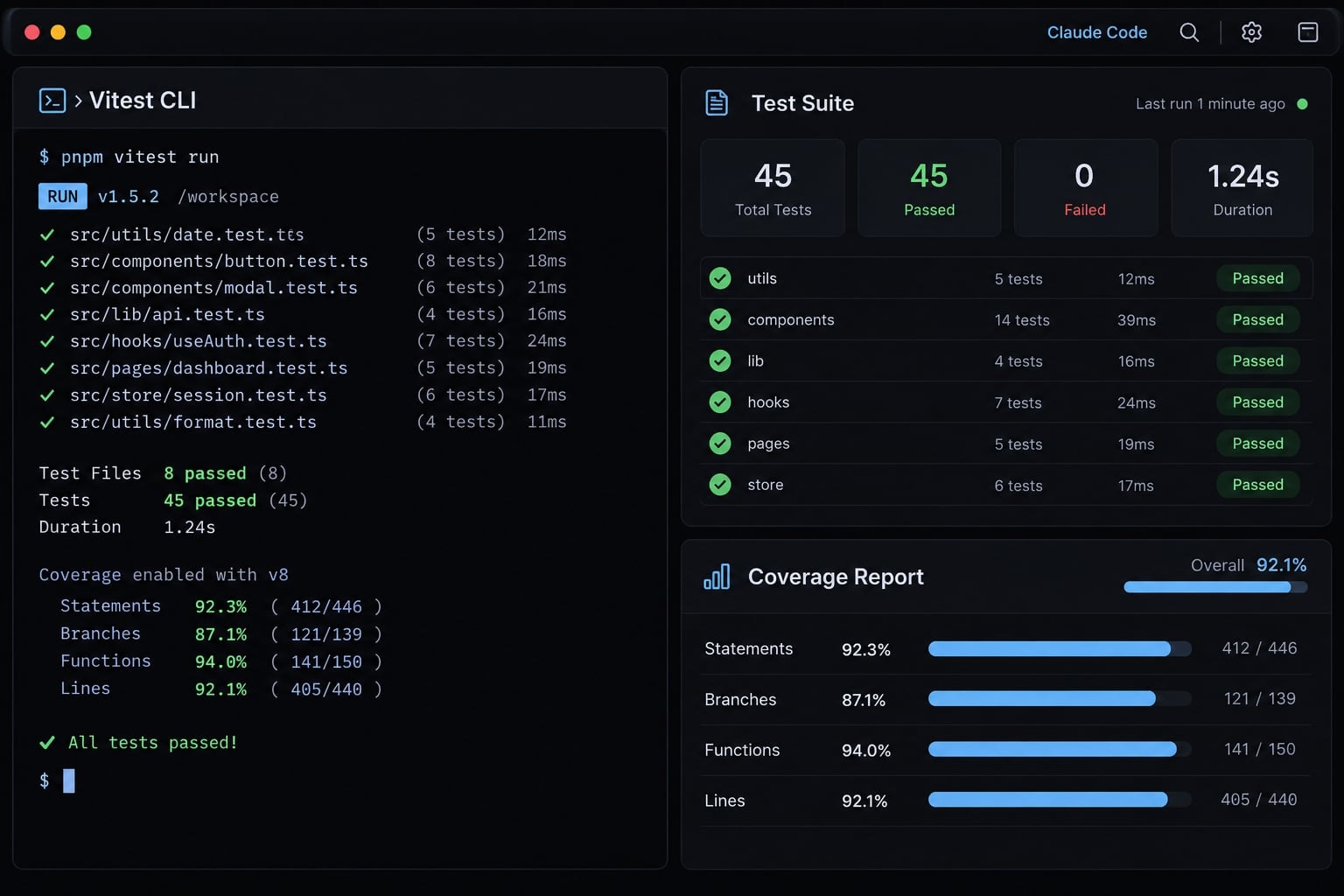
What you need before using Claude Code with Vitest
A working repository command matters more than a generic setup recipe. Establish the baseline before allowing dependency or configuration changes.
Minimum repository checklist
- Configuration: Identify the working Vitest configuration, standalone or integrated with Vite. A separate
vitest.config.tsis not universally required. - Command: Confirm a non-watch test command and its working directory. Use the repository’s existing script or installed runner.
- Environment: Use Node for logic without browser APIs,
jsdomorhappy-domfor DOM emulation, and Browser Mode for actual browser execution. - Setup: Locate setup files, import aliases, shared fixtures, and global utilities.
- Framework helpers: Identify existing component-testing helpers when relevant; do not introduce alternatives automatically.
- Versions: Record installed Vitest, Node.js, package manager, and relevant framework versions.
- Conventions: Check test naming, placement, imports, and nearby examples.
- Boundaries: Agree on permitted mocks, allowed edit paths, and commands requiring approval.
npm test -- --run is appropriate only when the test script and argument forwarding support it. Package executors may offer to obtain missing packages; do not approve installation implicitly.
Vitest documentation, “Configuring Vitest” and “Test Environment,” explains configuration and environment choices. DOM emulation is not equivalent to a real browser.
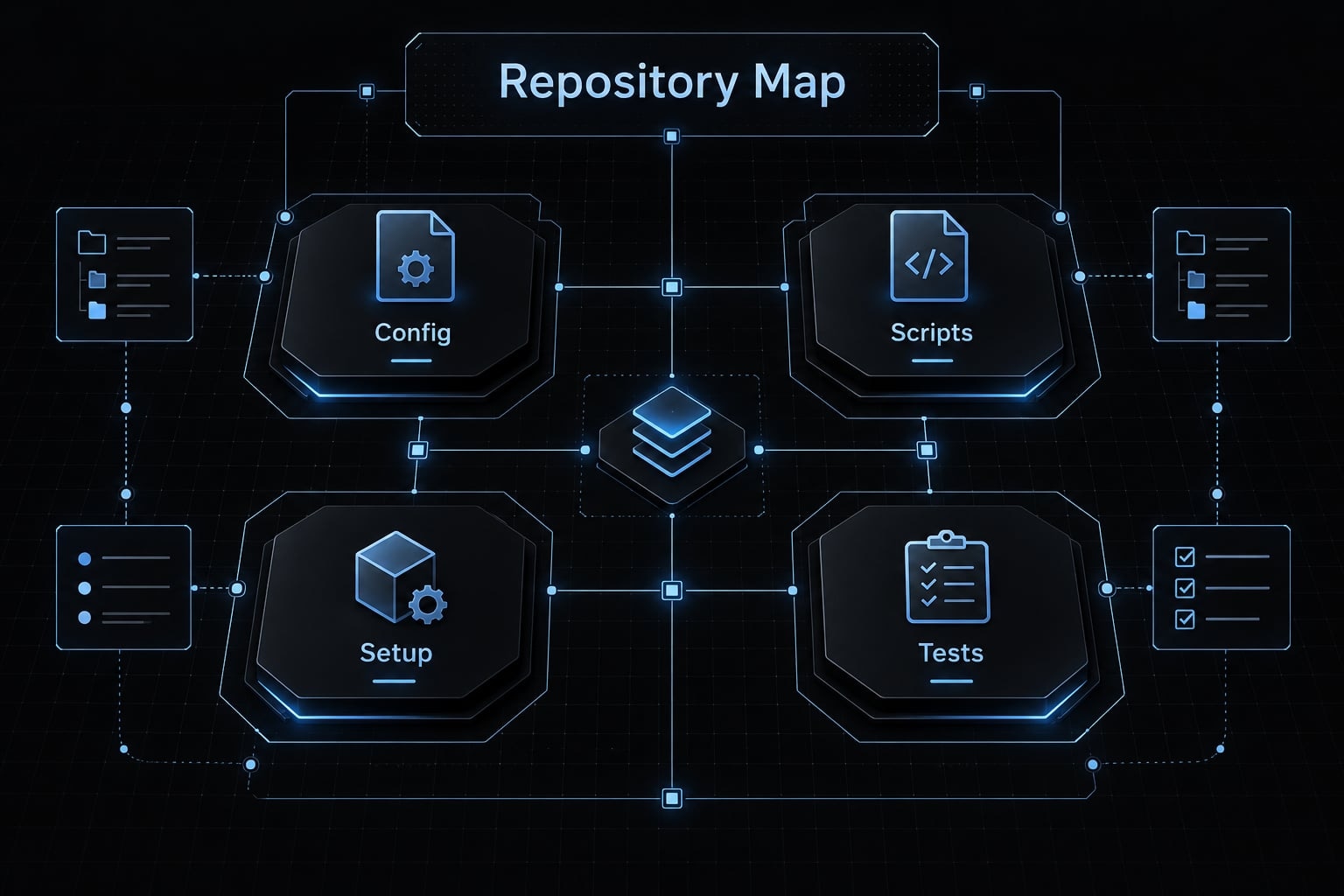
Why Claude Code should inspect before editing
Read project instructions first, followed by the target implementation, nearby tests and helpers, then package scripts and relevant configuration.
Ask the agent to summarize conventions before proposing edits. When expected behavior is uncertain, clarify it against requirements. Implementation shows what code currently does; it does not establish what the product should do.
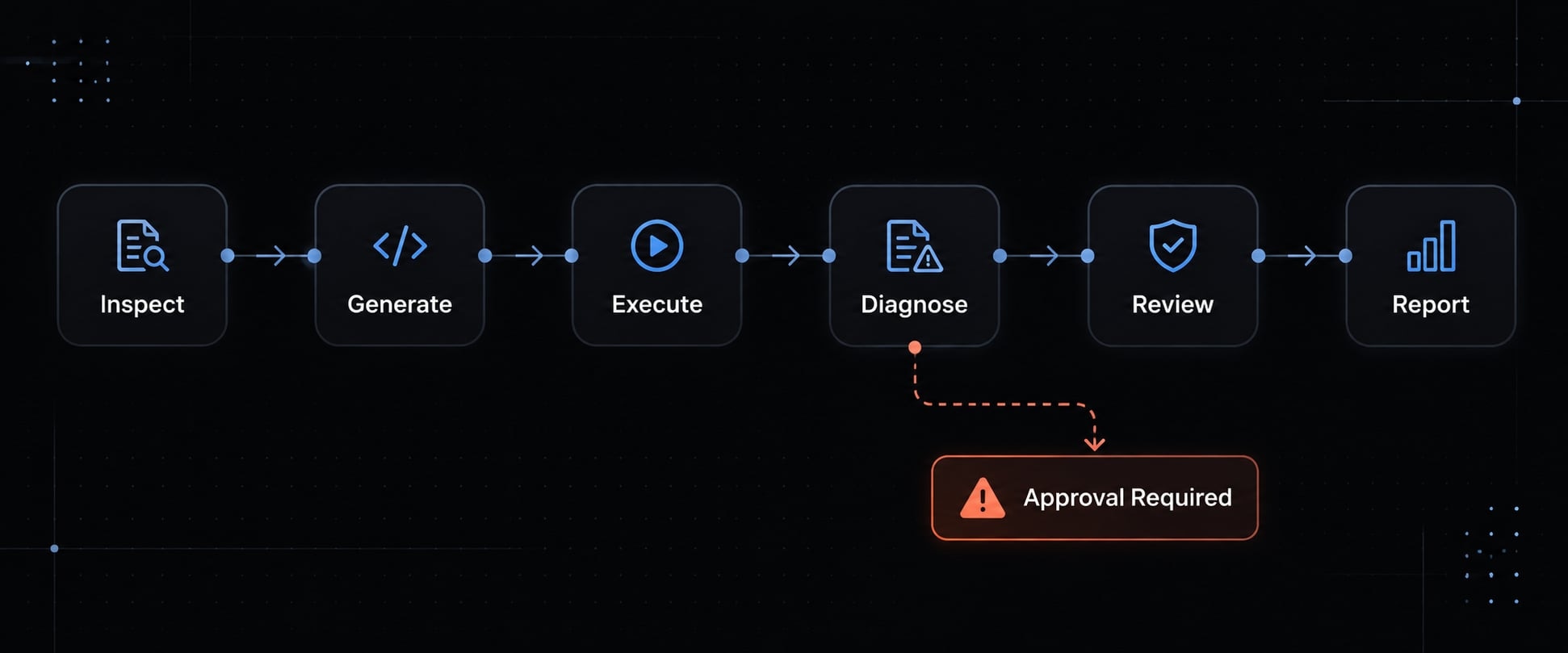
A six-step Vitest Claude Code workflow
A supervised Vitest–Claude Code workflow uses repository inspection to establish context, generates tests against agreed behavior, executes them in non-watch mode, diagnoses failures within approved boundaries, and finishes with coverage assessment and human review. The goal is a reviewable change with explicit evidence, not an agent-generated claim of correctness.
- Define a narrow testing scope.
- Inspect the repository.
- Generate behavioral tests.
- Run Vitest in non-watch mode.
- Diagnose failures and revise.
- Review coverage and report results.
Step 1 - Define a narrow testing scope
Choose one module and one test file. Specify success, failure, and boundary cases only where the contract defines them. For a TypeScript subscription-billing service:
Inspect src/services/billing.ts.Edit only tests/billing.test.ts.Work from packages/billing.Test the approved renewal and declined-payment requirements.Ask before assuming retry, timeout, or invalid-amount behavior.
In a monorepo, identify the workspace explicitly. A correct command launched from the wrong directory can discover different tests or configuration.
Step 2 - Make Claude Code inspect the repository
Have Claude Code read CLAUDE.md, inspect the target, and compare nearby tests before editing. Ask it to identify existing test helpers and confirm the exact command.
Then request a short case list: Requirement, setup, expected outcome, and necessary dependency boundary.
Separate confirmed requirements from assumptions. If a helper needs modification outside the allowed paths, the agent should request approval rather than expanding the task silently.
Step 3 - Generate behavioral tests
Behavioral tests verify observable outcomes: Returned values, errors, state changes, and required side effects. In unit testing, keep the unit’s real behavior intact while controlling external dependencies.
For a renewal contract:
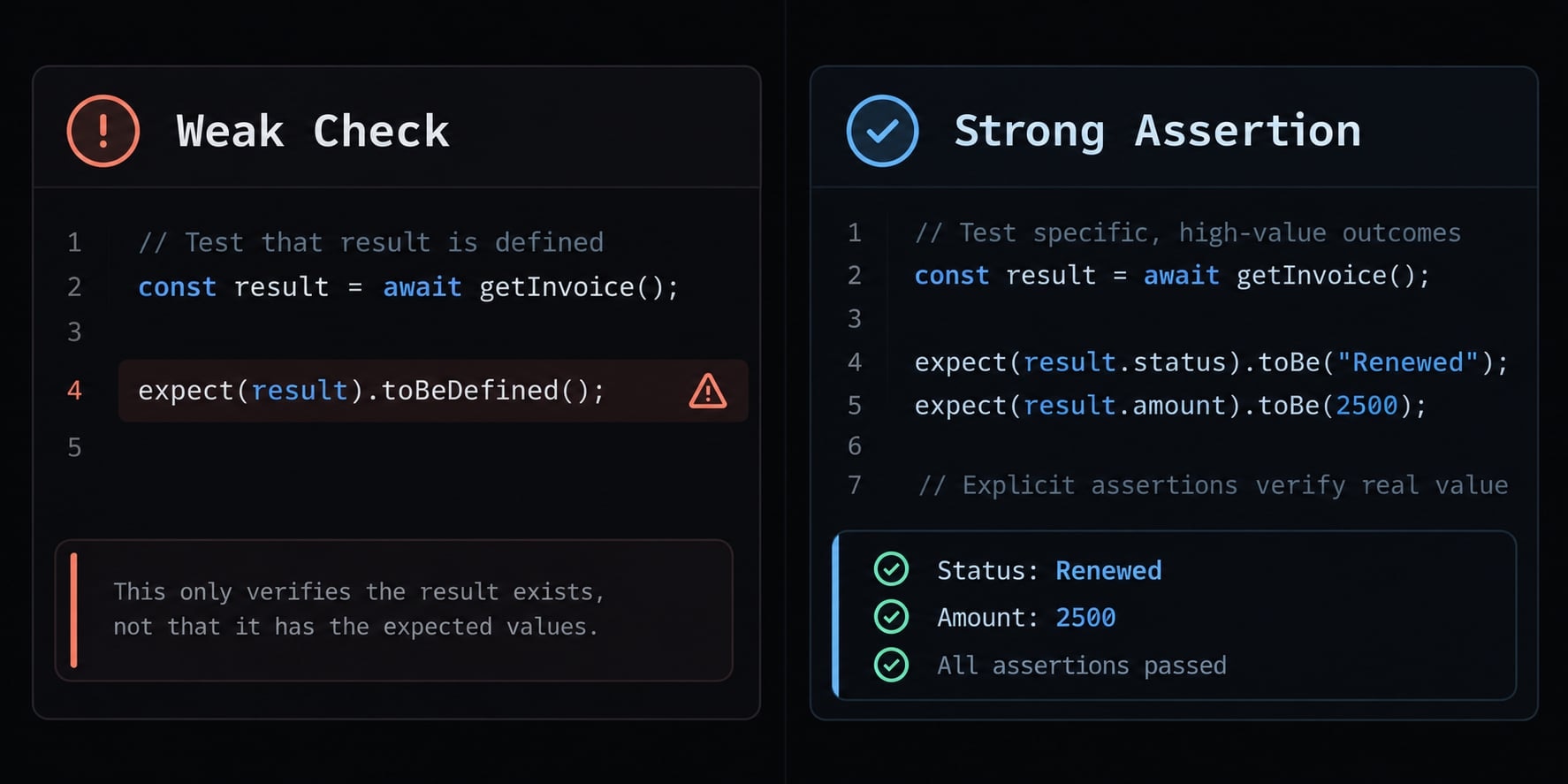
Weak check | More useful check |
|---|---|
The renewal result exists | The result contains the agreed status and amount |
A payment mock ran once | The payment request uses the required amount and currency |
A decline throws something | The documented decline error occurs without activating the subscription |
Mocking replaces a dependency with controlled behavior. Mock-call assertions are valuable when the call itself is contractual. Internal dependencies may also be mocked when the boundary is justified.
Likewise, rendering checks can provide smoke coverage, but cannot establish richer interaction behavior.
Step 4 - Run Vitest in non-watch mode
Run the target first to keep feedback relevant. This command is an adaptable example, not an executed result:
# From packages/billing, with Vitest already installed locally:npx vitest run tests/billing.test.ts
Prefer an equivalent approved repository script. Do not proceed if the executor proposes an unexpected installation.
Run mode ends after execution instead of waiting for edits. Confirm completion through the process exit status and test summary—not merely the absence of new output.
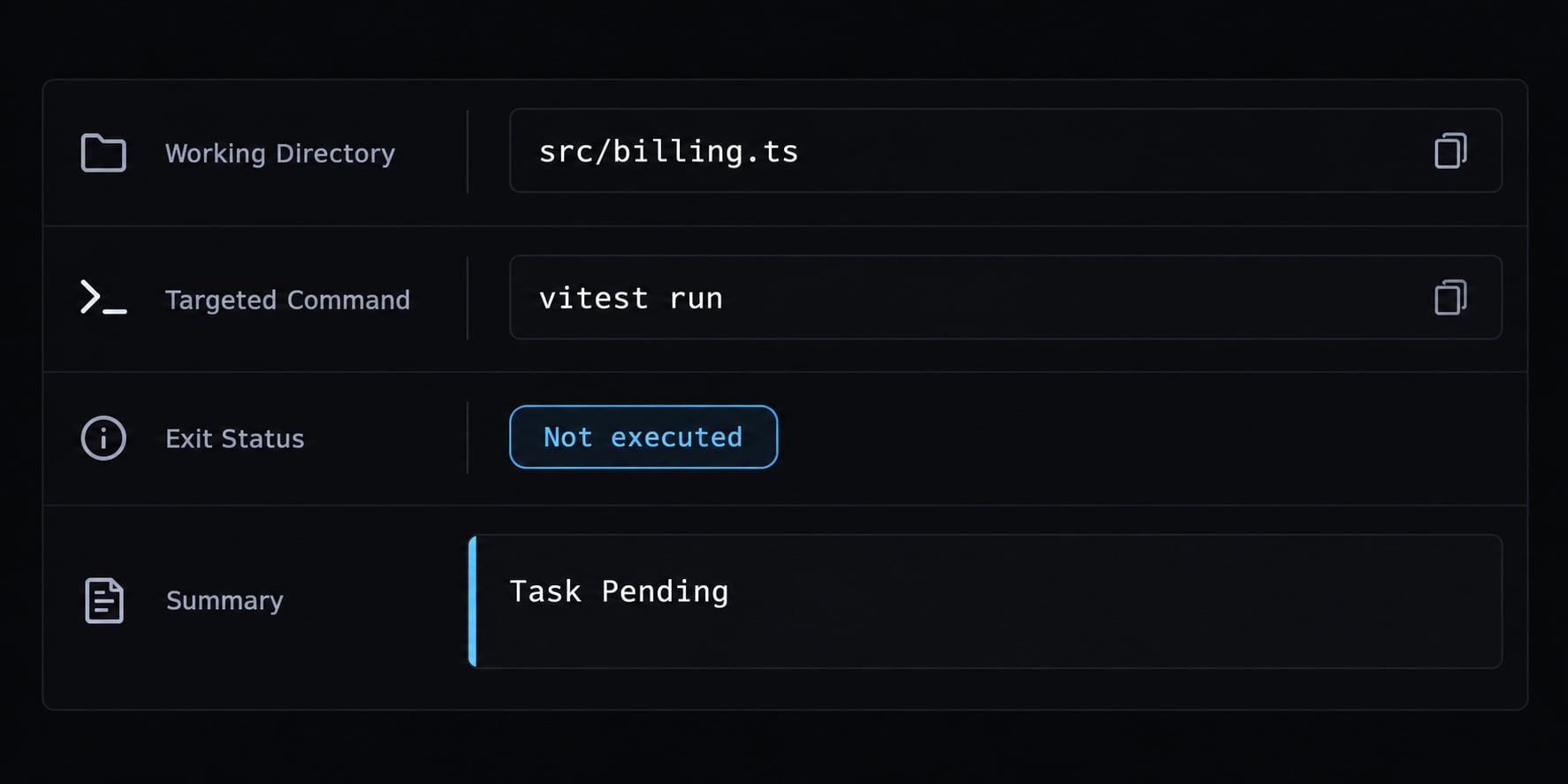
If permissions block execution, report not executed and request authorization. Non-watch mode bounds execution; it does not make tests deterministic.
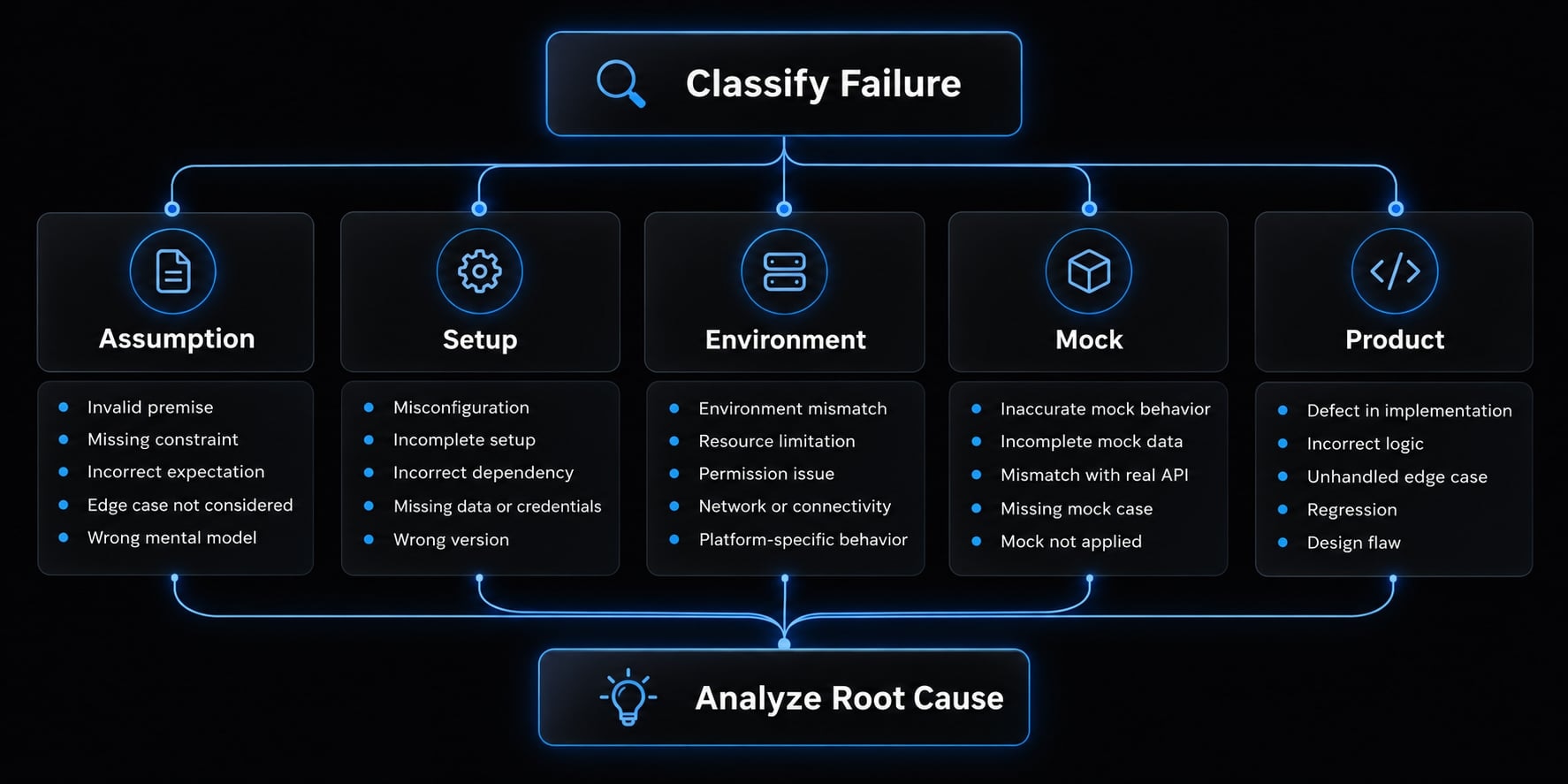
Step 5 - Diagnose failures and revise
Use iterative test refinement, not blind retries:
- Read the actual assertion failure or error.
- Classify it: incorrect test assumption, setup problem, environment or alias issue, mock issue, or possible product defect.
- Make the smallest permitted correction.
- Rerun the target.
- Escalate unresolved requirements or out-of-scope changes.
A failed expectation does not automatically mean the test is wrong. Compare both test and implementation against the agreed contract.
Never weaken assertions, skip failures, lower thresholds, or silently modify production code merely to obtain a pass. Stop an unproductive loop and report what remains uncertain.
Step 6 - Review coverage and report the result
After targeted execution succeeds, inspect coverage using the repository’s approved command. Confirm the configured coverage provider is installed; request approval before adding one. State whether the report covers a targeted run, selected source files, or a broader suite. Targeted coverage may not represent the project.
Run the agreed broader suite before completion. Also execute the repository’s type-check command when required: Passing Vitest tests does not inherently prove TypeScript type correctness.
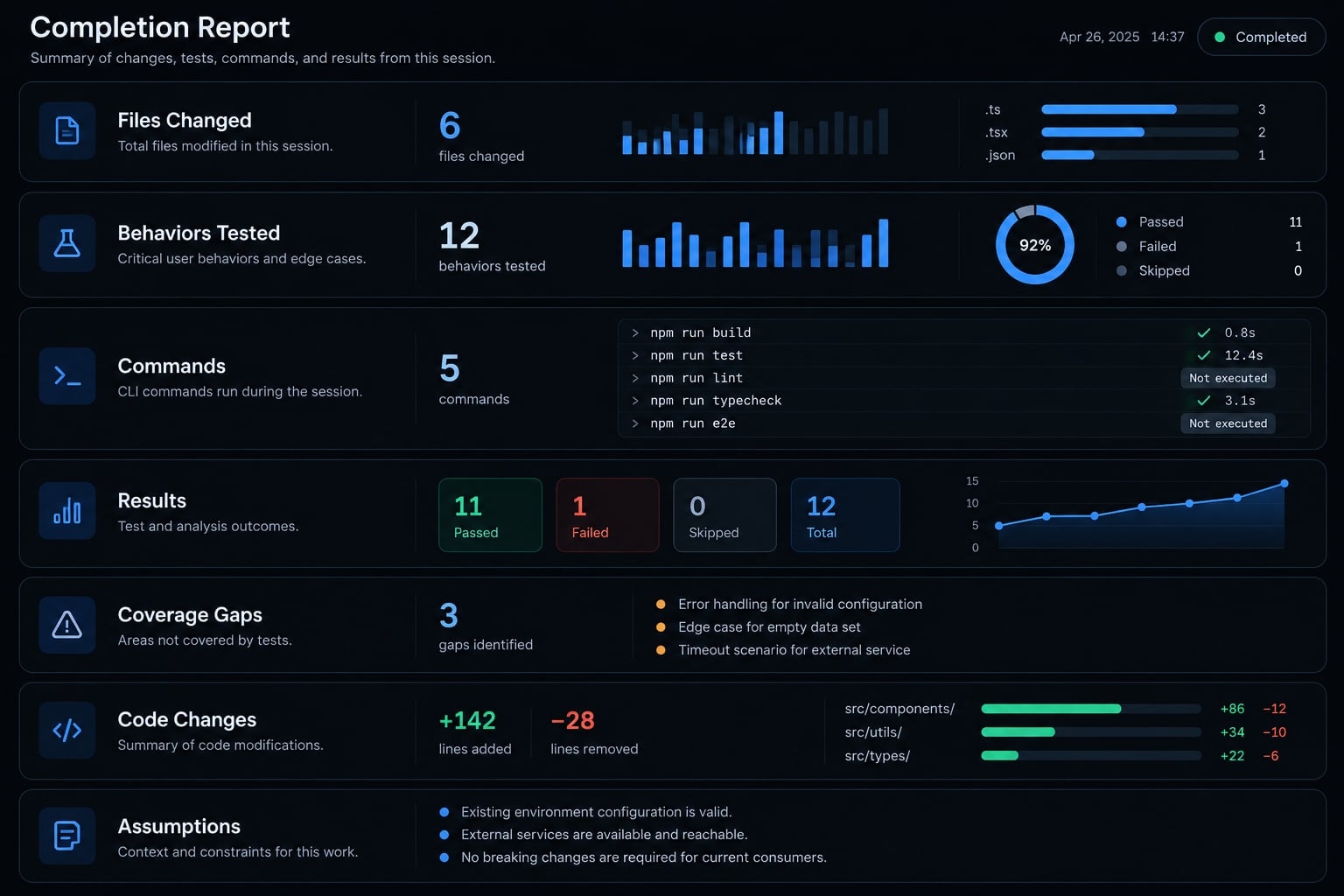
Report changed files, exact commands, results, coverage gaps, and unresolved assumptions. If broader validation was blocked, describe completion as partial.
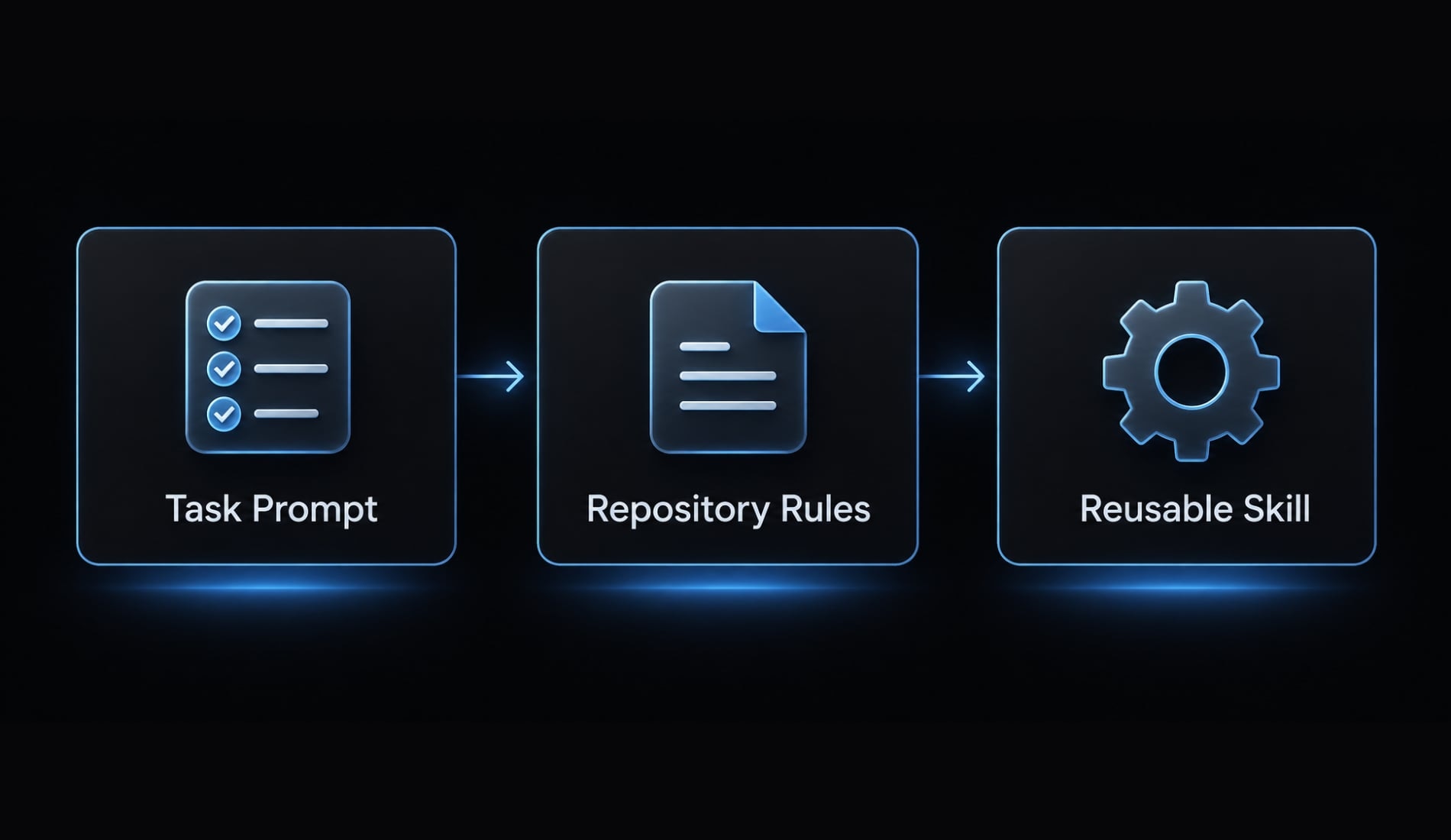
Copy-ready prompt, skill and CLAUDE.md Instructions
A task prompt describes the immediate assignment. CLAUDE.md communicates repository-specific instructions. A Claude Code skill packages a reusable procedure. Keep their responsibilities distinct.
One-off Claude Code prompt
Replace every bracketed field before use. The command placeholders are not verified commands.
Task: improve Vitest tests for [TARGET FILE].Test file: [TEST FILE].Working directory: [WORKING DIRECTORY].Requirements: [AGREED BEHAVIORS OR REQUIREMENTS SOURCE].Allowed edits: [TEST FILE ONLY, OR EXPLICIT PATH LIST].Before editing:- Read applicable project instructions, target implementation, nearby tests/helpers, package scripts, and relevant configuration.- Summarize conventions and proposed cases.- Ask about ambiguous requirements; do not infer the contract solely from current implementation.- Preserve all pre-existing user changes.Implementation:- Reuse existing fixtures and helpers.- Assert meaningful outcomes, errors, state, or required side effects.- Mock only [APPROVED DEPENDENCY BOUNDARIES].- Do not make hidden network calls or use production credentials.Validation:- Targeted non-watch command: [APPROVED COMMAND].- Broader validation: [APPROVED COMMAND].- Coverage, if available and authorized: [APPROVED COMMAND].- Type checking, when required: [APPROVED COMMAND].Request approval before dependency, configuration, production-code,or unrelated-file changes.Do not weaken assertions, skip failures, or reduce thresholds to pass.Diagnose failures and stop when requirements or permissions block progress.Report changed files, behaviors covered, exact commands and directory,observed results, coverage gaps, production changes, and remaining risks.Mark blocked or unrun commands "not executed."
Review the proposed cases before authorizing edits when the task involves billing rules or other sensitive contracts. This separates requirement agreement from implementation convenience.
Vitest rules for CLAUDE.md
Use persistent rules for stable conventions, not temporary feature requirements.
## Vitest testing rules- Working directory: [DIRECTORY].- Targeted non-watch command: [COMMAND TEMPLATE].- Broader validation: [COMMAND].- Type checking: [COMMAND, IF APPLICABLE].- Coverage: [COMMAND AND EXISTING PROVIDER, IF APPLICABLE].Inspect instructions, implementation, nearby tests/helpers,then scripts and relevant configuration before editing.Place tests at [CONVENTION].Use the repository's approved Vitest APIs, imports, and helpers.Prefer contractual outcomes over incidental implementation details.Follow existing mock lifecycle conventions.Clear call history, reset implementations, or restore originalsonly when that operation matches the intended isolation.Request approval for dependency, configuration, production,or unrelated changes. Preserve existing user work.Never bypass failures through skipped tests or weaker assertions.Run approved verification and report exact results.Identify unexecuted commands, assumptions, and remaining gaps.
Clearing mock history, resetting mock implementations, and restoring originals are different operations. Their details depend on the API and version; avoid prescribing blanket cleanup.
CLAUDE.md and skills are instructions, not security boundaries. Permissions, isolated environments, and code review remain necessary.
When to create a reusable Vitest skill
Create a skill when the same procedure repeats across tasks or packages. Skill design checklist—not an installable skill:
- Trigger or invocation.
- Supported repository contexts.
- Inspection sequence.
- General testing and mocking policy.
- Quality gate and escalation conditions.
- Completion-report format.
Keep actual project commands in repository instructions. The skill should discover and use those approved commands rather than impose a universal setup.
How to prevent low-value AI-generated tests
Low-value generated tests execute code without meaningfully checking its contract. They may confirm that an object exists, duplicate implementation logic, or replace the important behavior with mocks. Ask: “Would this test fail if the required behavior broke?” Passing output matters only when assertions detect relevant regressions.
AI-generated test quality gate
Check | Accept when | Reject when |
|---|---|---|
Behavioral value | The test maps to an agreed renewal, decline, or boundary requirement | It checks incidental structure with no requirement |
Assertion quality | Expected amounts, statuses, errors, or state transitions are explicit | Existence or truthiness substitutes for the required outcome |
Mock boundaries | Controlled dependencies preserve the behavior under test | The billing operation itself is mocked, then “verified” |
Failure sensitivity | Breaking the relevant contract would contradict an assertion | An incorrect amount or status could still pass |
Determinism | Time, randomness, asynchronous work, and shared state are controlled where necessary | Results depend on live services, execution order, or wall-clock timing |
Maintainability | Fixtures, names, and setup make the requirement easy to review | Duplicated machinery or unexplained snapshots obscure intent |
Mock calls, snapshots, and render assertions are not inherently weak. A payment request is a legitimate side effect; a reviewed snapshot can capture a meaningful stable contract.
Review expected values independently of the implementation. Copying the same calculation into the test can reproduce the same defect.
Coverage is a diagnostic signal, bot the goal
Line coverage measures executed lines. Branch coverage indicates exercised conditional paths. Neither establishes assertion quality or proves every relevant input was considered.
Use uncovered paths to prioritize questions, particularly declines and state transitions. Repository thresholds are guardrails, not universal release criteria.
For a failure-sensitivity check, introduce an isolated, temporary contract-breaking change in a disposable working copy. Confirm the intended assertion fails, then restore the change immediately and inspect the diff. Do not leave intentional defects in the working tree.
Use a two-phase TDD loop for new behavior
TDD (test-driven development) separates specification from implementation:
- Agree on new behavior and confirm the test fails for the intended behavioral reason.
- Obtain permission to implement the production change, then rerun and review.
A syntax error, unresolved import, or missing setup is not a meaningful “red” signal. For existing behavior, a newly added regression test may correctly pass immediately; do not force failure unnecessarily.
Common Claude Code and Vitest problems
Start Vitest troubleshooting with the execution context and actual error. Avoid broad configuration changes before identifying the cause.
Problem | Likely cause | First corrective action |
|---|---|---|
Process does not finish | Watch mode, pending work, or long-running tests | Confirm run mode. If already enabled, inspect unfinished asynchronous work, open handles, and test timeouts. |
DOM APIs unavailable | The selected test environment lacks browser APIs | Determine whether the test needs DOM emulation or real-browser execution before changing the environment. |
Import or alias failure | Wrong configuration or unresolved runtime aliases | Inspect active configuration and resolution rules. TypeScript path mappings do not automatically guarantee runtime resolution. |
Unpredictable mocks | Hoisting, retained implementation state, or unsuitable cleanup | Inspect mock initialization and lifecycle before choosing clear, reset, or restore operations. |
Excessive mocking | Incorrect dependency boundary | Restore real behavior within the tested unit; control only justified dependencies. |
Excessive output or context | Overbroad execution or verbose reporting | Target relevant files and select a reporter supported by the installed version. Preserve actionable errors. |
Passing but weak tests | Superficial assertions | Apply the quality gate; assert the documented billing outcome rather than mere execution. |
Flaky tests | Variable time, randomness, network, or shared state | Isolate the variability. Use controlled inputs, cleanup, and timer controls where appropriate. |
Unrelated file edits | Unclear scope or agent drift | Review the diff and safely undo only unintended agent changes. Preserve pre-existing user work and restate allowed paths. |
Do not use destructive repository resets to recover from unwanted edits. Compare against the initial working-tree state.
For context efficiency, narrow execution before suppressing output. Removing failure details can make diagnosis harder.
Record Claude Code, Vitest, Node.js, package manager, and relevant framework versions alongside applicable documentation assumptions.
Mocking, Browser Mode, coverage providers, and reporter options can change between versions. Check installed-version help and documentation before copying flags.
Use “Last tested with” only after execution. Use “Documentation reviewed” only after an actual documentation review, keeping those dates distinct.
Practical example - Improving tests for one existing module
Illustrative example: No commands or results below represent an executed repository test.
- Before: A TypeScript billing service already uses Vitest. Its happy-path test checks only that renewal returns an object. Agreed requirements specify a 2500-cent charge, renewed status after success, and no activation after a declined payment.
- Agent workflow: Inspect the service, requirements, helpers, and configuration. Propose cases for the amount, success result, and declined state. Edit only the approved test file, execute the targeted command, classify failures, and report evidence.
- Human review: Replace a sole “payment mock called once” assertion with checks for required amount and currency. Retain the call-count assertion if duplicate-charge prevention is part of the contract. Add the documented state assertion after decline.
- Final verification: Confirm targeted tests, the relevant broader suite, and required type checking. Inspect scoped coverage and the diff. These are acceptance criteria—not claimed outcomes.
What a successful completion report should include:
- Files changed.
- Behaviors tested.
- Exact commands and working directory.
- Observed results, including failures, skips, or not executed.
- Relevant coverage gaps.
- Production-code changes, or confirmation of none.
- Assumptions and unresolved risks.
Do not infer a pass from generated code.
Frequently asked questions
How can I prevent Claude Code from generating low-value tests?
You can prevent low-value tests by applying a strict quality gate. Reject any test that checks implementation details rather than observable behavior, lacks meaningful assertions, or uses shallow "existence" checks. Ask whether the test would fail if the required behavior broke. Use the TDD loop for new behavior; for existing behavior, a regression test that passes immediately is a valid result.
Does Vitest require special integration to work with AI coding agents?
No, Vitest does not require a dedicated integration. Claude Code interacts with Vitest via the standard command-line interface. However, optimizing your repository with a CLAUDE.md file—which contains repository-specific test commands, mocking conventions, and linting rules—will significantly improve the agent’s ability to execute tests autonomously and safely.
How do I handle token usage when running large Vitest suites?
To avoid context window degradation, never run the entire test suite for routine tasks. Instruct the agent to target specific files (e.g., npx vitest run src/services/billing.test.ts) and use concise CLI reporters. This minimizes the volume of verbose stack traces and test metadata sent back to the model.
Why do some tests fail with DOM errors during AI-assisted runs?
These failures usually occur because the testing environment is misconfigured. If your components use browser APIs, ensure the test suite is configured for jsdom or happy-dom in your Vitest configuration. Explicitly instruct the agent to verify the test environment settings in your configuration file before it attempts to generate or run tests.
Should I let Claude Code automatically update Vitest configurations?
You should never grant automatic permission for configuration changes. Always require a human review of proposed modifications to vitest.config.ts or package.json. AI agents can occasionally suggest incorrect mocking patterns or unsupported environment settings; manual verification ensures your test infrastructure remains stable and compliant with project standards.
How do I troubleshoot flaky tests generated by an AI agent?
If tests generated by Claude Code appear flaky, isolate the source of variability by checking for shared global state. Instruct the agent to use beforeEach hooks to clear mocks, reset module implementations, or restore original state between runs. If flakiness persists, verify that your test uses controlled inputs and properly handles asynchronous operations.
Read more:
- How to use Claude Code for QA automation: A practical guide
- Mastering the Claude Code workflow for reliable AI development
- GSD for Claude Code: Master spec-driven AI development flows
Conclusion
A reliable Vitest and Claude Code workflow relies on clear repository context and an agreed contract. Start small with a single module, generate behavioral tests, and run non-watch commands while diagnosing failures without diluting assertions. Use coverage to guide investigation and apply a strict quality gate to protect true behavior.
Once your process is proven, codify stable conventions into CLAUDE.md and build a reusable skill-verifying commands and reviewing diffs before accepting any generated changes.