
Everything Claude Code: What it is, why it matters, and how to evaluate it
AI coding tools are powerful, but many AI coding workflows are still held together by repeated prompts, missing context, and inconsistent rules across sessions. Everything Claude Code (ECC) is getting attention because it addresses that mess with structure rather than another model or another pile of one-off instructions. For developers, founders, and small product teams, the real question isn’t whether ECC looks impressive on GitHub, but whether it enables a more repeatable way of working. This guide explains what ECC is, why it matters, what it includes, who it fits best, how to test it without overcommitting, and what trade-offs to expect.
What is Everything Claude Code (ECC)?
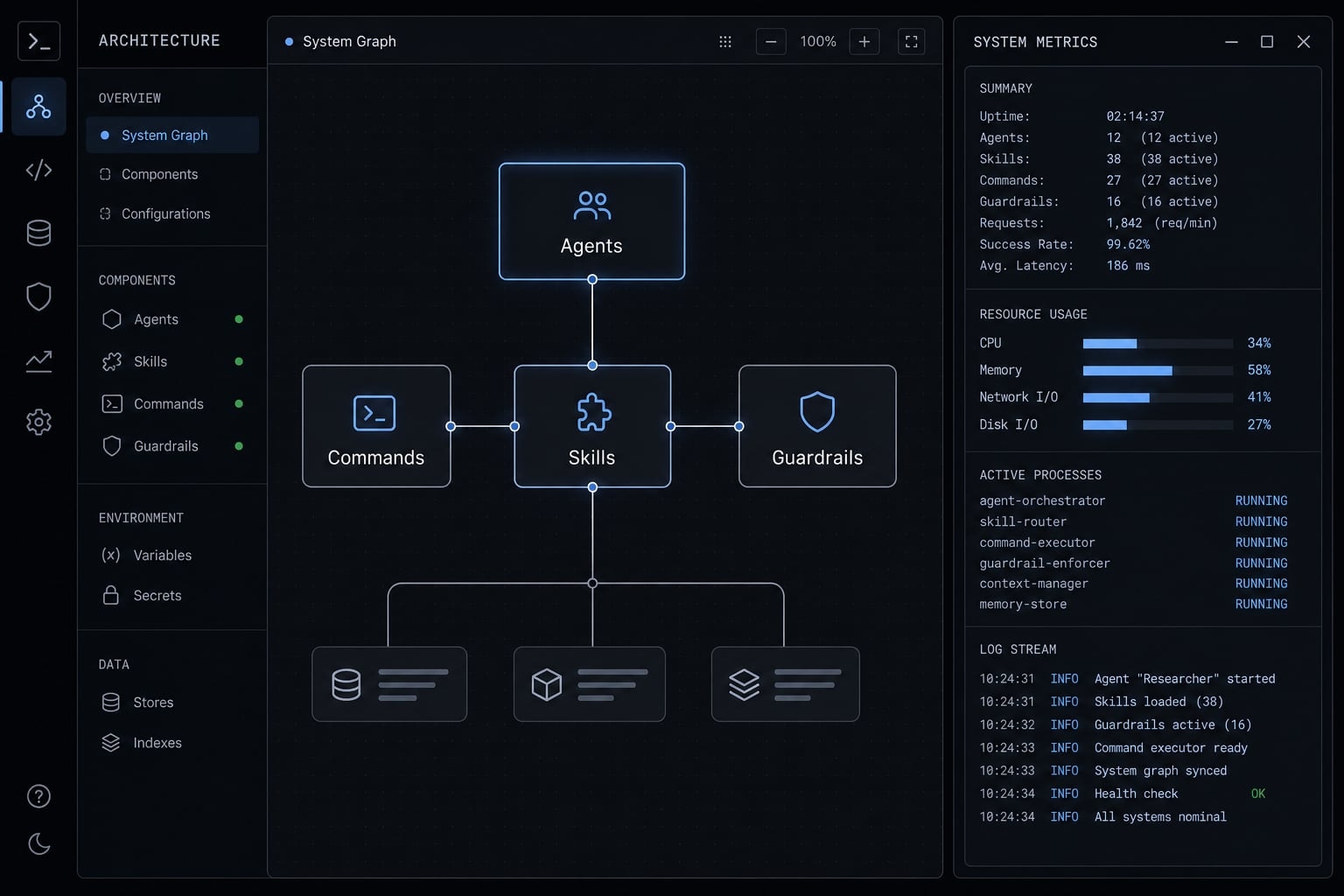
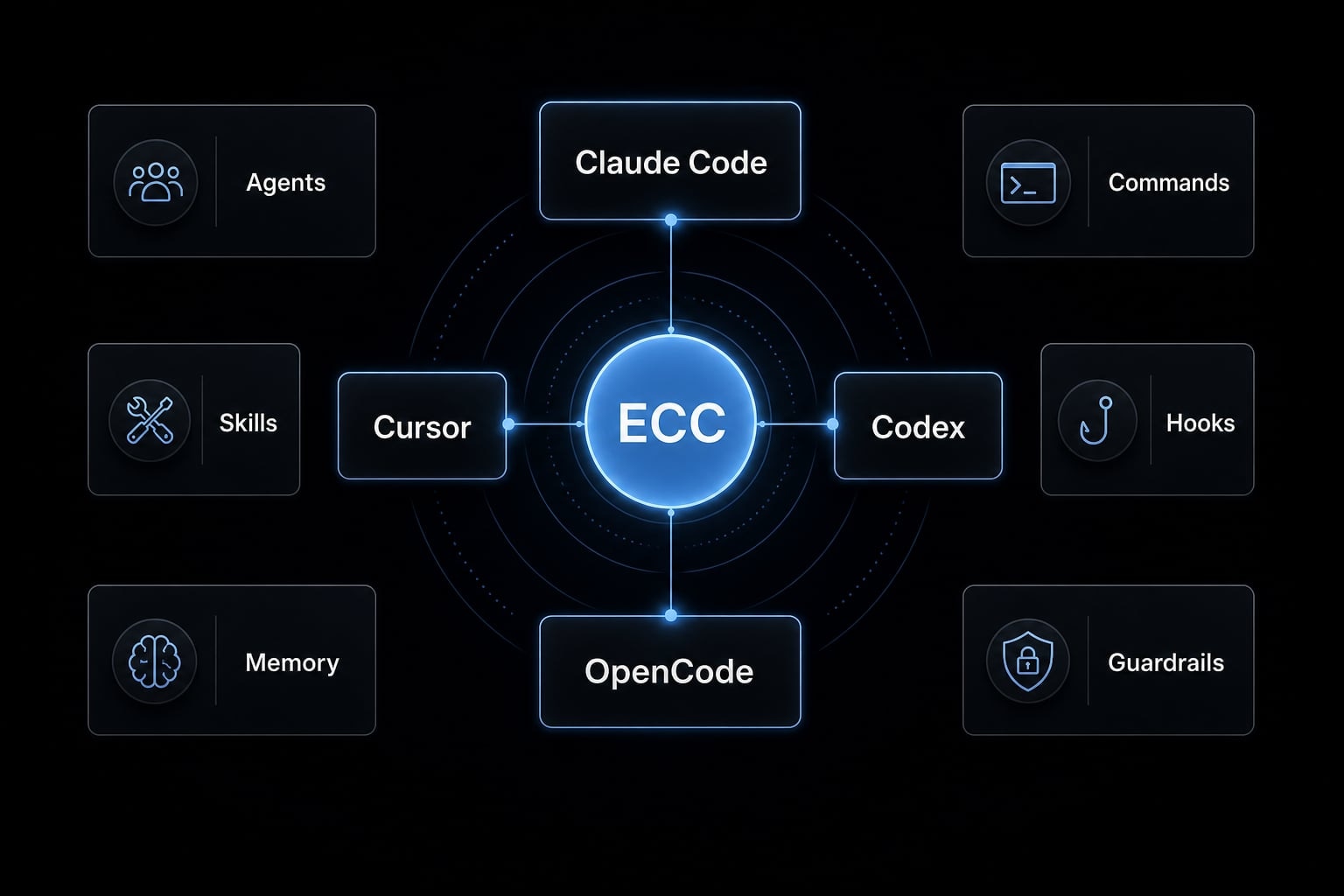
Everything Claude Code is an open-source configuration framework for AI coding tools that adds reusable structure through agents, skills, commands, hooks, memory, and security checks. It is not the model itself. In practice, it acts like an operating layer that helps tools such as Claude Code, Cursor, Codex, and OpenCode behave more consistently across repeated work.
ECC in plain English
At a practical level, ECC helps teams stop rebuilding the same setup every time they use an AI coding tool. Instead of relying on scattered prompts, personal notes, and tool-specific habits, it provides a more reusable framework for how work should be done.
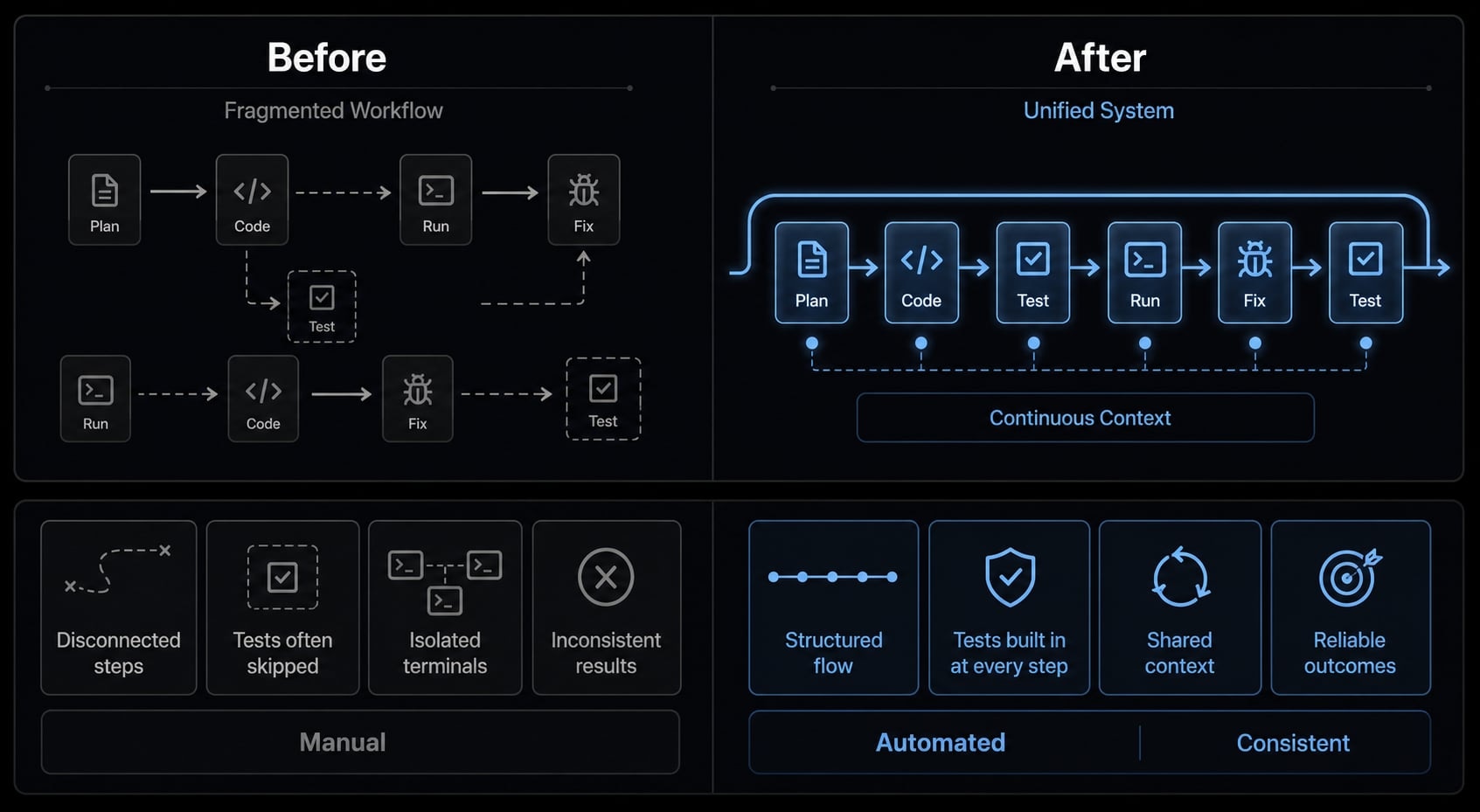
That matters because many AI-assisted coding sessions drift over time. One session follows tests-first discipline. The next skips checks. One contributor uses a structured review flow. Another improvises. ECC is designed to reduce that inconsistency by turning repeated instructions into reusable workflow structure.
You can think of it as a configuration framework around coding agents, not as a coding model itself. It helps define how the tool should behave, what supporting logic it can reuse, and what guardrails should apply during common engineering tasks.
ECC is commonly discussed in the context of Claude Code, but it also extends to tools such as Cursor, Codex, and OpenCode. That cross-tool compatibility matters for teams that do not want separate workflow rules for every environment.
What ECC is not
- Not another LLM: ECC does not replace the underlying model.
- Not a replacement for engineering judgment: It can guide behavior, but it cannot make architectural decisions for your team.
- Not a substitute for code review: Human review still matters for correctness, maintainability, and business logic.
- Not a substitute for secure engineering practices: It can add guardrails, but it does not replace a secure SDLC, secrets management, or security review.
- Not always necessary for casual users: If you only use AI coding tools occasionally, ECC may be more setup than value.
Why developers are paying attention to ECC
ECC matters because the pain in AI-assisted development usually appears after the novelty phase. A single developer can tolerate ad hoc prompts for a while. But once the work becomes repeated, shared, or quality-sensitive, inconsistency starts to cost time.
The workflow problems ECC tries to solve
Common workflow problems ECC tries to solve include:
- Repeated prompting: Developers often restate the same instructions for testing, formatting, review style, or architecture constraints. ECC turns some of that repetition into reusable structure.
- Agents skipping tests or guardrails: In real workflows, AI tools sometimes optimize for speed over discipline. That can mean skipped tests, weak validation, or unsafe shortcuts.
- Context loss between sessions: Many teams feel the same friction: yesterday’s useful context disappears, and today starts with re-explaining the task.
- Inconsistent standards across contributors or tools: One person uses Claude Code carefully. Another uses Cursor differently. A third uses Codex with separate habits. The result is workflow drift.
- Rebuilding instructions instead of reusing structure: When every task starts from a blank prompt pattern, teams lose efficiency and predictability.
These are not edge cases. They are normal signs that AI tooling has moved from experimentation into real delivery work.
Why this trend matters beyond hype
The bigger shift is operational. Teams are moving from casual AI usage toward structured AI development. That means standardization starts to matter more than clever prompting.
Once AI tools become part of recurring engineering work, shared standards matter for handoffs, review quality, and process control. Guardrails also matter more, because faster output without enough control can create expensive cleanup later.
ECC is getting attention because it reflects that shift. It treats AI coding as a workflow system that needs reusable rules, context persistence, and safer defaults. That doesn’t mean everyone needs it. It means teams that use AI regularly now have a stronger reason to explore frameworks rather than relying on isolated prompts.
What ECC includes: The core building blocks
ECC can look complex at first glance, but the easiest way to understand it is to break it into a few reusable parts. Each part serves a workflow purpose rather than just adding more configuration.
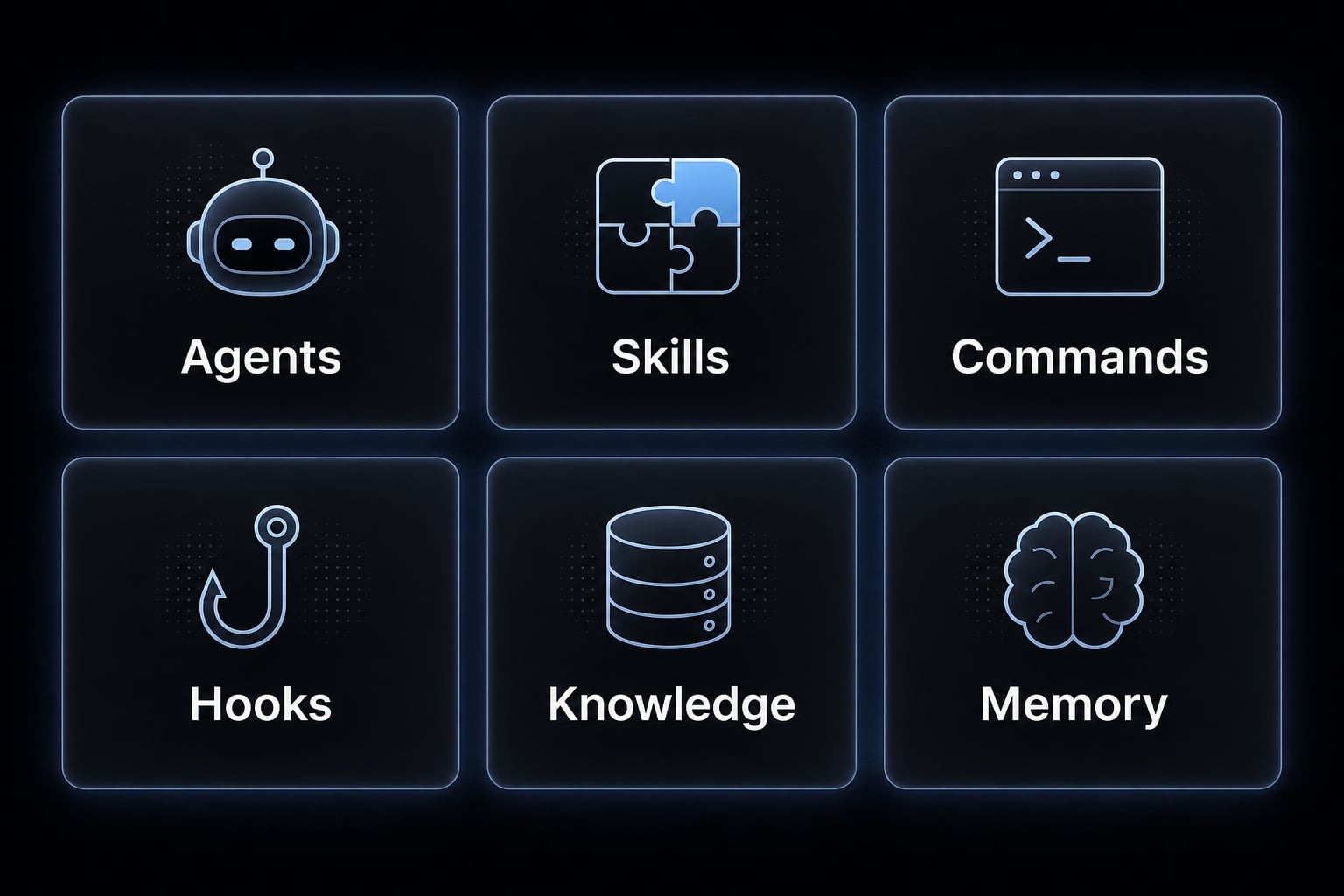
The core building blocks typically include:
- Agents.
- Skills.
- Commands.
- Hooks and guardrails.
- Modular or selective install.
- Memory and security layers.
Agents, Skills, and Commands
Agents are specialized subagents built for recurring tasks such as planning, testing, review, debugging, or language-specific support. Instead of asking the AI to reinvent its role each time, you use a more structured role that is already defined. What this means in practice: less prompt rebuilding and more repeatable behavior on common tasks.
Skills are reusable packets of know-how. They package patterns, instructions, or working methods that can be applied repeatedly. Rather than relying on a developer to remember every preferred step, a skill helps carry that method forward. What this means in practice: repeated engineering tasks become easier to standardize across sessions and contributors.
Commands act like shortcuts for workflows you expect to run often. They reduce the need to restate a full task setup every time. What this means in practice: recurring tasks such as PR review, test-first work, or issue triage can become faster to start and more consistent to execute.
Together, these three layers are where much of ECC’s value becomes visible. The framework is not trying to make the model smarter in the abstract. It is trying to make your workflow more reusable.
Hooks and Guardrails
Hooks allow actions to run before or after certain events. In a broad sense, they help enforce behavior around how the AI tool operates. That may include blocking unsafe git actions, reinforcing testing flows, or preventing the tool from “solving” a problem by weakening configuration files.
This matters because one of the common failure modes in AI coding is not lack of output. It is the wrong kind of shortcut. Guardrails help reduce preventable mistakes before they become part of your codebase. What this means in practice: fewer avoidable misses, fewer bad habits, and a more controlled workflow.
The key point is restraint. Hooks improve operational discipline, but they do not remove the need for review.
Selective install and modularity
ECC has been described with a selective-install architecture, which means you do not necessarily need to pull in every language ecosystem or every component. That is important for teams that want a narrower, lower-risk starting point.
A modular setup makes ECC easier to evaluate in one workflow rather than as a full process migration. Smaller teams benefit from this because they can test value without inheriting unnecessary complexity. What this means in practice: Lower adoption risk, lighter experiments, and a cleaner pilot path.
Memory and continuous learning
A major attraction of ECC is memory persistence, or context carryover between sessions. Instead of restarting from zero each time, the framework is designed to help preserve useful context and reduce repeated setup.
That can be especially helpful in bug fixing, endpoint work, or multi-step refactors where context gaps slow everything down. What this means in practice: Smoother continuity, fewer repetitive explanations, and better task momentum across sessions.
It is still important to stay realistic. Memory improves continuity, but it does not remove the need to validate assumptions or re-check critical outputs.
Security layer and AgentShield
ECC also includes a security-oriented layer, often discussed through AgentShield. Its role is to add checks that reduce risky agent behavior and reinforce safer operating patterns.
This can help teams that want stronger workflow controls around AI-assisted development, especially where repeated use increases the chance of careless shortcuts. What this means in practice: More visible guardrails and a better chance of catching risky behavior early.
The boundary here matters: A security layer can improve process safety, but it does not replace secure engineering practice, secrets management, security testing, or human oversight.
Which tools ECC supports and who it is best for
ECC is most relevant when you care about workflow consistency across the tools your team already uses. That is why support matters, but support alone is not the full story.
Supported tools at a glance
ECC is commonly associated first with Claude Code, which appears to be its primary target. It is also discussed in relation to Cursor, Codex, and OpenCode.
The real value of that support is not just compatibility. It is cross-tool standardization. If different contributors prefer different AI coding tools, a shared framework can reduce workflow drift. Instead of every environment having its own informal rules, ECC gives teams a better shot at reusable standards.
That said, tool support does not automatically mean equal workflow depth in every environment. Teams should verify what matters most for their own setup rather than assuming parity across all tools.
ECC is a good fit If…
- You use AI coding tools repeatedly, not just occasionally.
- You want a reusable structure instead of rewriting instructions every session.
- You are a solo builder with disciplined workflows and recurring task patterns.
- You are a small team that needs shared standards for review, testing, or task execution.
- You work across mixed tools and want more consistent behavior.
- You care about context persistence and workflow control, not just faster output.
ECC may be overkill if…
- You only use AI coding tools from time to time.
- You do not yet have repeated workflows worth standardizing.
- You strongly prefer minimal setup and no maintenance burden.
- Your project is still so early that shared rules would not stay stable long enough to matter.
- You are experimenting casually and do not need guardrails or reusable structure yet.
User type | ECC fit | Why |
|---|---|---|
Solo builder with repeated backend workflow. | Strong fit. | Reuse, consistency, and less prompt rebuilding can pay off quickly. |
Small team using mixed tools. | Strong fit. | Shared workflow rules reduce drift across contributors. |
Technical lead testing AI review flows. | Possible fit. | Useful if standardization matters, less useful for light experimentation. |
Occasional AI user. | Likely overkill. | Setup and upkeep may outweigh workflow gains. |
Very early-stage project with no stable process. | Likely overkill. | Hard to standardize workflows that are still changing constantly. |
How to evaluate everything Claude Code without overcommitting
The safest way to evaluate ECC is to treat it as a measured workflow experiment, not as a full team rollout. In practice, the best practices for configuring AI coding agents usually start with one repeated use case, one narrow scope, and clear criteria for whether the structure actually improves daily work.
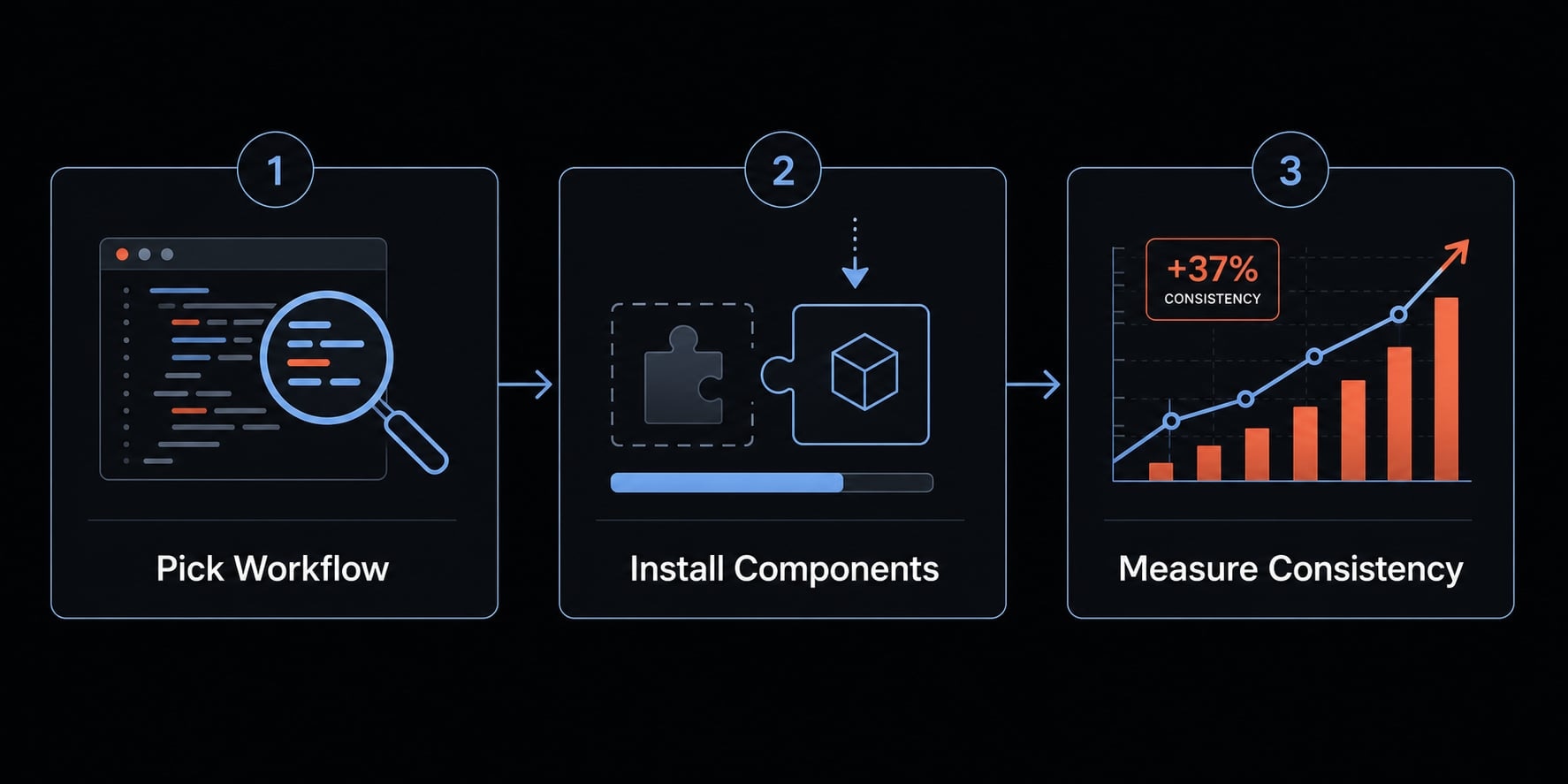
A simple way to evaluate Everything Claude Code is:
- Pick one repeated workflow: Start with a task where repeated prompting already feels wasteful. Good examples include endpoint work, backend bug fixing, test-first workflows, or PR review. The point is to choose a workflow with visible repetition, not a one-off task.
- Test ECC structure on that workflow: Install only what you need and use the relevant agents, commands, or rules for that narrow use case. If you are specifically researching how to install Everything Claude Code for Cursor, keep the test scoped to one workflow instead of trying to standardize your whole environment at once. Watch whether behavior becomes more consistent and whether the tool follows your preferred process with less manual steering.
- Measure practical value: Look for outcomes that matter operationally: Fewer repeated prompts, better testing discipline, fewer unsafe shortcuts, easier handoffs, and smoother context persistence between sessions. If those gains are not visible in a small pilot, a bigger rollout is probably premature.
This pilot-first approach helps avoid a common mistake: Turning a useful framework evaluation into a side project. ECC is easiest to justify when it solves a repeated friction point quickly and clearly.
Limitations and trade-offs to know before using ECC
ECC is an open-source agent framework, so its strengths and trade-offs follow a familiar pattern: more control and more customization, but also more responsibility.
Common trade-offs:
- Setup time: Even with a modular approach, there is still initial effort in understanding how ECC fits your workflow.
- Learning curve: Teams need time to understand agents, skills, commands, hooks, and how those pieces work together.
- Maintenance overhead: Reusable structure is valuable, but it still needs upkeep as your workflow changes.
- Update responsibility: Open-source frameworks evolve. Someone on the team needs to decide when and how to adopt changes.
- Team alignment needs: If several contributors use ECC differently, inconsistency can reappear unless standards are actually shared.
- It does not replace engineering discipline: ECC does not replace code review, secure AI development, engineering ownership, or sound judgment.
This balance is important. ECC can improve consistency and reduce repeated setup, but it is not a shortcut around process maturity. The best results usually come when a team already knows which workflow problems it wants to control.
Practical example: Where ECC helps most in real workflows
A small product team using Claude Code and Cursor for backend bug fixes and endpoint work is a good example of where ECC can help. Before using a reusable framework, the team often repeats the same instructions: Check existing tests, preserve API behavior, avoid changing lint rules, and explain the fix clearly in review notes.
That works for a while, but over time the friction becomes obvious. Some sessions follow the team’s test-first approach. Others skip it. Context from earlier debugging work gets lost. Handoffs between contributors become uneven.
With ECC, the team can apply reusable agent systems, shared rules, and stronger testing reinforcement around that narrow workflow. Memory persistence also helps preserve context between sessions, so the next round of debugging does not always start from zero.
The outcome is usually modest but meaningful: Lower friction, more consistent execution, and fewer preventable misses. That is the right way to think about automated TDD with Everything Claude Code in mainstream use. It is not magic automation. It is a more structured operating layer for repeatable work.
Frequently asked questions
What is Everything Claude Code (ECC)?
Everything Claude Code (ECC) is an open-source configuration framework designed to standardize and optimize AI coding agents. ECC acts as an operational layer, providing consistent rules, skills, and security mechanisms that help tools such as Claude Code, Cursor, and Codex perform more reliably and efficiently in real-world workflows.
Why is Everything Claude Code important for AI workflows?
ECC addresses inconsistencies in AI workflows by establishing shared standards. Instead of repeatedly entering the same prompts or configuring tools manually, teams can use ECC to preserve context, apply security guardrails, and enforce consistent testing processes across multiple tools.
What are the core components of Everything Claude Code?
ECC includes specialized agents, reusable skills, slash commands, security mechanisms such as hooks and guardrails, a selective installation architecture, and a context storage system that maintains continuity between sessions.
How can I evaluate Everything Claude Code without disrupting my workflow?
You can begin with a small-scale trial:
- Select a simple, repeatable workflow, such as writing unit tests or creating an API endpoint.
- Install only the essential ECC components required for that workflow.
- Measure its effectiveness by tracking the reduction in repetitive prompts and the consistency of its outputs.
Can Everything Claude Code replace programming or testing expertise?
No. ECC is a supporting configuration framework, not a replacement for engineering judgment, professional code reviews, or enterprise security practices. It serves only as an operational layer for managing AI agent behavior and helping engineers work more systematically.
What are the main limitations to consider before adopting ECC?
Users should consider the initial setup time, the learning curve involved in operating the framework, and the maintenance required as the open-source project evolves. ECC is not a completely plug-and-play solution; teams need sufficient knowledge and ongoing effort to maintain its long-term effectiveness.
Read more:
- Claude Code subagents documentation: Setup and usage guide
- Claude Code skills best practices: Build reusable AI workflows
- Sample Design Doc for Claude Code: Lightweight template
Conclusion
Everything Claude Code matters because many AI coding workflows become messy long before they become mature. Its core value is not hype or novelty. It is structure: Reusable setup, stronger guardrails, better consistency, and more practical cross-tool standardization for teams that use AI coding tools repeatedly.
That also means ECC is not for everyone. If your workflows are still casual or rarely repeated, it may be unnecessary overhead. But if repeated prompting, context loss, and inconsistent behavior are slowing down real work, ECC is a reasonable framework to evaluate. For readers exploring structured AI development, the next step is to compare similar workflow patterns, guardrail approaches, and low-risk evaluation models before standardizing anything team-wide.