Claude Code managed-settings.json: Admin guide & security
Claude Code managed-settings.json: Configuration, aecurity and safe rollout
Individual developer preferences are not a substitute for organization-managed policy. Claude Code managed-settings.json gives administrators a separate configuration layer for controls that ordinary user and project settings should not weaken. This guide covers delivery choices, file locations, a minimal configuration, security controls, verification, and recovery. Treat Claude Code security policy as one governance layer, not a complete security boundary.
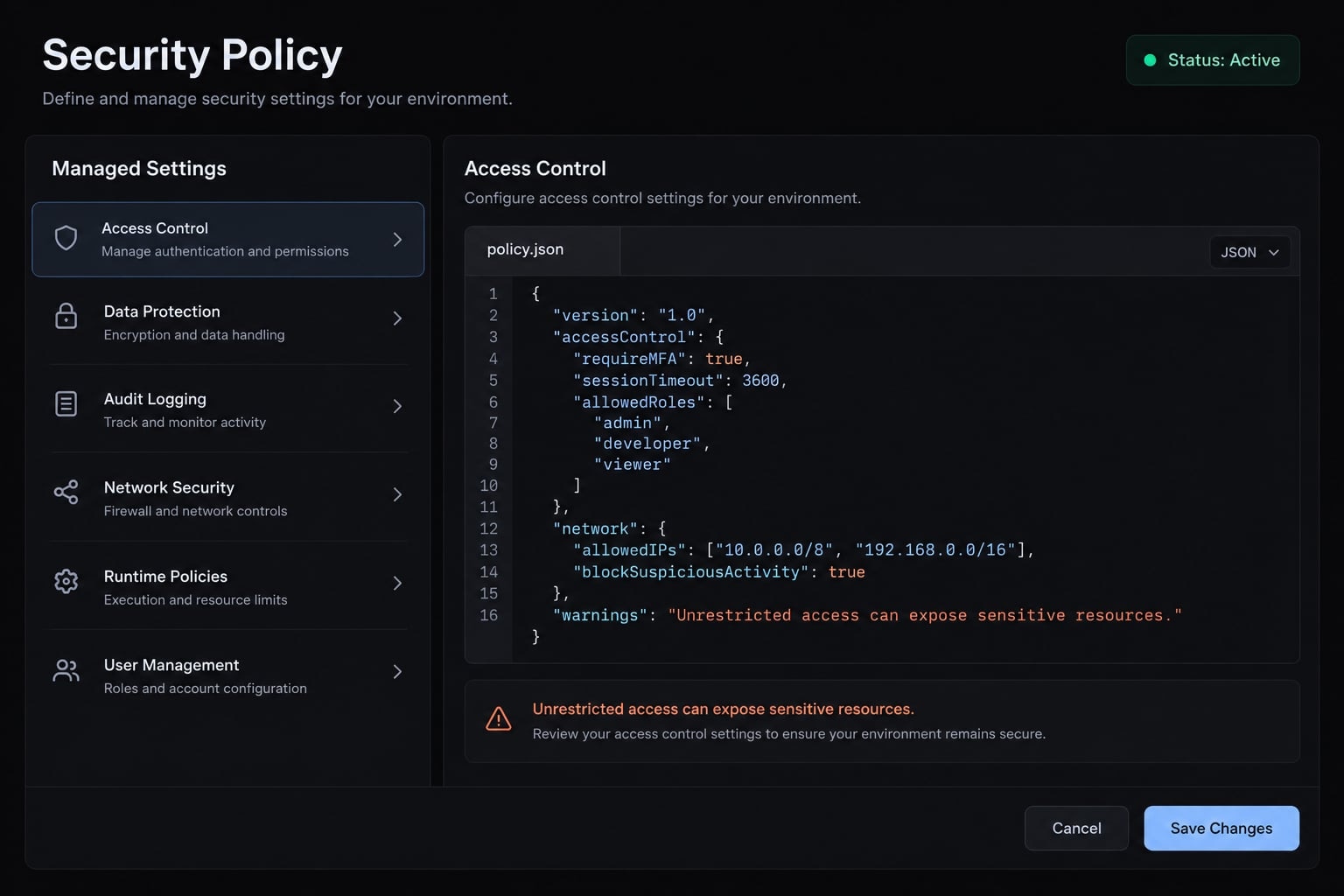
Direct answer: managed-settings.json is an administrator-owned file for organization-level Claude Code configuration. It takes precedence over ordinary user and project settings for supported controls. Its protection depends on correct deployment, supported configuration, and appropriate endpoint permissions—not simply the presence of the file.What is Claude Code managed-settings.json?
managed-settings.json belongs to Claude Code’s administrator-managed configuration layer. It defines supported settings and restrictions that take precedence over ordinary developer configuration. Administrators use it to establish consistent tool permissions and related controls across installations. It reduces configuration drift, but its effectiveness still depends on delivery, client behavior, and endpoint security.
managed-settings.json vs. settings.json
Settings source | Typical owner | Purpose | Relationship to managed policy |
|---|---|---|---|
Managed: | IT or platform administrator | Organization-level configuration | Governs supported managed controls |
User: | Developer | Personal defaults | Cannot override applicable managed restrictions |
Project: | Repository maintainers | Shared project configuration | Operates within managed restrictions |
Project-local: | Developer | Local project customization | Operates within managed restrictions |
This comparison covers only the listed file-based sources, not the complete settings hierarchy. It does not establish precedence between multiple managed delivery mechanisms.
Illustrative scenario: A B2B software team shares repository settings, but developers maintain different personal permissions. An administrator-managed baseline establishes common restrictions without requiring identical personal preferences.
Policy precedence is not OS-level tamper resistance. Ordinary configuration cannot override an applicable managed restriction. Someone with sufficient operating-system privileges may still modify the file, client, or execution environment.
What managed settings can control
Anthropic’s Claude Code Settings documentation describes controls covering:
- Tool, command, and file permission rules.
- Hooks that execute commands at lifecycle events.
- MCP server policy.
- Supported authentication and organization restrictions.
- Relevant environment configuration.
Availability and delivery support can change by release. A key supported in ordinary settings is not automatically suitable for every managed channel.
Choose between endpoint-managed and server-managed settings
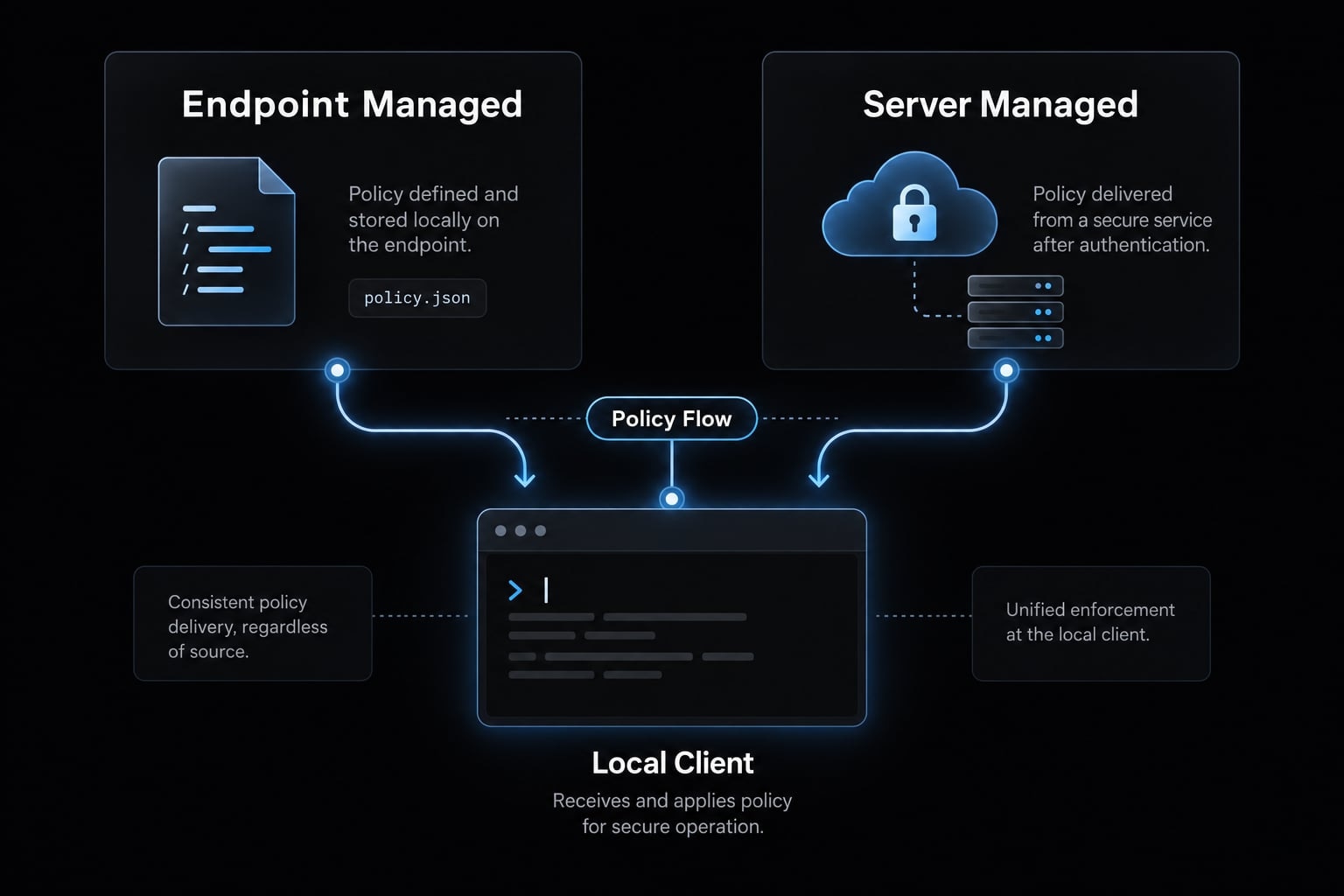
Choose delivery according to device ownership, supported authentication, and administrative responsibility—not convenience alone. Policy authoring defines the controls; policy delivery gets those controls to the client.
Endpoint-managed settings arrive through administrator-controlled files or supported operating-system management mechanisms. Mobile Device Management (MDM) centrally distributes device configuration and restrictions. Not every endpoint mechanism uses the same JSON file.
Server-managed settings distribute policy through a supported organization administration service. They require compatible accounts, client versions, and authentication. Remote delivery does not move command execution off the workstation.
Server-managed vs. endpoint-managed comparison
Decision factor | Endpoint-managed | Server-managed |
|---|---|---|
Best-fit environment | Centrally administered workstations | Organizations eligible for remote policy administration |
Delivery mechanism | Managed file or supported OS policy | Organization service to authenticated client |
Prerequisites | Administrative deployment access | Supported account, role, authentication, and client |
Update process | Endpoint configuration workflow | Supported organization administration workflow |
Local modification protection | Depends on file and device controls | Remote source avoids local-file authorship; endpoint risks remain |
Operational advantage | Fits existing device governance | Central policy distribution without manually copying files |
Primary limitation | Requires reliable endpoint management | Eligibility and authentication dependencies |
Consult Anthropic’s Server-managed Settings documentation for current eligibility and the applicable administration surface. Do not treat Claude organization administration and API Console administration as interchangeable.
This guide intentionally omits an unverified navigation path, refresh interval, and cached-policy guarantee. Confirm those details before designing availability or recovery procedures. Similarly, do not assume policies from multiple managed sources merge together.
Recommended decision rule
- Favor endpoint delivery when centrally administered devices and deployment tooling already exist.
- Consider server-managed delivery when verified account eligibility and remote administration match operational ownership.
- Add endpoint controls for sensitive environments regardless of delivery method.
Hypothetically, a managed B2B SaaS engineering fleet may reuse its endpoint deployment system. A distributed product team may prefer server-managed settings when eligible. Neither choice independently establishes device trust.
Document who publishes policy, who approves changes, and who restores service. File protection and client runtime enforcement require separate evidence.
Locate and create managed-settings.json
The managed file belongs in a system-level location, not inside an ordinary repository configuration directory. Correct placement, readable content, and administrator-controlled modification are separate deployment requirements.
Platform-specific file locations
Anthropic’s Claude Code Settings documentation identifies these file-based locations:
Platform | File path or management surface | Deployment note |
|---|---|---|
macOS |
| System Library, not the user’s Library |
Linux |
| Deploy inside the environment running Claude Code |
Windows |
| Use administrator-controlled deployment |
Server-managed | Supported organization administration surface | Not a filesystem path; verify account eligibility and navigation |
For WSL or containers, identify where the client actually runs. Do not assume a Windows host file configures a separate Linux environment.
Create missing parent directories through approved administration tooling. Permit the client to read the file while restricting modification to authorized administrators. Check parent-directory permissions as well as file permissions.
The Claude Code managed settings location is only one diagnostic input. A correctly named file in the correct directory does not prove its controls were accepted.
Minimal valid configuration
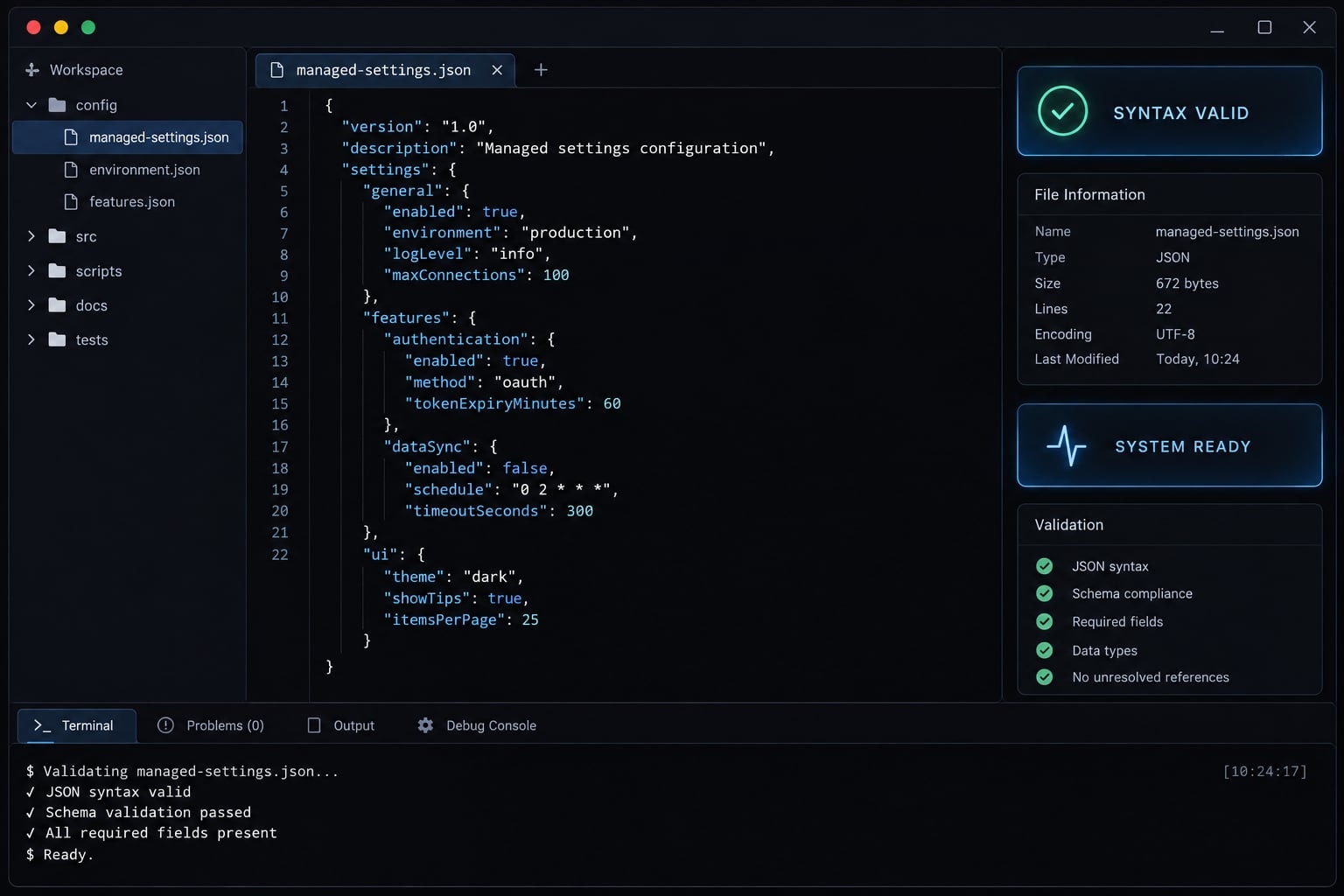
The following documentation-based illustration uses the documented permissions.deny structure. It is not a runtime-validated production baseline. Start in an isolated repository with a dummy .env file:
{ "permissions": { "deny": [ "Read(./.env)" ] }}
The intended restriction targets .env through the Read tool. Relative permission paths are interpreted against the applicable working directory; test launch-directory and additional-directory behavior explicitly.
A Read restriction does not prove equivalent protection through shell commands, integrations, or external tools. Adapt and test the example before rollout. Credentials never belong in this file.
Keep stricter controls separate during initial testing. Managed-only permission rules can exclude developer-defined permissions and disrupt legitimate workflows. Confirm the current scope of allowManagedPermissionRulesOnly before enabling it.
Likewise, bypass-mode restrictions require the documented disableBypassPermissionsMode placement and accepted value. Do not substitute an assumed Boolean or top-level key.
Validate the JSON before deployment
- Parse the candidate as JSON.
- Confirm supported encoding and a top-level object; use UTF-8 unless documentation specifies otherwise.
- Remove comments, trailing commas, and malformed structures.
- Check keys, values, nesting, and matching syntax against current documentation.
- Preserve an approved rollback revision.
Syntax validation only, with Python installed:
python -m json.tool candidate-managed-settings.json
JSON validation does not verify supported settings or runtime enforcement. It would also accept syntactically correct but unsupported keys.
Build a practical Claude Code security baseline
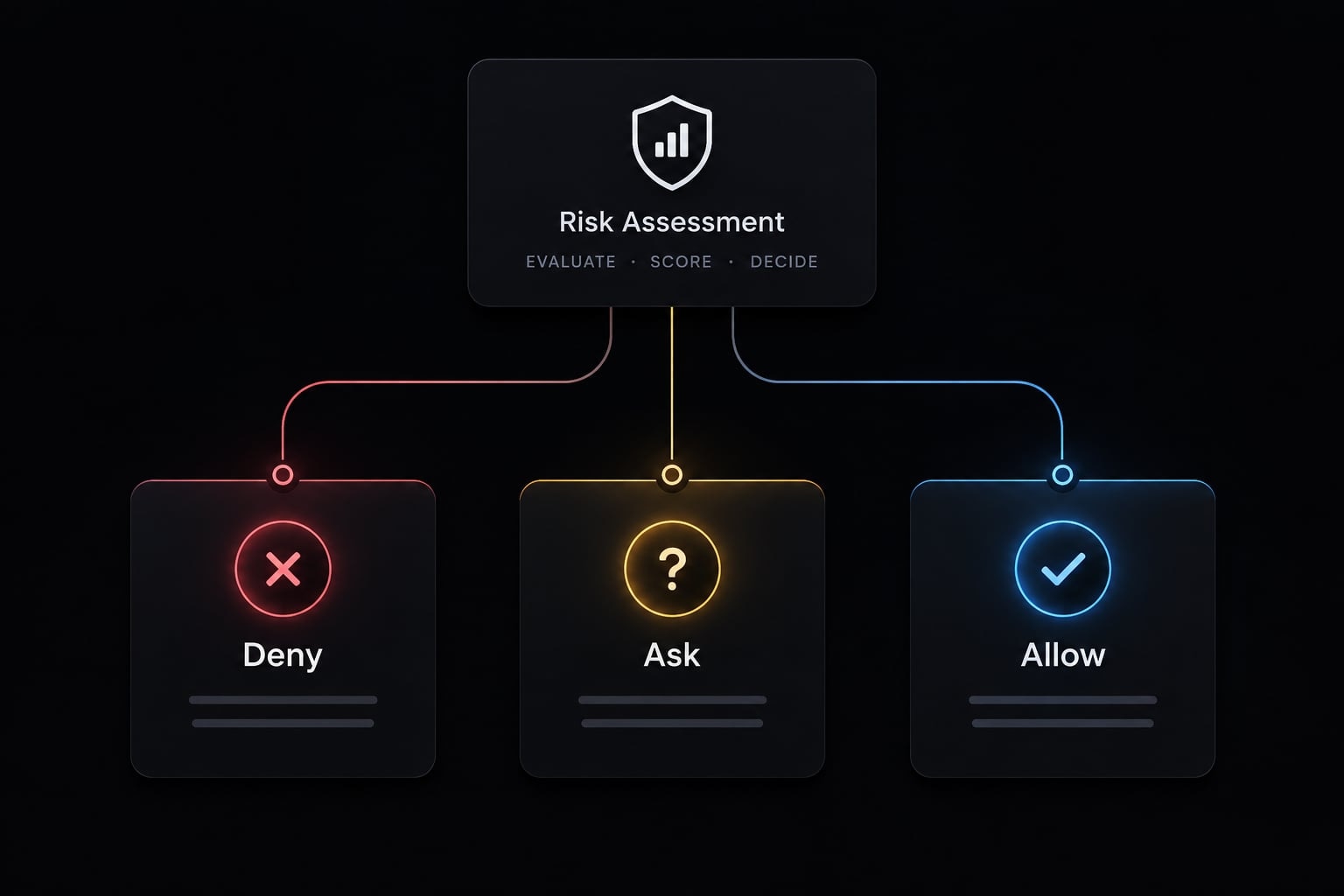
Build the baseline around specific risks and necessary workflows:
- Deny actions outside acceptable policy.
- Ask for confirmation before legitimate but sensitive operations.
- Allow defined, low-risk activities.
This is a design framework, not permission syntax. Anthropic’s Permissions documentation describes deny rules taking priority over ask and allow rules; confirm matching behavior in the deployed version.
Protect secrets and sensitive files
Protect sensitive locations without assuming a single pattern covers every access path.
Risk | Candidate control | Workflow impact |
|---|---|---|
Environment secrets | Test rules for | May block benign templates |
Repository secrets | Test matching for | May block fixtures or documentation |
User credentials | Explicit home-directory restrictions plus OS protections | May affect authentication workflows |
Create dummy files containing only markers such as DUMMY_SECRET=not-a-credential. Test each intended path independently.
A possible overblocking case is .env.example matching an overly broad restriction. Because deny rules take priority, adding an allow rule is not a reliable exception strategy. Narrow the restriction or separate harmless templates.
These are candidate designs, not observed test results. File restrictions supplement secrets management and operating-system access controls.
Restrict dangerous or high-impact shell commands
Evaluate commands by arguments, destination, and context-not executable name alone.
- Destructive or privilege-changing: Deletion, permission changes, elevated execution.
- Network or data-transfer: Uploads, remote connections, downloads.
- Deployment or repository-changing: Releases, infrastructure changes, pushes.
A permission deny list can block documented command matches. It is not comprehensive command injection prevention: Interpreters, scripts, alternate utilities, and shell composition require broader controls.
Use harmless local scripts to test allow, ask, and deny behavior. Never test against production deployments or live data-transfer destinations.
Confirmation means the session user approves an operation. It does not necessarily represent independent security-team approval. Enforce deployment approval separately through repository and release controls.
Govern hooks without treating all hooks as malicious
Hooks legitimately support formatting, validation, and auditing. Their risk comes from executing commands with the client’s available privileges.
Assign ownership to security hooks and other automation. Review commands, inputs, dependencies, and changes before deployment. Test whether hook failures block expected development tasks.
Anthropic’s Settings and Hooks documentation describes controls including disableAllHooks and allowManagedHooksOnly. Check current semantics and delivery support before adoption; they are not interchangeable.
Disabling hooks may remove useful safeguards as well as risky automation. Restricting hook sources requires a maintained administrative alternative. Do not assume every hook execution produces an approval dialog.
Control MCP server access
Model Context Protocol (MCP) connects Claude Code with tools and external systems. MCP server allowlisting should approve both the connection and its business purpose. For each server, record:
- Accountable owner.
- Authentication and credential handling.
- Accessible data scope.
- Exposed tool capabilities.
- Network destinations.
- Logging and review arrangements.
- Revocation procedure.
Anthropic’s MCP documentation describes allowedMcpServers and deniedMcpServers. Use its current object structures and matching rules rather than assuming arrays of plain names.
Restricting permissible servers is different from provisioning server definitions. Where supported, managed-mcp.json serves a separate configuration purpose; verify its delivery requirements.
An approved server can still expose inappropriate operations. Test tool-level permissions and server-side authorization. Blocking a required server can interrupt workflows, so provide an approved alternative where necessary.
Handle authentication and environment settings carefully
Use authentication controls only within their documented scope. OAuth is a delegated authorization mechanism, not evidence that a device is trustworthy.
Do | Avoid |
|---|---|
Verify supported organization restrictions | Assuming every authentication route is covered |
Restrict policy administration | Giving every developer administrator access |
Use approved secrets mechanisms | Embedding credentials in configuration |
Check each environment setting’s meaning | Equating local cleanup with organization-wide retention |
Role-based access control (RBAC) assigns administrative rights by role; it is not inherently a JSON setting.
Operational recommendation: Address unnecessary blocking promptly. Excessive restrictions create pressure to abandon approved workflows, without necessarily improving protection.
Deploy, verify and roll out the policy
Managed settings deployment, policy inspection, and behavior testing prove different things. A file-delivery success message proves neither acceptance nor enforcement.
- Validate the candidate’s syntax and documented semantics.
- Deploy to a test endpoint or eligible test group.
- Restart the client or use its documented reload procedure.
- Confirm the applicable policy source using supported evidence.
- Inspect relevant effective permission rules.
- Run expected allow, ask, and deny tests.
- Review evidence before expanding deployment.
Anthropic’s CLI documentation describes claude doctor as an installation and health diagnostic. Do not interpret a successful result as policy verification.
The interactive /permissions command helps inspect permission configuration. Treat displayed information as inspection evidence, not proof that every rule matches the intended action. Avoid assuming a specific managed-policy diagnostic display exists in every version.
Recommended pilot rollout
Select representative environments rather than an arbitrary pilot size:
- Operating systems and client versions.
- Repository layouts and launch directories.
- Package installation and test workflows.
- Git operations and containers.
- Approved MCP integrations and hooks.
Assign a policy owner, a pilot reviewer, an escalation contact, and a rollout approver. Define who can authorize exceptions and how those exceptions expire.
Verification checklist
Use dummy data in an isolated repository. The matrix below defines expected results; it does not report observed outcomes.
Test | Expected result | Evidence to record |
|---|---|---|
Approved routine workflow | Allowed | Task completion and relevant output |
Dummy protected-file access | Denied through tested tool | Denial and matching policy rule |
Confirmation-required operation | Prompt before execution | Prompt and subsequent behavior |
Conflicting ordinary setting | Managed restriction remains effective | Controlled conflict-test result |
Confirm that a tool call was actually attempted. A model refusing a request without invoking a tool does not demonstrate permission enforcement.
Record the Claude Code version, operating system, delivery method, authentication context, policy revision, test date, and observed outcome. Keep untested rows explicitly marked. An unexplained result should stop expansion until resolved.
Policy change management
Apply policy-as-code: Maintain configuration through a controlled, reviewable change process.
- Store policy in a controlled repository.
- Require peer review.
- Run syntax checks in continuous integration.
- Maintain an owner and changelog.
- Preserve a last known-good revision.
- Retest after relevant client upgrades.
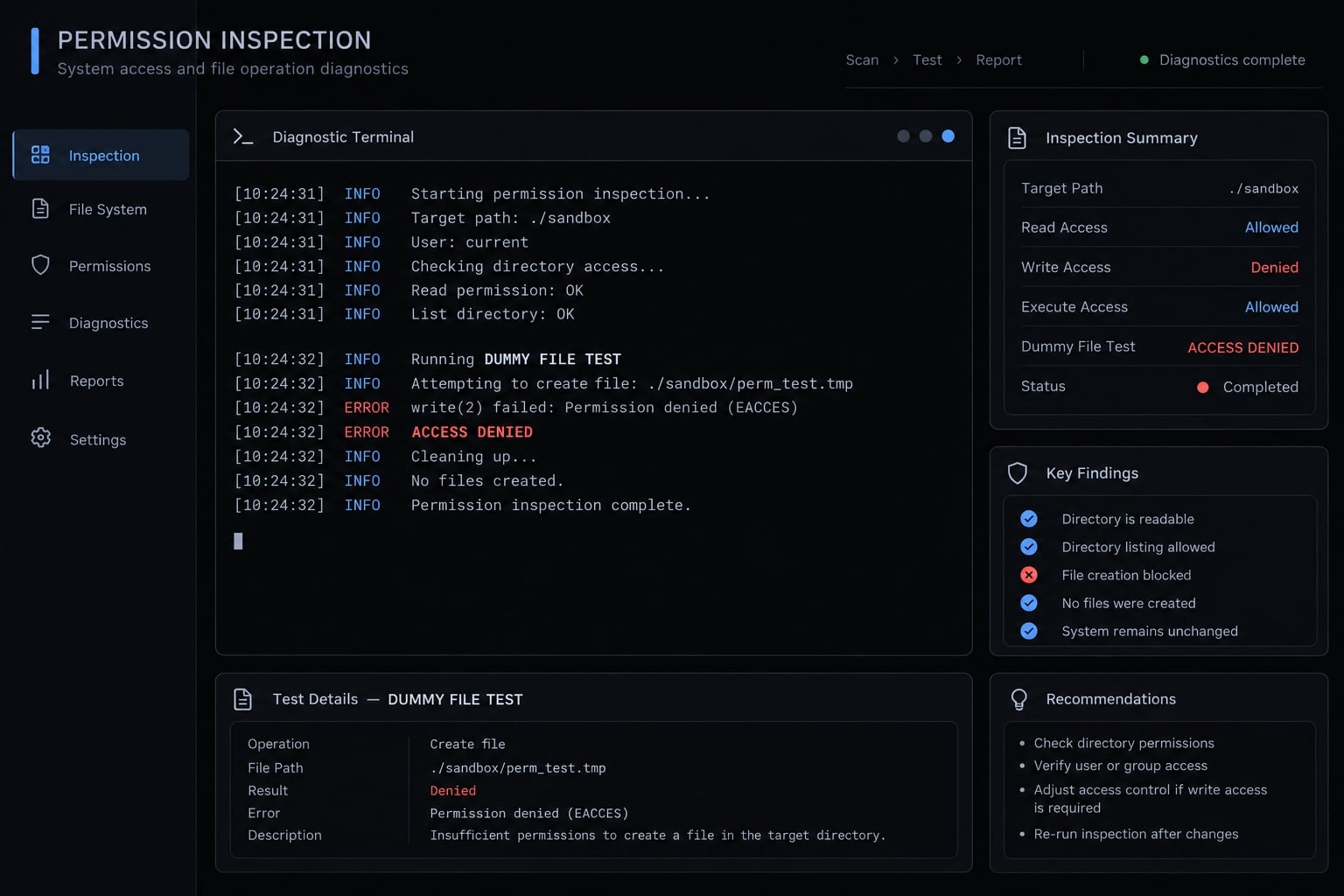
Troubleshooting, rollback and security limitations
Start Claude Code troubleshooting by separating delivery failure from invalid configuration and unexpected rule behavior. These require different corrections.
Common problems and fixes
Symptom | Possible cause | Next check |
|---|---|---|
Policy not detected | Wrong location, access, or execution environment | Confirm path, readability, and client environment |
File parses but behavior differs | Unsupported key, nesting, or match | Compare documentation and reproduce exact action |
Remote policy unavailable | Eligibility, authentication, or connectivity | Check supported account context and documented destinations |
Routine workflows blocked | Overbroad restriction | Identify matching rule using harmless fixtures |
Hook or environment approval prompts | Trust or approval requirements | Inspect prompt, source, version, and relevant documentation |
Ordinary settings ineffective | Managed restriction or another applicable source | Inspect effective configuration and source relationships |
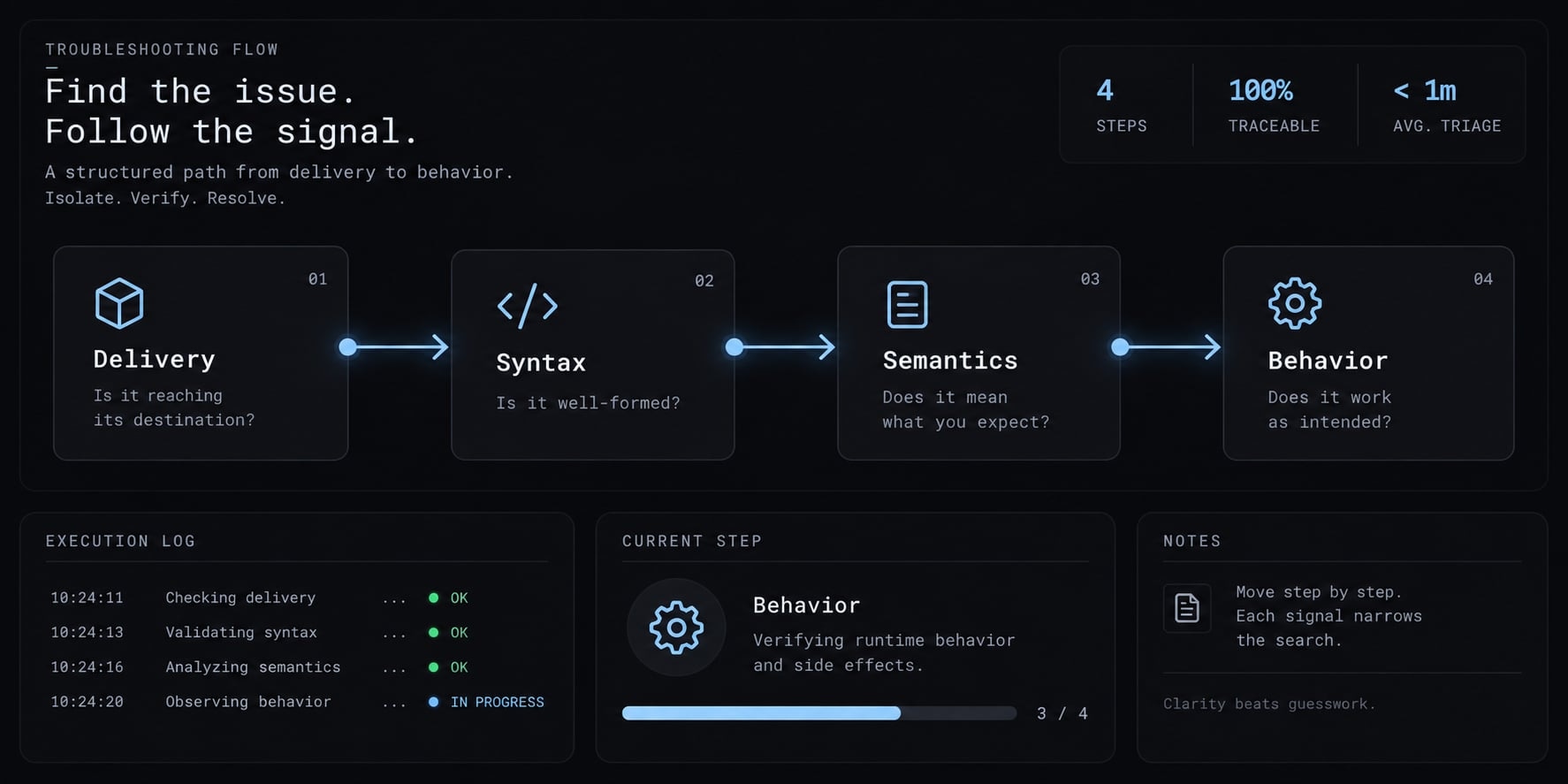
These are hypotheses, not diagnoses. Do not indiscriminately disable controls or open network access. Malformed JSON is a syntax problem. An accepted JSON object with an unsupported key is a semantics problem. Neither justifies assuming universal fail-open, fail-closed, or partial-enforcement behavior.
Safe rollback procedure
Policy rollback must restore the authoritative delivery source, not merely a convenient local copy.
- Preserve the failed revision and diagnostics.
- Pause rollout.
- Restore the approved last known-good configuration.
- Reload through the supported mechanism.
- Recheck the applicable policy and permissions.
- Repeat positive and negative tests.
- Correct and review the failed change before redeployment.
Restoring a local file may not change an active remotely delivered policy. Confirm which source governs the affected installation. Deleting all managed settings is not a safe default recovery strategy.
What managed-settings.json cannot protect
Managed settings govern supported Claude Code client behavior; they are not a complete sandbox or universal data-loss prevention system. Their effectiveness depends on the client, delivery protections, endpoint ownership, and user privileges. A restricted tool action does not establish that every alternate path to the same data or operation is blocked.
Use defense in depth:
- OS least privilege.
- Endpoint management.
- Sandboxing and network controls.
- Repository protections and code review.
- Short-lived credentials and secrets management.
A user controlling the endpoint or an alternate execution environment presents a different risk from someone attempting an ordinary settings override.
Frequently asked questions
What is the managed-settings.json file in Claude Code?
managed-settings.json is an administrator-owned file defining organization-level Claude Code policy. For supported controls it takes precedence over user and project settings. That precedence is a policy property, not tamper resistance — someone with sufficient OS privileges can still modify the file, client, or execution environment.
How does managed-settings.json differ from standard settings.json?
Ordinary settings.json files hold developer and repository configuration; the managed file sits in a separate administrator-owned layer that ordinary settings cannot weaken. This covers file-based sources only — it does not establish precedence against every configuration input, or between multiple managed delivery mechanisms.
Where should I place the managed-settings.json file?
The file location depends on the host operating system. Use /Library/Application Support/ClaudeCode/managed-settings.json on macOS, /etc/claude-code/managed-settings.json on Linux or WSL, and C:\Program Files\ClaudeCode\managed-settings.json on Windows. For remote environments, you can alternatively manage policies directly through the Anthropic administration console.
Can I deliver managed settings without touching endpoint files?
Where eligible, server-managed settings deliver policy to an authenticated client without per-machine files. Confirm refresh behavior and cached-policy handling before relying on it for recovery. Remote delivery keeps execution on the workstation and does not establish device trust.
Does managed-settings.json provide absolute security?
No. While it serves as a critical client-side policy enforcement tool for identity, tool access, and command restrictions, it is not a complete security boundary. It should be used as part of a defense-in-depth strategy that includes OS-level least privilege, endpoint management, and robust repository-level secret protection.
How can I verify that my managed settings are active?
Inspect permission configuration with /permissions, then run the allow, ask, and deny tests from the verification checklist using dummy data in an isolated repository. Record version, OS, delivery method, and outcome. claude doctor is an installation diagnostic — a successful result is not policy verification.
What should I do if a managed policy blocks a necessary workflow?
Identify the matching rule with harmless fixtures first. If it is over-broad, narrow the rule or separate the harmless case — an allow entry does not override a matching deny rule. Redeploy through the authoritative source, reload, then repeat both positive and negative tests.
Read more:
- PostHog MCP Claude Code: Practical setup guide for developers
- Claude Code /skills guide: Master reusable developer workflows
- Claude Code vs GitHub Copilot: Which AI coding tool fits you?
Conclusion
Deploying managed-settings.json in Claude Code requires clear policy ownership, secure delivery, and strict verification. Start with a minimal, documented configuration in an isolated pilot repository, testing allowed, confirmation-required, and denied behavior before expanding access.
Because a valid syntax check does not guarantee runtime security, separate configuration inspection from actual execution evidence, maintain a known-good backup revision, and retest after upgrades to balance protection with developer productivity.