Docker Claude Code: Choosing the right setup for fast results
Docker Claude Code: Which setup to use and how to start fast
When people search Docker Claude Code, they usually are not looking for one single setup. In practice, they are trying to answer a more useful question: “How should I run Claude Code with Docker for my specific goal?”. That confusion shows up often across docs, blog posts, repos, and tool discussions because three different paths are commonly grouped together: Docker Sandbox, Docker Model Runner, and MCP-based tool workflows. This guide is designed as a decision aid first and a quick-start reference second, so you can choose the right setup without overbuilding your environment.
What “Docker Claude Code” usually means in practice
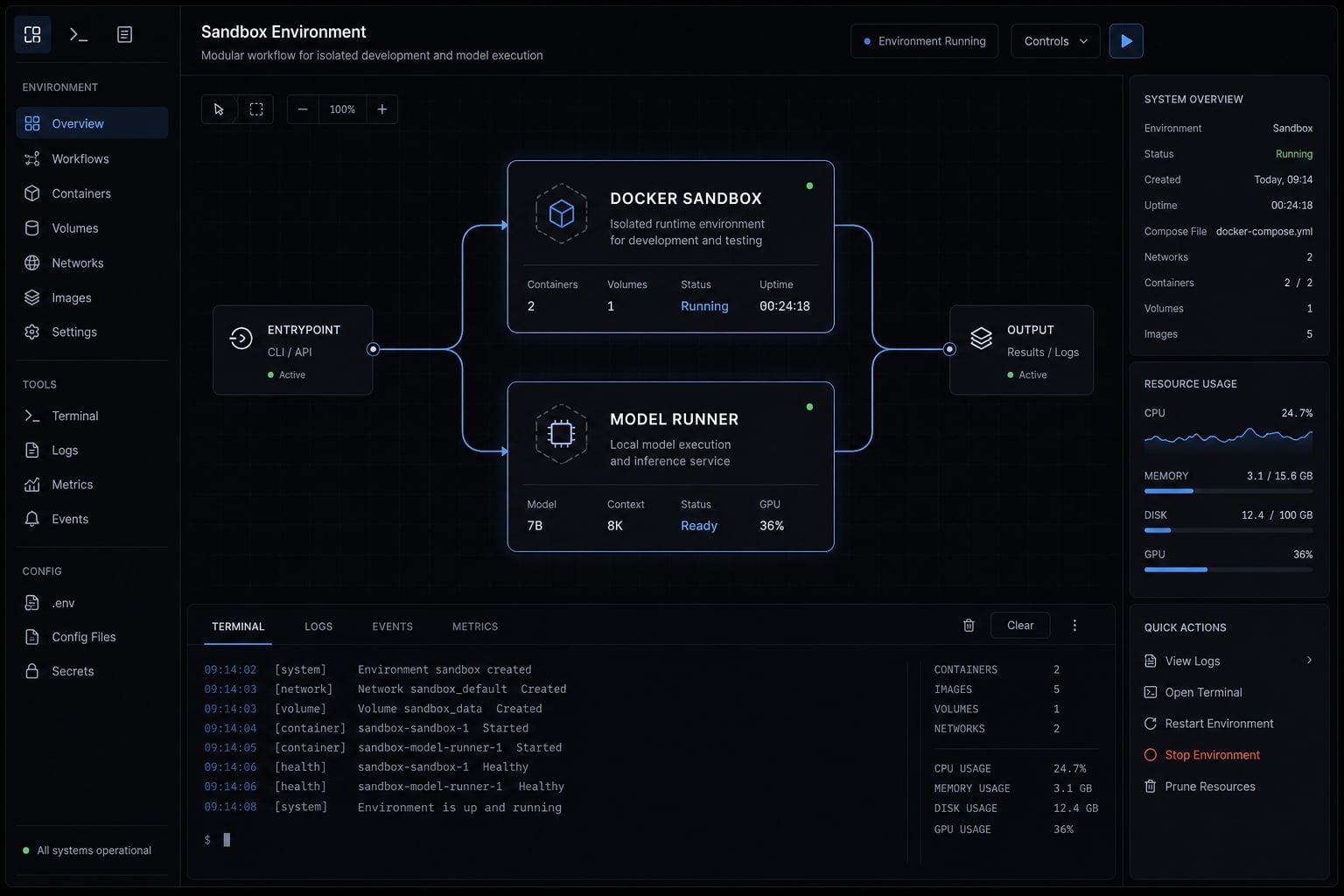
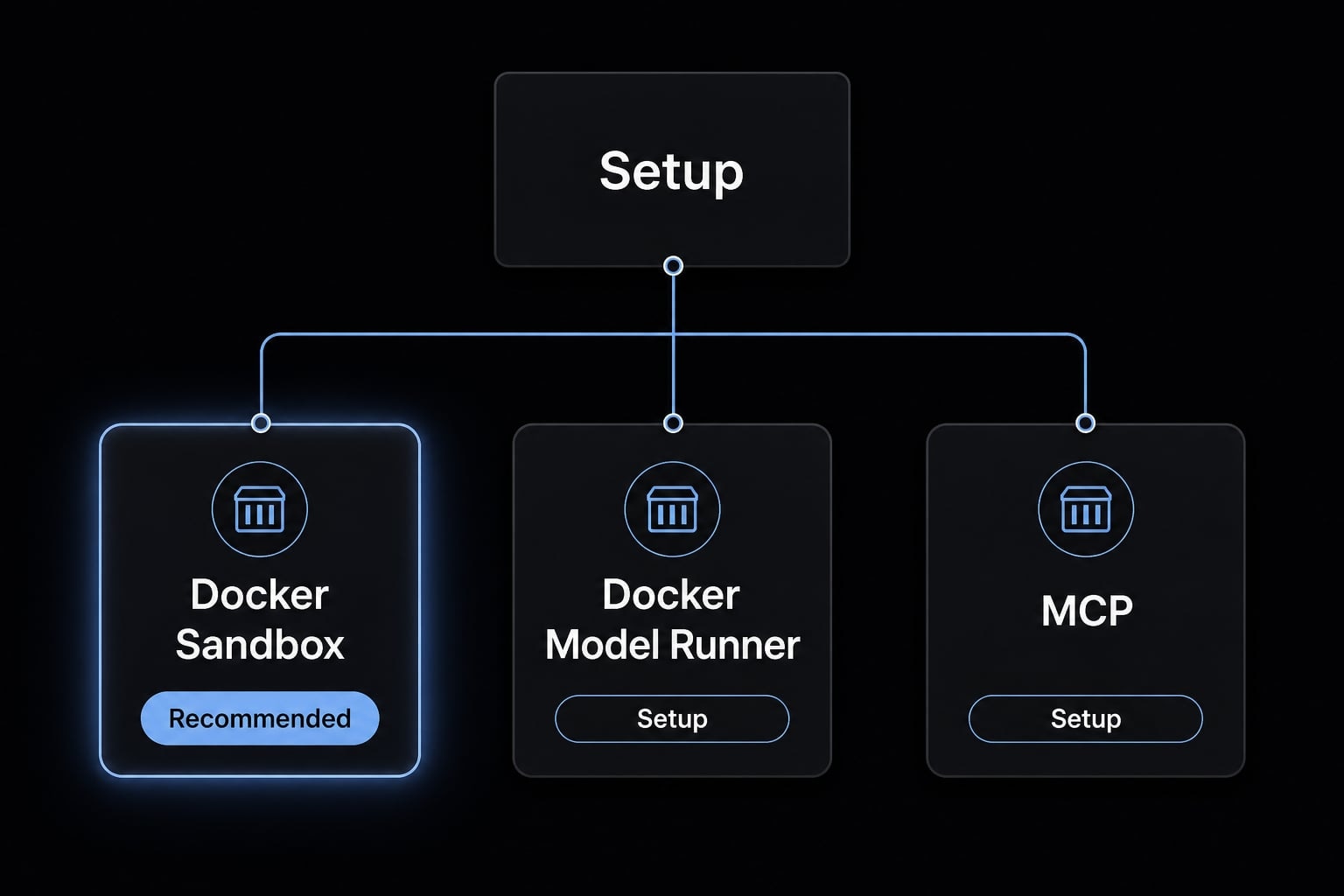
Docker Claude Code usually refers to one of three things: Running Claude Code inside a Docker-managed sandbox for safe execution, routing Claude Code to a local model endpoint through Docker Model Runner, or connecting Claude Code to external tools through Docker-based MCP workflows. When people discuss running Claude Code in Docker, they often mix these together, but most users only need one path to start.
If you have been reading setup notes from different sources, this is where the ambiguity comes from. A Dockerized Claude Code environment can mean isolation, local model access, or tool connectivity depending on context. For an AI coding agent like Claude Code, those are related workflow choices, but they solve different problems.
The three common meanings
- Docker Sandbox = Safe isolated execution for Claude Code against a repo without exposing your host machine directly.
- Docker Model Runner = Local model endpoint for running Claude Code in Docker with local LLM inference and less dependence on remote APIs.
- Model Context Protocol = Structured access to external tools and systems such as GitHub, Jira, or a local filesystem through an MCP server.
What people often confuse
- Docker does not mean self-hosted Claude.
- Local model routing does not equal environment isolation.
- MCP is not required for a first setup.
That is the key practical distinction. In most discussions, Docker Claude Code is shorthand for one of these workflow patterns, not a single installation method. Most readers only need one simple setup path for Docker Claude Code to get started.
Which setup should you use? A simple decision framework
The right setup depends on what you actually want Claude Code to do. Start from the outcome, not the tooling stack.
Use this setup if:
- Use Docker Sandbox if your goal is safe experimentation on a real repo with strong environment isolation.
- Use Docker Model Runner if your goal is privacy, local LLM inference, or lower dependence on remote API usage.
- Use both if you want isolation plus local model control in the same workflow.
- Add MCP integrations only after the base setup works and you need repeatable access to external tools.
Criteria | Docker Sandbox | Docker model runner | Use both |
|---|---|---|---|
Primary goal | Safe execution | Local model routing | Isolation + local control |
Best for | Repo tasks, testing, guarded runs | Privacy, cost control, local experimentation | More advanced workflows |
Setup complexity | Low to moderate | Moderate | Highest |
Protects host environment | Yes | No | Yes |
Reduces cloud/API dependency | No | Yes | Yes |
Good first step for most users | Yes | Sometimes | No |
Recommended choice | Start here | Add if needed | Use later |
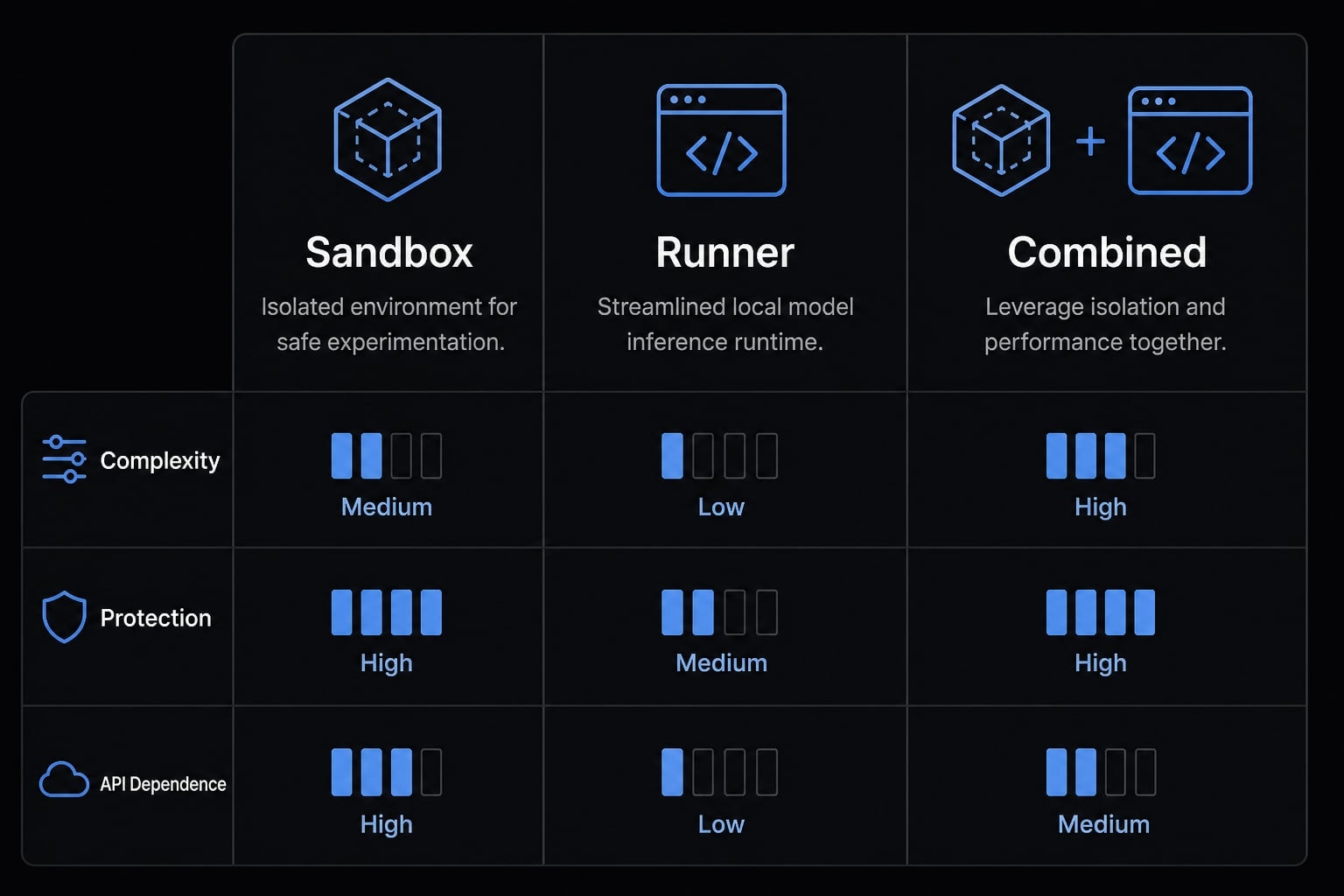
For most readers, the default answer is simple: Start with Docker Sandbox. It gives you a working Claude Code CLI in sandbox flow without forcing you to solve local inference, endpoint routing, and tool integration on day one.
Quick start: Run Claude Code in a Docker sandbox
For most readers, this is the simplest path. If your goal is to learn how to run Claude Code in Docker sandbox safely and quickly, start here and validate one successful command before changing anything else.
Quick start commands
1. Run Claude Code against a specific project folder:
sbx run claude ~/my-project
This starts Claude Code inside a Docker Sandbox and points the workspace at ~/my-project.
- Run Claude Code from the current directory:
sbx run claude
This uses your current working directory as the workspace, which is often the fastest way to test the Claude Code CLI in sandbox flow.
- If you want a named sandbox for repeat use:
sbx run claude --name my-sandbox
This helps when you want to revisit the same sandbox session later.
The workspace behavior is straightforward. If you provide a path, Claude Code uses that folder. If you do not, it uses the current directory. That is usually enough for a first run and keeps the setup easy to reason about.
Pass a prompt directly
sbx run claude -- "Add error handling to the login function"
Everything after -- is passed directly to Claude Code. This is useful for one-off tasks when you already know what you want the agent to do.
You can think of this as the shortest practical answer to how to run Claude Code in Docker sandbox for a single task: Start the sandbox, point at the repo, and pass a prompt.
Authentication before troubleshooting
Before debugging command behavior, verify authentication first. Many first-run failures are not command issues at all.
- If you use the Anthropic API, store a stored Anthropic API key first:
sbx secret set anthropic
- If you do not have an API key configured, use Claude subscription login inside Claude Code with the
/logincommand. - Confirm auth before testing prompts, flags, or sandbox naming.
This matters because the Docker Sandbox may launch correctly while Claude Code still cannot authenticate for model access.
Config limitations inside the sandbox
A common mistake is assuming that your host machine’s user-level config is automatically available inside the sandbox. In plain terms, settings from something like ~/.claude are not a safe assumption there. Project-level config inside the working directory is the safer path.
That is why many teams standardize setup at the repo level rather than relying on personal machine settings. If your first run behaves differently than expected, check your configuration assumptions before changing the command.
How to use Claude Code with Docker model runner
To configure Claude Code with Docker Model Runner, think of this as local model routing, not local Claude hosting. This path is for running local LLMs for Claude Code via Docker by sending requests to a compatible local endpoint. It helps with privacy, cost control, and local experimentation, but it does not provide sandbox protection by itself.
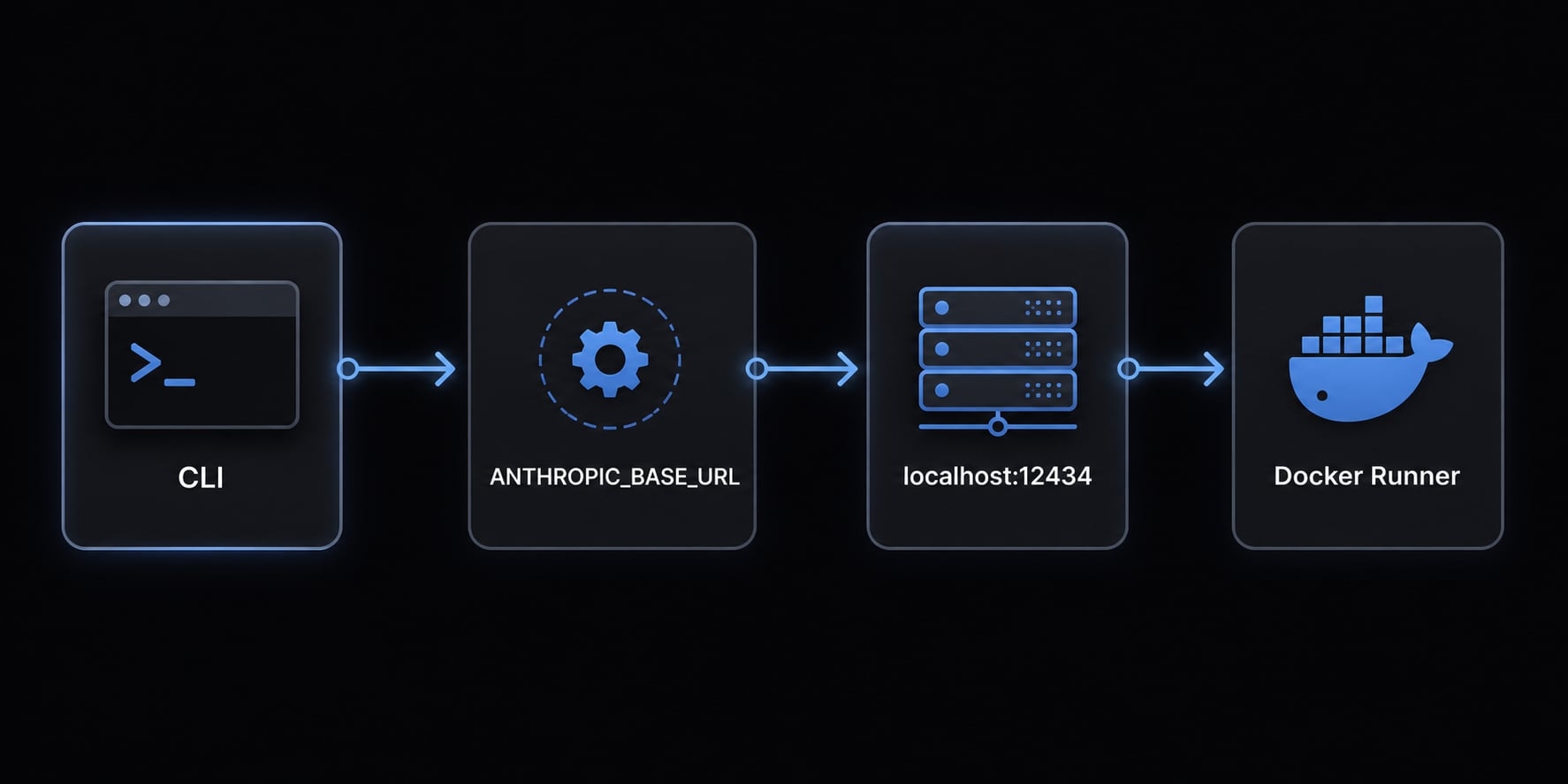
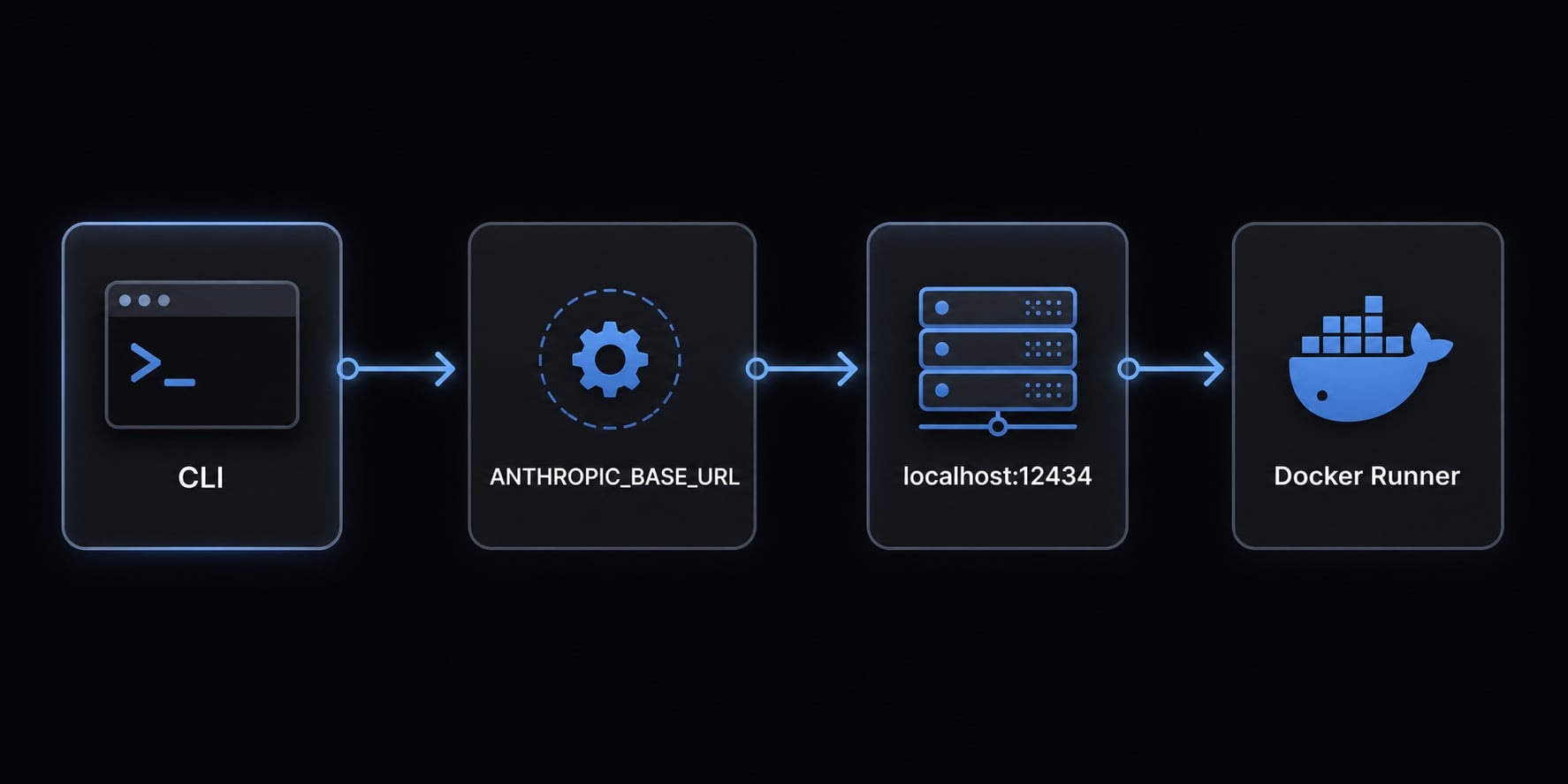
What ANTHROPIC_BASE_URL does
ANTHROPIC_BASE_URL tells Claude Code where to send its model requests. Instead of using the default remote endpoint, Claude Code can target a local service exposed by Docker Model Runner. The common example is:
http://localhost:12434
In plain English, ANTHROPIC_BASE_URL redirects model traffic to your local endpoint, as long as that endpoint speaks an Anthropic-compatible API format.
Example commands
ANTHROPIC_BASE_URL=http://localhost:12434 claude --model gpt-oss:32k
This starts Claude Code and routes model requests to the local Docker endpoint using --model gpt-oss:32k.
ANTHROPIC_BASE_URL=http://localhost:12434 claude --model gpt-oss:32k "Describe this repo."
This does the same thing, but also passes a direct prompt for a one-shot task. That is the core pattern to configure Claude Code with Docker Model Runner without changing your broader workflow.
When this path makes sense
- You want more privacy for code or prompts.
- You want better cost control over repeated usage.
- You want local LLM inference for experimentation.
- You understand that quality depends on the local model you choose.
This is an important boundary: Docker Model Runner helps with model routing and local LLM inference, but it is not a replacement for environment isolation.
Where MCP fits in and when you can ignore it
Model Context Protocol is a standard way to give Claude Code structured access to external tools and systems. In practical terms, a MCP server acts like a controlled bridge between Claude Code and things such as a filesystem, GitHub, or Jira.
What MCP adds
- Structured access to external tools.
- Repeatable connections to GitHub, Jira, and filesystem resources.
- A better fit for workflows that go beyond a basic coding session.
When people discuss Claude Code MCP server Docker integration, they are usually talking about packaging or managing these tool connections more consistently with Docker. That can be useful, but it is not required for the initial setup.
When to skip MCP at the beginning
- Skip it if you only want Claude Code in a sandbox.
- Skip it if your only goal is local model routing.
- Add it later when tool workflows become necessary.
That is the cleanest way to think about Claude Code MCP server Docker integration: Useful when needed, optional at first.
Common pitfalls when running Claude Code with Docker
Most first-run problems follow a predictable pattern. The fastest way to avoid wasted time is to fix mistakes in the order they usually appear.
- Confusing sandboxing with local model hosting: A Docker Sandbox gives you environment isolation. It does not automatically give you local model hosting.
- Forgetting authentication before first run: If Claude Code cannot authenticate, everything else becomes noisy. Check authentication before debugging prompts or flags.
- Expecting host-level Claude config inside the sandbox automatically: Your host configuration may not carry over. Assume project-level settings are safer than personal machine defaults.
- Adding MCP before the base setup works: If the core command is not stable yet, adding an MCP server only increases variables and confusion.
- Overengineering the setup: Many users only need one clean Docker Sandbox run to answer the immediate need. Do not combine sandboxing, local endpoints, and tool integrations unless there is a real reason.
Start simple checklist:
- Confirm your goal: safety, local inference, or tool integration.
- Start simple.
- Start with one setup path only.
- Verify authentication early.
- Validate one command successfully before adding layers.
The practical rule is straightforward: The simplest base setup usually solves the immediate problem faster than a fully layered workflow.
Practical takeaway for teams that want repeatable AI dev workflows
Once a single-user setup works, the team problem changes. The question is no longer “How do we run it?” but “How do we keep it consistent across repos, contributors, and environments?”
For teams building repeatable AI-powered workflows, the real value comes from reducing setup drift across containerized development environments. That usually means standardizing sandbox behavior, model routing decisions, and approved integrations rather than adding more tools.
A standardized Claude Code environment also makes agentic workflow orchestration easier to audit, reuse, and hand off across operators. In practice, reusable templates or workflow kits are more valuable than one-off clever setups.
Frequently asked questions
What does "Docker Claude Code" usually refer to?
In practice, "Docker Claude Code" refers to three distinct setup paths for AI coding: Docker Sandbox for isolated environment execution, Docker Model Runner for local model inference routing, or MCP integrations for connecting external tools. Most users only need one of these paths to start.
What is the difference between a Docker Sandbox and Docker Model Runner?
A Docker Sandbox creates a safe, isolated container to execute code, install packages, and run git commands without affecting your host machine. Docker Model Runner routes Claude Code's API requests to a local model endpoint (like localhost:12434) instead of the Anthropic cloud, providing privacy and cost control.
Is the Model Context Protocol (MCP) required to run Claude Code?
No. While MCP servers are powerful tools for connecting Claude Code to GitHub, Jira, or local filesystems, they are optional for the base setup. It is recommended to establish your core environment before adding MCP layers to avoid unnecessary initial complexity.
Why does my local Claude configuration not work inside a Docker Sandbox?
Docker sandboxes typically do not inherit user-level configurations (like ~/.claude) from your host machine for security and isolation reasons. You should rely on project-level configuration files placed directly within your working directory to ensure they are available to the agent inside the container.
How do I direct Claude Code to use a local model via Docker?
You can route requests by setting the ANTHROPIC_BASE_URL environment variable to your Docker Model Runner endpoint (e.g., http://localhost:12434). Then, execute your command with the --model flag, such as ANTHROPIC_BASE_URL=http://localhost:12434 claude --model gpt-oss:32k "Describe this repo."
Which setup should I choose as a beginner?
Start with the Docker Sandbox. It provides the most immediate value by allowing safe, autonomous experimentation on your codebase without risking your host machine. Once your sandbox workflow is stable, you can layer in local model routing or MCP integrations if your specific project needs require them.
Read more:
- Aider vs Claude Code: Choosing the right AI Coding Assistant
- Mastering the Claude Code workflow for reliable AI development
- Claude Code MCP configuration: A practical setup guide
Conclusion
The main thing to remember is that Docker Claude Code is not one single setup. It usually means one of three paths: Docker Sandbox for safe execution, Docker Model Runner for local model control, or MCP for structured tool access.
For most readers, the right order is simple. Start with Docker Sandbox first. Add Docker Model Runner only when local control, privacy, or cost management matters. Add MCP only when your workflow actually depends on external tools.