Claude Code backups: Save essential config & verify recovery
Claude Code backups: What to save and how to verify recovery
Losing custom instructions, reusable skills, or project context can disrupt development even if your source code remains safe, making environment reconstruction a distinct challenge from simply rolling back code edits. To protect irreplaceable assets without creating an insecure archive, focus first on what you cannot easily recreate, select secure storage, automate your backup scope, and verify your recovery process in an isolated environment.
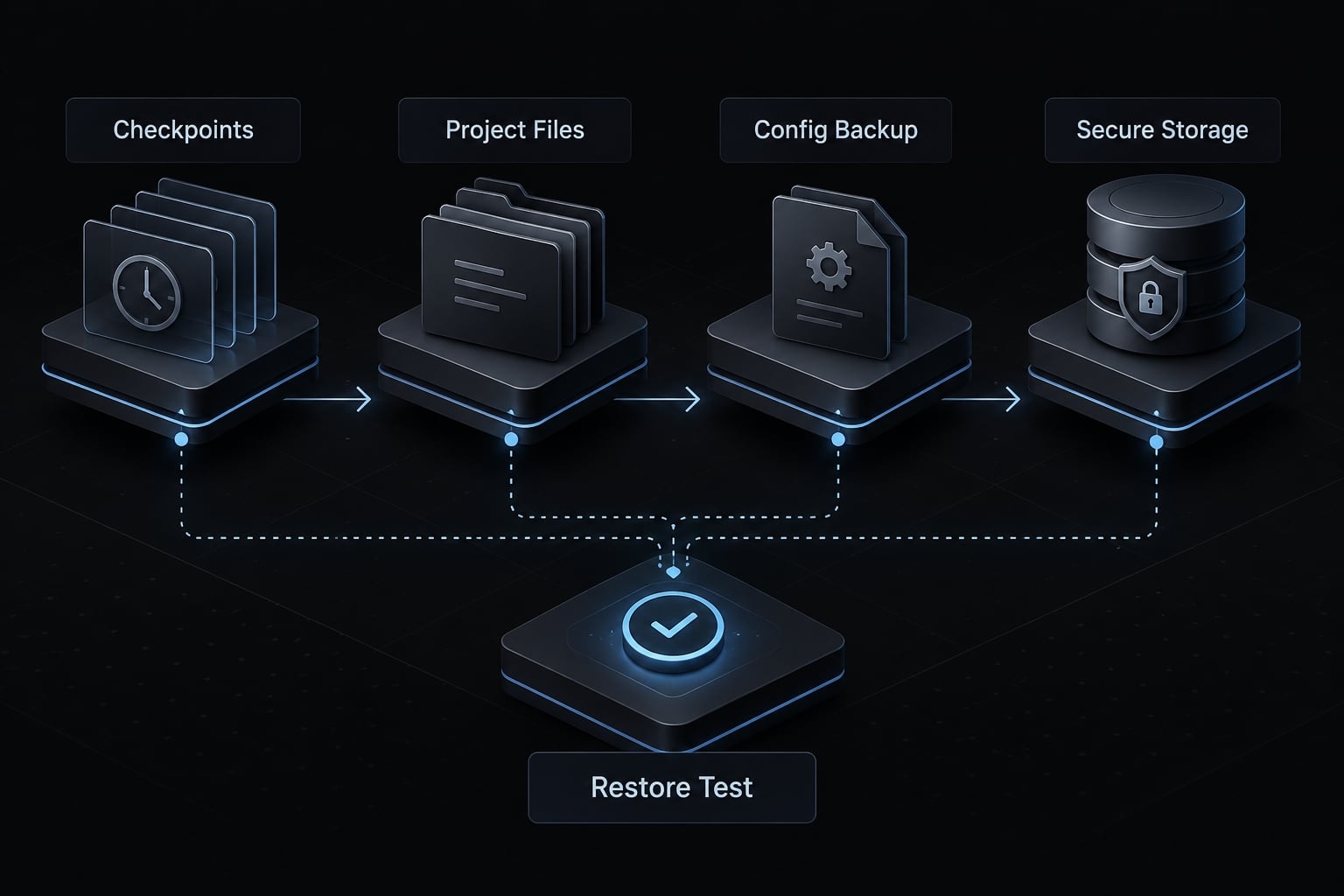
The practical answer: Use native checkpoints for supported rollback, protect project files separately, and back up reviewed configuration assets. Keep credentials outside ordinary workflow repositories. Encrypt sensitive context when retaining it, maintain a copy independent of your device, and test restoration before relying on the backup.
Claude Code backups cover two different recovery problems
Native checkpoints and /rewind
Claude Code backups preserve selected assets for later recovery; native checkpoints provide rollback for supported changes during development. These mechanisms overlap, but they are not interchangeable. A checkpoint can help reverse an agent-assisted edit without preserving everything required to rebuild your environment after device loss or configuration corruption.
Anthropic’s Claude Code documentation, “Checkpointing,” describes /rewind as the interface for returning to an earlier checkpoint. Check the available behavior against your installed version rather than assuming fixed menu options or retention limits.
Illustrative example: A B2B SaaS developer may use checkpoint recovery to reverse a supported refactor. Replacing a failed laptop instead requires independently stored source code, configuration, dependencies, and separately managed credentials.
What native checkpoints do not protect
Shell-driven changes and external system mutations can fall outside checkpoint tracking. A database operation requires database-specific recovery, not an assumption that the agent can undo it.
Local checkpoint data also cannot independently solve local disk loss. Neither configuration archives nor project Git automatically reverse an external database operation.
Native checkpoint vs. External backup
Recovery need | Claude Code checkpoints | External backup |
|---|---|---|
Reverse supported agent edits | Within documented scope | Yes, if captured |
Recover reusable configuration | Not its intended scope | Depends on included assets |
Recover after disk failure | Not independently | Only with an independent copy |
Preserve selected context | Within supported behavior | Archive possible; continuation varies |
Recover external databases | Not its intended scope | Requires appropriate database backups |
External protection is only as useful as its scope and destination. A copied folder on the same disk offers another local recovery point, not independent disaster protection.
What Claude Code data should you back up?
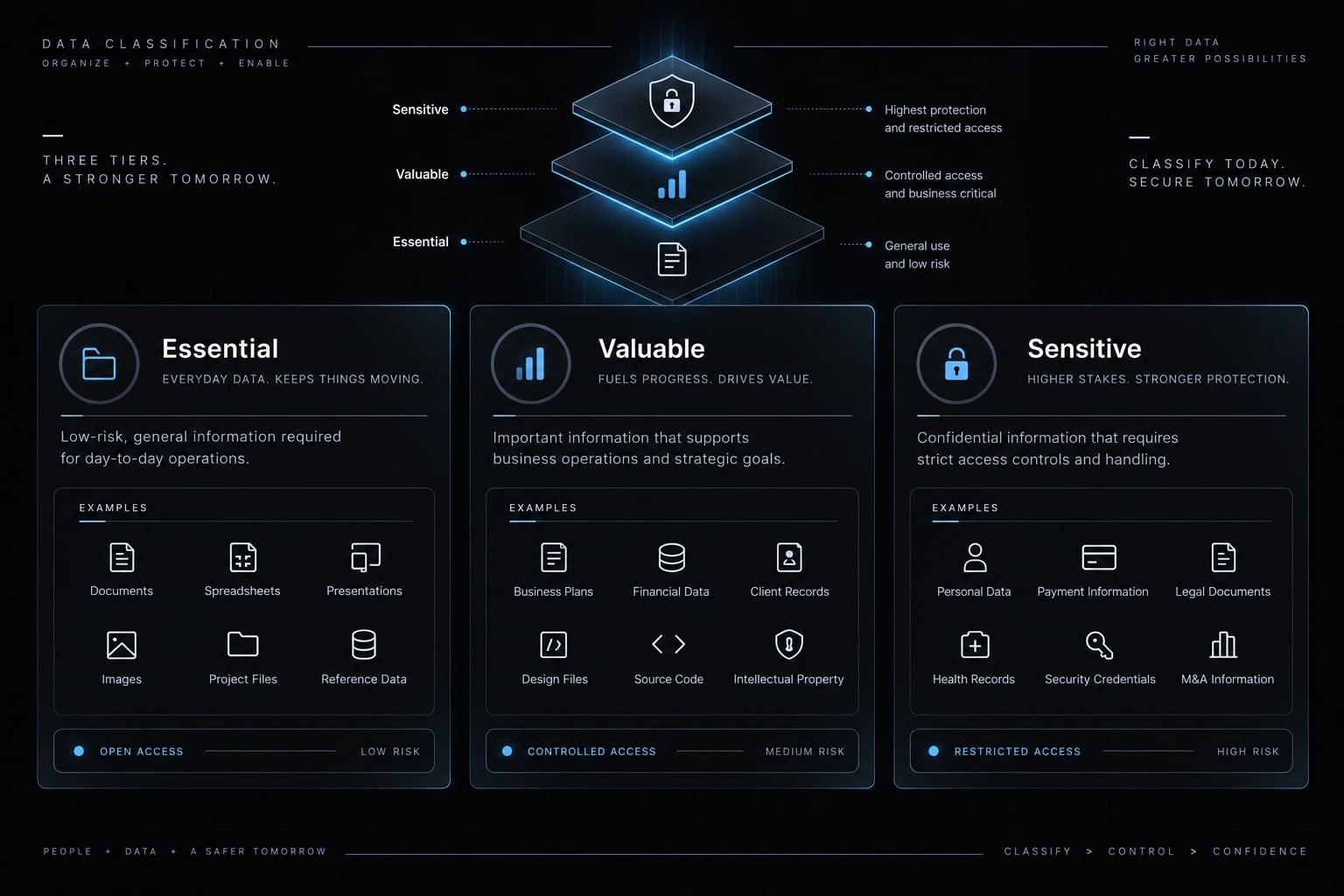
Prioritize assets by recovery value, portability, and sensitivity. The ~/.claude directory is a common user-level location, not a complete inventory. Project instructions, project settings, referenced scripts, and overridden locations may exist elsewhere. Inventory the effective configuration on your machine, using Anthropic’s documentation on settings, memory, skills, hooks, subagents, and MCP alongside inspection of your actual setup.
Tier 1 - Essential and portable configuration
Preserve instructions, Claude Code settings, skills, agent definitions, commands, rules, and reusable workflow assets. Include required hook scripts, not just references to them.
Portable plugin configuration may also matter. Record installation requirements rather than assuming copied plugin caches will work elsewhere. “Back up by default” still requires secret and executable-content review.
Tier 2 - Valuable context and history
Preserve selected memory, plans, transcripts, and records when their reconstruction value justifies their sensitivity. Instruction files and automatically maintained memory are different assets. Transcript preservation can provide a readable archive without guaranteeing seamless session continuation or automatic discovery after migration.
Tier 3 - Sensitive or machine-dependent data
Review MCP server configuration, local paths, executable references, and machine-specific settings. A reference to a secret is not the same as its value. Keep authentication material outside ordinary workflow repositories.
Tier 4 - Regenerable or low-value data
You should usually exclude caches, temporary state, debug output, and downloaded artifacts. Always confirm their purpose first, as directory names alone do not guarantee they are disposable. Keep version records or installation manifests needed for reconstruction.
Backup scope table
Asset category | Back up / Review / Exclude | Reason |
|---|---|---|
Instructions and rules | Back up after review | Preserve operating guidance |
Settings and plugin configuration | Review | May contain local dependencies |
Skills, agents, and commands | Back up after review | Preserve reusable behavior |
Hooks and required scripts | Review | Can execute code |
Memory and plans | Review selectively | Valuable but potentially confidential |
Transcripts and session records | Review selectively | May contain customer data or secrets |
MCP definitions and local overrides | Review and sanitize | Mix portability with machine state |
Credentials and authentication caches | Exclude from workflow repositories | Require separate secret handling |
Caches, temporary files, artifacts | Usually exclude | Often reproducible |
Project source code needs separate protection. A Claude Code configuration backup does not automatically capture repositories or working files. Use this matrix as your initial inventory checklist.
What should be excluded, sanitized or encrypted?
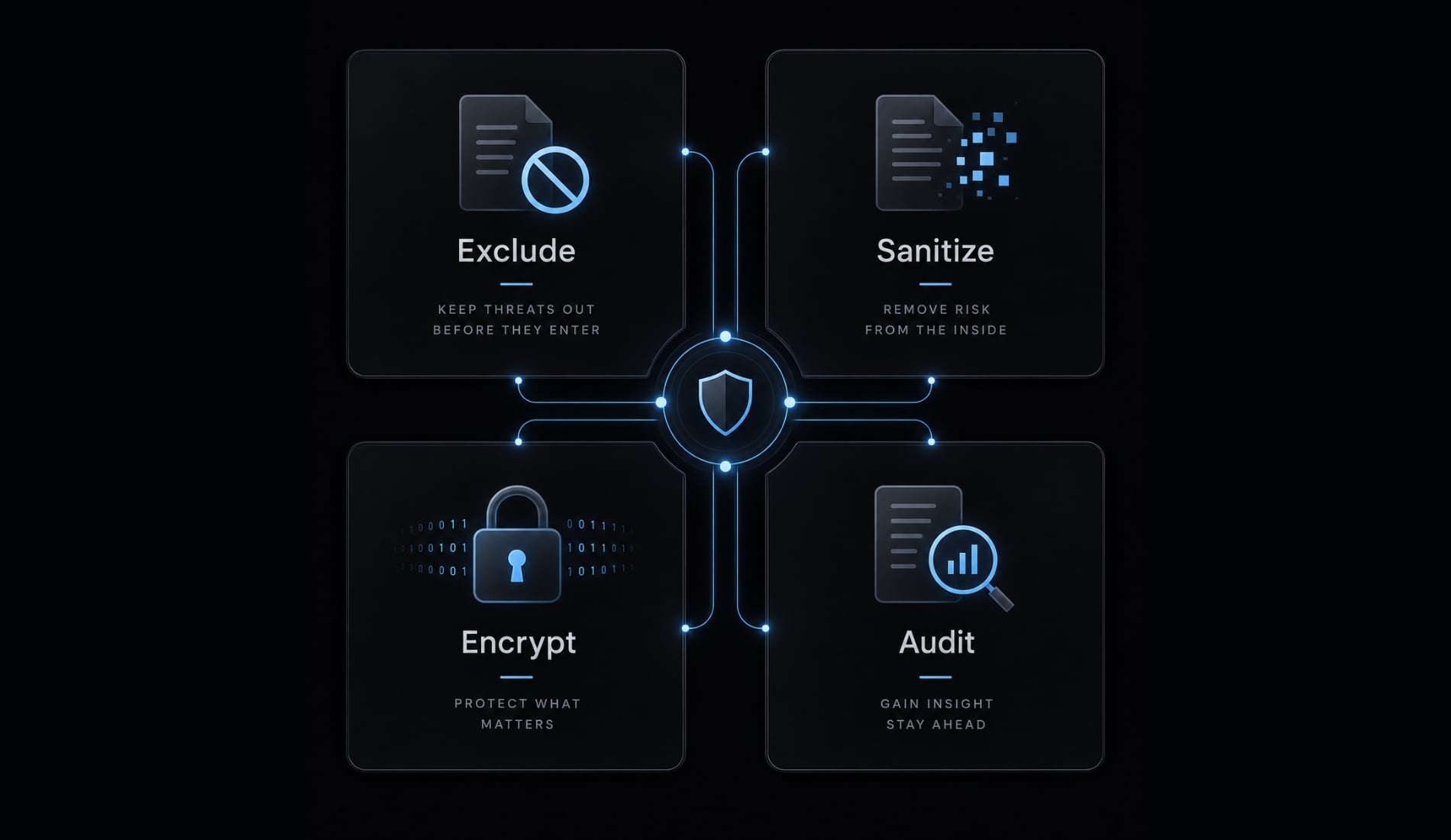
A private GitHub repository provides access control, not a substitute for secret management or owner-controlled backup encryption. Prefer an explicit inclusion list over copying every local file and hoping exclusions catch everything.
Exclude secrets by default
Exclude raw API keys, tokens, passwords, private keys, and authentication caches from workflow repositories. Adding a file to .gitignore does not remove an already tracked copy or its history. Inspect staged content and run available secret scanning before the first upload.
GitHub’s secret-scanning documentation describes detection capabilities and limitations. Scanners can miss unfamiliar secret formats, proprietary source fragments, and confidential business information.
Sanitize configuration that must remain portable
Separate reusable MCP server configuration from credentials. Replace machine-specific paths with supported templates or documented local substitutions.
Do not assume every configuration format expands environment variables. Verify supported syntax before relying on it. Review transcripts for customer information and internal discussions, not just recognizable tokens.
Encrypt sensitive archives
Use established encrypted storage or backup software for sensitive retained context. Provider-managed storage encryption and client-side encryption protect against different threats.
With client-side encryption, the backup is encrypted before reaching storage. That still leaves access control, endpoint security, and key recovery to manage. Keep recovery keys separately and test access to them.
If a backup repository is exposed
- Restrict access and stop further uploads.
- Revoke and rotate affected credentials.
- Assess access logs and downstream systems.
- Remove sensitive history using the provider’s documented process.
- Correct scope and permissions before resuming.
GitHub’s documentation on repository visibility and removing sensitive data explains why deletion alone is insufficient. History cleanup cannot retract copies someone already obtained.
Which Claude Code backup method should you use?
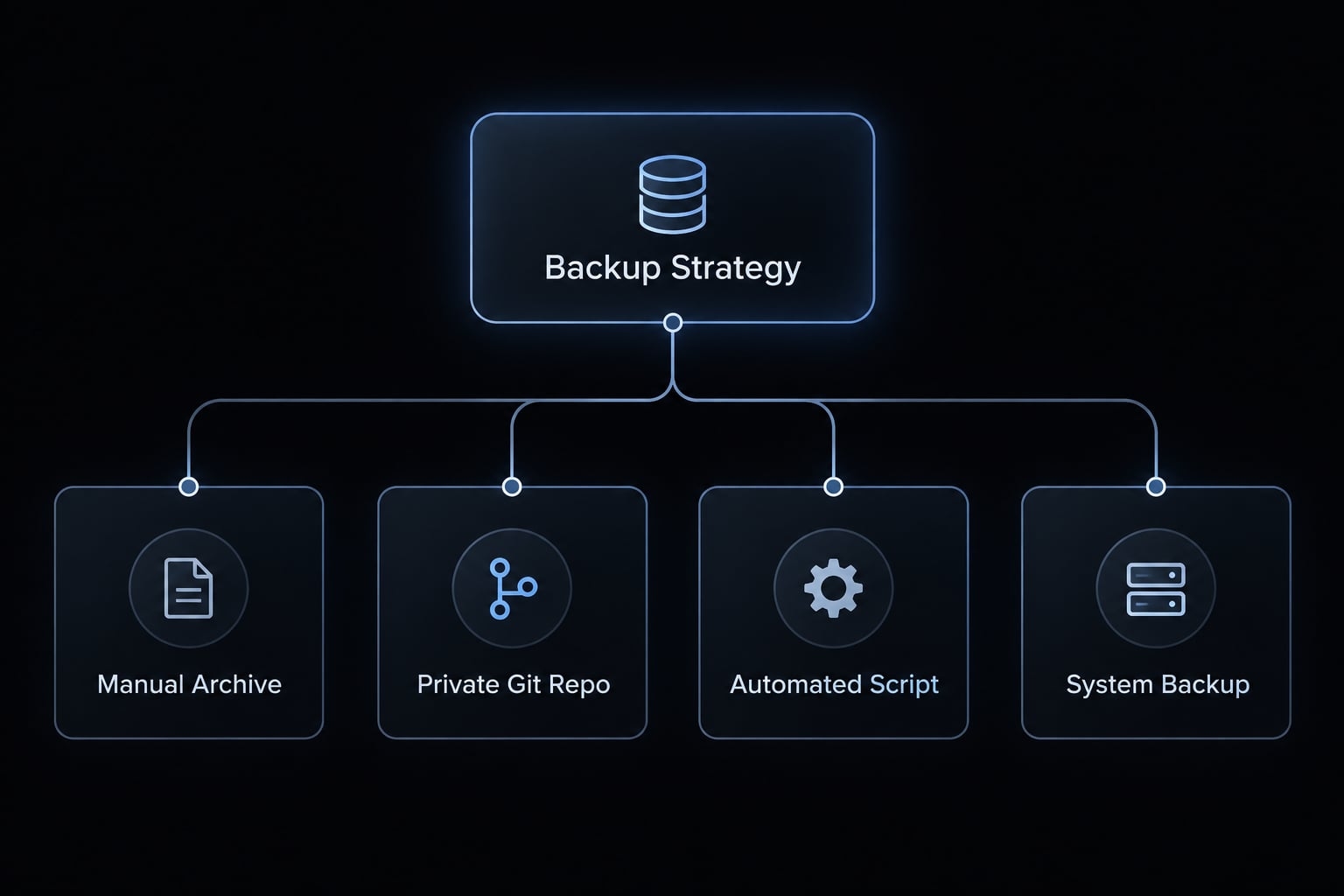
For daily Git users, implementing a Claude Code backup strategy involves combining reviewed portable configuration in private version control, encrypted archives, and independent device backups.
If you do not want Git administration, choose a reviewed encrypted backup workflow instead. Either approach still needs restore testing.
Manual archive
A dated archive requires little setup and suits occasional use. Its weakness is repetition: people forget to create it. Include restore notes and store a protected copy independently.
Private Git repository
Git offers readable text differences and selective rollback. However, uncommitted, untracked, ignored, or unpushed work may remain unprotected. A remote repository improves independence from your laptop, but does not capture excluded files or protect against every account-level failure.
Automated backup script or CLI tool
Evaluate Claude Code backup tools by scope, exclusions, permissions, destination, retention, logging, restore support, and maintenance. For Claude Code backup scripts, require an explicit inclusion list, preview capability, safe failure behavior, and recoverable historical copies. A script does not inherently provide versioning or encryption. Do not execute unreviewed remote installers merely because setup takes one command.
Encrypted system or endpoint backup
An encrypted system backup can protect broader device state if relevant paths are included and copies exist independently. Live databases require application-consistent protection: a backup method that captures a valid, recoverable database state. Ordinary file copying may not provide it.
Method | Best fit | Automation/versioning | Restore considerations | Main limitation |
|---|---|---|---|---|
Manual archive | Occasional users | Manual; dated copies | Preserve extraction notes | Easily forgotten |
Private Git | Portable text assets | Commits; optional automation | Recreate local dependencies | Unsafe for raw secrets |
Script or CLI | Repeatable selective backup | Depends on design | Require documented restoration | Maintenance burden |
Endpoint backup | Broader device recovery | Product-dependent | Verify scope and consistency | Not automatically comprehensive |
Recommended option by user profile
- Occasional user: Reviewed dated archives.
- Daily solo developer: Git plus independent encrypted backup.
- Context-heavy user: Add selective encrypted history archives.
- Small team: Shared assets with individual state backups.
- Security-sensitive team: Managed storage, access controls, and recovery drills.
How to set up automated Claude Code backups
- Inventory configuration, dependencies, and source repositories.
- Approve inclusions and exclusions.
- Decide whether sensitive context needs retention.
- Create restricted staging and independent storage.
- Run a manual backup.
- Review its contents before uploading.
- Test restoration, then schedule recurring backups.
- Monitor recovery points and repeat validation.
Step 1 - Define the backup scope
Record the operating system, installed Claude Code version, approved paths, exclusions, and sensitive-context policy. Protect source code separately.
For changing transcripts or state files, pause activity or use a consistency-aware backup approach where necessary. Keep the approved inventory alongside restore instructions so another person can understand what remains outside the backup.
Step 2 - Create a protected backup destination
Use a staging directory outside the source tree. Exclude the destination from collection to prevent recursive copying.
Restrict permissions and select independent storage for device-loss recovery. Set retention explicitly: a mirror that propagates deletion is not retained recovery history.
Choose recovery-point frequency and retention around acceptable lost work and how long mistakes may remain unnoticed.
Step 3 - Run the first backup manually
Inspect expected files, unexpected files, secrets, private content, file counts, plausible size, destination access, and restore instructions.
Do not upload or schedule until this review passes. Compare staged content with the inclusion list, rather than trusting a successful exit status.
Illustrative review finding: A settings file may be captured while its referenced hook script is absent. Correct the inventory before treating that configuration as recoverable.
Step 4 - Automate the schedule
Platform | Scheduler |
|---|---|
macOS |
|
Linux |
|
Windows | Task Scheduler |
Daily execution is a starting point, not a universal requirement. Increase frequency when losing a day’s changes would be unacceptable.
Use explicit paths and approved non-interactive authentication. Check unavailable destinations and missed runs after sleep against the scheduler’s documentation.
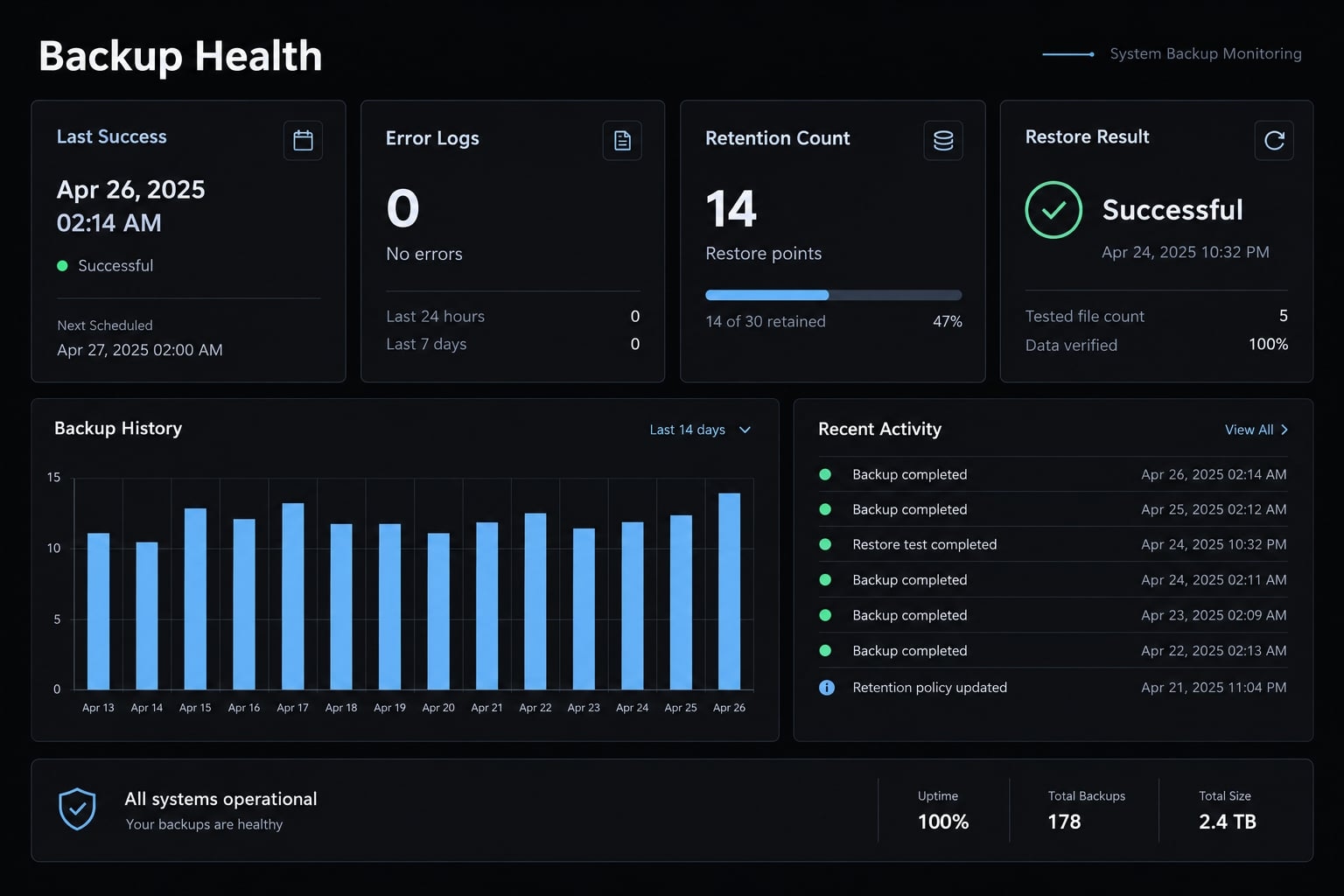
Step 5 - Monitor backup health
Track the last usable backup, exit status, errors, unusual output size, retained recovery points, and latest restore-test result. Keep transcript contents and credentials out of logs. Before enabling unattended operation, use the next section’s validation table as your acceptance checklist.
How to restore Claude Code and verify the backup
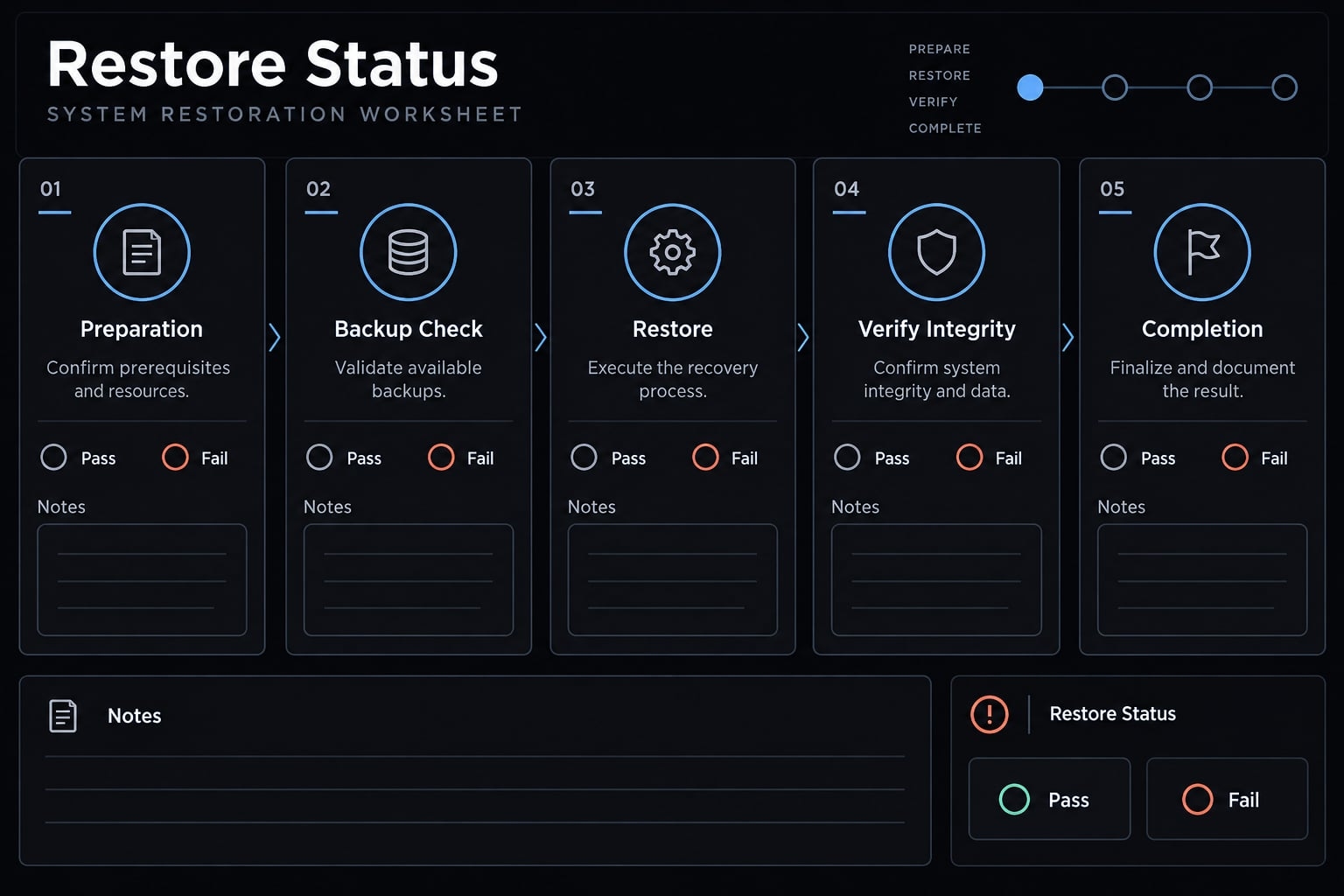
An untested backup is essentially useless. Just because files can be extracted doesn't mean your environment works. Always perform a restoration test before you need to rely on your recovery plan.
Step 1 - Protect the current environment
Preserve the target environment before replacing anything. Stop active sessions when replacing active state. Use a separate account, disposable environment, or documented configuration isolation. Extracting into a temporary folder checks readability, not full application recovery.
Step 2 - Preview the restore
Use a dry-run restore if supported. Otherwise inspect an extracted staging copy. Check paths, permissions, ownership, conflicts, versions and executable content. Checksums can confirm file integrity, but cannot establish that the application will function correctly.
Step 3 - Restore portable assets first
Restore instructions, settings, skills, agents, commands, and reviewed rules. Inspect hooks before activation. Reinstall dependencies through supported methods; do not assume plugin caches are portable. Add optional history only after the base environment works. For Claude Code migration between machines, resolve path differences before reconnecting integrations.
Step 4 - Reconnect secrets separately
Reauthenticate through approved flows. Reconnect MCP credentials through approved secret storage, confirming endpoints and local executable paths. Use test credentials where practical. Authentication may require interaction even when file restoration is automated.
Step 5 - Validate Claude Code behavior
Use this validation template, not a record of measured outcomes:
Check | Evidence of success | First troubleshooting action |
|---|---|---|
Instructions recognized | Inspectable loading evidence and controlled behavior check | Check scope and placement |
Skills and commands available | Expected discovery and safe invocation | Check installation and paths |
Agents recognized | Definitions appear through supported inspection | Check format and location |
Hooks operate safely | Harmless test produces expected result | Check permissions and dependencies |
MCP connects | Approved test connection succeeds | Check credentials and endpoints |
Optional memory/history accessible | Supported access works | Check compatibility and location |
Do not rely solely on the model saying it read a file.
Step 6 - Schedule a recovery drill
Test after initial setup and material changes. Assign an owner and record elapsed time, failures, and manual steps. Backup validation establishes evidence for the tested scenario-not every possible disaster.
Common Claude Code backup mistakes
Most consequential backup mistakes confuse a completed operation with usable protection. Address the missing recovery control directly.
Mistake | Risk | Response |
|---|---|---|
Treating | Shell changes or external state remain unrecoverable | Create a reviewed recovery point appropriate to the operation |
Backing up configuration but not source | Project changes remain outside recovery scope | Protect repositories and important working files separately |
Trusting repository privacy with secrets | Credential exposure through access changes or compromise | Separate credentials; rotate exposed values |
Copying everything without review | Confidential records and executable state spread | Use approved inclusions and inspect staged content |
Scheduling without monitoring | Empty output or unavailable storage goes unnoticed | Alert on failures and implausible output |
Never testing restoration | Missing dependencies emerge during an incident | Run an isolated functional restore |
A green scheduler status means the job ran successfully according to its checks. It does not establish that the right files were retained, keys remain available, or integrations can reconnect safely.
Backing up reusable agent workflows with AgentKit
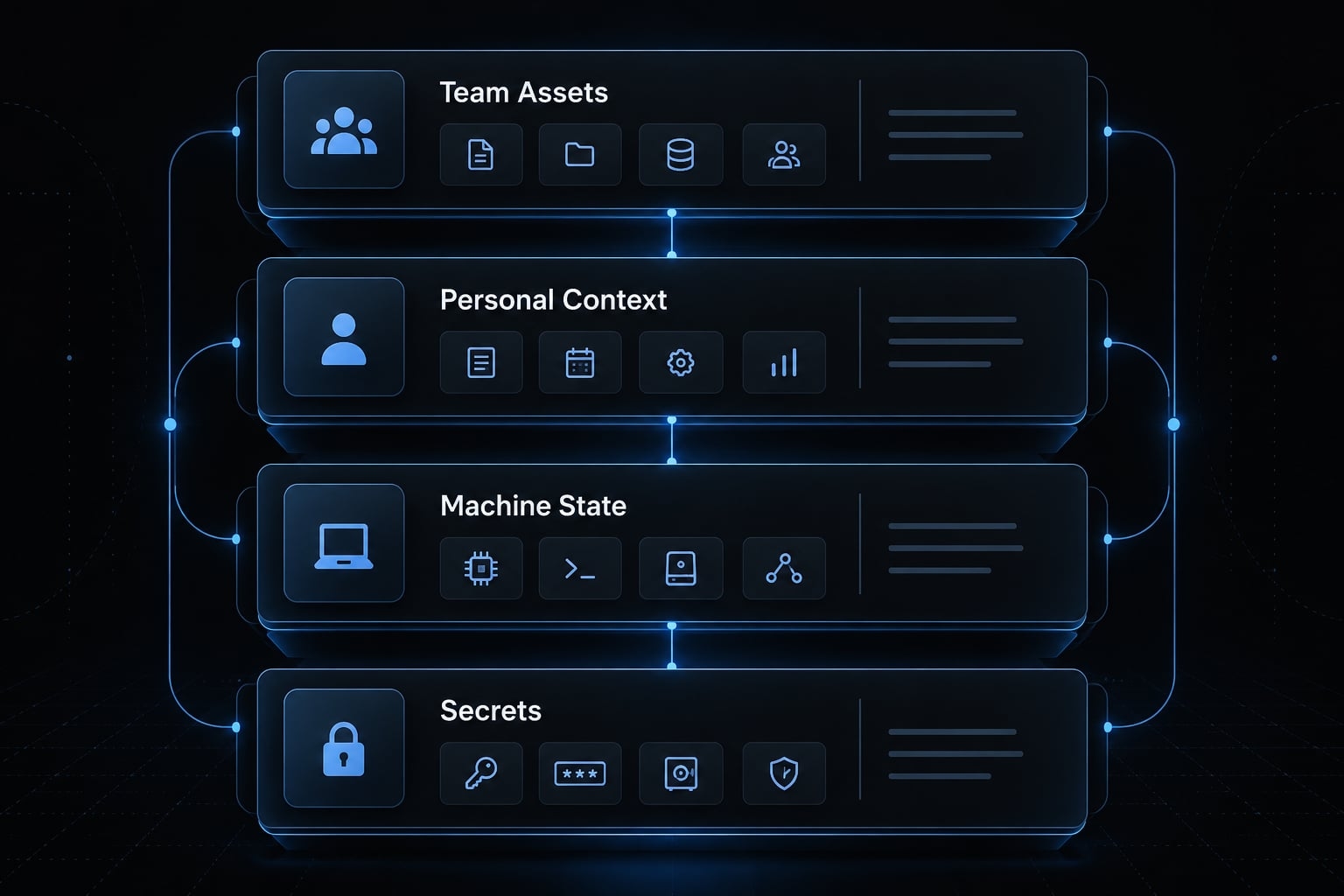
Separate team assets from personal state
Reusable agent workflows need a controlled source of truth. Personal context, machine state, and credentials require different ownership and storage decisions.
Asset layer | Examples | Handling |
|---|---|---|
Team-controlled | Approved skills, agents, hooks, workflows, MCP templates | Version, review, assign ownership |
Personal | Preferences, private memory, selected transcripts | Back up separately |
Machine-local | Paths, installations, runtime state | Recreate or template |
Secret | Tokens, keys, passwords | Keep outside workflow repositories |
This separation improves development environment portability without making every developer’s local context a shared team asset.
Use a controlled source of truth
- Store reviewed reusable assets in an owned repository.
- Record versions and change approvals.
- Reconstruct machine-specific setup from reviewed templates.
- Connect credentials separately and test behavior.
AgentKit provides reusable kits, specialized subagents, skills, workflow assets, and configuration-management capabilities. These can help organize what a team intends to reproduce.
That workflow scope should not be confused with independent backup, built-in encrypted archives, or automatic disaster recovery.
Recommended AgentKit backup pattern
Illustrative example: A small B2B SaaS team maintains approved development and marketing workflow definitions centrally. Client-specific transcripts remain in separately controlled storage, while tokens stay outside the shared repository. Each developer documents local dependencies and tests reconstruction.
AgentKit is not a substitute for independent backup or secret management. Preserve the underlying reviewed assets and retain their recovery instructions. Explore AgentKit to assess how its reusable asset structure fits your workflow before deciding what belongs in your backup inventory.
Frequently asked questions
What are Claude Code backups and why do I need them?
Claude Code backups protect your local environment state, including custom instructions, agent skills, and project-specific conversation transcripts. While native /rewind checkpoints handle basic file-edit rollbacks, they do not track shell-based changes or protect against disk failure, making external backups essential for full disaster recovery.
Do native Claude Code checkpoints (/rewind) replace backups?
No. Native checkpoints only track file-edit tool operations. They do not capture terminal-based commands (like rm, mv, or database operations) or protect your data if your local disk fails. You should use /rewind for rapid development iteration and external backups for environment persistence and disaster recovery.
Where does Claude Code store configuration and project data?
Data is typically located in ~/.claude/ for global settings, skills, and configuration, while project-specific transcripts are stored within ~/.claude/projects/ based on project-specific hashes. Always verify these locations on your system, as paths may vary based on your specific Claude Code installation and operating system.
Can I safely use a private GitHub repository for backups?
A private GitHub repository provides access control but is not a substitute for encryption or secret management. You must ensure no secrets, API keys, or machine-specific authentication tokens are included in your backup. Use exclusion rules and secret scanning before performing your first upload.
How do I verify that my Claude Code backup works?
You must perform an isolated restore drill. Extract your backup files into a temporary, protected environment rather than your active workspace. Validate that the restored skills, instructions, and agent configurations function correctly and that you can re-authenticate required integrations without relying solely on file-size comparisons.
What should I exclude from my Claude Code backup?
Always exclude local authentication caches, hardcoded API keys, private keys, and temporary system caches. Because .gitignore does not remove files already tracked by Git, you must manually review and sanitize your configuration files and transcripts to remove sensitive business information or credentials before backing them up.
Are AgentKit workflows automatically backed up?
No. While AgentKit helps organize reusable skills and workflows, you must still maintain these assets in a version-controlled source of truth. You should keep team-controlled assets separate from machine-local state and secrets, ensuring that your backup strategy treats these layers with different security and retention policies.
Read more:
- Claude Code sandbox security: Best practices and configuration
- Mastering the Claude Code workflow for reliable AI development
- Claude Code session handoff: Continue Work Without context loss
Conclusion
Reliable Claude Code backups require combining checkpoint rollbacks, separate project protections, reviewed configurations, and tested restorations since no single control replaces the others. Because Git only tracks captured history and archives do not guarantee a functioning environment, start by protecting essential portable assets, documenting exclusions, and testing your recovery process in an isolated setup.
Ultimately, teams must assign clear ownership to backup and recovery procedures, using structured checklists and completed drills rather than relying on automated tasks alone.