
Claude Code memory: A simple setup that actually stays useful
Rather than needing more storage, Claude Code memory is about organizing context effectively. Many users waste time by repeating instructions or turning their CLAUDE.md into a cluttered file. A better approach is to separate global memory, project memory, and reference context so Claude gets the right information at the right time. In this guide, we break down what Claude Code memory actually means, what belongs in each layer, how to set it up in a simple way, and how to keep it from becoming stale. The goal is not a clever system, but a small one that you can maintain easily.
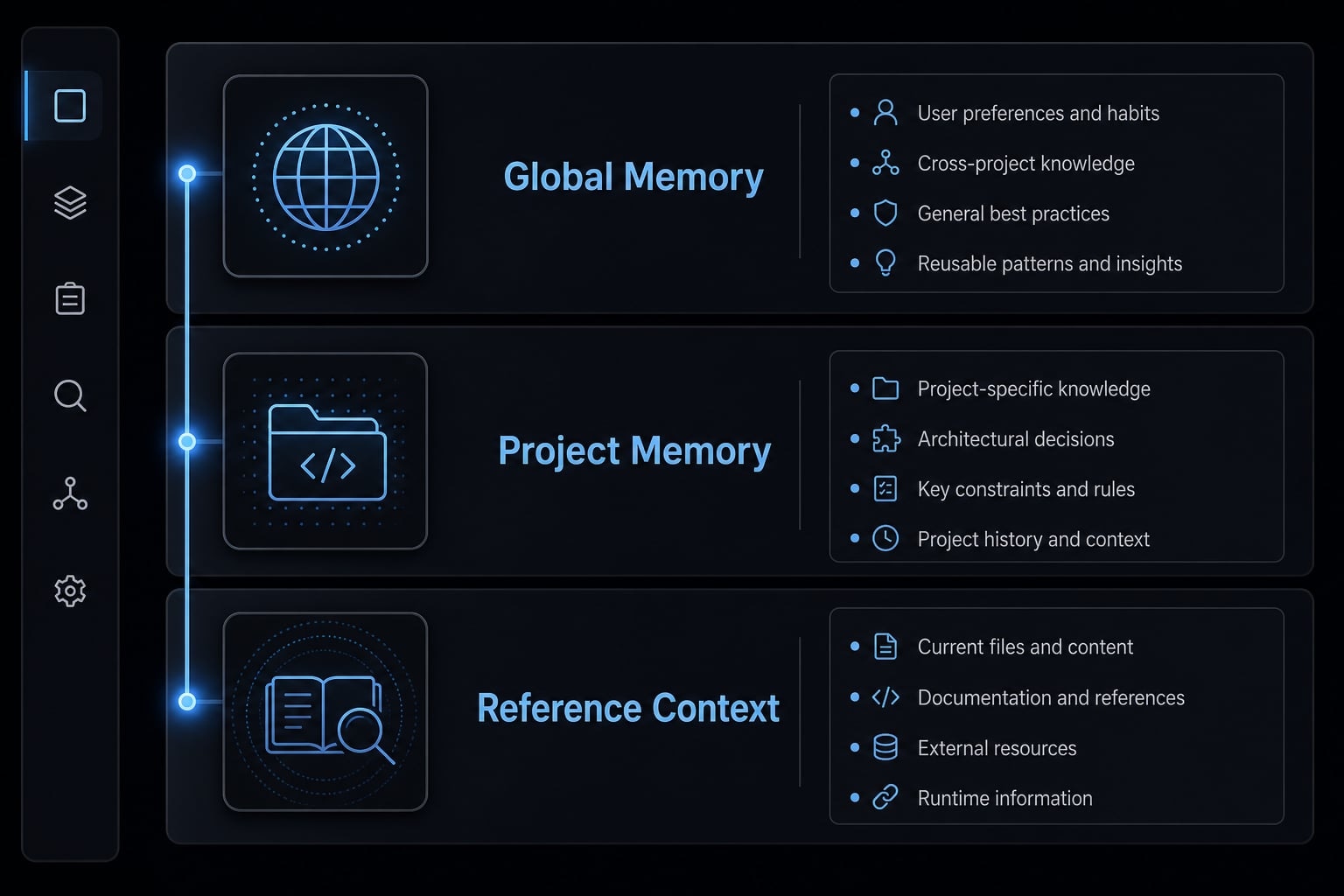
What Claude Code memory actually means
Claude Code memory is a practical way to preserve useful instructions, reusable context, and project-specific notes across sessions so you do not have to restate them every time. In practice, it is less about “AI remembering everything” and more about managing persistent context in a structured, scoped way.
Depending on your Claude Code version and setup, “memory” can mean slightly different things. For many users, it starts with CLAUDE.md and grows into a broader AI memory management configuration that includes project files and reference documents. That is why people often get confused by overlapping terms.
The easiest way to think about it is as layered context. Some information should apply everywhere. Some only belongs inside one repo. Some is useful only when relevant. A good CLAUDE.md setup for developers supports that separation instead of forcing everything into one file.
Memory is also not the same as infinite recall or guaranteed accuracy. Claude Code can use persistent state and reference context more effectively when the inputs are clean, scoped, and current. If the system is bloated, duplicated, or stale, outputs usually become less consistent.
Memory reduces repetitive prompting
Repeated setup prompts waste time and increase inconsistency. A common example is having to restate the same rules every session, such as:
- “Always summarize trade-offs before coding”.
- “Use this repo’s preferred naming style”.
- “Reference the API docs only when needed”.
That is where Claude Code persistent context helps. It reduces repeated explanation and does not remove the need for clear prompts.
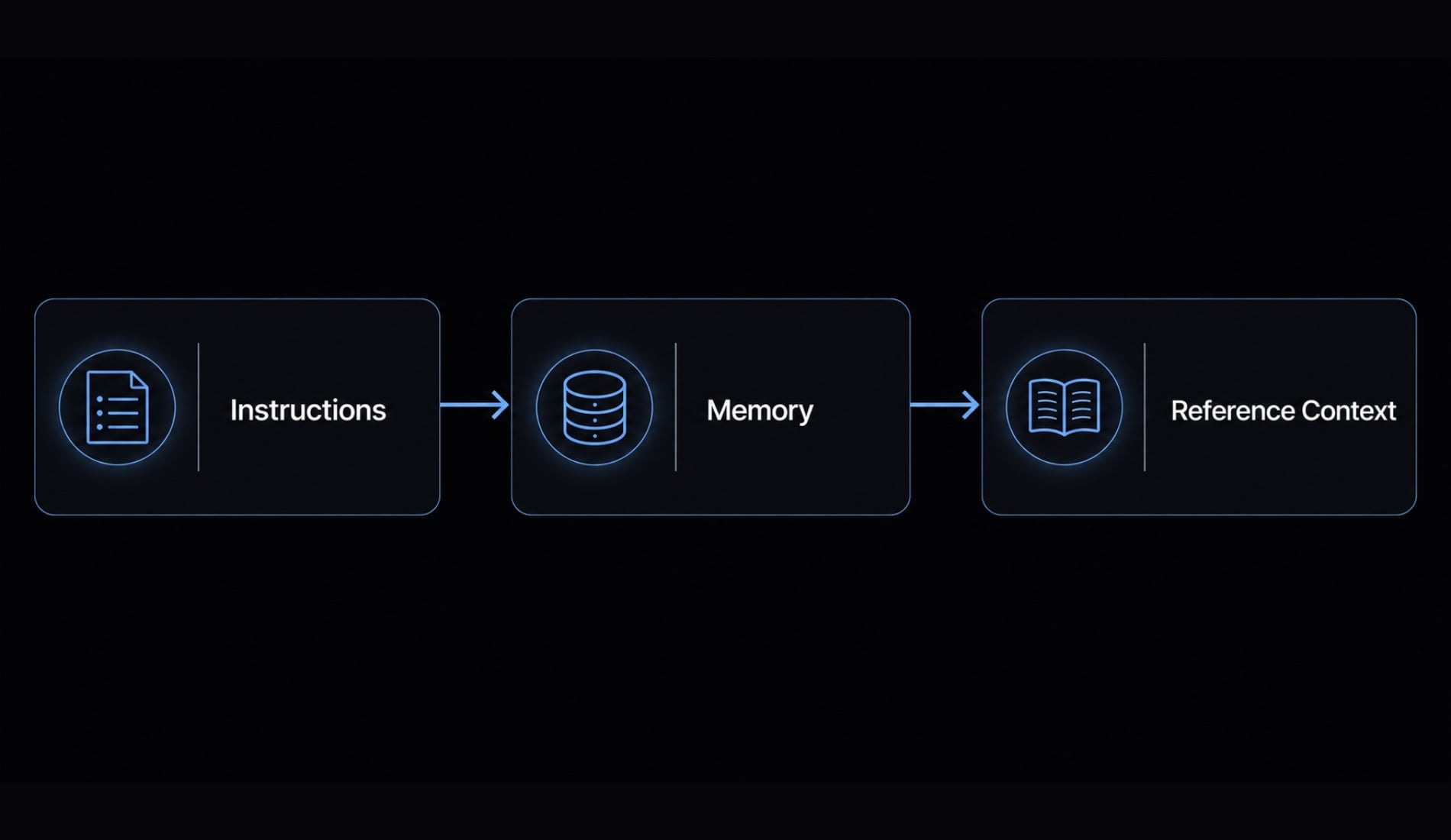
Instructions vs memory vs reference context
- Instructions: Rules Claude should follow.
- Memory: Stored reusable context that persists across sessions.
- Reference context: Supporting docs loaded only when relevant.
A common failure mode is treating memory like a dumping ground. In practice, the best Claude Code memory setups stay short, selective, and easy to update.
The simplest Claude Code memory structure that works
For most users, the simplest working model has three layers: Global memory, project memory, and reference context. That structure is usually enough to keep Claude Code useful without creating maintenance overhead.
Memory layer | What it stores | Example content |
|---|---|---|
Global memory | Stable personal rules | communication preferences, planning defaults |
Project memory | Repo-specific instructions | stack details, folder structure, commands |
Reference context | Larger docs used when relevant | API docs, brand voice, ICP notes |
What not to store | Temporary or duplicated clutter | expired notes, brainstorm dumps |
One giant CLAUDE.md usually works for a while, then starts to fail. The file grows, stable preferences get mixed with repo-specific notes, and temporary instructions never get removed. That wastes the context window and lowers signal quality.
In some setups, you may also use MEMORY.md. That can be useful, but it is not mandatory. The real issue is not file naming. It is whether your Claude Code persistent context is scoped well enough to stay maintainable.
Global memory
Use global memory for rules that apply across most projects and do not change often. This is the lowest-friction setup most users can maintain.
Examples include:
- How you want summaries formatted.
- Whether Claude should plan before editing.
- Preferred decision style.
- Stable communication defaults.
Project memory
Use project memory for anything that matters only inside one codebase or initiative.
Examples include:
- Repo structure.
- Test and run commands.
- Architecture conventions.
- Naming patterns used only in that project.
This is where global vs project memory in Claude Code becomes important. If a rule only matters in one repo, it does not belong in your global file.
Reference context
Use reference context for larger documents that are helpful sometimes, but not needed every session.
Examples include:
- API docs.
- Technical specs.
- Product requirements.
- Brand voice documents.
- Customer research notes.
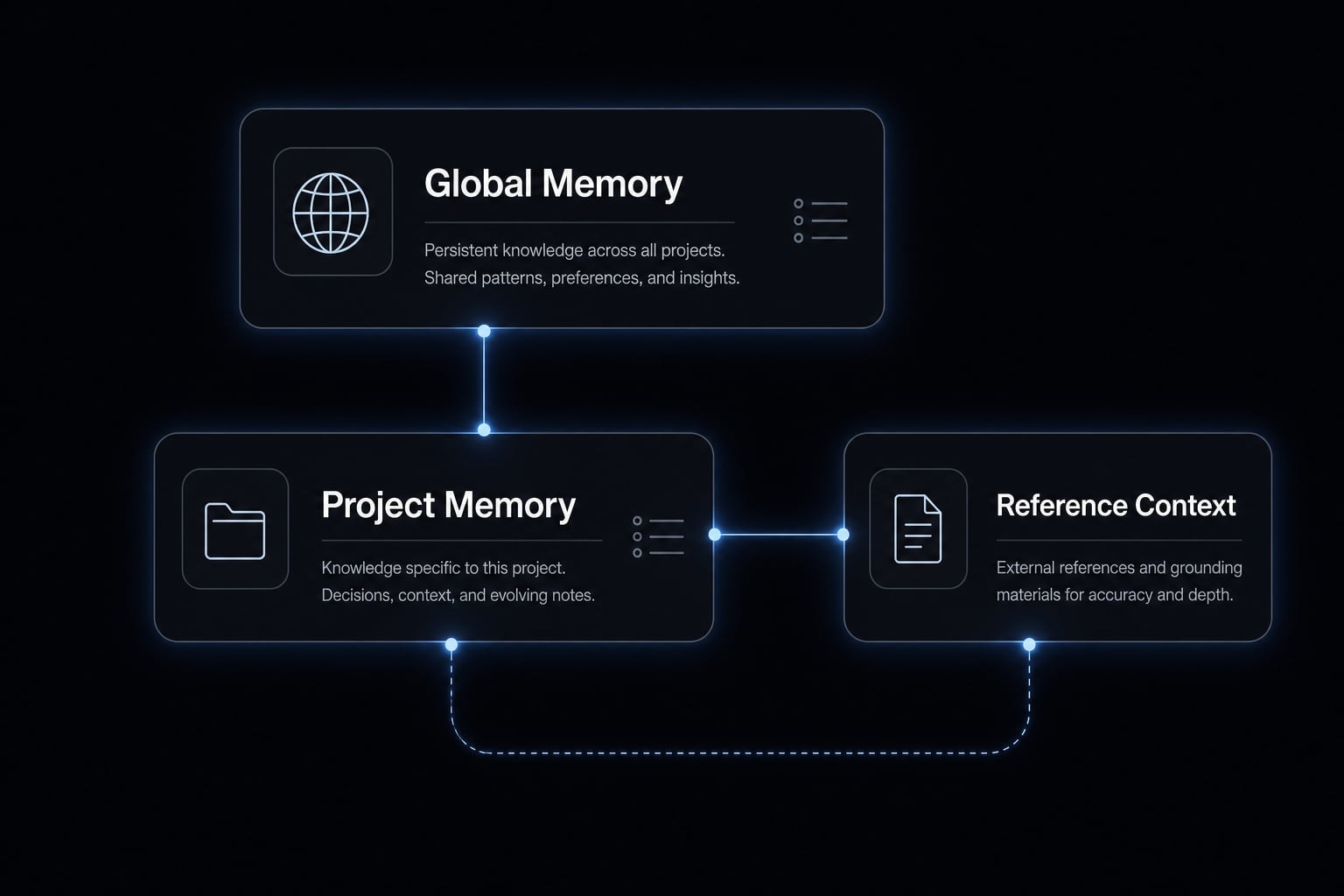
Why this structure reduces overload
Smaller scoped files are easier to maintain. They also make it easier to preserve context quality and avoid unnecessary load on the context window. In practice, memory quality matters more than memory size. Cleaner organization often improves output more than adding more text.
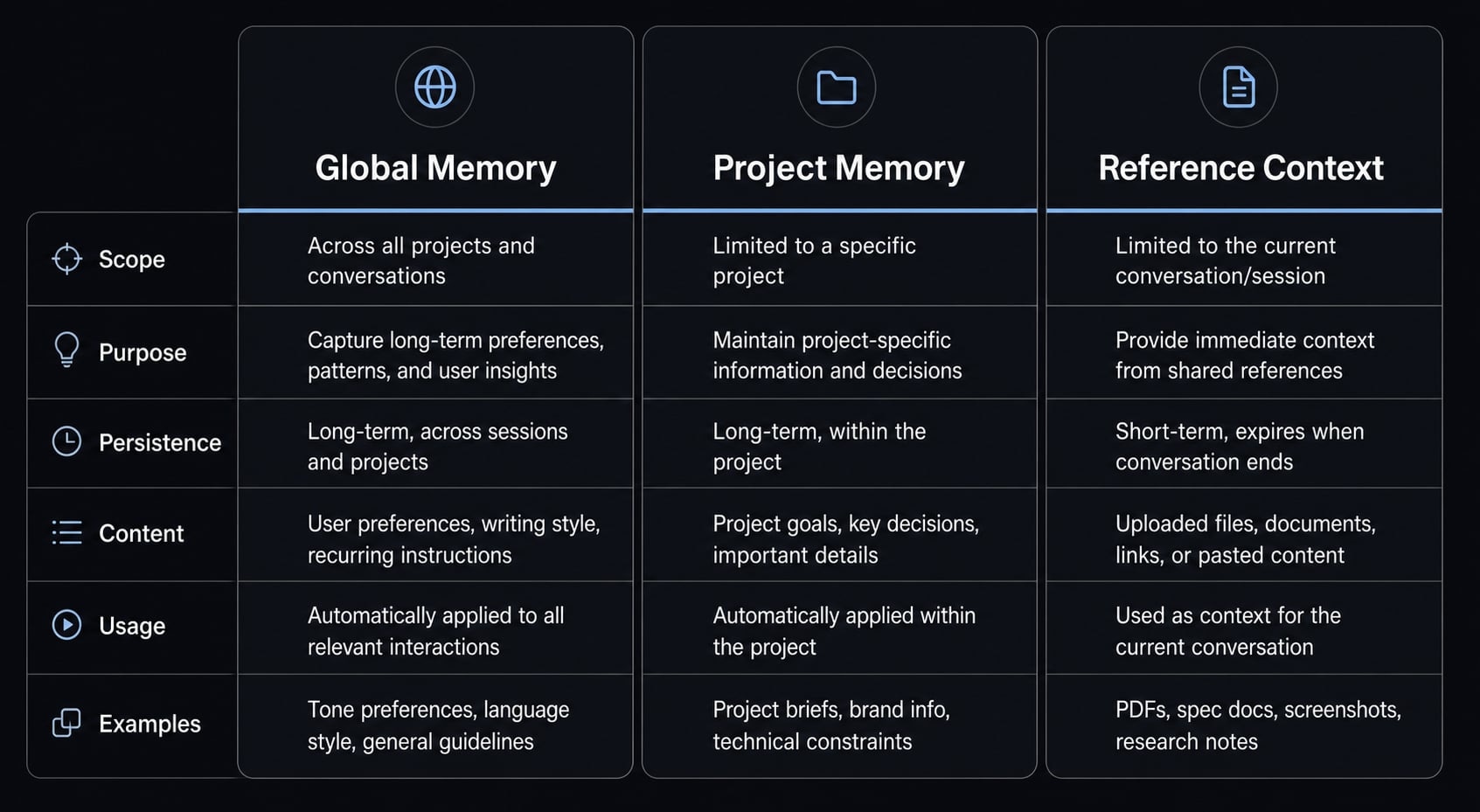
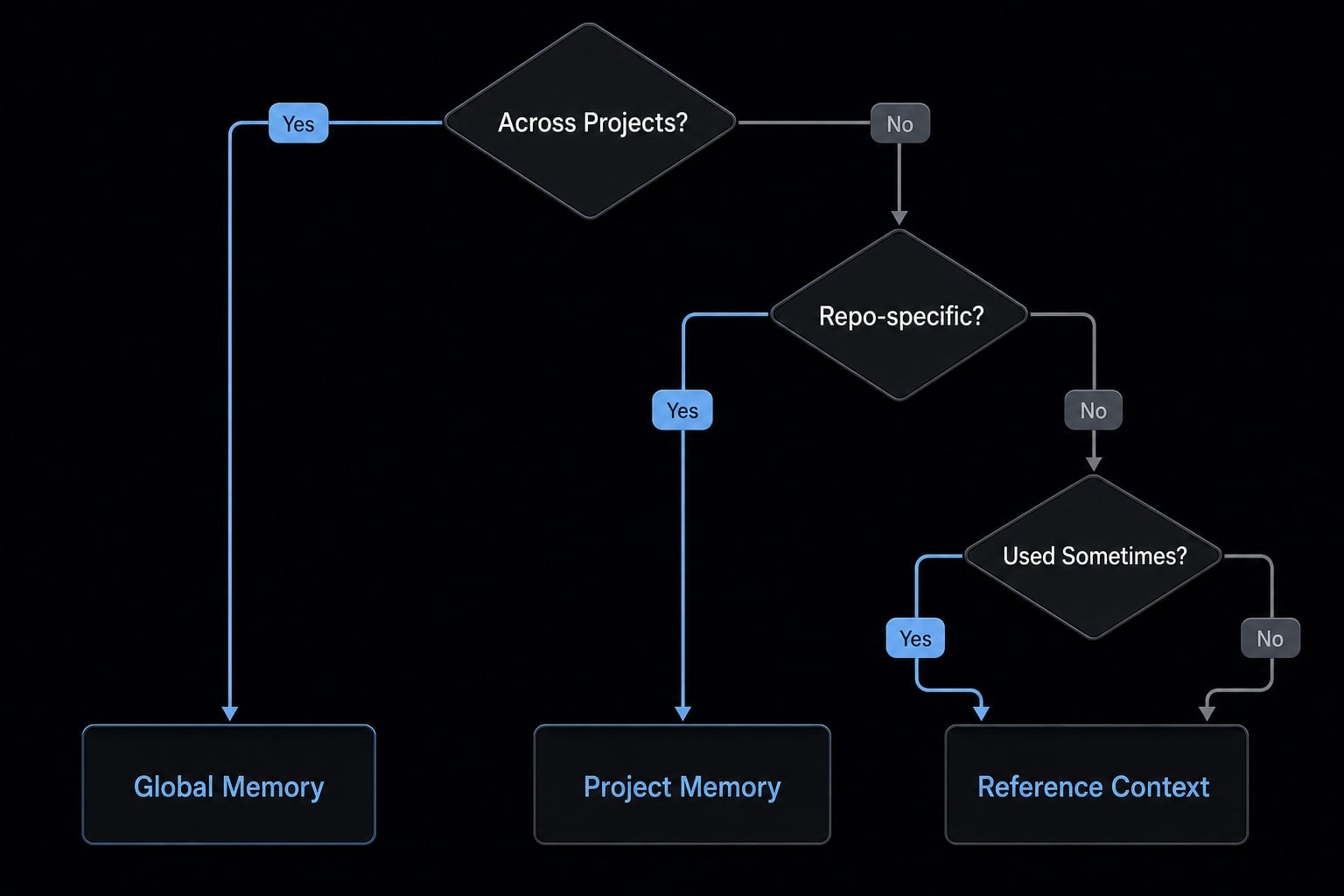
What goes where: A practical decision framework
The best practices for Claude Code memory management are simple: Use scope and frequency to decide where information belongs. Most people do not fail because they lack a file. They fail because they store the wrong kind of information in the wrong place.
Selective loading is a practical form of context injection. Instead of forcing Claude to read everything every time, you keep core memory lean and bring larger material in only when needed. That is also where modular indexing helps. Large docs should be referenced and organized, not copied into core memory.
If the information... | Store it in... | Example |
|---|---|---|
Applies across most projects and rarely changes | Global memory | “Plan before editing” |
Only matters inside one repo or initiative | Project memory | local test commands |
Is useful but only needed sometimes | Reference context | API docs, PRDs, messaging docs |
Is temporary, stale, or duplicated | Do not store it | old tasks, brainstorm dumps |
Put this in global memory
If it applies across most projects and rarely changes, store it in global memory.
Examples:
- “Plan before editing”
- “Keep summaries concise”
- “Explain trade-offs when there are multiple good paths”
- stable style and formatting rules
This layer supports better prompt engineering because it reduces repeated setup while keeping the rules durable.
Put this in project memory
If it only matters inside one repo or initiative, store it in project memory.
Examples:
- Folder conventions.
- Stack-specific commands.
- Deployment notes for that project.
- Architecture assumptions used by that codebase.
This improves persistent storage quality because repo-specific instructions stop polluting global context.
Put this in reference context
If it is useful but only needed sometimes, keep it as reference context.
Examples:
- API documentation.
- Product requirements.
- Customer interview summaries.
- Positioning docs.
- Brand voice guidelines.
This is where modular indexing matters. Keep a clear folder or list of reference files so they can be brought in selectively.
Do not store this in memory
If it is temporary, stale, or duplicated, do not store it in memory.
Examples:
- Expired tasks.
- Copied docs in multiple places.
- Brainstorm dumps.
- Giant all-purpose instruction files.
That is how context rot starts. Cleaner classification usually leads to cleaner results.
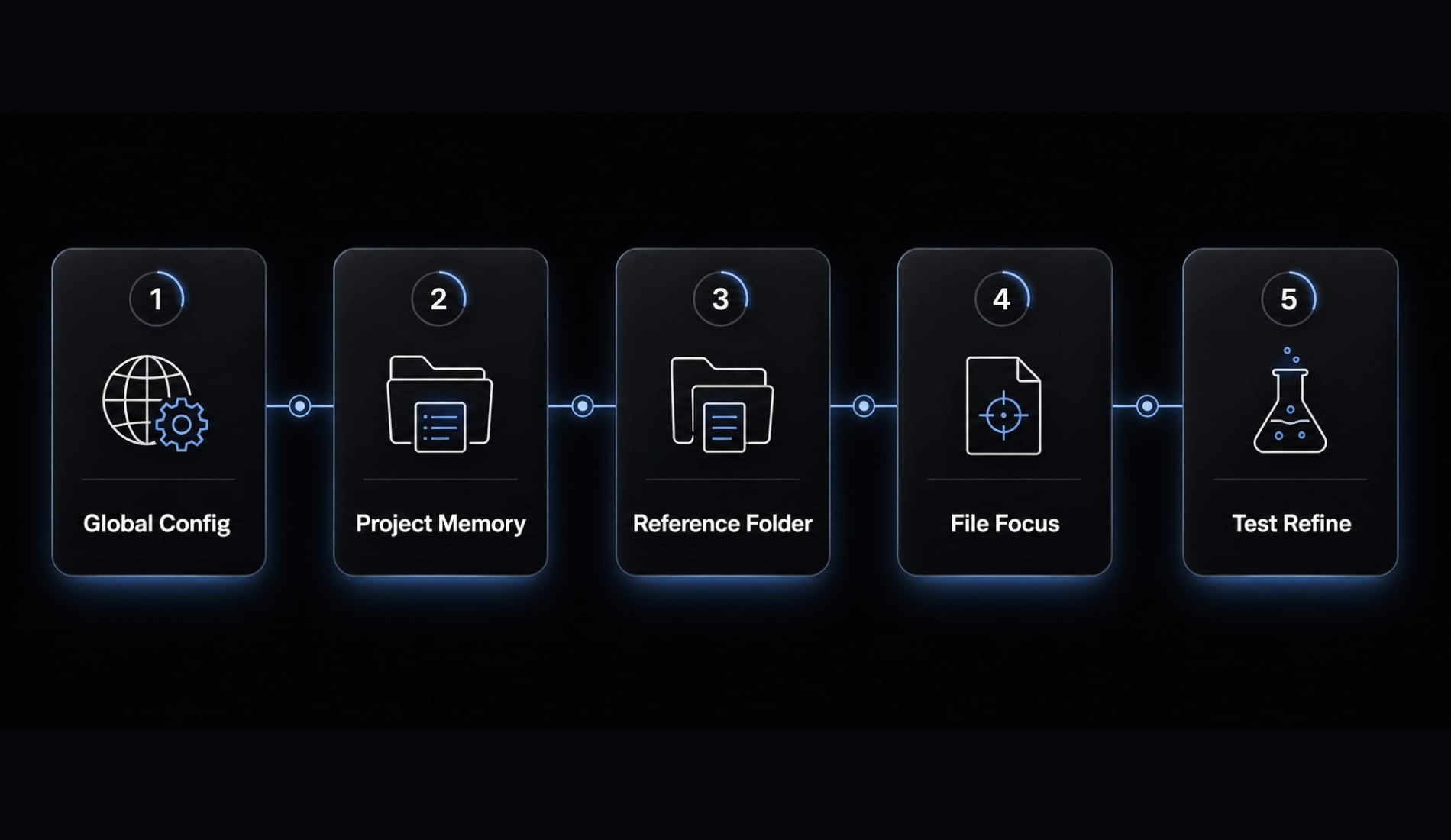
Step-by-Step: How to set up Claude Code memory without overengineering
If you want a usable Claude Code memory setup today, start with a small system you can maintain. You do not need advanced automation on day one. You need a structure that reduces repeated friction.
- Clean up global
~/.claude/CLAUDE.md - Add a project-level memory file.
- Create a small reference folder.
- Keep each file short and focused.
- Test the setup on real tasks and refine only repeated friction.
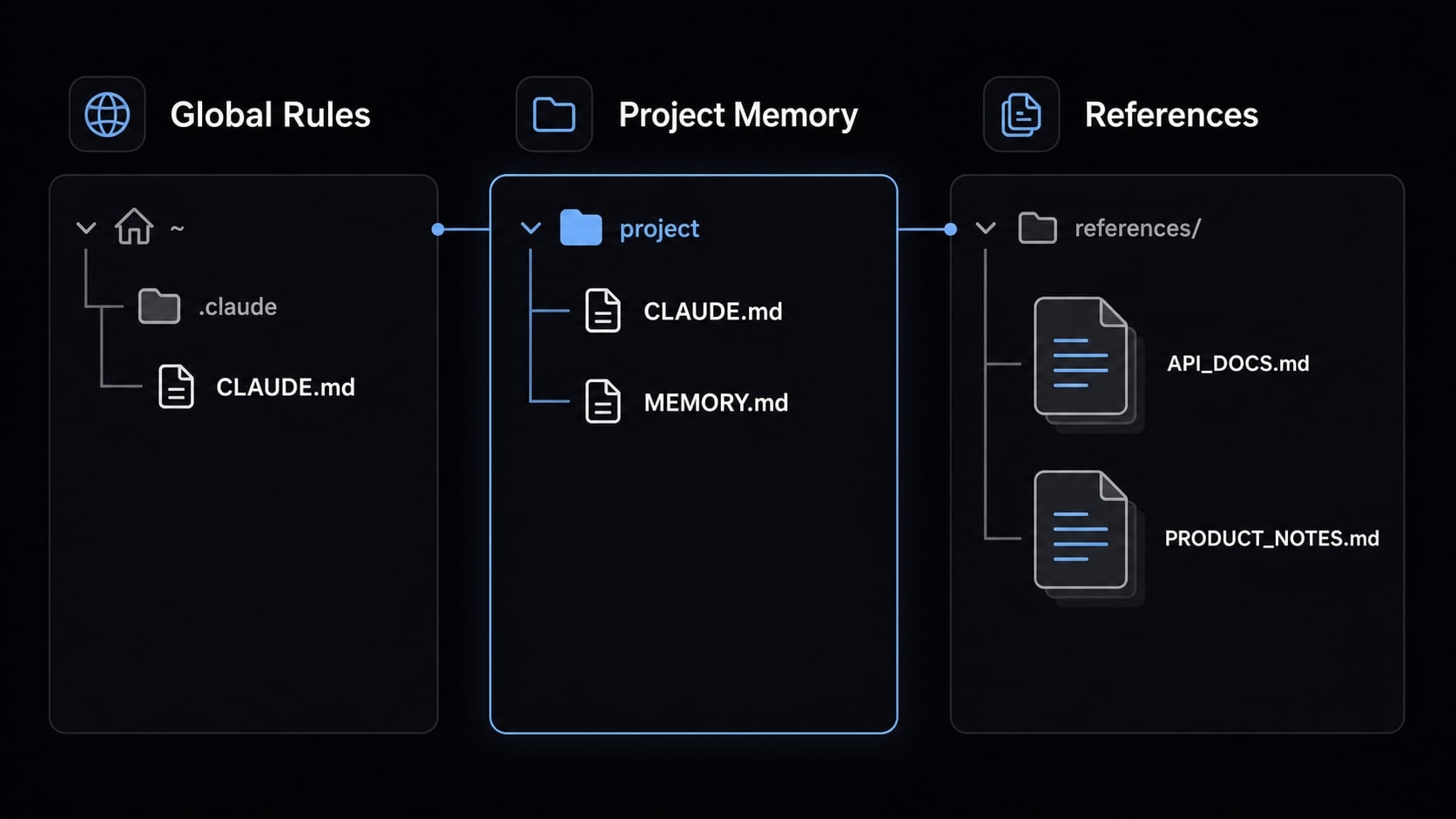
Step 1: Clean up your global ~/.claude/CLAUDE.md
For setting up global vs project memory in Claude Code, start by cleaning your global file. Keep only stable personal rules. Aim for 5 - 7 practical defaults, such as:
- Concise summaries.
- Plan first.
- Show trade-offs when needed.
- Preferred formatting defaults.
- Communication style preferences.
Strip out anything project-specific. That is the key principle behind structuring CLAUDE.md for better performance on each project.
Step 2: Add a project-level memory file
Next, create a local file for project memory. Depending on your workflow, this may be another CLAUDE.md, a MEMORY.md, or an equivalent project-level note.
Keep it operational. Good examples include:
- Repo structure.
- Local commands.
- Architecture notes.
- Testing conventions.
- Deployment assumptions.
Do not use this file for global habits that apply everywhere.
Step 3: Create a small reference folder
Store larger materials separately in a /references/ folder or similar structure. Only bring these files in when relevant.
Examples:
- API docs.
- Roadmap notes.
- Product positioning.
- Persona docs.
- Technical specs.
This protects core memory from background material that does not need to be loaded every session.
Step 4: Keep each file short and focused
A common failure mode is trying to make every file complete. That usually makes the system worse.
Use this checklist:
- One purpose per file.
- Remove duplication.
- Prefer durable rules over dumps.
- Edit for usefulness, not completeness.
Keeping files short is the practical core of structuring your CLAUDE.md. Concise files are inherently more trustworthy, easier to update, and simpler to maintain.
Step 5: Test and refine using real tasks
Run one real task. Then look for repeated friction.
Ask:
- Did Claude miss a stable preference?
- Did it need repo-specific context that was not stored?
- Did you force it to load too much background material?
Only add memory if the same need repeats. Do not build complexity on day one. If the base structure works well later, you can consider light workflow automation. Until then, maintainability matters more than cleverness.
Common mistakes that make Claude Code memory worse
Context rot is when a memory setup becomes bloated, stale, duplicated, or inconsistent over time, reducing clarity and making outputs less reliable. In practice, this is one of the main reasons a once-helpful setup starts producing noisy or inconsistent results.
More memory is not automatically better. Poor structure hurts LLM context window optimization because low-value text takes up space that should be reserved for relevant signal.
What context rot means in practice
A common failure mode is:
- One giant all-purpose file.
- Duplicated instructions across files.
- Evergreen rules mixed with temporary notes.
- Stale instructions never removed.
- Advanced layers added before the basics work.
This creates lower signal quality, noisier outputs, and wasted context space. That is why troubleshooting context rot in AI development agents often starts with simplification, not more tooling.
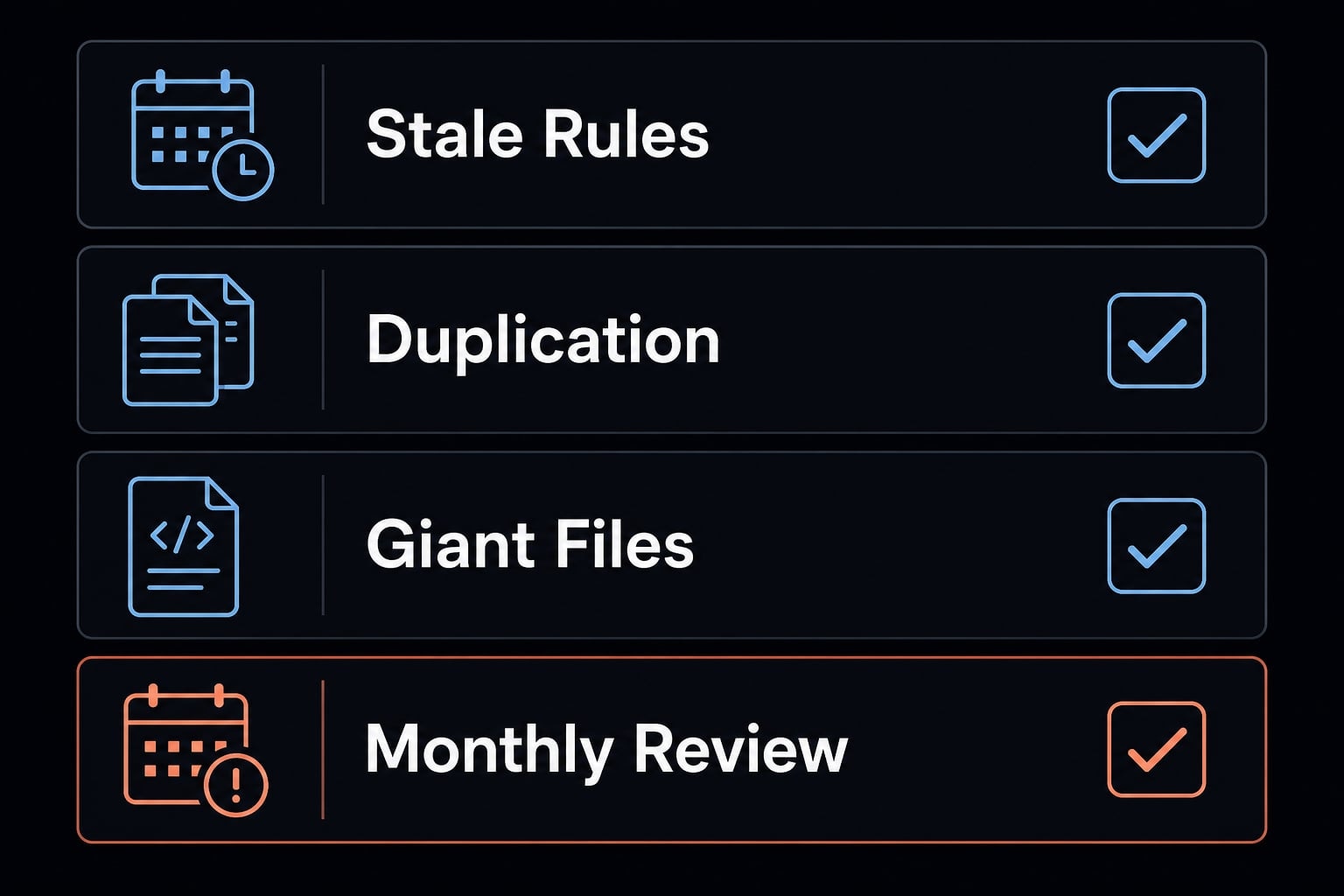
Lightweight memory hygiene checklist
Use this checklist once a month:
- Remove stale rules.
- Separate evergreen from temporary notes.
- Merge duplicates.
- Review whether each file still has one clear purpose.
- Keep advanced layers optional until the base structure works.
If you are considering auto-memory or a more complex MEMORY.md flow, add it only after the manual structure is stable. Otherwise, you may automate a messy system instead of improving it.
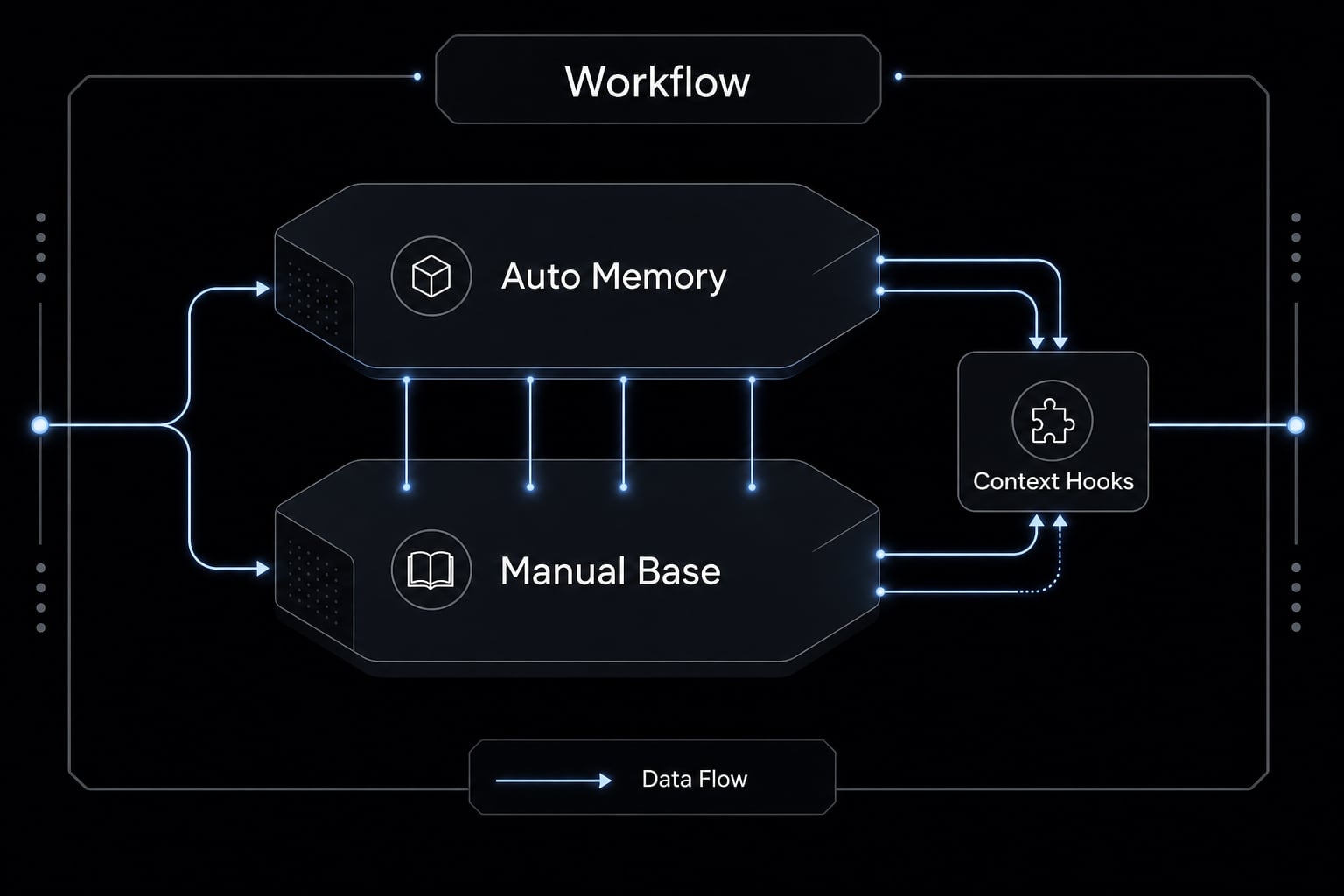
Optional advanced layer: Auto-memory, MEMORY.md, and hooks
This section is optional. Most mainstream users do not need it yet. In some setups, auto-memory tries to capture repeated patterns and reduce manual upkeep. That can be useful for people working across many projects every week. But it is not necessary for a solid beginner or intermediate setup, and implementations can vary depending on version and tooling.
What auto-memory usually tries to do
At a high level, auto-memory attempts to:
- Capture repeated corrections or preferences.
- Reduce manual updates.
- Preserve useful patterns across sessions.
That can help with frequent, multi-project usage. For many users, though, a clean manual structure is enough.
What hooks do at a high level
A PreToolUse hook can inject selected context before certain actions. In practice, this is a form of automated context injection. That can be useful for advanced workflows, including cases sometimes described as automating Claude Code memory with PreToolUse hooks. But it should come later. First make sure your base files are actually clean and useful.
Some advanced users also rely on MEMORY.md and process-aware session identification logic. Details vary by setup, and there is no universal standard. Treat these as optional extensions, not required architecture.
If your team is moving from ad hoc prompts to repeatable AI workflows, AgentKit can help standardize reusable agent skills before you invest in more automation.
A simple example for developers, founders, and operators
The model stays the same even when the work changes. That is why Claude Code persistent context is useful across different roles.
Developer
- Global: Coding preferences, concise output style, “plan before editing”.
- Project: Repo commands, folder rules, architecture notes.
- Reference: API docs, technical specs, migration notes.
This works well alongside other developer productivity tools because the file boundaries stay clear.
Founder / Product
- Global: Decision style, summary preferences, communication defaults.
- Project: Roadmap assumptions, launch constraints, active product rules.
- Reference: Customer interview notes, product docs, positioning materials.
Operator / Marketing
- Global: Tone preferences, reporting defaults, preferred output format.
- Project: Campaign workflow rules, deliverable structure, channel notes.
- Reference: Brand voice docs, ICP notes, messaging docs.
This is a practical AI agentic workflow pattern: Keep stable rules reusable, keep local context local, and keep larger documents selective. That same logic also makes reusable agent skills easier to design later.
Frequently asked questions
What is Claude Code memory?
Claude Code memory is a context system that stores project data and instructions for the model to access across multiple sessions. It reduces the need to repeat recurring requirements by preserving stable project information and working rules.
How should you structure Claude Code memory effectively?
Use a three-layer model to prevent context overload:
- Global memory: Stable personal rules, such as your preferred response style.
- Project memory: Structures, commands, and conventions specific to each repository.
- Reference context: Large documents, such as API documentation and guides, loaded only when needed.
Why should you avoid storing everything in a single CLAUDE.md file?
Storing everything in one file can cause “context rot,” as the file becomes excessively long and difficult to manage. When CLAUDE.md becomes bloated, Claude may overlook important rules, produce less consistent responses, and waste valuable context window capacity.
What is context rot in AI memory management?
Context rot occurs when a memory system becomes cluttered with outdated, duplicated, or irrelevant information. This reduces response quality, distracts the model, and makes instructions increasingly difficult to maintain over time.
Do you need to configure auto-memory and hooks immediately?
No. For most users, manually organizing memory with the three-layer structure is sufficient to achieve strong performance. Consider using auto-memory and hooks only after mastering the basic system and identifying specific recurring tasks that would benefit from automation.
Read more:
- Claude Code slash commands: Essential shortcuts for CLI flow
- Claude Code subagents documentation: Setup and usage guide
- Connect GitHub MCP to Claude Code: Step-by-step guide
Conclusion
Claude Code memory works best when you treat it as a layered context system, not a giant storage bin. The most practical structure for most users is simple: Global memory for stable rules, project memory for repo-specific context, and reference context for larger documents used only when relevant. The key principle is straightforward: Memory quality matters more than memory volume. Start small, keep files scoped, and review them monthly before adding advanced layers.