Claude Code API key: How to get, configure and secure access
Claude Code API key: How to get, configure, and secure it
A Claude Code API key is an Anthropic credential set via the ANTHROPIC_API_KEY environment variable. Depending on your plan, you may also use account-based authentication. This guide covers authentication options, key creation, cross-platform configuration (macOS, Linux, Windows), billing, secure storage, verification, key rotation, and troubleshooting.
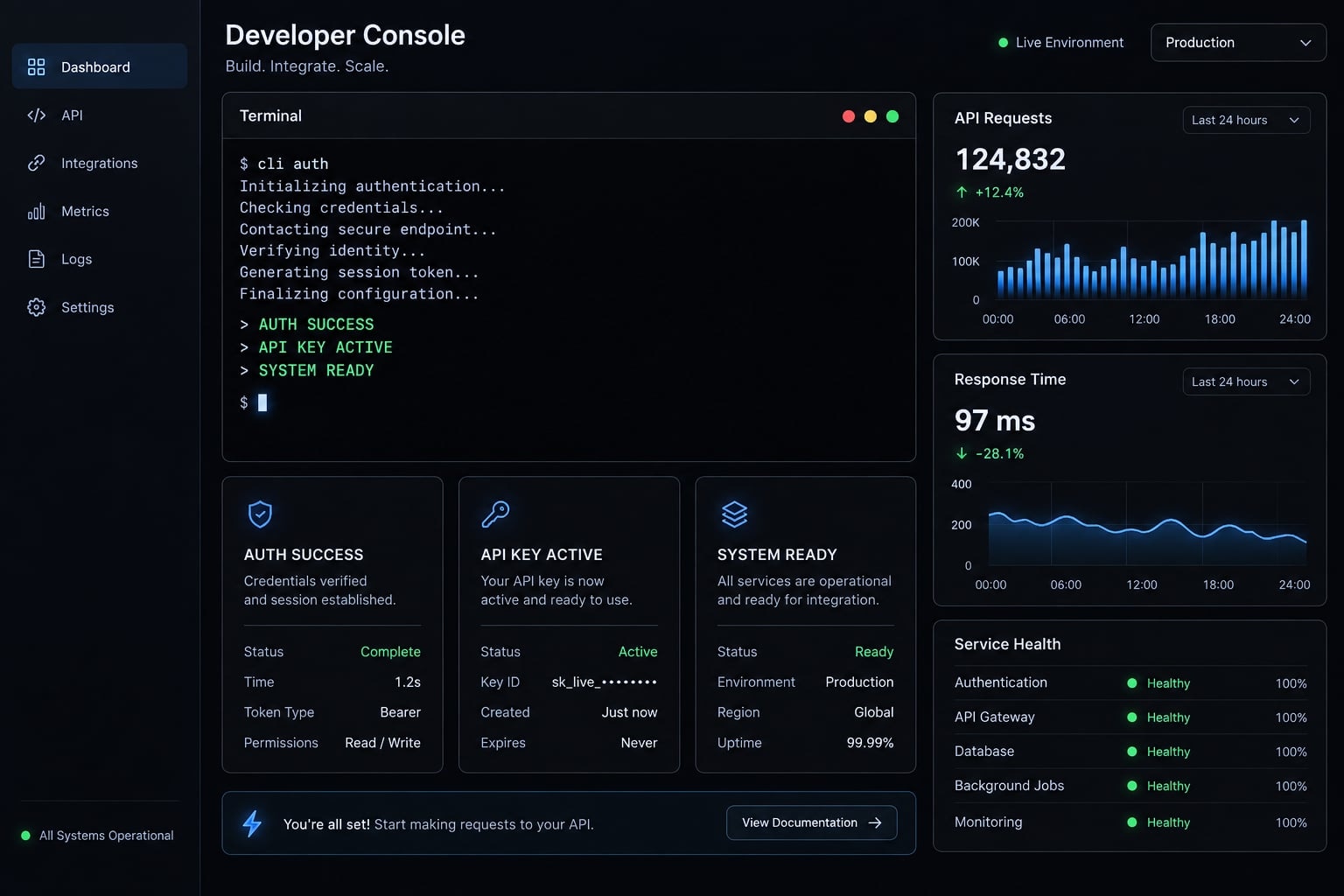
Security warning: Never paste an Anthropic API key into source code, prompts, screenshots, repositories, MCP configurations, support tickets, or public messages. Treat any exposed credential as compromised.
Do you need an API key for Claude Code?
You may need an API key when using Claude Code through Anthropic’s metered API access. Individual interactive use may also support account-based authentication, depending on the current product flow, plan eligibility, organization policy, and deployment context.
Choose the appropriate authentication method:
Use case | Likely authentication path | Recommended action |
|---|---|---|
Individual interactive use | Claude account sign-in may be supported | Follow the current Claude Code login flow before creating a key |
Direct API integration | Anthropic API credentials | Create an appropriate key through the official platform |
Local development with API billing | Personal API key | Use a key linked to the developer and store it outside source code |
CI/CD or shared agent workload | Service account or approved workload credential, where supported | Avoid dependencies on one employee’s personal key |
Enterprise-controlled environment | Organization-approved authentication | Follow administrator policies for ownership, scope, billing, and access |
- A personal key is linked to an individual user. It is generally appropriate for personal development and may stop working when that user leaves the organization.
- A service account key represents a shared workload or non-human identity. Where supported, it is more suitable for CI/CD pipelines, production services, and shared agents.
Account sign-in, API credentials, and application subscriptions are related but not interchangeable concepts. The correct choice depends on who owns the credential, where it runs, and which billing context applies.
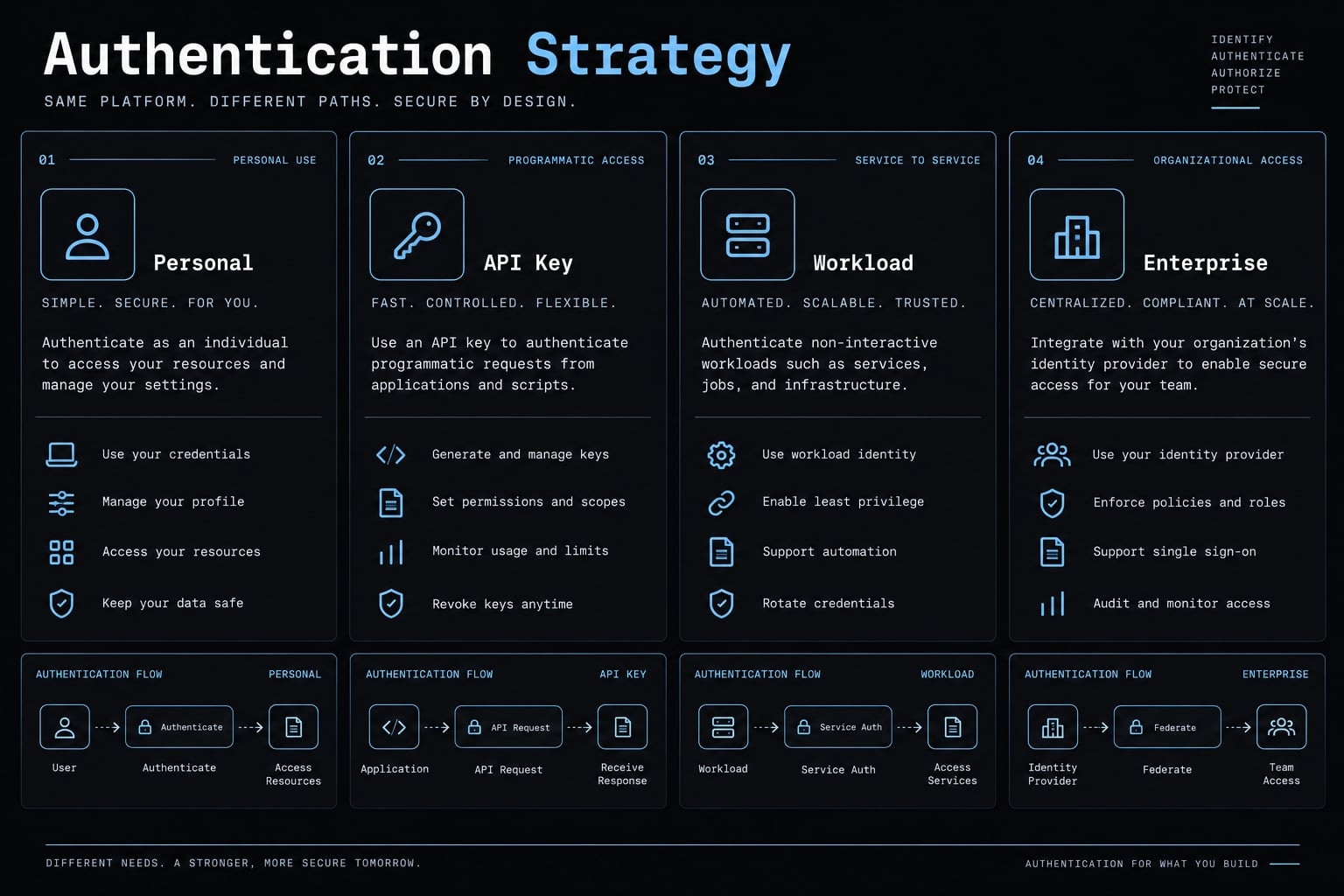
How to create an Anthropic API Key
Create Anthropic API credentials only through the official platform. Before creating the key, confirm the active organization or workspace, intended owner, workload, environment, scope, and expiration policy.
According to Anthropic’s API key management documentation, the standard process is:
- Open the official Anthropic Platform.
- Sign in to the correct Anthropic account.
- Confirm the active organization or workspace.
- Open Settings → API keys.
- Select Create key and configure the credential.
- Copy the key and store it securely.
Interface labels can change. Verify the current navigation before publishing internal setup documentation.
Step 1 - Sign In to the Claude Console
Open https://platform.claude.com/ directly or use a trusted bookmark. Avoid credential pages reached through unsolicited messages, advertisements, or unofficial tutorials.
After signing in, confirm that the correct organization or workspace is active. This check prevents developers from creating a credential under the wrong billing account or access boundary.
Step 2 - Open Settings → API Keys
Navigate to Settings → API keys. The page may display metadata for existing credentials, such as their names, owners, creation dates, expiration details, or redacted hints.
Use a name that identifies the credential without revealing the secret:
owner-workload-environment
Examples include alex-local-development or ci-documentation-production. Do not include the API key itself in the name.
If Create key is disabled, your organization role may not permit credential creation. Ask an administrator to review your role or create an approved workload credential. Do not bypass organization controls by using an unrelated personal account.
Step 3 - Choose the Key Type and Scope
Anthropic’s current documentation describes the following key types:
Key type | Best suited to | Main consideration |
|---|---|---|
Personal key | Individual local development | Linked to a user and may stop working when that user leaves |
Service account key | CI/CD, shared agents, and production services | Owned by a workload rather than one employee |
Workspace key | Legacy workspace-owned use cases | Prefer a personal or service account key for new setups where possible |
Choose the narrowest practical scope. Consider:
- Owner: Person or approved workload.
- Environment: Local, testing, staging, production, or CI.
- Workspace: The permitted organizational boundary.
- Expiration date: The planned credential lifetime.
- Revocation path: Who can disable the credential when necessary.
Do not select broader access solely for convenience.
Step 4 - Copy and Store the Key Immediately
The current official documentation states that the complete key is displayed only once during creation. Anthropic API keys currently begin with sk-ant-, but documentation and interface behavior should be rechecked periodically.
Use only a redacted representation in documentation:
sk-ant-...REDACTED
Store the credential in an approved:
- Dedicated secrets manager
- CI/CD encrypted secret vault
- Operating-system credential store
- Enterprise password manager
Do not save it in a document, screenshot, prompt library, repository, chat message, or issue tracker. If the original value is lost, create a replacement and revoke the unused credential rather than attempting to reconstruct it.
Set ANTHROPIC_API_KEY on macOS, Linux and Windows
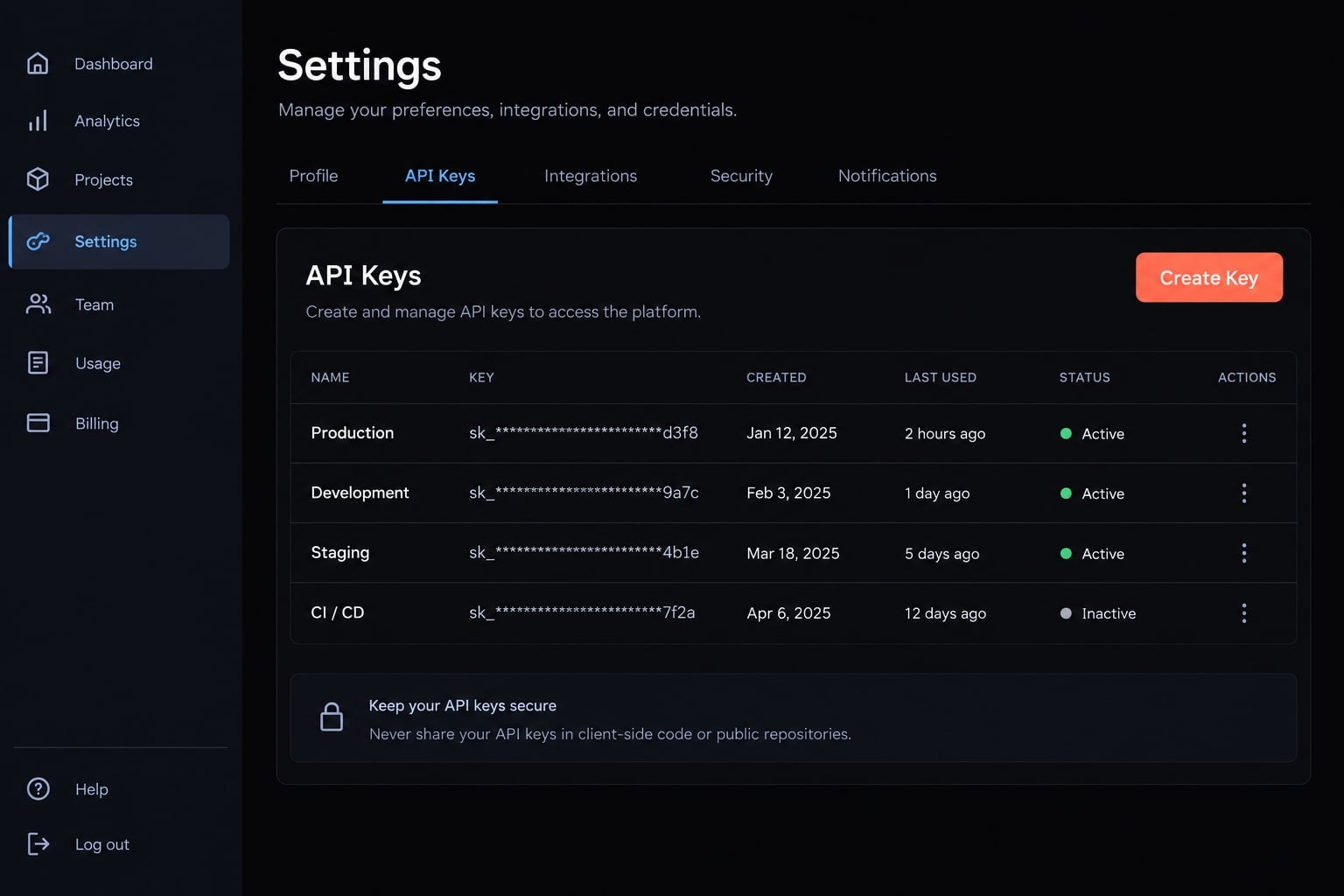
An environment variable is a named value made available to an application at runtime. In an API-key-based setup, ANTHROPIC_API_KEY is the exact variable name recognized by Anthropic tooling and client libraries.
A temporary variable exists only in the current process tree. A persistent variable becomes available to newly started processes after the relevant configuration is loaded.
Replace the redacted placeholder locally. Never place a real credential in documentation, screenshots, shell history, issue trackers, or source control.
macOS and Linux - Current terminal session
Run this command in Bash or Zsh:
export ANTHROPIC_API_KEY="sk-ant-...REDACTED"
This setting lasts for the current terminal session. Processes launched from that shell can inherit the variable.
Start Claude Code from the same terminal. Closing the terminal removes the temporary setting.
macOS and Linux - Persistent Shell Sessions
First, identify your active shell:
echo $SHELL
Common profile locations include:
- Zsh:
~/.zshrc - Bash:
~/.bashrc - Bash login shell:
~/.bash_profile
A persistent variable added to the appropriate profile becomes available after you open a new terminal or reload the configuration.
However, storing a secret directly in a shell profile creates security risks. The value may be exposed through backups, screenshots, broad file permissions, support bundles, or accidental sharing.
For team and production environments, use a secrets manager that injects the value at runtime. A shell profile provides convenience, not the protections of dedicated secrets management.
Windows PowerShell - Current session
Run the following command in PowerShell:
$env:ANTHROPIC_API_KEY = "sk-ant-...REDACTED"
The variable applies only to the active PowerShell session. Launch Claude Code from that PowerShell window so the new process inherits the value. Closing PowerShell removes the temporary setting.
Windows - Persistent user environment variable
Use the Windows interface rather than adding the value through source files:
- Search for Edit environment variables for your account.
- Open the user environment-variable settings.
- Create a user variable named
ANTHROPIC_API_KEY. - Enter the credential in the value field.
- Save the change.
- Restart open terminals, editors, and Claude Code processes.
An existing application does not automatically receive newly created persistent variables. It must be restarted under a process that can access the updated environment.
User environment variables may also be accessible to other processes running under the same account. They are not a substitute for a dedicated secrets manager on shared or managed devices.
CI/CD and shared agent workloads
Do | Do not |
|---|---|
Use the platform’s encrypted secret store | Paste the key directly into YAML |
Inject | Add the credential to a Dockerfile |
Prefer workload-owned credentials | Commit a populated |
Separate local, staging, production, and CI keys | Embed secrets in MCP configurations |
Restrict access to required jobs and environments | Place keys in workflow templates or prompt libraries |
Document credential ownership and revocation | Reuse one personal key across unrelated systems |
A CI/CD pipeline does not inherit secrets from a developer’s computer. The secret must be configured in the automation platform and explicitly mapped to the required runtime environment.
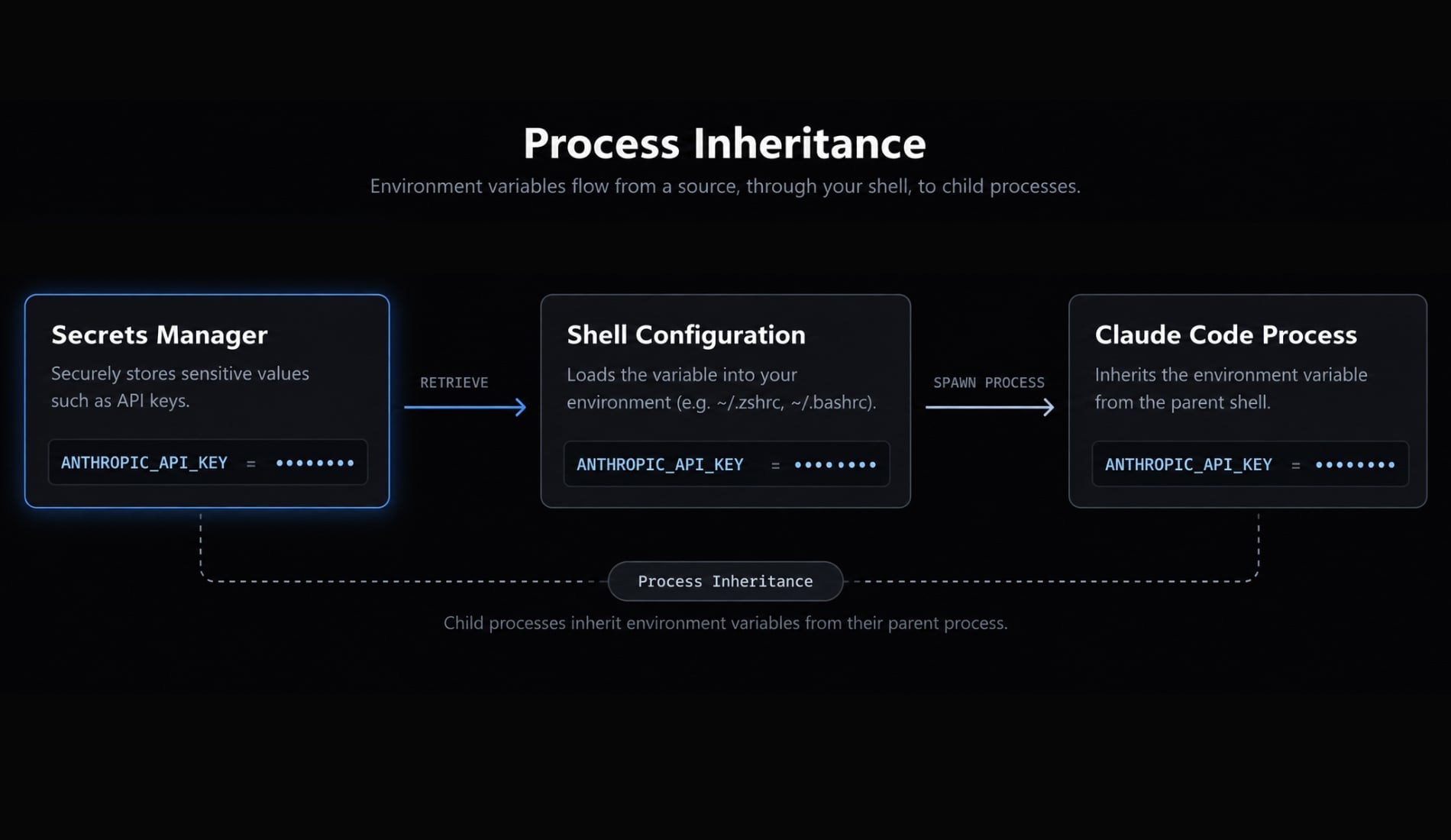
Verify Claude Code authentication without exposing the key
Verify that the environment variable exists without printing its value. Variable detection proves that the current shell can see a value, but it does not prove that the credential is valid, active, authorized, or billable.
Safe check on macOS or Linux
if [ -n "$ANTHROPIC_API_KEY" ]; then echo "ANTHROPIC_API_KEY is set"else echo "ANTHROPIC_API_KEY is not set"fi
Do not use commands that print the complete value, including echo $ANTHROPIC_API_KEY. Terminal output can enter logs, screenshots, recordings, clipboard history, and support transcripts.
Safe check in Windows PowerShell
if ($env:ANTHROPIC_API_KEY) { "ANTHROPIC_API_KEY is set"} else { "ANTHROPIC_API_KEY is not set"}
Open a new PowerShell window if you recently created a persistent user variable.
Final authentication check
- Launch Claude Code from the configured terminal or process.
- Confirm that no missing-credential error appears.
- Confirm that the current authentication flow succeeds.
- Move to troubleshooting if authorization fails.
- Share only redacted diagnostic information.
A set environment variable does not confirm:
- Key validity
- Expiration status
- Revocation status
- Permission scope
- Workspace authorization
- Available API billing
Validation flow: Variable exists → Process inherits variable → Credential is accepted → Usage is authorized.
Claude subscription vs. API key billing
Do not assume a paid Claude app subscription includes Anthropic API access. Claude application plans and API access generally operate in separate product and billing contexts unless current official terms explicitly state otherwise.
Review Anthropic’s current pricing information and the billing settings for the relevant API organization before running high-volume workloads.
Account authentication and API authentication compared:
Area | Claude Account or Plan Authentication | Anthropic API Key |
|---|---|---|
Typical use | Interactive Claude products and supported account-login flows | API integrations, local API use, CI/CD, and shared workloads |
Credential | Claude account session | Personal, service account, or other supported API key |
Billing context | Applicable Claude application plan | Relevant API organization and usage configuration |
Usage visibility | Application-specific account controls | API usage and billing controls |
Recommended action | Confirm current plan eligibility | Confirm organization, billing, limits, and credential ownership |
API cost depends on current model pricing, token consumption, organization settings, and applicable usage controls. Authentication success alone does not establish that sufficient billing access is available.
Before sustained usage:
- Confirm the correct API organization.
- Review API usage reporting.
- Configure available budgets, alerts, or limits.
- Test with a controlled workload.
- Recheck official pricing before estimating production costs.
Secure, rotate and revoke Claude API keys
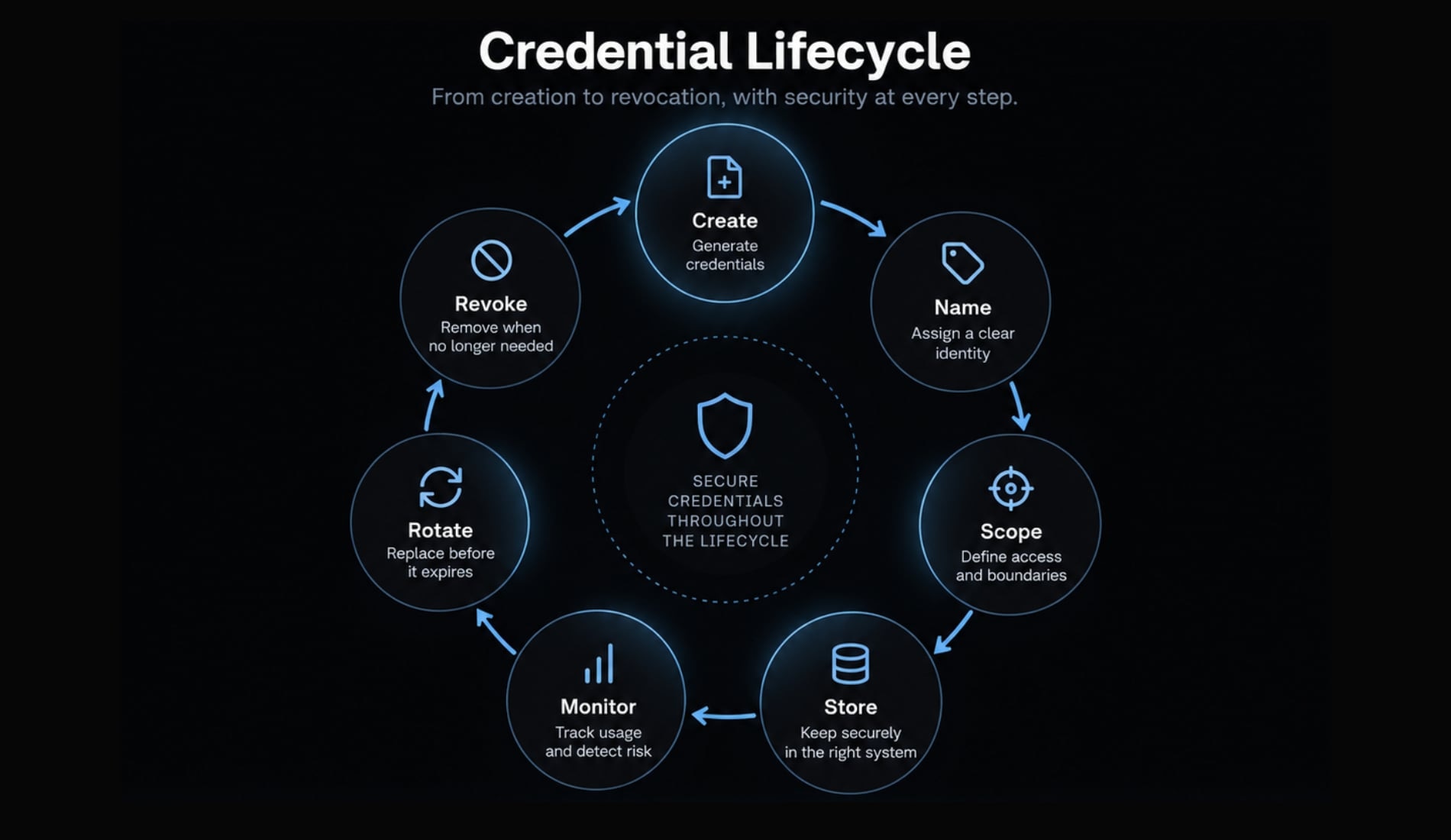
Every credential needs a documented owner, workload, environment, scope, storage location, expiration policy, and revocation path. Shared production systems should not depend on an employee’s personal credential where a workload-owned option is available.
Use this lifecycle: Create → Name → Scope → Store → Monitor → Rotate → Revoke
- Create: Generate the credential through the official platform.
- Name: Identify its owner, workload, and environment.
- Scope: Grant only the required access.
- Store: Place the secret in an approved protected system.
- Monitor: Review usage and unexpected activity.
- Rotate: Replace the key and update every dependency.
- Revoke: Disable exposed, expired, or unnecessary credentials.
Where to store the key
Use | Avoid |
|---|---|
Dedicated secrets manager | Source files |
CI/CD encrypted secret store | Committed |
Operating-system credential store | Shell-profile screenshots |
Approved enterprise password manager | Prompt templates |
Runtime secret injection | MCP files containing credentials |
Separate credentials by environment | Chat messages and public documentation |
Reusable configuration should reference ANTHROPIC_API_KEY, not contain its value. This separation keeps workflows portable and prevents source-controlled configuration from becoming a secrets repository.
What to do if a key is exposed
- Revoke the exposed credential immediately.
- Create a replacement with the required ownership and scope.
- Update every approved secret store and dependent system.
- Review available usage records and logs for unexpected activity.
- Remove the exposed value from histories, caches, logs, screenshots, and shared artifacts where possible.
Deleting a key from the latest Git commit is insufficient if the value remains in repository history, forks, build logs, or caches. Revocation invalidates the credential; repository cleanup only reduces continued exposure.
Rotation is also incomplete until every dependent process uses the replacement. Test local, staging, production, scheduled, and CI/CD workloads before closing the incident.
Standardizing team and agent configurations
Skills, plugins, MCP settings, and workflow definitions should contain variable references rather than secret values. Credentials should be injected at runtime through the approved environment.
AgentKit can optionally standardize reusable Claude Code configurations and repeatable security checks. It is not required for Claude Code, does not issue Anthropic credentials, and does not replace Anthropic’s authentication or billing controls.
Troubleshoot common Claude Code API key errors
Troubleshoot in a low-risk order: Check the variable name, process inheritance, credential status, organization or workspace, permissions, billing controls, CI/CD mapping, and current authentication behavior. Never expose the complete key while diagnosing an error.
Authentication troubleshooting table
Symptom | Likely cause | Recommended check |
|---|---|---|
No API key available | Variable is missing or incorrectly named | Confirm the exact name is |
Variable is set but authentication fails | Key is invalid, expired, revoked, or unauthorized | Check credential status and scope in the official platform |
Authentication stops after terminal restart | Variable was temporary | Reconfigure it or use an approved persistent injection method |
Persistent Windows variable is not detected | Application started before the variable was created | Restart PowerShell, the editor, and Claude Code |
Works locally but fails in CI/CD | CI job cannot access the local secret | Configure the CI/CD secret store and runtime mapping |
Create key is disabled | Organization role may not allow key creation | Ask an administrator to verify permissions |
Workspace or authorization error | Wrong organization, workspace, or credential scope | Confirm the active organization and permitted workspace |
Billing or usage error | API billing is unavailable or a usage control was reached | Review the relevant API organization’s billing settings |
Credential was committed to Git | Secret must be considered compromised | Revoke it immediately, replace it, then clean repository history |
Account login conflicts with API-key behavior | Current Claude Code flow may be selecting another authentication path | Review the current authentication documentation and active session |
Do not recreate the credential as the first response to every problem. A replacement key will not fix an incorrect variable name, stale terminal, missing CI mapping, insufficient organization role, or unavailable billing.
Safe escalation procedure
When official documentation does not resolve the issue:
- Record the exact error message.
- Include the operating system and shell.
- Include the installed Claude Code version.
- State whether the failure occurs locally, in CI/CD, or both.
- Redact credentials, account identifiers, workspace details, and customer data.
Consult current Anthropic documentation before escalating. Contact the organization administrator for permission or workspace problems.
If logs, screenshots, or support messages might contain the credential, revoke the key before sharing any diagnostic material.
Claude Code API key setup: Quick reference
Item | Setup requirement |
|---|---|
Primary task | Select, create, configure, verify, and protect an Anthropic credential |
Intended users | Developers, founders, small teams, and CI/CD operators |
Approximate setup time | Usually 5–15 minutes, excluding access or billing approval delays |
Official platform | |
Credential ownership | Personal for individual use; workload-owned for shared automation where supported |
Environment-variable name |
|
Operating systems | macOS, Linux, and Windows |
Security requirement | Keep the secret outside source code and reusable configuration |
Validation outcome | Claude Code inherits and successfully authorizes the credential |
Source of truth | Current official Anthropic and Claude Code documentation |
Configure your Claude Code API key safely
A safe Claude Code API key setup starts by confirming whether account sign-in or API authentication applies. If a key is required, create it on the official platform, assign appropriate ownership and scope, store it securely, and configure ANTHROPIC_API_KEY for the intended process.
Verify detection without printing the secret. Remember that a Claude subscription and API billing are not automatically interchangeable. Shared workloads should use workload-owned credentials where available.
If a key appears in Git, logs, prompts, screenshots, or support material, revoke it immediately. AgentKit remains an optional way to standardize reusable Claude Code configurations while keeping runtime credentials separate from skills, plugins, MCP settings, and workflows.
Frequently asked questions
Do I need a separate API key for Claude Code?
Not necessarily. The required authentication method depends on your specific workflow, organization policy, and plan. While some setups require an Anthropic API key configured via ANTHROPIC_API_KEY, others may support account-based authentication. Always check the official Claude Code documentation to see which method currently applies to your setup.
Where can I generate an Anthropic API key?
You can generate API keys through the official Claude Console. Navigate to Settings → API keys, select the appropriate workspace or organization, and click Create key. Ensure you choose the correct key type-such as a personal or service account key-based on your specific workload requirements.
How do I safely configure the ANTHROPIC_API_KEY environment variable?
You can set it for your current session using export ANTHROPIC_API_KEY="sk-ant-...REDACTED" (macOS/Linux) or $env:ANTHROPIC_API_KEY = "sk-ant-...REDACTED" (PowerShell). For persistent access, add the variable to your shell profile or Windows user environment variables. Always use a dedicated secrets manager or CI/CD secret vault for production workloads.
How can I verify that Claude Code detects my API key?
You can verify detection by running a conditional check in your terminal (e.g., if [ -n "$ANTHROPIC_API_KEY" ]; then echo "Set"; fi). This proves the variable is present but does not confirm key validity or authorization. Avoid using echo or print commands on the actual key, as this risks exposing your secret in plain text.
Does a Claude application subscription include API-key usage?
No, Claude application subscriptions and API-key usage are generally separate billing contexts. API-key usage is metered and charged based on your organization's API billing configuration. Do not assume that a paid Claude Pro or Team subscription covers your API token consumption; always review the official billing and usage controls in your console.
What should I do if my API key is exposed?
If you suspect your key has been exposed, revoke it immediately in the Claude Console. Create a new key to replace the compromised one and update all dependent systems. Additionally, ensure you remove the exposed value from repository history, logs, cached artifacts, and any shared communications to prevent further unauthorized access.
Read more:
- Claude Code privacy: A guide for technical teams and developers
- Claude Code permissions security: Guide to safe workflows
- Claude Code Bedrock: Enterprise setup and best practices guide
Conclusion
In summary, setting up a Claude Code API key requires choosing the right authentication method, configuring the ANTHROPIC_API_KEY variable, and strictly keeping credentials out of your source code. By storing keys in secure managers, monitoring usage, and knowing how to rotate or revoke exposed credentials immediately, you can ensure a seamless and safe integration across local, team, and CI/CD environments.