Claude Code permissions security: Guide to safe workflows
Claude Code permissions security: Safe defaults for real development workflows
Broad access for Claude Code feels productive-until exposed secrets and local environments become a security risk. Safe AI integration isn't about locking down development-it's about applying the principle of least privilege. This guide covers what permissions actually control, where the biggest risks lie, and how to establish a safe baseline without adding developer friction.
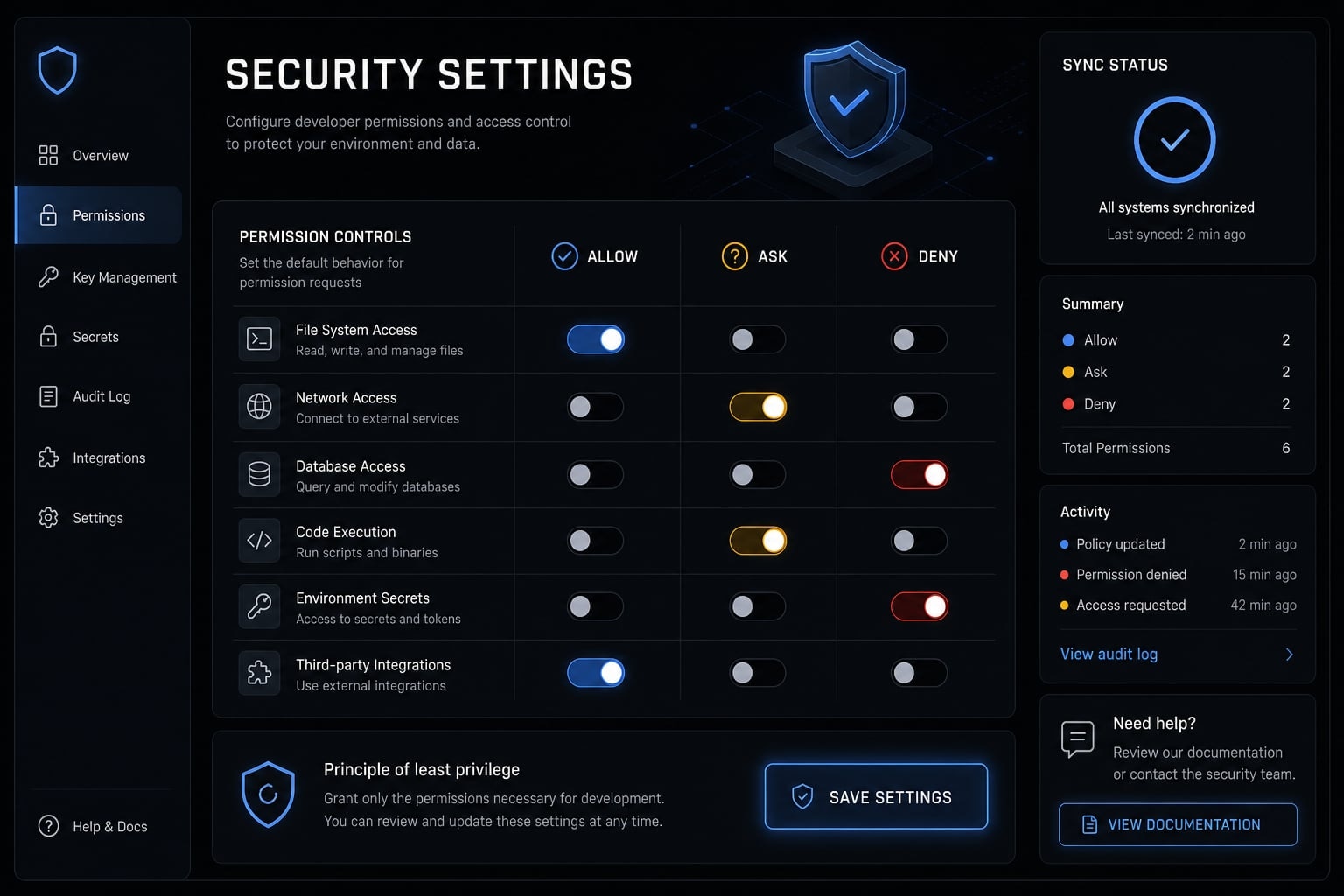
Claude Code Permissions Security: Safe Defaults for Real Development Workflows
What Claude Code permissions actually control
Claude Code permissions are the rules that decide what the agent can read, edit, run, or connect to in your development environment. They help control file access, shell actions, and external integrations, but they do not replace broader security controls such as OS restrictions, sandboxing, or secrets management.
At a practical level, Claude Code permissions are about task boundaries. They determine whether the agent can open files in your repo, modify code, execute terminal commands, or interact with connected systems. Unlike basic autocomplete assistants, Claude Code doesn't just suggest actions-it executes them, requiring a much broader permission model.
Good Claude Code access control reduces accidental damage and lowers the chance that one bad prompt, one untrusted file, or one rushed approval creates a bigger problem.
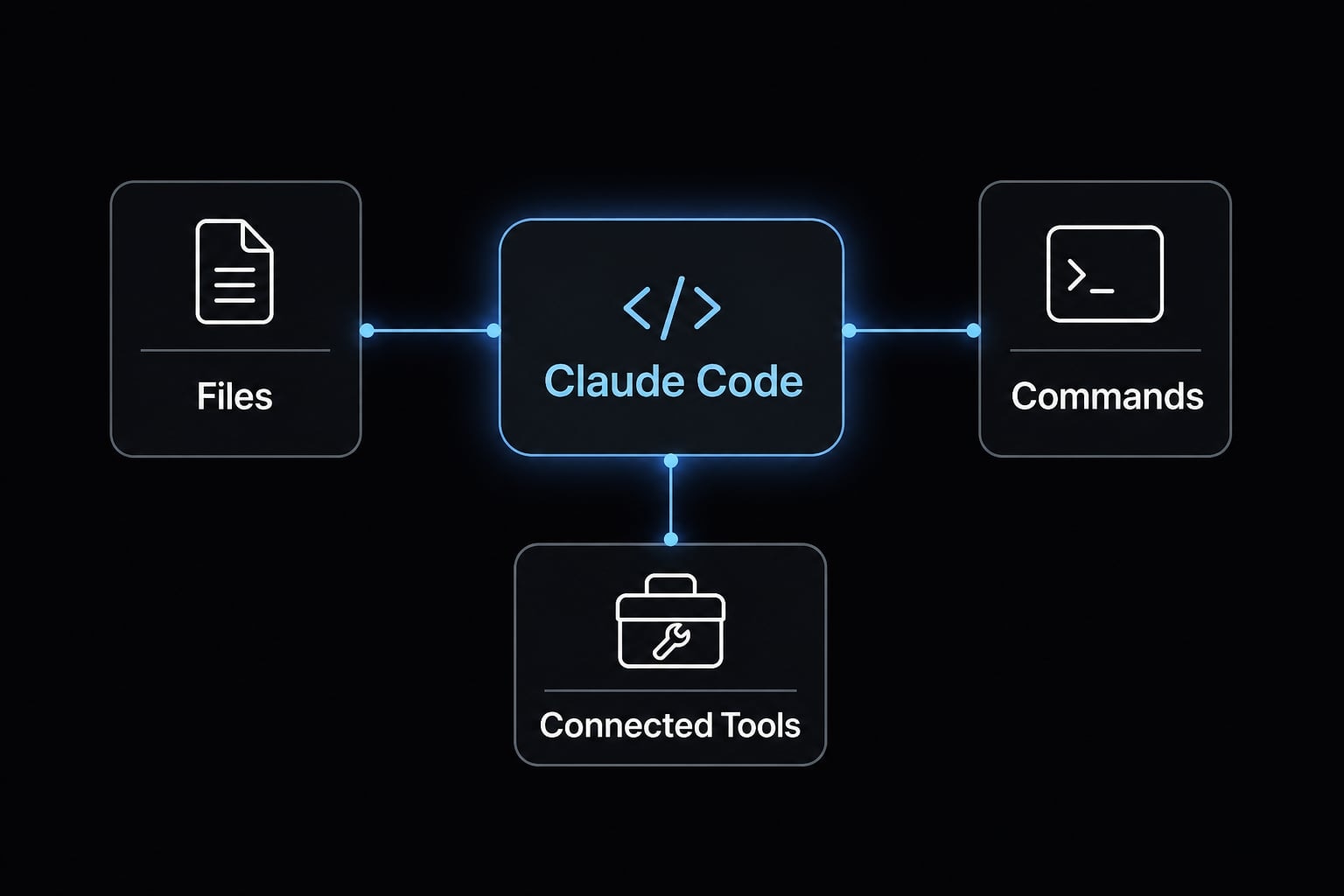
Permissions cover files, commands, and connected tools
- Files: Read and write access to project files, configs, documentation, and local code.
- Commands: The ability to run shell commands, scripts, tests, package managers, or Git operations.
- Connected tools: Access to services and integrations, including MCP server permissions, which can extend what the agent can reach.
- Workflow scope: Unlike suggestion-only tools, Claude can take actions with real side effects.
Allow, Ask, Deny in practical terms
Claude Code permissions usually work through three decision states: Allow, Ask, and Deny.
- Allow: Use for repetitive, low-risk, reversible work.
- Ask: Use for actions that cross a boundary or carry meaningful side effects.
- Deny: Use for clearly sensitive, unnecessary, or high-risk access.
For individuals, this can be handled through routine approvals. For teams, managed settings such as managed-settings.json help keep the permission model consistent across projects and contributors.
That consistency matters because Claude Code permissions are task controls, not full-system security. They can reduce risk inside the workflow, but they cannot secure the rest of the machine by themselves.
The main security risks behind Claude Code permissions
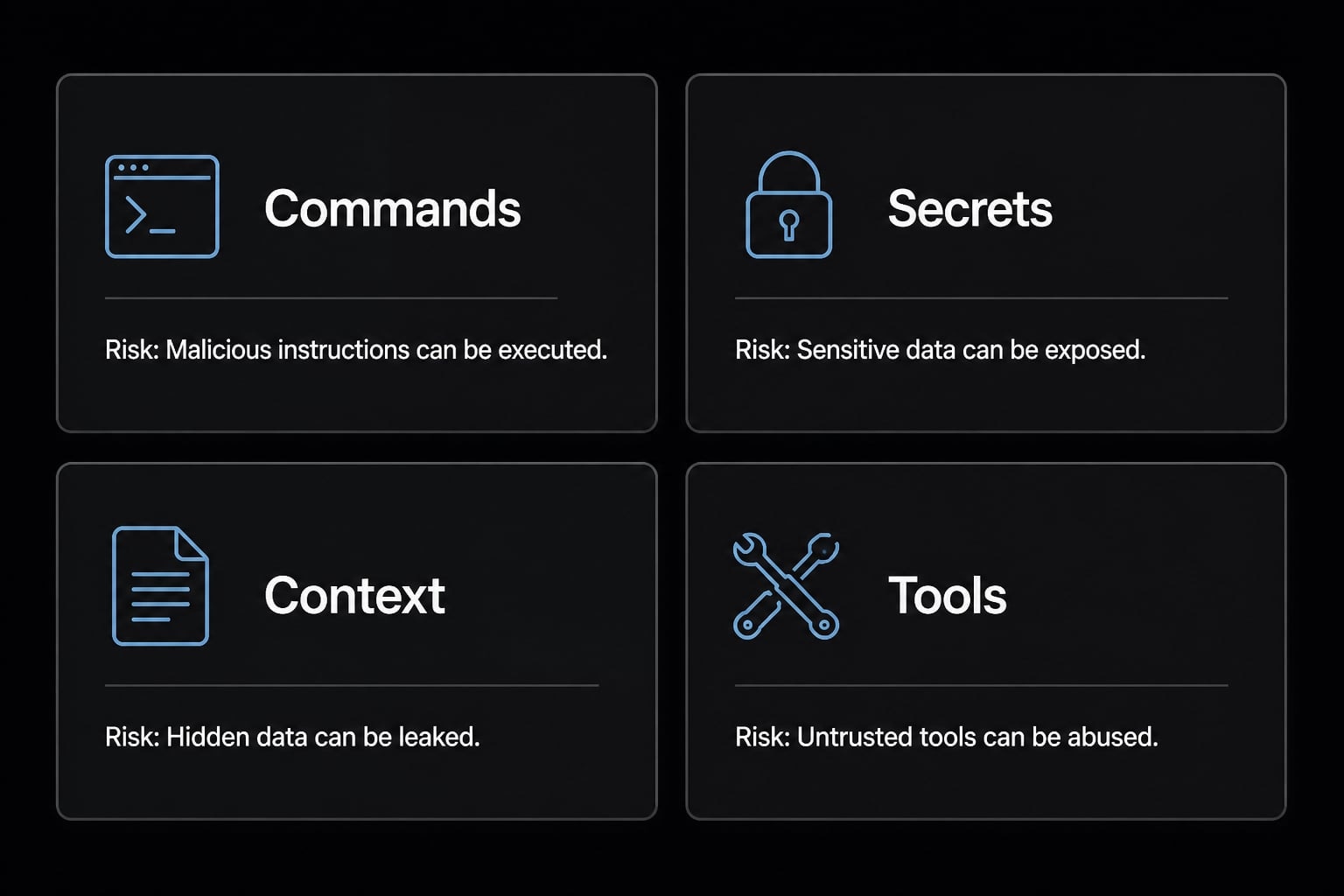
Broad permissions make Claude Code more convenient, but they also widen the blast radius when something goes wrong. In real use, the biggest risks are unsafe command execution, secret exposure, prompt-driven manipulation, and tool expansion through connected services. Least privilege reduces both technical risk and the human tendency to click through prompts too quickly.
Risk 1: Unsafe command execution
Command access is where productivity and risk meet most directly. If Claude can run shell commands freely, it can do useful work fast, but it can also delete, overwrite, install, fetch, or execute scripts with side effects that are easy to underestimate.
This includes obvious risks such as destructive commands, but also quieter ones like changing config files, installing unreviewed packages, or running scripts that alter local state. Command injection becomes relevant when malicious or misleading input steers the agent toward running commands it should not run. Even well-intended automation can create damage if the environment is too open.
Risk 2: Sensitive file and secret exposure
Sensitive file access is one of the most common avoidable mistakes. Once broad reads are allowed, the agent may surface secrets in summaries, generated code, logs, or outbound actions.
Common high-risk paths include:
.envfiles with API keys or database credentials.~/.sshdirectories and private keys.- Cloud credentials and access tokens.
- Production config files.
- Secret JSON files or local credential caches.
- Transcripts that accidentally include sensitive values.
This is where data exfiltration becomes a practical concern. The problem is not only reading secrets. It is also the possibility that those secrets are later echoed, copied, committed, or transmitted through another action.
Risk 3: Prompt injection and untrusted context
Prompt injection happens when untrusted content contains instructions that steer the model toward unintended actions.
That untrusted content may live inside a repo, a README, a dependency script, a fetched web page, or another external source. The core mistake is assuming all available context is trustworthy. If Claude is allowed to act on poisoned context, the risk is not theoretical. It can lead to bad commands, unsafe edits, or decisions that look legitimate on the surface.
Risk 4: MCP and external tool expansion
Every enabled tool changes the trust boundary. External tool access can make Claude more useful, but it also gives the agent more places to read from, write to, or act through.
This matters especially for MCP server security. An over-broad setup can quietly expand reach beyond the local repo into systems the developer did not intend to expose. In practice, connected tools are where many teams lose visibility. Add approval fatigue to the mix, and developers start accepting prompts without evaluating what new scope each tool introduces.
A simple Allow / Ask / Deny framework for safe defaults
The safest safe defaults start from a restrictive baseline. Broad auto-approval feels fast in the first hour, but it creates blind spots that are expensive later. An effective Claude Code least privilege setup guide isn't about denying every permission. It is about matching access to reversibility, sensitivity, and boundary crossing.
Action type | Recommended rule | Why |
|---|---|---|
Read ordinary project files | Allow | Usually necessary, local to the repo, and low risk if sensitive paths are excluded |
Edit local source files in repo | Ask | Useful, but code changes still deserve visibility before execution at scale |
Run tests or lint in repo | Allow | Routine, reversible, and typically low impact in standard workflows |
Install packages | Ask | Can change dependency state, introduce supply chain risk, or execute install scripts |
Git push or remote actions | Ask | Crosses a clear boundary and can affect shared branches or external systems |
Access | Deny | High sensitivity by default and rarely needed for normal coding tasks |
Destructive shell commands | Deny | High blast radius and difficult to justify as routine automation |
Untrusted MCP servers | Deny | Unknown tools expand reach and reduce visibility into what the agent can do |
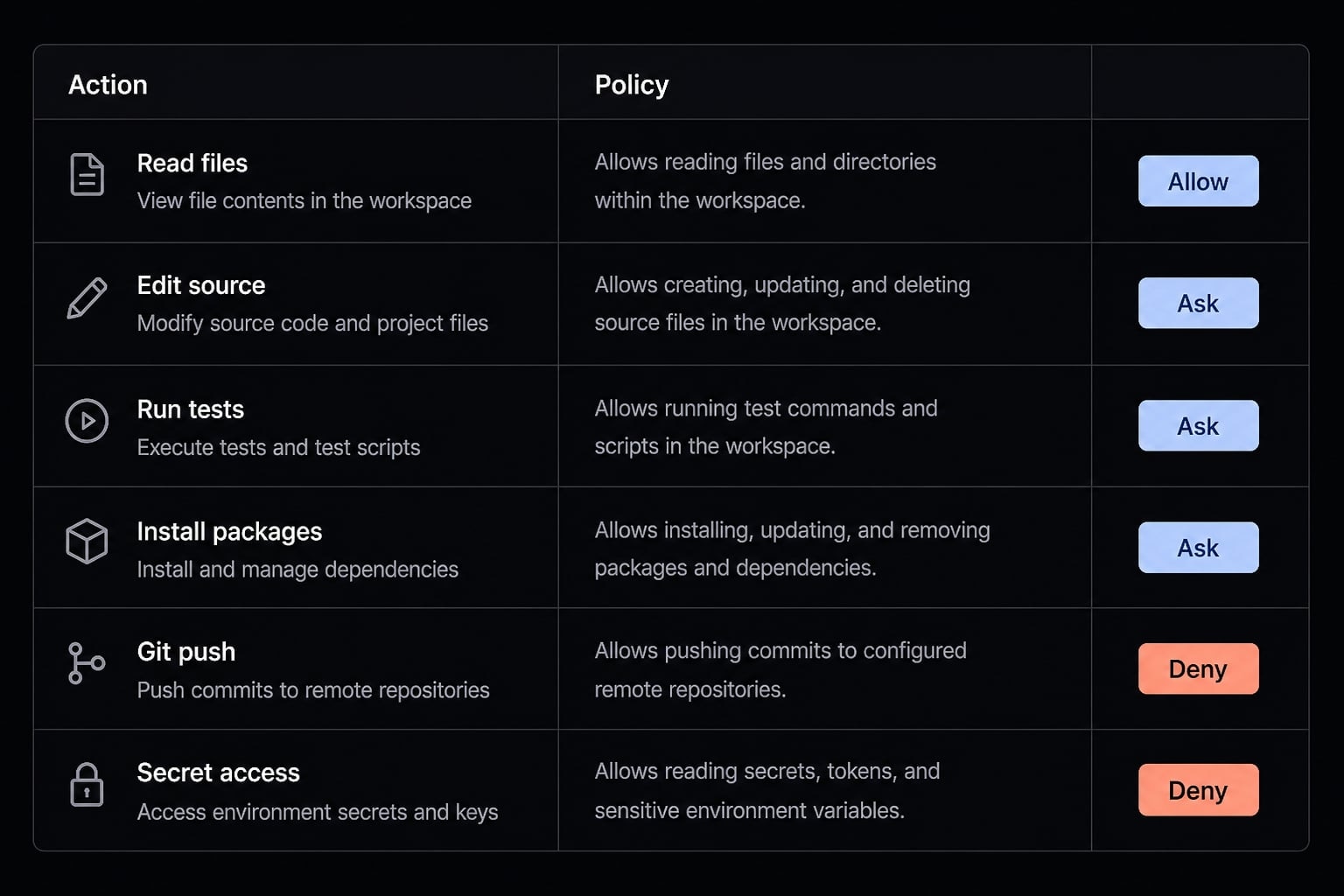
Here's the basic breakdown:
- Allow local, routine, reversible work.
- Ask when the action changes shared state, introduces new software, or reaches beyond the current boundary.
- Deny when the action is high-risk, sensitive, or unnecessary by default.
This is where allowlist and denylist thinking becomes useful: Approvals should exist for gray-area tasks, while truly dangerous paths should not depend on a moment of human attention.
Recommended Allow / Ask / Deny examples
In practical allow ask deny examples, low-risk reads often belong in the allowlist because they are required for normal repo understanding. Tests and linting also fit safe defaults well in many teams.
Package installs usually belong under approvals because they can pull in new dependencies, run lifecycle scripts, and alter local state. git push should also be Ask, not Allow, because it crosses into remote systems and shared history. Secret paths should sit in the denylist from day one. This is where permission governance should be opinionated rather than flexible.
Start restrictive, then loosen intentionally
Start with the smallest useful permission set, then expand only after repeated legitimate need appears.
A solo developer working in a low-sensitivity repo may choose slightly looser rules for local edits and test runs. A small team working on internal tools, customer data pipelines, or infrastructure code should be stricter because the cost of one bad approval is much higher. Most users should not begin with broad auto-approval. Convenience-first policies save seconds and create risk debt.
If you need a faster rollout path, use a short internal baseline before customizing exceptions. That keeps your allowlist and denylist maintainable instead of turning permissions into ad hoc decisions. For teams standardizing AI-assisted development, a lightweight baseline policy template usually delivers more value than improvising per developer.
How to secure Claude Code beyond its built-in permissions
Claude Code built-in permissions are useful guardrails, but built-in permissions are not enough on their own. They help control what the agent is allowed to do inside the workflow, while external controls protect the environment around it.
Security layer | Claude Code can help with | Must be handled outside Claude Code |
|---|---|---|
Permissions / approvals | Gate reads, edits, commands, and tool actions | Define team policy, enforce consistency, and review exceptions |
File boundaries | Limit access through permission rules | Restrict host paths, user privileges, and system-level access |
Tool usage | Control which tools or servers are enabled | Vet external services, network exposure, and integration trust |
Sensitive data exposure | Reduce casual access through deny rules | Use secrets management, vaults, and avoid plaintext local storage |
Code changes | Support controlled edits and review prompts | Require human review before merge, deploy, or infra changes |
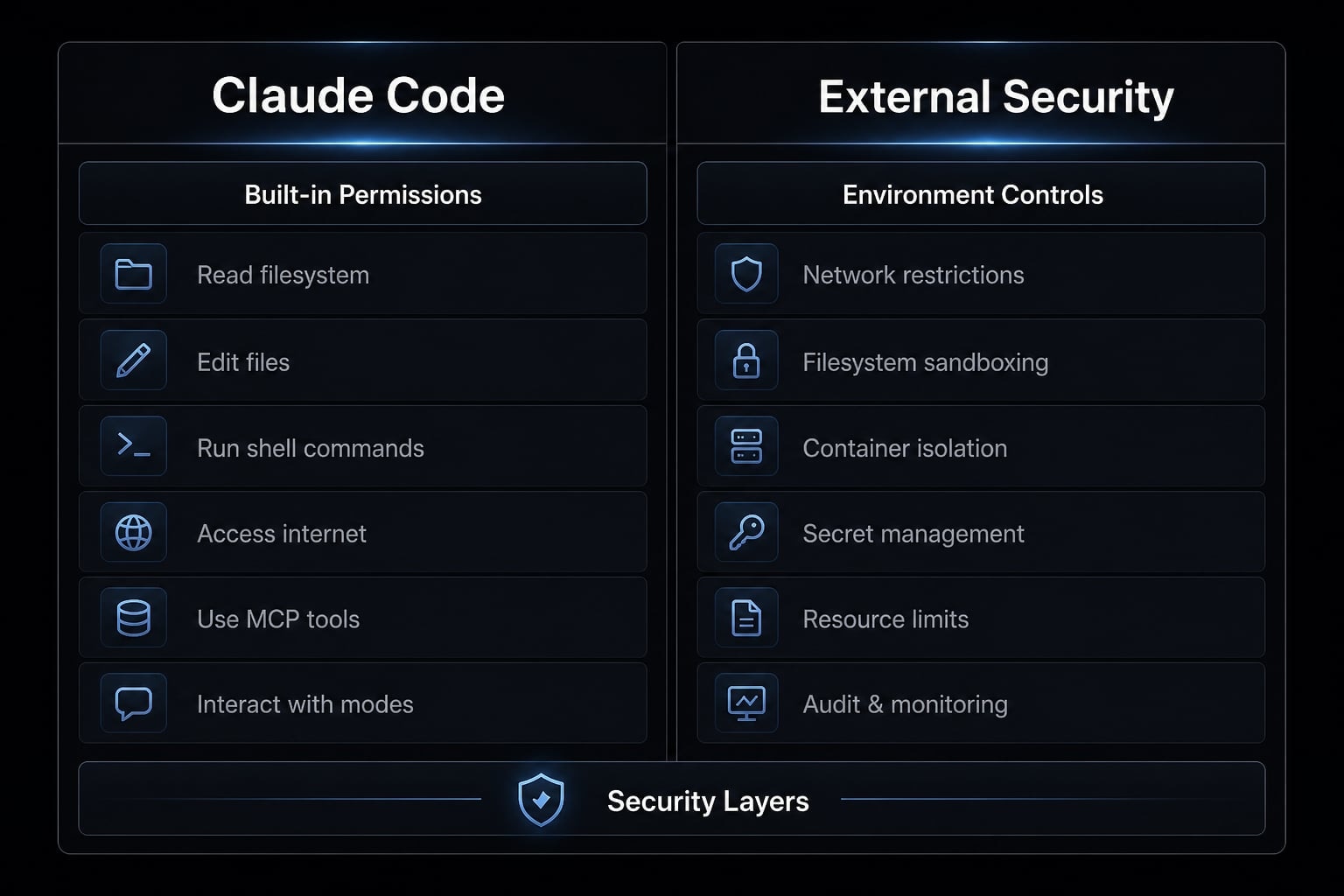
Practical external controls that matter most:
- Use a developer sandbox for higher-risk work, especially a container or VM for sensitive repos.
- Apply container isolation when possible to reduce the host impact of bad commands.
- Do not run Claude Code as root or admin.
- Keep secrets in vaults or managed stores, not easy-to-read local files.
- Review generated code, dependency updates, and infrastructure changes before merge or deploy.
- Limit network reach when the task does not require broad outbound access.
To secure Claude Code in containerized environments, think in terms of blast radius. If a command goes wrong, you want the damage contained to a disposable workspace, not your main machine. The same principle applies to privilege levels. Not running as root matters because a bad command with elevated rights can affect far more than the repo itself.
This is also where sandboxing becomes practical rather than theoretical. A lightweight dev container, a VM for sensitive work, and disciplined secrets management do more to reduce real-world risk than complicated permission rules alone.
A lightweight security checklist for solo developers and small teams
The best Claude Code security best practices are maintainable. A small team does not need a massive policy stack to improve safety. It needs a repeatable permission checklist that supports a secure developer workflow without slowing everything down.
7-step safe baseline
- Start with least privilege.
- Deny access to secrets and personal credential paths.
- Require approval for installs, pushes, and external actions.
- Enable only trusted MCP or external tools.
- Use isolated dev environments for sensitive work.
- Review generated code and config changes manually.
- Revisit permission rules monthly or after workflow changes.
These Claude Code security best practices work because they are realistic to maintain. For teams, managed-settings.json is useful as a consistency tool, not as a substitute for judgment. It helps reduce configuration drift, especially when several developers use similar workflows but work across different repos.
A monthly review is usually enough for small teams. Also review after adding new tools, changing repo sensitivity, shifting deployment workflows, or expanding MCP usage. That cadence improves approval governance and keeps your secure Claude Code setup aligned with how people actually work.
Common mistakes to avoid
- Over-broad allow rules created for convenience.
- Secrets stored in simple local files with easy read access.
- Treating prompts, repo content, or fetched text as harmless.
- Letting review discipline collapse under speed pressure.
- Ignoring drift in
managed-settings.jsonor local rules. - Normalizing approval fatigue until prompts become background noise.
If your current setup suffers from repeated exceptions or unclear rules, document a short internal baseline before you keep expanding tool access. A compact checklist is easier to enforce than a long policy no one remembers.
Where agentic workflow governance fits as teams scale
As more people use the same AI-assisted workflow, ad hoc decisions stop being reliable. AI workflow governance in this context means consistency and auditability, not bureaucracy. It helps teams keep AI agent permission management practical as repos, tools, and risk levels multiply across the organization.
Common signs a team needs AI workflow governance include:
- Multiple repos with different sensitivity levels.
- Shared AI workflows and repeated exceptions.
- Need for repeatable onboarding controls.
- More external tools and less visibility.
- Policy inconsistency across developers.
This is where a cleaner secure coding environment and basic DevSecOps architecture start to matter. The goal is not to slow developers down. It is to make permissions predictable, reviewable, and easier to maintain as the workflow scales.
Frequently asked questions
What exactly do Claude Code permissions control?
Claude Code permissions act as the primary gatekeeper for agentic tasks, determining what the tool can read, edit, execute, or connect to within your local environment. They govern three main areas: file system access, shell command execution, and integration with external tools like MCP servers.
Are built-in Claude Code permissions enough to secure my environment?
No. Built-in permissions provide essential task-level guardrails, but they do not secure your entire machine. They must be complemented by external security measures such as containerized sandboxing, proper secrets management, and operating system-level privilege restrictions to create a truly secure development workflow.
What is the safest default configuration for Claude Code?
The safest approach is a "least privilege" baseline. By default, restrict the agent to read-only access for core project files, set high-risk actions (like git push, package installs, or secret file access) to "Ask," and deny all unnecessary external tools or sensitive directory paths until specifically required.
How do I prevent "approval fatigue" while using Claude Code?
To avoid clicking "allow" indiscriminately, define a clear managed-settings.json policy that pre-approves routine, low-risk tasks (like running tests or linting). Reserve "Ask" prompts for boundary-crossing actions—such as modifying infra-as-code or installing dependencies—which forces you to stay mindful during higher-risk operations.
Should I allow Claude Code to run as an administrator or root user?
Never run Claude Code with root or administrative privileges. If the agent is compromised or misconfigured, running it with elevated rights significantly expands the "blast radius," potentially allowing it to modify system-level configurations or access protected user directories that it would otherwise be blocked from reaching.
How often should I audit my Claude Code permission settings?
You should audit your configuration at least monthly, or immediately following any significant shift in your project workflow (such as adding new MCP tools or changing repository infrastructure). This prevents "permission creep," where permissions granted for one-off tasks remain active and become a permanent security risk.
What happens if I use broad auto-approval settings?
Enabling broad auto-approval creates a significant blind spot. It allows the agent to execute commands or modify files without your active verification, which increases the likelihood of accidental data exfiltration, unintended command injection, or the inadvertent hardcoding of secrets into your codebase during automated development tasks.
Read more:
- Claude Code dangerously-skip-permissions: Risks and best practices
- Mastering the Claude Code workflow for reliable AI development
- Claude Code plugins: A guide to workflows, setup and safety
Conclusion
Claude Code permissions security is about controlling useful access, not pretending risk disappears. The safest baseline combines least privilege, clear permissions, isolation, secret hygiene, and consistent review discipline. That is what makes a secure Claude Code setup practical in real development work.
Start simple. Allow routine, low-risk actions. Ask for anything that crosses a boundary. Deny access to secrets, destructive commands, and untrusted tools by default. Then review the setup monthly or after meaningful workflow changes. If you want a faster implementation path, copy a lightweight baseline policy and checklist into your team workflow before expanding permissions further.