
Claude Code privacy: What technical teams should know before using it on real code
Claude Code privacy becomes a real adoption question as soon as an AI coding tool can read code, inspect files, and propose commands inside your working environment. For developers, founders, and engineering leads, the key questions are usually simple: Is data used for training, what gets retained, what stays local, and what permissions control exposure? This guide explains Claude Code privacy in plain English through four practical lenses: training, retention, local storage, and permissions.
What “Claude Code privacy” actually means
Claude Code privacy is the set of rules and behaviors that determine how your prompts, code context, session history, local transcripts, telemetry, and related metadata are accessed, transmitted, stored, retained, and potentially used for model improvement. In practice, it is a data-handling question before it is a tooling preference question.
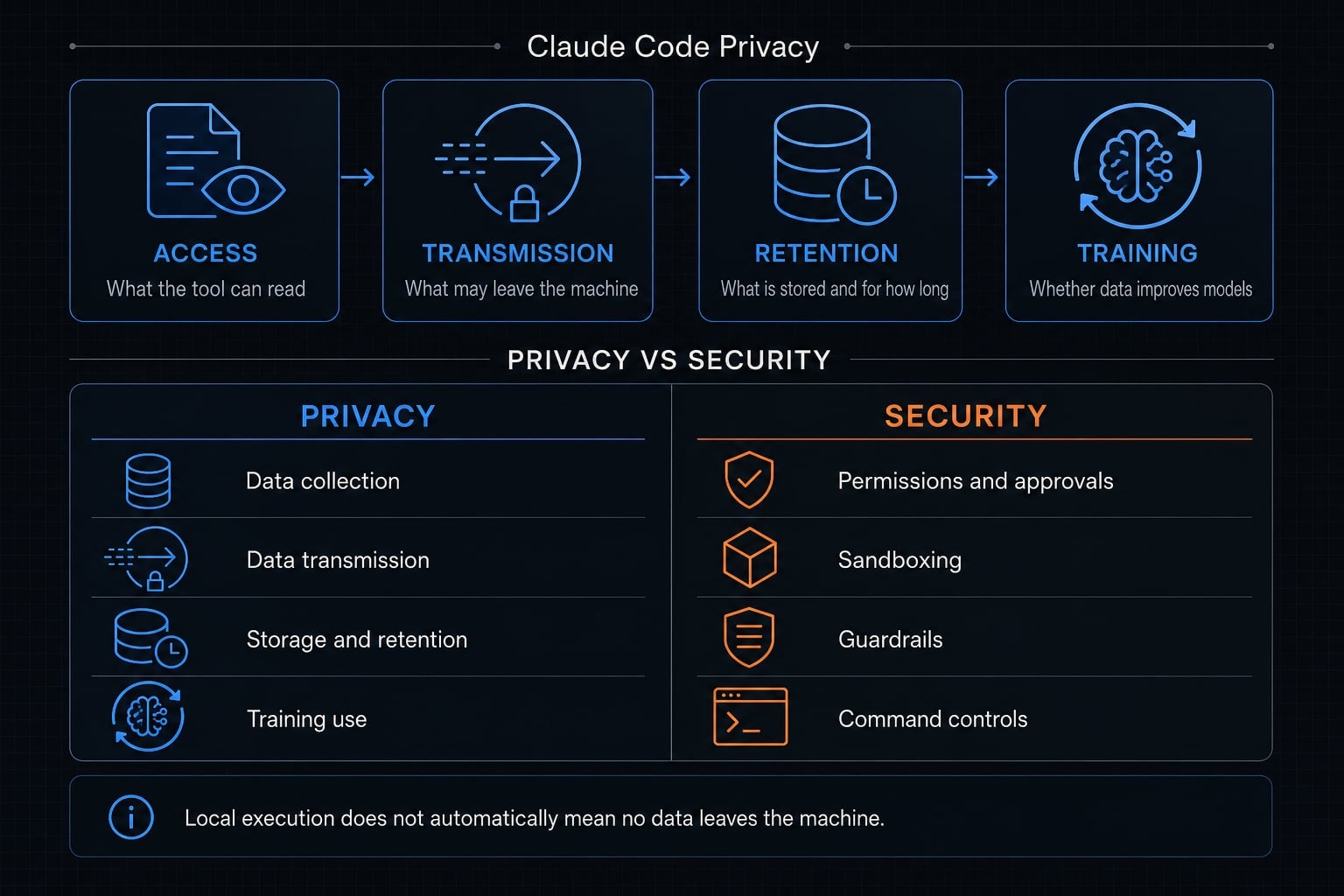
Many teams start with the wrong review question. They ask, “Is it secure?” before asking, “What data is sent and retained?” That distinction matters. A practical way to review Claude Code privacy is through four key lenses: access, transmission, retention, and training.
- Access: What the tool can read or interact with
- Transmission: What may leave the machine
- Retention: What may be stored locally or by the provider, and for how long
- Training: Whether data may be used to improve future models
What privacy covers in practice
- What the tool can access inside your working directory and approved context.
- What may leave the machine, including prompts and relevant code context sent to model infrastructure.
- What may be stored locally, such as session history or local transcript storage.
- Whether data may be used for model improvement under a specific account type or setting.
- What telemetry services may collect, such as usage metrics or diagnostic information.
- What retention rules apply on the client side or provider side.
Privacy vs security in Claude Code
Privacy is about data handling. Security is about controls that reduce misuse or unsafe actions. They overlap, but they are not the same.
- Privacy asks: What data is collected, transmitted, stored, retained, or used for training?
- Security asks: What permissions, approvals, sandboxing, and guardrails limit risky behavior?
- Privacy vs security in Claude Code should never be treated as one decision
- Local execution does not automatically mean no data leaves the machine
- Strong security controls can reduce exposure, but they do not by themselves answer the training or retention question
Does Claude Code train on your code, prompts, or sessions?
For commercial users, Claude Code data is not used for generative model training by default; for consumer plans, this can depend on the account’s data-use setting. That is the most important starting point, and it is why plan type matters before any internal approval.
Many developers assume all Claude Code usage follows one policy. It does not. Consumer vs commercial terms can change the answer materially. If your team is reviewing Claude Code for company or client work, verify the actual account path in use rather than relying on a general assumption.
Consumer plans
For Free, Pro, and Max accounts, the data training policy depends on whether the user allows data use for model improvement. What this means in practical terms:
- If the data-use setting is enabled, usage may be used to improve future Claude models.
- If the setting is disabled, the training assumption changes, but retention may still apply.
- This matters for solo developers using personal accounts on startup or freelance work.
- Sensitive work should not rely on memory or assumptions about the current toggle state.
A common mistake is using a personal plan for real client code without checking training preferences first. That is a policy issue, not just a workflow issue.
Commercial plans
For Team, Enterprise, API, and other commercial terms, Anthropic states that it does not train generative models on code or prompts sent to Claude Code by default, unless the customer has separately chosen to provide data for model improvement in a specific opt-in arrangement.
Why this matters:
- It is the more relevant baseline for company repositories and private repositories.
- It reduces one major privacy concern for engineering leaders.
- It does not mean no data is ever retained, logged, or processed operationally.
- It does not eliminate the need for internal governance on sensitive code.
Quick comparison table
Account type | Training default | User control / setting logic | Practical meaning |
|---|---|---|---|
Consumer: Free / Pro / Max | May be used for training depending on setting | User can control data-use preference | Suitable only after checking the actual setting |
Commercial: Team / Enterprise | No generative model training by default | Governed by commercial terms and org settings | Better fit for company code reviews and internal rollout |
API / business usage | No training by default under commercial terms | Depends on account and service arrangement | Stronger baseline for controlled business use |
Separate opt-in programs | May allow model improvement use | Explicit opt-in required | Do not assume this applies unless confirmed |
Two caveats matter here:
- First, not every Claude Code session is governed by the same data training policy.
- Second, the correct answer may depend on both account type and current settings.
Before internal approval, teams should confirm the latest official documentation and verify the exact account configuration being used.
What data Claude Code stores, sends, or retains
Claude Code privacy is not only about training. It is also about what stays local, what may be transmitted, and how long information may be retained. The simplest model is local vs cloud execution, but that alone is not enough for a proper privacy review.
Summary:
- Usually local: Local execution context, local session artifacts, some local caching.
- May be transmitted: Prompts, relevant code context, some hostname checks, operational telemetry, error reports depending on setup.
- Retention depends on: Account type, data-use preferences, enterprise arrangements, and local client behavior.
When Claude Code runs locally, execution happens on your machine, but interaction with the model still involves network transmission over encrypted connections. That means “local-first” is helpful, but it is not the same as “fully isolated.”
What stays local
In normal local usage, Claude Code runs on the developer’s machine. That local setup can include:
- The working context on disk.
- Local session data used for resuming work.
- Local transcript storage or session history cached on the client.
- Credentials stored locally with platform protections, depending on the operating system.
This is where many privacy reviews are too shallow. Teams focus on provider-side risk and forget endpoint risk. Practical examples where local storage matters:
- A shared laptop used by multiple contractors.
- An unmanaged personal device used for company code.
- A repository containing
.envfiles in the working directory. - A developer machine without proper disk encryption or session hygiene.
If local transcripts are stored in plaintext for a period of time, that can create exposure even when model training is disabled. For privacy-conscious teams, local caching deserves the same level of scrutiny as remote data-retention policies.
What may be sent over the network
Claude Code may send data needed to serve model responses and operate the product. In plain terms, that can include:
- Prompts entered by the user.
- Relevant code context needed for the task.
- Some operational metadata tied to usage.
- Telemetry services related to latency, reliability, or usage patterns.
- Error reports or diagnostics, depending on environment and settings.
- Limited safety checks, such as hostname review for web-fetch behavior.
This is why the right question is not “Does it run locally?” but “what data is sent in Claude Code, and under what conditions?”
A third caveat is important here: built-in safeguards reduce risk, but they do not remove network transmission when the tool needs model access.
Retention periods readers should know
Retention is one of the most misunderstood parts of Claude Code data protection. Not used for training does not mean nothing is retained. It means the training use case is limited. Storage and retention may still apply.
Data/location type | Typical retention logic | What the reader should verify |
|---|---|---|
Consumer account with data-use enabled | May be retained longer to support model improvement and safety work | Confirm current consumer retention terms and data-use preference |
Consumer account with data-use disabled | Typically shorter provider-side retention than training-enabled consumer use | Verify current retention window in official policy |
Commercial terms | Standard retention may still apply operationally | Confirm retention policy for your contract or plan |
Qualified enterprise / Zero Data Retention (ZDR) context | May offer reduced or no server-side persistence for eligible setups | Verify eligibility, scope, and whether ZDR applies to your exact usage path |
Local client-side transcripts/history | Stored locally for a default period to support session resumption | Check local storage location, retention period, and endpoint hygiene |
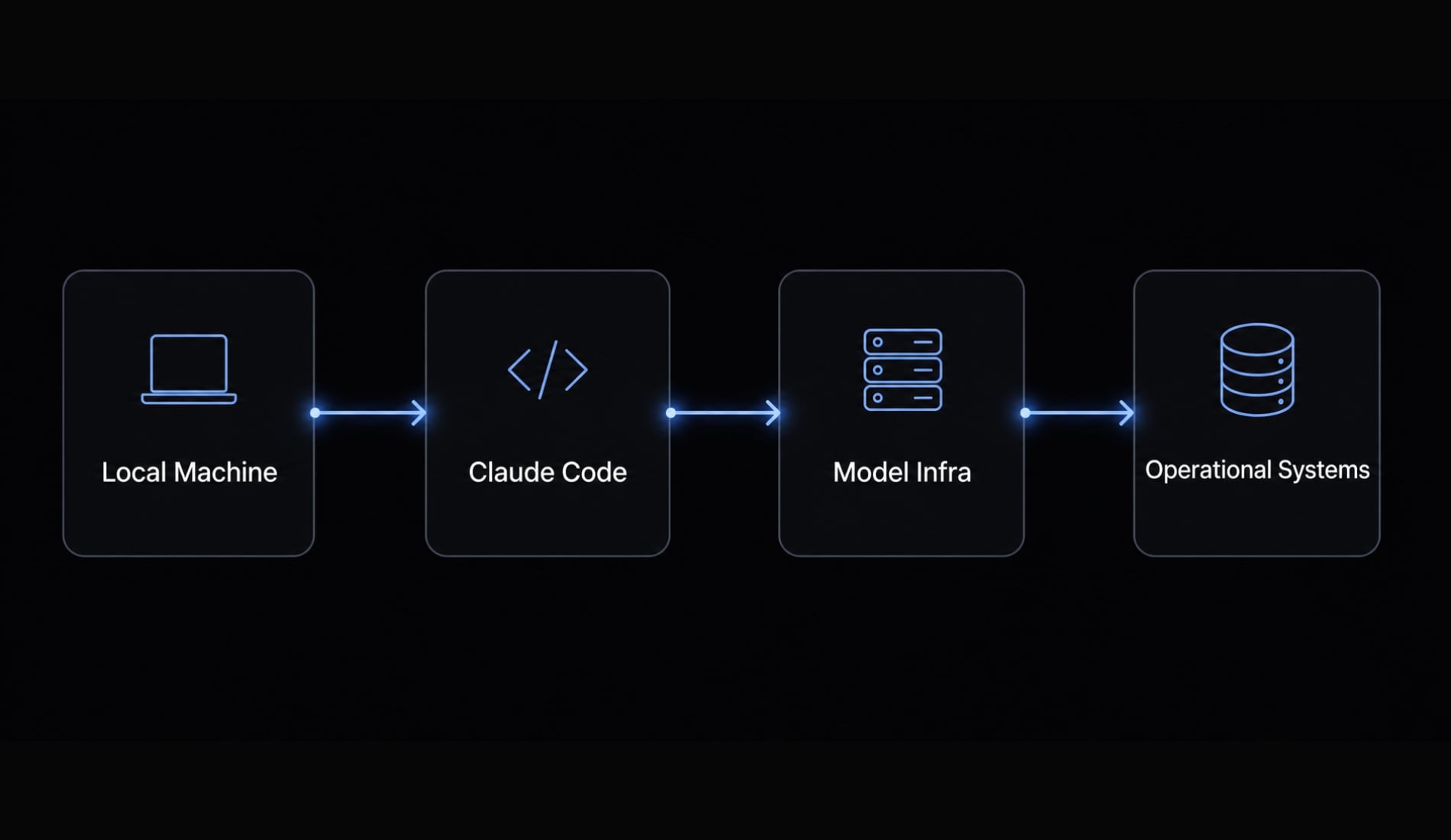
For highly sensitive teams, this is the key takeaway: No-training default is not the same as no retention, no logging, or no local exposure. If you are evaluating client code, contractor machines, or confidential product work, verify both provider-side terms and local device behavior.
How Claude Code reduces privacy and security risk
Claude Code includes several safeguards that help reduce accidental exposure. The most important concept is its permission-based architecture, because privacy risk often increases when tools can act silently or broadly without checkpoints.
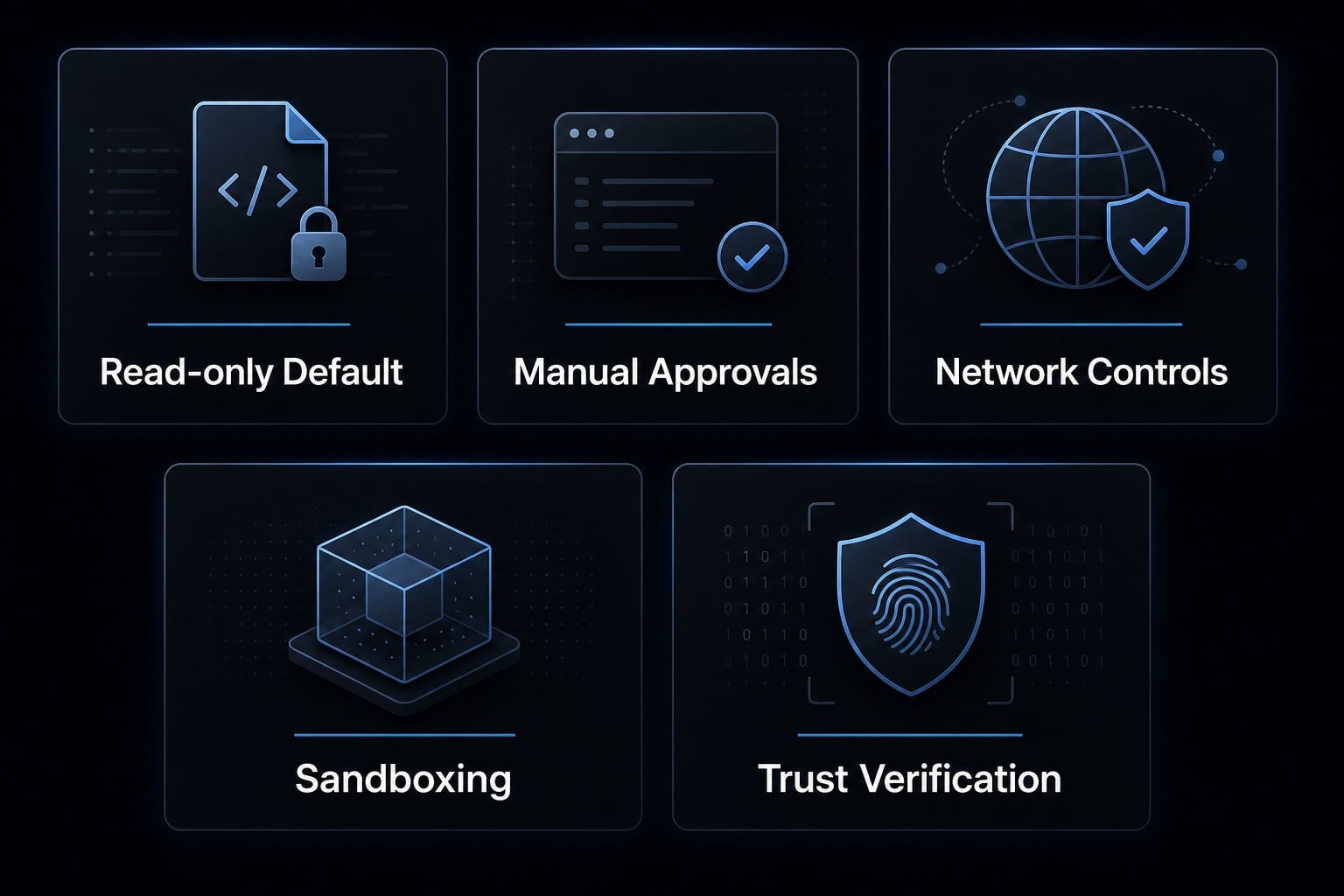
Claude Code reduces risk through five main safeguards:
- Read-only default permissions so the tool does not begin with unrestricted write behavior.
- Approvals for edits and risky commands before changing files or executing sensitive actions.
- Network access controls so web-fetching or networked commands are not silently allowed by default.
- Sandbox options that isolate filesystem or network behavior in more controlled environments.
- Trust verification for new MCP servers or first-time codebase trust decisions.
Why these controls matter for privacy
These controls are often described as security features, but they also have direct privacy benefits.
- They reduce accidental data exfiltration.
- They create pause points before sensitive commands run.
- They narrow exposure through the working directory boundary.
- They make it harder for the tool to roam across unrelated files without approval.
- They reduce the chance of silent outbound actions from unreviewed tools or commands.
Approvals matter in practice because privacy failures are often mundane. They happen when a developer clicks through too quickly, auto-approves habits they no longer review, or trusts a connected tool without understanding its access.
Where responsibility still stays with the user
Built-in protections help, but they do not replace policy or judgment. Users still need to:
- Review commands and diffs before approval.
- Avoid blind approval of file edits or shell actions.
- Treat untrusted prompts and pasted content carefully.
- Review MCP servers and connected tools before enabling them.
- Maintain stricter internal rules for sensitive code.
- Keep secrets, tokens, and private keys outside accessible prompt context where possible.
One of the most common privacy mistakes is approving commands too quickly in a busy terminal workflow. Another is trusting an MCP server because it is convenient, not because it has been reviewed. Prompt injection mitigation and approvals reduce risk, but they do not remove the need for internal discipline.
When Claude Code is fine to use - and when you should be more careful
Whether Claude Code is appropriate for your environment depends on account type, code sensitivity, machine hygiene, and how exposed your secrets are inside the working context. There is no honest universal yes-or-no answer.
For low-risk use, Claude Code can be a reasonable tool with basic review discipline. For more sensitive environments, Claude Code compliance and data governance become decision criteria, not afterthoughts.
Simple decision matrix
Scenario | Privacy risk level | Why | Recommended approach |
|---|---|---|---|
Personal side project | Lower | Usually less regulated and easier to separate from client or company data | Generally reasonable to use, but still check training settings and local storage behavior |
Startup product repository | Moderate | Proprietary code, tokens, and product logic may be present | Acceptable with commercial terms, secret hygiene, permission review, and clean endpoints |
Client codebase / private repositories | Higher | Confidentiality obligations and cross-party data exposure risk | Review account type, contract terms, permissions, local storage, and team policy before approval |
Regulated or highly sensitive environment | High | Compliance, audit, and data handling constraints are stricter | Apply limited rollout, stronger governance, isolated environments, or delay adoption until controls are ready |
Some environments should not move forward based on tool enthusiasm alone. If your repositories contain regulated data, customer secrets, legal exposure, or strict confidentiality commitments, a limited or delayed rollout may be the right call until governance is ready.
In practice, many startup teams land in the middle. They can use Claude Code safely enough for internal product work, but only if they separate sensitive repositories, use cleaner devices, and avoid exposing secrets in prompts or working directories.
A practical Claude Code privacy checklist
Use this as a pre-use or rollout hygiene checklist before putting Claude Code on real work:
- Check your account type and data-use setting: Confirm whether you are on a consumer or commercial path, and verify the current training setting rather than assuming it.
- Review feedback sharing and telemetry behavior: Check whether usage metrics, error reporting, surveys, or transcript-sharing options are enabled, and disable or limit them if your policy requires it. If needed, review how to disable data feedback in Claude Code CLI for your environment.
- Audit local transcript or session storage: Identify whether session history is stored locally, where it lives, how long it remains, and whether shared devices or contractor laptops create extra exposure.
- Keep
.env, private keys, tokens, and secrets out of prompts and accessible context: Good secure credential management matters more than any policy page if sensitive values are sitting in the repo. - Restrict permissions and use sandboxed or isolated environments when needed: Apply tighter AI agent privacy configuration for sensitive projects, especially when the repository includes deployment scripts, production configs, or customer-facing credentials.
- Review MCP servers, trusted repositories, and device hygiene": Only enable connected tools you trust, and avoid broad access on unmanaged endpoints.
- Document approved repository types and approved environments for team use: This turns one-time caution into repeatable governance.
Practical example: How a small team can review Claude Code before internal adoption
A small team does not need a heavy compliance project to run a sensible privacy review. For a team of 5 to 20 people, a lightweight governance workflow is usually enough to start carefully.
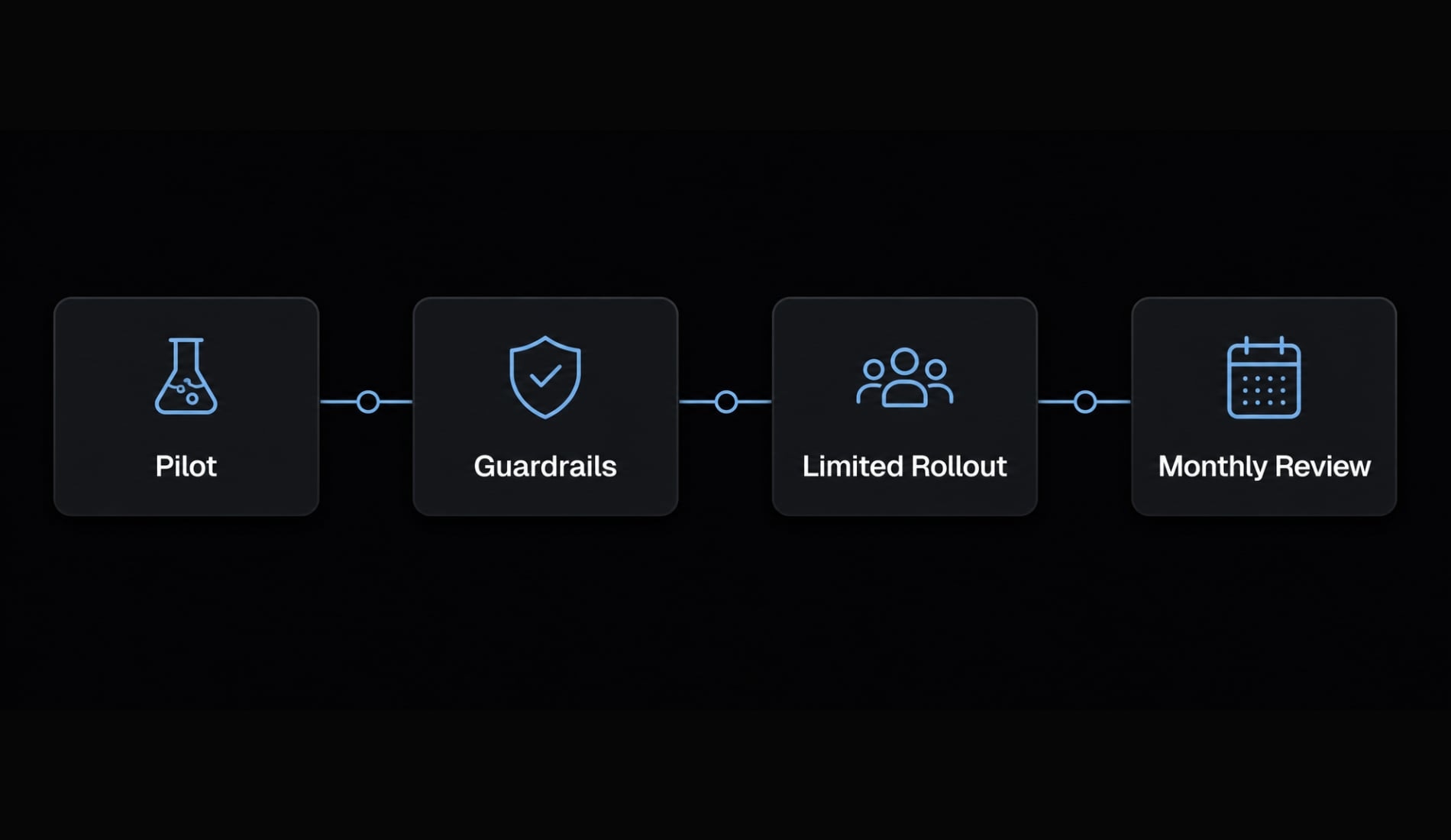
A practical rollout sequence often looks like this:
- Start with low-risk repositories such as internal tools, prototypes, or non-client side projects.
- Require commercial accounts for company work where possible.
- Define rules for secrets, including no
.envexposure in prompts and no private keys in accessible repo paths. - Limit initial usage to company-managed laptops or isolated dev environments.
- Review local storage, permissions, MCP servers, and telemetry settings before rollout.
- Separate experimentation from sensitive codebases such as regulated projects or confidential client work.
- Revisit settings monthly or when Anthropic policy terms change.
This is what a realistic privacy-review workflow looks like. It isn’t about banning the tool - it’s about setting clear boundaries so AI coding governance remains practical, enforceable, and proportionate to risk.
Frequently asked questions
What does "Claude Code privacy" refer to in a professional context?
Claude Code privacy refers to how the tool manages and protects sensitive data, including code context, user prompts, session transcripts, and operational telemetry. It encompasses four key lenses: data training policies, retention periods, local storage security, and the transmission of information between your machine and Anthropic’s infrastructure.
Is my code data used for training when using Claude Code?
It depends on your account type. Commercial (Team/Enterprise/API) users are generally not subject to generative model training by default. For consumer plans (Free, Pro, Max), data use for training depends on your specific account settings. Always verify your current configuration and internal privacy policies before deployment.
Does Claude Code store my code or session data locally?
Yes, Claude Code creates local artifacts such as session transcripts and logs in plaintext under your local ~/.claude/ directory to enable session resumption. Because this data resides on your machine, it is essential to manage access on shared devices or unmanaged endpoints to prevent potential data exposure.
What data is transmitted over the network by Claude Code?
Claude Code transmits prompts, relevant code snippets, and context needed for the model to generate responses or perform tasks. It also sends operational telemetry (e.g., usage metrics and error reports) and performs domain safety checks via the WebFetch tool. You can opt out of certain telemetry via environment variables.
How does Claude Code mitigate privacy and security risks?
Claude Code uses a permission-based architecture that requires explicit user approval for file edits, command execution, and network access. By default, it operates with read-only permissions and provides sandboxing options, working directory boundaries, and trust verification for MCP servers to minimize unauthorized data or system access.
Is Claude Code appropriate for use with sensitive or client repositories?
Claude Code is suitable for many professional environments, but its appropriateness depends on your codebase sensitivity, secret management practices, and governance maturity. For sensitive client repositories or regulated environments, teams should implement stricter internal controls, audit permission settings, and consider isolated development environments before wider rollout.
Read more:
- Claude Code secrets: How to secure .env files and credentials
- Claude Code VS Code: Installation and setup guide 2026
- Claude Code vs GitHub Copilot: Which AI coding tool fits you?
Conclusion
The right way to evaluate Claude Code privacy comes down to four questions: Can this data be used for training? What leaves the machine? What is stored or retained? What controls and permissions are in place? Those answers change depending on consumer vs commercial terms, local storage behavior, and how disciplined your team is about secrets and approvals.
For many teams, Claude Code can be appropriate with the right guardrails. For sensitive environments, privacy is a rollout and governance decision, not just a technical setting. If you need a structured next step, use an internal review template or privacy governance worksheet to document account type, retention assumptions, endpoint rules, and approved repository categories.