Claude Code AGENTS.md vs CLAUDE.md: The official guide
Claude Code AGENTS.md: Should you use AGENTS.md or CLAUDE.md?
Claude Code officially uses CLAUDE.md, not AGENTS.md. However, as repositories increasingly adopt multiple AI agents, teams need a unified way to manage instructions. This guide explains the differences between both files, when to use each, and how to maintain cross-tool compatibility without duplicating effort.
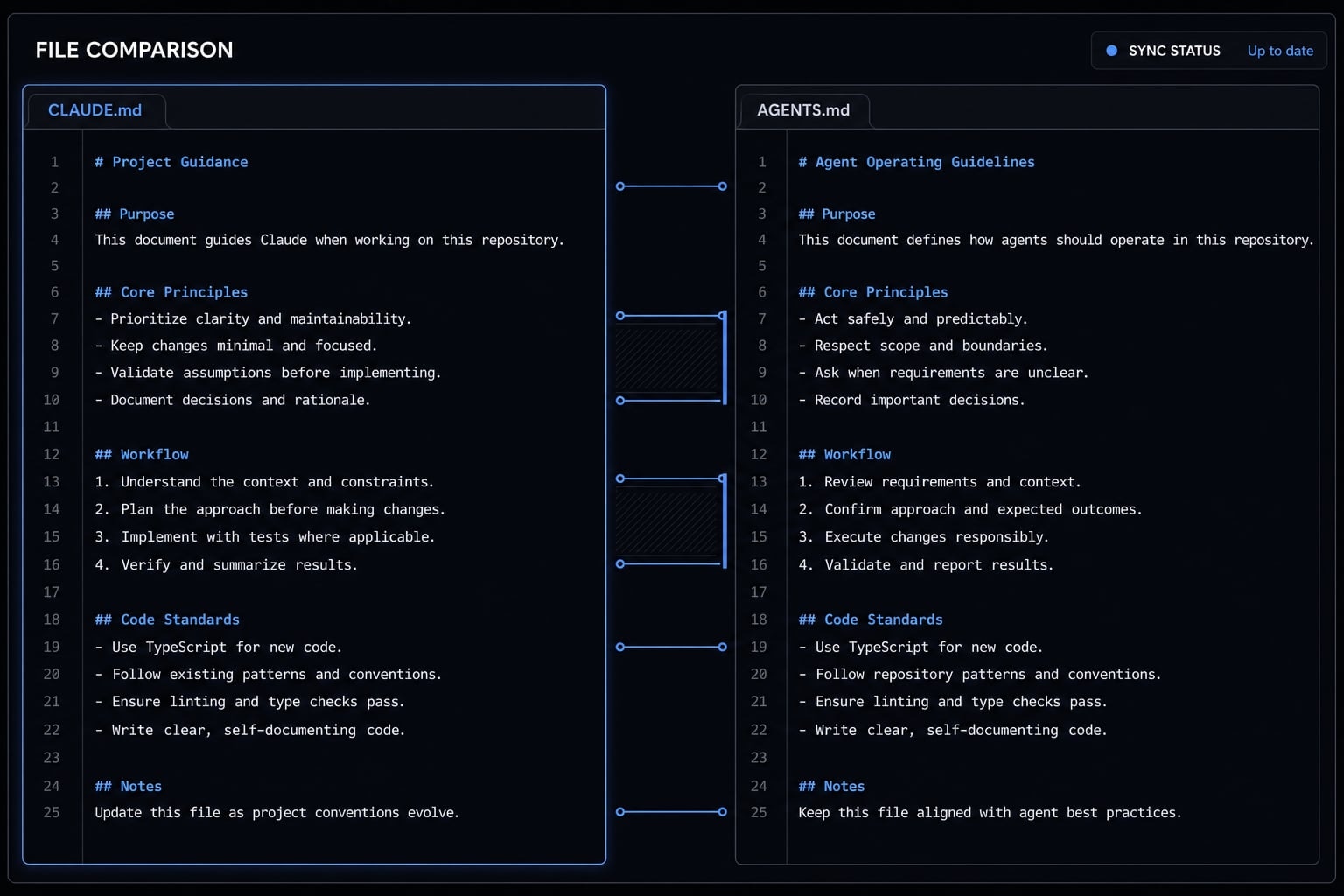
The short answer: Does Claude Code use AGENTS.md or CLAUDE.md?
Claude Code officially uses CLAUDE.md as its project instructions file. AGENTS.md is better understood as a broader, vendor-neutral instruction file used in multi-agent workflows. If you want to know which file Claude Code supports by default, the correct answer is CLAUDE.md.
That distinction matters because many repositories no longer stay Claude-only for long. A repo may start with Claude Code, then later add Codex, Cursor, Roo, Gemini CLI, or other assistants. Once that happens, teams start asking whether one shared context file should replace vendor-specific naming.
From an operational standpoint, the safer interpretation is this: CLAUDE.md is Claude Code’s native project context file, while AGENTS.md is a portability strategy for mixed-tool repositories. Similar content across both files does not mean equal native support.
Claude Code officially loads CLAUDE.md
Claude Code documentation clearly centers CLAUDE.md for persistent project instructions. It is the file intended to carry repository-specific context that Claude should load into future sessions, such as coding standards, architecture notes, workflow rules, and build conventions.
For Claude-first repositories, this is the simplest and lowest-friction setup. There is no extra compatibility layer to maintain, no second file to explain during onboarding, and no ambiguity around autoload behavior. If your team uses Claude Code as the only AI coding assistant, CLAUDE.md is the native choice and usually the right one.
AGENTS.md is an ecosystem convention, not the primary official Claude Code file
AGENTS.md is best viewed as a vendor-neutral instruction file. It exists because teams increasingly want one set of repo instructions that can travel across tools rather than living inside one provider’s naming convention.
In practice, that makes AGENTS.md attractive for interoperability, but it does not make it the primary official Claude Code file.
Key takeaways:
- Claude-only repo: Use
CLAUDE.md - Mixed-agent repo: Consider an
AGENTS.mdstrategy. - Do not assume matching content means matching native loading behavior.
A common mistake is treating community convention and official support as the same thing, but they are not.
CLAUDE.md vs AGENTS.md: What’s the real difference?
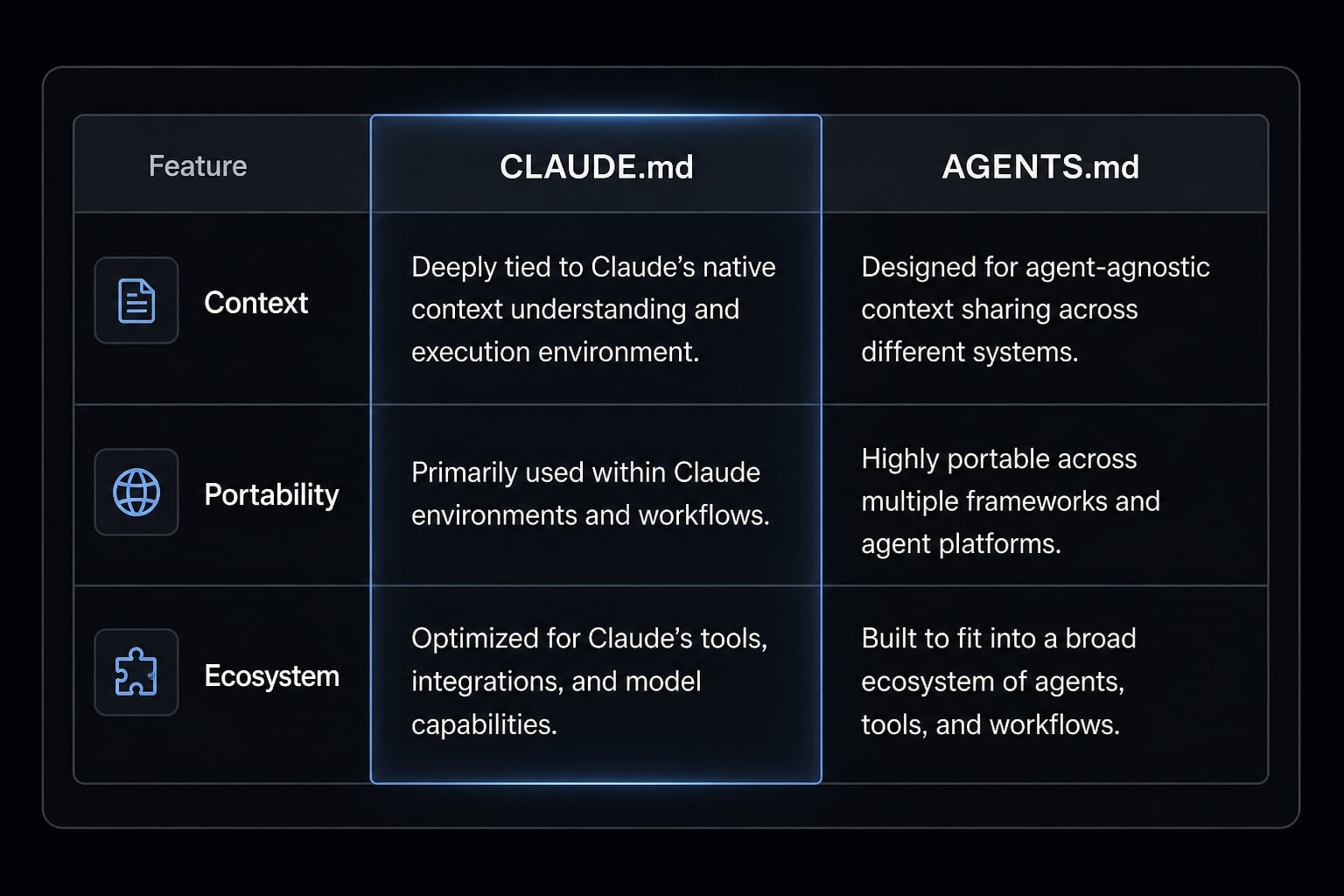
The real difference between CLAUDE.md and AGENTS.md is not the type of content they can hold. Both can store project context, coding standards, commands, and repository rules. The real difference is ecosystem role, native loading expectations, and portability across tools.
Dimension |
|
|
|---|---|---|
Primary role | Claude Code project instructions. | Vendor-neutral shared instructions. |
Native alignment | Claude Code. | Cross-tool convention. |
Loading expectation | Claude-native autoload behavior. | Depends on tool support or compatibility setup. |
Best use case | Claude-first or Claude-only repos. | Mixed-agent or contributor-diverse repos. |
Portability | Lower. | Higher. |
Setup overhead | Lower for Claude-only workflows. | Better for multi-tool workflows. |
Main risk | Tool-specific lock-in. | Assuming native behavior that may not exist. |
Typical content | Commands, standards, architecture, repo rules. | Often the same content, but framed for broader reuse. |
In real repositories, the file contents are often nearly identical. Teams usually place the same build commands, lint instructions, architecture constraints, testing expectations, and file conventions in both. That is why the naming issue can feel arbitrary at first.
It is not arbitrary, though. Naming matters because of autoload behavior and contributor expectations. A file can contain the right guidance and still fail the operational test if the expected tool does not load it natively, or if contributors do not know which file is canonical.
Same purpose, different ecosystem role
- Persistent project context: Both files can act as an AI coding assistant context file
- Claude-native behavior:
CLAUDE.mdaligns directly with Claude Code - Tool-neutral portability:
AGENTS.mdis easier to reuse across different assistants - Content overlap: It is normal for both files to contain similar repository guidance
Why naming matters in practice
The filename affects more than aesthetics. It shapes how contributors understand the repo and how tools pick up instructions. In practice, naming affects:
- Autoload behavior: Whether the expected assistant reads the file by default.
- Contributor clarity: Whether new collaborators know where instructions live.
- Setup friction: Whether teams need extra mapping, symlinks, or duplicate files.
- Maintenance risk: Whether two nearly identical files slowly drift apart.
The biggest risk is not the filename itself, but losing a clear source of truth.
When to use CLAUDE.md, when to use AGENTS.md, and when to keep both
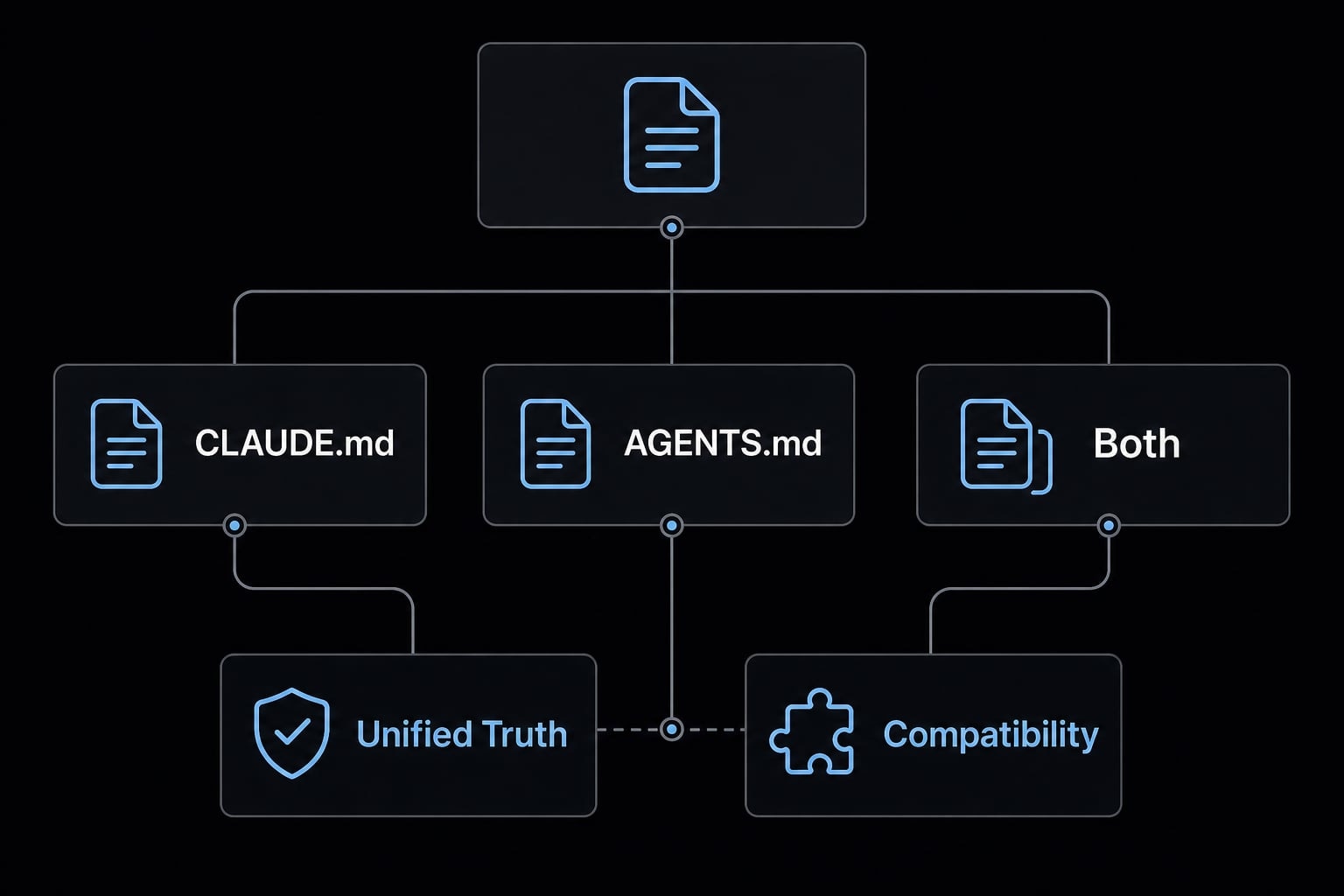
The right answer depends on repository workflow, not preference. If you choose based on ideology instead of operating reality, you usually create extra maintenance work for no benefit.
A practical decision framework:
- Use
CLAUDE.mdonly when the repository is Claude-only or Claude-first. - Use
AGENTS.mdas canonical when multiple coding agents actively share the repo. - Keep both only when compatibility requirements justify the extra overhead.
- Maintain one source of truth whenever possible.
Repo scenario | Recommended setup | Why it works | Tradeoff |
|---|---|---|---|
Solo developer using Claude Code only |
| Native, simple, low overhead | Less portable to other tools |
Small team mostly using Claude Code |
| Clear onboarding and direct behavior | Later migration may be needed |
Mixed-agent internal team |
| Better interoperability | Requires compatibility setup |
Open-source repo with diverse contributors |
| Lower-friction tool diversity support | Claude may need a bridge |
Highly controlled repo needing broad compatibility | Keep both carefully | Works across more contributor setups | Highest drift risk |
Best setup for solo developers using Claude Code only
- Use
CLAUDE.mdonly - Align with Claude Code’s native behavior.
- Avoid creating a second file unless another tool actually needs it.
- Keep the repo easier to understand six months from now.
For solo workflows, extra compatibility layers are usually premature. Simplicity wins.
Best setup for mixed-agent teams
This is where the confusion usually starts. A team begins with Claude Code, then different contributors bring in Codex, Cursor, Roo, Cline, or Gemini CLI. At that point, maintaining vendor-specific instruction files separately becomes a coordination problem.
Recommended approach:
- Use
AGENTS.mdas the canonical file if multiple assistants actively share the repo. - Map or mirror that file for Claude compatibility when needed.
- Reduce duplicate prompt and instruction maintenance.
- Keep shared repository rules vendor-neutral where possible.
- Document clearly which file is the source of truth.
In practice, the file content is often 80 - 90% shared. The maintenance issue is not writing the instructions once. It is keeping multiple files aligned over time.
Best setup for open-source repositories
Open-source repos usually benefit from portability more than internal single-tool repos. Contributors arrive with different assistants, and onboarding should stay as low-friction as possible.
Useful guidelines:
- Prefer generic, stable instructions
- Use
AGENTS.mdwhen contributor tool diversity is expected - Avoid overly vendor-specific wording in shared repository guidance
- Document compatibility choices in the README if both files exist
This does not mean CLAUDE.md is wrong. It means contributor diversity changes the optimization target.
Migration and compatibility options: The simplest ways to make it work
Supporting both CLAUDE.md and AGENTS.md is possible, but every compatibility method is a tradeoff between simplicity, portability, and maintenance overhead. The right choice depends on how often multiple tools touch the repo and how much operational discipline your team has.
Option | How it works | Best for | Advantages | Main drawback |
|---|---|---|---|---|
Keep | Use Claude-native file only | Claude-only repos | Simplest setup | Lower portability |
Symlink compatibility | Link one filename to the other | Technical teams comfortable with repo conventions | One content source, lower drift risk | Some contributors may find symlinks unclear |
Mirrored files | Maintain both files separately | Repos where symlinks are inconvenient | Broad compatibility | High drift risk if unmanaged |
A few limitations are worth stating clearly:
AGENTS.mdis not the primary official Claude Code file.- Symlinks improve compatibility but can confuse onboarding.
- Mirrored files work, but they create real maintenance risk.
The most common mistake is maintaining duplicate files without governance. They often start identical and slowly diverge after a few edits, which leaves contributors and tools following conflicting instructions.
Option B example - symlink AGENTS.md to CLAUDE.md
If you want one physical file while supporting compatibility naming, a symlink is a lightweight option:
ln -s AGENTS.md CLAUDE.md
This approach is useful when AGENTS.md is your canonical file and you still want Claude Code-friendly repository structure. The benefit is obvious: One file, one update path, lower drift risk.
The drawback is equally practical: Some contributors may not immediately understand symlink-based setups, especially during onboarding or when browsing the repo in web interfaces. Use this only if your team is comfortable with that level of repository configuration.
Option C - maintain mirrored files carefully
If you keep both files as separate copies, use strict operating rules:
- Define one file as the source of truth.
- Update the second file immediately after any change.
- Keep wording aligned to avoid contradictory instructions.
- Review both files during pull request checks.
- Use this only when symlinks are inconvenient or unsupported in your workflow.
This option is workable, but it is the easiest path to silent instruction drift.
What should go inside the file? A lightweight best-practice structure
A good project instruction file should contain only the context an assistant repeatedly needs to work correctly in the repository. If the file becomes a dumping ground for every idea, note, and background document, signal quality drops and maintainability suffers.
Whether you use CLAUDE.md, AGENTS.md, or both, the file’s job is the same: Provide stable, high-value repository instructions that reduce repeated clarification.
What belongs in the file
- Project overview: What the repository does and what matters most.
- Tech stack summary: Frameworks, runtimes, package managers, and critical dependencies.
- Build, test, and lint commands: The commands an assistant should run or reference.
- Coding standards: Formatting, naming, patterns, and style expectations.
- Architecture constraints: Boundaries, design decisions, and non-negotiable implementation rules.
- File and path conventions: Where features, tests, configs, and shared modules belong.
- Review and testing expectations: Required checks before proposing changes.
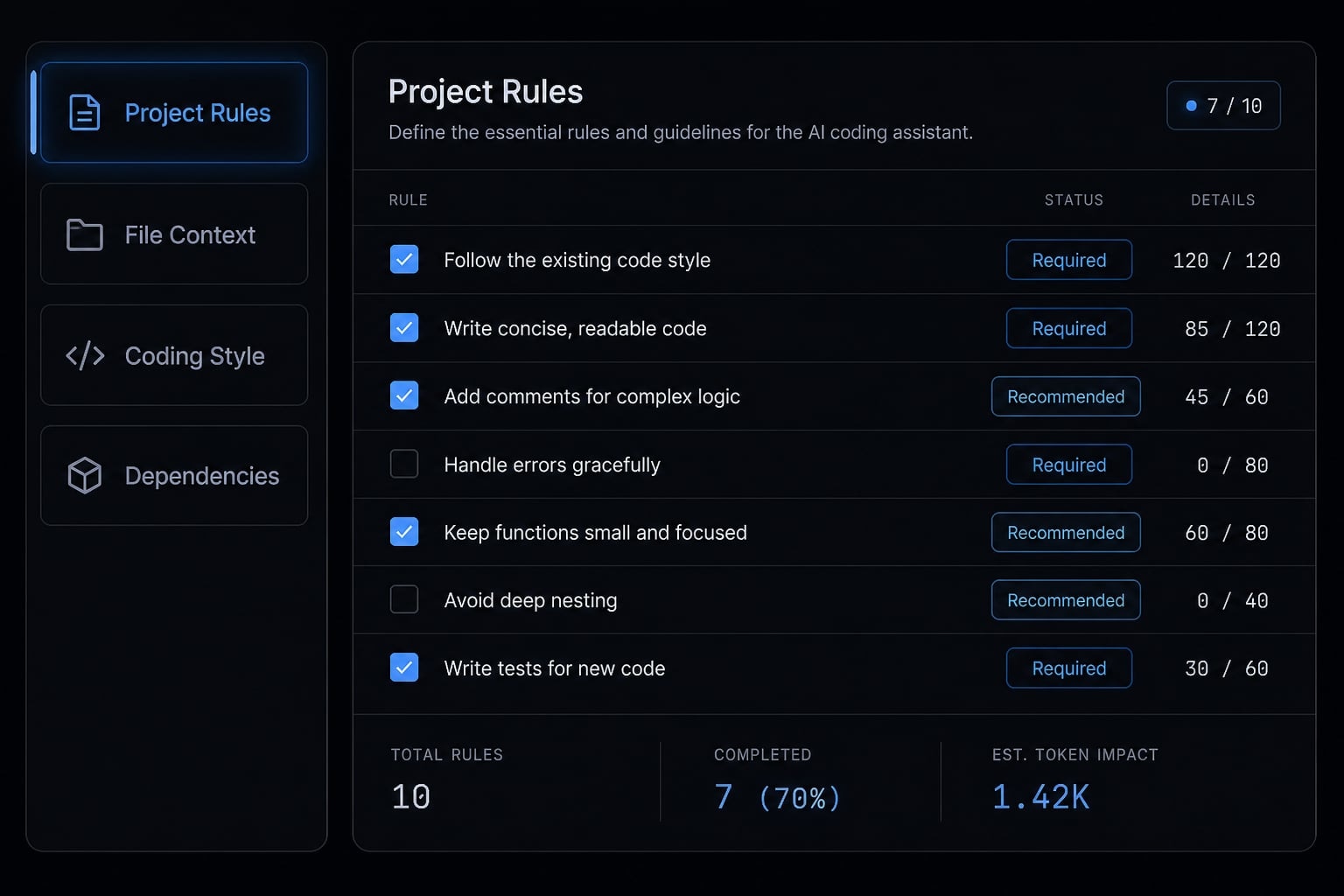
A simple template often works better than an exhaustive one. For solo developers, especially, shorter files are easier to trust and maintain.
What not to put in the file
- Vague principles: Guidance like “write clean code” without concrete meaning.
- Stale instructions: Commands, paths, or rules that no longer match the repo.
- Full duplicated documentation: Large copies of README or internal docs.
- Contradictory tool-specific rules: Mixed instructions that point different assistants in different directions.
- Rarely needed background detail: Low-signal context that is unlikely to affect day-to-day changes.
The discipline here is simple: If you would not repeat it often, it probably does not belong. Smaller, current files usually outperform larger, bloated ones.
A practical recommendation for most teams
For most repositories, the best choice is not complicated. Pick the file strategy that matches your actual workflow, then protect a single source of truth.
Recommended operating stance:
- If Claude Code is the only assistant in the repo, use
CLAUDE.md - If multiple coding agents share the repo, use
AGENTS.mdas canonical - Keep both only when compatibility requirements clearly justify the maintenance cost
- Optimize for contributor clarity, not naming ideology
In practice, the long-term cost comes from duplicated instructions, unclear ownership, and onboarding confusion. Teams rarely fail because they chose the “wrong” filename. They fail because no one knows which file is authoritative after the third round of edits.
A calm, maintainable setup usually beats a theoretically perfect one.
Frequently asked questions
Does Claude Code use AGENTS.md or CLAUDE.md?
Claude Code officially uses CLAUDE.md as its primary project instruction file. While AGENTS.md is gaining traction as a vendor-neutral convention for multi-agent repositories, Claude Code natively looks for CLAUDE.md to load project-specific context and rules at the start of each coding session.
What is the difference between CLAUDE.md and AGENTS.md?
The difference lies in their ecosystem role rather than their content. CLAUDE.md is the tool-specific configuration for Claude Code. AGENTS.md is a broader community convention designed for cross-tool portability, allowing multiple AI assistants to read the same project instructions without needing vendor-specific file naming.
Should I use CLAUDE.md, AGENTS.md, or both?
The best approach depends on your workflow:
- Claude-only projects: Use
CLAUDE.mdfor native, seamless support. - Multi-agent environments: Use
AGENTS.mdas your canonical instruction file. - Transitioning: If you need both, use a symlink to mirror
AGENTS.mdtoCLAUDE.mdto avoid documentation drift.
How can I support multiple coding agents in one repository?
To support multiple agents, define your instructions in a single canonical file, typically AGENTS.md. If your tools require specific filenames, use symbolic links (symlinks) to point them to the same file. This maintains one source of truth and prevents conflicting instructions across different assistant configurations.
What should I include in my project instruction file?
Your file should focus on information the agent needs to act consistently:
- Project overview and technology stack.
- Standard build, test, and lint commands.
- Specific coding style and indentation rules.
- Architecture constraints and patterns.
- File path and directory conventions.
- Review or testing preferences.
Can I have multiple instruction files in a repository?
Yes, but it increases maintenance overhead. Claude Code supports organization-wide, user-level, and project-level files, which load in order of specificity. Using multiple files is useful for large teams, but for most projects, maintaining one clean, well-structured file is the best way to avoid instruction conflicts and drift.
Read more:
- Claude Code subagents documentation: Setup and usage guide
- Everything Claude Code: A guide to streamlined AI coding
- Claude Code tutorial: Set up and master your AI coding agent
Conclusion
For anyone searching for information about Claude Code instruction files, the key difference is simple: CLAUDE.md is the official Claude Code instruction file, while AGENTS.md is a portable cross-tool convention. The right choice depends on whether your repo is Claude-only, mixed-agent, or contributor-diverse.
The main operational rule is more important than the filename debate: keep one source of truth and avoid silent drift between duplicate instruction files. If you want a next step, use this article as a checklist to audit your current repo instructions and simplify whichever setup you already have.