Vibe code mobile app: Build ideas faster with AI development
Vibe code mobile app: What it really means, how It Works, and Where It Stops
If you are interested in vibe coding mobile apps, the most common confusion is simple: a nice AI-generated screen is not the same as a real app. In AI-assisted mobile development, it is now much easier to describe what you want and get usable output fast, but a prompt still does not create a production-ready product on its own. There is a big difference between a screen demo, a testable build, and an App Store or Play Store-ready release. This guide explains what vibe coding for mobile actually means, which build paths are realistic, how a beginner-friendly workflow works in practice, and where the limits begin.
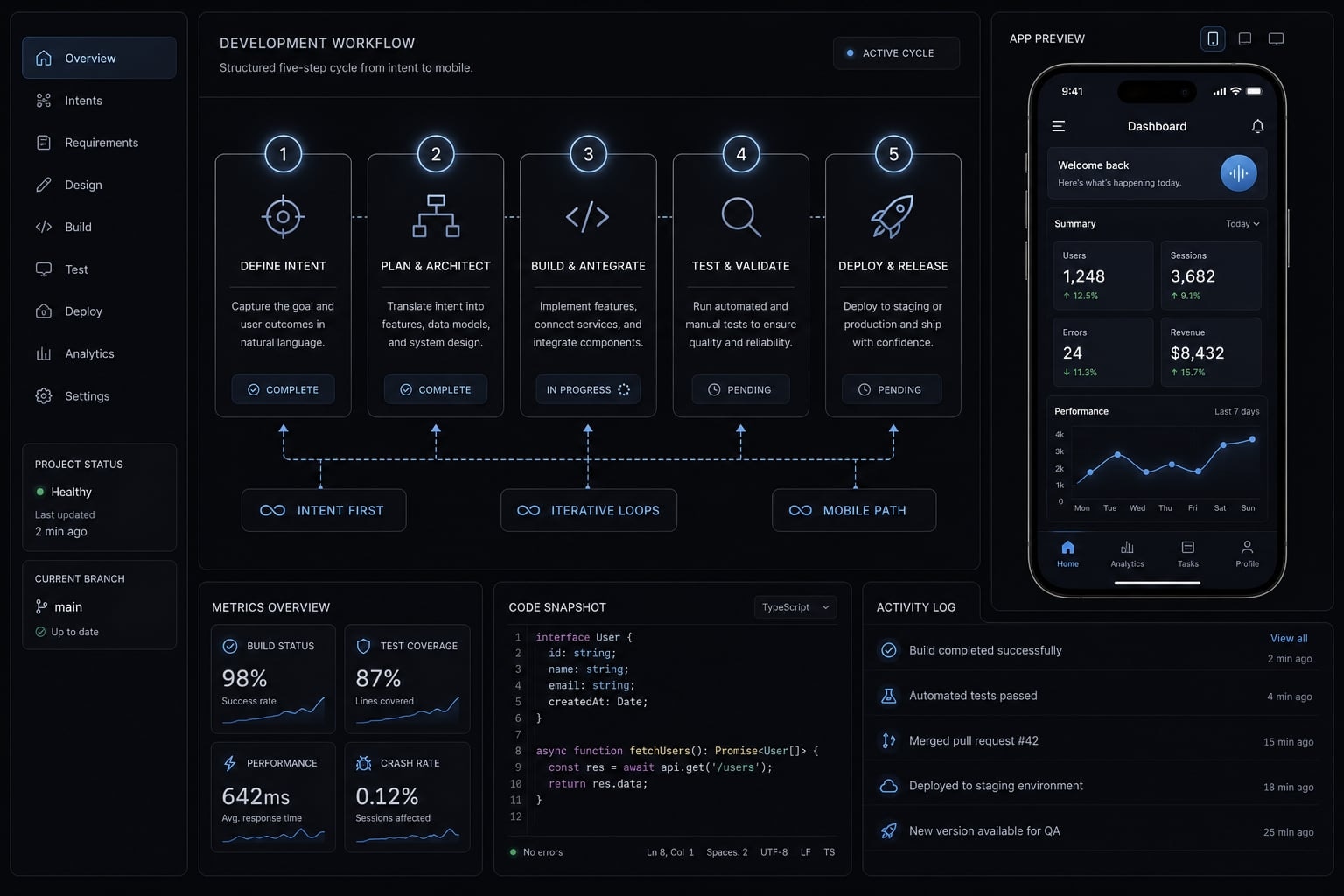
What “vibe code mobile app” actually means
Vibe coding a mobile app means describing an app in natural language and using AI to generate parts of the product, such as screens, logic, and user flows. It is useful for prototyping and early builds, but it does not remove the need for testing, packaging, permissions, debugging, and store readiness.
At a practical level, vibe coding is an intent-first way to build. Instead of manually writing every screen and function from scratch, you describe the outcome you want, and an AI coding agent suggests code, structure, and revisions. That makes prompt-driven mobile app creation appealing for founders, operators, and curious builders who want to validate an idea quickly.
A common beginner mistake is assuming that if AI can render a clean interface, the hard part is done. In reality, AI-assisted mobile development works best when you treat AI as an accelerator, not as a substitute for product decisions and quality control. The human still decides what the app should do, what tradeoffs are acceptable, and whether the output is reliable enough to keep.
Vibe coding is intent-first, not syntax-first
With vibe coding, you start from goals, flows, and behavior. You describe things like:
- Who the app is for.
- What the user needs to do.
- What the main screens should include.
- What should happen after each action.
AI then translates that intent into suggested app structure or code. This is different from traditional coding, where you write and manage every line directly from the start.
Why mobile is different from simple web app generation
Mobile app building adds extra constraints that many beginners do not expect:
- Packaging: The app has to be built into installable output.
- Device behavior: Screens behave differently across phone sizes and operating systems.
- Permissions: Camera, notifications, location, and storage need proper handling.
- Navigation: Mobile flows must feel natural and stable.
- Performance: Slow rendering and lag show up quickly on real devices.
- Store requirements: Apple and Google have review rules before release.
What vibe coding is good at-and what it is not
Good fit:
- Prototyping a new idea.
- Simple CRUD flows.
- Early validation with real users.
- Lightweight internal tools.
- Basic consumer app concepts.
Weak fit:
- Sensitive user data.
- Complex backend logic.
- Advanced offline behavior.
- High-scale production systems.
- Long-term apps that need strong maintainability.
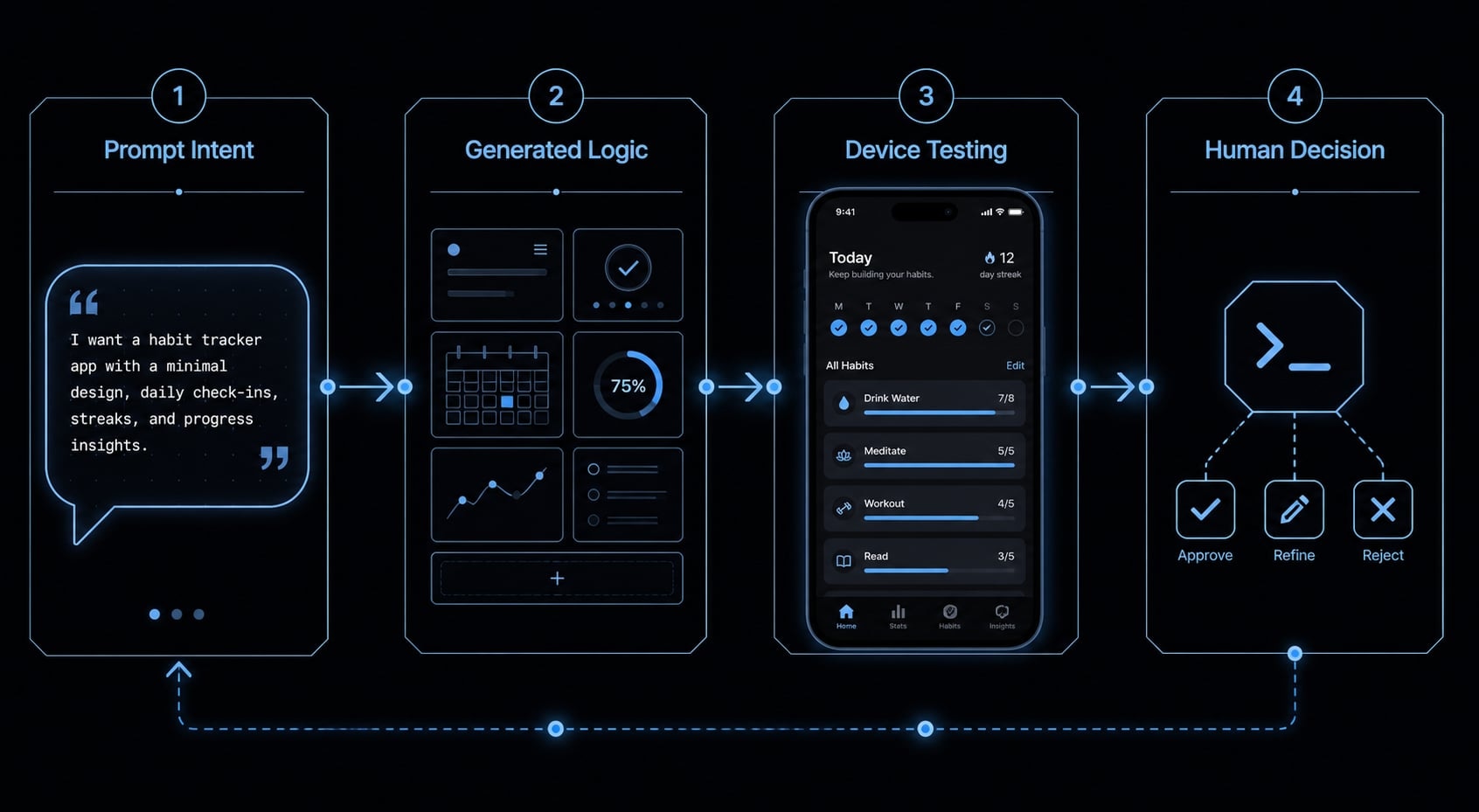
Real mobile app vs web app vs prototype: The distinction most beginners miss
Most confusion starts here: people see working screens and assume they have a launchable product. They often do not. Before choosing tools, you need to know what kind of output you are actually building.
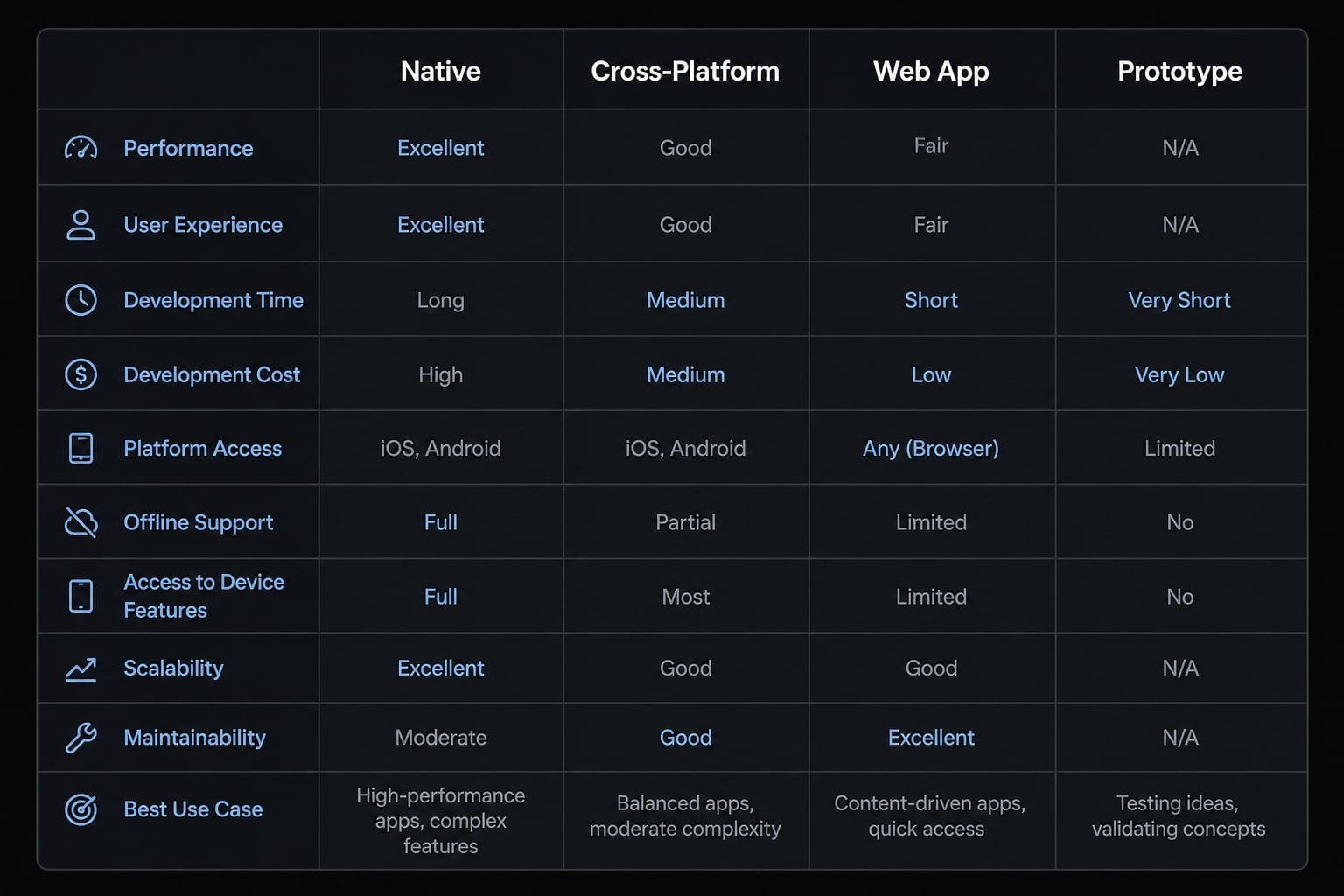
Output type | What it is | Can you install it? | Best use |
|---|---|---|---|
Native app | Built specifically for iOS or Android | Yes | Best device performance and platform-specific features |
Cross-platform app | One shared codebase for multiple platforms | Yes | Practical path for most beginners |
Web app | Runs in a browser | Usually no | Fast idea testing and lightweight tools |
Prototype | A demo or partial product flow | Sometimes, but not always fully usable | Concept validation and stakeholder feedback |
- A prototype can look convincing without being stable.
- A web app may feel mobile-friendly but still lacks true installable app behavior.
- A cross-platform app is often the most realistic path for non-experts who want an actual mobile product without maintaining two separate codebases.
Native, cross-platform, and web output explained simply
- A native app is built specifically for one platform, such as iOS or Android.
- A cross-platform app uses one shared codebase to target both platforms. This is where React Native and Expo are commonly used.
- A web app runs in the browser. It may look good on a phone, but it is still not the same as a real installable app.
For beginners, React Native plus Expo is often the easiest mobile-capable path to understand because it supports faster testing and a more practical route toward a real app.
Why this distinction matters before choosing a tool
Many AI tools are great at generating UI, but not all of them generate a complete mobile workflow. Some produce web-first output only. Others create mockups that are useful for feedback but not for real device testing.
That means your first decision is not “Which AI tool looks smartest?” It is “Do I want validation, a testable build, or a path toward app-store publishing?”.
If your goal is a phone-installable product, output type matters more than visual polish.
Simple tool-evaluation checklist for beginners
Before you commit to a workflow, check these five basics:
- Can it export full code?
- Can it build for iOS and Android?
- Does it support React Native or Expo?
- Can you test on a real device?
- Does it help with App Store submission steps?
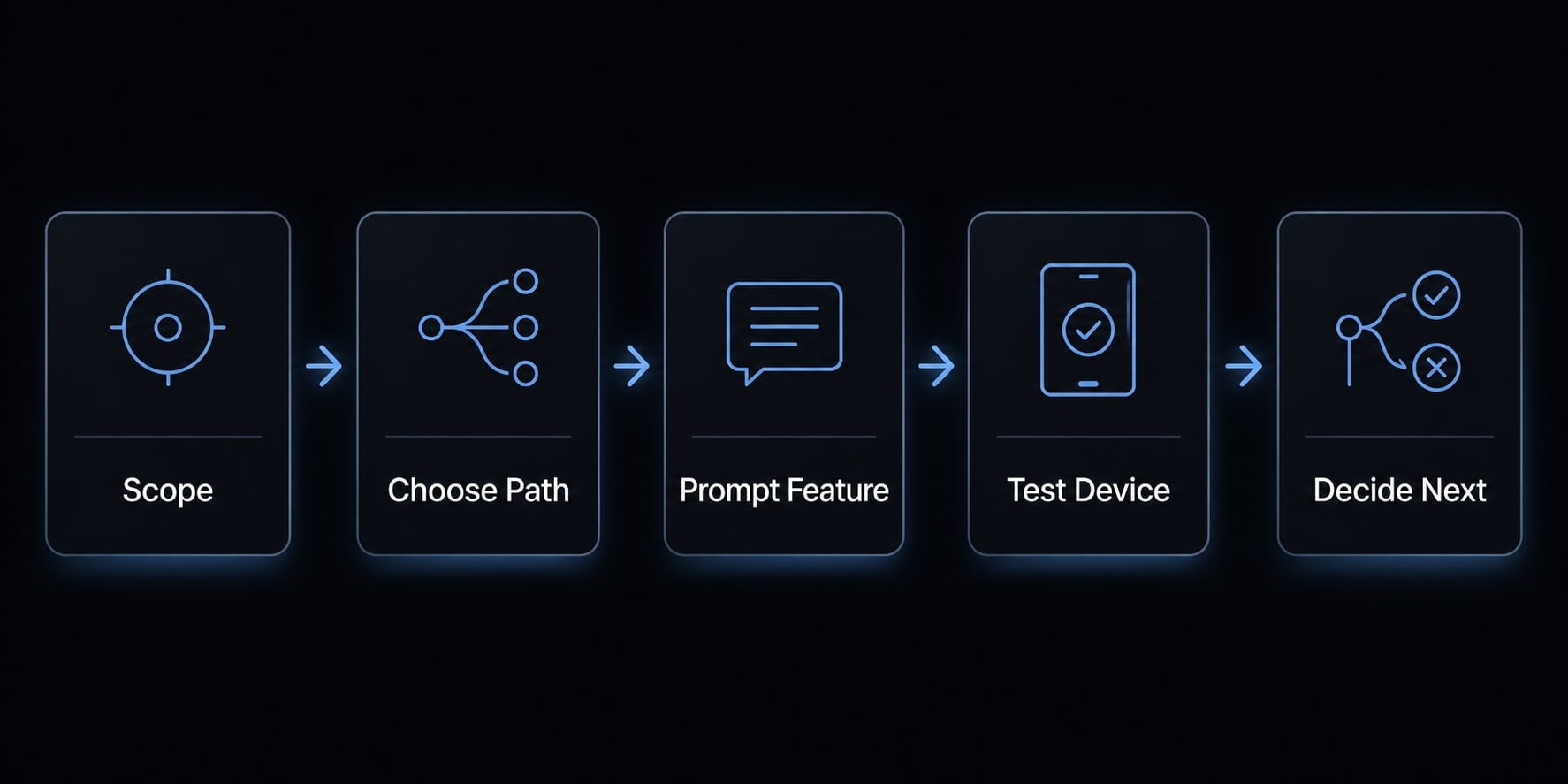
A simple 5-step workflow to vibe code a mobile app
- Define one clear app use case.
- Choose a mobile-friendly build path.
- Prompt one feature at a time.
- Test on a real device early.
- Decide whether to iterate or switch to structured development.
If you are learning how to build a mobile app using AI coding tools, this is the safest basic process. The strongest mobile app workflow is not the fastest-looking one. It is the one that keeps scope small, exposes problems early, and helps you decide whether the idea deserves more investment.
Step 1: Define the app in one tight use case
What to do: Write your app idea in two or three sentences. Then define the user, the main action, and the outcome.
Example:
- User: Busy professionals.
- Action: Log one daily habit.
- Outcome: See simple weekly progress.
Why it matters: Most failures start with too much scope. If you ask AI to generate a complete product with onboarding, social features, analytics, subscriptions, reminders, and admin tools in one pass, output quality drops fast.
What “done” looks like:
- One clear problem statement.
- One main user flow.
A common beginner mistake is trying to build the full product vision first. For AI-powered rapid prototyping, narrow scope wins.
Step 2: Choose a mobile-friendly build path
What to do: pick a path that can actually produce installable mobile output if that is your goal.
For many beginners, React Native with Expo is a practical route because it supports a cross-platform app workflow and helps you test more quickly on real devices.
Why it matters: people exploring how to build a mobile app using AI coding tools often pick a web-first builder by accident. That can be fine for a concept demo, but it becomes a problem if you expect true mobile behavior later.
What “done” looks like:
- One chosen stack or build path.
- Clear understanding of whether you are building a prototype, web experience, or mobile app.
Step 3: Prompt feature-by-feature, not app-by-app
What to do: Generate one flow at a time. Good examples include:
- Login.
- Onboarding.
- Task list.
- Profile.
- Settings.
Ask AI to plan before it builds. This is where basic prompt engineering helps. Instead of saying “build my whole app,” ask for:
- The screen flow.
- Assumptions.
- Required inputs.
- Expected outputs.
- Edge cases.
Then ask for generation.
Why it matters: Shorter loops produce cleaner results. In a healthy mobile app workflow, you do not judge success by how much code appears. You judge success by whether one feature actually works.
What “done” looks like:
- One visible working flow.
- Clear next change request based on what you tested.
Step 4: Test on a real device as early as possible
What to do: run the app on a physical phone early. Previews and simulators help, but they are not enough.
Check for:
- Layout issues.
- Navigation problems.
- Text readability.
- Device permissions.
- Slow performance.
- Broken taps or gestures.
Why it matters: what looks fine in a generated preview can fail quickly on real hardware. In practice, mobile work becomes real only when people can use it on an actual device.
What “done” looks like:
- One tested build running on a phone.
- Notes on what broke, what felt awkward, and what needs revision.
Step 5: Decide whether to keep iterating or hand off to structured development
What to do: after you have a working flow on a device, decide what the project is really for.
If the goal is validation, a prototype may be enough. If the app involves payments, personal data, team collaboration, or long-term releases, you are moving beyond pure vibe coding.
Why it matters: This is where many projects get stuck. The workflow usually breaks when teams stretch prompt-led output into a production system without better structure, ownership, and review.
What “done” looks like:
- Keep iterating
- Refine with a developer
- Rebuild properly
- Stop at prototype
If your goal is to vibe code your mobile app idea responsibly, this final decision point is just as important as the build itself.
Best practices that make vibe coding for mobile actually work
The best results usually come from discipline, not from magical prompts. The most reliable best practices for vibe coding mobile applications are simple habits that reduce drift, confusion, and rework.
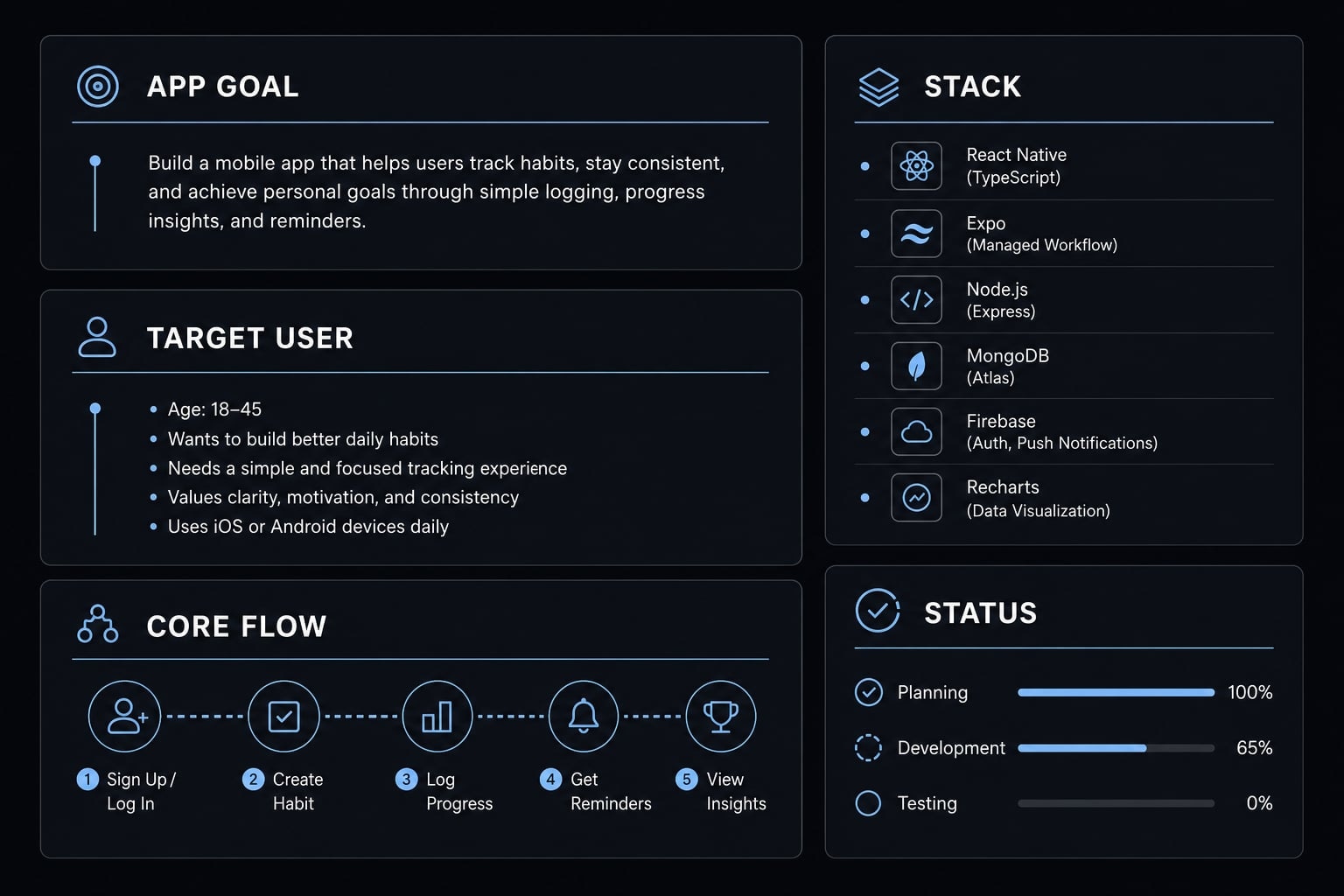
Keep a single project brief or context file
A project context file helps the AI stay consistent across sessions. A simple structure can include:
- App goal.
- Target user.
- Core flow.
- Stack or build path.
- Visual style.
- Non-goals.
- Current status.
This matters because AI output gets weaker when context shifts from prompt to prompt. A good project context file acts like a stable source of truth.
Example:
- App goal: Daily habit tracking.
- Target user: Busy professionals.
- Core flow: Add habit, mark complete, view streak.
- Stack/path: Expo + React Native.
- Visual style: Clean, minimal.
- Non-goals: Social feed, subscriptions.
- Current status: Onboarding and habit list built.
Ask for plans, not just code
One of the most useful best practices for vibe coding mobile applications is asking AI to outline the flow before generating code.
Ask for:
- A screen map.
- User flow logic.
- Assumptions.
- Data needed per screen.
This reduces wasted output and improves structure. It also helps you catch bad assumptions before they spread into multiple screens.
Build in short loops: Generate, test, fix, repeat
A healthy iterative generation cycle looks like this:
- Make one meaningful change at a time.
- Test the result.
- Share real errors or screenshots back to the AI tool.
- Ask for revision, not total regeneration.
This works better than giant prompts because it keeps the system grounded in actual behavior. Good AI-generated code usually comes from many small corrections, not one big leap.
Preserve code ownership and portability
If the project may grow, full code access matters.
You should care about:
- Exportable code.
- Version control.
- Team handoff options.
- Portability across tools or environments.
This is important because AI-generated code becomes a liability if you cannot inspect it, revise it, or move it later.
Where vibe coding breaks down for mobile apps
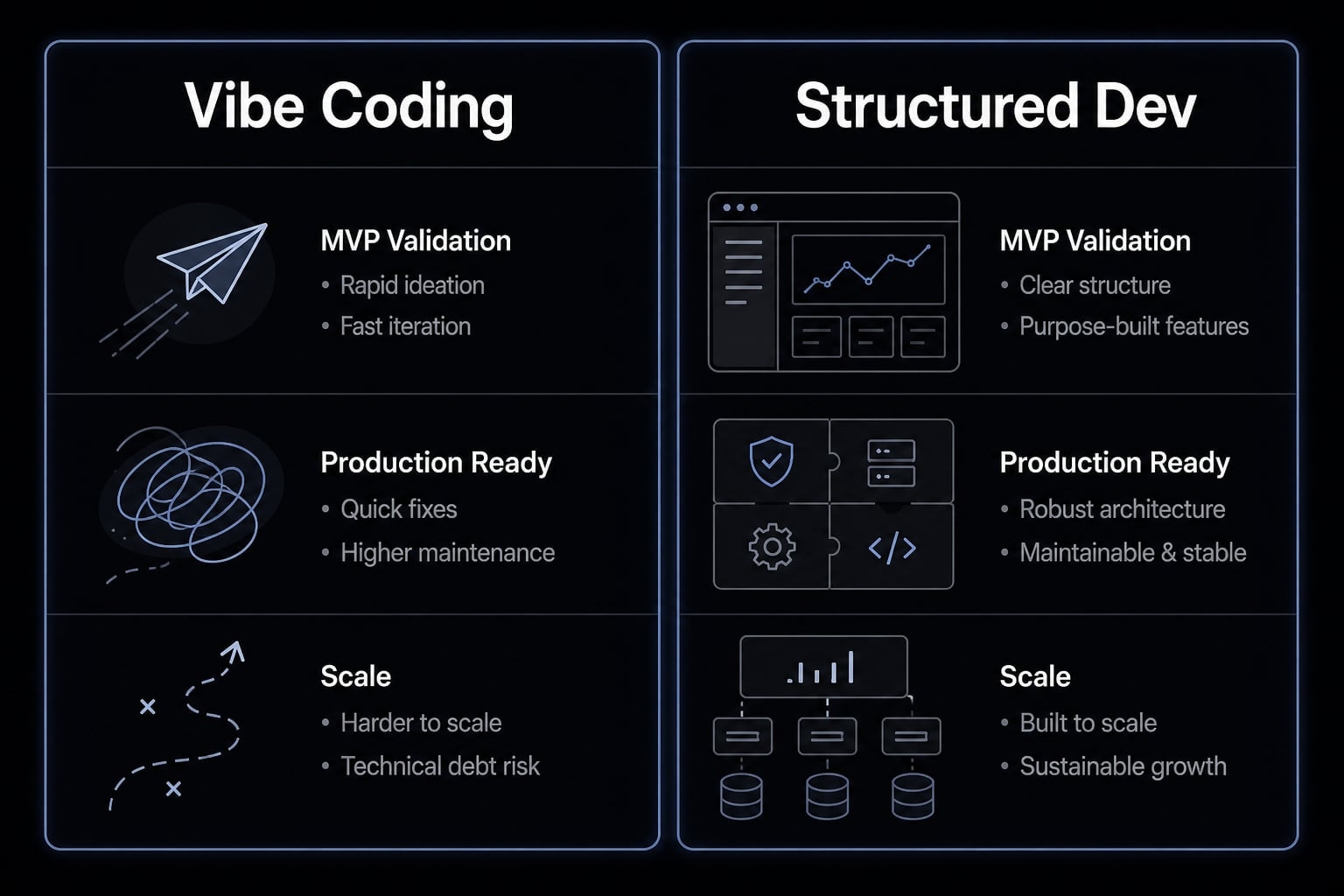
Vibe coding is useful for validation, but there is a clear line where it stops being enough. A working prototype is not automatically maintainable, secure, or production-ready.
Quality and debugging debt
Generated output can look clean at first and still become fragile quickly. This is especially true when the builder cannot explain how the app state, navigation, or logic actually works.
Common warning signs include:
- Small changes break unrelated screens.
- Navigation bugs keep returning.
- State handling becomes inconsistent.
- Fixes require repeated regeneration.
This is where maintainability starts to matter. If nobody can confidently understand the app, later improvements become slower and more expensive.
Security and privacy risks
For simple demos, this may not be urgent. For real apps, it is.
Risks often include:
- Hardcoded secrets.
- Weak authentication patterns.
- Misused permissions.
- Poor handling of personal or financial data.
Serious apps need human security review. If the product touches sensitive workflows, AI-generated code security auditing is not optional. It is part of responsible delivery.
App store and play store realities
A build working on your phone is still not the same as successful App Store submission.
You still need to handle:
- Privacy policy requirements.
- App screenshots and metadata.
- Code signing.
- Platform review guidelines.
- Submission requirements in Apple and Google ecosystems.
For that reason, “it runs on my device” is only one checkpoint. It is not the final one.
When to move beyond vibe coding
Use this decision framework to judge the next step.
Project situation | Pure vibe coding OK? | Needs structured development? | Why |
|---|---|---|---|
Simple habit tracker prototype | Yes | Not yet | Low risk, easy validation |
Internal lightweight tool | Often yes | Sometimes later | Limited scope and users |
App with payments | No | Yes | Risk, compliance, failure cost |
Healthcare or fintech app | No | Yes | Sensitive data and heavy review needs |
Complex collaboration product | No | Yes | Long-term architecture and release management |
You should usually move beyond pure vibe coding when the app includes:
- Payments.
- Healthcare data.
- Fintech use cases.
- Complex team collaboration.
- Heavy backend logic.
- Ongoing release management.
At that point, you need stronger review processes, clearer ownership, and more structured engineering judgment.
Practical example: Using AI to turn an app idea into a testable prototype
A simple habit tracker is a good example of AI-assisted prototyping because the scope is narrow and the core flow is easy to validate.
Start with one use case: “I want a mobile prototype that lets users create three daily habits, mark them complete, and view a seven-day streak summary.” That first prompt is specific enough to guide the build without introducing too many moving parts.
The generated output might include three screens:
- Onboarding.
- Habit list.
- Progress summary.
From there, the next step in the AI development workflow is not “add every possible feature.” It is testing the mobile prototype on a real device. You may notice that the buttons are too small, the streak summary is unclear, or navigation feels awkward.
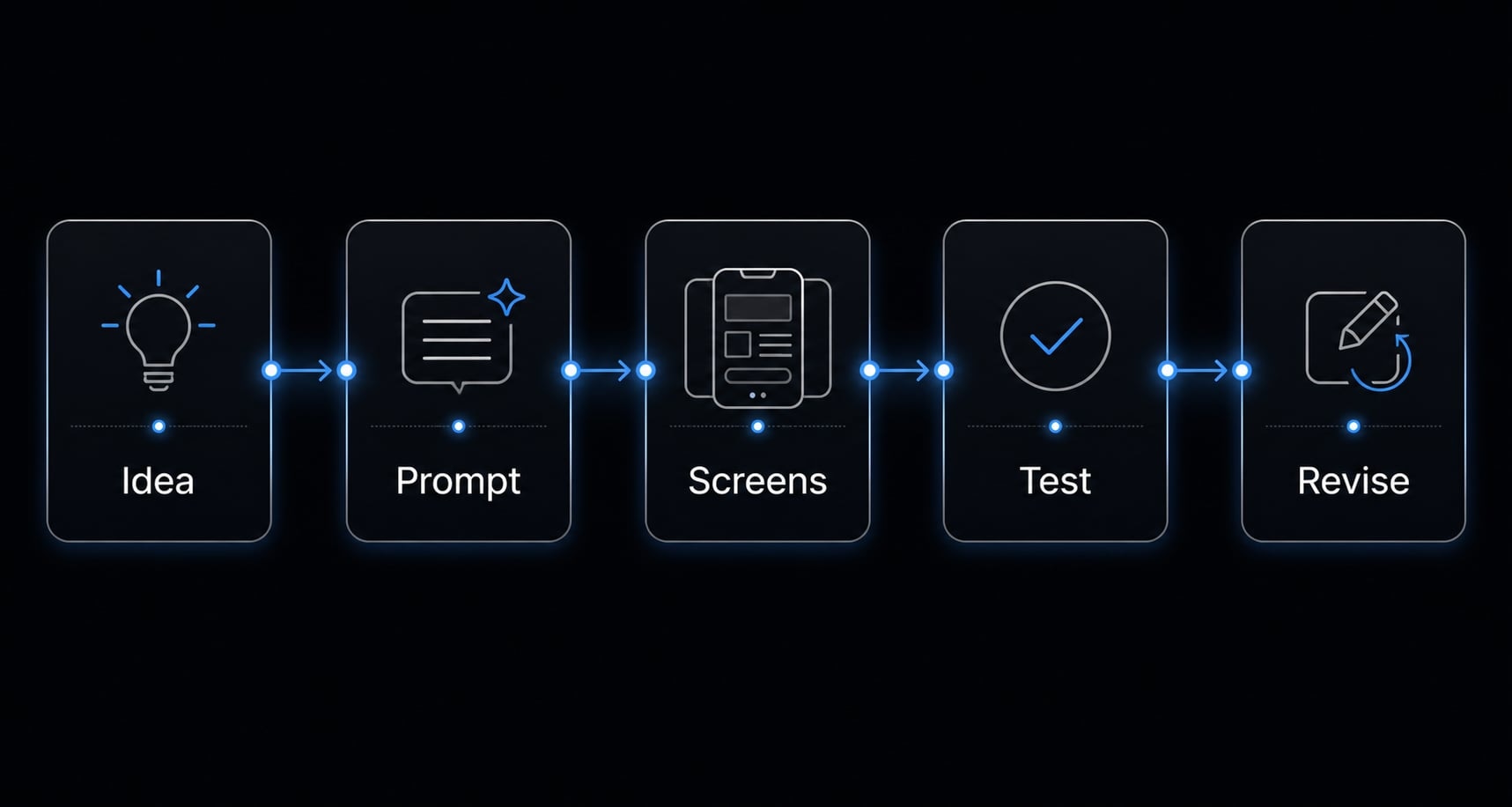
Then you revise only those issues. That creates a reusable workflow:
- Define one narrow goal.
- Generate one core flow.
- Test on device.
- Revise based on behavior.
- Stop once the concept is validated.
The key point is that this output is still a prototype, not a full MVP that should be stretched into a larger product without review.
Frequently asked questions
What does "vibe coding" a mobile app actually mean?
Vibe coding a mobile app refers to an AI-assisted development approach where you describe your app's features and logic in natural language. The AI interprets your intent to generate code, screens, and workflows. While this accelerates prototyping and early validation, it requires human verification, testing, and manual configuration for production readiness.
Can AI generate a production-ready mobile app from a single prompt?
No. While AI can generate functional components or prototypes quickly, a production-ready mobile app requires complex tasks like secure authentication, permission handling, App Store compliance, and rigorous device testing. AI acts as a coding assistant to speed up building, but it does not replace the need for professional software engineering practices.
What is the difference between a prototype and a production-ready mobile app?
A prototype focuses on demonstrating core flows and UI for validation. A production-ready app includes security hardening, error handling, performance optimization, and rigorous compliance with platform guidelines. Transitioning from a vibe-coded prototype to a live application requires structured development, professional code review, and dedicated deployment infrastructure.
Why is mobile app development more complex than web-based vibe coding?
Mobile apps must interact directly with device hardware (camera, GPS, notifications), adhere to strict platform-specific review guidelines (Apple/Google), and manage offline states. Unlike web apps, mobile builds require code signing, binary packaging, and store submission workflows, which often necessitate a structured cross-platform framework like React Native or Expo.
Which tools are recommended for vibe coding mobile applications?
For beginners, platforms that generate code based on React Native and Expo are the most practical. These frameworks allow for cross-platform deployment on both iOS and Android. Look for tools that offer full code export, GitHub synchronization, and support for real-device testing, as these ensure you are not locked into a proprietary environment.
How do I know when to move beyond "vibe coding" to traditional development?
You should transition to traditional development when your app requires handling sensitive financial or personal data, complex backend business logic, high-scale traffic, or long-term maintenance. If your project involves these critical factors, the "vibe coding" approach should serve only as a validation tool for your initial concept.
Read more:
- 7 practical vibe coding examples: Build apps faster with AI
- Vibe coder meaning: How AI is changing software development
- Vibe coding flutter: Speed up development without technical debt
Conclusion
If you are looking to build mobile apps using vibe coding, the most realistic use case is fast validation. This approach is strong for prototyping, exploring product direction, and creating a testable build without writing everything manually. It is much weaker when the app needs deep reliability, strong security, or a truly production-ready release path.
The safest approach is simple: Keep scope narrow, choose a mobile-capable build path, generate one feature at a time, test early on a real device, and know when to move into structured development. If you want a practical next step, start with a one-page project brief and a five-step build checklist before opening your AI tool.