
Vibe code android: What it means, how it works, and where it actually helps
Vibe code Android is a fast-rising search term, but it’s often used loosely. In practice, it describes using AI to accelerate Android app ideas, UI drafts, and Kotlin code through prompts instead of building everything manually from scratch. This matters because Android development blends creativity with strict quality control: you can generate screens and logic quickly, but you still need real testing, code review, and product judgment before anything is close to release-ready. This guide explains what vibe coding means for Android apps, how the typical workflow looks, which tools people use, where it helps most, and where caution is essential.
What “vibe coding” means in android development
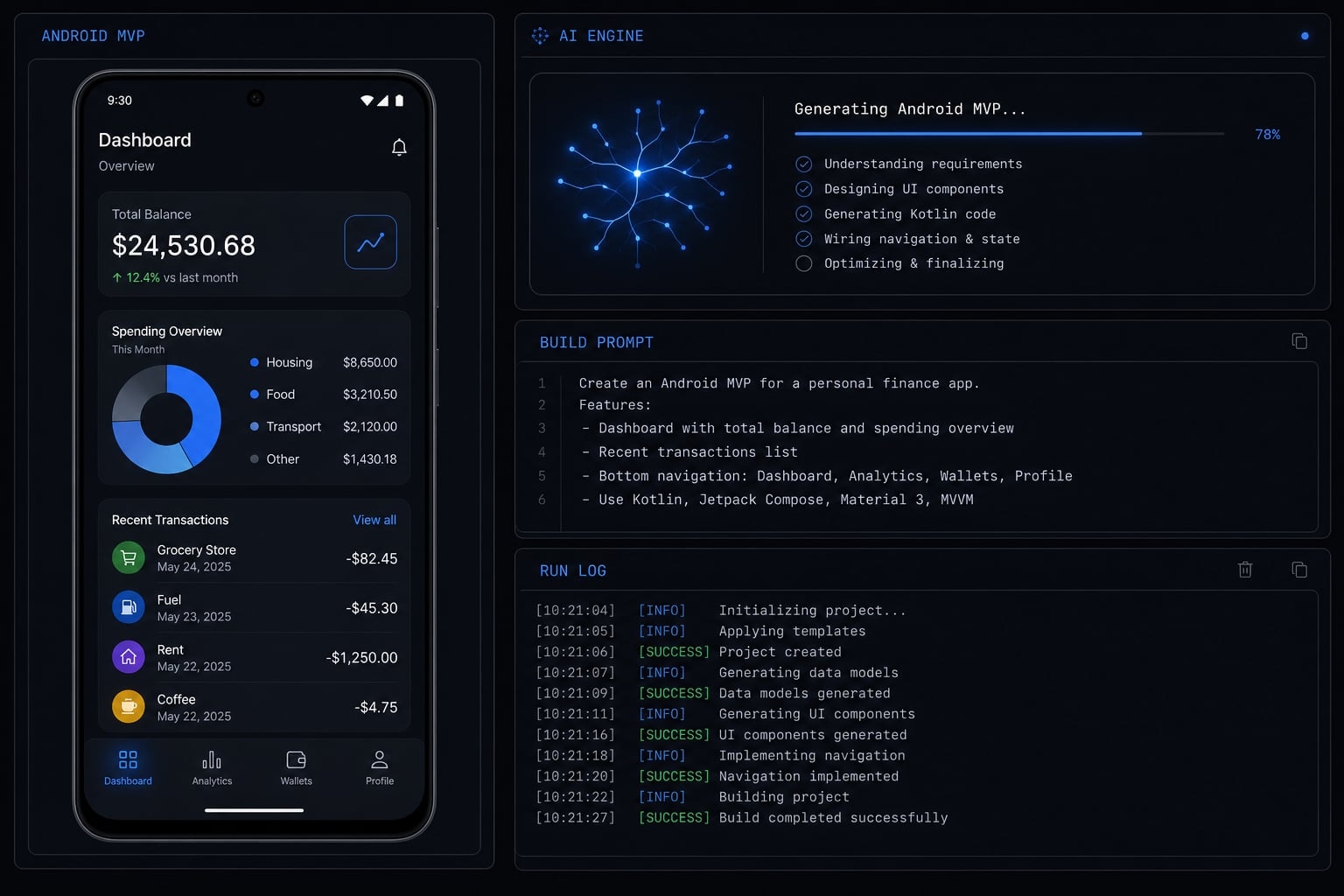
Vibe coding in Android development is using AI prompts to quickly draft parts of an app such as screens, Kotlin structure, UI components, and basic logic, then refining that output through testing and human review. It is best understood as a speed layer for prototyping and iteration, not a one-click way to build a finished Android product.
Plain-English definition
At a practical level, vibe coding is a form of AI-assisted Android development. Instead of manually writing every screen, model, and setup file from the start, a builder uses natural-language instructions to ask an AI tool for an initial draft.
That draft might include:
- Jetpack Compose screens.
- Kotlin boilerplate.
- navigation setup.
- form logic.
- simple data models.
- debugging suggestions.
This is also often described as prompt-based development because the workflow begins with instructions, then improves through back-and-forth iteration.
The term became popular because AI tools got better at producing usable first drafts. For Android builders, that often means getting a note app, tracker, timer, or lightweight MVP on screen much faster than before.
Where it fits best is early exploration:
- Validating an app idea.
- Testing a narrow workflow.
- Reducing repetitive setup work.
- Learning unfamiliar implementation patterns faster.
How it differs from traditional coding and no-code
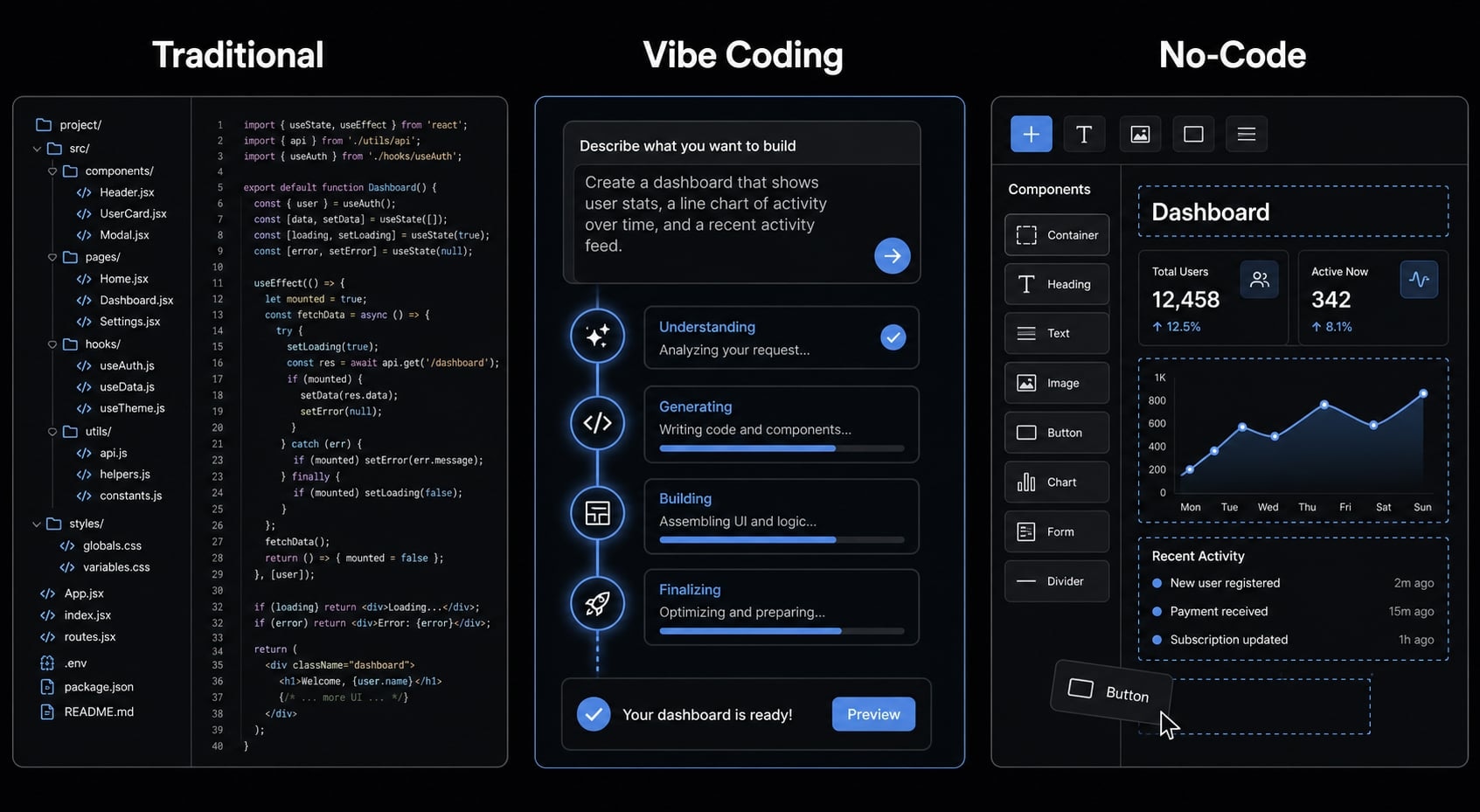
The easiest way to understand the term is to separate it from two things people often confuse it with.
Traditional coding
- The developer plans and implements most of the app manually.
- Control is high from the start.
- Speed may be slower at first, but structure is usually more intentional.
Vibe coding
- AI helps draft code, screens, and flow.
- The human still decides scope, checks output, and fixes weak logic.
- It is useful for momentum, not automatic software ownership.
No-code
- The app is assembled mainly through visual tools.
- Code control is more limited.
- It is a different workflow from generating and editing Kotlin directly.
That distinction matters on Android. Even if AI generates code that looks correct, you still need human attention on architecture, state handling, permissions, and runtime behavior. This is not “press a button and get a production app.”
How vibe coding typically works for an Android app
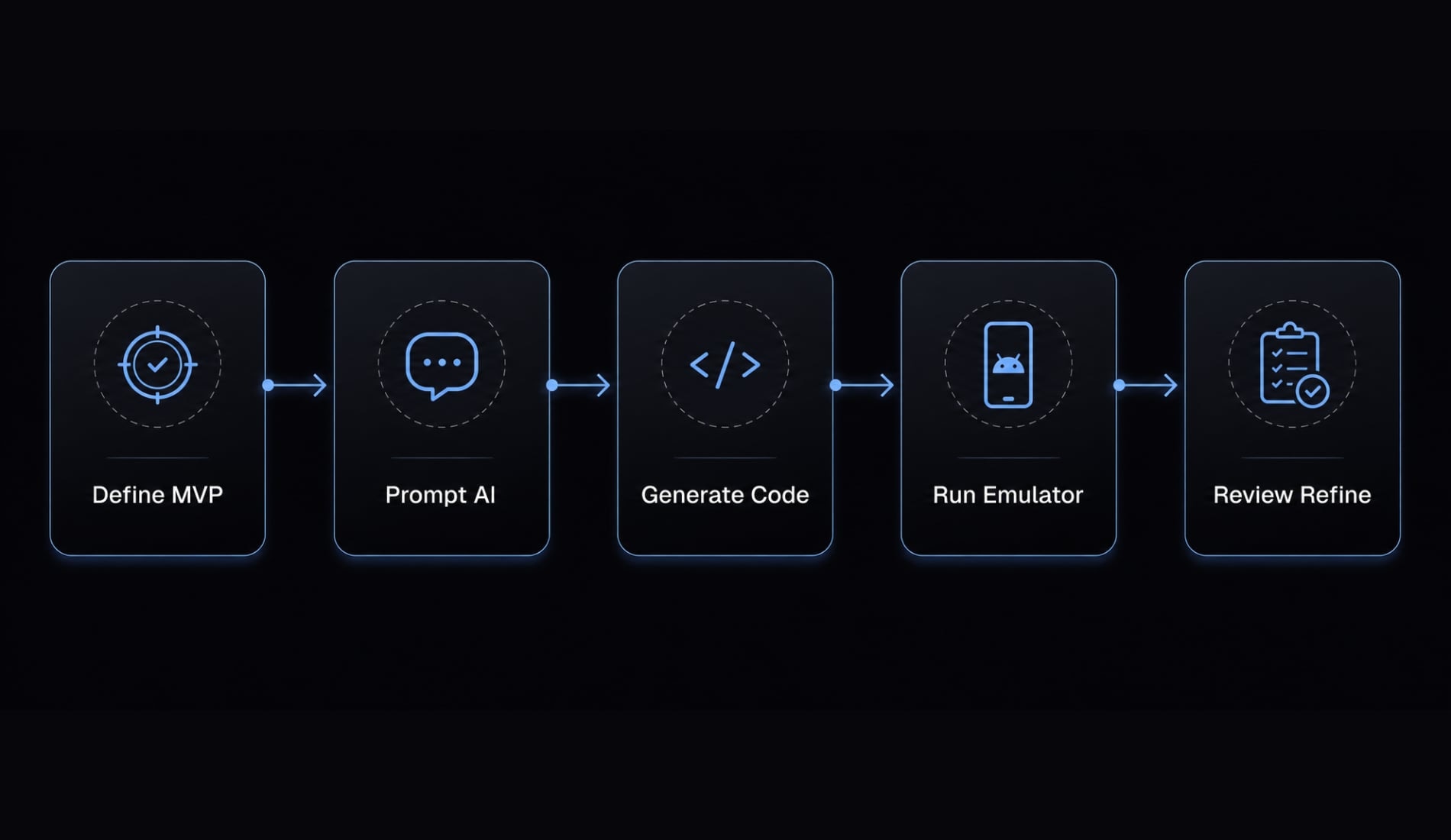
The best answer to how to start vibe coding for Android apps is simple: Keep the scope small and work in short feedback loops. The workflow usually breaks down like this:
- Define a very small Android MVP.
- Ask AI to outline screens, models, and flow.
- Generate Jetpack Compose UI and Kotlin boilerplate.
- Run the app and refine through iteration.
- Review permissions, state, persistence, and behavior manually.
Step 1: Define a very small Android MVP
This workflow works best when the first version is narrow. Broad prompts usually create messy output because the AI tries to do too much at once.
Good first projects include:
- Note app.
- Task tracker.
- Habit tracker.
- Timer.
- Simple booking interface.
- Lightweight internal tool.
The narrower the initial scope, the more useful AI becomes. A request like “build a clean Android timer app with start, stop, save history, and a simple Compose UI” is far more workable than “build a full productivity platform.”
For many teams, this is where AI-driven prototyping creates the most value. It helps turn an idea into something visible and testable quickly.
Step 2: Ask AI to draft the app structure
Before asking for full code, it usually helps to ask for structure first. That means requesting:
- Screens.
- Data models.
- Navigation flow.
- Package layout.
- Basic state flow.
- Feature breakdown by screen.
This reduces chaos later. Instead of one giant prompt, builders often get better results by splitting work into smaller requests such as:
- Draft the home screen.
- Suggest the navigation structure.
- Create a model for task items.
- Generate the settings screen in Compose.
This keeps the workflow understandable and improves developer experience because the codebase grows in parts, not as one uncontrolled dump.
Step 3 and step 4: Generate UI, run It, and fix It
Once the structure is clear, AI can help generate Jetpack Compose UI, Kotlin classes, simple validation, and repetitive boilerplate. But that is only half the job.
The next step is to run the app in Android Studio.
That loop usually looks like this:
- Ask AI to generate a screen or feature.
- Paste or integrate the code.
- Run it in emulator or on a device.
- Inspect layout, interactions, and errors.
- Feed the issues back to the AI.
- Refine the output.
This is iterative development, not magic generation. A screen might compile successfully but still perform poorly in practice. Navigation can look correct in code yet break during real user interactions. State may reset unexpectedly, and issues like these often only surface once you actually run the app.
Step 5: Review manually before calling it done
Before treating anything as usable, manual review is still necessary. Use a simple checklist:
- Does the layout behave correctly on different screen sizes?
- Do any crashes appear during basic flows?
- Does navigation work from start to finish?
- Are permissions requested properly?
- Is state handling stable after screen changes?
- Is data persistence working as expected?
- Does the flow still make product sense for the intended user?
Generated code compiling is not the same as a reliable Android app. Human review is where the real quality decision happens.
Where vibe coding helps most in Android work
This approach works best for simple or moderately scoped Android apps, not every kind of mobile product. Its value is highest when speed, iteration, and repetitive work matter more than deep architectural complexity.
Good fit for specific builders
The people who often benefit most include:
- Solo builders: They can move from idea to testable Android MVP faster.
- Indie makers: They can validate whether an app concept is worth further investment.
- Android developers: They can reduce repetitive setup work and speed up drafts.
- Product-minded founders: They can turn rough product ideas into visible app flows for review.
In these cases, the benefit is not only code generation. It is lower setup friction, faster concept validation, and a smoother path from idea to working prototype.
Android tasks AI can often speed up
AI is usually most helpful on tasks that are clear, narrow, and easy to validate.
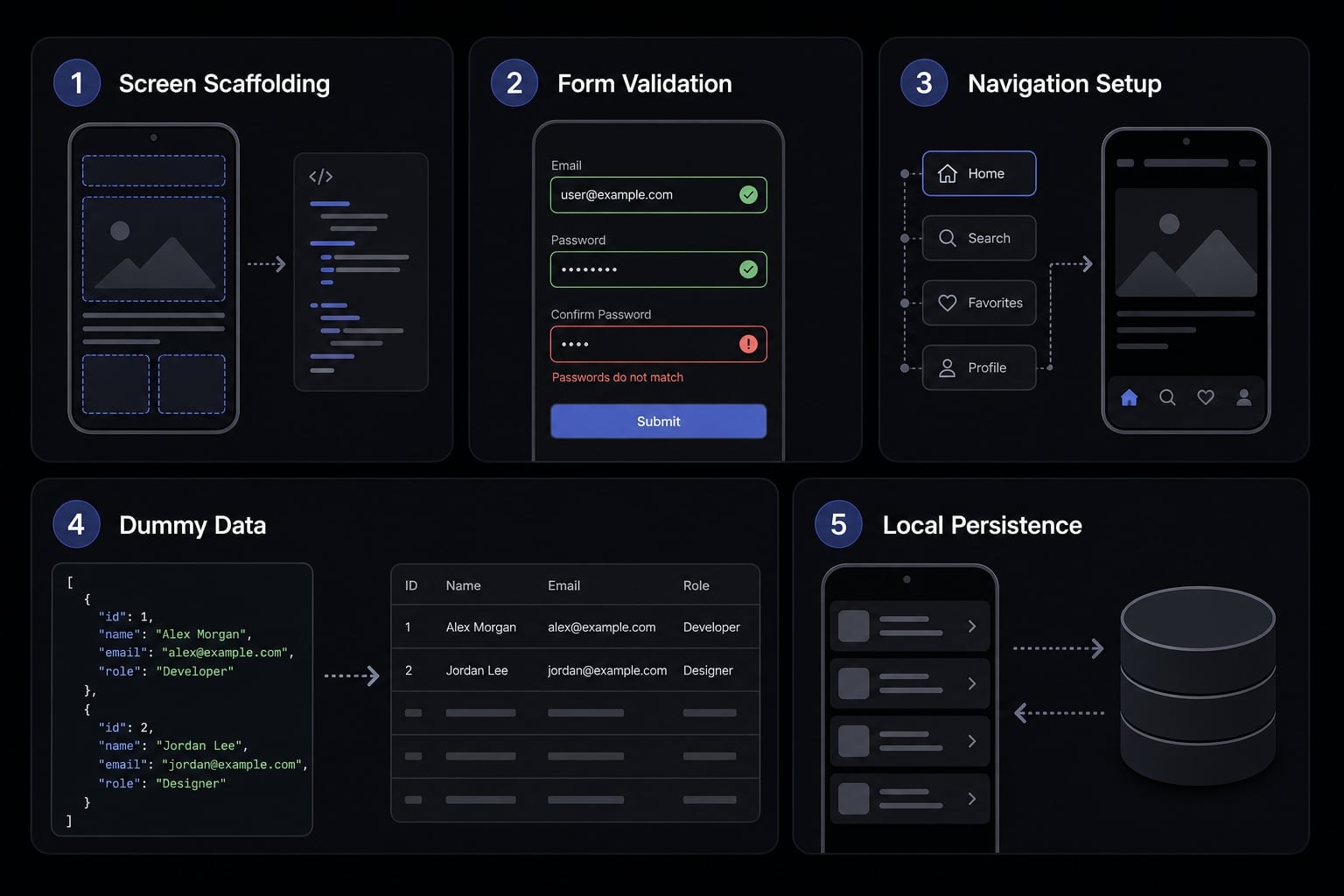
Common examples include:
- Screen scaffolding in Jetpack Compose.
- Basic form validation.
- Navigation setup.
- Dummy data wiring.
- Simple local persistence.
- Rewriting repetitive boilerplate.
- Explaining unfamiliar Android APIs.
- Drafting alternate UI patterns quickly.
This is why AI-assisted Android development often feels strongest at the MVP stage. The app is small, the flow is visible, and mistakes are easier to detect.
The value usually declines as complexity rises. Once the app depends on deeper architectural consistency, stricter privacy rules, heavier testing, or long-term feature growth, AI output needs much stronger human control.
Best tools commonly used for vibe coding Android apps
There is no single tool called “vibe coding for Android.” Most people combine chat-based AI, coding assistance inside the IDE, and a real Android execution environment.
Tool Type | Best For | Example Tools |
|---|---|---|
AI chat models | planning, drafting, debugging, explaining code | Claude Code, Gemini 2.5 Pro |
IDE copilots | inline suggestions and faster coding inside editor | GitHub Copilot |
Android IDE | running, testing, debugging, validating behavior | Android Studio, IntelliJ |
Workflow layer | reusable prompts, structured agents, repeatable flows | Coding agents, workflow systems, AgentKit |
AI chat tools vs IDE Copilots
These tools do different jobs. AI chat tools are usually better for:
- Planning screens and flows.
- Drafting feature structure.
- Explaining errors.
- Suggesting alternative implementations.
- Debugging in conversational form.
Tools often mentioned in this workflow include Claude Code and Gemini 2.5 Pro.
IDE copilots are better for:
- Inline code suggestions.
- Faster typing.
- Short completions.
- Repetitive syntax help.
That is where GitHub Copilot often fits. It is less about broad planning and more about accelerating work inside the editor.
Why Android Studio or IntelliJ still matters
This is where hype needs to stop and real Android work starts. Generated code is not validated until it runs. Android Studio remains essential because emulator or device testing reveals the issues that suggestions alone cannot prove.
That includes:
- Layout breakage.
- Runtime crashes.
- Permission behavior.
- Navigation problems.
- State bugs.
- Device-specific quirks.
In other words, output quality is not measured by how convincing the generated code looks. It is measured by execution.
Structured workflow layers as an advanced step
As teams do more of this work, prompt chaos can become a problem. Some builders start using reusable prompts, coding agents, or workflow systems to keep tasks more consistent.
That can help with repeatability, especially across multi-step development work. For example, some teams use structured workflow layers such as AgentKit to organize reusable AI-driven coding processes. But that is an advanced step, not a requirement for understanding or starting vibe coding.
Vibe coding for Android: Prototype speed vs production reality
Vibe coding can be excellent for momentum. It can help a team move from concept to visible Android prototype quickly. But that is very different from producing stable, scalable, production-ready code.
Scenario | Good fit for vibe coding | Needs stronger human control |
|---|---|---|
Quick MVP | Yes, strong fit for early drafts and validation | Human still reviews flow and scope |
Compose UI draft | Yes, often very useful | Review layout behavior and state |
Learning unfamiliar Android patterns | Yes, helpful for examples and explanation | Validate correctness before adoption |
Large app architecture | Limited fit | Strong engineering design required |
Sensitive user data handling | Use with caution | Human review is essential |
Release QA and long-term maintenance | Weak fit alone | Full manual ownership required |
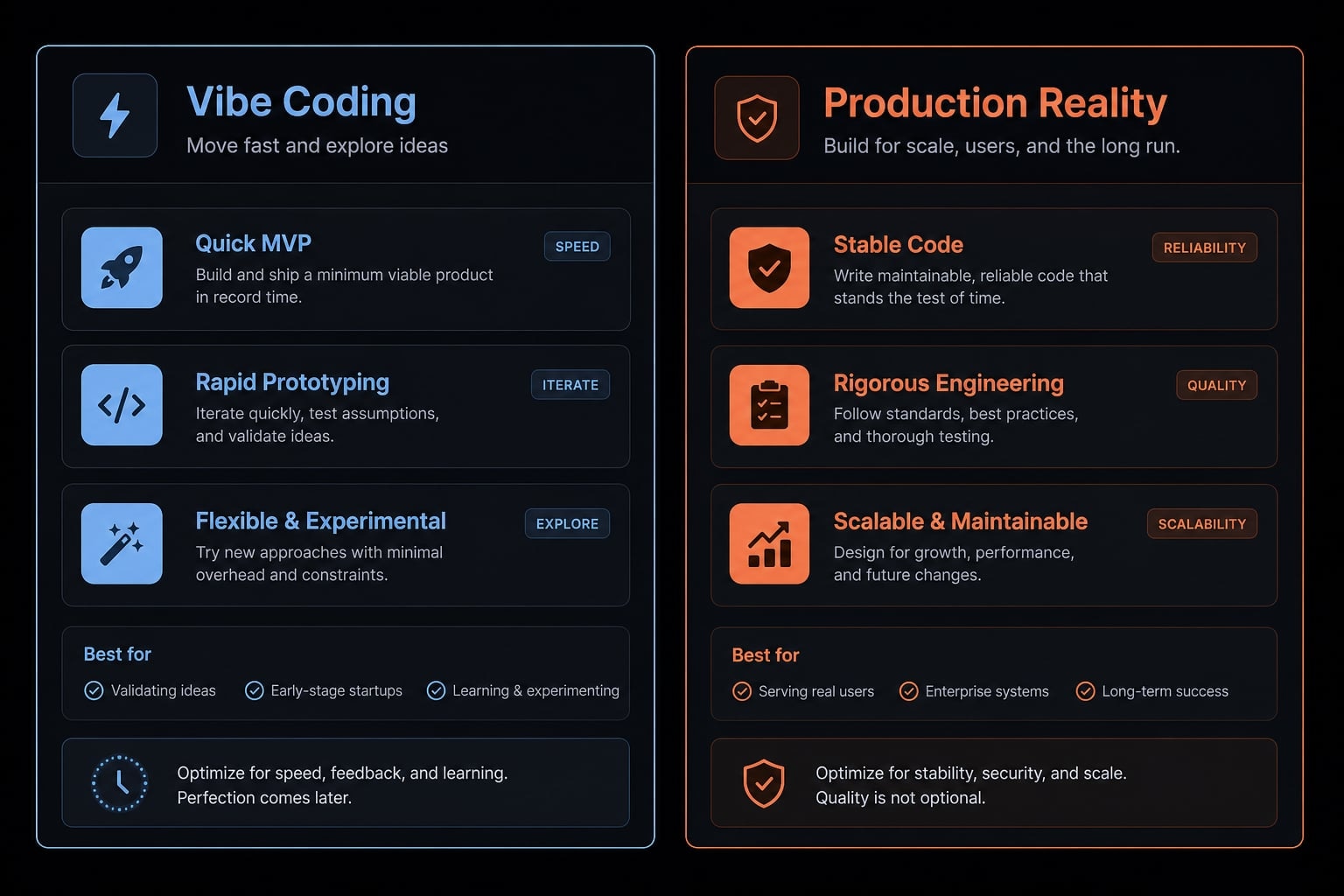
Where it works well vs where caution is needed
The pattern is consistent. Vibe coding works well when you need a first draft, quick UI momentum, or help exploring a small Android MVP. It becomes riskier when reliability, privacy, release quality, and long-term code health matter more.
A prototype that works once is not the same as an app that is ready for users at scale. AI-generated logic may compile, but still contain:
- Duplicated logic.
- Weak naming.
- Fragile flows.
- Confusing structure.
- Hidden state bugs.
That affects maintainability. And maintainability matters because Android apps rarely stay small for long.
Use AI for acceleration, not blind delegation
Android development involves real edge cases that cannot be ignored. Devices vary widely, OS behavior differs across versions, and permissions can fail in subtle, hard-to-predict ways. Navigation and state issues, in particular, often only become visible after testing real user flows on actual devices.
That is why AI should be treated as an accelerator, not a substitute for engineering judgment.
Humans still own:
- Code review
- Release decisions.
- QA.
- Architecture choices.
- User-impact assessment.
- Long-term maintainability.
This is especially important when an app handles sensitive user data or needs dependable release quality. Fast draft output is useful. Blind trust is not.
A simple real-world example of vibe coding an Android-adjacent app
A believable example is a small tracker app built as a lightweight Kotlin Multiplatform prototype, with Android as one of the target environments.
- Problem: A builder wants a simple way to track time or tasks without the friction of a larger product.
- Workflow: They define a very small MVP: start an entry, stop it, save it, and view past items.
- Human role: The builder decides scope, reviews the output, checks whether the flow makes sense, and keeps the app focused.
- AI role: A tool such as Gemini 2.5 Pro helps draft the UI, suggest structure, generate boilerplate, and offer fixes when errors appear.
- Lesson learned: The useful part is not that AI “built the whole app.” The useful part is that the builder moved faster by using iteration: prompt, test, refine, review.
This mirrors how many public developer stories describe the process. AI helps with scaffolding and momentum, but the human remains the product owner, reviewer, and decision-maker.
Frequently asked questions
What is vibe coding in Android app development?
Vibe coding for Android is an AI-centered approach to software development in which developers use prompts to quickly generate application structures, user interfaces, and logic instead of writing the entire codebase manually from scratch.
How do you begin a vibe coding workflow for an Android app?
- Define a small, focused minimum viable product (MVP).
- Ask the AI to outline the screen structure, data model, and navigation flow.
- Generate the Jetpack Compose interface and basic Kotlin code.
- Run the app on an emulator or physical device to test and refine it.
- Manually review the logic, security, and user experience for potential issues.
Which tools are commonly used for vibe coding Android apps?
Common tools include:
- AI assistants: Claude Code and Gemini 2.5 Pro for planning and writing logic.
- IDE copilots: GitHub Copilot for rapid code suggestions.
- Development environment: Android Studio for testing and compilation.
- Workflow tools: Agent-based toolkits for managing automated processes.
When is vibe coding suitable for an Android project?
Vibe coding is highly effective for rapid prototypes, personal applications, and simple MVPs that need to launch quickly. However, projects involving complex architecture, sensitive data security, or long-term maintenance require rigorous human engineering oversight.
Can vibe coding replace traditional Android development?
No. Vibe coding is an excellent accelerator during the initial development stage, but it cannot replace engineering judgment, architectural reviews, quality assurance testing, or source code maintenance. AI helps teams ship faster, but engineers remain ultimately responsible for product quality.
What is the main difference between vibe coding and no-code?
Vibe coding generates source code that developers can read, customize, and integrate deeply into a project, while no-code relies on more limited drag-and-drop interfaces. Vibe coding offers considerably greater flexibility and technical control than no-code.
Read more:
Conclusion
Vibe code Android is best understood as a practical AI-assisted workflow for speeding up Android MVPs, UI drafts, and repetitive coding tasks. It can be highly useful for prototypes, early product exploration, and small feature work when the scope is narrow and the feedback loop is tight.
The boundary to remember is simple: Fast output is not the same as production-ready code. Real Android quality still depends on testing, review, architecture judgment, and long-term maintainability. If you want to go deeper, explore related guides on AI-assisted development workflows, structured coding agent setup, and MVP planning checklists to build faster without losing control.