n8n and Claude Code: Workflow Automation and AI Best Practices
n8n and Claude Code integration: A guide to AI-Assisted workflow automation
The goal of workflow automation is not to maximize AI autonomy. Instead, it is to build a maintainable system with clear human ownership. By pairing Claude Code’s AI-assisted development with n8n’s reliable process orchestration, teams can safely build and operate complex workflows. This guide breaks down when to use each tool, how to connect them, and what to validate before going to production.
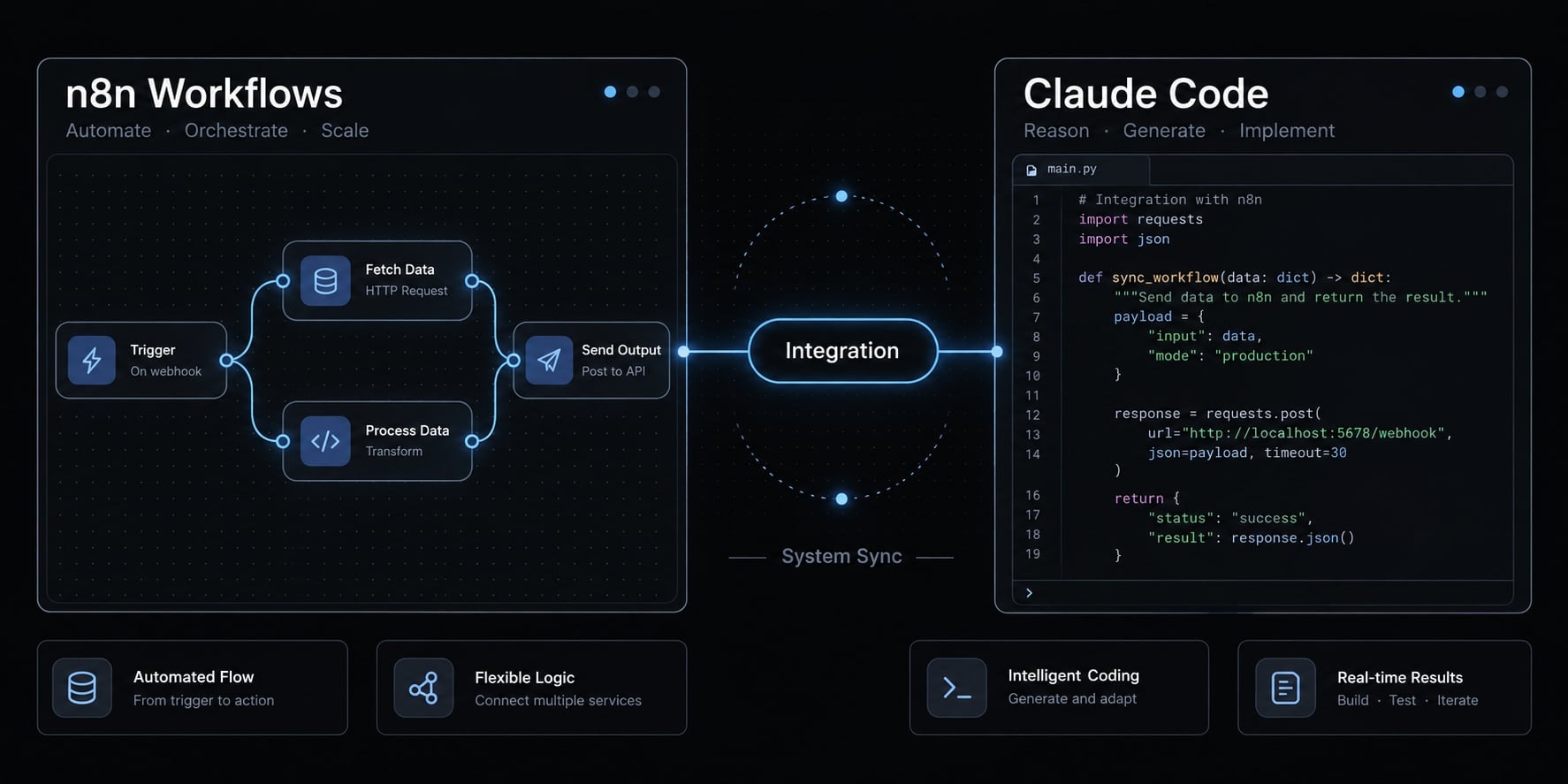
n8n and Claude Code are complementary
n8n and Claude Code are complementary tools for developing and operating automated processes. Claude Code helps prepare code, workflow definitions, tests, and documentation. n8n provides workflow orchestration: Coordinating triggers, conditions, integrations, and recurring execution. Combining them is useful when development flexibility must coexist with operational visibility and controlled changes.
Their responsibilities should remain explicit:
- Build and change: Claude Code, an AI coding agent, prepares proposed changes for inspection.
- Run and observe: n8n executes approved workflows, with configured monitoring and failure handling.
- Review and approve: A designated person authorizes production changes and owns business outcomes.
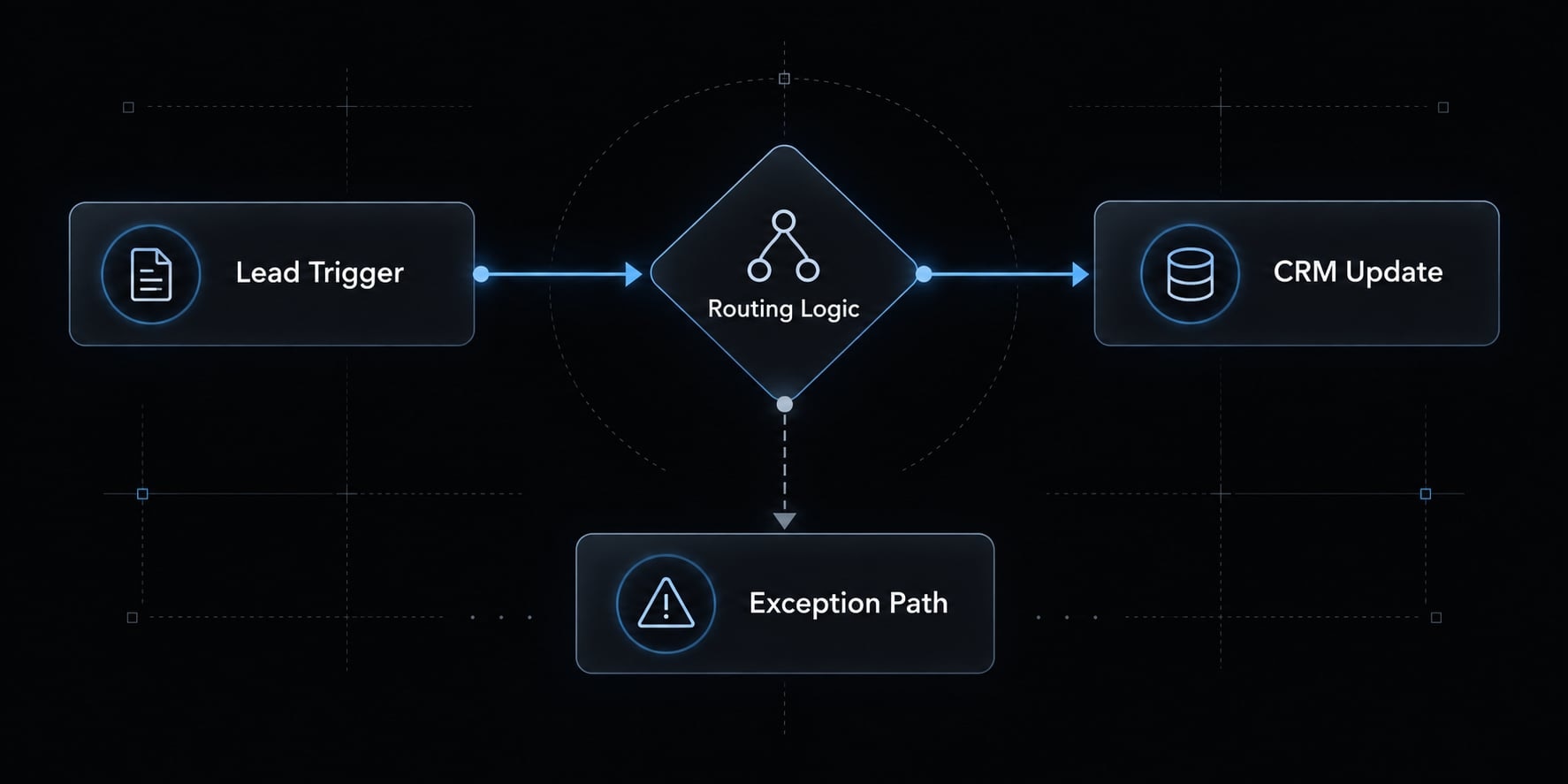
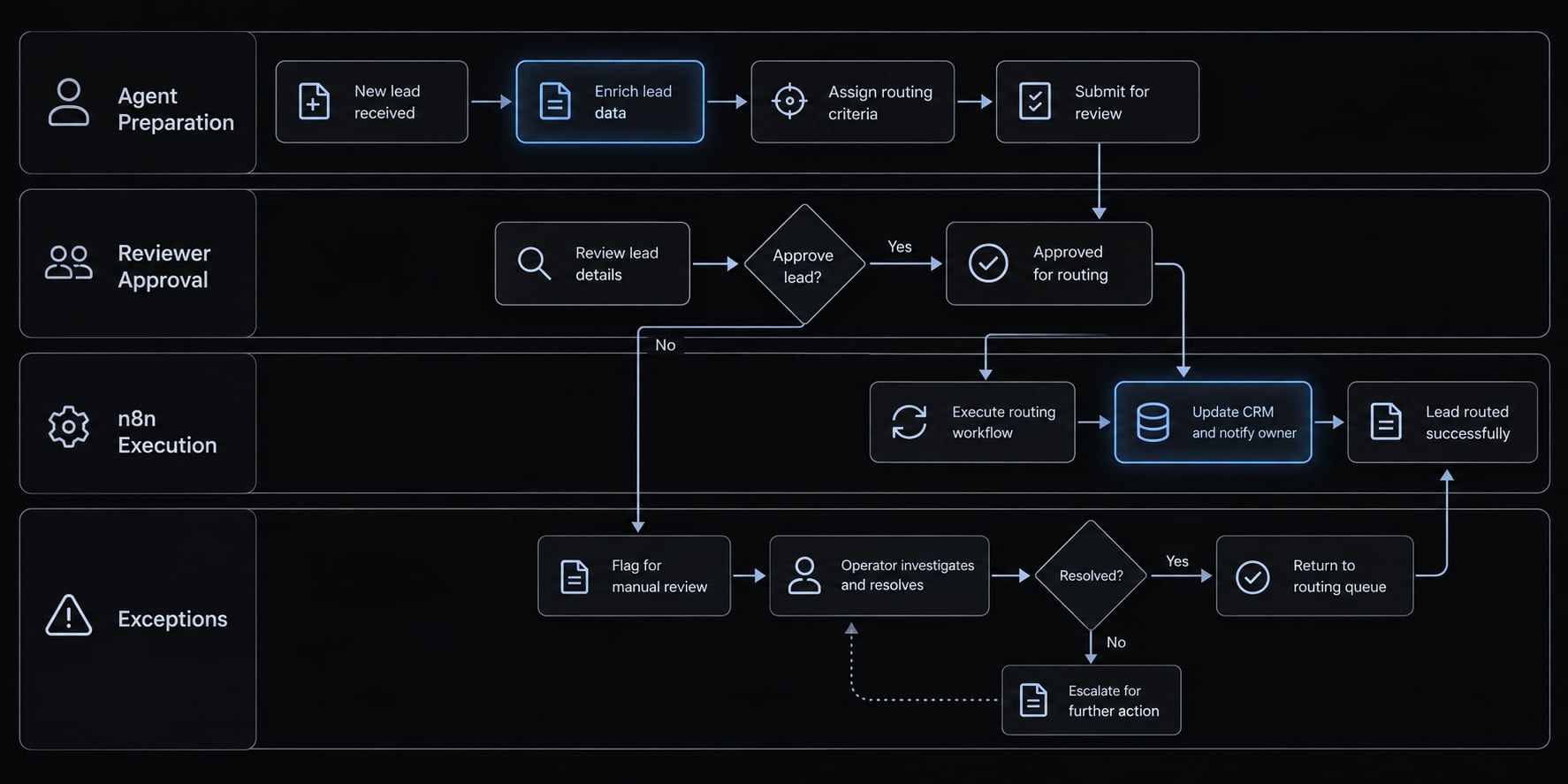
For example, Claude Code can help revise a CRM lead-routing rule. n8n then executes that approved rule without requiring Claude Code during every run. Predictable, rule-based execution is a useful responsibility model-not an absolute classification. n8n can contain AI steps, and external services introduce variability. Neither tool universally replaces the other.
What n8n and Claude Code actually do
What is n8n?
n8n is a visual workflow orchestrator that connects events, data transformations, conditions, and actions across applications. Teams assemble workflow nodes into repeatable processes, configure credentials, and inspect execution history. It supports recurring business operations while allowing custom code and AI steps where appropriate.
Its core capabilities include:
- Triggers and schedules: Start processes from events or defined times.
- Integrations and conditions: Move data and apply business rules.
- Operational controls: Manage credentials, inspect runs, and configure failure handling.
The visual canvas helps another operator understand how a process works. However, useful handoff still requires naming conventions and documentation.
Refer to n8n’s official documentation for details on workflow management, credentials, and error handling, as these features vary by deployment, version, and configuration.
What is Claude Code?
Claude Code is Anthropic’s agentic development tool for working with project context and technical artifacts. It can inspect files, propose changes, generate tests, and help investigate failures. Command execution and external tool access depend on the environment, granted permissions, and configured integrations.
The terminal is a relevant interface, but the important distinction is its development role.
Claude Code is separate from Claude Desktop; configuring one does not necessarily configure the other. It is also different from calling a Claude model through an API (application programming interface), including from an AI node inside n8n. Anthropic’s Claude Code documentation covers its development, permissions, and tool-connection model.
The practical responsibility split
Layer | Owner | Responsibility |
|---|---|---|
Creation | Claude Code | Proposed definitions, code, tests, and documentation |
Execution | n8n | Recurring operations and configured failure handling |
Change history | Repository and review process | Reviewed versions and traceability |
Approval | Human owner | Authorization of production changes |
API integration connects systems; it does not assign accountability. A named owner must maintain the workflow after delivery.
n8n vs Claude Code: Comparison and decision framework
n8n vs Claude Code at a glance
The useful n8n vs Claude Code comparison is about operating models, not which tool is more intelligent.
Criterion | n8n | Claude Code | Practical interpretation |
|---|---|---|---|
Primary role | Workflow orchestration | Development assistance | Separate running from building |
Main interface | Visual workflow editor | Agentic development interfaces | Match the operator’s working context |
Recurring execution | Configured triggers and schedules | Needs a deliberate execution arrangement | Assign a runtime owner |
Custom logic | Nodes, expressions, code | Prepares and revises code | Choose maintainable implementations |
Monitoring | Execution records and configured alerts | Development-session evidence | Production monitoring needs design |
Error handling | Configured workflow behavior | Diagnosis and proposed fixes | Diagnosis is not automatic remediation |
Credentials | Configured runtime credentials | Environment and tool access | Separate development and production access |
Version control | Exports; source-control features vary | Works with repository artifacts | Review changes in Git |
Team handoff | Canvas and operational documentation | Code, tests, and change explanations | Neither replaces a runbook |
Best fit | Recurring connected processes | Bounded technical changes | Combine only when justified |
Claude Code can help produce software that runs independently; the agent need not become its runtime. Likewise, n8n’s source-control functionality depends on edition and setup.
Use n8n alone when…
- Rules are predictable and can be expressed clearly.
- Standard integrations cover the required actions.
- Operators need execution visibility without additional development tooling.
For example, scheduled B2B campaign reporting may need only established transformations, distribution rules, and configured alerts. Adding an agent would introduce another component without resolving a meaningful constraint.
Use Claude Code alone when…
- The task is bounded coding or analysis work.
- Deliverables belong in an existing repository.
- You do not need another persistent orchestration layer.
A developer-reviewed script that validates SaaS CRM field mappings is a suitable example. Existing scheduling or deployment infrastructure may already cover any execution requirement.
Use n8n and Claude Code together when…
Choose both when the requirement includes:
- Recurring execution across systems.
- Reviewed custom logic or frequent changes.
- Tests for routing and exception behavior.
- Maintained technical documentation.
- Handoff between developers and operators.
Runtime AI judgment is not required. An ordinary rules-based workflow can benefit from AI-assisted development.
Scenario | Starting choice |
|---|---|
Scheduled campaign reporting | n8n |
One-time field-validation script | Claude Code |
Recurring CRM routing with reviewed custom changes | Both |
Evaluate total operating cost: Plans, hosting, executions, model usage, API calls, and workflow maintenance. Workflow monitoring also creates an ongoing ownership obligation. Neither tool is universally cheaper.
How to integrate n8n and Claude Code for automation
Integration architecture in plain language
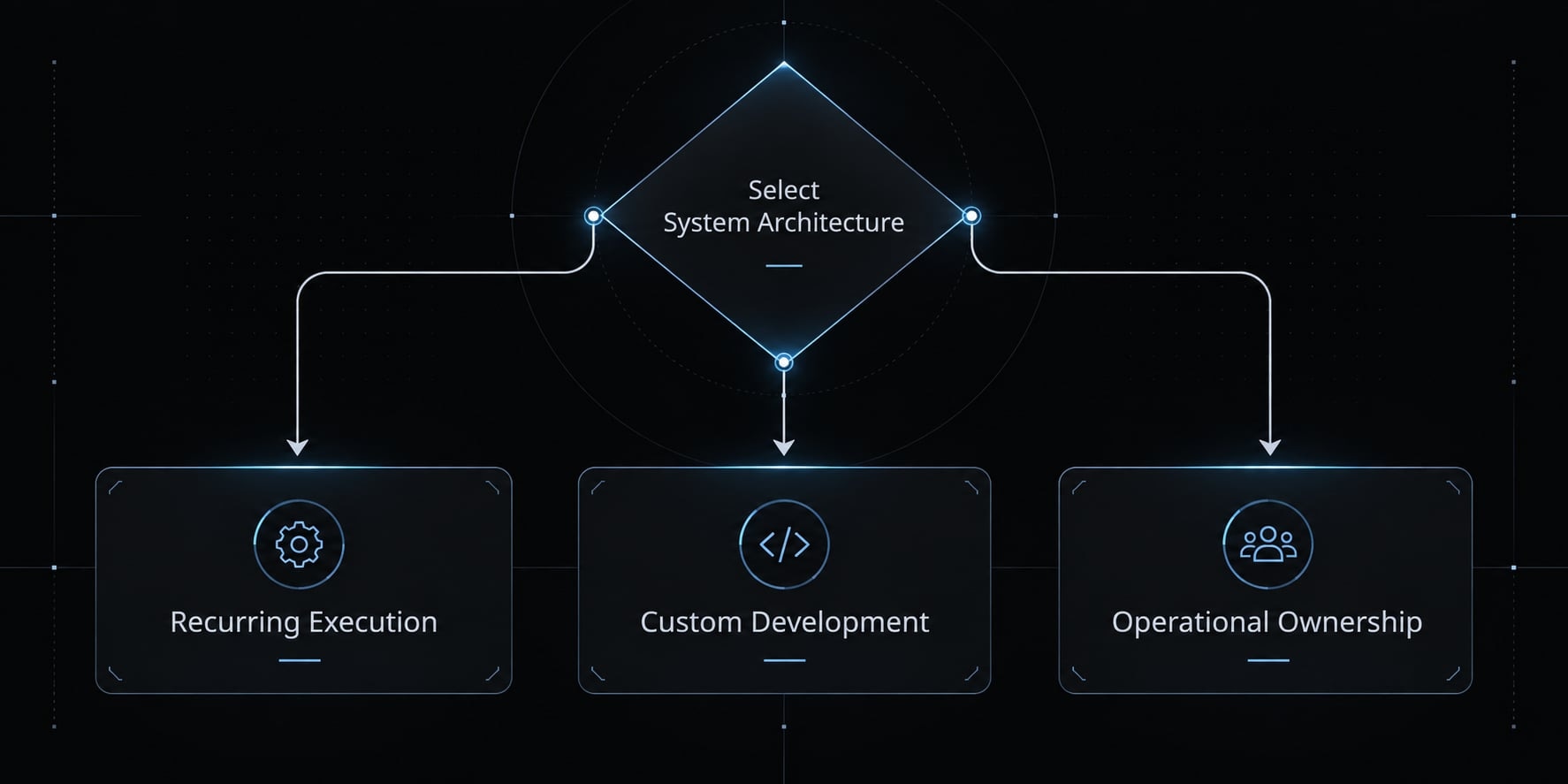
There are three practical answers to how to connect Claude Code to n8n:
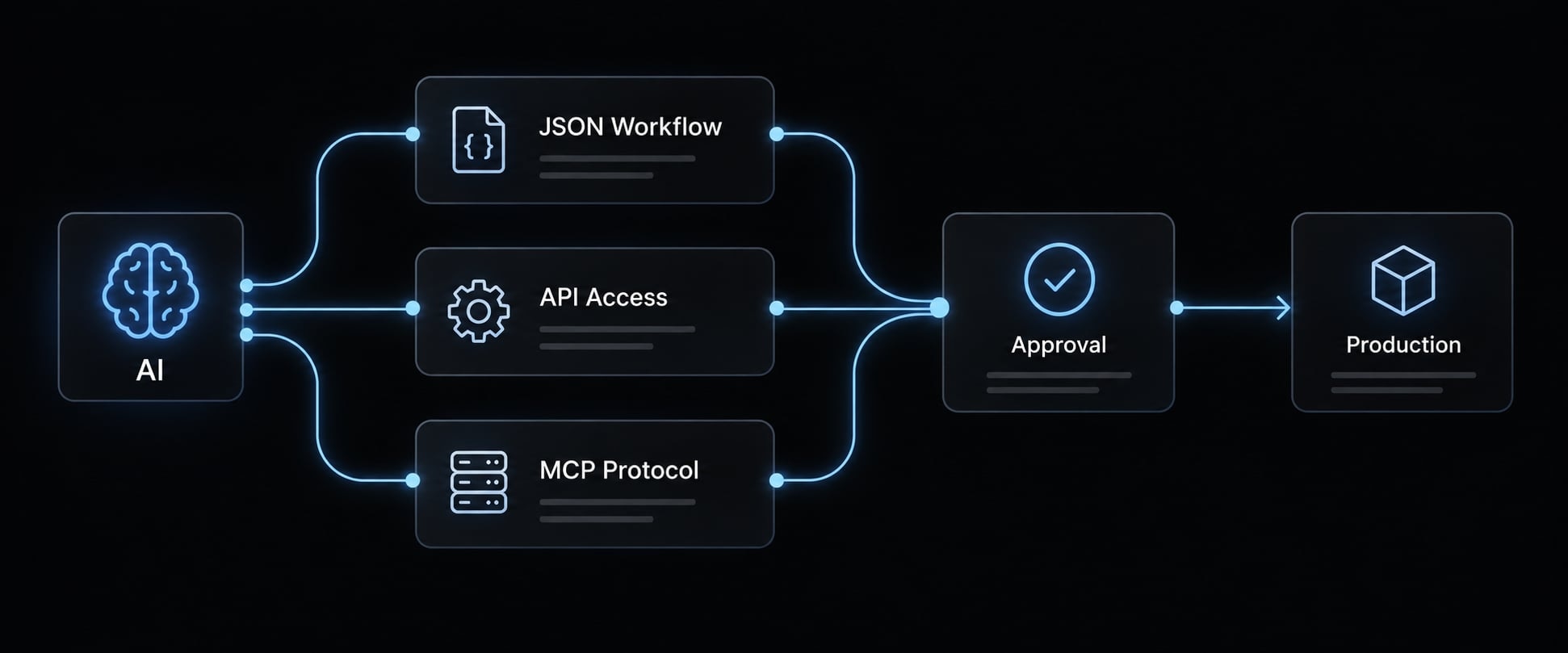
- Export/edit/import: Claude Code works with workflow JSON-a machine-readable workflow definition. Reviewed files are imported into n8n.
- Documented API access: A controlled script or tool uses the n8n API for supported, authorized operations.
- MCP access: Claude Code connects through a compatible server or supported interface.
MCP (Model Context Protocol) standardizes connections between AI applications, tools, and contextual resources. Servers can be local or remote. An n8n MCP connection does not establish its capabilities. Discovery or execution access does not necessarily include workflow creation or editing.
Basic integration requirements
Requirement | Purpose |
|---|---|
n8n test environment | Validate without production side effects |
Claude Code access | Prepare and inspect changes |
Current node documentation | Check compatible definitions and expressions |
Test workflow and synthetic data | Exercise expected and failure behavior |
Route-specific authentication | Authorize live connections where needed |
Repository and recovery process | Track approved assets and restoration steps |
Live API or MCP access is unnecessary for offline export/edit/import work. Environment variables are one possible secret-delivery mechanism, not a complete security solution.
Use Claude Code’s own configuration procedure. Claude Desktop settings do not automatically establish an equivalent connection.
High-level setup sequence
- Identify versions and deployment type: Record the n8n environment and Claude Code client.
- Choose the route: Prefer the least access necessary for the task.
- Confirm supported operations: Check whether inspection, execution, creation, or editing is actually exposed.
- Limit access: Separate test resources from production wherever possible.
- Configure documented authentication: Use the procedure for the selected interface.
- Provide current schemas and sanitized assets: Remove unnecessary customer information and secrets.
- Test read-only or offline inspection: Confirm the agent can interpret the workflow.
- Prepare a non-production change: Validate node compatibility, expressions, credentials, and behavior.
- Review and version assets: Preserve the proposed change, test evidence, and recovery instructions.
- Approve deployment, then monitor: Confirm production behavior against acceptance criteria.
If authentication fails, verify the chosen interface’s requirements. If an operation is missing, inspect exposed tools rather than expanding permissions blindly. If nodes fail validation, check version compatibility before deployment.
Official vs community integration components
Integration caution: Evaluate maintainer identity, release activity, exposed tools, authentication, transport, dependencies, vulnerability history, and client compatibility.
Consult n8n’s API and MCP documentation, Anthropic’s Claude Code MCP documentation, and the Model Context Protocol specification for the exact deployed versions. Do not assume a community package is official because its name includes “n8n.” First-party status also does not remove permission review. Record the verification date and supported operations in the project’s implementation notes before enabling access.
Practical n8n and Claude Code use cases
AI-assisted workflow development is most useful when each tool has a defined responsibility and every consequential action has a control.
Use case | Claude Code responsibility | n8n responsibility | Required control |
|---|---|---|---|
Workflow creation/refactoring | Draft changes and tests | Execute approved definitions | Compatibility and behavior checks |
Failure analysis | Analyze sanitized evidence | Capture failures and notify | Review patches before deployment |
GitHub issue-to-PR preparation | Prepare isolated repository changes | Coordinate a configured runner | Sandbox and code review |
CRM lead routing | Revise routing rules | Apply approved assignments | Duplicate prevention and exceptions |
SEO research and briefs | Develop research-processing logic | Collect and distribute inputs | Source and editorial review |
Reporting | Prepare transformations and tests | Run scheduled aggregation | Reconcile source totals |
Product feedback classification | Develop classification logic | Run configured classification steps | Sample accuracy and escalate uncertainty |
Workflow creation and refactoring
Generated workflow JSON is a draft, not a deployment artifact. Check node schemas, expressions, credential mapping, and non-production behavior before importing changes into a live process. An apparently valid structure can still implement the wrong business rule.
Debugging and failure analysis
Effective workflow debugging follows a controlled sequence: Sanitized logs → diagnosis → proposed patch → test. Redact payloads as well as credentials. Customer emails, identifiers, and commercial information can remain in logs even after tokens are removed.
Development and product operations
A pull request is a proposed repository change, not permission to deploy. Keep agent-generated changes isolated until review. If n8n triggers a Claude Code job, an explicitly configured runner or supported execution environment is required. This is not an assumed native issue-to-fix integration.
Marketing and revenue operations
CRM automation and SEO automation do not always need runtime model calls. Use explicit rules for stable routing, scheduled reporting, and data-quality checks.
In the illustrative SaaS routing scenario, proposed acceptance tests should verify:
- Correct assignment for each territory.
- No duplicate record updates after retries.
- Exception handling for missing fields.
- Successful notification when processing fails.
Govern external sending, publishing, deletion, and critical CRM writes according to risk. If classification uses a Claude model inside n8n, that is distinct from Claude Code building the process.
Production readiness: Security, reliability and maintenance
A successful connection or generated workflow does not establish readiness for production workflow automation. Readiness requires bounded access, tested behavior, recovery procedures, and operational ownership.
Main risks and recommended controls
Risk | Business impact | Recommended control |
|---|---|---|
Excessive access | Unauthorized CRM changes | Least-privilege access: only necessary operations |
Exposed secrets | Account compromise or leaked customer information | Protected credentials and output inspection |
Invalid generated logic | Incorrect routing or duplicate actions | Representative acceptance tests |
Unreviewed production changes | Disrupted customer processes | Approval before deployment |
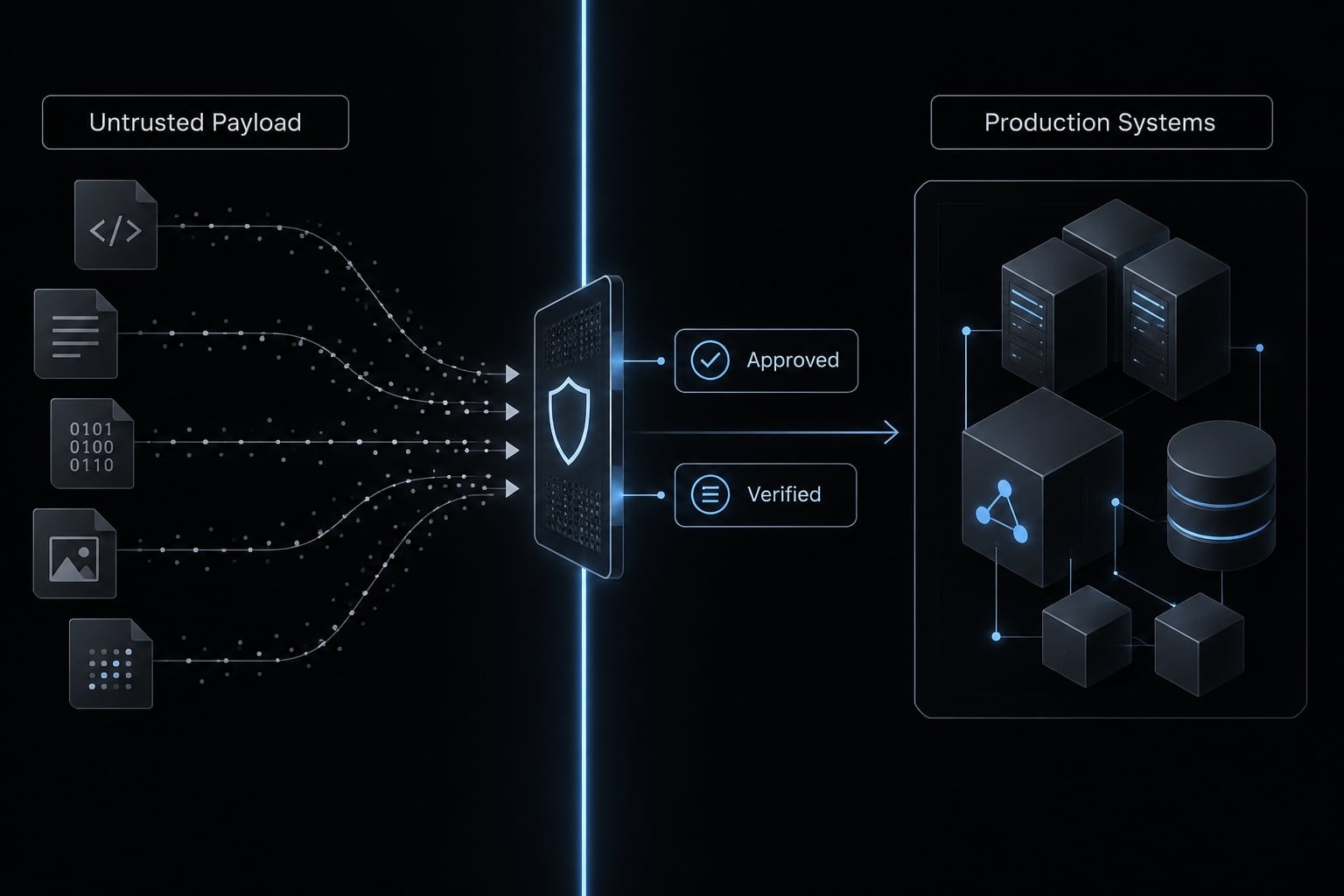
Untrusted content redirects agent behavior | Constrain tools and isolate untrusted inputs | |
Missing recovery | Persistent incorrect records | Test restoration and corrective actions |
Unbounded usage | Unexpected execution and model costs | Quotas or caps where supported |
Weak monitoring | Undetected failures | Owned alerts and execution review |
OWASP guidance on prompt injection and excessive agency supports treating tool authority as a security boundary. Prompt instructions alone cannot enforce permissions or eliminate malicious-input risk.
For MCP security, inspect actual tool access. Where granular restrictions are unavailable, use a dedicated test instance, constrained intermediary, or withhold production access.
Production-readiness checklist
- Separate environments according to risk.
- Begin with read-only or offline inspection.
- Restrict workflows and operations where supported.
- Keep secrets out of prompts, repositories, and exports.
- Validate generated definitions.
- Test representative and failure cases.
- Configure retries, timeouts, and failure branches.
- Prevent duplicate side effects.
- Require appropriate approval for high-impact actions.
- Version approved assets.
- Test backup and recovery procedures.
- Monitor usage, failures, and costs.
- Review third-party components periodically.
Idempotency means preventing repeated processing from duplicating a business action. For CRM writes, retries should not create another assignment event or duplicate record.
Illustrative failure: A CRM update succeeds, but its response times out. A retry repeats the write. Corrective controls can include event identifiers and destination-side duplicate checks.
Minimum viable governance by risk level
Risk | Example | Minimum governance |
|---|---|---|
Low | Reversible formatting of non-sensitive data | Tests and named owner |
Medium | Shared reporting or controlled CRM updates | Reviewed changes, alerts, recovery |
High | Sensitive data, destructive or financial actions | Restricted access, explicit authorization, audited recovery |
Classify risk by sensitivity, reversibility, permissions, and business impact. Human approval need not interrupt every routine execution.
Git rollback does not restore credentials, dependencies, or configuration-or reverse emails, deletions, and external writes. Alerts are not hard spending limits; budgets must include executions, API calls, model usage, and operational effort.
A repeatable n8n–Claude Code delivery framework with AgentKit
The Build–Control–Run Framework
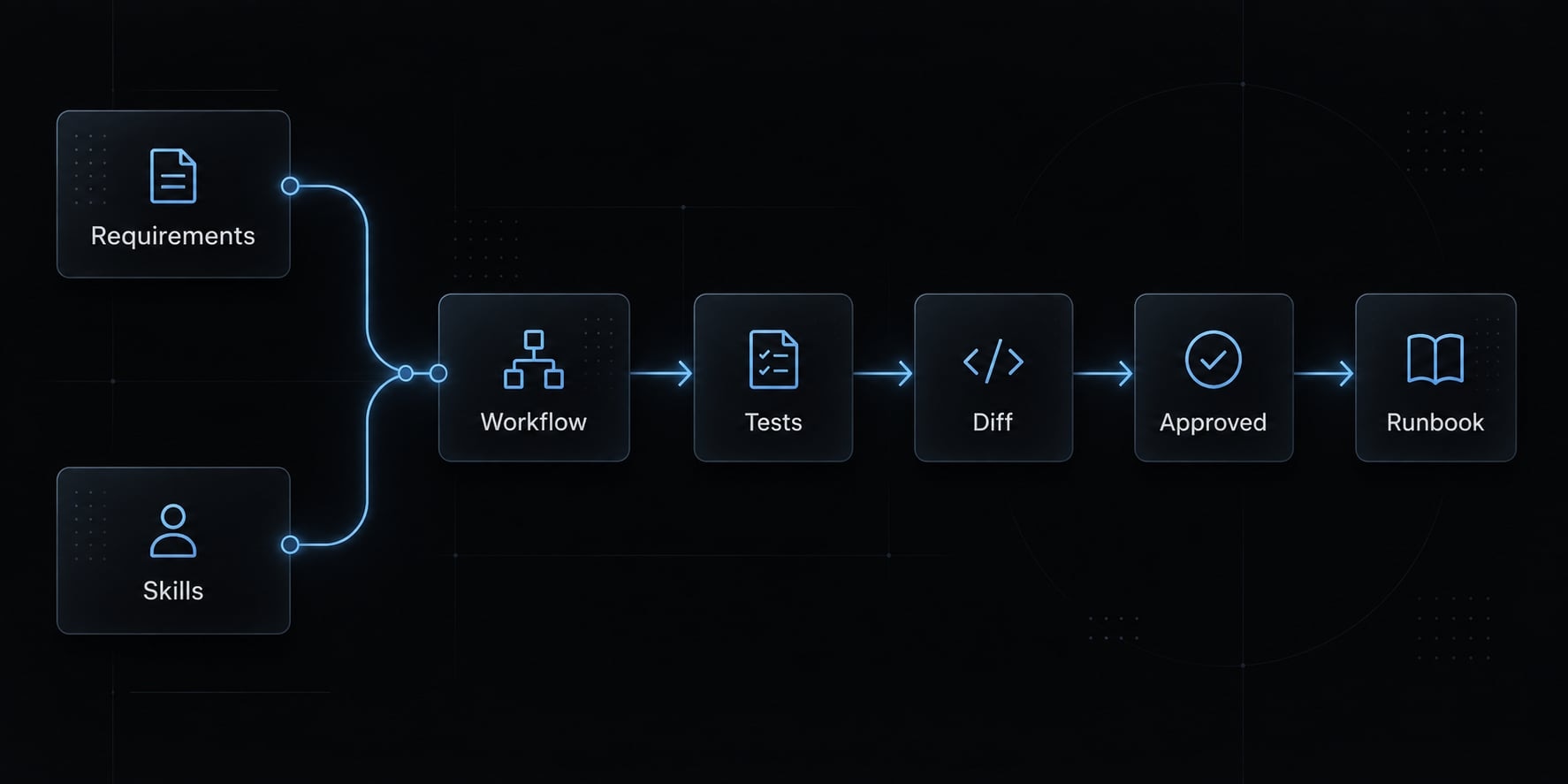
The safe lifecycle is: Build → Control → Approve → Run → Monitor
- Build: Claude Code, supported skills, and relevant subagents prepare technical artifacts.
- Control: The team applies documented validation and configuration standards.
- Approve: A designated owner reviews production changes and evidence.
- Run: n8n executes the approved workflow.
- Monitor: Operators evaluate runtime evidence and propose subsequent improvements.
Reusable agent skills can make instructions consistent, but consistency does not prove correctness. Teams must implement and verify their approval gates rather than assume the kit enforces them.
What AgentKit standardizes
AgentKit’s product scope includes specialized subagents, reusable skills, automated workflows, MCP integrations, a cross-platform CLI (command-line interface), and desktop management.
These general capabilities should be separated from n8n-specific practices configured by the team.
Area | Product capability or team practice | Intended benefit |
|---|---|---|
Requirements | Team-defined brief and acceptance template | Clearer scope |
Agent behavior | Reusable skills and specialized subagents; team instructions | More consistent preparation |
Tool configuration | MCP integration support; team-approved connections | Less configuration drift |
Workflow quality checks | Team-configured n8n validation and tests | Earlier defect detection |
Change-management artifacts | Team-defined diffs, evidence, and approvals | Traceable decisions |
Operational runbooks | Team-maintained recovery and ownership instructions | Clearer handoff |
CLI/desktop management | Interfaces for managing supported configurations and assets | Centralized administration |
These are intended operational benefits, not measured outcomes. General security-check features should not be interpreted as verified n8n validation or permission enforcement. Confirm supported integrations against the installed release.
A small team with stable scripts and clear review procedures may not need another standardization layer.
Example: Controlled workflow change
Consider the illustrative SaaS lead-routing change:
- Define territory rules, exceptions, and acceptance criteria.
- Inspect a sanitized export of the current workflow.
- Prepare proposed routing changes using current node documentation.
- Validate structure, credential mapping, duplicate handling, and behavior.
- Review the repository diff and updated operator instructions.
- Obtain approval before deploying the production change.
- Run the approved workflow and monitor exceptions.
The handoff package should contain the requirement, workflow version, test evidence, approval record, and recovery procedure. Without those artifacts, another operator may inherit a working canvas without understanding its constraints.
The intended improvement is repeatable review and clearer ownership-not guaranteed time savings or autonomous maintenance.
Frequently asked questions
What is the difference between n8n and Claude Code?
n8n is a visual workflow automation platform designed to execute recurring processes and connect APIs. Claude Code is an AI coding agent that runs in the terminal, capable of authoring, refactoring, and testing code or workflow definitions. Think of n8n as the engine for your automated business processes, while Claude Code acts as a developer assistant to help build and maintain those workflows.
Can Claude Code connect directly to n8n?
It can, through one of three routes: Working with exported workflow JSON offline, calling documented n8n API operations, or connecting through a compatible MCP server. Start with the least access the task needs - offline export and import requires no live connection at all.
If you do use MCP, verify which operations the server actually exposes before assuming it can create or edit workflows, and check the maintainer and release activity. A package name containing "n8n" does not make it first-party. How do I ensure my automated workflows are production-ready?
Do I need to be a developer to use n8n with Claude Code?
While the integration leverages coding concepts, you do not need to be a full-stack engineer to use these tools effectively. Claude Code is designed to translate plain-English instructions into technical actions. However, you should have a solid understanding of your business processes, basic knowledge of how APIs work, and the discipline to follow security and testing protocols before deploying any automation.
What are the security risks of using AI agents with n8n?
The primary risks include excessive access, accidental exposure of sensitive credentials, and the potential for incorrect business logic execution. To mitigate these, ensure that you only expose necessary workflows to the MCP server, and where granular permissions are not available, use a separate test instance rather than granting production access.
Should I use Claude Code to automate everything?
No, you should not automate everything with an AI agent. Deterministic tasks with clear, unchanging rules are often more reliable and cost-effective to build using standard n8n nodes. Claude Code is best used for bounded development work: drafting and refactoring workflow definitions, writing tests, and investigating failures. Stable, rule-based logic usually belongs in ordinary n8n nodes - cheaper to run and easier for an operator to inspect.
Read more:
- Claude Code automation: Build repeatable and low-risk workflows
- Master Claude Code Python: A practical workflow for AI coding
- Claude Code tutorial: Set up and master your AI coding agent
Conclusion
n8n and Claude Code solve related but different problems. Use n8n for recurring workflow orchestration and operational visibility. Use Claude Code for bounded development, troubleshooting, and reviewed changes. Combine them when both responsibilities exist-not simply because a connection is available.
Choose files, documented API access, or MCP according to the operations you need. Verify permissions and capabilities instead of treating connectivity as production readiness. Start with one bounded, reversible workflow, such as a CRM-routing change in a test environment. Assign an owner, define expected behavior, test failure cases, and approve deployment before production execution. Preserve evidence that another operator can understand.