Mastering Claude Code rules: A guide to consistent AI development
Claude Code rules: How to write them, where they live, and what to put in them
Inconsistent edits and repeated prompting are two of the fastest ways to lose trust in an AI coding workflow. Many teams start using Claude Code rules when ad hoc instructions and loose AI coding assistant rule sets begin creating review churn instead of saving time. The confusion usually comes from treating rules, CLAUDE.md, and prompts as the same thing. In reality, they serve different purposes. This guide explains what rules are, when they help, where they live, how to write them well, and a simple starter setup you can copy into a real project today.
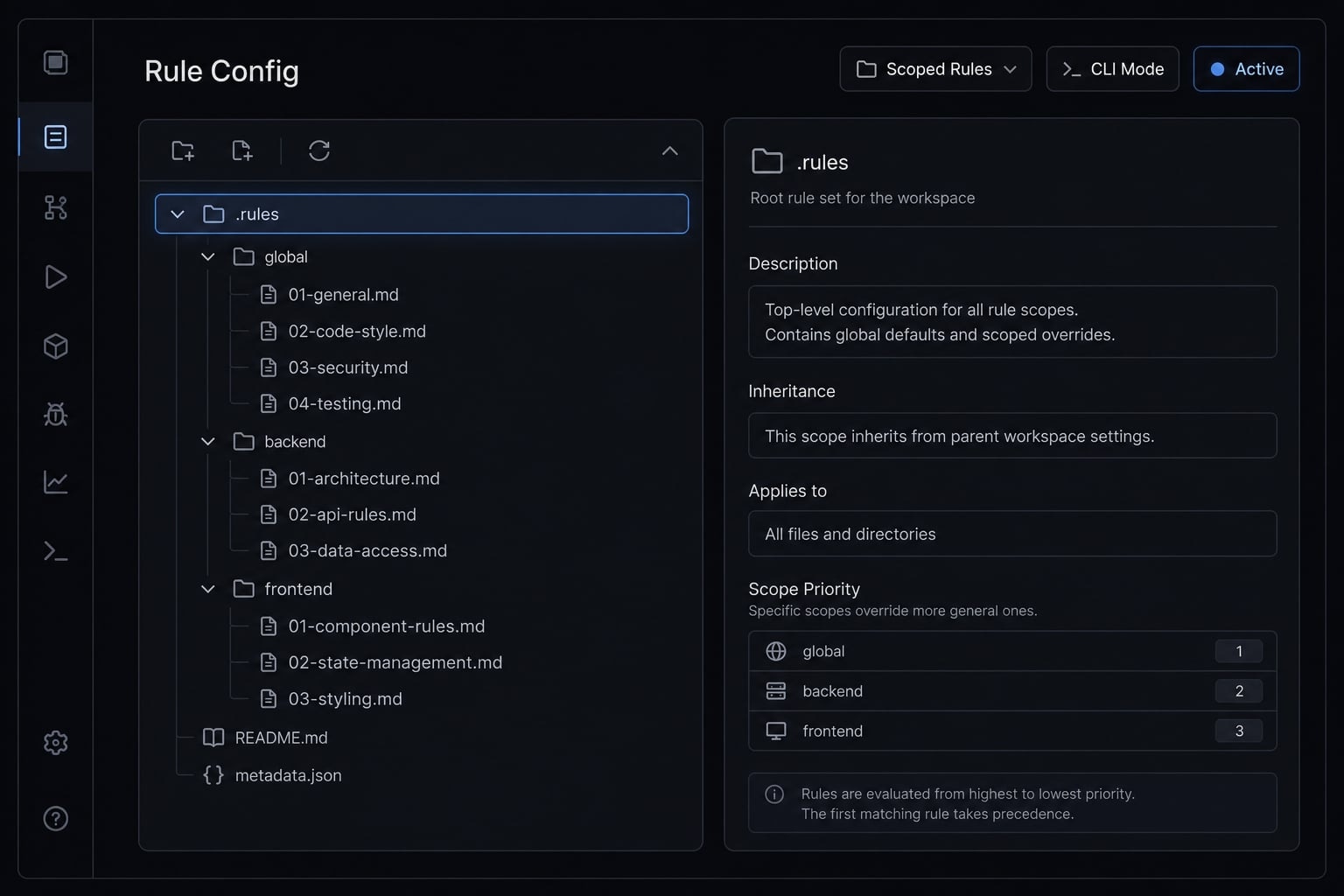
What Claude Code rules are - and when you should use them
Claude Code rules are reusable project-level instructions that help guide consistent behavior across sessions. They are best used for durable standards such as coding conventions, testing expectations, security boundaries, or scoped behavior in specific parts of a repo-not for one-off prompts or temporary requests.
The main value of Claude Code rules is not more automation. It is more consistency. In practice, teams usually feel the pain first in review friction: Unnecessary file edits, ignored conventions, weak test discipline, or changes that drift beyond the task.
Use Claude Code rules when you want stable, repeatable behavior around:
- Testing expectations like running lint or tests before finishing.
- Security boundaries like avoiding secrets or dependency changes without approval.
- Coding standards such as preserving types or limiting file scope.
- Path-specific behavior for frontend, backend, or API directories.
These rules act as project-specific Claude instructions that reduce repeated prompting and create stronger agent guardrails. They are useful when the instruction should stay true across many sessions, not just one task.
What problem rules actually solve
- Repeated prompting: You stop retyping the same standards every session.
- Inconsistent edits: The model is less likely to make avoidable changes outside the request.
- Review overhead: Clear standards reduce cleanup during code review.
- Lightweight standards for AI-assisted work: Teams get more deterministic agent behavior without building a heavy process.
When not to use rules
- One-off tasks that only matter for the current session.
- Temporary instructions tied to a single feature request.
- Long workflow essays that belong in documentation.
- Over-detailed guidance better handled in the prompt itself.
If an instruction changes from task to task, it probably does not belong in rules. Use rules only for durable guidance.
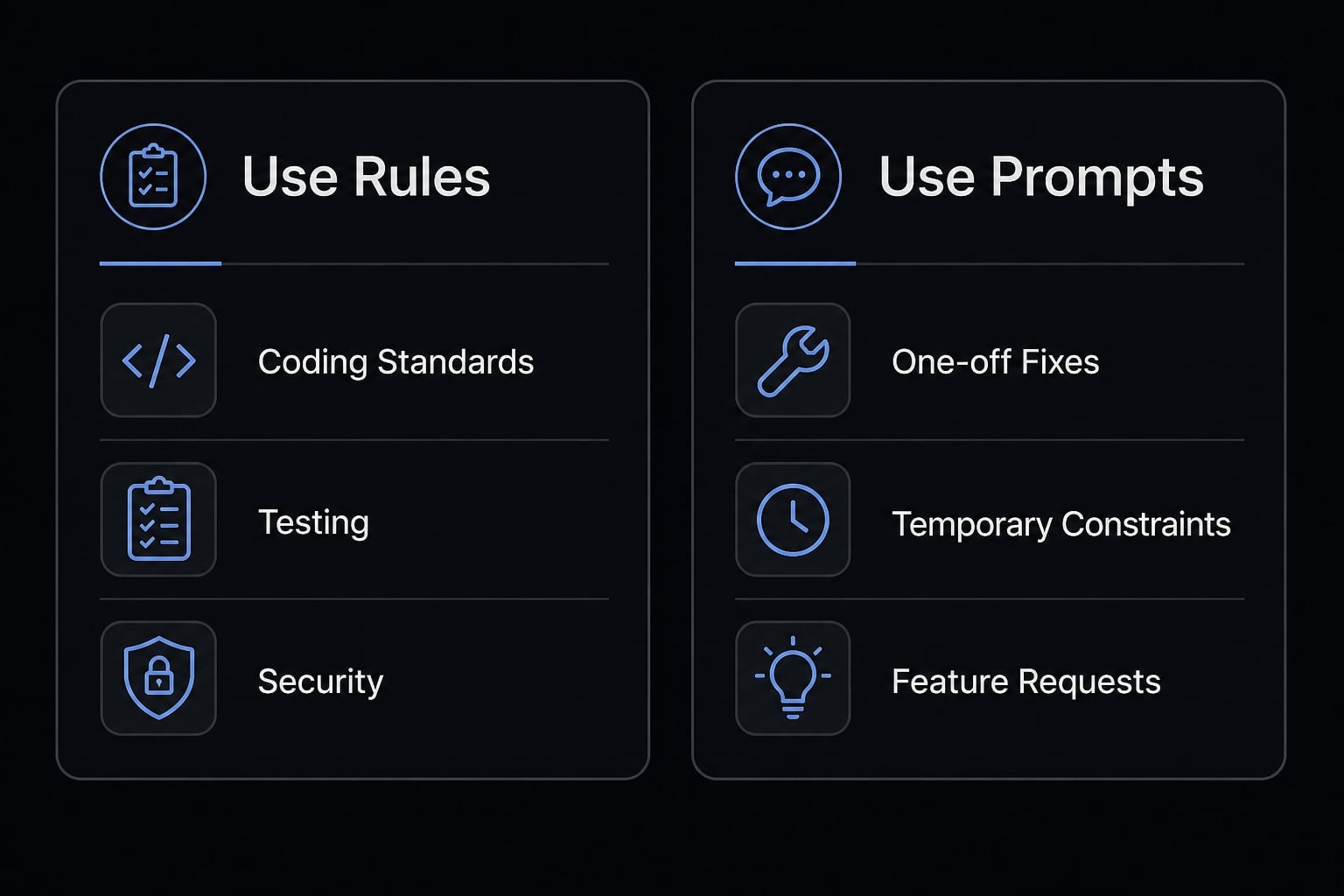
Claude Code rules vs CLAUDE.md vs prompts
The biggest setup mistake is mixing all instruction types into one bucket. Once that happens, teams end up with bloated files, unclear expectations, and weak context window management. A cleaner approach is to treat this as a three-layer instruction model.
Quick decision table: What goes where
Layer | Best used for | Example | Avoid when |
|---|---|---|---|
Broad project memory, repo context, stack, commands, architecture notes | “This project uses Next.js 15, TypeScript strict mode, and pnpm. Use | You are trying to encode every local standard or every temporary task | |
Rules | Reusable standards that should persist across sessions | “Keep edits scoped to requested files. Run lint before completion.” | The instruction is one-time, vague, or likely to change often |
Scoped rules | Localized behavior for specific folders or file types | “In | The rule applies repo-wide and does not need local targeting |
Task prompts | Current-task direction, priorities, temporary constraints | “Refactor this component but do not change the visual layout.” | You need durable project behavior |
Temporary task constraints | Short-lived conditions for one request | “Only update files under | The same instruction keeps repeating over many sessions |
Use CLAUDE.md for broad memory. Use rules for durable standards. Use task prompts for the work directly in front of you. This is the simplest useful Claude Code configuration guide most teams need.
Common setup mistake: Putting everything in one file
A common failure mode is putting every instruction into one CLAUDE.md file. It seems efficient at first, but giant files become hard to maintain, easy to contradict, and noisy for the model. The opposite extreme is also weak: Relying on ad hoc prompting does not scale once multiple developers or repeated workflows are involved.
Separating instruction layers improves context hygiene. Keep CLAUDE.md focused on broad project context. Move reusable standards into rules. Keep temporary requests in prompts. That structure is simple, maintainable, and much easier to review over time.
Where Claude Code rules live and how they work
In most practical setups, rules live in .claude/rules. That folder gives you a modular place to store small Markdown files instead of stuffing every standard into one document.
A modular file-based structure is easier to maintain because each rule can focus on one concern. That usually means cleaner updates, less overlap, and fewer accidental contradictions.
Example folder structure
.claude/rules/├── coding-standards.md├── testing.md├── security.md├── frontend.md└── backend.md
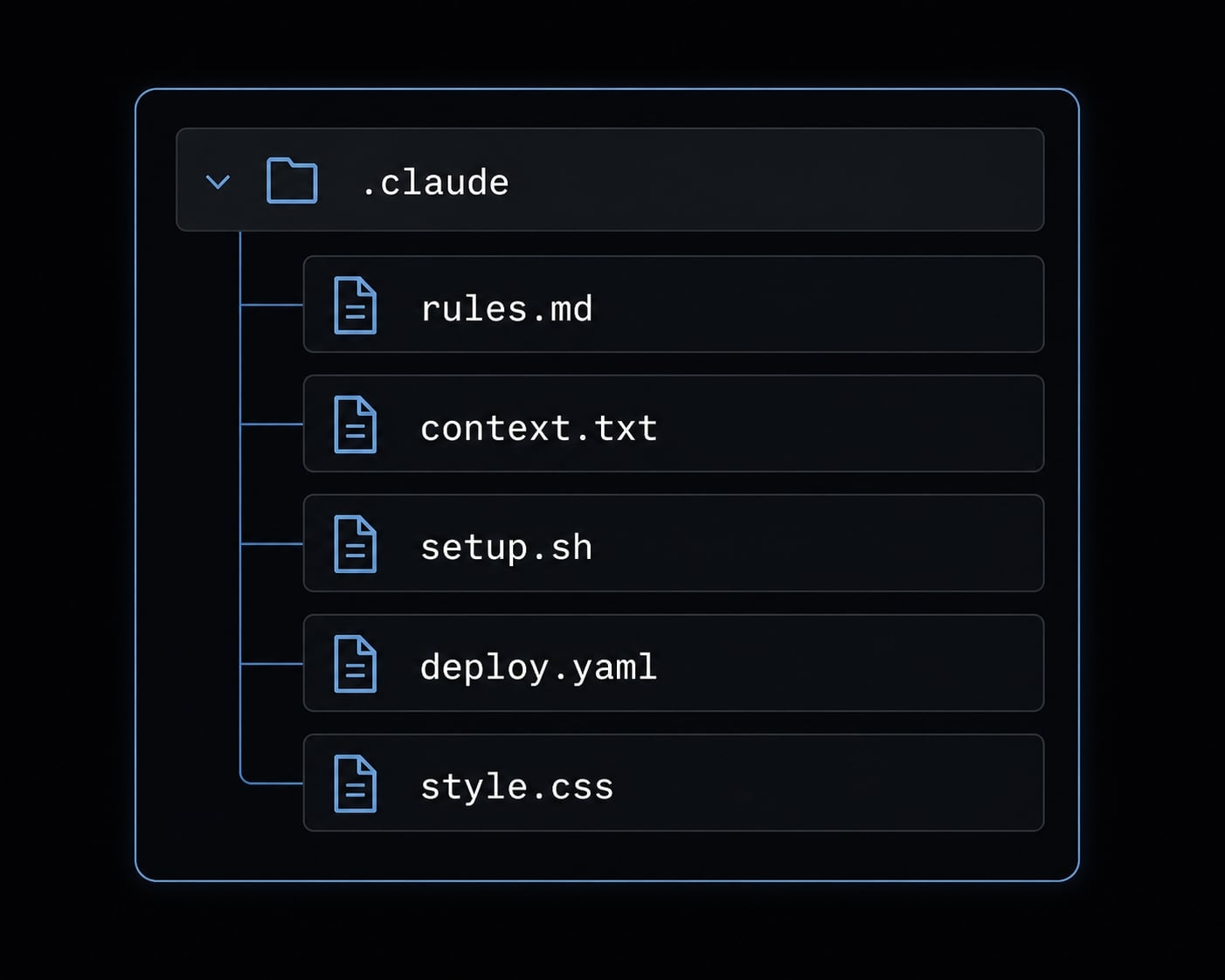
This is enough for many projects. You do not need dozens of files. In fact, one giant rule file often creates the same maintainability problem as one giant CLAUDE.md.
Unconditional rules vs scoped rules
There are two useful categories:
- Unconditional rules: Repo-wide instructions that are always relevant.
- Scoped rules: Rules that only apply to matching files or folders.
Use unconditional rules for things like coding standards, testing expectations, or security constraints that matter across the whole repo.
Use path-scoped rules when a local area of the codebase needs different treatment. Frontend UI code, API routes, and data pipelines often benefit from that separation because their review criteria are different.
Scoped rules reduce unnecessary noise. Instead of loading every local instruction into every task, Claude only applies the rule where it matters.
A simple YAML frontmatter configuration can define that scope:
---paths: - "src/api/**"---# Backend API rule- Preserve request validation and error handling.- Add or update tests for API contract changes.- Do not introduce new dependencies without approval.
That is enough to understand how to configure .claude/rules for mainstream projects. Keep the syntax light. The point is maintainable structure, not clever rule engineering.
How to write good Claude Code rules
Good Claude Code rules are not long. They are clear. The goal is to capture standards that repeatedly matter in real work without turning the repo into a policy manual.
How to write good Claude Code rules
- Keep each rule short and specific.
- Use rules only for reusable standards.
- Write observable or verifiable instructions.
- Split concerns into separate files.
- Avoid vague wording and aspirational language.
- Use scoped rules only when they solve a real problem.
A useful rule should be observable or verifiable in day-to-day work.
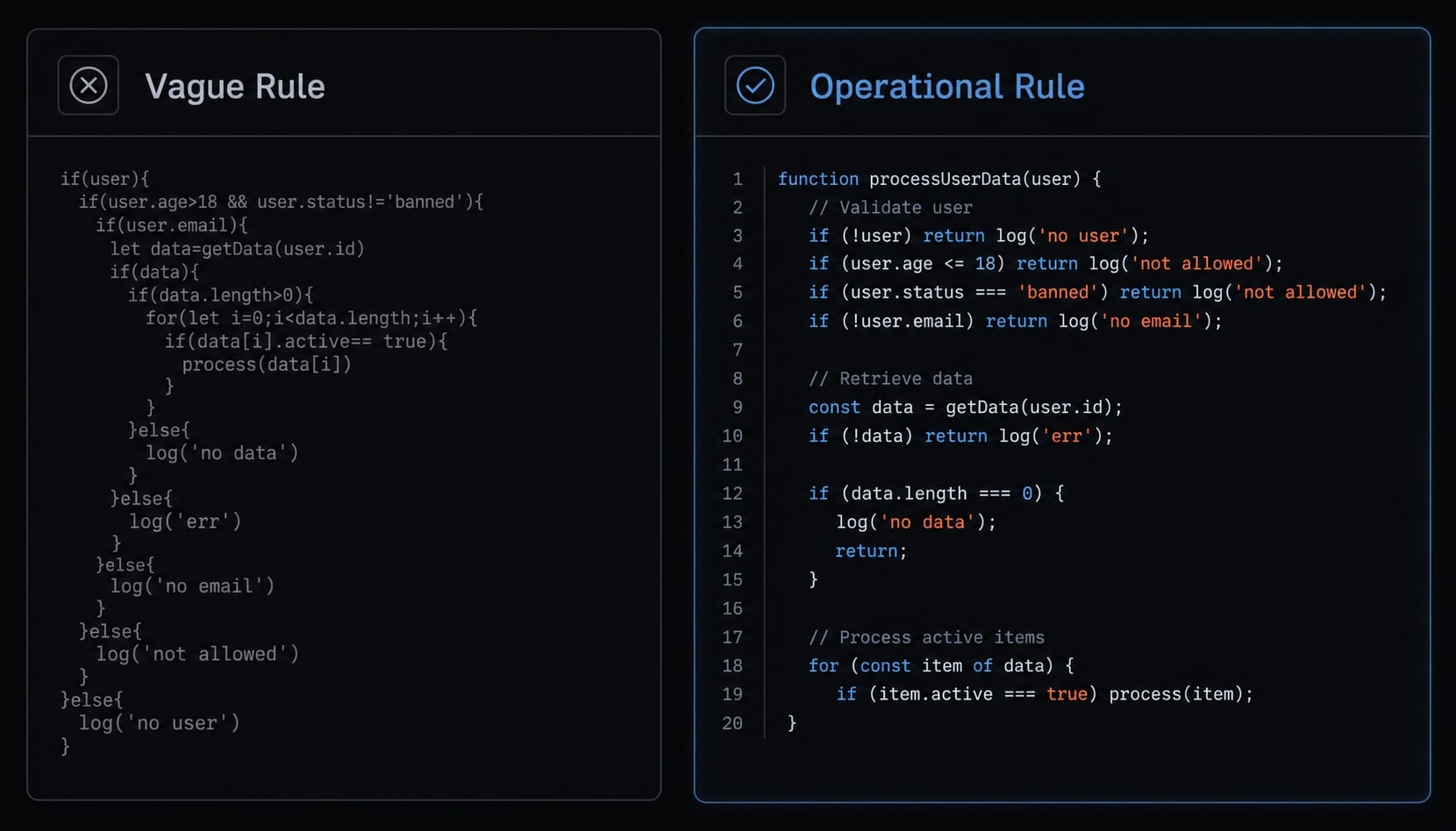
Vague rules fail because ambiguity cannot be reviewed. "Write better code" is a wish; "Run lint before completion" is a check. A strong rule requires three things: Specificity to name the behavior, reusability to apply across multiple tasks, and maintainability to ensure it remains easy to update.
This is where many teams overcomplicate things. They try to build full AI coding agent guardrails up front, then end up with rule bloat. More rules do not automatically create better results. Too many constraints can create friction, overlap, or confusing priorities.
Operational wording works better than aspirational wording. Instead of telling the agent to “improve quality,” tell it what quality means in your repo:
- Preserve typing.
- Keep edits scoped.
- Run tests.
- Avoid dependency changes without approval.
- Maintain validation or accessibility patterns.
Use path scoping only when it solves a clear problem. If frontend and backend follow different expectations, scoping helps. If the standards are shared, keep them global. That usually leads to more deterministic agent behavior with less maintenance.
This is also where Claude CLI operational best practices matter. Keep the rule system light enough that someone can audit it quickly. A small, readable set of rules is more durable than a large, clever one.
Rule-writing checklist
- Is it reusable?
- Is it project-specific?
- Is it concise?
- Is it observable or testable?
- Does it belong in a separate file?
Bad rule vs better rule examples
Bad rule:
- Write better code and optimize performance.
Better rule:
- Preserve existing typing and do not weaken type safety.- Keep edits scoped to the requested files unless expansion is necessary.- Run lint and relevant tests before completion.- Do not add dependencies without approval.
The better version works because it is clear, testable, bounded, and useful in an actual review workflow. It also maps well to a modular file-based structure, since each concern can later move into its own file if needed.
Copyable Claude Code rule examples for common projects
The best Claude Code rules examples are short enough to adapt in minutes. They should describe constraints and standards, not vague goals. Different projects also need different scopes, which is why project-specific Claude instructions should stay close to the code they affect.
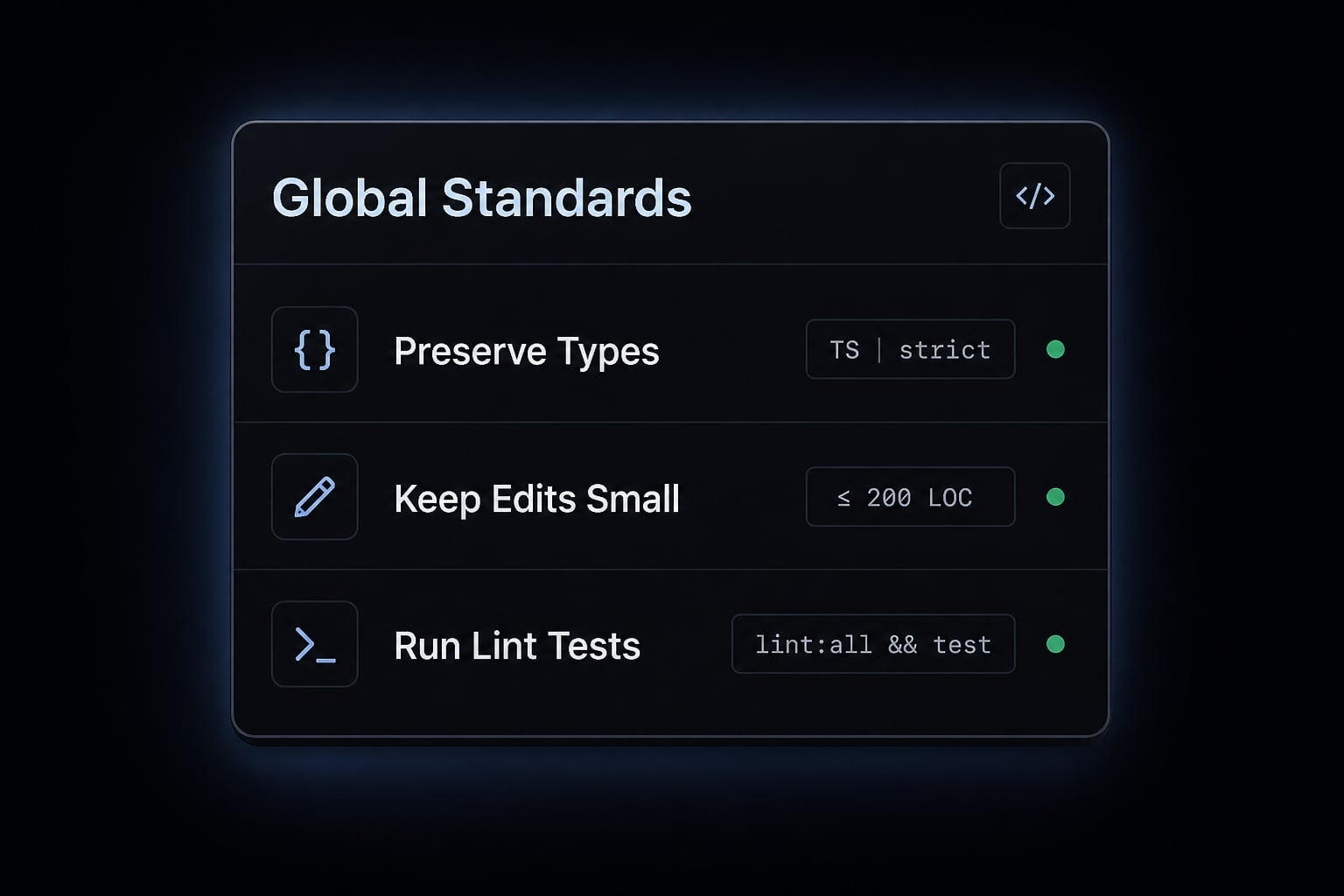
Example 1: Global standards rule
A good global rule covers standards that apply almost everywhere.
# Global standards- Preserve existing types and avoid weakening type safety.- Keep edits small and scoped to the requested change.- Run lint and relevant tests before completion.
This helps reduce review churn because it limits unnecessary edits and creates a clear verification habit. It does not solve architecture decisions, but it handles common day-to-day standards well.
Example 2: Frontend rule
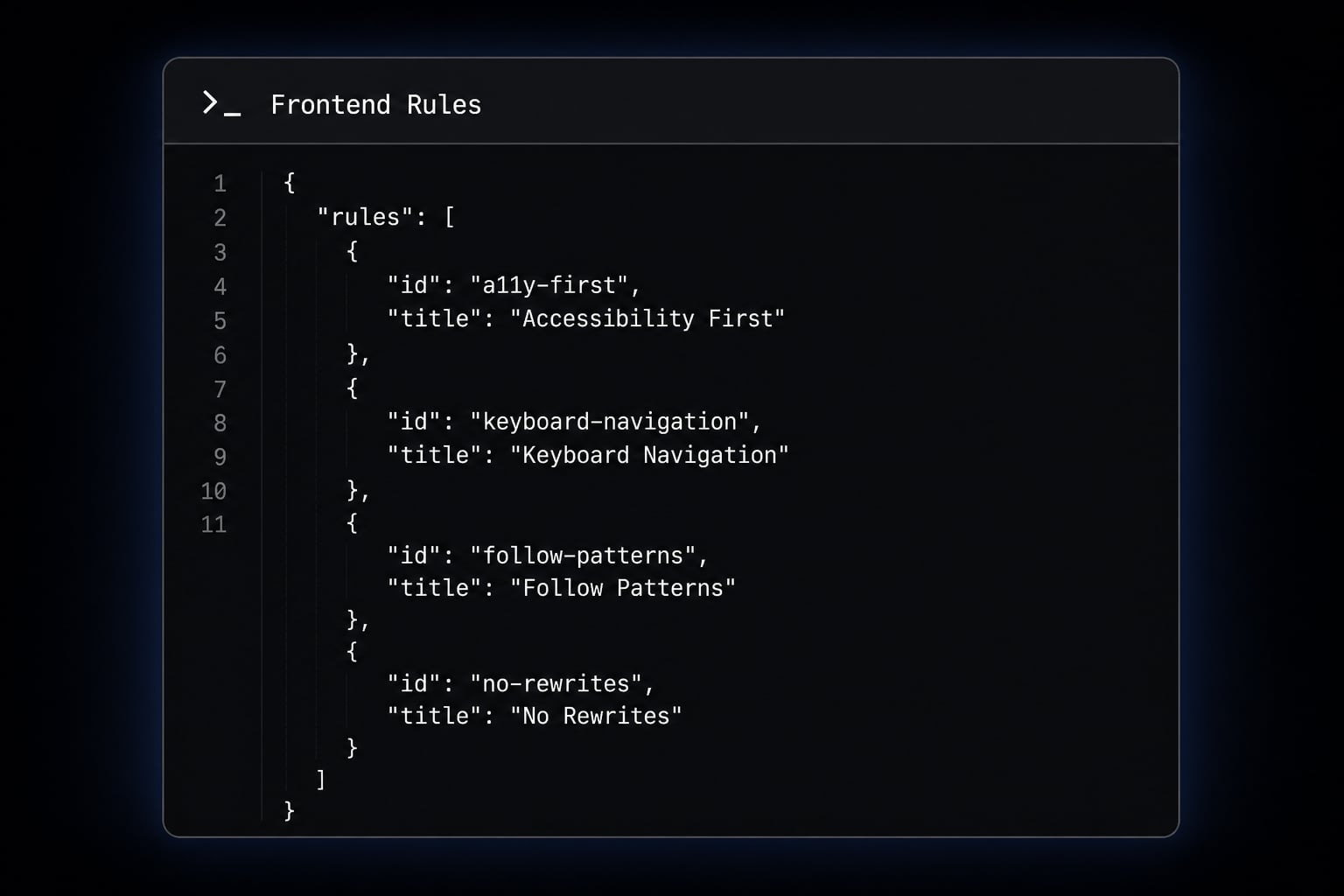
Frontend work often needs local UI guardrails because visual consistency is easy to break.
# Frontend UI rules- Preserve accessibility attributes and keyboard behavior.- Follow existing component patterns before creating new ones.- Do not perform large UI rewrites without approval.
This is a useful pattern for frontend app rules because it protects consistency without forcing a massive design system document into every task.
Example 3: Scoped backend/security rule
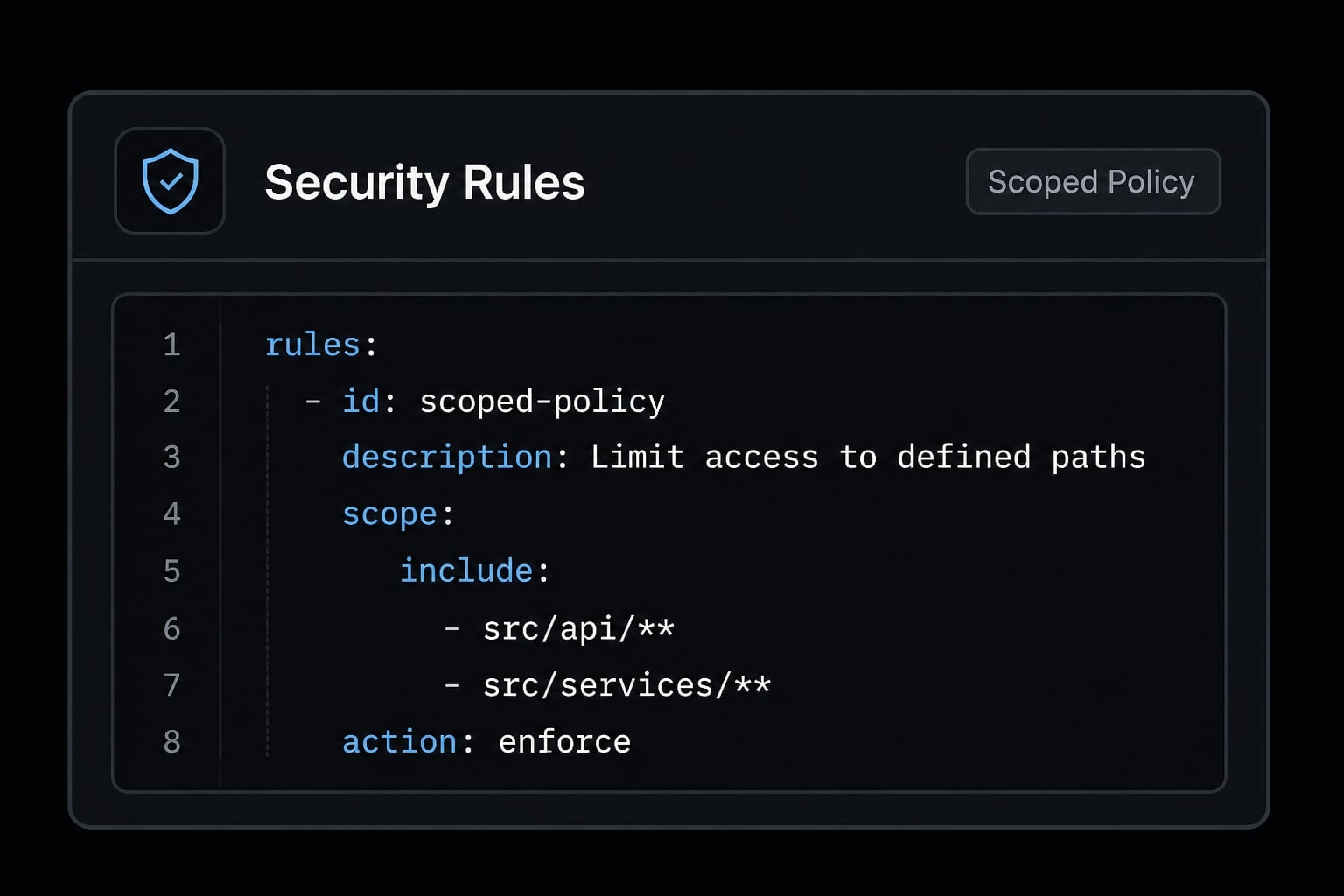
Backend work often benefits from tighter, local standards.
---paths: - "src/api/**" - "src/services/**"---# Backend API and security rules- Never hardcode secrets or tokens.- Preserve input validation and error handling.- Add or update tests for API behavior changes.
This is one of the more practical Claude Code rules examples because backend API rules usually need stronger verification and narrower scope. These scoped rules are especially helpful when the repo includes different engineering patterns across folders.
If your team wants a faster rollout, save these as starter templates and adapt them gradually. That is usually better than writing a perfect system on day one. For teams building reusable delivery patterns, agentkit.best also publishes workflow assets and implementation notes that can help standardize repeatable AI-assisted engineering setups.
Common mistakes that make Claude Code rules less useful
Most problems with rules are not technical. They come from unclear structure, too much overlap, or weak maintenance. When teams start troubleshooting Claude Code rules, the root cause is often simpler than expected.
Common failure modes include:
- Rule bloat: Too many files or too many instructions inside each file.
- Conflicting instructions: One rule says “keep edits small,” another encourages broad refactoring.
- Context drift: Old assumptions linger while the repo or workflow changes.
- Poor scoping: A local rule applies too broadly, or not where it is needed.
These issues weaken clarity and hurt predictable usage. Rules are not set-and-forget assets. They need occasional cleanup, especially after process changes or repo restructuring.
Quick troubleshooting guide:
Symptom | Likely cause | Fix |
|---|---|---|
Claude ignored my rule | Scope mismatch, vague wording, or overlap with another instruction | Check scope, simplify language, and reduce overlap |
The rule applies too broadly | Poor path targeting or a rule that should be scoped | Tighten paths and move local behavior into a scoped file |
The setup is hard to maintain | Rule bloat or too many mixed concerns per file | Split files by concern and simplify the setup |
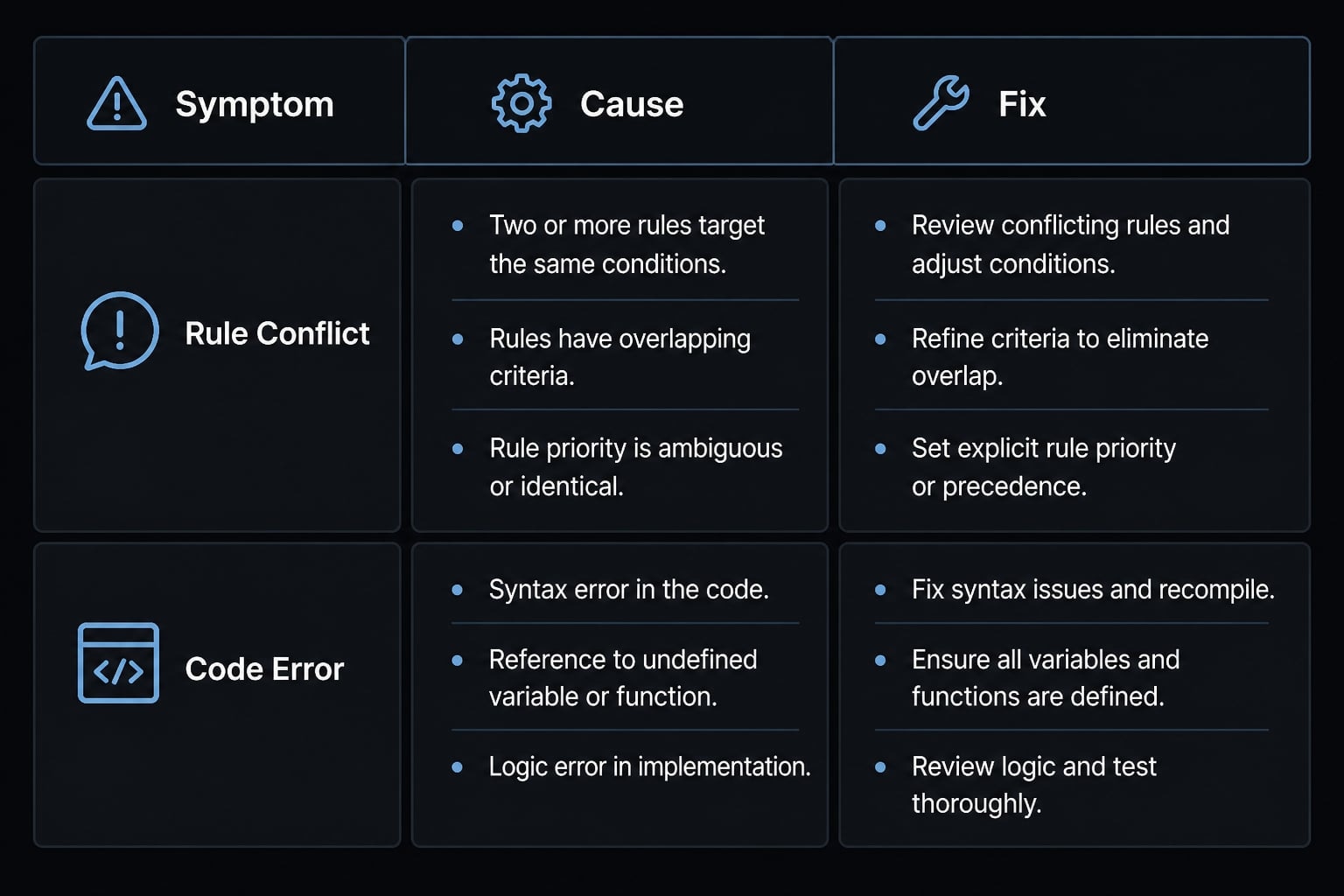
If you notice messy outcomes, do not add more rules immediately. First check for conflicting instructions, path issues, and stale assumptions. That usually fixes more than adding another layer of constraints.
A simple starter framework for most teams
The best starting point is usually smaller than people expect. You do not need a complex operating model to get value from a rule system. You need a lightweight setup that removes repeated prompting and avoids obvious review friction.
Start with the smallest system that removes repeated prompting, then expand only when review friction shows up.
Minimal starter setup:
- One
CLAUDE.mdfor project memory and core commands. - One
coding-standards.mdfor repo-wide coding behavior. - One
testing.mdfor verification expectations. - One
security.mdfor sensitive constraints. - One scoped rule only if a folder truly needs local behavior.
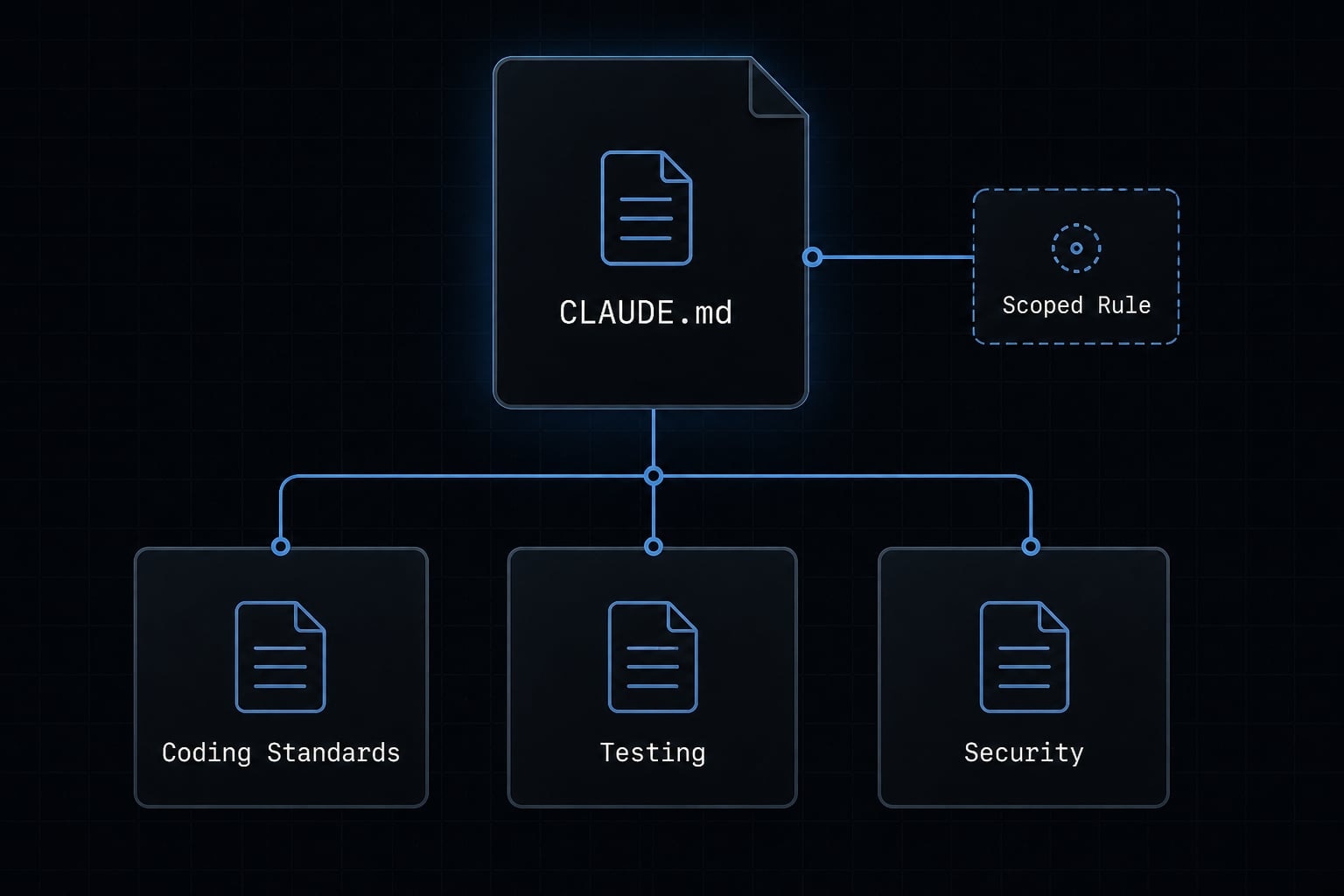
This is a practical Claude Code configuration guide for teams that want reusable AI workflows without overengineering. It supports lightweight workflow standardization while leaving room to grow later.
If review patterns show recurring friction in one area, add a focused scoped rule. If not, keep the system simple. That is a much better path to maintainable agentic workflow automation than building a large rules library too early.
Frequently asked questions
What are Claude Code rules?
Claude Code rules are reusable, project-level instructions stored as modular Markdown files in the .claude/rules/ directory. They act as persistent guidelines for the AI agent, ensuring consistent coding standards, security constraints, and behavioral patterns across multiple development sessions without requiring repeated prompting.
How do Claude Code rules differ from CLAUDE.md?
CLAUDE.md serves as the primary project overview and global memory, holding high-level context and architectural goals. In contrast, rules provide granular, reusable instructions for specific tasks or standards. Use CLAUDE.md for broad project memory and rules for durable, repeatable technical constraints.
Can I limit Claude Code rules to specific files?
Yes. You can use scoped rules by adding YAML frontmatter to your rule files. By defining a paths list, you instruct Claude to activate specific rules only when working on files that match those patterns, preventing global rules from creating noise or unnecessary friction.
Why does Claude ignore my rules?
Claude may ignore rules if they are poorly scoped, conflict with instructions in CLAUDE.md, or suffer from "rule bloat" where too many instructions overwhelm the context window. Verify your rule scope, check for conflicting logic, and ensure your instructions are specific, observable, and easily verifiable by the agent.
How many rules should I have in a project?
Start small and only add rules when you experience recurring "review friction," such as repeatedly correcting the same style errors or security oversights. Aim for a modular structure where each rule file has a single, clear responsibility, as this keeps the project maintainable and prevents context window degradation.
Should I put all my project instructions in one file?
No. Consolidating all project details into a single CLAUDE.md or a massive rule file creates context bloat, leading to contradictory behavior and difficult maintenance. Split concerns into separate, modular files within .claude/rules/ to keep your AI development environment clean, organized, and easier to troubleshoot.
Read more:
- Claude Code CLAUDE.md guide: Best practices and 3 templates
- Claude Code hooks guide: Automate and control AI workflows
- Claude Code toolkit: Scale your AI development workflow easily
Conclusion
The most effective Claude Code rules are modular, specific, and easy to maintain. The real win is not AI hype or perfect control. It is more predictable behavior, less repeated prompting, and fewer avoidable edits during review.
Start light. Keep broad context in CLAUDE.md, move durable standards into rules, and add scoped behavior only when friction appears. That approach stays cleaner over time and is easier for real teams to trust.
If you want the next step, build a small starter folder and test it on one active repo this week. For deeper implementation ideas, explore related resources from agentkit.best, including CLAUDE.md patterns and reusable agent workflow examples you can adapt to your own stack.