Fix API error: Rate limit reached in Claude Code - Quick guide
API Error: Rate limit reached in Claude Code: Why it happens and what to do next
If you’re seeing the “API error: rate limit reached” message in Claude Code even though your plan still looks active, the problem is often the current request, not your overall account access. In practice, available plan status and an allowed request are not always the same thing. The most common causes are a long session history, excessive repo or file context, or a burst of requests within a short period. The good news is that this usually has a simple recovery path: Reset the session, narrow the scope, and retry with a lighter request.
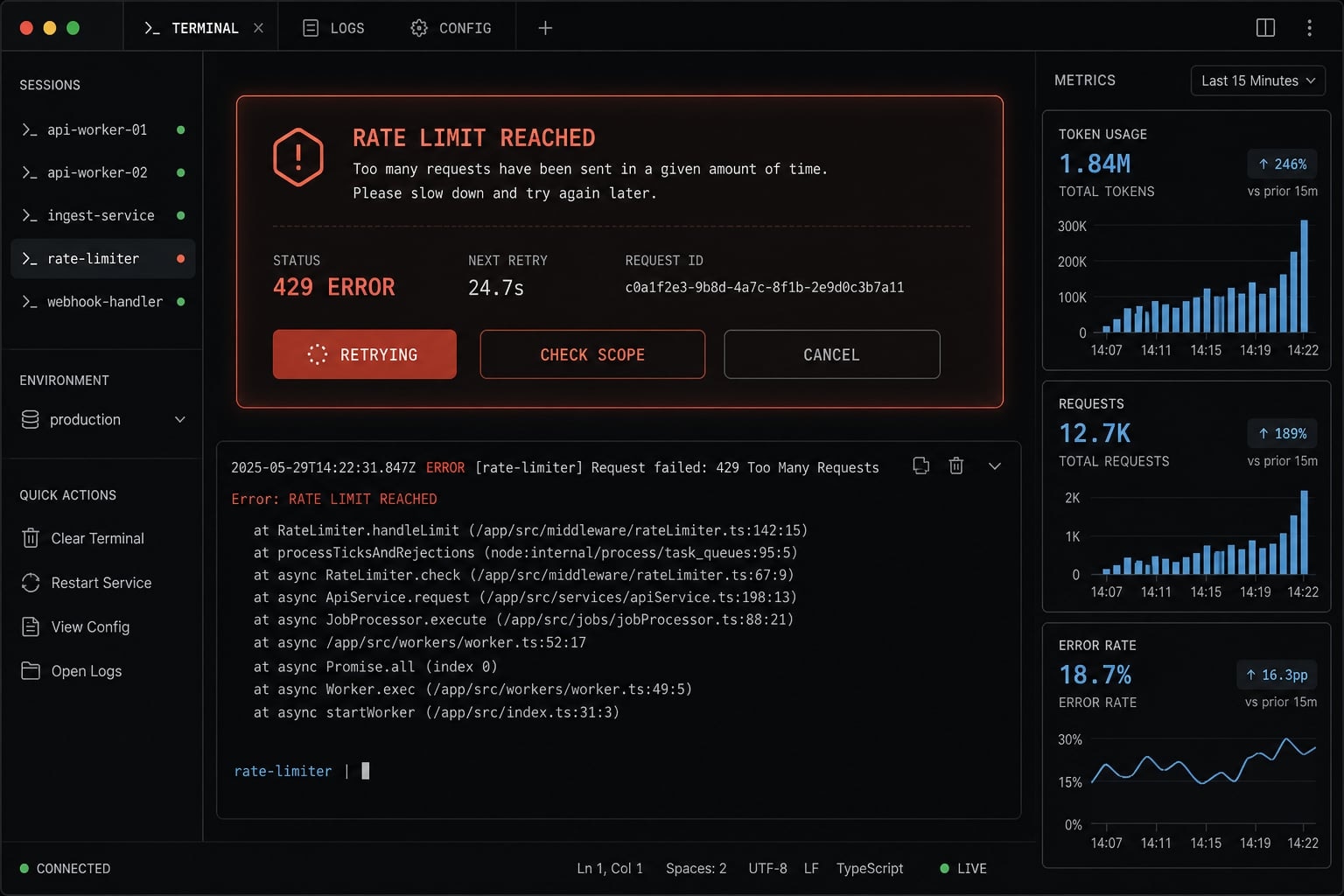
What API Error: Rate limit reached in Claude Code usually means
API Error: Rate limit reached in Claude Code usually means the current request is too heavy for the available usage window, not necessarily that your subscription is fully exhausted. In many cases, the issue is request-level pressure: Too much accumulated context, too many files, or too much recent activity. That is why users often hit a Claude Code 429 error while their plan still appears valid.
Rate limit reached does not always mean your account is fully out of access
A Claude Code rate limit can apply to your current action, even when your account still has general access. This is the key distinction. A plan can be active, but a specific request can still be denied temporarily because it is too large, too frequent, or too expensive in the current usage window. So when you see API Error rate limit reached, it does not automatically mean total plan exhaustion.
What Extra usage is required for long context requests is telling you
When Claude Code shows Extra usage is required for long context requests, it usually means:
- The current request is pulling in too much prior conversation history.
- The tool may be reprocessing many earlier turns, not just your latest prompt.
- Attached or referenced files, diffs, and tool outputs have made the request heavier.
- A prompt can become expensive even if this specific turn looks short.
- The problem is often context size, not just subscription status.
Why this happens even when you think you still have usage left
The most common misunderstanding is simple: having an active plan is not the same as every request being allowed right now. Claude Code can still reject a request if the current load is too high for the short-term allowance, the rolling window, or the size of the context window.
Concept | What it means | What it does NOT mean |
|---|---|---|
Active plan | Your account still has access to Claude Code. | Every request will succeed regardless of size or timing. |
Request allowed right now | The current prompt/context fits the current usage conditions. | Your overall subscription is exhausted. |
Rolling window pressure | Recent activity may temporarily limit requests. | Your account is permanently blocked. |
Long context request | The session/request has become expensive. | You personally wrote a long prompt this turn only. |
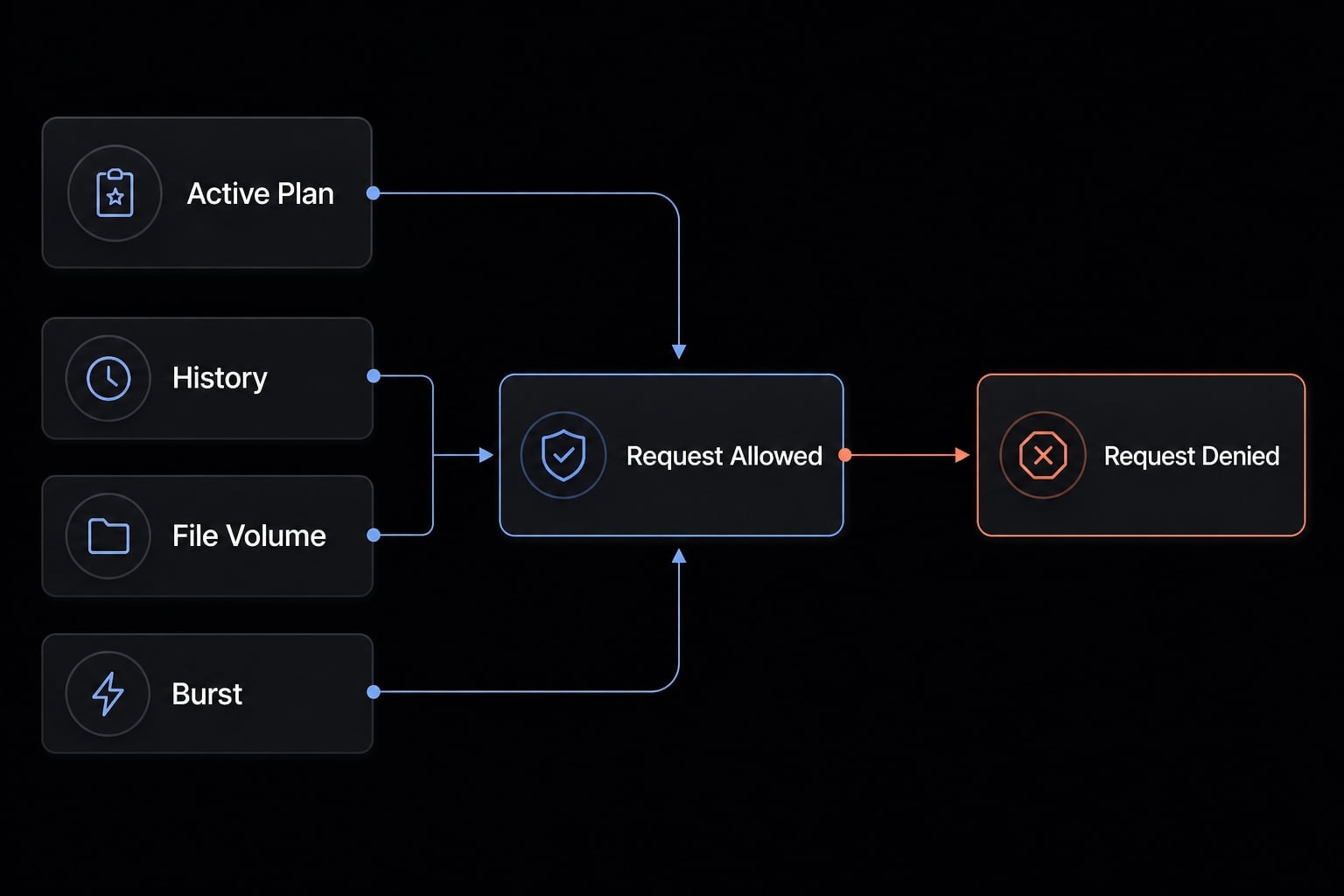
Active plan does not equal every request being allowed right now
This confusion is normal because the product status and the request outcome can look contradictory. In plain English, your account may still be fine, but the specific request may not fit the current limits. That is often the best-fit explanation during Anthropic API rate limit troubleshooting.
Why long sessions get heavier over time
Long sessions tend to grow quietly. Early in a workflow, Claude Code may only need one prompt, one file, and one bug report. Twenty turns later, it may be carrying earlier instructions, prior answers, file context, code diffs, retries, and follow-up clarifications. That drives up token usage and makes the session heavier over time.
A typical example of this situation looks like this:
- Early session: “Fix this null error in one file.”
- Later session: “Continue the same debugging thread, include previous fixes, compare two modules, review diff output, and explain why the retry failed.”
Message 20 is often much heavier than message 2, even if the newest prompt looks short.
Claude Code-specific patterns that raise token load faster than normal chat
In practice, these patterns often increase pressure on the context window faster than a normal chat tool:
- Asking Claude Code to scan a large repo.
- Including too many files at once.
- Repeating follow-ups in the same debugging thread.
- Using broad prompts like “review the whole architecture”.
- Sending long narrative instructions instead of one focused task.
- Pulling in large tool outputs or code diffs.
- Retrying several times in the same session after a failure.
This is why a Claude Code usage limit issue can appear unexpectedly even when the account still appears to have room.
The most likely causes, ranked from most common to less common
If you are trying to diagnose Claude CLI rate limit errors, not all causes are equally likely. In practice, the ranking below is the fastest way to troubleshoot.
- A long session has built up too much context: This is the most common cause. Over time, Claude Code token exhaustion can happen because the tool keeps carrying more history, more instructions, and more code context into each new turn.
- Signs: Many turns, repeated retries, long debugging threads, large refactor sessions.
- Operationally: Start fresh before doing anything else.
- You included too many files or too much repo context: Broad context makes requests heavier very quickly. Good context window management matters more in Claude Code than in a simple chatbot because repo scope can expand fast.
- Signs: Multiple folders, large files, architecture-wide prompts, “scan the whole repo” requests.
- Operationally: Reduce to one file, one module, or one bug.
- You hit a short-term usage window after burst activity: Sometimes the issue is timing rather than scope. A burst of requests can create temporary pressure on API throughput, even when the account itself is still usable.
- Signs: Many requests in a short span, temporary failures that improve after waiting.
- Operationally: Pause briefly, then retry with a lighter request.
- Less often, it may be a product-side issue or account anomaly: This is possible, but it is usually not the first explanation.
- Signs: The error happens in a fresh minimal session, with very little context, and reproduces consistently.
- Operationally: Collect evidence and consider escalation.
What to do right now: A simple 5-step fix checklist
If your goal is how to fix Claude Code rate limit reached error as quickly as possible, use this sequence first. It is low-risk, practical, and usually the fastest path back to work.
- Start a fresh session.
- Reduce file and task scope.
- Shorten the prompt.
- Wait and retry.
- Capture details if it persists.
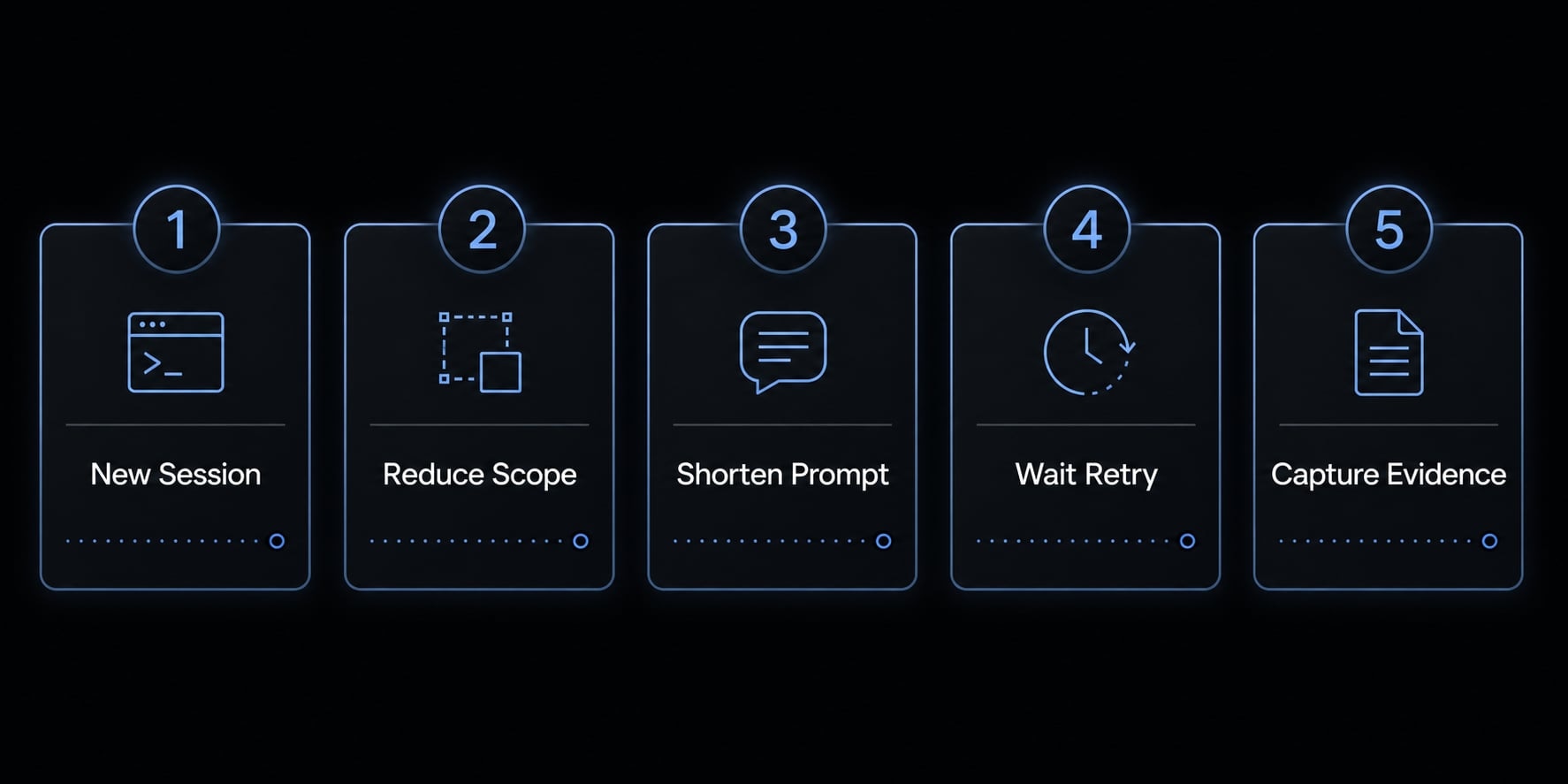
Step 1: Start a new Claude Code session
This is often the fastest recovery path. A fresh session drops accumulated history, old retries, and stale context that may be inflating the current request. If the current thread is long or messy, restarting is usually more effective than trying to salvage it.
Step 2: Reduce the working scope
Limit the request to one file, one module, or one bug. Remove unrelated folders, extra files, and broad architectural context unless they are truly necessary. This is the most direct way to reduce token consumption in Claude Code CLI.
- Try narrowing from: “Review the whole authentication flow”
- To: “Fix the null check in
auth/session.tscausing the login failure”
Step 3: Rewrite the request more tightly
Long narrative prompts often create unnecessary load. In practice, one request should aim for one outcome.
Before:
Please review the full bug history from earlier, compare the frontend and backend auth flow, inspect the recent diffs, check whether the caching layer changed anything, and propose the safest full fix across the repo.
After:
In auth/session.ts, identify the cause of the null session error and propose the smallest safe fix. Ignore unrelated modules.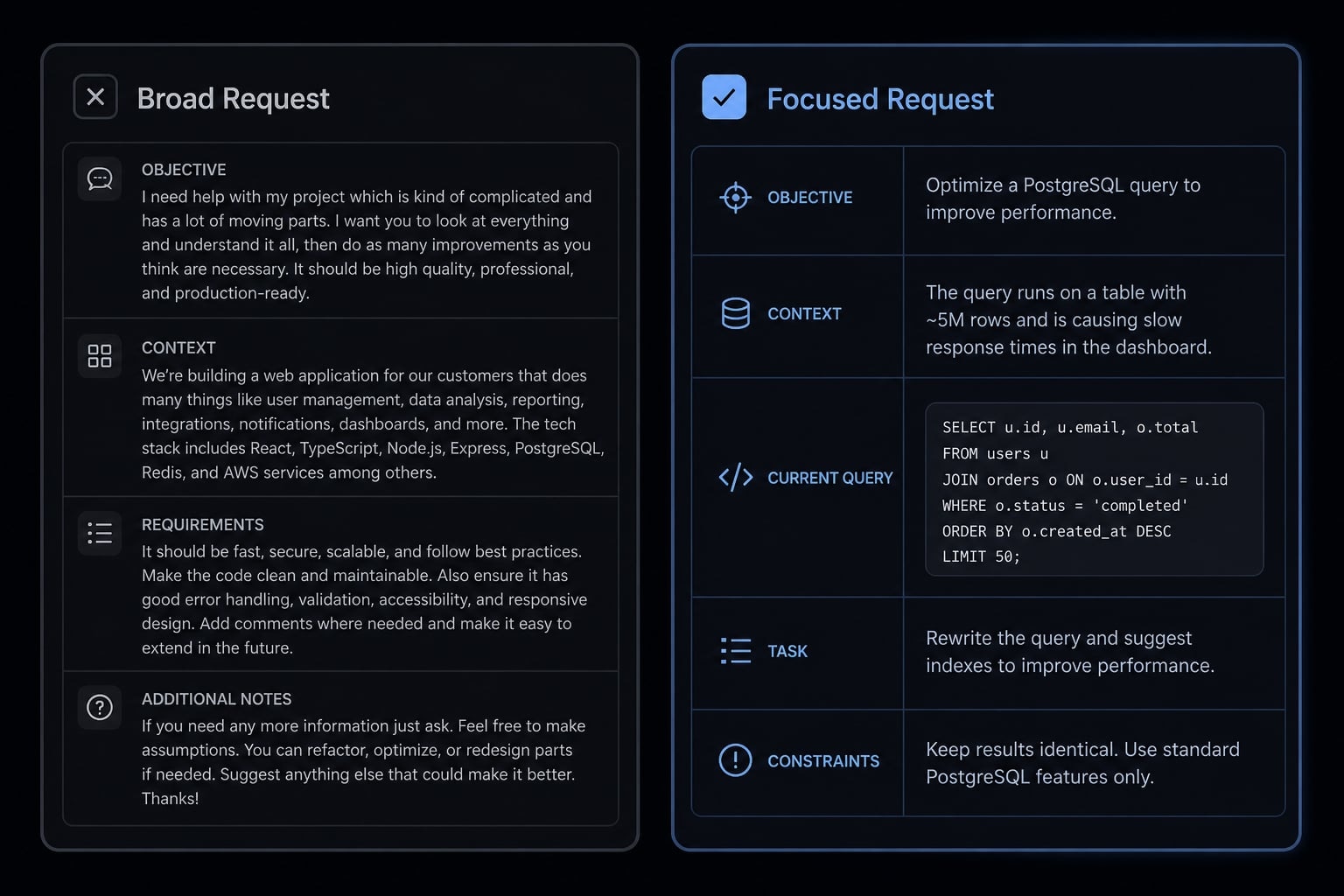
This matters because Claude Code API error 429 long context requests often come from accumulated prompt scope, not just from one large input.
Step 4: Wait a few minutes and retry
If you sent many requests close together, the issue may be short-term rolling window pressure. Waiting a few minutes can help, especially if the failure followed rapid retries. This does not always solve the root cause, but it often restores progress long enough to continue with a narrower request.
Step 5: Capture evidence if it keeps happening
If the issue continues, gather a short support-ready record:
- Claude Code version.
- Operating system.
- The exact error text.
- Whether it reproduces in a fresh minimal session.
- Whether it only happens in large-context workflows.
This helps separate a normal request-weight issue from something worth reporting.
How to avoid triggering the same error in future Claude Code sessions
The most reliable prevention strategy is not “use less” in general. It is better workflow hygiene. For most developers, that means managing session length, task scope, and prompt shape more carefully. This is the practical core of optimizing Claude Code token usage for developers.
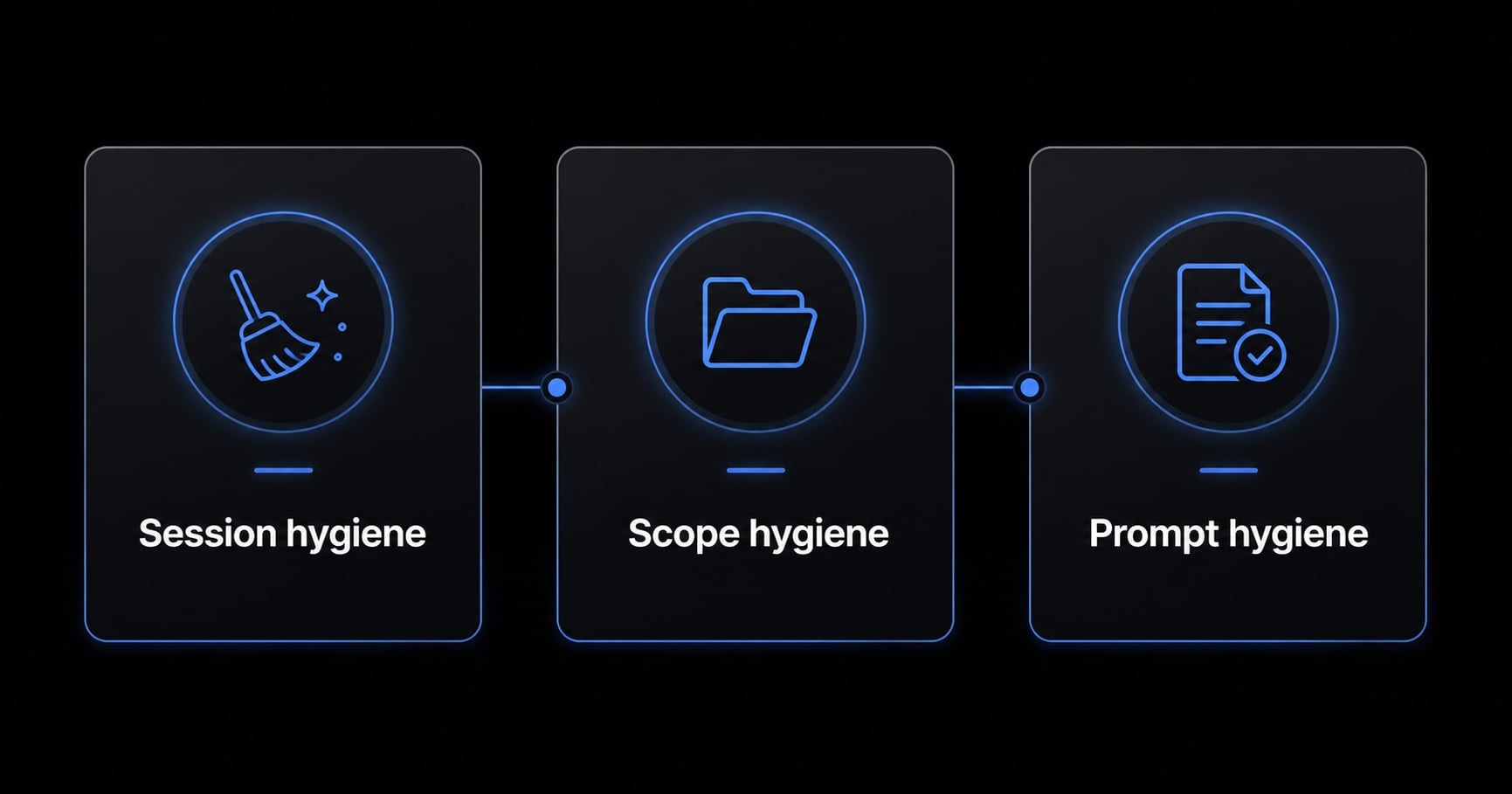
Session hygiene: Restart sooner, not later
Do not keep one thread alive indefinitely. Long sessions often become expensive before they obviously feel large. A better habit is to summarize key decisions, then start a fresh session before the thread gets bloated. This improves context window management and lowers recurrence risk.
Scope hygiene: Include only what the task needs
Keep file selection tight. Avoid whole-repo scans unless the task truly needs repo-wide reasoning. If the job is one bug, give one bug. If the task is one module, avoid attaching the surrounding system unless required. This is the simplest form of a Claude Code usage limit troubleshooting guide in daily practice.
Prompt hygiene: Ask for one outcome at a time
Ask Claude Code to do one clear thing per request:
- Fix one bug.
- Explain one function.
- Refactor one module.
- Review one diff.
This lowers token count, reduces retries, and keeps the interaction more predictable. It does not guarantee zero errors, but it often reduces the chance of hitting the same limit again.
When this is normal behavior vs when it may be worth reporting as a bug
Most cases are normal request or context behavior, not a broken account. Escalation is usually more appropriate only after you isolate the problem with a fresh, minimal test. For practical Anthropic API rate limit troubleshooting, the key threshold is simple: Does it still happen in a fresh minimal session?
Scenario | What it usually means | What to do next | Priority |
|---|---|---|---|
Active plan, but long ongoing session | Request/context is too heavy right now. | Start a fresh session and reduce scope. | High. |
Large repo or many files in context | Token usage grows too quickly. | Limit files and ask for one task at a time. | High. |
Many requests in a short period | Temporary rolling-window or burst limit. | Wait, then retry. | Medium. |
Error repeats in a fresh minimal session | Possible product or account issue. | Collect details and contact support/report bug. | High. |
If you are trying to resolve Claude CLI rate limit errors, do not assume “bug” first. A reproducible Claude Code 429 error in a fresh minimal session is the stronger signal that something may need support review.
Frequently asked questions
What does "API Error: Rate limit reached" in Claude Code usually mean?
This error typically indicates that your current request is too "heavy" for the platform's immediate usage window, not necessarily that your total subscription is exhausted. It often appears when a session grows too large or complex, as signaled by the message: "Extra usage is required for long context requests."
Why do I see this error even when my plan is active?
Your active subscription ensures overall access, but every specific request must still fit within real-time throughput and context constraints. When a Claude Code session accumulates excessive history, file context, or complex diffs, a single request can exceed the capacity of the current "rolling window" for that specific interaction.
How can I fix the Claude Code "Rate limit reached" error?
To resolve this quickly, follow these steps:
- Start a fresh Claude Code session to clear accumulated context.
- Reduce the file and folder scope of your request.
- Rewrite your prompt to focus on one single task at a time.
- Wait a few minutes if you have been performing rapid, burst-like tasks.
- Capture error details if the issue persists in a new, minimal session.
What are the most common causes of this error?
The most frequent triggers are:
- Context Bloat: Long sessions with significant chat history and repeated retry attempts.
- Over-scoping: Including too many files or broad repository segments in a single request.
- Burst Activity: Rapid, sequential requests that temporarily pressure your usage window.
- Complex Tasks: Large-scale refactoring that generates heavy code diffs and tool output.
How do I prevent this error in future coding sessions?
Adopt these workflow hygiene habits:
- Session Hygiene: Restart your session frequently rather than keeping one thread alive indefinitely.
- Scope Hygiene: Select only the specific files required for the current task.
- Prompt Hygiene: Break complex projects into smaller, single-outcome requests to minimize token count per interaction.
When should I report this as a bug to support?
Most rate-limit issues are tied to request size or session context. You should only consider reporting it as a potential bug if the error reproduces consistently within a fresh, minimal session that involves almost no file context and a simple, short prompt.
Read more:
- Claude Code API Error 500: Causes and fixes guide
- Fixed: Claude Code process exited with code 1 - Easy solutions
- Fix OAuth error: Request failed with status code 500 Claude
Conclusion
If you searched for API error rate limit reached Claude Code, the main takeaway is this: An active plan does not always mean every request is allowed right now. In most cases, the issue is request weight, session buildup, repo scope, or short-term usage pressure rather than total loss of access.
The safest recovery path is straightforward: start a fresh session, narrow the scope, shorten the prompt, and wait briefly before retrying. If you still need to know how to fix the ‘Claude Code rate limit reached’ error after trying the steps above, test a fresh minimal session and escalate only if the problem reproduces consistently.