Claude Code API error 500: What it means and what to do next
If you’re seeing Claude Code API error 500 in the middle of coding, debugging, or running an agent task, the good news is that it usually points to a service-side problem rather than something obviously wrong with your prompt or editor. A 500 Internal Server Error generally means the request reached the backend, but the Anthropic API failed while processing it. In practice, the first question is not whether to rewrite everything locally, but whether to check service health, wait, retry, or escalate. This guide gives you the fastest path: confirm status, retry safely, simplify the request, and collect the right evidence if the issue keeps returning.
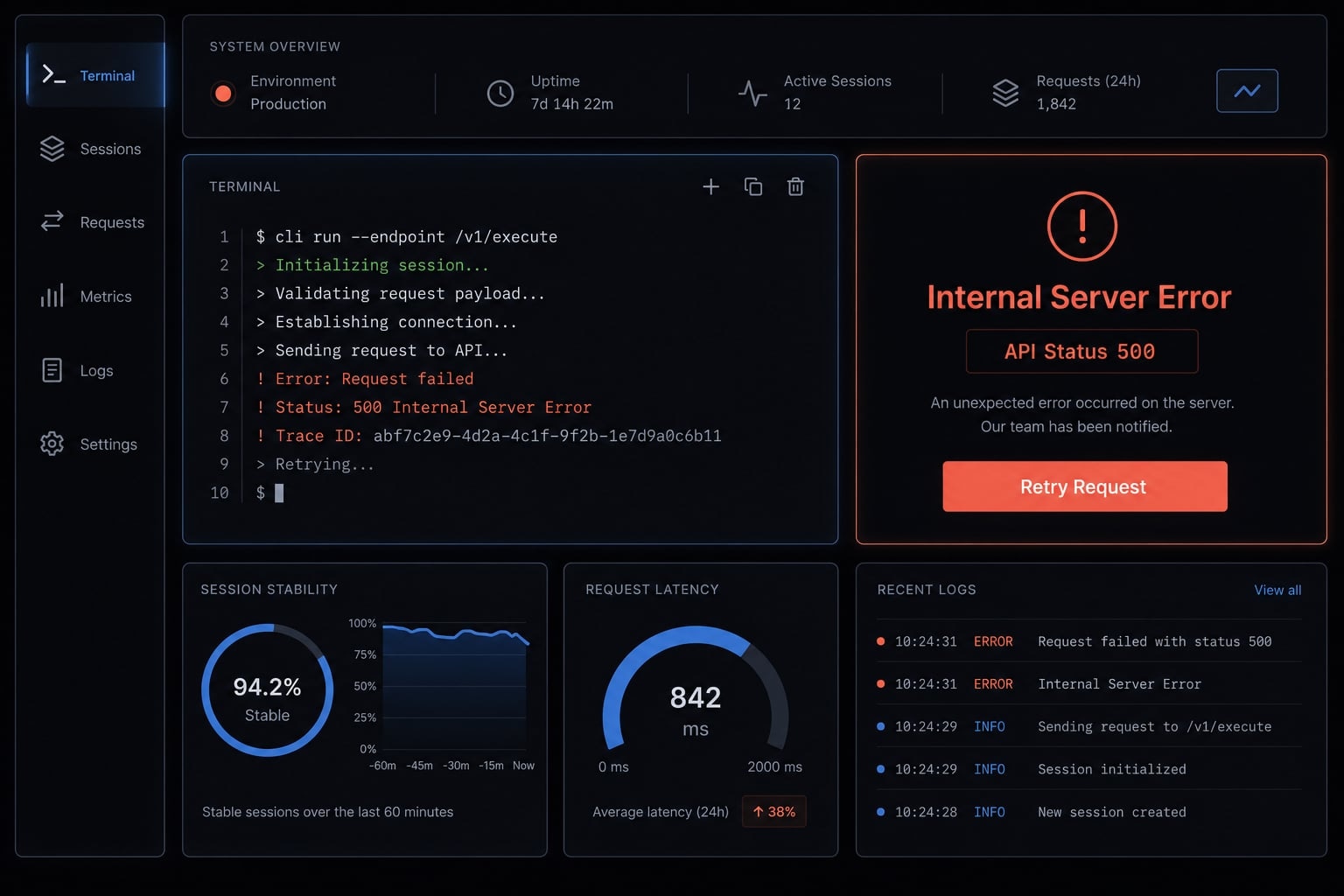
What Claude Code API error 500 actually means
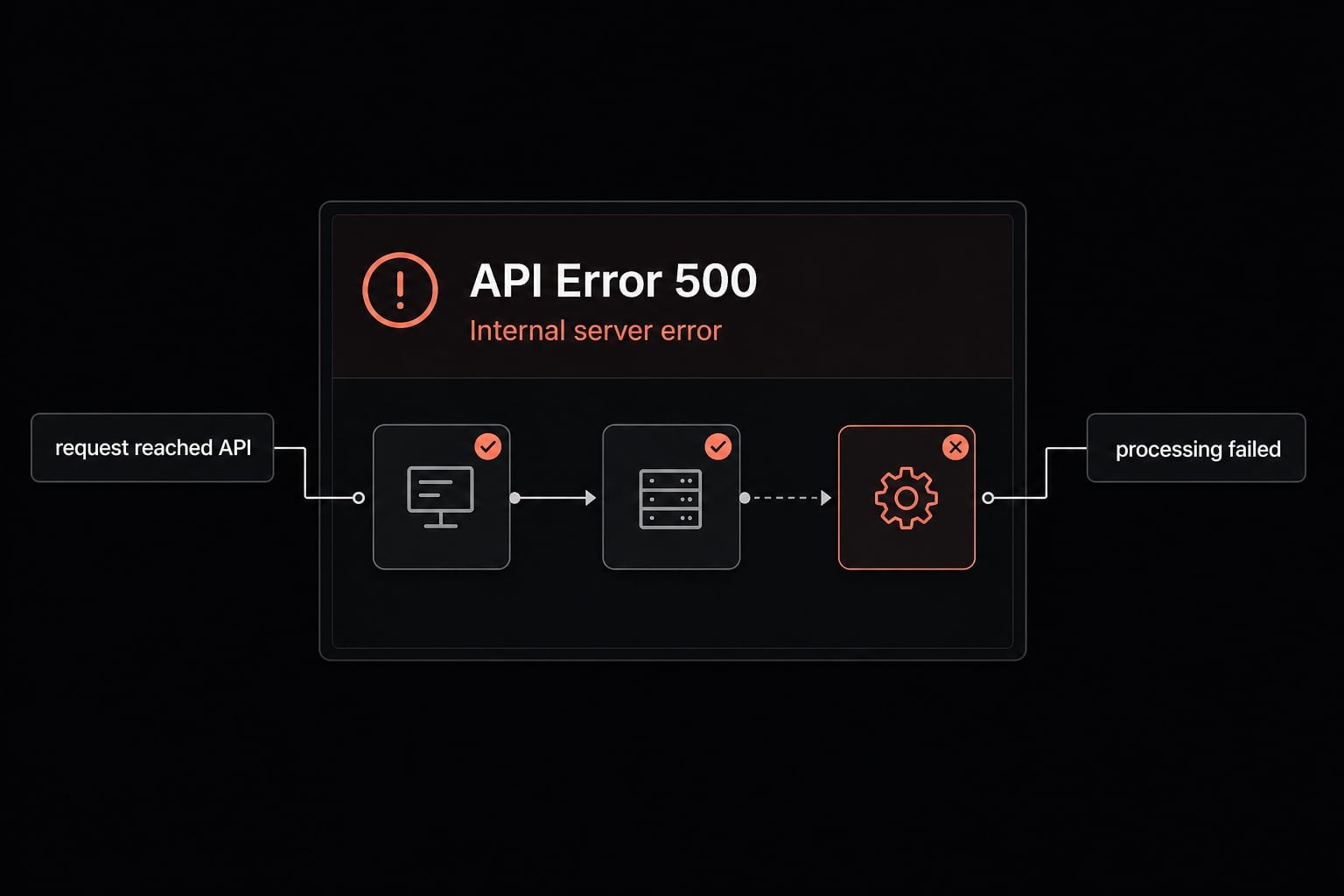
Claude Code API Error 500 usually means your request successfully reached the Anthropic API, but the service encountered an unexpected server-side issue while processing it. In many cases, this is not caused by your prompt wording, IDE choice, or basic local settings. It can appear in the CLI, desktop app, or editor integrations because the failure is often above the interface layer.
A 500 internal server error is best understood as an unexpected backend failure. The request was sent correctly enough to reach the service, but something broke during processing.
That distinction matters because it changes your next move. With a 500, the best first step is usually to check service health and retry later, not to immediately reinstall tools or rewrite prompts.
Why this usually is not your fault
- A normal prompt can still trigger a 500 if the service hits a temporary internal failure.
- If the same failure appears across multiple interfaces, the problem is usually at the API layer rather than in your editor.
- A 500 is different from authentication, billing, request-size, or classic rate-limit problems.
- The same error showing up in CLI, VS Code, JetBrains, or desktop often points to the shared backend, not the local surface.
- Users often hit this mid-task, where work starts normally and then fails later.
What “internal server error” implies in practice
In practice, internal server error means the request reached the API, but processing failed on the service side. From a troubleshooting standpoint, that makes status checking and a careful retry request the right first move, rather than deep local debugging too early.
What to do first: Quick troubleshooting checklist
If you need to know how to fix Claude Code 500 internal server error, follow this order first.
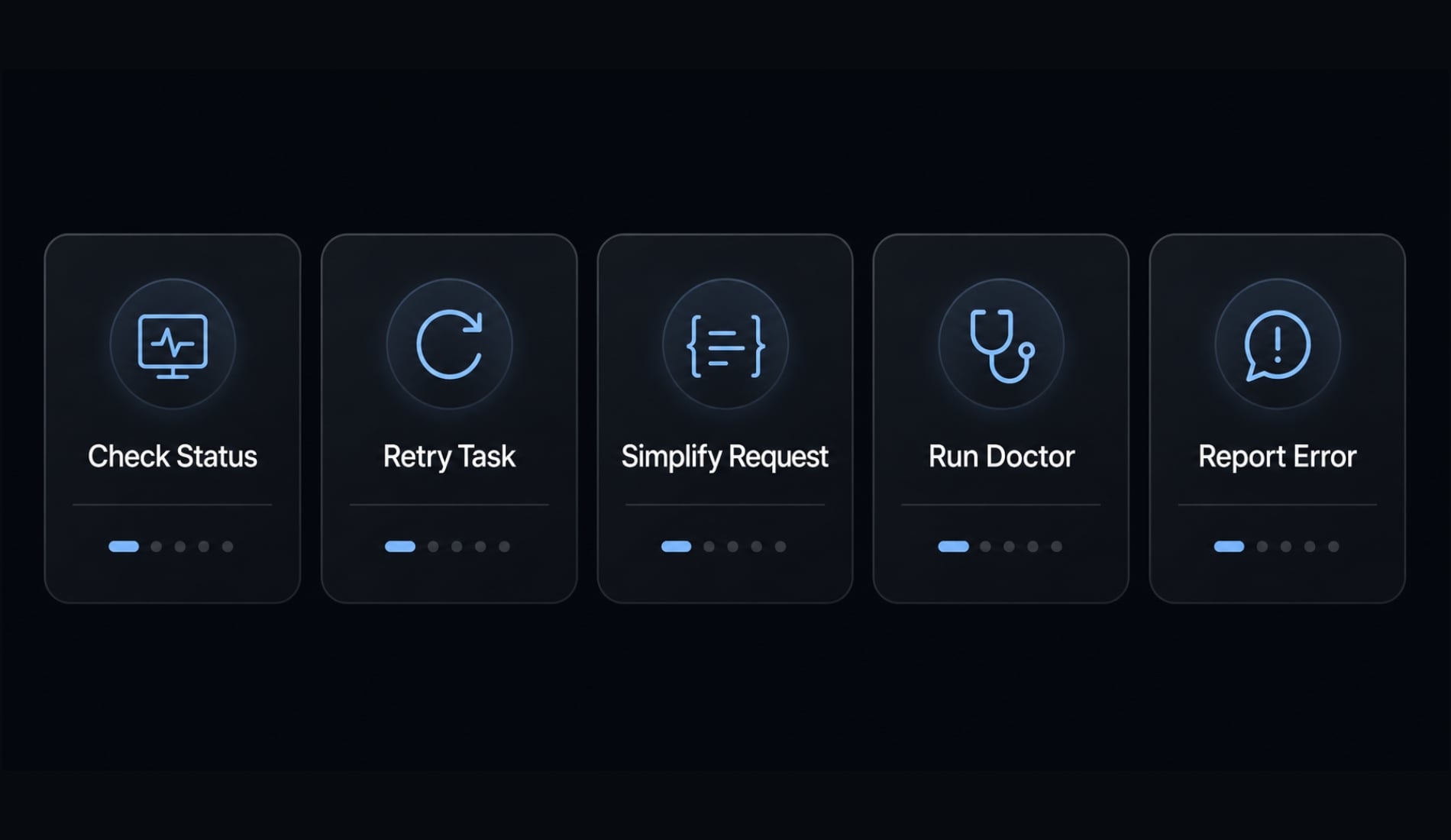
- Check the Claude status page
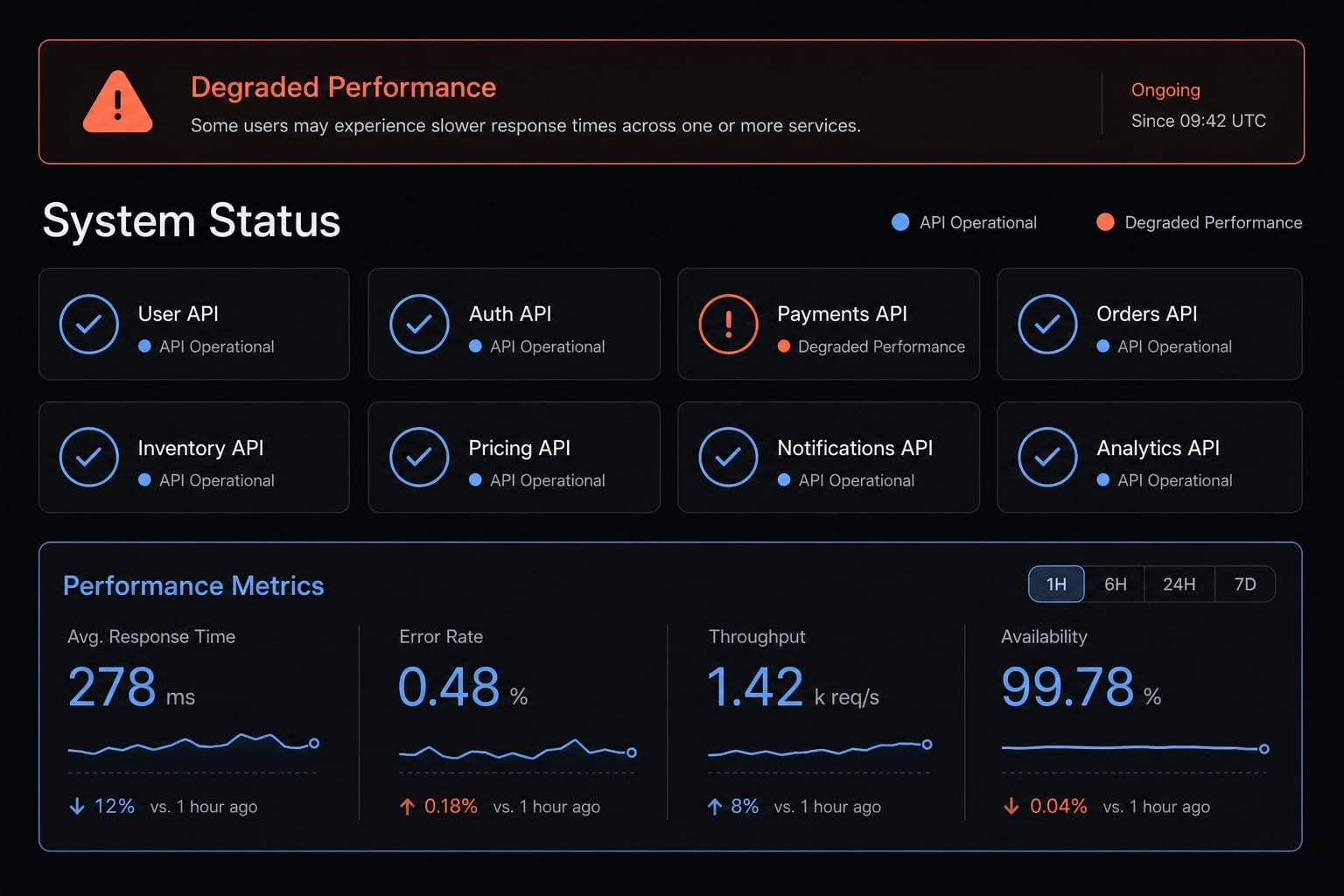
- First, check status.claude.com to see whether Anthropic is reporting an outage or degraded API performance.
- Look for terms like incident, degraded performance, elevated error rates, or partial outage.
- If an incident is active, waiting is often better than changing your local setup.
- Retry after a short wait
- Wait a few minutes, then retry request once.
- Many 500 errors are a transient failure that clears without any action on your side.
- Do not aggressively resubmit the same task over and over. Repeated retries can waste time and create more confusion.
- Try a smaller or simpler request
- Split large coding tasks into smaller checkpoints instead of sending one long chain of work.
- If you got a partial answer, save the useful output and continue from there.
- Smaller requests are often more stable during degraded conditions or temporary backend instability.
- Use built-in Claude Code checks
- Run
/statusto confirm which environment or credential context is active. - Run
/modelto check the current model or switch if another model path is available. - Run
claude doctorto rule out obvious local issues before assuming every failure is remote.
- Run
- Report only if the error persists
- If the error keeps returning after retries and waiting, collect the request ID and report it through
/feedbackor support. - Save the timestamp, model, and environment where it happened.
- If possible, include a screenshot and any useful logs so support can trace the failure faster.
- If the error keeps returning after retries and waiting, collect the request ID and report it through
This sequence works well because it starts with the lowest-risk actions. It avoids the common mistake of over-debugging local setup before confirming whether the platform is already experiencing issues.
Common causes behind Claude Code 500 Errors (and what they usually point to)
Most cases of Claude Code 500 point to a temporary backend failure or broader platform-side processing issue. That does not always mean a full outage, but it often means the exact cause sits outside your local environment.
The important point is this: Users can usually choose the right response without needing to know the internal infrastructure details. The exact internal cause is not always visible from the outside.
Temporary platform-side failure
This is the most common explanation. The service may be experiencing elevated load, unstable processing, or another temporary platform-side failure.
In many cases, it resolves without any user-side changes. If many users are affected at the same time, the issue is more likely to appear on the status page or community channels.
Long-running requests and unstable sessions
- Longer tasks are more exposed to server-side latency or session instability.
- A request that runs for a while has more chances to hit temporary issues than a short request.
- Splitting work into checkpoints lowers disruption risk during degraded conditions.
- This is a reliability tactic, not a guaranteed fix.
What 500 is not
- It is not the same as an invalid API key or another authentication problem.
- It is not the same as request too large.
- It is not the same as prompt too long.
- It is not the same as a classic 429 rate limit case.
That distinction matters because the fix for a backend failure is very different from the fix for a credential or request-size problem.
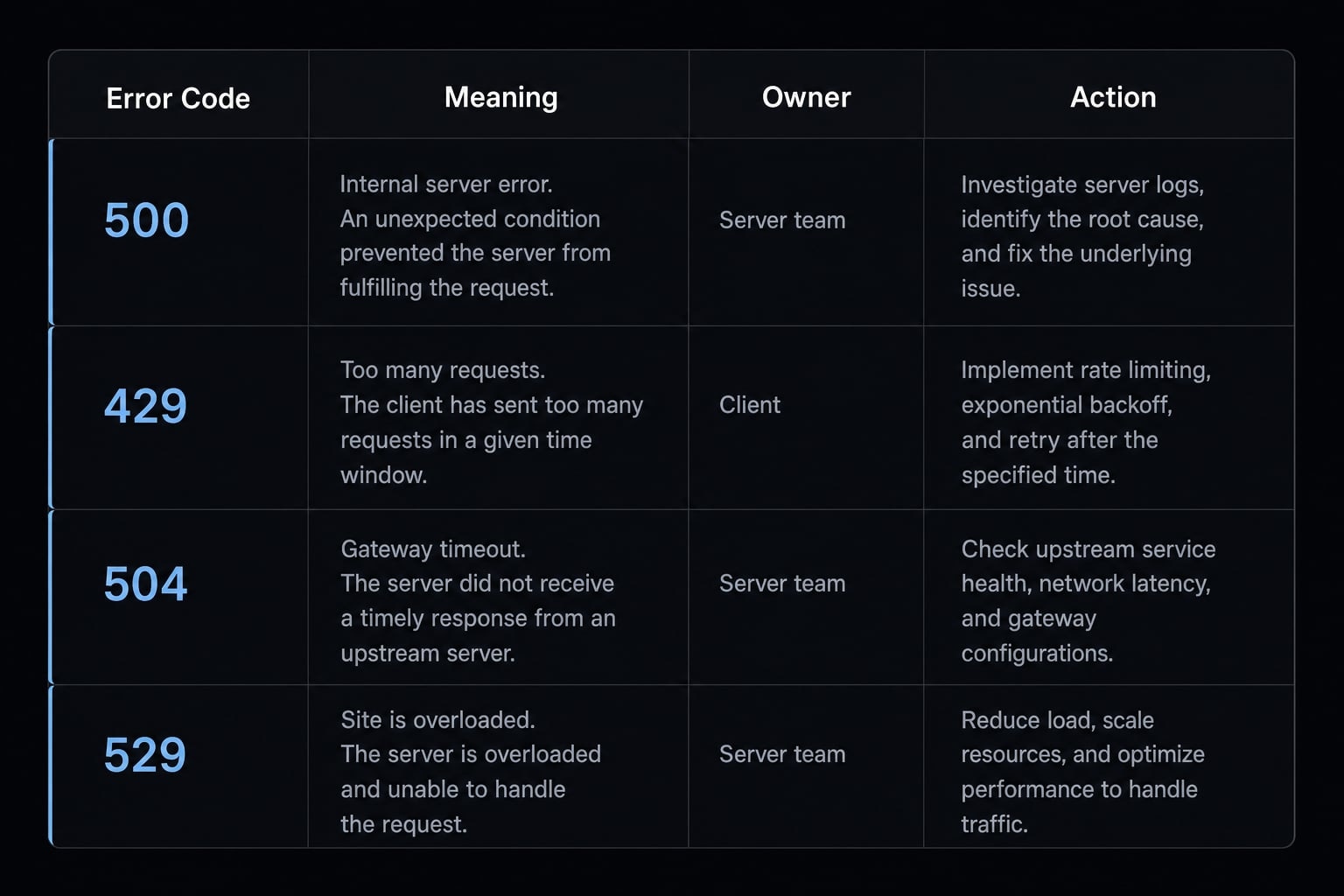
Claude Code Error 500 vs 429 vs 504 vs 529
Not all Claude API errors point to the same owner or the same next step. A fast comparison helps avoid the wrong fix.
Error | What it usually means | Who likely owns it | Best next action |
|---|---|---|---|
500 | Unexpected internal API failure | Anthropic/backend | Check status, wait, retry |
429 | Rate limit hit | Usage/account/project | Slow down, reduce concurrency, check limits |
504 | Request timed out | API/network/long task | Retry, shorten request, use smaller steps |
529 | Service overloaded | Platform capacity | Wait a few minutes or switch model |
- A 429 rate limit usually points to account, project, or usage constraints.
- A 504 timeout often happens when a request runs too long or the connection does not complete in time.
- A 529 overloaded error usually signals platform capacity pressure.
- A 500, by contrast, points more directly to an unexpected internal API failure.
Why this distinction matters
If you misread a 500 as a 429 rate limit, you may spend time changing concurrency or usage settings that were never the problem. If you misread it as a local editor bug, you may waste even more time debugging the wrong layer. Correct diagnosis reduces downtime and helps you choose the best next step faster.
When to wait, when to retry, and when to contact support
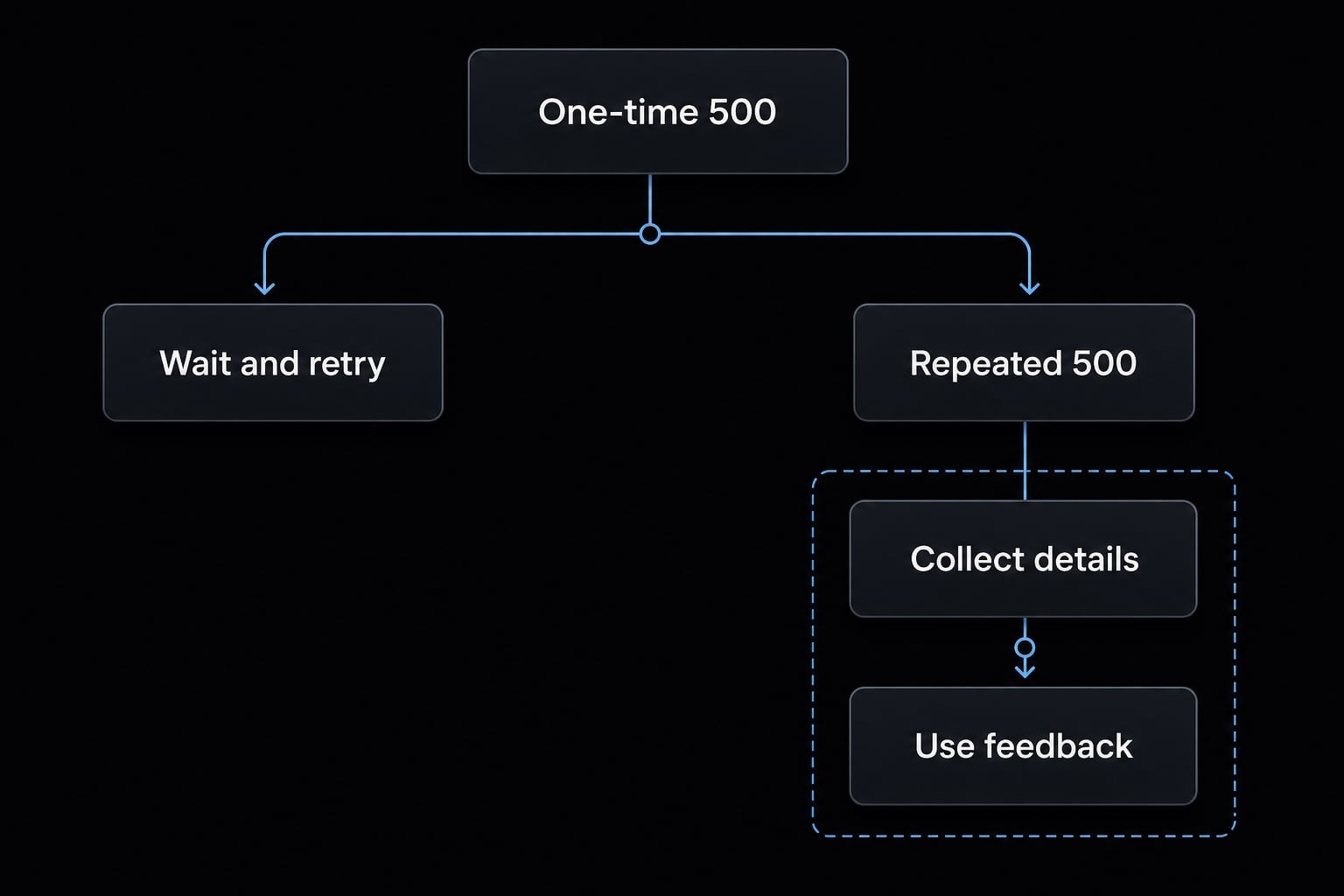
The right response depends on whether you are dealing with a one-off glitch or a persistent Claude Code error 500 pattern.
Usually safe to wait and retry
- The error happened only once or twice.
- status.claude.com shows an incident, degraded performance, or elevated error rates.
- Retrying later succeeds.
- The issue appeared during a single long task, but shorter follow-up requests work normally.
Escalate if the pattern is persistent
Contact support if the 500 error keeps returning across multiple retries, sessions, or interfaces.
- The same error repeats across multiple requests.
- It appears in multiple interfaces or sessions, such as CLI and editor integrations.
- It continues after waiting and simplifying the request.
- You can provide the request ID, timestamp, model, environment, and screenshot if available.
- Use
/feedbackto send the report. - Include useful logs if your setup captured them.
This is the practical threshold: Do not escalate after a single isolated failure. Escalate only when the issue becomes a clear, repeated pattern and you have gathered sufficient evidence.
Practical example: A Claude Code task starts, then fails with error 500
A common pattern looks like this: Claude Code CLI stops working with error 500 after the task has already started. You may get a partial response, some code changes, or a few completed steps, and then the process stops with a task interruption.
That does not rule out a server-side problem. In fact, partial progress can still end in a backend runtime failure after the request was already underway. This is one reason users often assume the prompt, IDE, or extension caused it when the real issue is higher up.
The best response is usually to save any useful output, keep the last stable checkpoint, and continue from there once the service stabilizes. Restarting everything from scratch is often unnecessary.
Frequently asked questions
What is Claude Code API Error 500?
Claude Code API Error 500, or an internal server error, occurs when a user request reaches the system but the Anthropic API encounters an unexpected problem while processing it. This is a server-side error and is generally unrelated to your local configuration or prompt content.
How do you resolve Error 500 when using Claude Code?
- Check the service status: Visit status.claude.com to determine whether Anthropic is experiencing a system-wide incident.
- Wait and retry: Wait a few minutes before running the command again.
- Simplify the request: Divide complex tasks into smaller, separate steps.
- Run diagnostics: Use
/statusorclaude doctorto check the connection. - Report the issue: If the error persists, submit
/feedbackand include therequest_id.
How does Error 500 differ from Error 429 or 529?
Error 500 indicates an internal problem within the API system. Error 429 means that you have reached a rate limit, while Error 529 indicates that the server is temporarily overloaded because of high demand across the service.
Should you keep resubmitting a request after encountering Error 500?
No. If Error 500 appears, wait at least a few minutes before trying again. Repeatedly submitting failed requests can disrupt your own workflow and make recovery more difficult while the system is experiencing an incident.
How do you report a Claude Code error to the support team?
If Error 500 occurs frequently, collect the following information and submit it through /feedback: the request_id shown in the error response, the time the error occurred, your Claude Code version, operating system environment, and current model.
Is Error 500 caused by your code editor or IDE?
Usually not. If Error 500 appears across the CLI, VS Code, and JetBrains interfaces at the same time, the issue is almost certainly within the server-side API layer. Instead of troubleshooting the IDE configuration, focus on the connection status and responses from the Anthropic API.
Read more:
- Claude Code stuck? How to recover and troubleshoot fast
- Claude Code invalid tool parameters: Causes and fixes
- Claude Code prompt injection: Risks and security best practices
Conclusion
A Claude Code API Error 500 usually means the request reached the service, but an unexpected server-side issue interrupted processing. In many cases, the fastest path is also the safest one: Check status.claude.com, wait briefly and retry, then simplify the request if the problem continues. If the issue becomes persistent, stop guessing and escalate with evidence.