Fix OAuth error: Request failed with status code 500 Claude
OAuth error: Request failed with status code 500 Claude
If you are seeing oauth error: request failed with status code 500 claude, the most confusing part is often this: The browser appears to finish the sign-in flow, may even show a success message such as “You are all set,” but Claude Code still fails locally. That usually means the problem is happening in the Claude Code or Claude CLI authentication flow, not necessarily with your username or password. This guide explains what the error usually means, the most likely cause categories, the fastest safe fixes to try, and when to stop guessing because your Claude Code login failed for reasons that need reporting.
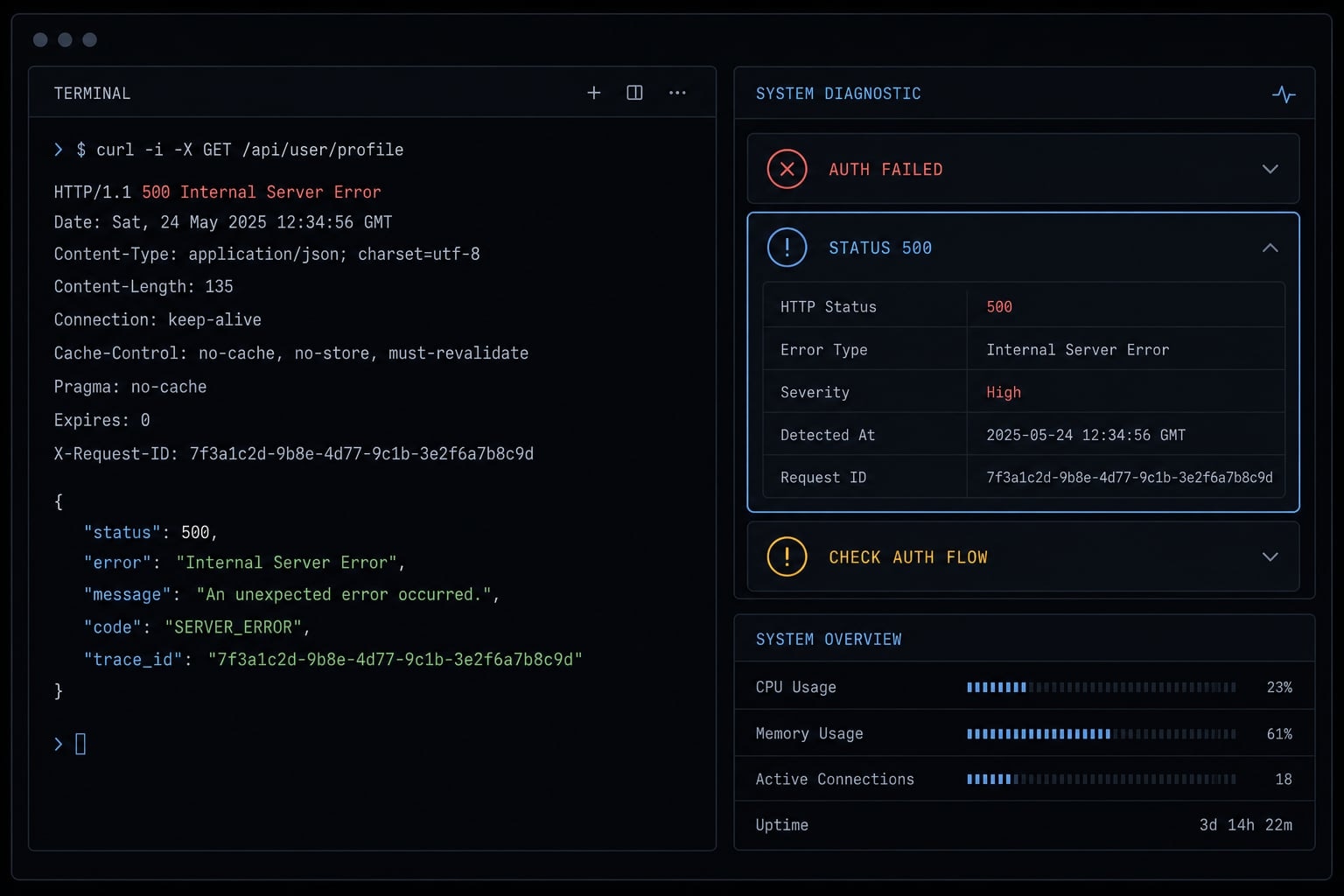
What this error usually means in Claude Code
A Claude Code authentication 500 error usually means the login flow failed either on the service side or during the handoff between your browser and the local CLI session. It does not automatically mean your credentials are wrong. In practice, this OAuth 500 often falls into three buckets: Service issue, version regression, or local environment/network interference.
When users hit a Claude Code authentication 500 error, there are a few things they should and should not infer:
- Do infer: The authentication flow broke somewhere after login started.
- Do infer: The issue may be temporary if it is tied to upstream service behavior.
- Do not infer: Your account credentials are definitely invalid.
- Do not infer: Browser success means the Claude CLI login finished correctly.
- Do infer: If this started after an update, version regression is a strong signal.
A practical way to think about OAuth 500 is simple: The login flow reached a point where something on the server side, or in the browser-to-local session handoff, failed unexpectedly. That is why a Claude Code authentication 500 error often feels inconsistent. The browser step may look complete, while the local session still cannot finalize login.
Why the browser can succeed while the CLI still fails
Browser authorization and local CLI completion are related, but they are not the same step. A common pattern is that the browser successfully finishes the auth flow, while the Claude CLI login fails during the callback, token exchange, or local handoff stage. So even if the browser says “You are all set,” that does not guarantee the local session completed correctly. This is one reason the Claude Code authentication 500 error can look like a credential problem when it often is not.
The most likely causes behind this OAuth 500 error
Most cases of request failed with status code 500 in Claude Code usually fall into three likely cause buckets: A temporary service-side issue, a version-specific regression, or a local environment or network problem. These buckets help narrow the category. They do not prove the exact root cause.
- Service-side issue.
- Version-specific regression.
- Local environment or network interference.
1. Service-side issue
Sometimes the error is simply an upstream auth failure. In that case, request failed with status code 500 reflects transient server-side 5xx behavior rather than anything wrong in your machine setup.
Common signs:
- The issue appears suddenly without local changes.
- Other users report similar login failures around the same time.
- Retrying later works better than making configuration changes immediately.
This is why the fastest first move is always checking the official status page. For OAuth failure during Claude CLI login, a short wait can be more useful than aggressive local debugging.
2. Version-specific regression
A known Claude Code auth bug is another realistic cause bucket. Some releases can introduce auth regressions, even if the flow worked in a prior version.
Strong signals include:
- The problem began right after updating Claude Code.
- You can identify a last known working version.
- Public issue reports show similar reproduction steps.
Public reports have shown patterns where users upgraded, completed browser auth, and still received request failed with status code 500 locally. That does not prove every case has the same cause, but it is a useful signal. If your issue clearly maps to a recent update, treat a known Claude Code auth bug as a serious possibility.
3. Local environment or network interference
The third bucket is your local setup. This includes anything that interrupts the login handoff after browser authorization begins. Typical factors:
- VPN/proxy interference
- Corporate SSL inspection
- terminal/browser handoff mismatch
- Intermittent connectivity
- A setup where the same auth problem appears as a login timeout in one attempt and a 500 in another
In practice, a local issue does not always block the browser step. It can interfere later, which is why OAuth failure during Claude CLI login may still happen even when the sign-in page looks successful.
Known issue pattern from public reports
Some public issue reports have pointed to known auth regression Claude Code patterns after specific releases. Linux appears in some recurring reproduction notes, including cases where Claude Code authentication keeps failing on Linux after browser approval appears complete. That is an observed pattern, not proof that Linux is always the cause. The more useful takeaway is release awareness: if your issue started after an update, check whether others reported the same path.
Local environment factors that can make it worse
A few environment conditions can amplify the problem:
- VPN proxy SSL inspection can disrupt the token exchange or callback stage.
- terminal/browser handoff mismatch may appear in one terminal but not another.
- VS Code integrated terminal behavior may differ from a standalone terminal.
- An unstable connection can turn the same login problem into either a timeout or a 500 depending on timing.
If you see both request failed with status code 500 and timeout behavior, do not assume they are unrelated. They can point to the same broader auth-flow problem.
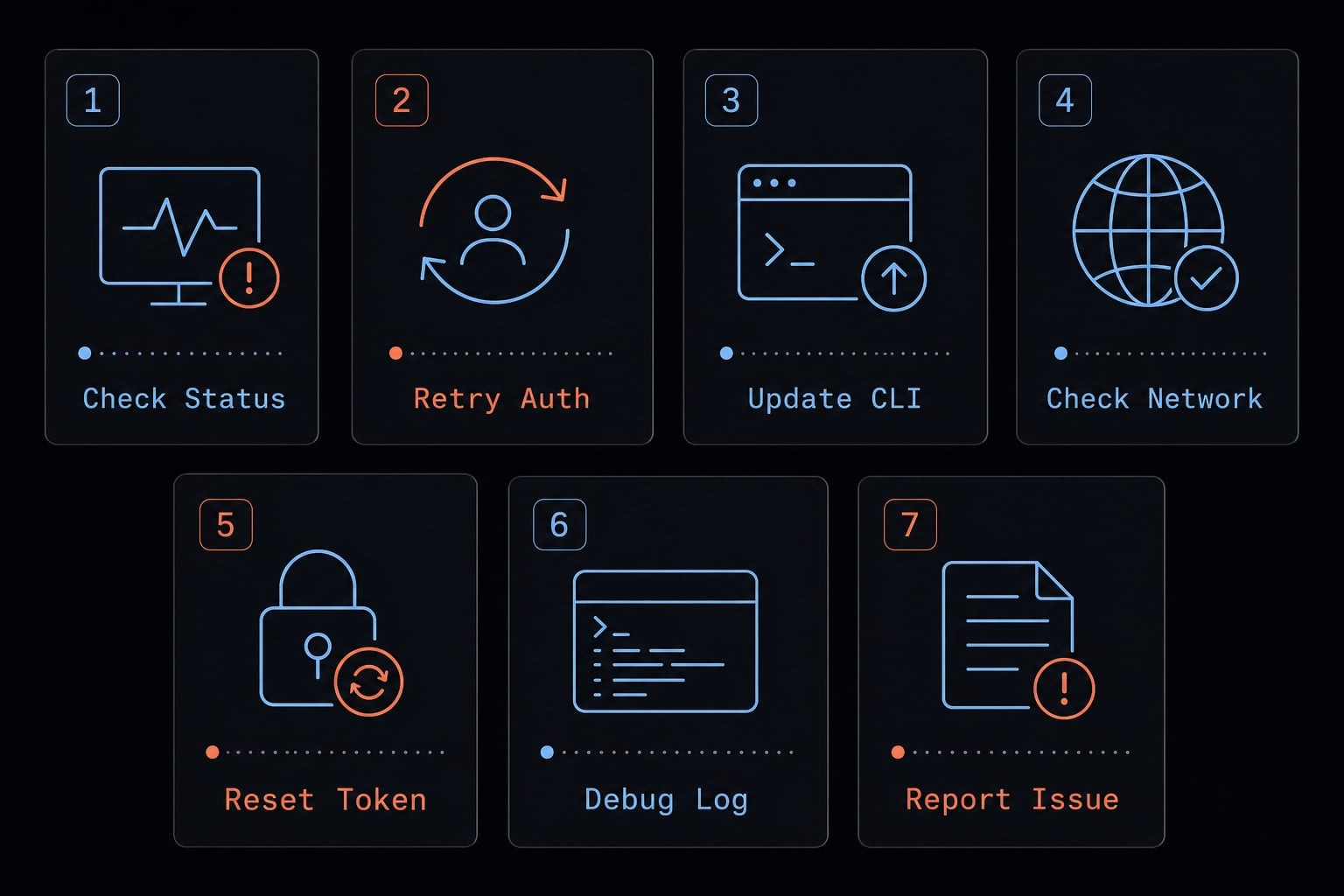
What to try first: Fast troubleshooting checklist
Follow this sequence to resolve the Claude Code OAuth 500 error quickly and safely.
- Check Claude service status
- Retry after a short wait
- Update Claude Code
- Change the local login environment
- Check VPN, proxy, and network constraints
- Start a clean login session
- Report the issue if it still fails
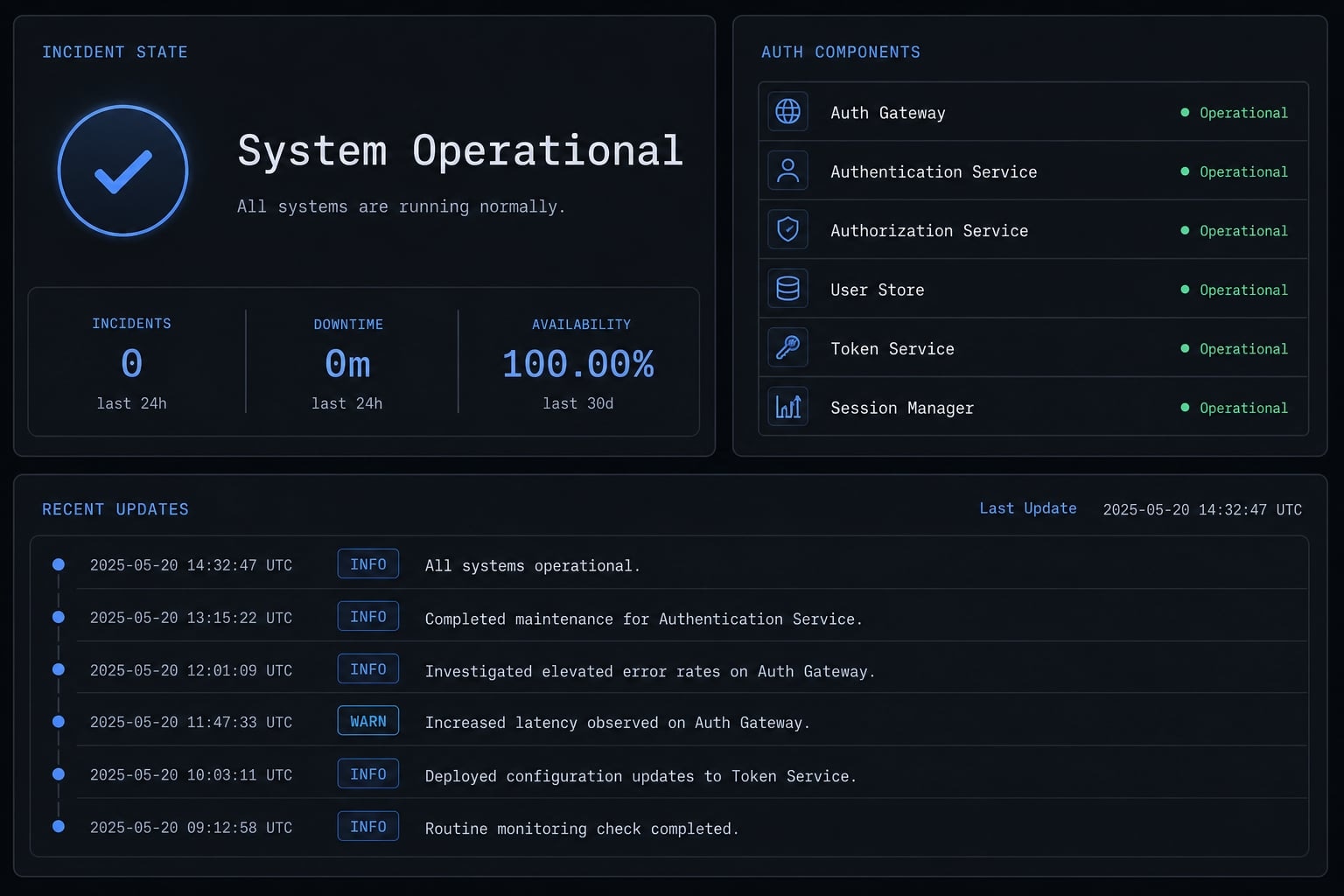
Step 1: Check Claude Service status
This is the fastest first check. If there is an incident, stop local debugging for now.
- Check Claude service status at status.claude.com.
- Look for authentication, login, or API incident notes.
- If there is an active issue, retry later instead of changing your setup blindly.
Step 2: Retry after a short wait
Some 500 errors are transient. That is normal for certain server-side failures.
- Wait a few minutes, then retry Claude login.
- Avoid hammering repeated attempts back-to-back.
- A short pause gives a better signal than instant retries during a transient 500 error.
If your Claude Code login failed once and then works later with no changes, that often points away from a deep local issue.
Step 3: Update Claude Code
If you are looking for how to fix OAuth error 500 in Claude Code CLI, version awareness matters. Auth issues can be release-specific.
- Update Claude Code to the latest stable version.
- Note your current version.
- Note the last known working version.
- If the issue began after upgrading, treat known Claude Code auth bug as a real possibility.
This step matters because some public reports have described regressions where login worked in one version, then broke in a newer one.
Step 4: Change the local login environment
If status looks normal and the error persists, test whether the problem is tied to the local handoff. Try these low-risk checks:
- Retry the Claude CLI login from a different terminal.
- If you are using VS Code integrated terminal, test a standalone terminal.
- Try a different browser.
- Restart the auth flow cleanly instead of reusing an old login attempt.
This step helps identify a terminal/browser handoff mismatch rather than a broad service outage. It is one of the most practical parts of any Claude login error fix workflow.
Step 5: Check VPN, proxy, and network constraints
Controlled networks can interfere with callback or token exchange behavior. Safe checks:
- Temporarily disable VPN, if allowed.
- Switch to another network, if practical.
- Confirm whether a proxy is active.
- Ask whether corporate VPN proxy network constraints or SSL inspection are in place.
You do not need to make risky system or enterprise network changes. The goal is only to test whether OAuth failure during Claude CLI login happens in one network path but not another. If yes, that narrows the category.
Step 6: Start a Clean login session
Sometimes the best next signal comes from restarting the auth flow from a clean state.
- Close the current session.
- Start login again from scratch.
- Avoid mixing old browser tabs with a new local attempt.
This will not solve every case, but it reduces noise when testing a Claude login error fix path.
Step 7: Report the issue if it still fails
If you have already checked status, waited, updated, changed environment, and tested network conditions, more random retries usually do not add value.
At that point:
- Stop making larger local changes.
- Gather version and environment details.
- File a clean report with exact observations.
That is often the most productive answer to how to fix OAuth error 500 in Claude Code CLI when the issue is reproducible.
A simple decision tree: Server issue, version bug, or your environment?
This decision tree helps you sort the issue into the most likely category. It narrows the likely category; it does not prove the exact root cause.
Quick symptom mapping:
Symptom | Most likely category | What to do next |
|---|---|---|
Browser completes, CLI fails | Local handoff issue or client-side regression | Try a different terminal/browser, then check version history |
Many users report the issue at once | Service-side issue | Check status.claude.com and wait before changing local setup |
Issue began right after update | Version regression | Update again if available, compare with last known working version, monitor public issue reports |
500 sometimes becomes timeout | Local network instability or auth-flow disruption | Check VPN, proxy, SSL inspection, and connection stability |
Issue repeats in one environment but not another | Local environment issue | Isolate terminal, browser, and network differences |
Claude Code authentication keeps failing on Linux after a recent release | Possible regression, not Linux proof | Compare version timing and reproduction with public reports |
Claude CLI login timeout or 500 status across one managed network only | Network interference | Test another network path if possible |
A simple interpretation helps:
- Many users affected or status incident usually points to service-side behavior.
- Started after version change is a strong signal for known auth regression Claude Code issues.
- Only fails in one setup usually points to local environment or network conditions.
- Browser success + CLI failure often means the local completion step failed, not the initial sign-in itself.
When to stop troubleshooting and report the issue
If the issue persists after the fast checklist, more guessing usually has low value. This is the point where it makes sense to report Claude Code auth bug behavior instead of repeatedly changing local settings.
Stop troubleshooting and escalate when:
- You already checked status and retried later.
- The problem is reproducible.
- You tested another terminal or browser.
- You checked VPN/proxy conditions.
- You know your current version and last known working version.
- Additional retries are not producing new signals.
If you continue to encounter this 500 error after performing these checks, filing a bug report is more productive than repeated trial and error.
When you report Claude Code auth bug issues, include facts that help others reproduce the problem:
- Claude Code version
- Operating system
- Terminal or shell used
- Whether the browser showed success
- Exact error text: 500, timeout, or both
- Last known working version
- Whether VPN/proxy was enabled
- Exact reproduction steps
Keep one rule in mind when you report Claude Code auth bug behavior: report what you observed, not what you assume caused it.
Practical note for teams that depend on Claude Code daily
For teams that rely on Claude Code every day, the goal is not to eliminate every auth issue. The goal is to reduce repeated downtime and keep reliable AI workflows in place.
A few lightweight habits help:
- Standardize the default login environment where possible.
- Track the current version and last known working version.
- Keep a short internal auth checklist instead of ad hoc debugging on every machine.
This improves developer tooling stability and prevents multiple team members from testing random fixes at the same time. For small teams, that operational discipline often matters more than any single workaround.
Frequently asked questions
What does "OAuth error: Request failed with status code 500" mean in Claude Code?
This error typically indicates a server-side failure or an interruption during the authentication handoff between your browser and the Claude Code CLI. Crucially, it does not always mean your credentials are incorrect; it often suggests a transient service issue, a version-specific regression, or local network interference.
Why does the browser say "You are all set" while the CLI still shows an error?
Browser authorization and local CLI session completion are two separate steps. The "You are all set" message only confirms your browser successfully authenticated with the Anthropic service. The CLI error occurs later if the token exchange or the handoff back to your local environment fails to complete properly.
How can I fix the OAuth 500 error in Claude Code?
Follow this order to resolve the issue safely and quickly:
- Check the official status page for service incidents.
- Wait a few minutes and retry the login.
- Update to the latest version of Claude Code.
- Try logging in from a different terminal or browser.
- Temporarily disable VPNs or proxies that might interfere with callbacks.
- If the error persists, file a bug report with your system details.
Is the OAuth 500 error a sign of a persistent bug?
Not necessarily. While some users have reported this as a recurring issue—particularly on Linux—it is often a transient error. You can distinguish between a persistent bug and a temporary issue by checking if the problem persists across different network environments or after updating the CLI.
What should I include in a bug report for Claude Code authentication issues?
To ensure your report is actionable, include these specific details:
- Your Claude Code version and OS.
- The terminal or shell being used.
- Whether the browser indicated success.
- The exact error message (e.g., 500 status vs. timeout).
- Any VPN or proxy configurations active during the attempt.
- Steps to reproduce the failure.
When should I stop troubleshooting and contact support?
Stop local troubleshooting if you have updated to the latest version, tested across different networks (e.g., bypassing VPNs), and restarted the flow from a clean state without success. At this point, the issue is likely a service-side bug or a specific environment incompatibility that requires engineering investigation.
Read more:
- Claude Code stuck? How to recover and troubleshoot fast
- How to authenticate Claude Code in terminal
- Claude Code invalid tool parameters: Causes and fixes
Conclusion
The oauth error: request failed with status code 500 Claude usually falls into one of three buckets: service-side issue, version regression, or local environment/network interference. The key point is simple: browser success does not guarantee the local CLI session finished correctly.
The safest troubleshooting order is also the most effective for most users: status → retry → update → change environment → check VPN/proxy → report. That sequence helps you separate transient incidents from a Claude Code auth troubleshooting problem that needs escalation. Save this checklist, share it internally if your team uses Claude Code regularly, and keep the bug-report checklist handy for the next reproducible login failure.