Claude Code vs Lovable: Which AI tool fits your workflow?
Claude Code vs Lovable: Which one fits your build workflow better?
Choosing the wrong AI build tool may not hurt on day one, but it can create problems later when the prototype grows and your team needs to debug, extend, or hand it off. That is why comparing Claude Code and Lovable is about more than just features. For founders, developers, and small product teams, the real question is workflow fit: Launch speed, code ownership, maintainability, and long-term rework. In this guide, we compare both tools across the factors that matter most, so you can choose with fewer surprises and less migration cost.
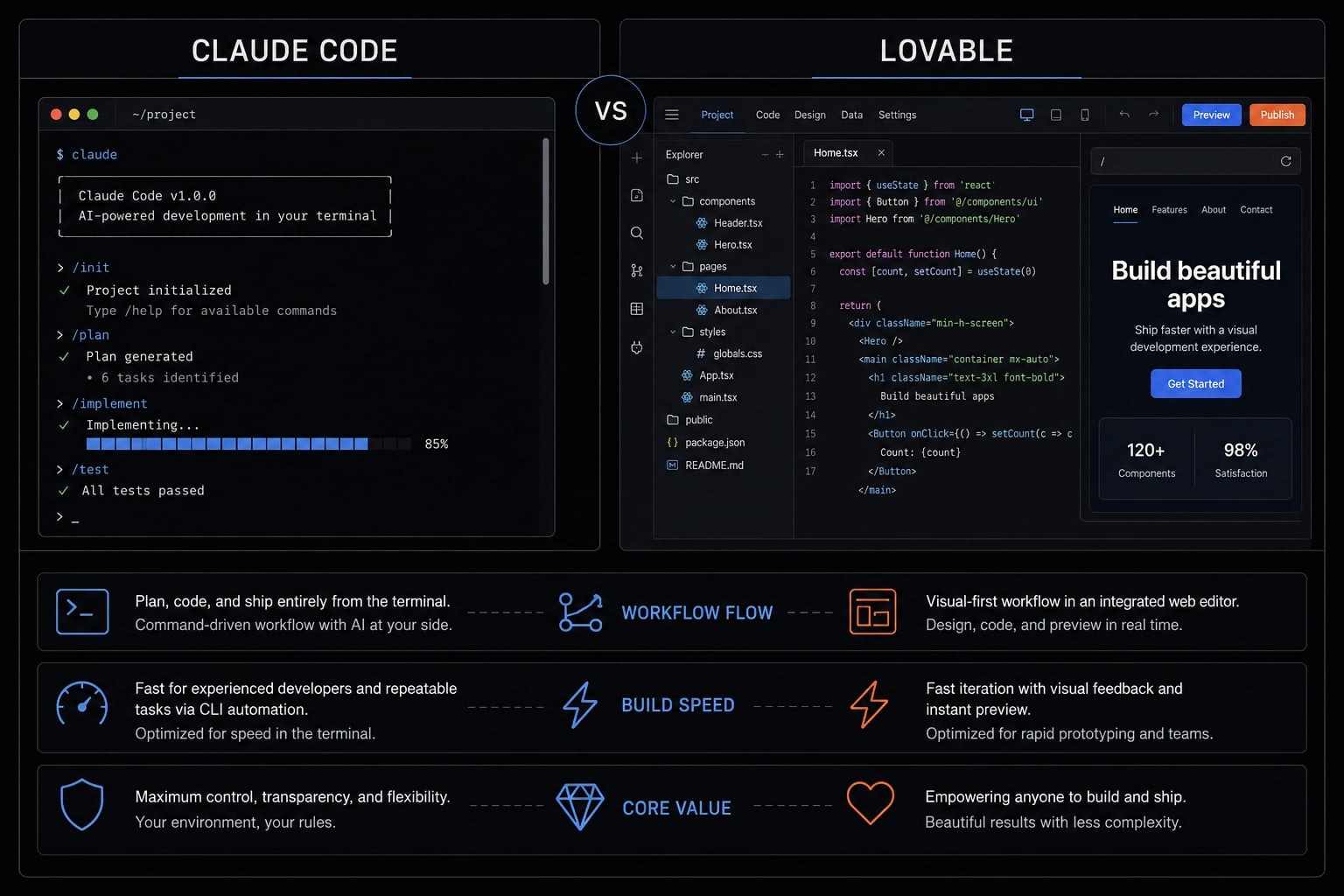
Fast answer: Claude Code vs Lovable in one view
If you want the short version of Claude Code vs Lovable, the decision is really about speed vs control. Both can help you ship faster. But they serve different stages of product development, and the wrong choice usually becomes visible after the first version goes live.
- Use Lovable if… you want the fastest path to a working prototype, a low-friction visual launch, or a quick test for users, investors, or internal feedback.
- Use Claude Code if… you need deeper control over the codebase, stronger debugging, more customization, and a workflow better suited for maintainable software.
- Choose based on… what happens after version one. There is no universal winner in Claude Code vs Lovable. The better choice depends on whether you are validating an idea or building an asset you expect to keep extending.
Faced with a choice between a terminal-based coding agent and a managed app builder, Lovable usually stands out for speed and simplicity.
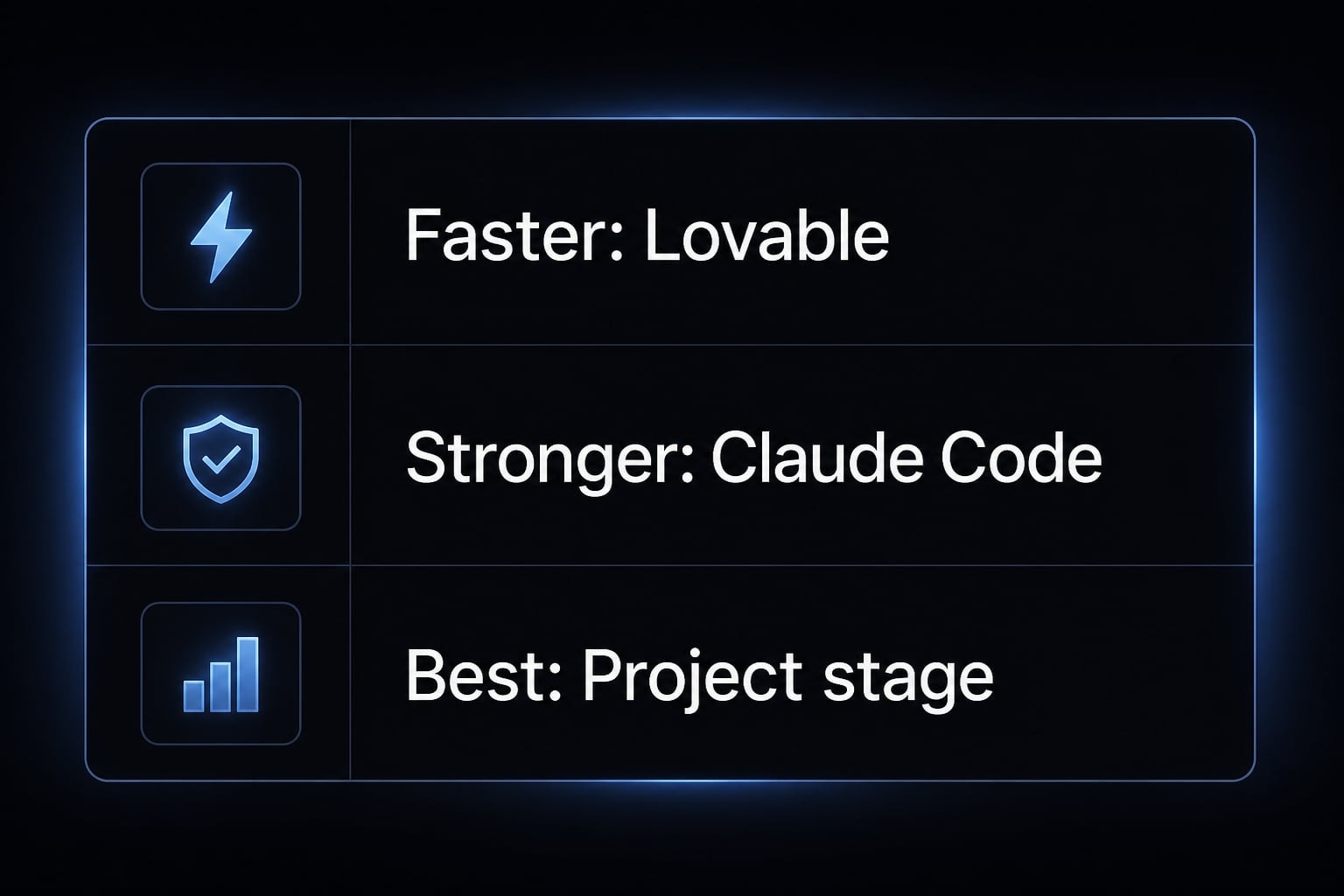
Best for rapid prototypes vs controlled builds:
Choose Lovable if:
- You need a demo this week, want visual speed, and do not want to manage much setup.
- The app is mainly for fast validation, lightweight internal use, or quick landing-page style experiments.
Choose Claude Code if :
- You are building a product you expect to maintain for months and want stronger control over architecture and debugging.
- The project is likely to grow in complexity and you care about using the best AI coding agent for production-ready applications.
What actually makes Claude Code and Lovable different?
The biggest difference in Claude Code terminal agent vs Lovable web-based builder is the workflow model. Claude Code works more like a local, terminal-driven coding agent inside your own development environment. Lovable works more like a browser-based, managed app-building platform designed to reduce setup and help you launch faster.
That difference changes much more than user experience. In a terminal-based agent vs browser-based IDE comparison, the practical consequences show up in onboarding speed, codebase ownership, deployment flexibility, and infrastructure management.
Lovable feels easier early because much of the setup is abstracted away. You can move from idea to interface quickly, especially if your goal is validation rather than deep customization. For non-technical founders, this is a meaningful advantage. Less setup means fewer decisions and a faster route to a usable demo.
Claude Code asks for more involvement because it works closer to your actual development stack. That creates more responsibility, but also more direct control. You can inspect, modify, debug, and extend the project with fewer platform constraints. For developers and product teams, that usually matters more as soon as the app needs custom logic, external integrations, or a more flexible deployment path.
In practice, the comparison looks like this:
- Lovable: faster onboarding, managed setup, lower friction, less direct control
- Claude Code: more setup responsibility, deeper system access, stronger customization, better fit for long-term extension
- Business consequence: convenience now can reduce options later if the project outgrows its first workflow
A fast demo is not the same thing as a maintainable product. The best choice changes by project stage, not by popularity.
Interaction mode, environment, and core value
- Interaction mode: Claude Code is a terminal-based agent vs browser-based IDE alternative. It matters because direct code interaction improves control. This benefits developers and technical founders most.
- Working environment: The core difference is local system vs managed platform. Local access gives flexibility and debugging depth. Managed platforms reduce setup and speed up launch.
- Main value exchange: Lovable trades some control for convenience. Claude Code trades some convenience for ownership and extensibility. The right fit depends on whether you value immediate output or longer-term adaptability.
Why managed infrastructure feels fast early and why full ownership matters later
Managed infrastructure feels fast because it removes decisions. You do not need to think as much about environment setup, deployment details, or how the project is wired together. That is why tools like Lovable can feel unusually productive in the first hours or days.
The trade-off appears later. As soon as the product needs custom integrations, deeper debugging, or non-standard business logic, the limits of abstraction become more visible. This is where codebase ownership starts to matter. If the project is no longer a disposable test, but a real product asset, you need confidence that the team can evolve it on your terms.
That is also where deployment flexibility matters. A managed launch path is useful early. But if your deployment, security, tooling, or handoff requirements become more specific, more direct control usually reduces friction over time.
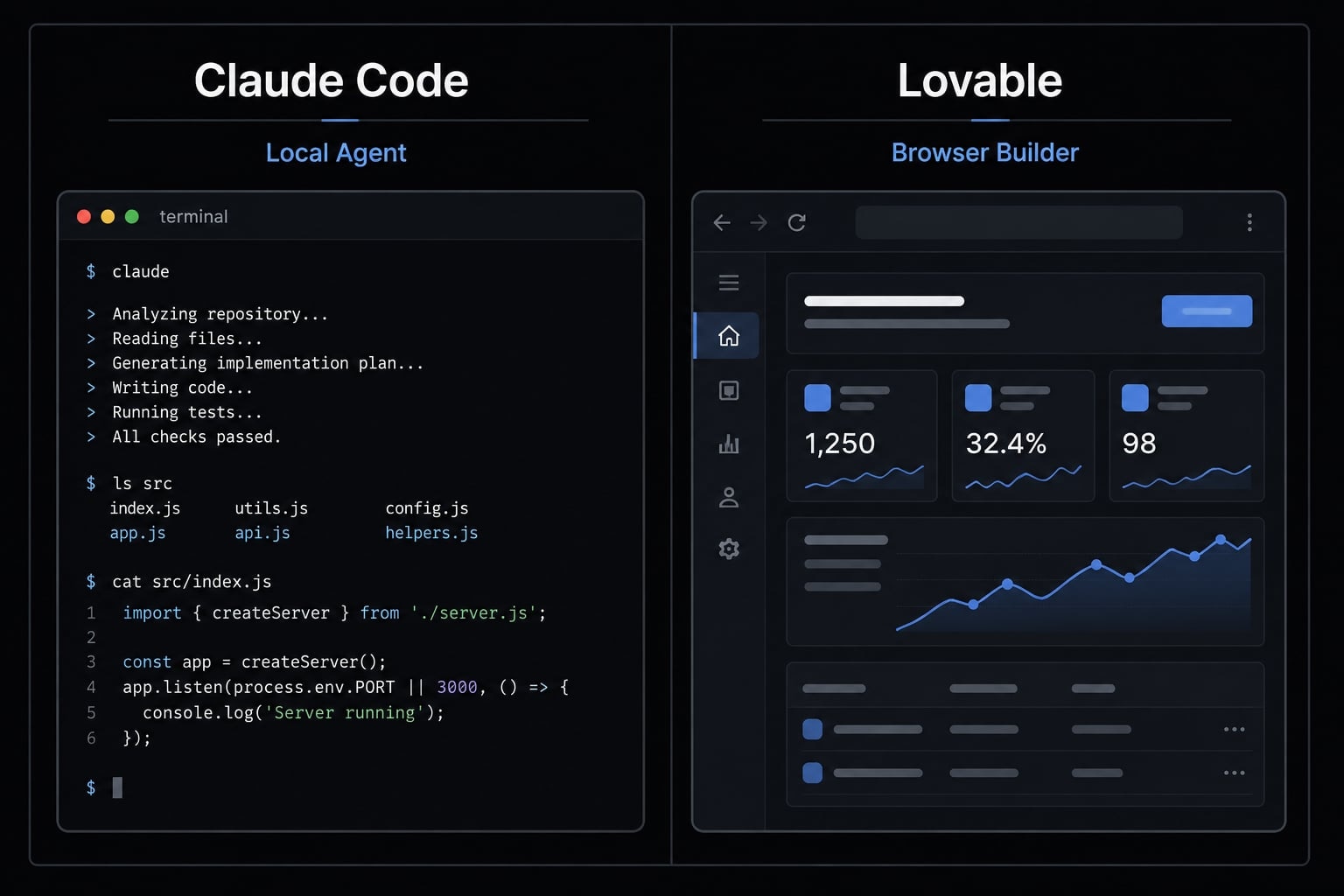
Side-by-side comparison across the decision criteria that matter
The most useful Claude Code vs Lovable comparison is not about raw features. It is about which workflow helps you move faster now without creating unnecessary rework later. The table below focuses on the criteria that affect real delivery outcomes in full-stack development, not just first impressions.
Comparison table
Criteria | Claude Code | Lovable | Better Choice |
|---|---|---|---|
Time to first prototype | Slower to start, but still fast for technical users | Usually faster for visual prototypes and quick launches | Lovable |
Ease of onboarding | Better for developers comfortable with local tools | Easier for non-technical users and small teams | Lovable |
Codebase ownership | Works directly in your repo - no export step exists because there is nothing to export from | Two-way GitHub sync; code lives in your repo and you can leave at any time. Hosting and some managed services are stickier than the code itself | Claude Code |
Custom logic and flexibility | Stronger for custom workflows, integrations, and evolving requirements | Better for standard patterns, and native Supabase and Stripe integration removes real work for auth and payments. Weaker once logic goes beyond what the connectors cover. | Claude Code |
Deployment simplicity | More flexible, but often requires more setup in the deployment pipeline | Easier launch flow with managed defaults | Lovable |
Debugging and system access | Better debugging capability, more direct environment access, stronger context-aware coding in your actual stack | More limited by platform abstraction | Claude Code |
Long-term maintainability | Better fit for production-ready applications when the product will keep growing | Can be fine for lighter apps, but maintenance risk rises with complexity | Claude Code |
Team workflow standardization | Stronger when combined with repeatable processes and human-in-the-loop AI review | Simpler for ad hoc experimentation | Depends |
Best use case | Product-oriented builds, custom apps, deeper engineering workflows | Fast prototypes, demos, lightweight internal tools | Depends |
Overall trade-off | More control, more responsibility, better long-term flexibility | More speed, less setup, higher convenience early | Depends |
Lovable has the clearer edge when the goal is speed, simplicity, and a low-friction first version. Claude Code has the clearer edge when the app needs to behave like software your team will actually maintain. If the project is disposable validation, Lovable can be enough. If it is becoming a growing software asset, Claude Code usually becomes the safer operational choice.
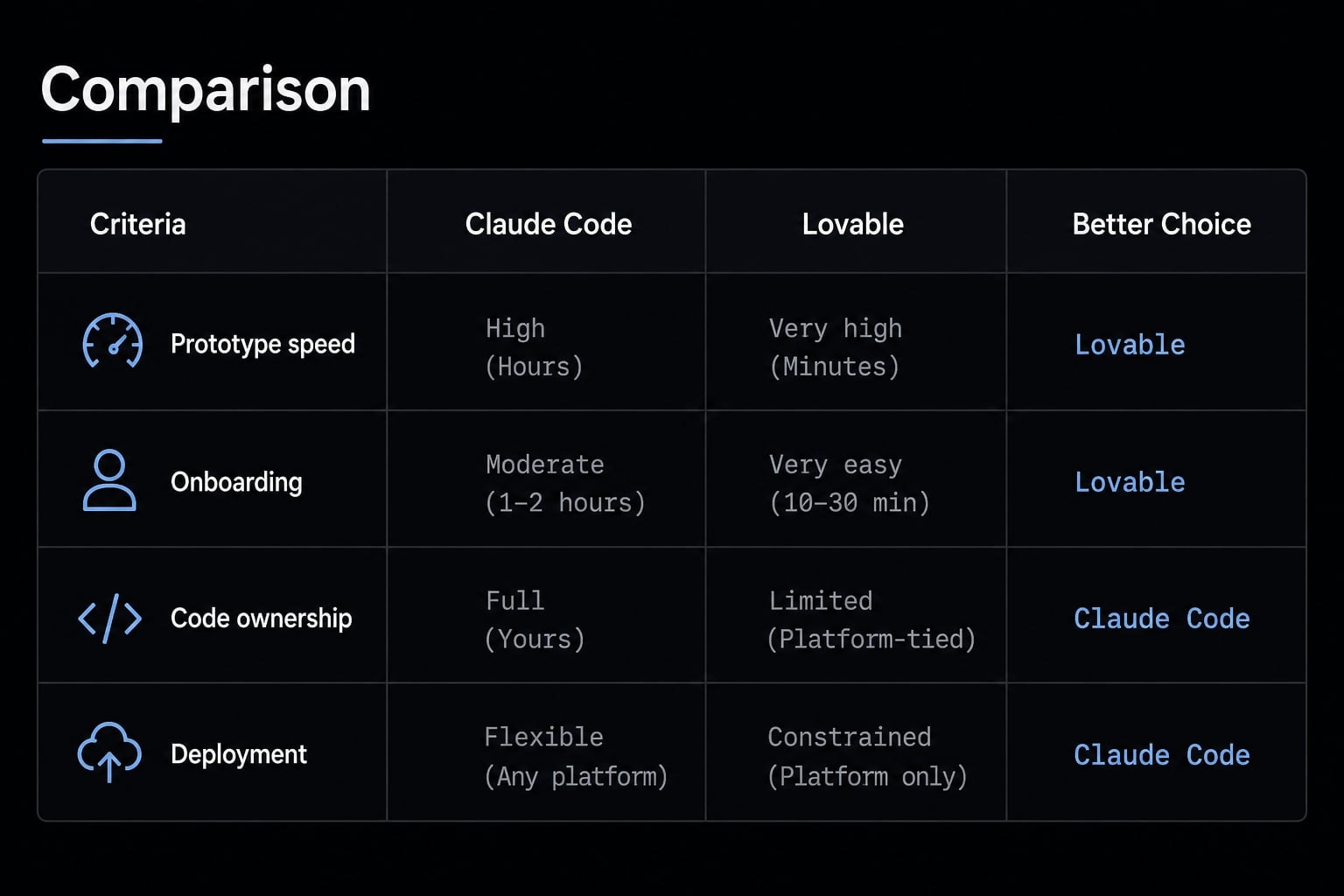
Where each tool has an unfair advantage
Each tool has one advantage that is hard to ignore:
- Lovable’s unfair advantage: Visual speed, low-friction onboarding, and a faster path from idea to clickable demo
- Claude Code’s unfair advantage: Stronger debugging capability, better customization, more direct control, and a cleaner path toward production-ready applications
This is why one tool does not replace the other cleanly. Lovable helps reduce early execution friction. Claude Code helps reduce later engineering friction. The right answer changes with project stage, team capability, and how seriously you expect to maintain the result.
Which tool fits which use case?
The better tool depends less on branding and more on what your team is trying to accomplish next. Claude Code vs Lovable for SaaS MVP development is a different decision from choosing a tool for a quick investor demo or a lightweight internal app. Most teams get the best result when they choose based on role, timeline, and expected maintenance burden.
For solo founders, developers, and small teams
- If you need a demo for users or investors this week, Lovable usually fits better. In a founder validation workflow, speed matters more than deep code control. The priority is learning, not perfect structure.
- If you are a non-technical founder who needs a quick prototype, Lovable is often the easier path. You can get something tangible live without taking on much setup complexity.
- If the project is an internal tool or lightweight app, Lovable can be a very efficient choice, especially when long-term complexity is unlikely.
- If you are a developer building a maintainable product, Claude Code is usually the stronger choice. You get more direct control over implementation, debugging, and future changes.
- If you expect to keep extending the product, Claude Code becomes more attractive. The hidden cost of convenience often appears at handoff, refactoring, or integration.
- If your app will require custom logic, Claude Code is generally safer. This is especially true when the product goes beyond common templates or needs deeper system behavior.
- If you are a small team balancing speed and governance, the right answer depends on scope. For quick internal experiments, Lovable may be enough. For customer-facing products with roadmap depth, Claude Code often fits better.
- If you are evaluating a SaaS MVP with plans to expand over time, Claude Code is usually the better long-term bet, even if Lovable looks faster at the start.
Practical decision rules
- If you need to test demand this week, use Lovable instead of Claude Code.
- If the product is production-bound, choose Claude Code for stronger control.
- If the app is a lightweight internal tool, Lovable is often enough.
- If the goal is an investor or user demo, Lovable usually gets you there faster.
- If the product will require custom logic, choose Claude Code early.
- If you want to prototype first, rebuild later, Lovable can still be the right first step.
- If migration cost would hurt your team later, start with Claude Code.
- If you need repeatable engineering workflows, Claude Code is usually the safer base among AI-assisted software engineering tools.
- If your core requirement is the best AI coding agent for production-ready applications, Claude Code is typically the stronger fit.
The path most teams actually take:This is not always an either-or choice. A common sequence: Build the prototype in Lovable, sync it to GitHub, then hand the repo to Claude Code for hardening — tests, refactoring, custom integrations.That works because Lovable's two-way GitHub sync means there is no export wall to climb. You are not rebuilding; you are changing which tool drives the same repo. If you were worried about migration cost, this is the answer to it.
The real decision is not “Which tool is smarter?” - It’s “What happens after the first build?”
Most teams evaluate AI build tools too early in the lifecycle. They compare how fast the first version appears, not how expensive the second and third versions become. That is where the real ownership of codebase Claude Code vs Lovable question starts to matter.
A prototype that ships fast can still become expensive to maintain. This is the central risk in many AI build workflows. Early output often hides deeper weaknesses. When teams talk about production readiness, they are really asking whether the result can be maintained, debugged, integrated, and extended without added friction.
This is where technical debt in AI-generated code shows up. In plain English, that means more cleanup, more fragile behavior, weaker handoff, and higher migration cost once the app grows. A tool can feel efficient during experimentation and still create problems during scale-up.
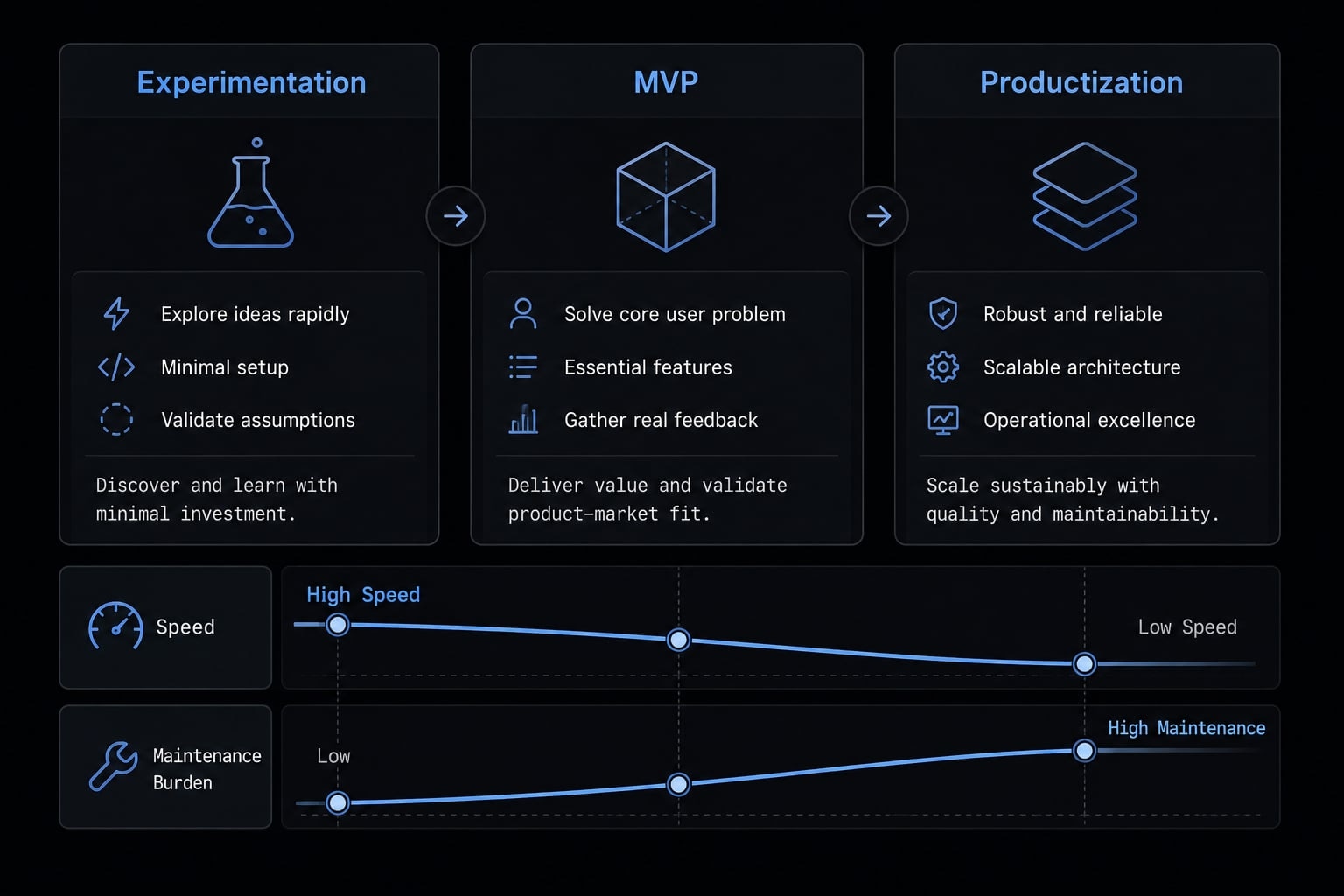
The practical evaluation should follow a simple maturity model:
- Experimentation: Speed matters most; Lovable often fits well.
- MVP: Speed still matters, but ownership and flexibility start becoming more important.
- Productization: Maintainability, deployment pipeline control, and repeatable workflows usually matter more than launch convenience.
In AI-native software engineering, the long-term question is not whether AI helped you ship faster. It is whether the team can operate the result consistently after the first build. That is why the hidden cost usually shows up in maintenance, debugging, integration work, and rebuilding after traction appears.
Where AgentKit fits if you choose a more controlled AI development workflow
Choosing a more controlled path solves one problem, but creates another: consistency. Once a team starts relying on AI in real delivery work, the challenge is no longer just tool access. It is repeatability across tasks, people, and outcomes. This is where AgentKit becomes relevant, especially for teams building around Claude Code workflows and similar environments.
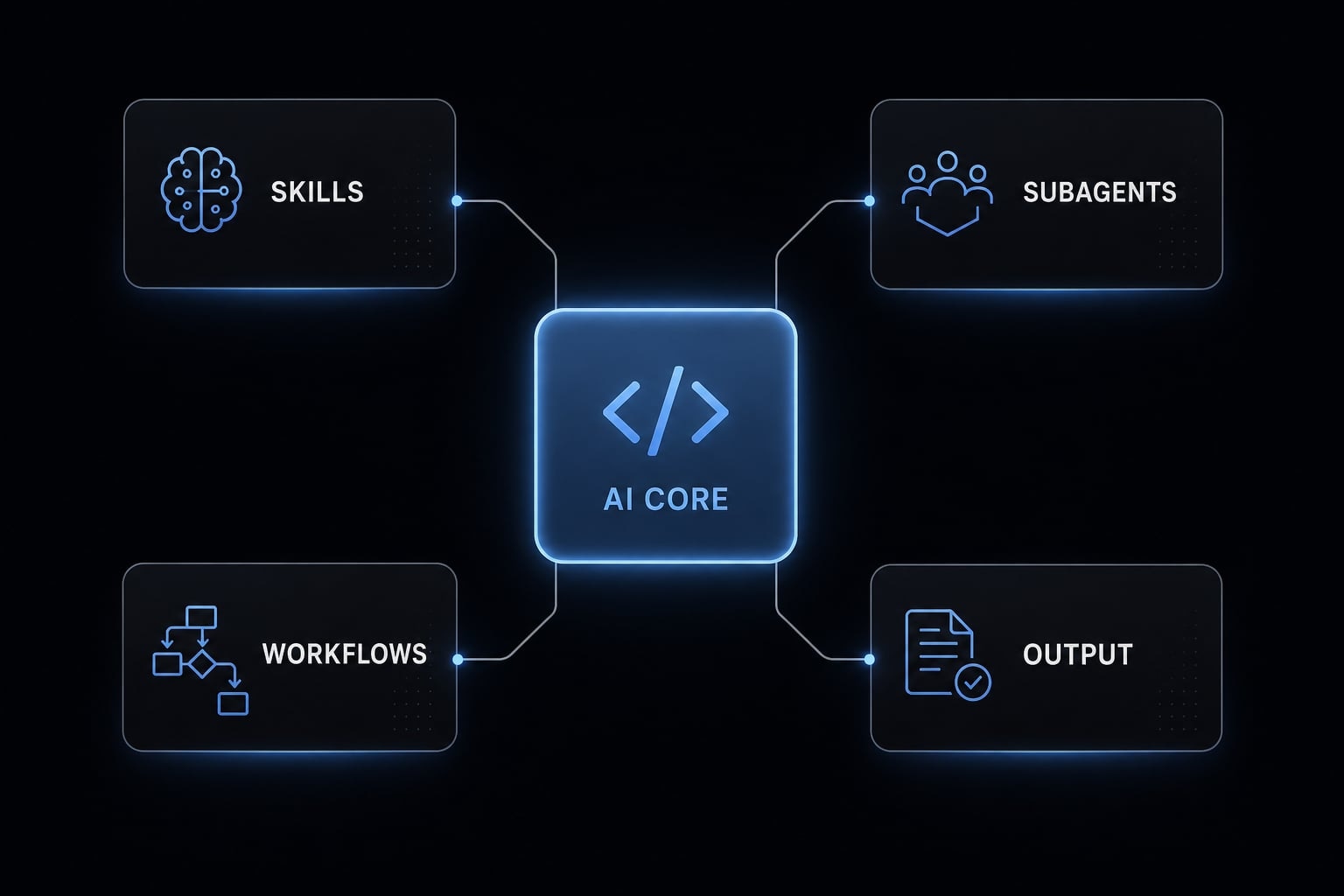
AgentKit helps standardize AI-assisted development operations through workflow infrastructure rather than one-off prompting. That matters when you want more predictable quality and less reinvention from project to project.
- Reusable skills help teams avoid rebuilding the same instructions and logic every time
- Subagents make it easier to separate work by function, such as planning, testing, debugging, or content operations
- Automated workflows reduce manual coordination and make repeated processes more reliable
- A structured layer improves consistency when multiple contributors use AI across the same delivery pipeline
This is most useful when AI usage becomes frequent enough that ad hoc prompting starts creating inconsistency. At that point, workflow standardization matters more than simply having access to a capable tool.
Best fit for repeated AI coding usage: AgentKit is best suited for teams that repeatedly use AI coding tools and need cleaner execution across tasks, contributors, and environments. For organizations running recurring Claude Code workflows, the value is not novelty. It is operational consistency. When teams want less prompt drift, more reusable process logic, and stronger workflow standardization, AgentKit serves as a practical coordination layer rather than another tool to learn.
Frequently asked questions
What is the core difference between Claude Code and Lovable?
Claude Code is a terminal-based agent that operates within your local environment, offering deep control over your codebase and Git history. Lovable is a browser-based, managed platform that abstracts infrastructure, providing a faster, visual-first environment for building and deploying applications without managing the backend setup.
Which tool is better for a rapid prototype?
Lovable is generally faster for rapid prototyping. Its managed environment allows you to describe an app and launch it live with one click. If your primary goal is to validate a concept or test a user interface quickly, Lovable’s low-friction workflow is a clear advantage.
Can I use Claude Code for production-ready applications?
Yes, Claude Code is well-suited for production-ready applications. Because it runs on your local machine and gives you full access to your filesystem, deployment pipelines, and custom tech stacks, it is more adaptable for complex, long-term products that require deeper maintenance, security, and integration control.
Why does code ownership matter when choosing an AI tool?
Code ownership ensures you retain direct access to your source code and development history. While managed tools like Lovable provide convenience, they can create friction if you eventually need to migrate, perform deep custom debugging, or integrate specific external systems that the platform’s managed environment does not natively support.
Does choosing a fast build tool create technical debt?
Yes, it often can. Choosing a tool for sheer speed-without considering maintainability-can lead to "AI-generated technical debt," where the codebase is difficult to extend or debug later. Always evaluate if the tool’s output structure will support your project’s growth once you move past the initial prototype stage.
Read more:
- Claude Code vs GitHub Copilot: Which AI coding tool fits you?
- Codex vs Claude Code: Which AI coding agent suits you best?
- Claude Code vs Cline: Which AI coding workflow suits you?
Conclusion
In Claude Code vs Lovable, the clearest verdict is simple: Lovable is usually better for fast validation, lightweight apps, and quick launches. Claude Code is usually better for deeper control, stronger maintainability, and products that are likely to grow.
The right choice depends on whether you are building a prototype or a software asset. If the app is mainly a test, speed may matter most. If the app will need customization, debugging, handoff, and extension, control matters more. That is the trade-off teams should evaluate first.