Codex vs Claude Code: Which AI coding agent suits you best?
Codex vs Claude Code: Which AI coding agent is the better fit?
If you’re comparing Codex and Claude Code, you probably already know that both are capable tools. The more important question is which one best matches the way you build and ship software. For solo developers, founders, senior engineers, and small product teams, the decision usually comes down to speed, code quality, pricing, GitHub workflow fit, and day-to-day usability. This is not a hype contest. It is a practical comparison of where each tool performs better in real repo work, where each creates friction, and how to choose based on your workflow rather than brand preference.
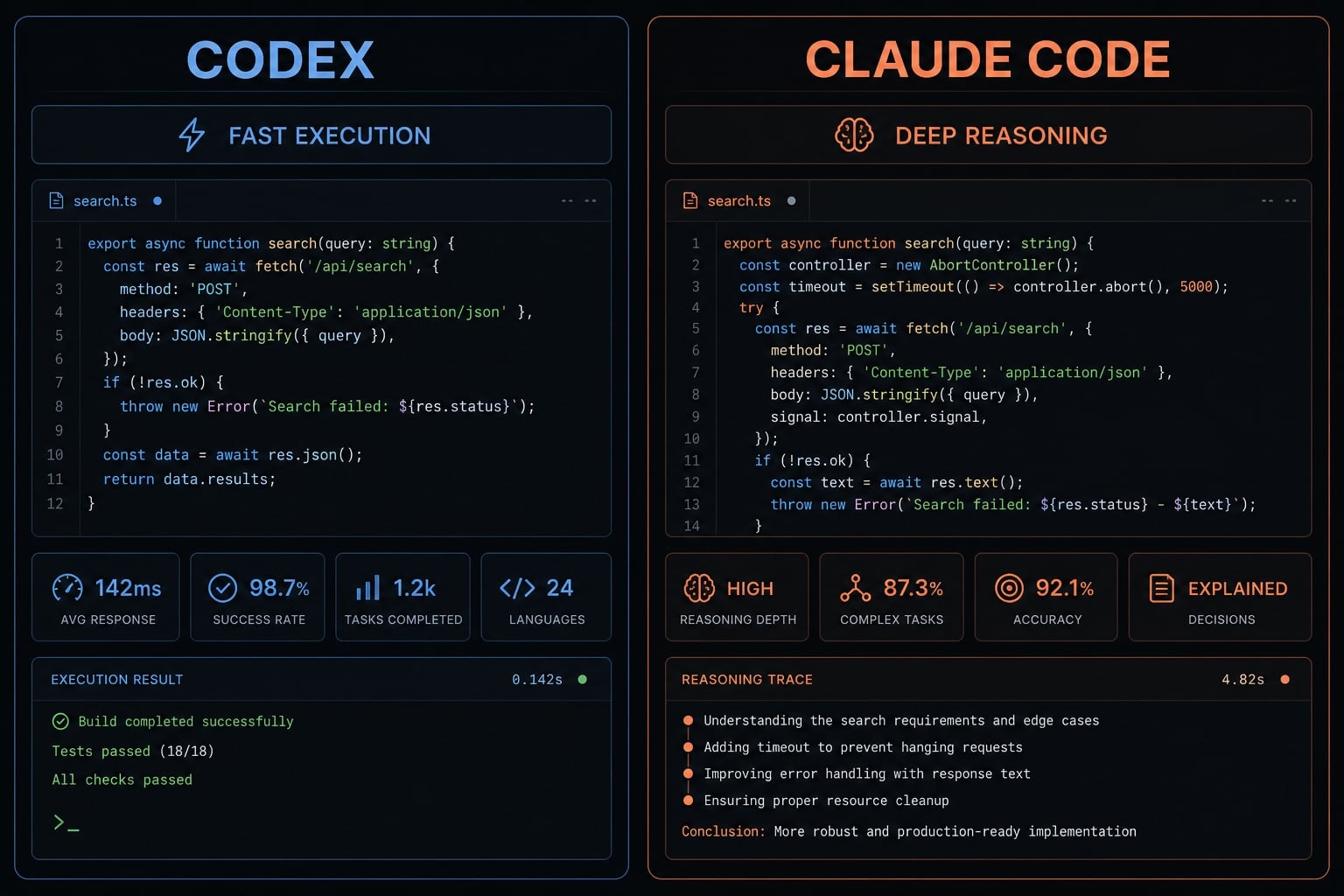
Quick verdict: Codex vs Claude Code at a glance
In most practical comparisons of Codex and Claude Code, Codex tends to stand out for speed, GitHub-focused workflows, and overall value. Claude Code is often the better choice for deeper codebase analysis, extended sessions, and safer changes across multiple files. Neither is the best AI coding assistant for every developer workflow.
Fast answer by use case
- Best for fast, clearly scoped coding tasks: Codex
- Best for deep repo reasoning and careful refactors: Claude Code
- Best value for budget-sensitive users: Codex
- Best for long exploratory sessions: Claude Code
For many teams, the real answer to Codex vs Claude Code depends less on headline features and more on the kind of work you do every day. Execution-heavy workflows often favor Codex. Architecture-sensitive or messier repo work often favors Claude Code.
Why the verdict is not absolute
Tool quality changes quickly in this category. Small UI changes, usage policies, model updates, and integration improvements can shift the experience within months. That is why the safest decision framework is workflow fit over hype. Choose the tool that aligns with how you work now, not the one winning the loudest online debate.
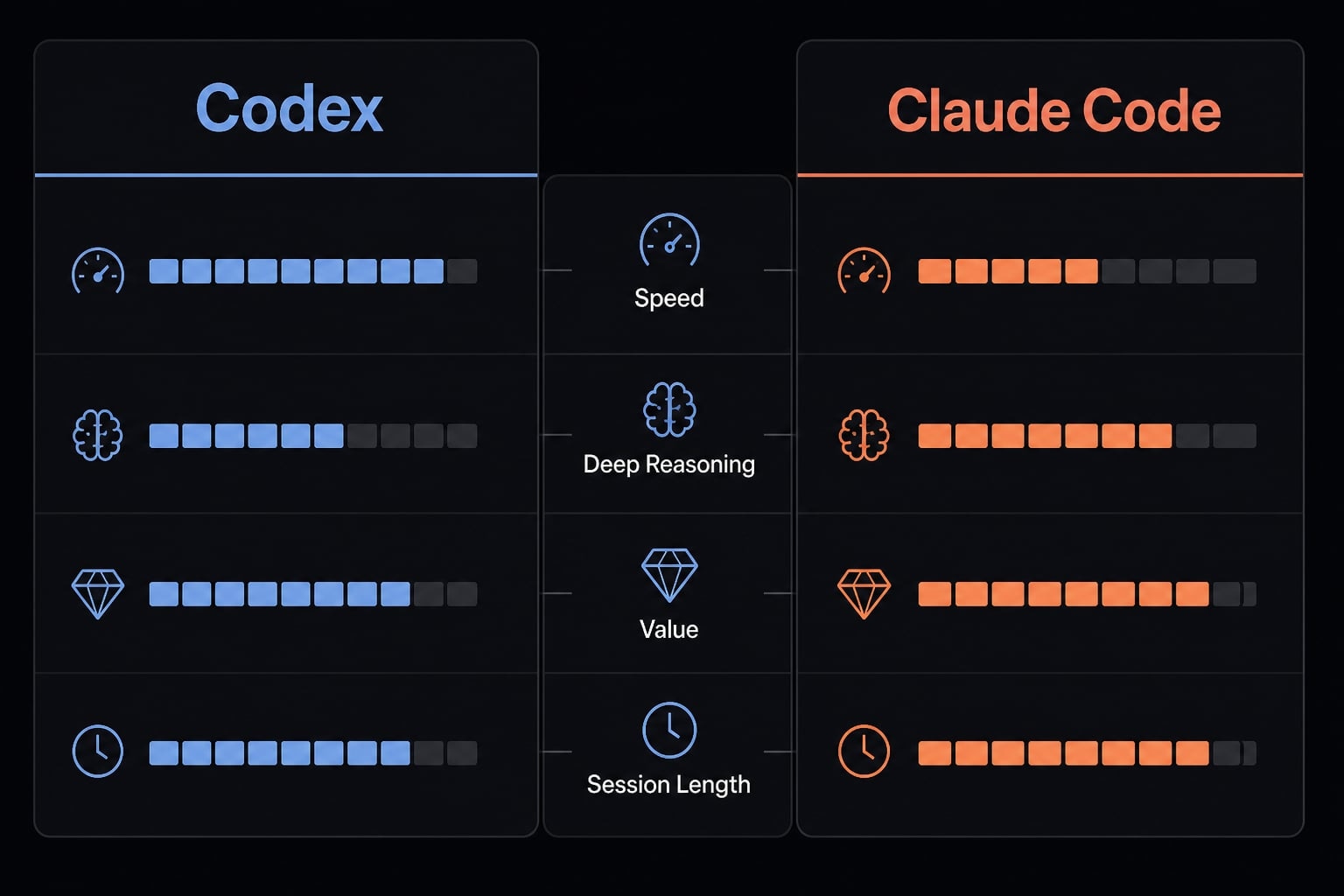
Side-by-side comparison table: Where each tool wins
This is a workflow-first comparison, not a benchmark contest. The goal is to help you evaluate which tool fits your actual AI coding workflow, especially for GitHub integration, code review AI, and refactoring assistant use cases.
Use this table to identify the better operational fit, not to crown a universal winner. A narrow speed win means little if your real bottleneck is debugging uncertainty or team standardization.
Criteria | Codex | Claude Code | Best fit / edge |
|---|---|---|---|
Speed / throughput | Fast for clearly scoped execution and review loops | Fast, but often more deliberate | Codex |
Codebase understanding | Strong, especially when tasks are well specified | Stronger in deeper repo reasoning | Claude Code |
Debugging / refactoring | Good for focused fixes and review passes | Better for root-cause analysis and safer refactors | Claude Code |
GitHub workflow | Strong GitHub-native flow and review fit | Solid, but less central to the experience | Codex |
UX / setup | Productive, often efficient for fast movers | Often preferred for careful terminal-first work | Depends |
Instruction files / extensibility | Better alignment with AGENTS.md workflows | Uses CLAUDE.md and has strong customization depth | Depends |
Pricing / usage headroom | Usually better usable headroom for many users | Can feel tighter under heavier use | Codex |
Best fit | Throughput, PR flow, cost-conscious execution | Deep reasoning, larger repos, safer multi-file edits | Depends on workflow |
The short readout is simple. Codex wins where speed, pull request flow, and practical headroom matter most. Claude Code wins where deeper reasoning and safer repo-wide changes matter more. A few rows are intentionally marked as depends because UX preference and instruction-file strategy vary by team.
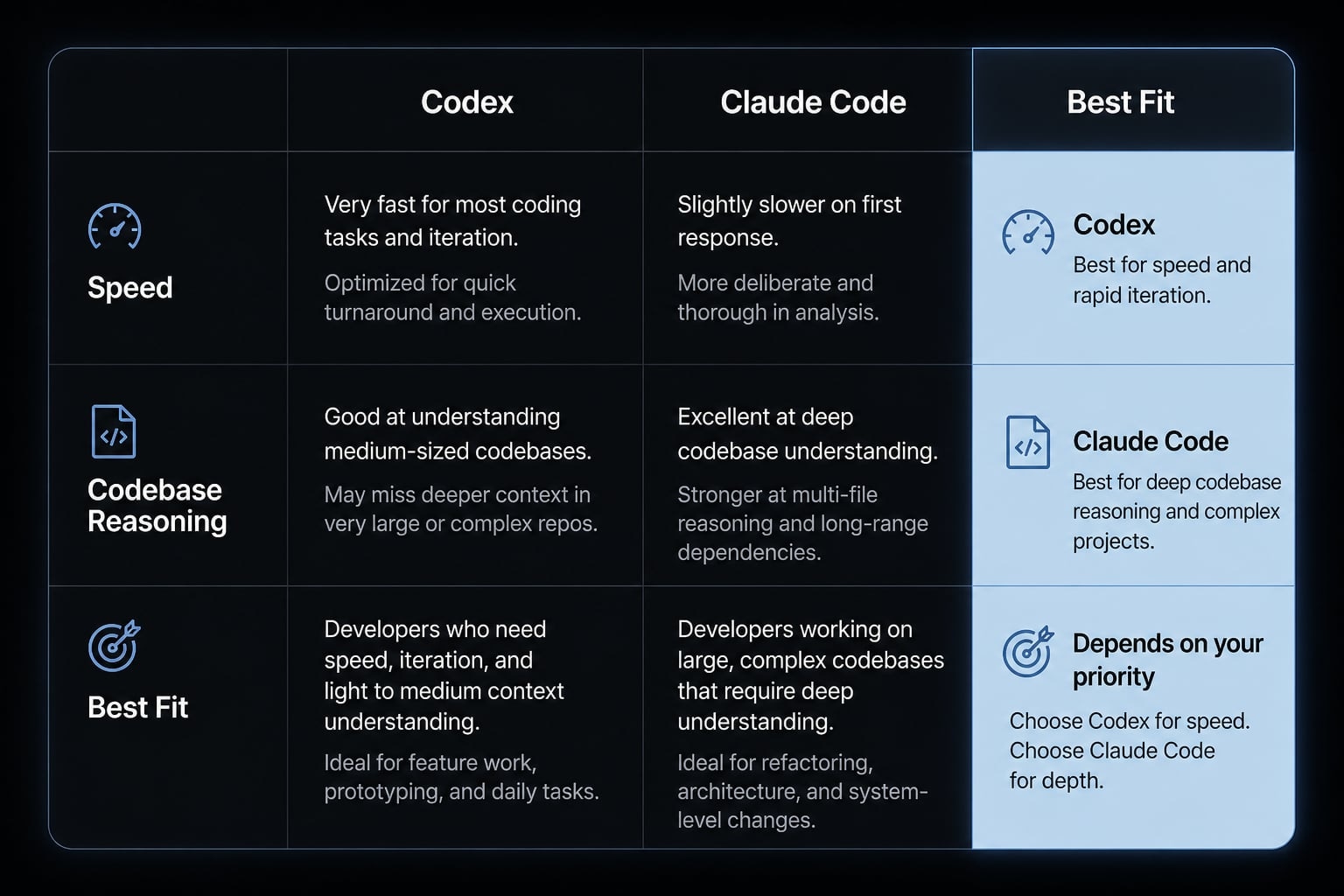
Workflow breakdown: Speed, code quality, and day-to-day delivery
In practice, the difference shows up less in one-off demos and more in daily repo work. When comparing Codex vs Claude Code in real delivery environments, evaluate:
- Speed on clearly scoped tasks.
- Codebase understanding in larger repos.
- Debugging quality when root cause is unclear.
- Refactoring safety across multiple files.
- Review and test-writing throughput.
- How much context the task requires.
Codex for speed-oriented execution
Codex usually feels stronger when the task is clear and the goal is shipping faster. That includes implementation bursts, routine fixes, pull request review loops, and well-scoped feature work.
In these cases, the main value is throughput. If you already know what should change, Codex often helps move from instruction to code faster. That makes it a practical fit for:
- Clearly scoped feature implementation.
- Fast review and iteration loops.
- Repetitive code changes across known areas.
- Delegation-style tasks tied to GitHub workflows.
- Test generation for straightforward scenarios.
The strength here is not magic code quality. It is momentum. For solo builders and fast-moving startups, that momentum matters because delays often come from execution bottlenecks rather than architecture uncertainty.
Claude Code for careful reasoning in larger or messier repos
Claude Code often becomes more valuable when the repo is larger, older, or less cleanly documented. In those cases, the work is not just writing code. It is understanding what should be changed without breaking adjacent systems.
That is where deep repo understanding, root-cause debugging, and safer multi-file changes matter. Claude Code tends to be a better fit when you need:
- Longer working sessions with strong context continuity.
- Careful analysis before editing architecture-sensitive areas.
- Refactoring across multiple connected files.
- Debugging when the visible error is not the real cause.
- Higher confidence in ambiguous or under-specified work.
For senior engineers, this matters more than raw speed. A slower but safer path can be the better tradeoff when one wrong edit creates hours of rollback, retesting, or production risk.
Task-based verdict
- Bug triage: Slight edge to Claude Code when the cause is unclear
- Feature implementation: Codex when the scope is clear
- Legacy refactor: Claude Code
- Test writing: Codex for throughput
- Test review and subtle fixes: Claude Code
- PR feedback loops: Codex
The practical takeaway is straightforward. Codex often helps more with throughput. Claude Code often helps more with caution-sensitive work. In both cases, output quality still depends heavily on repo quality, prompt clarity, and whether your instructions are consistent.
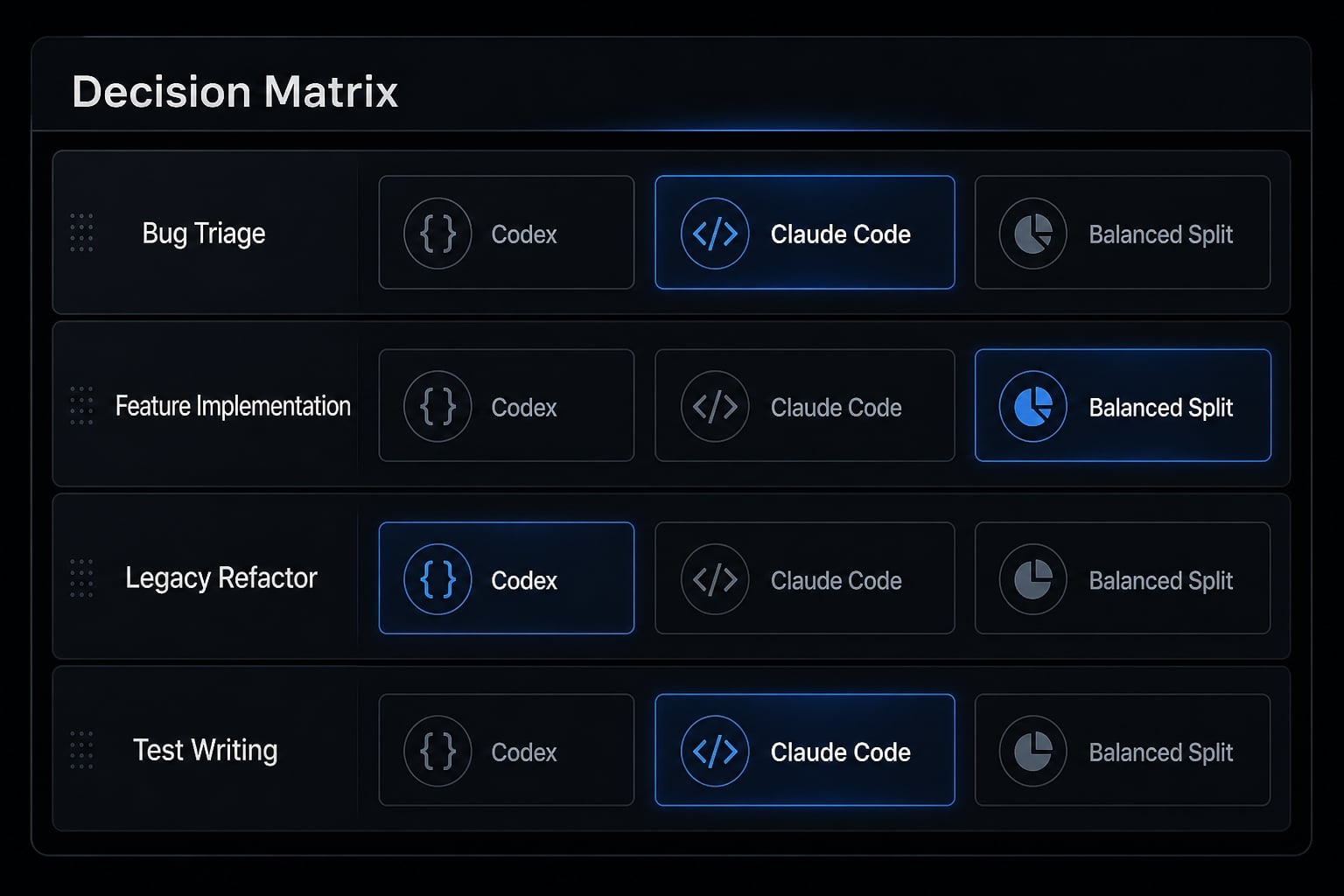
Pricing, usage limits, and real-world value
Why price alone is the wrong lens
When evaluating Codex vs Claude Code pricing, the monthly plan headline is only part of the story. The more useful question is how much usable capacity you get before usage limits interrupt real work.
That is where real TCO (Total Cost of Ownership) becomes more relevant than sticker price. If a tool is technically cheaper but repeatedly breaks your flow, forces context resets, or makes heavy sessions impractical, it can become more expensive in practice. For active users, token efficiency and usage headroom often matter more than a small difference in monthly cost.
Note: Actual value varies by workload, session length, and current pricing policy. These tools evolve quickly, so teams should verify current plan details before standardizing.
Value verdict by usage style
- Best value for many individual users: Codex, especially when speed and usable headroom matter.
- Best for cost-sensitive builders: Codex, if you want fewer work interruptions.
- Potentially worth the tradeoff: Claude Code, when deeper reasoning prevents expensive mistakes.
- Best decision lens: choose based on interruption cost, not just monthly plan price.
A tool that supports deeper reasoning can justify a higher effective cost if it reduces bad changes in risky codebases. But for many solo developers and founders, Codex often delivers stronger day-to-day value for money.
UX, setup friction, and workflow standardization
A slightly better model can still lose if the workflow is harder to adopt, repeat, and manage over time. This is where setup friction becomes a real operational issue.
UX differences that affect adoption
For individual users, UX often comes down to preference. For teams, it affects consistency. The important factors are not just interface polish, but whether the tool feels predictable in daily use.
In practice, the most important UX variables are:
- Permissions: How often the tool interrupts work for approvals
- Terminal or IDE feel: Whether the environment supports fast habits
- Session continuity: How well the tool keeps useful context across longer work
- Predictability: Whether behavior stays consistent across similar tasks
Codex is a strong fit for users who prioritize fast execution and a streamlined, GitHub-focused workflow. Claude Code is better suited to those who value more deliberate collaboration, deeper reasoning, and consistent context throughout extended coding sessions. Neither is automatically easier. The better fit depends on whether your friction comes from speed loss or reasoning loss.
Standardization costs teams often underestimate
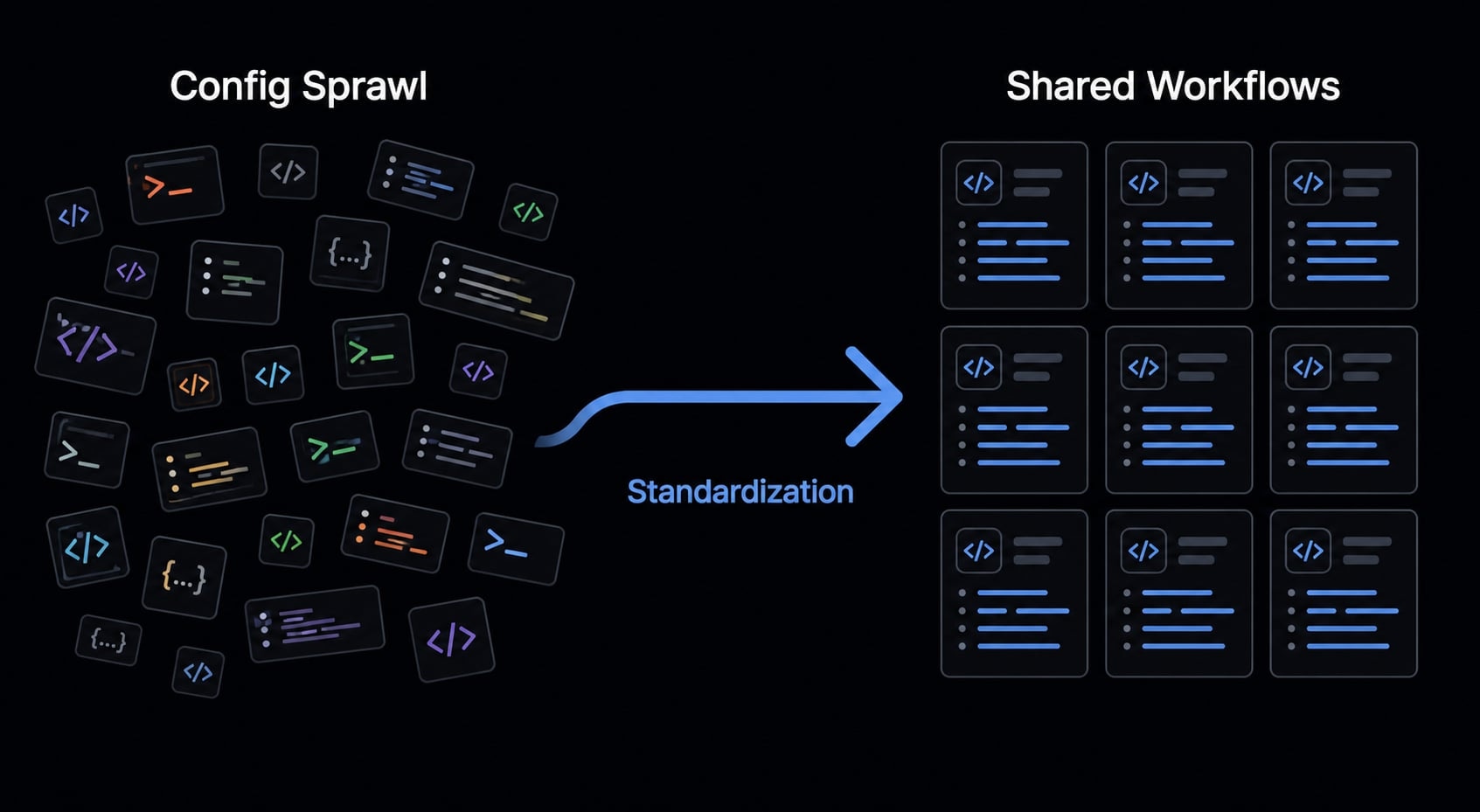
For small teams, the bigger issue usually appears after adoption. Once multiple repos, multiple contributors, and multiple workflows are involved, inconsistency starts to compound.
Common hidden costs include:
- Prompt/config sprawl: different instructions living in different places
- Inconsistent instructions across repos: hard to maintain the same standards
- Fragmented agent behavior: similar tasks produce uneven outputs
- Switching cost after standardization: once habits and docs are built, changing tools gets expensive
- Instruction-file mismatch: AGENTS.md may fit broader tool reuse, while CLAUDE.md can create extra maintenance overhead if your stack spans tools
This matters because workflow standardization is often more valuable than a small difference in model capability. Solo users can tolerate some inconsistency. Teams usually cannot.
Where AgentKit becomes relevant
When AI development moves beyond one person experimenting, the problem shifts from “which tool is smarter?” to “how do we make this repeatable?”. When AI development expands beyond individual experimentation, the focus shifts from choosing the smartest tool to building a workflow that teams can repeat and maintain. A platform such as AgentKit can help centralize reusable workflows, configurations, skills, and controls across different tools without requiring teams to commit to a single coding agent.
Which one should you choose? Recommendations by user type
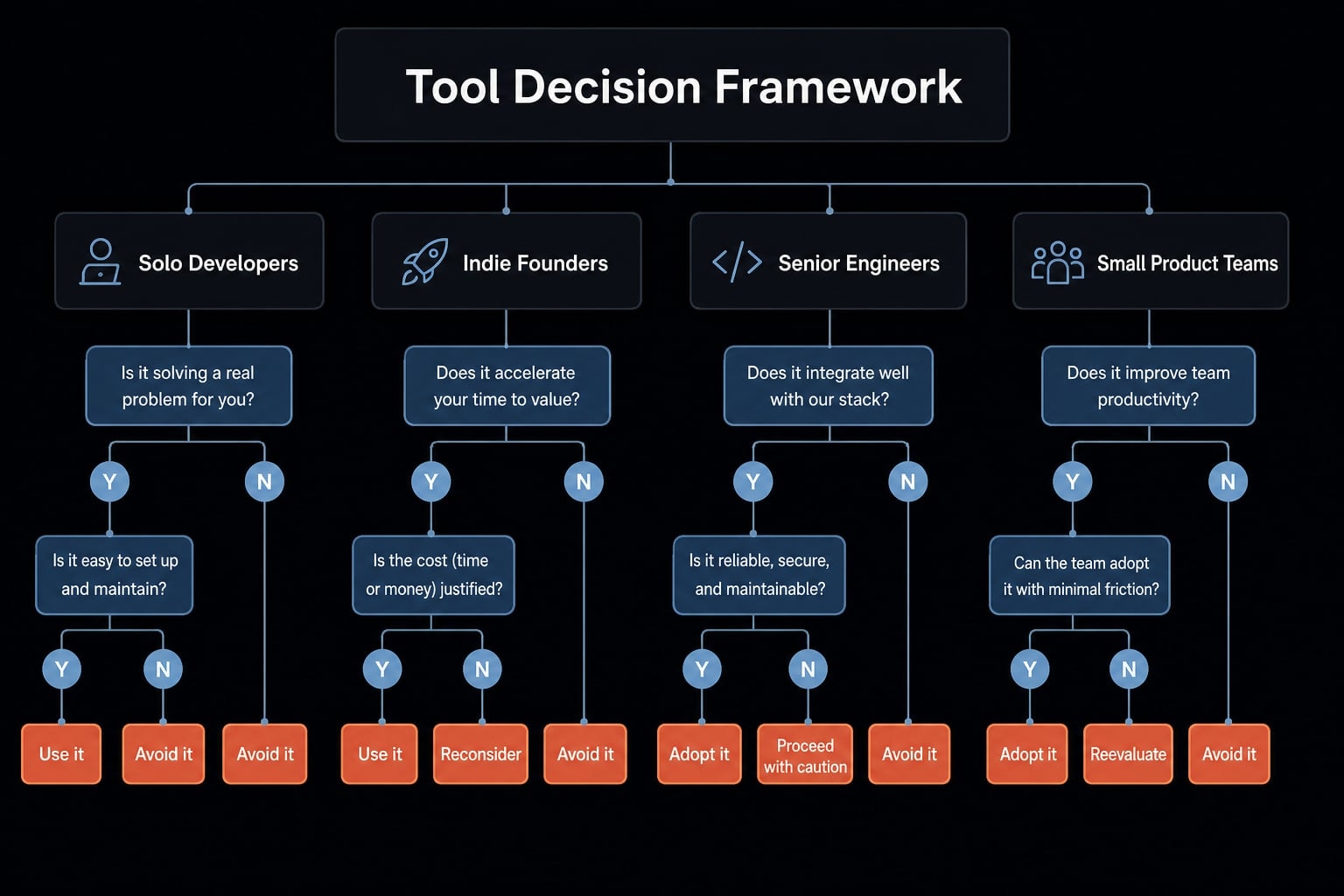
The most useful AI coding tool selection approach is a simple coding agent decision framework: optimize for the work you do most, the risk you can tolerate, and the level of consistency you need.
Solo developers and indie founders
For best for solo developers and best for founders decisions, Codex is often the practical default when speed, budget sensitivity, and shipping pressure matter most.
Choose Codex if:
- You want faster execution on well-scoped work.
- You care about value and usable headroom.
- Your workflow is GitHub-heavy.
- You are optimizing for output velocity.
Choose Claude Code instead if:
- Your product has riskier architecture areas.
- You often debug unclear issues.
- You work in a messier or older codebase.
- You are willing to trade some speed for safer reasoning.
Senior engineers and small product teams
For senior engineers working in larger repos, Claude Code often has the edge because repo complexity changes the value equation. The more uncertainty, dependency sensitivity, and context depth involved, the more important careful reasoning becomes.
For small product teams, the choice should depend on:
- Workflow consistency.
- Standardization needs.
- GitHub preference.
- Repo complexity.
- How much reuse you need across projects.
A team doing fast shipping on well-defined tickets may prefer Codex. A team working through legacy complexity may prefer Claude Code. If multiple contributors need shared behavior, consistency matters more than isolated output wins.
When using both is smarter
A dual-tool setup is often the most rational option. Use Codex for faster implementation bursts, PR loops, and delegation-style work. Use Claude Code for deeper local reasoning, legacy refactors, and debugging under uncertainty. There is no rule that says a mature workflow must be single-tool.
Where AgentKit fits if you want more than a single AI coding tool
Teams often outgrow one-off prompting faster than they expect. After the initial excitement, the bottleneck shifts to repeatable AI workflows, consistent setup, governance, and reuse. At that stage, the core issue is no longer just which coding agent you picked. It is whether your AI-assisted development process is coordinated enough to scale.
Why teams outgrow one-off prompting
Early adoption usually starts with individuals. Later, the friction comes from duplicated instructions, inconsistent configs, scattered skills, and uneven behavior between repos. At that point, repeatability matters more than isolated prompt quality.
AgentKit capabilities that matter here
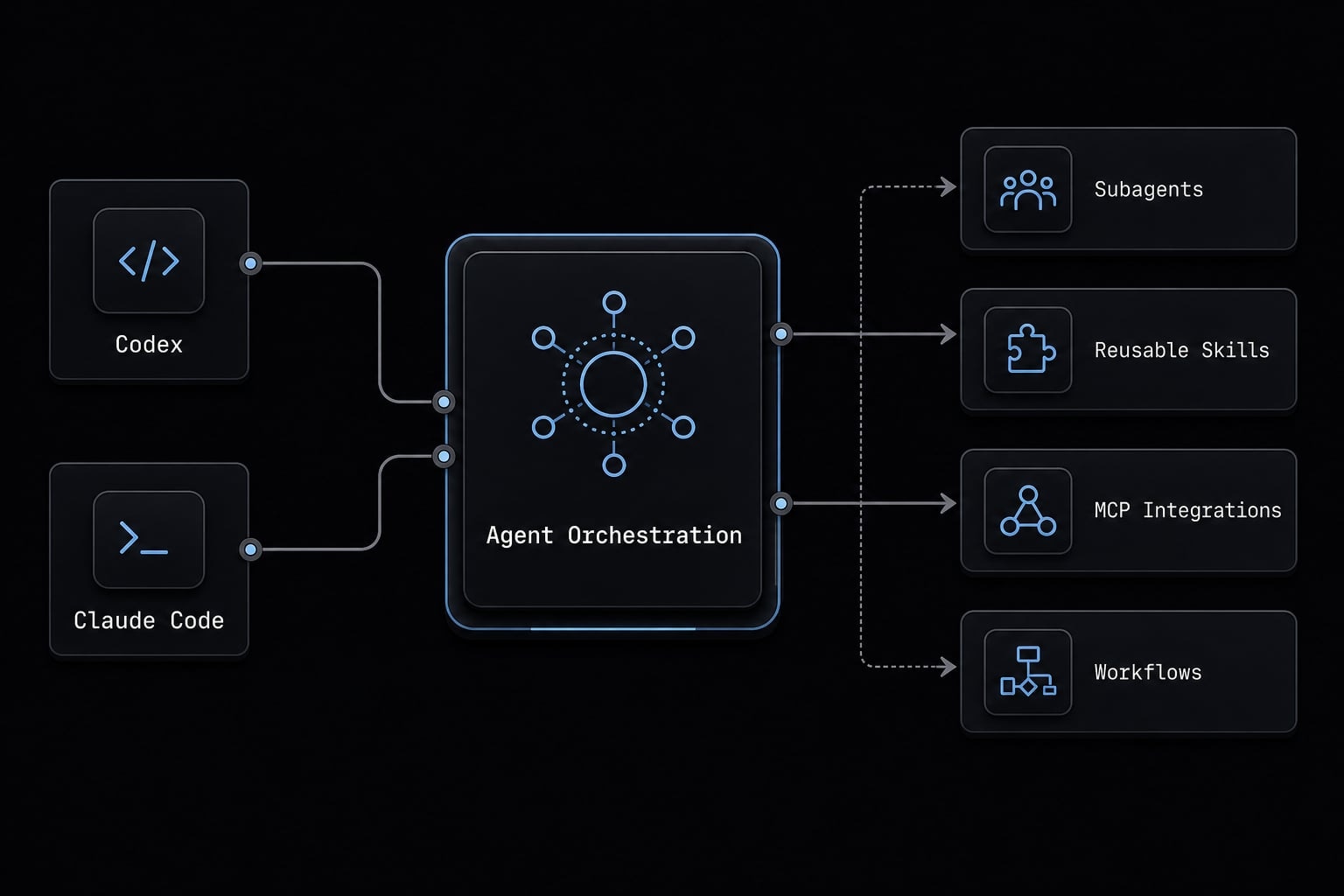
AgentKit helps operationalize production-ready AI development with:
- Ready-to-use agent kits for development and marketing workflows.
- Specialized subagents for focused tasks.
- Reusable skills that can be applied across projects.
- Automated workflows for repeatable execution.
- MCP integrations for tool connectivity.
- Cross-platform CLI for direct developer use.
- Desktop control center for managing workflows visually.
- Centralized control over configs, plans, tokens, plugins, and security checks.
This is best understood as coding agent orchestration, not a replacement for Codex or Claude Code. If your team needs cross-tool consistency, reusable setup patterns, and stronger operational control, AgentKit becomes a practical layer on top of the tools you already use.
Frequently asked questions
Which coding agent is better for production work: Codex or Claude Code?
There is no single winner. Codex excels in GitHub-integrated workflows, high-throughput execution, and cost-efficiency. Claude Code is superior for complex, multi-file refactoring and deep codebase reasoning in larger or messier repositories. The "better" choice depends on your specific workflow.
Is Codex or Claude Code better for a solo developer on a budget?
Codex is generally better for budget-sensitive users. Its Pro plan offers more generous usage limits and bundles additional tools, providing a higher overall value. Claude Code is powerful, but its usage limits—particularly when leveraging advanced models-can feel restrictive for high-volume daily coding.
Can I use both Codex and Claude Code in the same project?
Yes. Many engineering teams use a dual-tool setup: Codex for background GitHub tasks, automated reviews, and high-speed feature implementation, and Claude Code for specialized terminal-based sessions, complex debugging, and deep-dive codebase architecture tasks.
Why do some developers prefer Claude Code for refactoring?
Claude Code tends to handle long-context sessions and complex multi-file changes with greater caution. It excels at maintaining state across long working sessions and "compacting" large tool outputs, which reduces the risk of errors during significant architectural refactors compared to tools that truncate context more aggressively.
Does Claude Code support AGENTS.md?
No. Claude Code relies on CLAUDE.md for project-specific instructions. In contrast, tools like Codex, Cursor, and Builder.io support the AGENTS.md standard. If you want a unified instruction set, you will need to maintain both or sync them manually to keep behavior consistent across your environment.
When should my team consider using AgentKit?
Consider AgentKit when your team outgrows one-off AI prompting and needs repeatable, production-ready workflows. If you are struggling with inconsistent agent behavior, fragmented configurations, or the need to manage shared skills, subagents, and security checks across multiple coding agents, AgentKit provides the necessary orchestration layer.
Read more:
- Claude Code vs Cline: Which AI coding workflow suits you?
- Claude Code vs GitHub Copilot: Which AI coding tool fits you?
- Claude Code vs OpenCode Features: Choosing the right CLI agent
Conclusion
The clearest answer to Codex vs Claude Code is this: Choose Codex if speed, GitHub workflow, and value matter most. Choose Claude Code if deeper reasoning, long sessions, and safer multi-file changes matter more. If your workflow spans both execution-heavy and architecture-sensitive work, using both can be the better setup. For many small teams, that is more practical than forcing a single-tool decision.
The bigger strategic takeaway is that, over time, repeatable AI workflows matter more than the single-tool debate. If you are moving from individual experimentation to standardized team delivery, explore AgentKit workflow kits or request a practical walkthrough of reusable AI coding workflows at agentkit.best.