
Claude Code vs Cline: Which AI coding workflow fits better?
AI coding tools are no longer competing on a simple question of whether they can write code. The real decision in Claude Code vs Cline comes down to workflow fit: How much autonomy you want, how much oversight you need, how predictable the cost model feels, and whether your team works better in the terminal or inside the editor. This guide helps you choose quickly. You’ll get a fast verdict, a workflow-based comparison, a side-by-side feature table, real-world pricing scenarios, and team-fit recommendations. The real comparison isn’t just about feature depth—it’s about autonomy versus oversight, bundled simplicity versus flexibility, and terminal-first versus editor-first development habits.
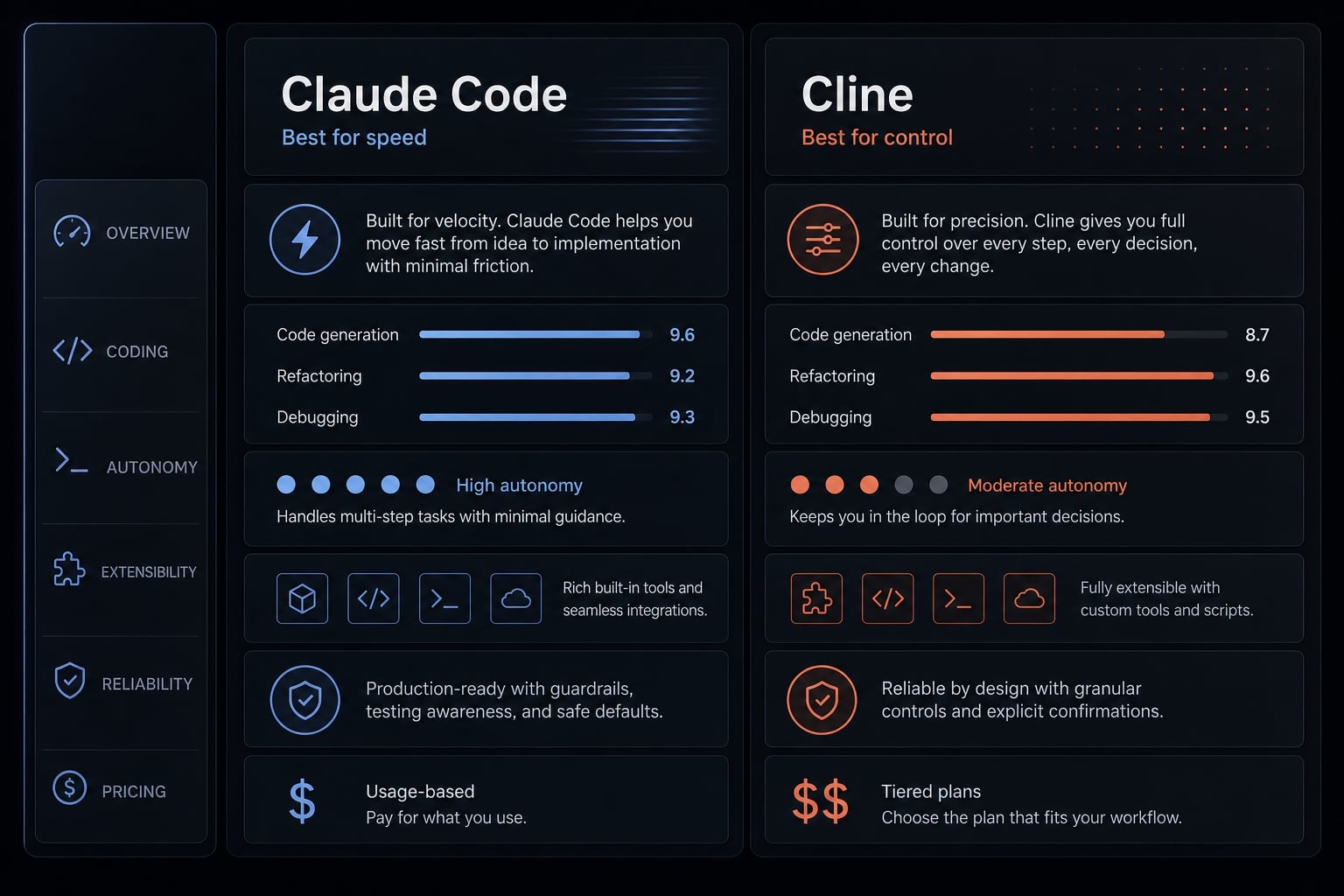
Claude Code vs Cline: Quick verdict for busy teams
If you need the shortest answer in the Claude Code vs Cline debate, start here: Claude Code usually fits speed-focused, terminal-heavy users who want more autonomous execution, while Cline usually fits users who want editor-first visibility, explicit approvals, and broader model flexibility.
In this AI coding agent comparison, the biggest difference isn’t intelligence alone—it’s how much the tool runs autonomously versus how much it keeps a human in the loop (manual review built into each step).
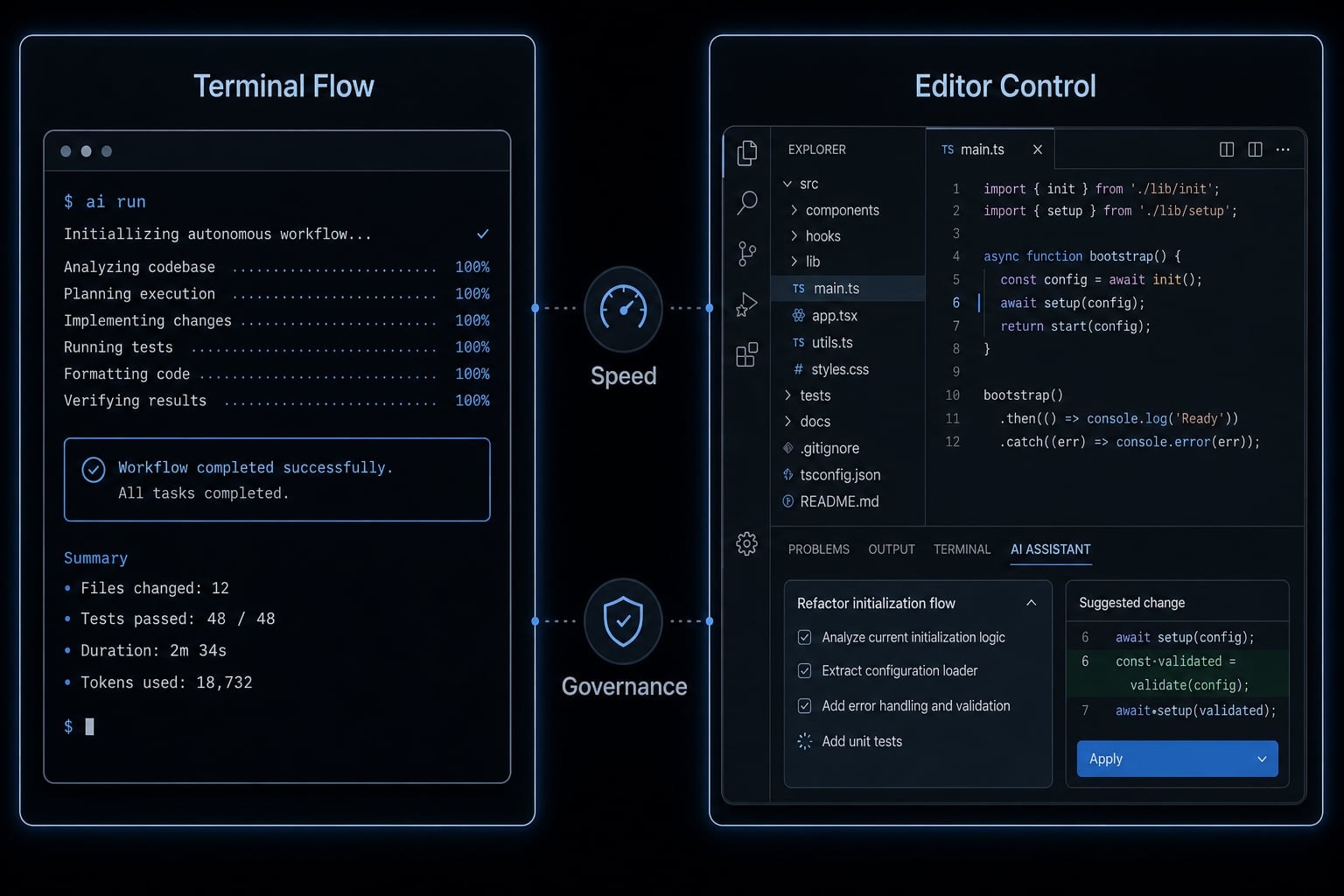
Choose Claude Code if:
- You are a solo founder trying to ship faster with fewer interruptions.
- You are a terminal-heavy developer who prefers longer autonomous runs.
- You value simpler tool selection over broad model choice.
- You want an agent that feels more opinionated and momentum-driven.
Choose Cline if:
- Your small team needs oversight, visual review, and approval checkpoints.
- You are a cost-sensitive builder who wants to control spend through provider choice.
- You prefer working inside VS Code and reviewing diffs before execution.
- You want model flexibility, including external providers or local setups.
Neither is universally better. The right choice depends more on workflow fit than raw feature count.
What actually changes in daily workflow?
In practice, the difference between Claude Code and Cline is simple: Claude Code is designed for lower-interruption, terminal-native execution, while Cline is designed for higher-visibility, editor-first control. That changes how often you intervene, how comfortable long tasks feel, and how much friction shows up in daily development.
This is where a Claude Code vs Cline analysis becomes more useful than a feature checklist. In real usage, teams rarely struggle with capability first. They struggle with interruption patterns, review overhead, and whether the tool matches existing habits.
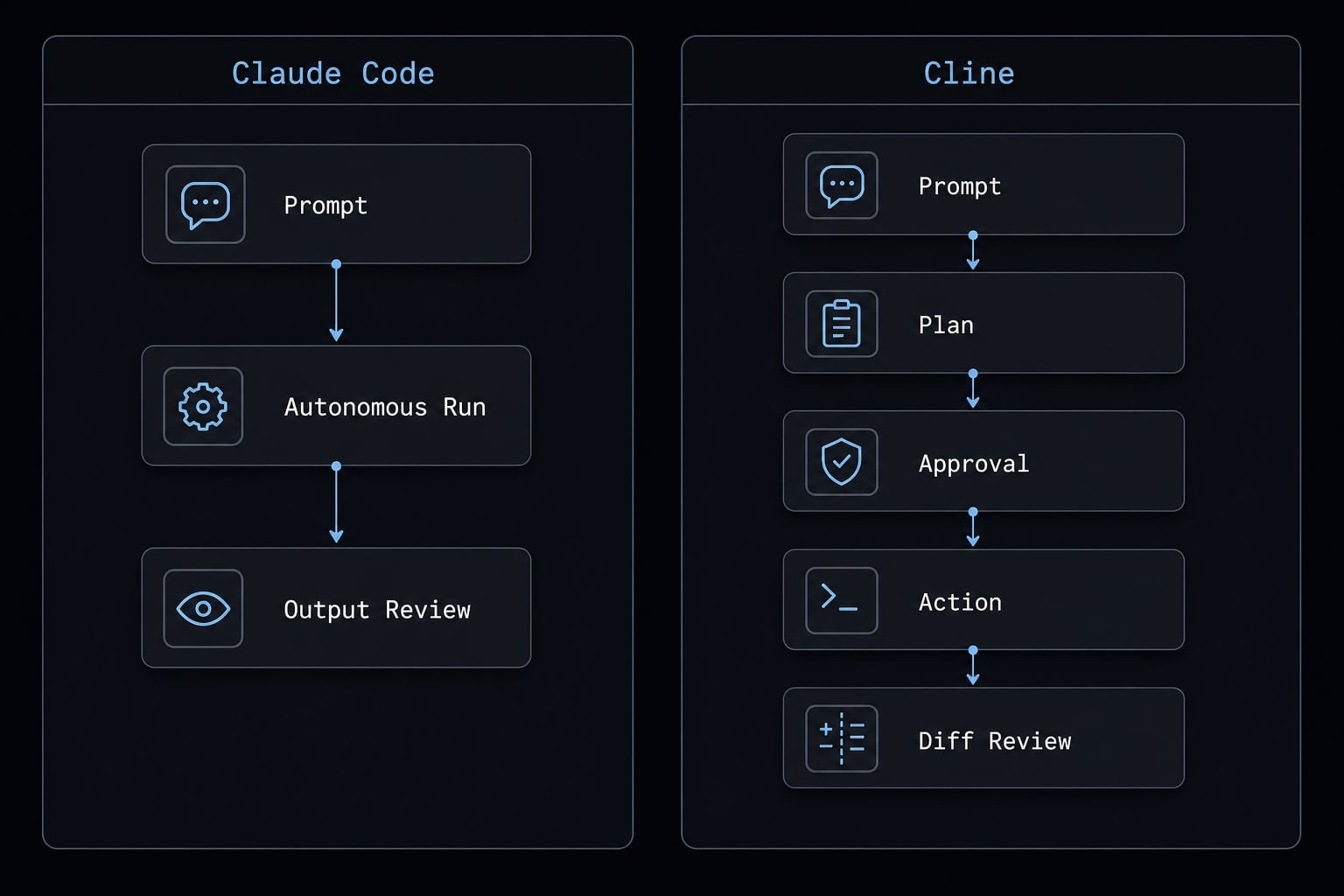
Claude Code: Terminal-first autonomy
Claude Code is terminal-native, which makes it feel more natural for developers already managing workflows through CLI tools, tests, scripts, and repo-level tasks. Instead of stopping frequently for review, it generally supports longer autonomous runs before you step back in.
For codebase-wide updates or codebase refactoring, that lower interruption rate can matter more than people expect. A tool that keeps momentum through multi-step work often feels faster not because each action is magical, but because the developer context-switches less.
In practice, this tends to fit:
- Developers already comfortable living in the terminal.
- Longer multi-file tasks.
- Maintenance work where momentum matters.
- Builders who prefer autonomous coding over frequent confirmations.
Cline: Editor-first control
Cline leans into IDE-native ergonomics (an editor-centered working experience). It is easier to inspect plans, review diffs, and approve actions inside the workflow many developers already use all day.
That makes it attractive when review cannot be optional. For teams with stricter oversight needs, the approval-driven model creates more confidence. The trade-off is interaction overhead. If every meaningful step requires attention, throughput can slow down over time.
In practice, this tends to fit:
- Teams that want stronger inspection of changes.
- Developers who prefer VS Code-centered work.
- Environments where human-in-the-loop review is part of the norm.
- Builders who value visibility over uninterrupted execution.
Why this matters for teams:
- More autonomy can improve throughput on repetitive or multi-step work.
- More approvals can improve governance and review confidence.
- The wrong workflow model creates adoption friction even when the tool itself is strong.
If your team is evaluating multiple tools at once, a simple adoption checklist usually prevents the wrong pilot criteria from driving the decision. AgentKit’s workflow planning resources can help teams standardize that evaluation before rollout.
Side-by-side comparison: Features that matter most
Criteria | Claude Code | Cline | Best Choice |
|---|---|---|---|
Primary interface | Terminal CLI | Editor-first, especially VS Code | Depends on workflow |
Model support | Anthropic-focused | Broad, multi-provider support | Cline |
Approval model | More autonomous, fewer checkpoints | Approval-heavy, review-oriented | Depends on workflow |
Context handling | Stronger built-in continuity for longer sessions | More manual review and session management | Claude Code |
Pricing model | Simpler subscription-style logic | Free tool with BYO API costs | Depends on workflow |
Open source / transparency | More closed and opinionated | More transparent, open-source oriented | Cline |
Local/private setup | Limited | Stronger support via tools like Ollama | Cline |
Long multi-step execution | Stronger for uninterrupted runs | More stop-and-review behavior | Claude Code |
Visual diff workflow | Less editor-centric | Stronger visual review experience | Cline |
Best for | Speed, momentum, terminal-heavy users | Control, flexibility, editor-first teams | Depends on workflow |
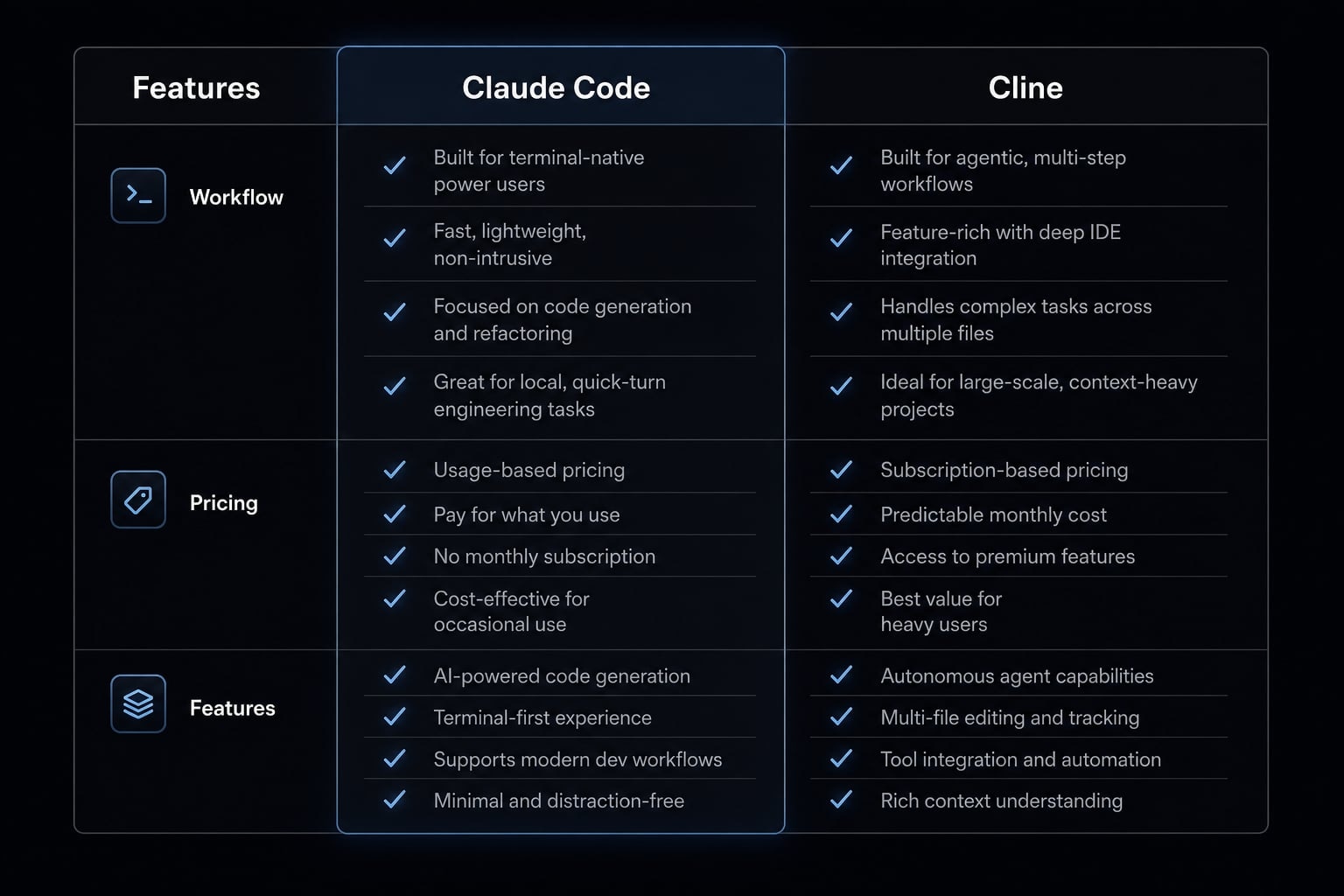
This AI coding tool comparison shows a clear pattern. Claude Code is more opinionated, speed-oriented, and aligned with users who accept tighter defaults in exchange for less friction. Cline is more flexible, more review-oriented, and better suited to teams that want stronger control over model support, approval workflow, and local or private options.
A key part of the decision is context window management (how the tool handles long task history and ongoing session continuity). Long-running tasks often expose tool differences more clearly than simple prompts do. If your work frequently spans many files or extended sessions, that factor matters more than small feature differences.
If you plan to connect agents to external tools later, lightweight support for MCP (Model Context Protocol) can also matter, but for most buyers it is a secondary factor compared with interface habit and control model.
Pricing and real cost: Which one is actually cheaper?
The right way to compare pricing is through a cost-benefit analysis of AI coding agents, not a sticker-price comparison. On paper, one tool may look cheaper. In practice, the total cost depends on usage style, review overhead, and how disciplined your team is about model selection.
Claude Code often feels simpler because the cost logic is more predictable. Cline has a zero-subscription floor, which is appealing, but it relies on BYO API (bring your own model provider and billing) usage. That flexibility can save money, or it can create messy cost patterns if nobody manages routing and usage standards.
The cheaper-looking option can become more expensive if operational overhead is ignored.
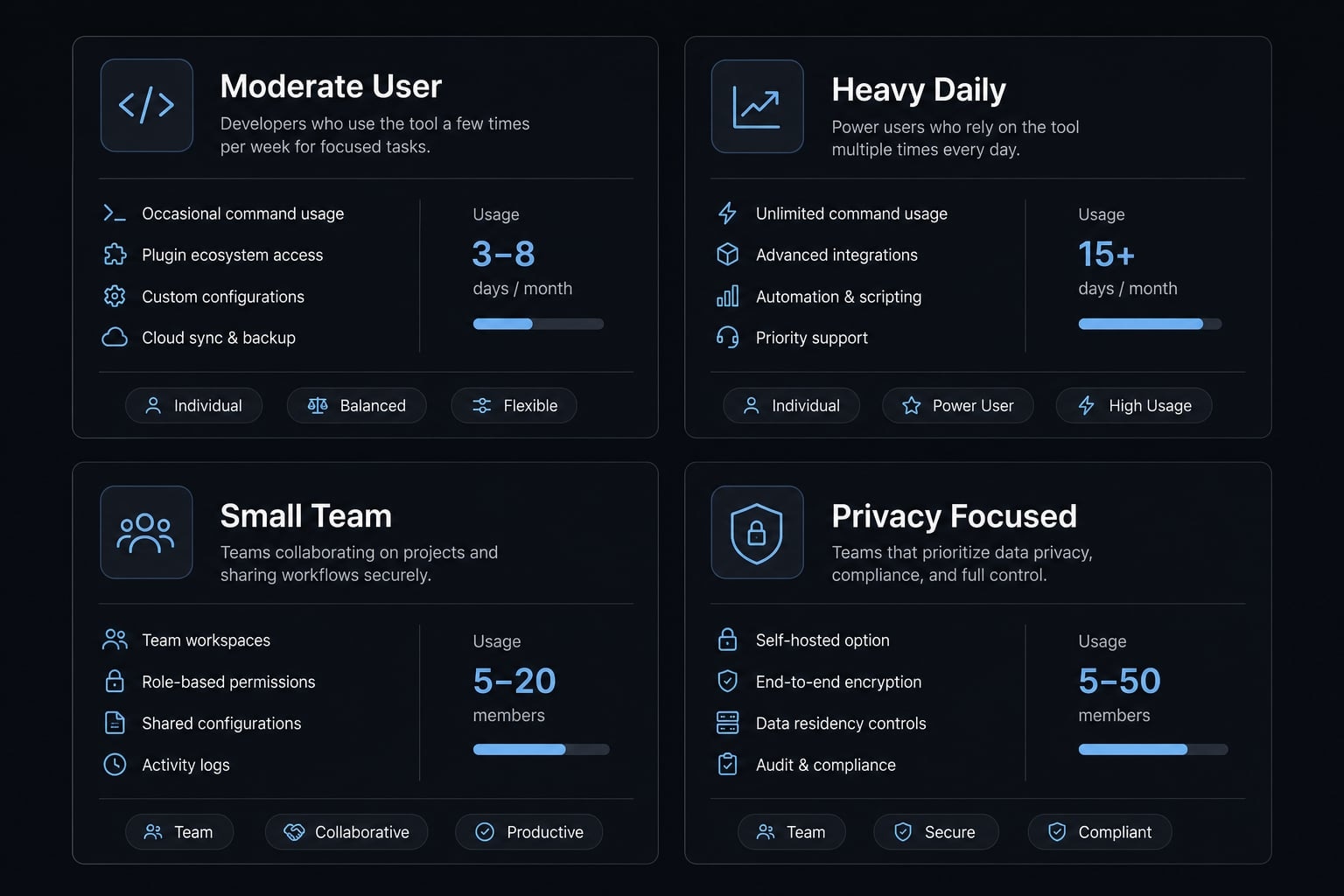
Real cost scenarios by user profile:
User profile | Claude Code | Cline | Likely better fit |
|---|---|---|---|
Moderate solo developer | Simpler monthly cost planning | Potentially lower spend with careful API usage | Depends on discipline |
Heavy daily user with long autonomous tasks | Often easier to justify if time saved is meaningful | Can become interaction-heavy | Claude Code |
Small team with multiple contributors | Easier to standardize if everyone works similarly | Flexible but may create inconsistent usage patterns | Depends on team habits |
Privacy-focused team using local models | Less flexible | Stronger option with local/private setups | Cline |
Cost usually comes down to four factors:
- Subscription predictability: Easier budgeting helps small teams avoid surprise spend.
- API variability: Cline can be efficient, especially with token optimization and provider routing, but that requires active management.
- Approval overhead: Extra review steps cost time, and time is part of cost.
- Switching and standardization cost: A flexible setup is not automatically cheaper if every contributor configures it differently.
If you are comparing more than two tools, build a simple cost model around time saved, review burden, and adoption consistency - not only provider rates.
Speed, control and lock-in: The core trade-offs
The strategic trade-off in this comparison is straightforward: Claude Code tends to favor speed and momentum, while Cline tends to favor flexibility and control. In autonomous software engineering, those differences compound over hundreds of small decisions, not just a single task.
If your top priority is speed
If your team handles many tasks per day, lower interruption often matters more than marginal feature breadth. Faster execution is partly about tool design and partly about reduced stop-start behavior. Even small delays from repeated approvals or extra review loops can add up, especially when inference latency is only one part of the total workflow delay.
That is why speed-focused users often accept a more opinionated setup. A tighter workflow can reduce decision fatigue and preserve task momentum.
If your top priority is flexibility and governance
If provider choice, explicit review, or lower dependency risk matters more, Cline has a stronger case. Model agnosticism (the ability to work across different model providers) gives teams room to adapt pricing, performance, or privacy strategy over time.
This is also where vendor lock-in becomes relevant. Lock-in matters when teams want portability, pricing leverage, or multi-model optionality. But lock-in is not automatically bad. A more locked-in workflow can still be the right decision if it improves reliability and adoption.