
Claude Code prompt engineering: A practical guide to more reliable output
Claude Code prompt engineering matters because speed alone does not produce reliable software changes. Many developers, solo founders, and small product teams find that Claude Code can move fast, yet still make weak assumptions, miss repository conventions, or stop short of proper verification. The gap is rarely raw capability; it is usually a matter of workflow discipline. This guide focuses on practical prompt structure, better context, and built-in verification so you can get reliable Claude Code output more consistently. The goal is not to find clever prompt tricks, but to create a repeatable framework where Claude Code plans, inspects, executes, and verifies work to minimize future rework.
What Claude Code prompt engineering actually means
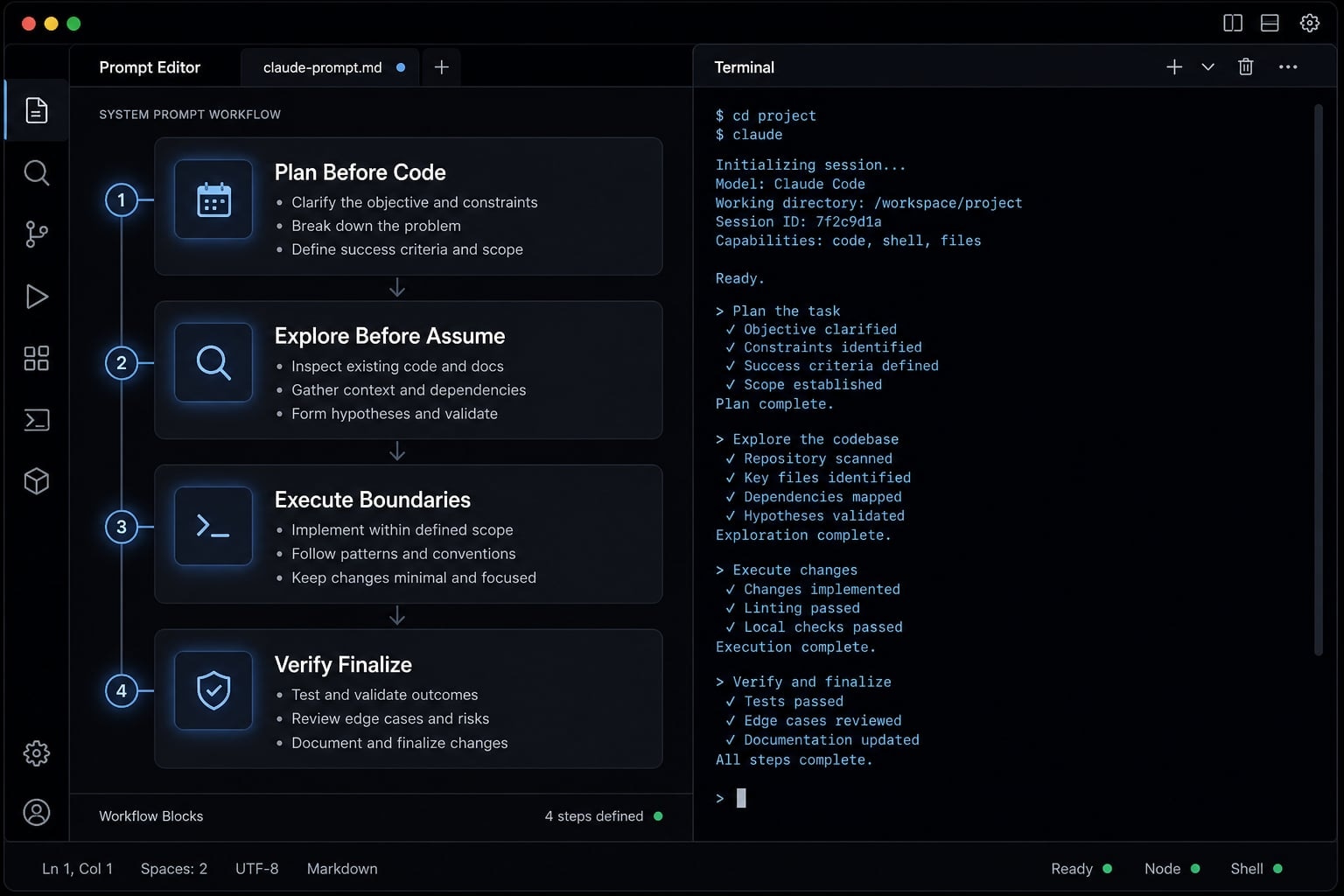
Claude Code prompt engineering is the practice of designing how Claude Code should plan, inspect, execute, and verify work inside a real development workflow. In practical terms, it is not about writing prettier instructions. It is about shaping behavior with the right context, boundaries, and checks so output fits the codebase and holds up under review.
In real projects, the failure pattern is familiar. Claude Code produces something fast, it looks plausible, and then rework starts. A missing convention, an invented symbol, a weak test, or an unverified assumption creates downstream cost. That is why Claude Code prompt engineering should be treated as workflow design, not wording decoration.
Prompt engineering in Claude Code is not “just be specific”
Generic advice like “be specific” is too shallow for coding work. Claude Code often needs direction on order of operations, scope, evidence from the repository, and completion criteria.
A better Claude Code prompt engineering approach does not just describe the task; it actively shapes the development process. That includes when to plan, when to inspect files, when to implement, and what must be verified before finalizing. In practice, Claude Code system instructions, context injection, and process rules work together to support process-driven coding inside an AI coding workflow.
The 5 building blocks of a reliable prompt
- Goal - State exactly what outcome you want, such as a bug fix, a feature plan, or a skeptical PR review.
- Context - Provide the relevant repo area, files, patterns, tickets, or notes Claude Code should use.
- Constraints - Define scope limits, non-goals, architecture rules, and what must not be changed.
- Verification - Require tests, edge-case checks, regression review, or evidence from inspected files.
- Deliverable format - Specify whether you want a plan, a diff summary, a ranked hypothesis list, or code plus test notes.
What prompts can and cannot solve
Good Claude Code prompt engineering can reduce shallow output, random edits, and hidden assumptions. It can improve discipline and make Claude Code behavior more consistent across repeated tasks.
It cannot replace tests, CI, peer review, or engineering judgment. Prompts improve process quality, but they do not create certainty. That distinction matters. In practice, the best results come from pairing strong prompts with clear repo conventions and a real verification path.
A simple prompt framework for Claude Code workflows
The most practical way to improve your results with Claude Code is to simplify your development workflow. In most real tasks, a lightweight sequence works better than a giant prompt dump.
- Plan the task.
- Explore the codebase.
- Execute the smallest safe change.
- Verify before finalize.
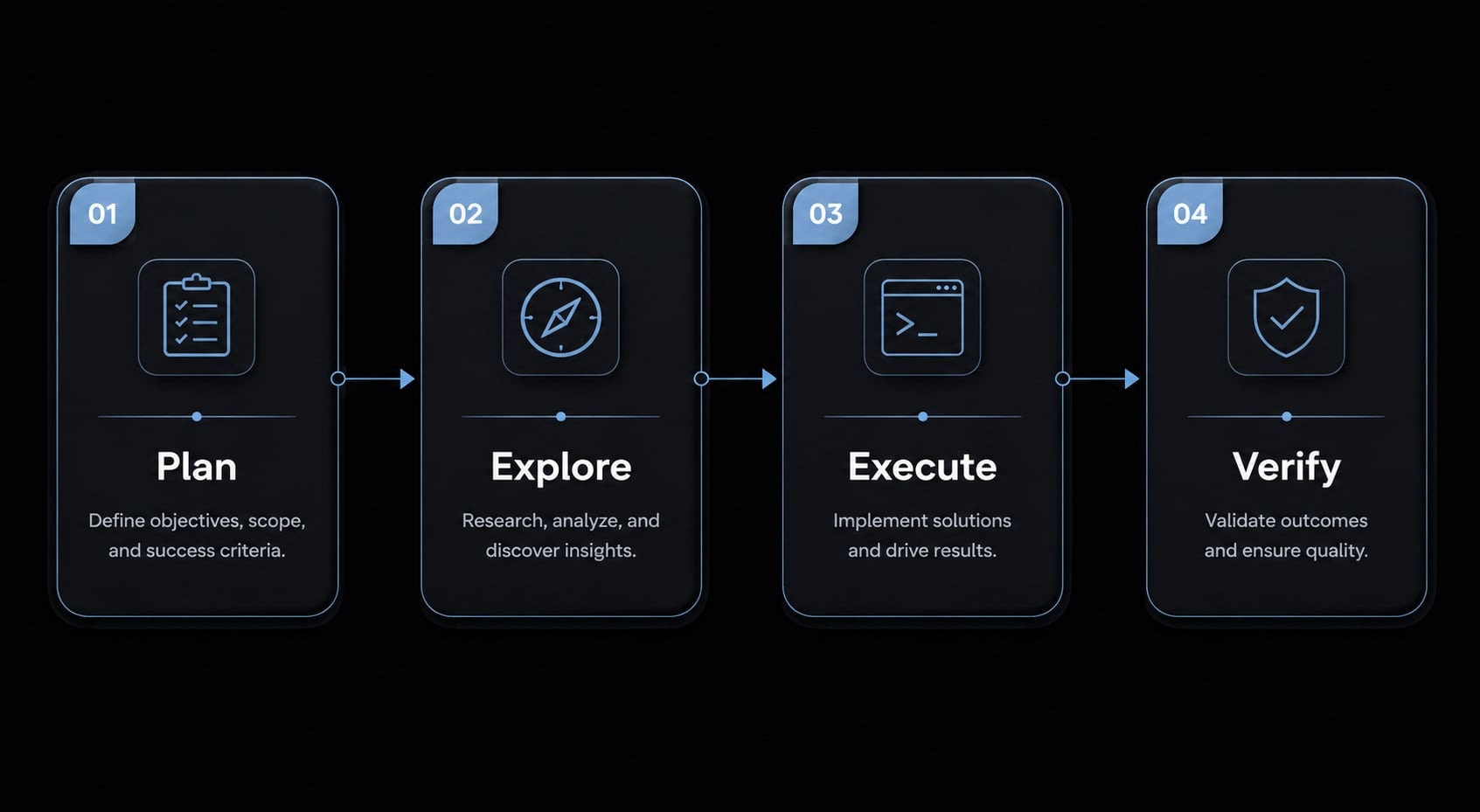
This is the core of a useful prompt methodology. The sequence matters because poor ordering creates poor output. If implementation starts before inspection, Claude Code is more likely to guess. If verification comes last as an afterthought, weak changes slip through.
Decision rule: Use a quick prompt for low-risk, isolated tasks. Use a structured workflow prompt for multi-file, ambiguous, or higher-risk changes.
Step 1: Plan before code
Start by asking Claude Code to restate the task before touching files. Include prompts that require it to identify:
- The problem being solved.
- Assumptions it is making.
- Dependencies or likely affected areas.
- Risks or unknowns.
- A proposed implementation order.
For anything beyond a trivial change, add a boundary such as: Do not edit files until the plan is accepted. This improves structured planning and prevents early, low-confidence implementation.
Step 2: Explore before assume
Next, require Claude Code to inspect the real repository.
Ask it to:
- Identify the actual files involved.
- Inspect related tests.
- Find similar patterns already used.
- Cite symbols, methods, or components that already exist.
- Note any conventions that should shape the change.
This step is where workflow sequencing pays off. It reduces made-up APIs, fabricated modules, and inconsistent patterns. In effect, it is a simple form of Claude Code behavior tuning through evidence-based exploration.
Step 3: Execute with boundaries
Once the plan and repo inspection are grounded, ask for the smallest safe implementation.
Useful boundaries include:
- Keep scope limited to the requested behavior.
- Avoid unrelated refactors.
- Follow current naming and architecture patterns.
- Call out non-goals explicitly.
- Summarize changed files and key decisions.
This keeps the system methodology practical rather than heavy. The aim is not maximal change. It is the smallest correct change that fits the codebase.
Step 4: Verify before finalize
Verification should be part of the prompt, not an optional extra.
Require Claude Code to:
- Add or update tests where appropriate.
- Identify edge cases.
- Check likely regressions.
- Summarize what was validated.
- Note anything that still needs human review.
This is the step that most often separates impressive output from useful output. Better prompts do not just ask Claude Code to write code. They ask it to prove the change is likely safe.
Prompt patterns by task type: Planning, coding, testing, debugging and review
A common mistake is using one prompt style for every task. That usually fails because planning, implementation, testing, debugging, and review require different instructions. The structure should match the stage of the software delivery lifecycle.
For planning a feature
When the requirement is still forming, the output should be a plan, not code. A strong feature planning prompt creates alignment before any implementation begins.
Example prompt:
Review this feature request and produce a plan only. Summarize the requirement, likely files to inspect, dependencies, implementation order, risks, and open questions. Do not write code yet. Call out assumptions clearly.
Why it works:
- It separates planning from coding.
- It reduces hidden assumptions early.
- It supports prompt chaining for software tasks, where one step feeds the next.
For exploring a codebase
Claude Code performs better when context injection is tied to real repository evidence, not broad descriptions. This is where repo inspection matters.
Example prompt:
Inspect the repository areas related to user validation. Find the actual files, tests, and patterns already used for similar logic. Cite evidence from the repo and identify conventions to preserve. Do not propose changes yet.
Why it works:
- It anchors the task in real files and tests.
- It reduces guessed patterns and invented symbols.
- It gives you a more credible basis for the next step.
For implementation
Implementation prompts should optimize for a minimal safe change. That usually produces better code than asking for the full ideal version on the first pass.
Example prompt:
Implement the smallest safe change for the approved plan. Preserve existing architecture and naming patterns. Avoid unrelated refactors. After the change, summarize modified files, key decisions, and any follow-up risks.
Why it works:
- It limits scope creep.
- It improves consistency with existing software architecture.
- It makes review easier because the change set stays narrow.
For test-first or test-aware development
Not every team follows strict TDD (Test-Driven Development), but test-aware prompting is still useful. The point is to define the behavior being validated before treating the work as complete.
Example prompt:
Add or update tests for this change first where practical. Define the expected behavior being validated, then implement only what is required to satisfy that behavior. If full TDD is not suitable here, use a test-aware development approach and explain why.
Why it works:
- It turns tests into part of the prompt, not post-work cleanup.
- It clarifies expected behavior.
- It uses TDD as a model for discipline, not dogma.
For debugging and root-cause analysis
Weak debugging prompts often lead to random patching. A better debugging workflow starts with root-cause analysis before code changes.
Example prompt:
Investigate this bug using a root-cause analysis approach. List the top hypotheses first, inspect relevant logs, traces, files, and tests, then rank the most likely causes with evidence. Propose the narrowest safe fix only after the likely root cause is identified.
Why it works:
- It supports a more disciplined debugging workflow.
- It reduces trial-and-error fixes.
- It keeps the fix aligned to evidence rather than guesswork.
For PR review or adversarial review
Generic “review this PR” prompts often produce praise-heavy summaries with little value. For better review output, use adversarial code review logic and a skeptical review prompt.
Example prompt:
Review this PR skeptically. Look for regressions, edge cases, weak assumptions, security concerns, missing tests, and architecture inconsistency. Avoid generic praise. Report findings by severity and cite the files or logic behind each concern.
Why it works:
- It changes the posture from approval to inspection.
- It creates a more useful review checklist.
- It makes Claude Code more effective as a pre-review filter, not a replacement for human review.
Bad prompt vs better prompt: Practical examples that improve output quality
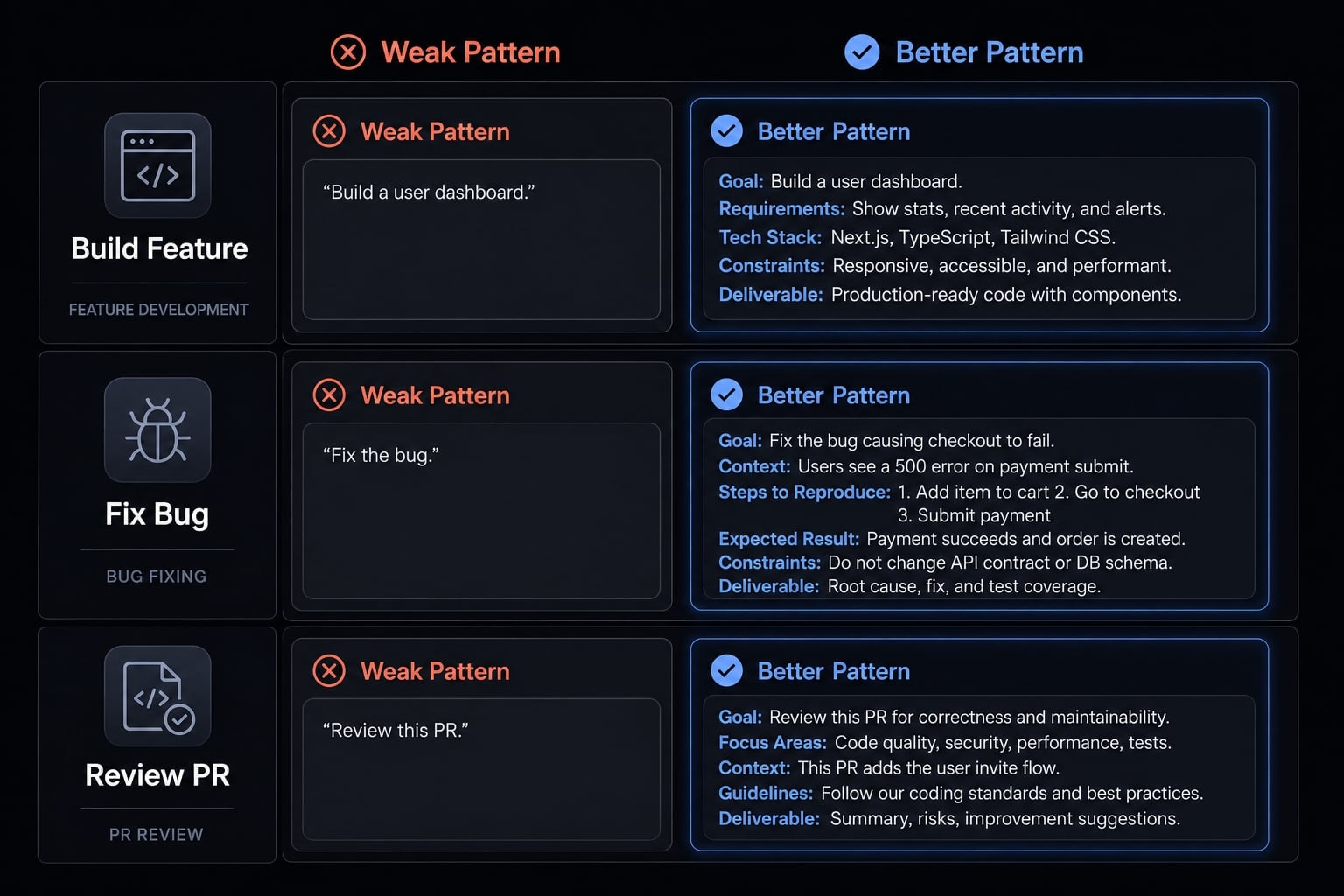
The difference between weak and effective prompting is not prompt length. It is structure. Better prompts define scope, require evidence, and include output constraints plus verification.
Scenario | Weak prompt pattern | Better prompt pattern |
|---|---|---|
Build a feature | “Add this feature to the app.” | “Plan the feature first, inspect related files and tests, implement the smallest safe scope, then summarize changes and verification.” |
Fix a bug | “Fix this bug.” | “List hypotheses, inspect relevant files and logs, rank likely causes with evidence, then propose the narrowest safe fix and required tests.” |
Review a PR | “Review my PR.” | “Review skeptically for regressions, assumptions, missing tests, edge cases, and security issues. Report findings by severity with file-based evidence.” |
Example 1: “Build this feature” vs structured feature request
A weak feature prompt leaves Claude Code to infer scope, conventions, and test expectations. That usually produces uneven results.
A better version asks for planning first, real repo inspection, minimal scope, and verification. That creates context-aware execution rather than broad speculation. The gain is not verbosity. The gain is clearer boundaries and fewer unsupported assumptions.
Example 2: “Fix this bug” vs root-cause-first debugging prompt
“Fix this bug” encourages patching the first plausible failure point. That often works only until the next test run or edge case.
A better debugging prompt reduces random fixes by requiring root-cause analysis first. This is one of the most practical ways of reducing hallucinations in code generation. Claude Code has less room to invent causes when it must rank hypotheses against evidence.
Example 3: “Review my PR” vs adversarial review checklist
A generic review prompt often leads to shallow approval language. That is not useful when the real need is risk detection.
A stronger prompt uses adversarial code review logic with explicit verification rules. It asks Claude Code to inspect regressions, missing tests, unsafe assumptions, and edge cases. That makes the output much more actionable for human reviewers.
Common mistakes when prompting Claude Code
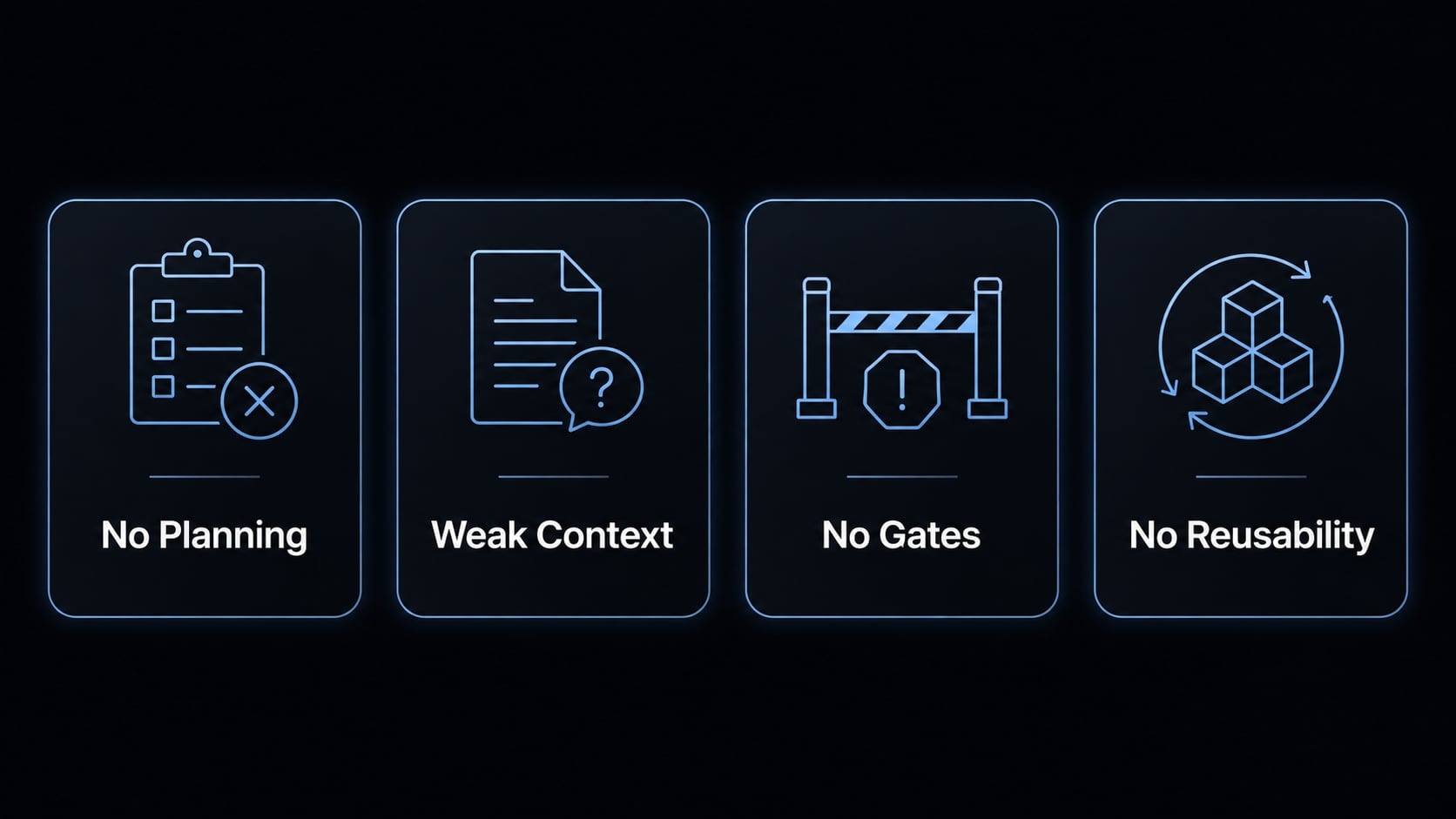
Most failures in Claude Code prompting are workflow problems, not wording problems.
- Starting with implementation instead of planning.
- Letting Claude Code guess the codebase.
- Skipping testing or review requirements.
- Using one-off prompts for repeat work.
Mistake 1: Starting with implementation instead of planning
This is the most common issue. The task sounds simple, so implementation starts immediately. The result is often mis-scoped or shallow output.
A process-first prompting approach fixes this. Even a short planning step improves structured planning and exposes assumptions before files are changed.
Mistake 2: Letting Claude Code guess the codebase
When context is vague, Claude Code may invent patterns, modules, or symbols that feel plausible but do not exist. These hallucinated implementation details create avoidable review overhead. This is why context injection should be tied to actual files, tests, conventions, and repository evidence.
Mistake 3: No testing or review requirement in the prompt
Unchecked speed creates downstream cost. If the prompt does not include a quality gate, Claude Code has little reason to validate edge cases or likely regressions.
One useful rule is simple: Include acceptance criteria whenever correctness matters. Acceptance criteria are an operational quality gate because they define what must be true before the task is considered done.
Mistake 4: Using one-off prompts for repeat work
If your team repeatedly asks for the same bug-fix flow, review flow, or planning flow, rewriting the prompt every time adds inconsistency. This is where reusable skills help. Standardized prompts reduce cognitive load and reinforce a more reliable process-first prompting pattern across repeated tasks.
How one-off prompts become reusable Claude Code workflows
Once a prompt pattern works more than a few times, it should become a lightweight workflow asset. That does not mean building a heavy process layer. It means standardizing the parts that repeatedly affect quality.
What to standardize first
Start with the highest-value repeated tasks:
- Planning prompts for features, bug fixes, and scoped refactors
- Test and review prompts that define verification expectations
- Repo conventions documented in CLAUDE.md
- Definition of done for common task types
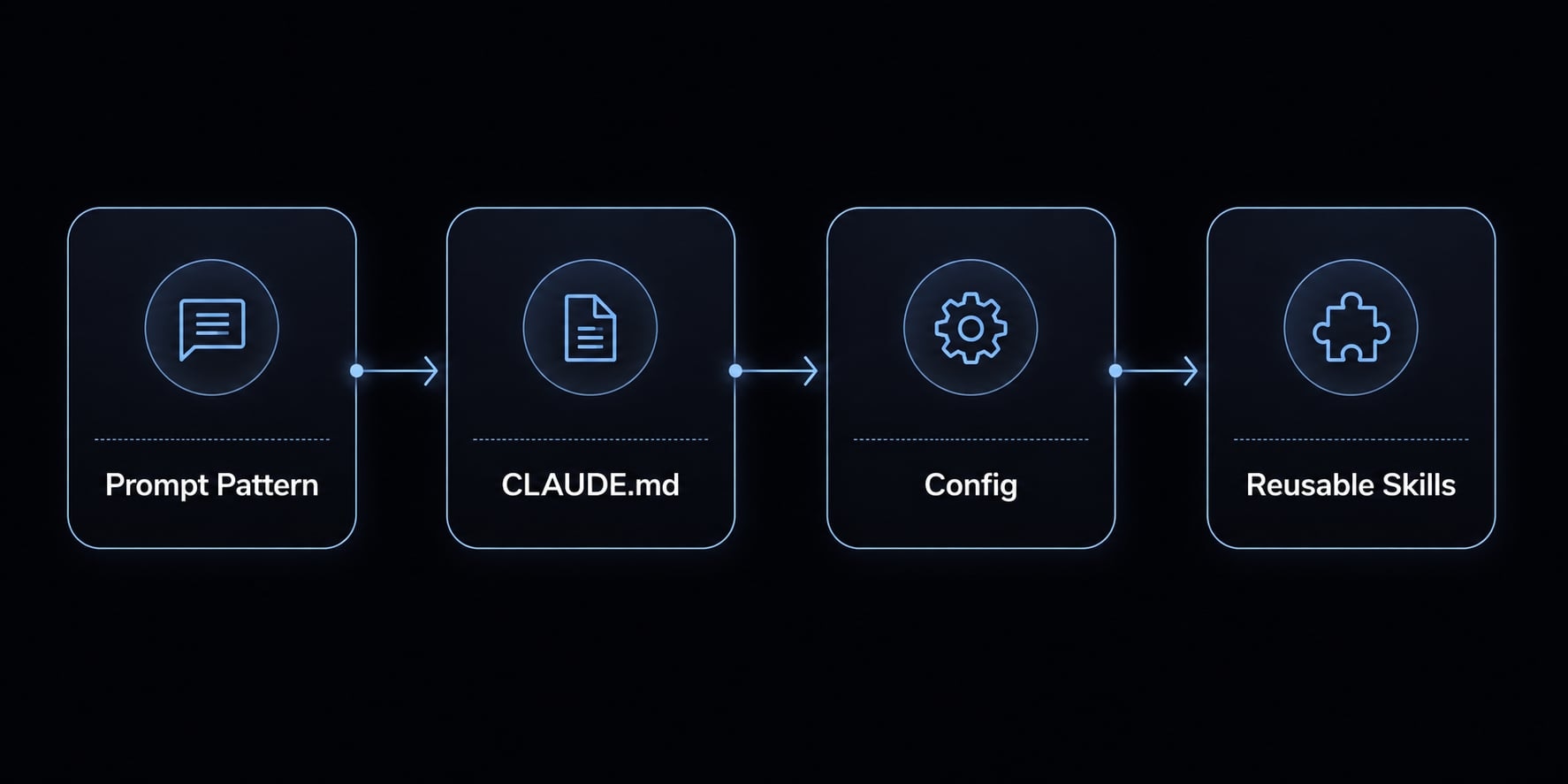
This is often where reusable skills become practical. Instead of rewriting your logic each time, you encode the recurring behavior once and refine it over time.
Where reusable workflow assets help most
These assets tend to help most in:
- Solo founder workflows with frequent context switching.
- Small product teams with repeated feature and bug-fix cycles.
- Teams that want consistent review behavior without long prompt rewrites.
A lightweight .claude config can support repeatable instructions. Skill customization helps when a team has clear repo rules, testing patterns, or review checklists. In more advanced setups, this becomes part of an agentic workflow, but the operational goal stays simple: Reduce repeated guessing and improve consistency.
For related standards, link these assets to internal guides on CLAUDE.md best practices, reusable workflow templates, and review checklists.
Practical example: A lightweight Claude Code prompt workflow for real projects
A realistic workflow does not need to be complex. The point of Claude Code workflow optimization is not to create bureaucracy. It is to reduce corrections later by using a clean, repeatable sequence.
Imagine a small bug fix in form validation where duplicate error messages appear on submit.
- Ask for a plan only: Request a short summary of the likely cause, affected files, risks, and proposed approach. No code yet.
- Ask Claude Code to inspect existing patterns: Require it to inspect the current validation flow, related tests, and similar error-handling logic. This keeps process-driven coding tied to the actual repo.
- Implement the minimal safe change: Ask for the narrowest fix that resolves duplicate messages without refactoring unrelated form behavior. This is a practical form of test-first prompting or at least test-aware implementation.
- Run a test and review loop: Require updated tests, edge-case checks, and a short review loop summary covering regressions, assumptions, and remaining risks.
This kind of flow does not guarantee production-ready code by default. It usually does produce fewer avoidable mistakes, cleaner reviews, and better handoff quality.
Frequently asked questions
What is Claude Code prompt engineering in practice?
Claude Code prompt engineering is the design of structured workflows that guide an AI agent through planning, codebase inspection, implementation, and verification. It moves beyond simple wording to focus on workflow discipline, ensuring the agent operates within defined constraints, cites real repository evidence, and enforces quality gates.
Why does prompt engineering matter for AI coding?
Generic prompts often lead to shallow implementation, weak assumptions, or broken code because the AI lacks proper context. Effective prompt engineering improves reliability by requiring the model to plan systematically, verify its hypotheses against existing patterns, and test changes, which significantly reduces the amount of downstream rework required.
What is the most reliable workflow for Claude Code?
The most reliable workflow follows four essential steps:
- Plan the task and define acceptance criteria before coding.
- Explore the codebase to cite existing patterns and APIs.
- Execute the smallest safe change.
- Verify the output using tests or an adversarial review process.
How can I make my Claude Code prompts more consistent?
Standardize your prompting by creating reusable assets like a CLAUDE.md file or custom skill definitions. By encoding your project's specific conventions, database patterns, and testing requirements into these configurations, you reduce the need for manual, repetitive instructions and ensure Claude Code follows your project's architectural standards every time.
Does better prompting replace the need for code review?
No. Prompt engineering improves consistency and discipline, but it does not replace human judgment, automated CI pipelines, or thorough code reviews. While a well-prompted agent can catch common bugs and regressions, human oversight remains necessary to ensure the final implementation aligns with long-term product goals and security standards.
What causes Claude Code to make common mistakes?
Most mistakes occur when developers start coding before planning, allow the agent to guess codebase patterns without inspection, or fail to define verification rules. To avoid these issues, always force the model to build a plan, cite file-specific evidence, and provide a summary of its adversarial review before finalizing any changes.
Read more:
- Master Claude Code Python: A practical workflow for AI coding
- Claude Code Plan Mode: Optimize your AI coding workflow
- Claude Code tutorial: Set up and master your AI coding agent
Conclusion
Claude Code prompt engineering is most useful when treated as workflow design rather than prompt wording. The practical model is simple: Plan → Explore → Execute → Verify. That sequence helps Claude Code work with real repository evidence, clearer boundaries, and stronger verification rules.
If you want better results, optimize for consistency, not cleverness. Start by standardizing one or two repeated prompt patterns, then turn them into lightweight references through reusable skills, CLAUDE.md, or a simple internal checklist. For next steps, explore related guides on reusable workflow templates, Claude Code review checklists, and prompt patterns for planning, debugging, and code review.