
Claude Code pro plan: Is Claude Code included, and what are the limits?
Eligible subscribers can use Claude Code through the Claude Code Pro plan under Anthropic’s current terms. However, included access remains subject to shared usage limits across Claude products. Claude Pro also does not automatically cover Claude Code activity authenticated through a separately billed API path. Before starting a large task, verify your active account, authentication method, and billing source.
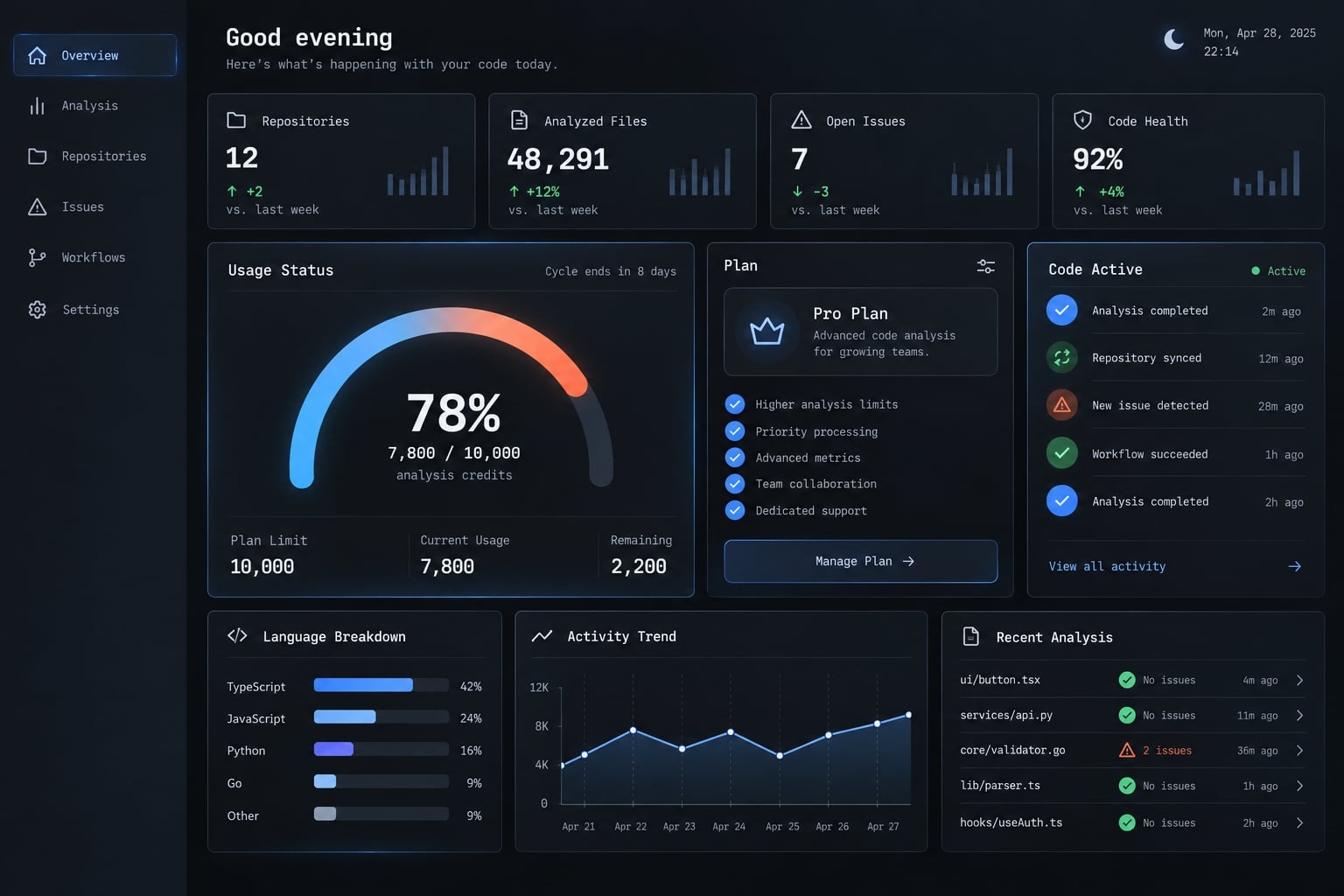
Direct answer: Claude Code is included with an eligible Claude Pro subscription. Usage draws from the plan’s available capacity and is not unlimited. If Claude Code uses Anthropic API credentials instead of subscription authentication, that activity may generate separate API charges outside the Pro subscription.
Is Claude Code included in the pro plan?
Claude Code is included with eligible Claude Pro subscriptions under Anthropic’s current plan terms. Subscribers can sign in with their Claude account and use Claude Code through the terminal or supported integrated development environment, without creating an API key solely for that subscription-based access.
According to Anthropic’s current subscription guidance, the Claude Code Pro subscription can provide:
- Access through the Claude account associated with the eligible subscription.
- A Claude Code terminal workflow for delegating coding tasks.
- Claude Code access through supported IDE integrations.
- Usage within the plan’s applicable subscription allowance.
- Access to Claude across supported web, desktop, and mobile interfaces.
Anthropic currently lists IDE support that includes VS Code, Cursor and other VS Code forks, and JetBrains products such as IntelliJ and PyCharm. IDE activity counts toward the same applicable limits as other Claude and Claude Code use.
What “included” actually means (and does not mean):
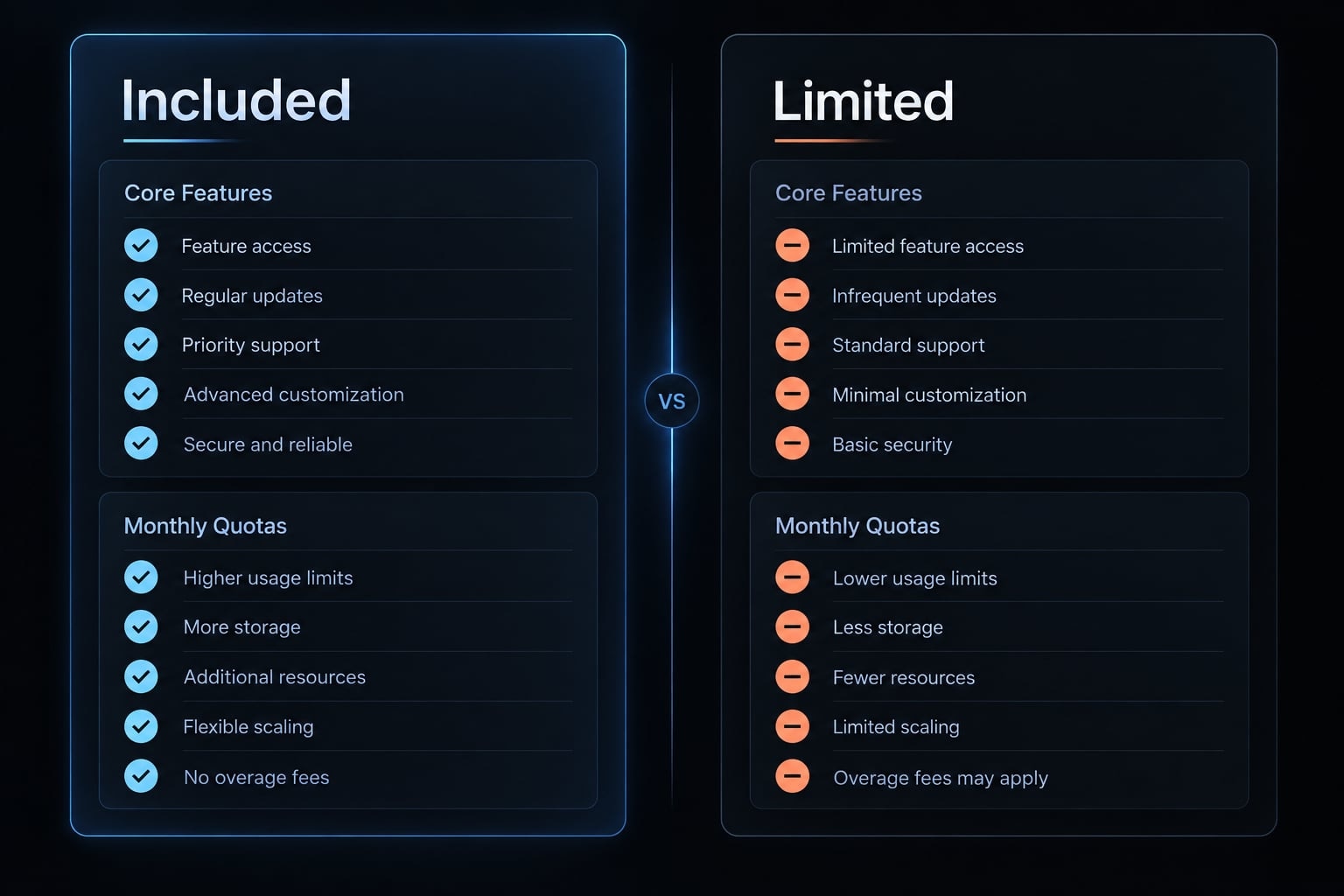
Included under current terms | Not automatically implied |
|---|---|
Eligible Claude Code access | Unlimited Claude Code usage |
Terminal and supported IDE workflows | Unrestricted Anthropic API consumption |
Usage within the subscription allowance | API charges consolidated into the Pro fee |
Access under current plan policies | Permanent, unchanged capacity or eligibility |
Individual Pro account terms | Identical Team or Enterprise terms |
For example, a developer signed into Claude Code with the same eligible Pro account can use the subscription path. If that developer instead authenticates through separately configured API credentials, the usage and billing source may differ.
Warning: Included does not mean unlimited. Product access, available capacity, and API billing are separate considerations.
How Claude Code usage limits work on pro
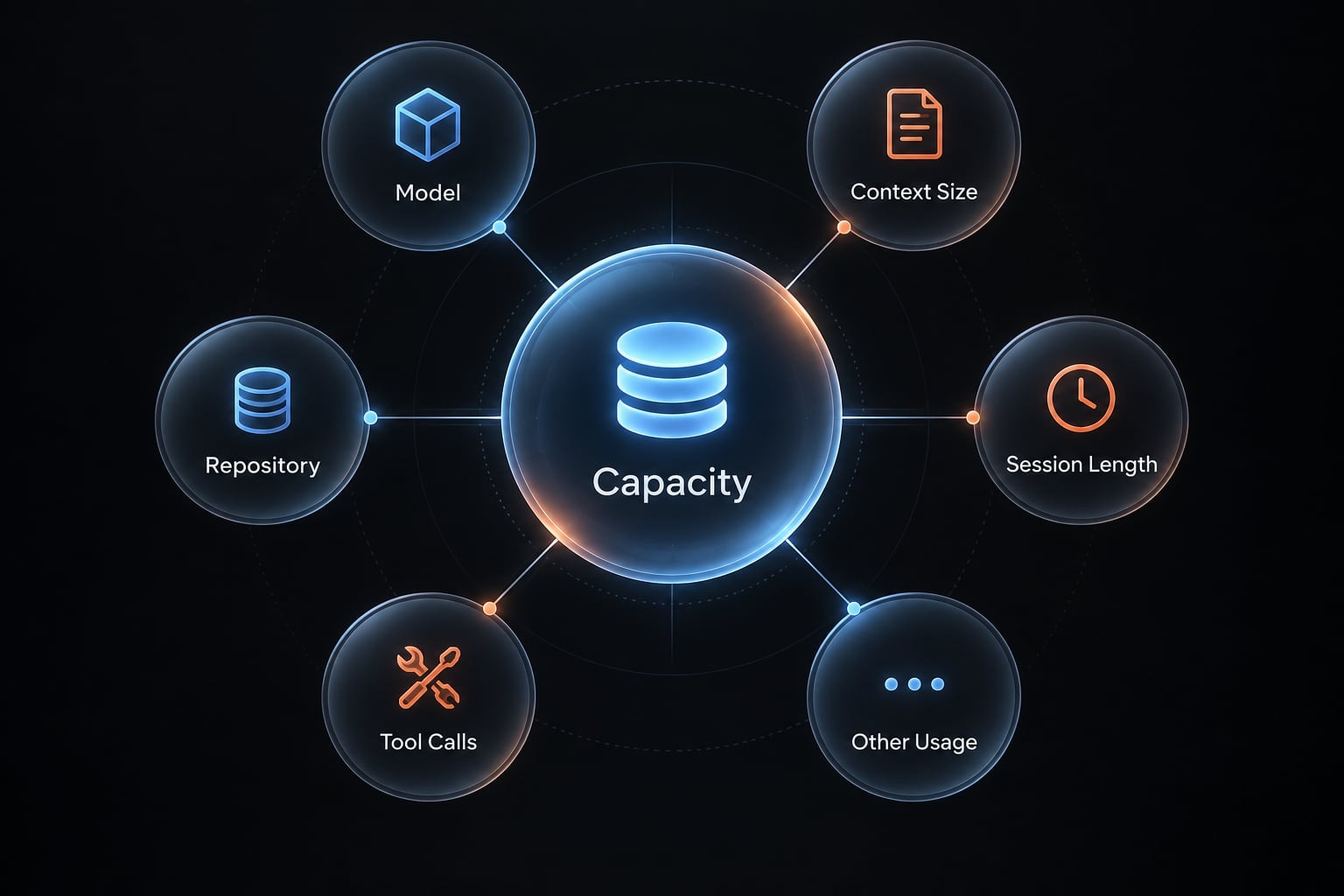
Claude Code Pro plan limits are capacity-based, not a guaranteed number of commands, prompts, sessions, or coding hours. The exact amount of work available varies because different tasks consume substantially different levels of context and processing capacity.
Anthropic states that usage is shared across Claude and Claude Code for eligible subscriptions. A solo founder using Claude extensively for research during the day may therefore have less available capacity for a long Claude Code session later. See Anthropic’s current explanation of shared plan usage.
The main factors affecting the Claude Code usage allowance include:
- Model selected: Different supported models may require different amounts of plan capacity.
- Repository or context size: Larger codebases require Claude Code to process more relevant material.
- Session length: Long sessions accumulate more conversation history and working context.
- File complexity: Cross-file changes usually require more analysis than an isolated edit.
- Tool calls and iterations: Repeated searches, tests, edits, and corrections increase workload.
- Other Claude usage: Activity in other Claude interfaces may draw from the same subscription capacity.
A localized validation fix in one file may require limited context and a few iterations. A repository-wide audit can involve hundreds of files, extended context, repeated tool calls, tests, and follow-up reviews.
This difference is why a universal “prompts per month” figure would be misleading. Capacity also depends on current model behavior and plan policies, which Anthropic may update.
Based on Anthropic’s published guidance:
- Claude Code displays warnings as the remaining capacity declines.
- Included usage eventually reaches the current plan limit.
- The user can wait for the allowance to reset or evaluate another eligible plan.
- The user may explicitly choose a separately billed API usage path where available.
Use the /status command to monitor the current allocation, as documented in Anthropic’s subscription guidance. Reset behavior and available continuation options can change, so verify current terms before relying on them.
Do you need an anthropic API key with Claude Pro?
You do not need an API key to access Claude Code with your Claude Pro subscription. You can authenticate with the Claude account attached to the eligible subscription. API credentials represent a separate access path, with usage governed by Anthropic Console billing rather than the Pro subscription allowance.
Authentication means the account or credentials used to establish a Claude Code session. The usage source is the subscription allowance or billing mechanism to which that activity is attributed.
Subscription authentication and API authentication:
Access path | Authentication | Usage source | Billing behavior |
|---|---|---|---|
Claude subscription | Eligible Claude account sign-in | Subscription allowance | Covered within current plan limits |
Anthropic API | API or Console credentials | API usage credits | Separately billed under API terms |
Subscription authentication:
- Uses the Claude account associated with the eligible subscription.
- Does not require creating a Claude Code API key solely for supported subscription access.
- Draws from the applicable subscription capacity.
- Shares relevant usage limits with other Claude activity under current terms.
API authentication:
- Uses an Anthropic API key or supported Console credentials.
- Is subject to usage-based billing.
- Requires separate spending and credit monitoring.
- May suit programmatic integrations or short, intensive workloads.
Critical billing warning: Anthropic’s current guidance states that if ANTHROPIC_API_KEY is set in the environment, Claude Code uses that key instead of the Claude subscription, resulting in API usage charges. Because credentials can also exist in an IDE, system profile, or project environment, verify the active session and review Anthropic Console activity before assuming which path is being billed.A solo founder may have Claude Pro for interactive development while maintaining Anthropic Console credentials for a product integration. Before beginning a large refactor, the founder should confirm which credentials Claude Code is using rather than assuming the subscription covers every session.
The Pro subscription balance and API usage credits are not interchangeable. Review both the official Claude Code authentication guidance and Anthropic’s billing explanation when configuring both paths.
How to connect Claude Code to a pro account
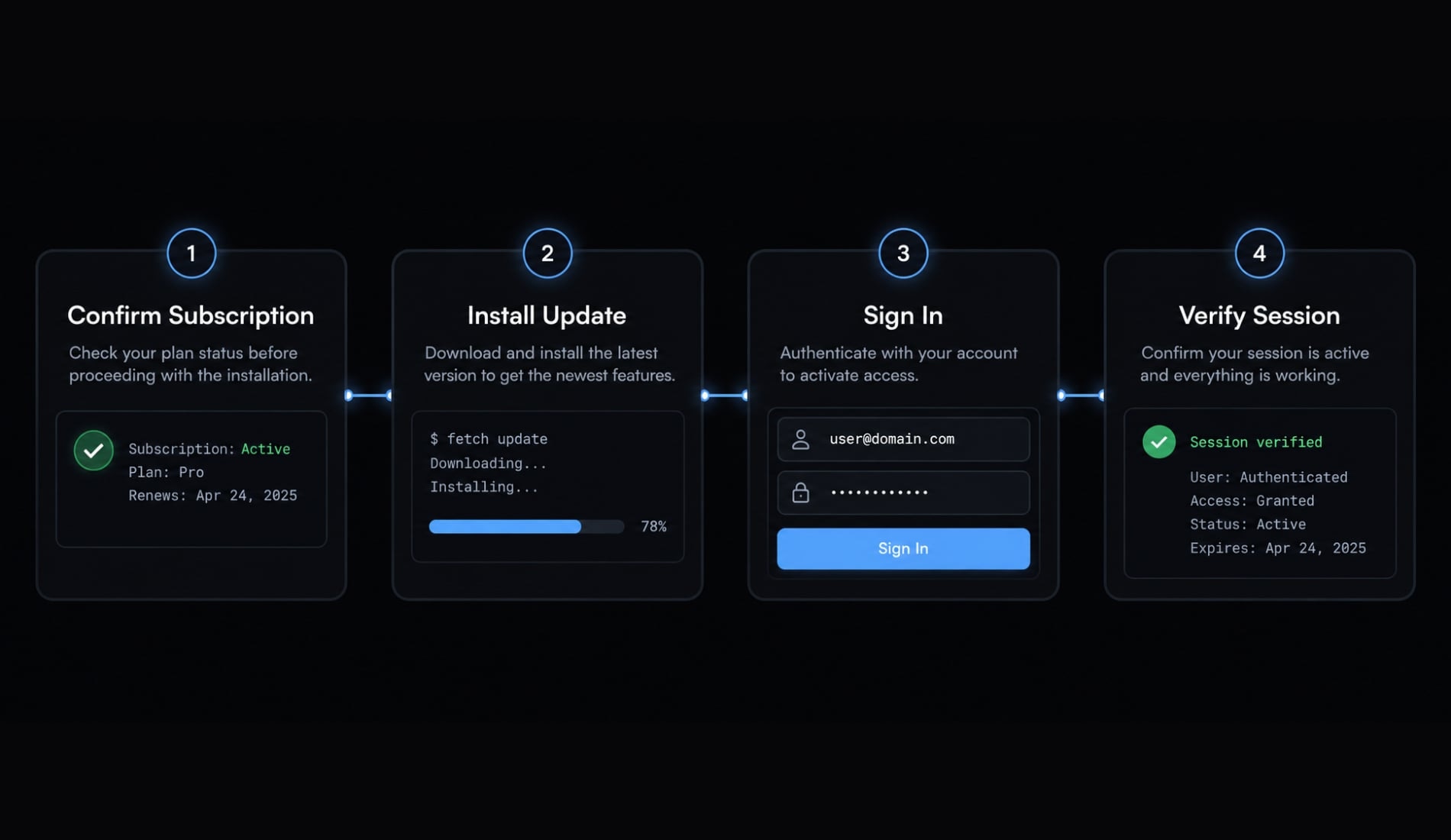
1. Confirm the Pro subscription
Check that the intended Claude account has an active, eligible subscription. Pay particular attention to the account email if you maintain separate personal and work identities. Do not assume the account active in your browser matches the account connected to the Claude Code terminal.
2. Install or update Claude Code
Follow the official Claude Code installation documentation for the current installation method. Update Claude Code before investigating a missing login option or unexpected account behavior.
Anthropic’s current troubleshooting sequence includes running claude update and restarting the terminal after logging out. Installation and update commands can change, so use the current documentation rather than an archived tutorial.
3. Authenticate with the correct Claude account
Start Claude Code and select the subscription-supported sign-in path. Use the same Claude credentials attached to the eligible Pro subscription. If Claude Code is connected to an unintended session, Anthropic currently documents /logout for signing out and /login for reconnecting. Verify these commands against the current official guidance before use.
4. Confirm the account and usage source
Before starting a repository-wide task:
- Confirm the expected Claude account.
- Inspect the current session with
/status. - Check for API credentials in the terminal and IDE.
- Confirm whether the intended path is subscription or API usage.
- Run a small, low-risk task before launching extensive changes.
For example, a developer may have personal Pro access and a separate work API project. Confirming the account and usage source prevents a personal coding session from unintentionally using the work billing path.
How to avoid unexpected Claude Code API charges
Unexpected Claude Code API charges require investigation rather than assumptions. The following checklist isolates the most relevant account, credential, and Console settings when you intend to remain within the Claude Pro subscription allocation.
Subscription-only billing checklist
- Sign out of any unintended Claude Code session.
- Sign in with the account attached to the eligible Pro subscription.
- Inspect whether
ANTHROPIC_API_KEYor another relevant credential is configured. - Check the shell, system profile, IDE settings, and project environment.
- Disable or remove API credentials only when other applications do not require them.
- Verify the active Claude Code account and usage source.
- Review Anthropic Console credits, spending controls, and auto-reload settings where available.
- Recheck billing activity after changing the authentication configuration.
Do not delete a shared API key blindly. Another local application, deployment process, or project may depend on it. A dedicated shell profile, isolated project environment, or credential-management method can keep subscription and API workflows separate.
Anthropic explains that auto-reload is controlled through the Anthropic Console and only applies when API credits are being used. Review the current Anthropic Console billing controls and the associated Claude Code billing guidance.
When API billing may still make sense
API billing can be appropriate for:
- Short, intensive coding workloads.
- Programmatic product integrations.
- Work that frequently exceeds subscription capacity.
- Teams already operating under controlled API budgets.
- Cases where flexible consumption matters more than fixed monthly spend.
These checks reduce billing ambiguity but do not guarantee zero charges. Confirm actual usage through the relevant subscription and Console records.
Claude pro vs. max vs. API billing: Which option fits your workload?
Claude Pro is a practical starting point for moderate individual workloads. Heavier interactive sessions may justify evaluating Claude Max, while variable or programmatic use may align better with API billing. Organizations needing centralized administration should assess Team or Enterprise terms.
Pro is likely sufficient for
- Learning how to use Claude Code.
- Occasional feature implementation.
- Moderate debugging and code review.
- Small personal repositories.
- Tasks with clearly controlled scope.
Pro may become restrictive for
- Persistent, all-day terminal sessions.
- Large or complex repositories.
- Frequent repository-wide audits.
- Long agentic workflows with repeated tool calls.
- Heavy combined use across Claude interfaces.
Signals to evaluate another option include repeatedly reaching limits after improving task scope, needing programmatic access, or adding multiple users who require centralized billing and governance.
Choosing between Claude Pro and Max for coding is not just about the name. It depends on whether your workload is interactive or programmatic, individual or team-based, predictable or sporadic. Consult Anthropic’s official pricing page before purchasing because pricing and plan terms may vary by market and can change.
Using AgentKit with a Claude Code pro workflow
AgentKit is an independent workflow product and is not affiliated with Anthropic. It does not include Claude Code or increase the usage allowance of any Claude plan.
Anthropic determines Claude Code access, capacity, models, and billing. AgentKit operates at the workflow layer, helping developers organize reusable processes around supported coding-agent environments.
The three layers serve different purposes:
- Claude subscription: Determines eligible access and plan capacity.
- Claude Code: Provides the terminal or supported IDE coding interface.
- AgentKit: Coordinates reusable skills, specialized subagents, configurations, integrations, checks, and approval controls.
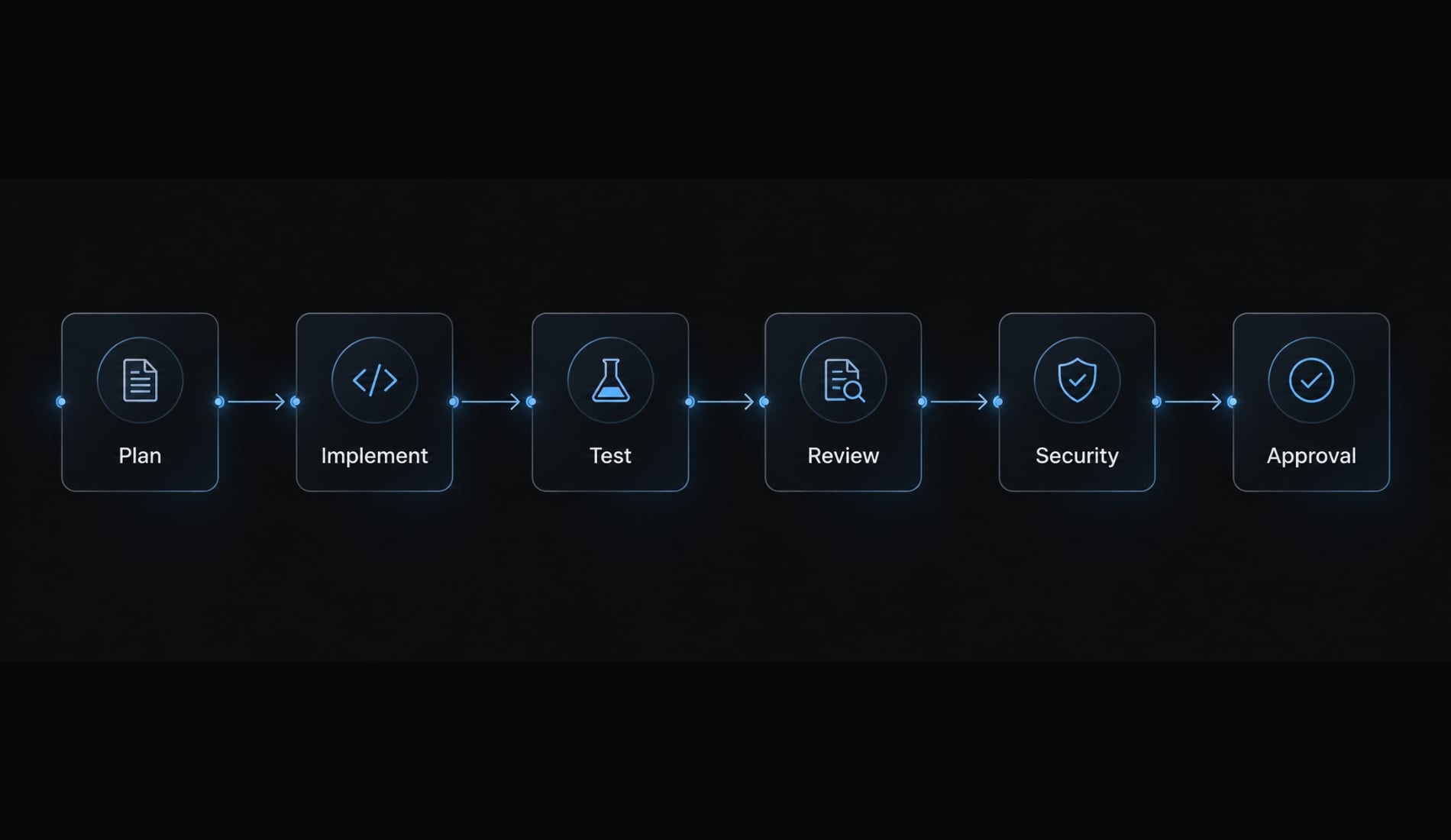
Without a repeatable system, developers frequently rebuild prompts, agent roles, review instructions, plugin configurations, security checks, and project-specific approval steps. AgentKit structures that work into a controlled delivery sequence:
- Plan: Scope the task, dependencies, constraints, and acceptance criteria.
- Implement: Make bounded changes through the assigned implementation workflow.
- Test: Create or execute checks against the requested behavior.
- Review: Examine correctness, maintainability, and unintended changes.
- Security check: Inspect secrets, dependencies, permissions, and risky configuration.
- Human approval: Retain user control over execution, acceptance, or merge decisions.
Specification | AgentKit role |
|---|---|
Product | AgentKit Engineer |
Coordination model | Specialized subagents and reusable skills |
Intended users | Developers, solo founders, indie makers, and small product teams |
Setup model | Reusable kits, workflows, plugins, and configurations |
Development scope | Planning through testing, review, security checks, and deployment support |
Integrations | MCP integrations, coding-agent environments, CLI, and desktop controls |
Outputs | Plans, code changes, tests, reviews, and workflow records |
Control mechanisms | Approval gates, configuration management, token visibility, and security checks |
Relationship to Claude Pro | Independent workflow layer; no effect on subscription capacity |
AgentKit does not convert API usage into subscription activity or provide additional Claude capacity. Its role is to make the Claude Code workflow more consistent, reviewable, and reusable. Explore AgentKit’s reusable Claude Code workflows to review the available kits, coordination model, and control options.
Final verdict on the Claude Code pro plan
The Claude Code pro plan includes Claude Code access for eligible subscribers under current Anthropic terms, but that access remains subject to shared usage limits. An API key is not required solely for the supported subscription path. Separately configured API usage can still produce separate Anthropic Console charges.
Pro is a practical starting point for moderate individual coding. Developers with persistent large-repository workloads can evaluate Max, while programmatic or bursty usage may fit API billing. Team and Enterprise are more relevant when centralized administration, governance, and billing visibility are required.
AgentKit can standardize planning, implementation, testing, review, security checks, and human approval, but it does not alter Claude capacity. Review AgentKit’s Claude Code workflow kits after confirming the appropriate Anthropic plan and billing path.
Frequently asked questions
Is Claude Code included in the Claude Pro plan?
Yes, Claude Code is included in eligible Claude Pro subscriptions. You can access the tool in your terminal using your Pro account credentials. However, this access is subject to shared usage limits, meaning your activity counts against the same capacity as your use of Claude on the web or mobile.
What are the usage limits for Claude Code on Pro?
There is no fixed number of terminal prompts or commands included in the Pro plan. Capacity is dynamic, depending on model choice, repository size, session complexity, and your overall activity across all Claude interfaces. When you approach your capacity, you will receive notifications to help you manage your remaining usage.
Does using Claude Code require an Anthropic API key?
No, you do not need an API key to use Claude Code with your Pro subscription. You authenticate directly with your Claude Pro credentials. Using a separate ANTHROPIC_API_KEY creates a distinct billing path that may result in usage-based charges, so verify your active authentication method before starting tasks.
How can I avoid unexpected API charges while using Claude Pro?
To ensure you stay within your Pro subscription allowance, verify that Claude Code is using your Pro credentials rather than an API key. Check your environment variables, IDE settings, and project configurations for any stored API keys, and run the status command to confirm the account currently authenticating your session.
What should I do when I reach my Claude Pro usage limits?
When your shared usage limit is reached, you can wait for your allowance to reset, consider upgrading to a Max plan for higher capacity, or opt to purchase API credits for continued access. Ensure you review Anthropic Console billing settings if you choose to enable API-funded continuation for intensive work.
Which Anthropic plan is best for heavy coding workloads?
Claude Pro is suitable for moderate individual use, while the Max plan offers higher capacity for frequent, intensive development sessions. For teams needing centralized administration or programmatic workflows, Anthropic offers Team and Enterprise plans, as well as pay-as-you-go API billing, which provides greater cost predictability for bursty development cycles.
Read more:
- How to setup Claude Code with OpenRouter: Practical guide
- Claude Code Plan Mode: Optimize your AI coding workflow
- Claude Code specialized agents: Boost your coding efficiency
Conclusion
Claude Pro includes Claude Code access via direct account login, but usage remains capped under shared capacity limits. To avoid unexpected charges, verify that a local ANTHROPIC_API_KEY isn't silently overriding your subscription billing. For heavy or programmatic workloads, consider upgrading to Claude Max or switching to pay-as-you-go API billing.